Call Tracking Setup: Stop Directory Listing Inconsistencies Before They Start
How Do You Track Calls Without Changing Your Business Listings?
For a call tracking setup without inconsistent business phone listings, keep one main business number on your Google Business Profile, website, and directories. Use Dynamic Number Insertion (DNI) to show tracking numbers to website visitors based on how they found you. Keep the main number in your page’s original HTML and structured data, then test what visitors and search crawlers see. This lets you attribute website calls without publishing different numbers across your listings.
The key distinction is simple: your listed number identifies your business; tracking numbers help measure calls. Problems start when a temporary tracking number becomes part of your public business information.
I’m Clayton Johnson, founder of SmallBizSEO, where I work on SEO and clear, consistent business information across search. This guide applies that approach to a call tracking setup without inconsistent business phone listings.
How Can You Set Up Call Tracking Without Inconsistent Business Phone Listings?
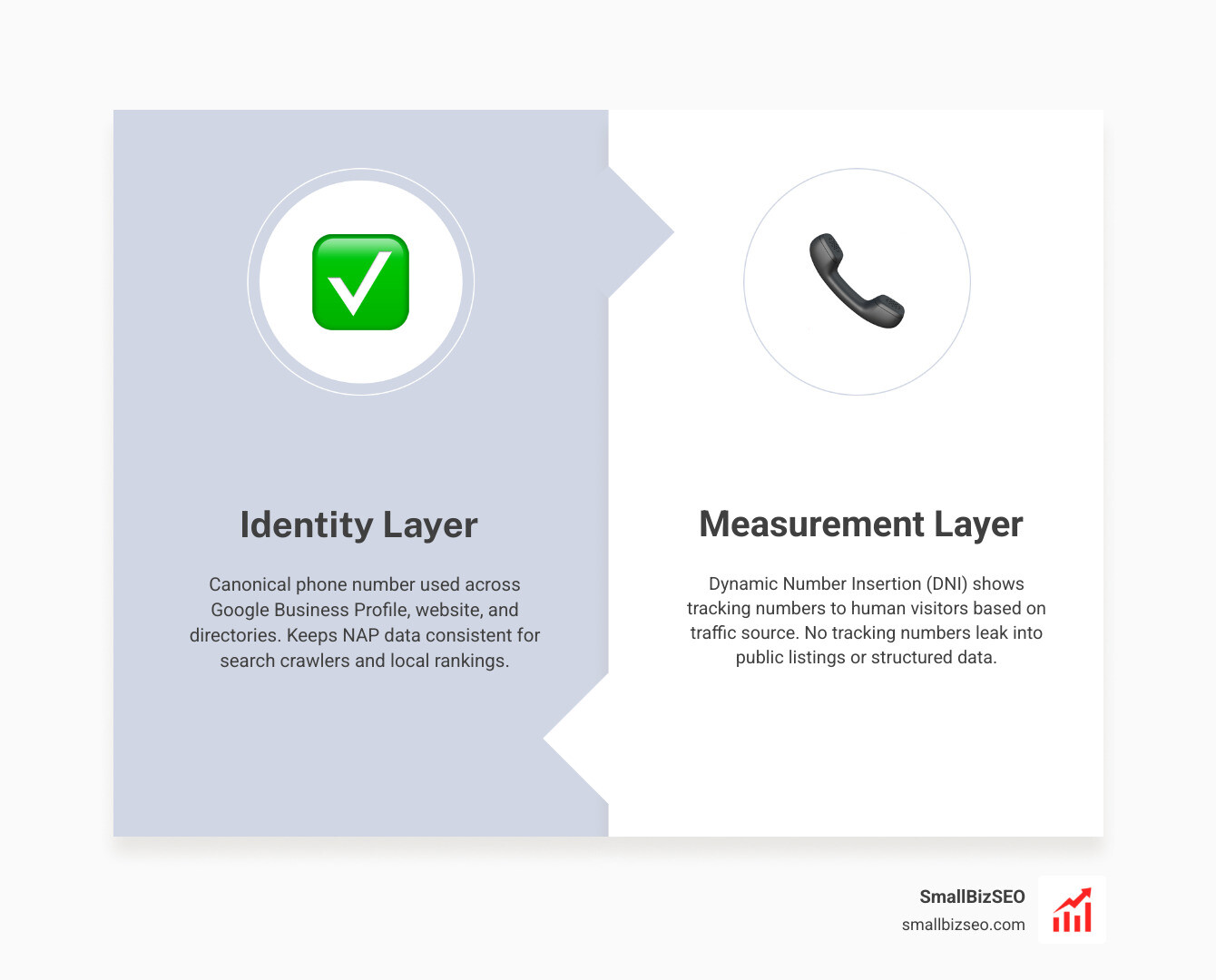
To track calls accurately without damaging search visibility, separate your identity layer from your measurement layer. Your public identity relies on a single canonical phone number across all primary directories. In contrast, your measurement layer uses Dynamic Number Insertion (DNI) to display channel-specific tracking numbers to human visitors on your website.
Maintaining citation integrity directly influences search performance. Businesses that maintain 95% consistency across their top 50 citations rank an average of 3.2 positions higher in the local map pack compared to businesses at 85% consistency. Citations account for roughly 9% of local ranking considerations. When automated bots scrape conflicting phone numbers, your core identity signals weaken.
Following our comprehensive local SEO guide means understanding when to use static numbers versus dynamic scripts.
| Feature | Static Tracking Numbers | Dynamic Number Insertion (DNI) |
|---|---|---|
| Primary Use Case | Offline print ads, billboards, direct mail | On-site website visitor attribution |
| SEO Risk Level | High if placed on public web directories | Low when configured with crawler safeguards |
| Crawler Visibility | Hard-coded on the page or directory | Sees original canonical number in HTML source |
| Attribution Depth | Source-level only | Keyword, campaign, session, and page-level |
| Listing Consistency | Can cause citation drift if published online | Preserves listing consistency everywhere |
How Should You Build the Core Architecture for Call Tracking?
Configure your website so that the underlying HTML source code and schema markup contain your canonical business phone number, while a lightweight JavaScript snippet dynamically swaps the visible text for human visitors.
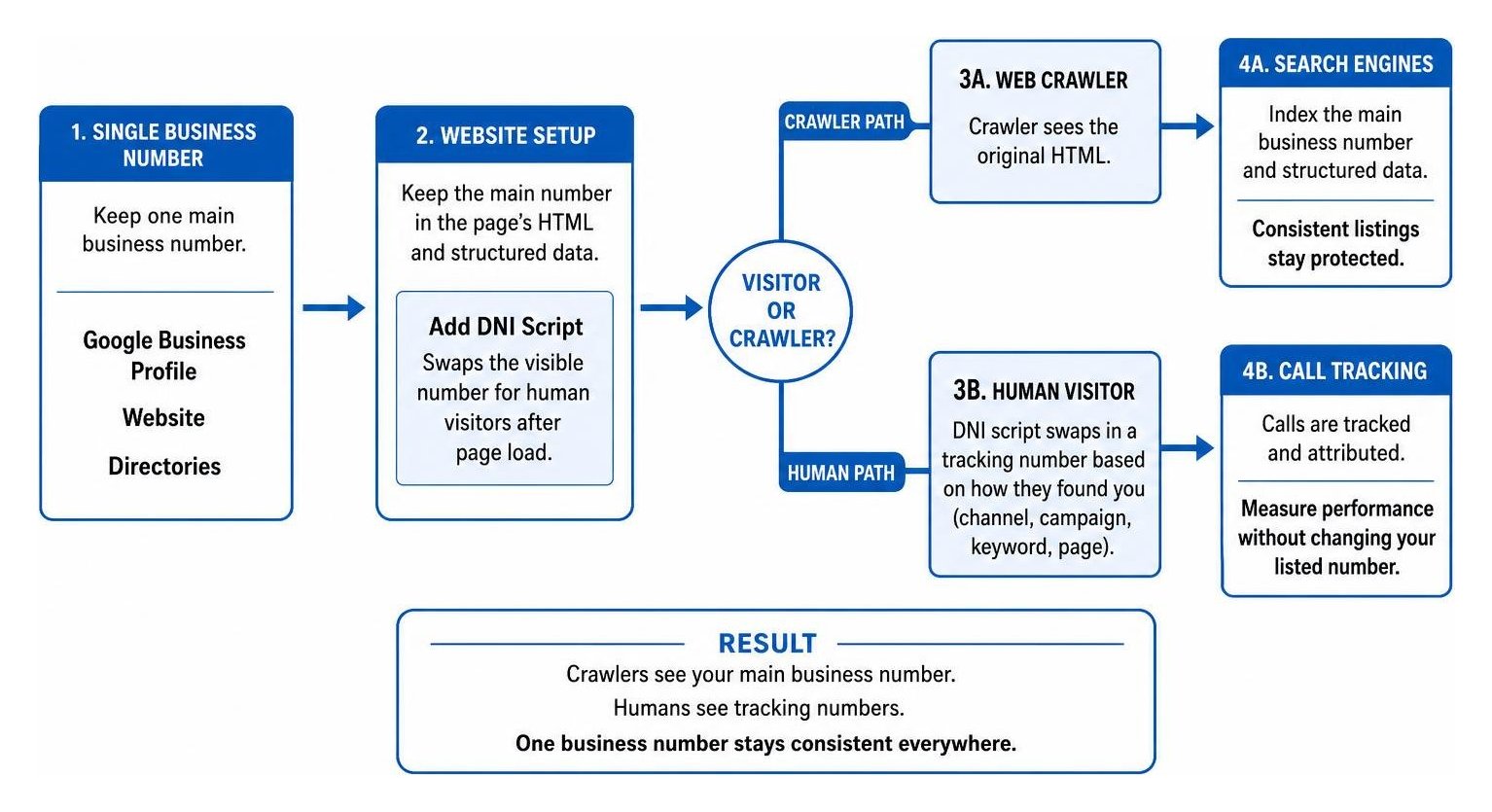
Search engine bots do not execute JavaScript in the same manner as real-time user sessions. When a crawler evaluates your page, it inspects the initial server response. By hard-coding your primary phone number in the HTML, your telephone links, and your LocalBusiness JSON-LD structured data, you provide consistent NAP data directly to search algorithms.
To ensure proper bot isolation:
- Hard-code the canonical number in the raw HTML markup and noscript fallback tags.
- Place the DNI script in your tag manager or header to swap the Document Object Model (DOM) after the initial page render.
- Leave the structured data telephone property permanently tied to your canonical number.
- Connect your conversion pipeline via an approved Google Ads call tracking setup to import call durations without altering hard-coded web text.
How Can You Manage Google Business Profile and Paid Ad Call Extensions Safely?
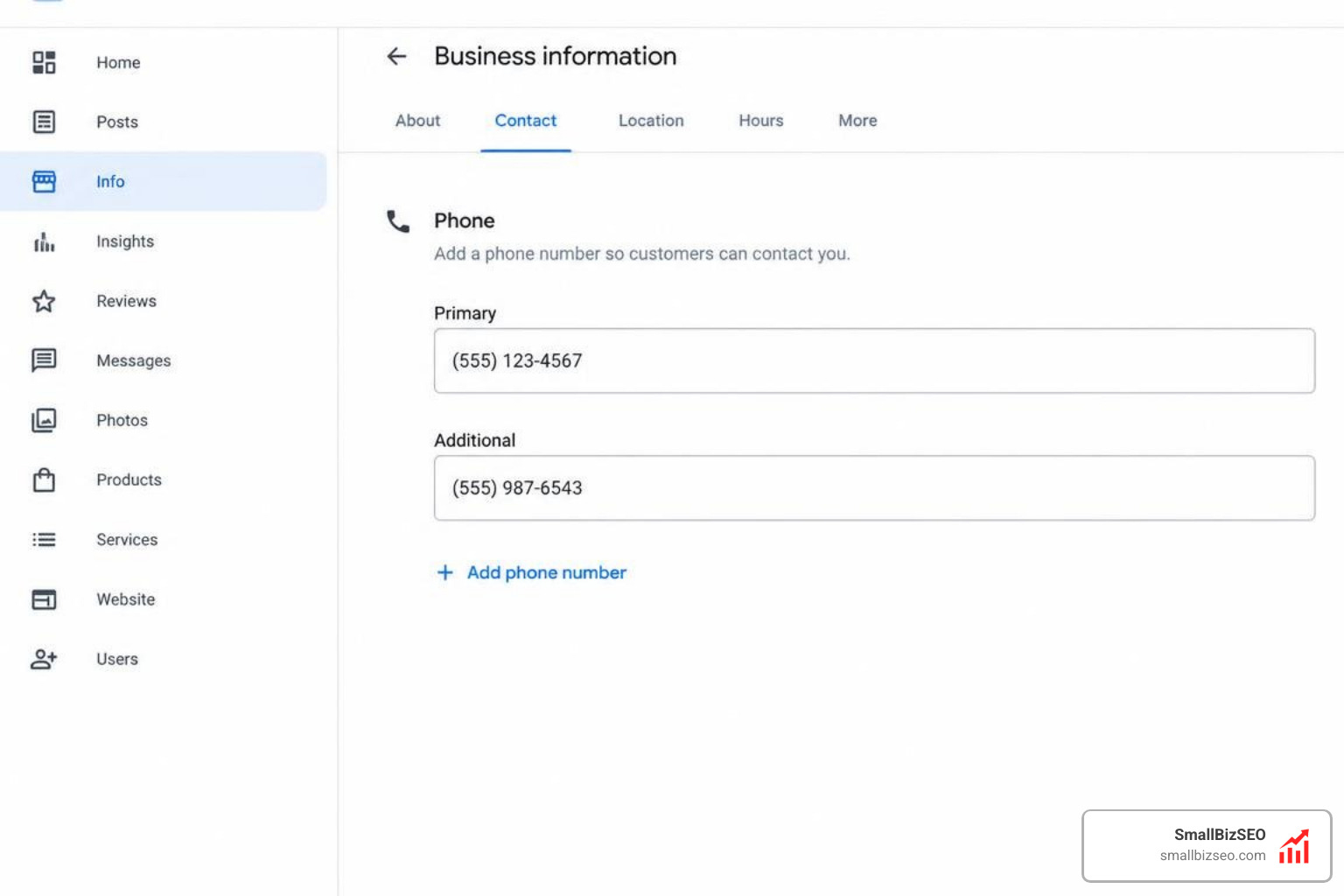
Place your dedicated call tracking number in the Primary Phone field of your Google Business Profile, and immediately add your canonical business line into the Additional Phone field.
Google explicitly uses the additional phone fields to cross-reference and verify your business identity against external citations. Placing your canonical number in the secondary slot keeps your listing linked to your established web presence while allowing the primary slot to route and record calls. This technique prevents automated algorithmic flags that trigger a unexpected business profile suspension.
For web visitors arriving via local search, add clean UTM parameters (such as utm_source=google&utm_medium=organic&utm_campaign=gbp) to the website link on your profile. Your website's DNI script reads this parameter upon arrival and displays a dedicated listing tracking number to the user, keeping organic and profile traffic cleanly separated.
For paid campaigns, never hard-code temporary numbers onto public landing pages that search engines index. Instead, manage call assets directly inside Google Ads to track ad-driven phone leads safely.
How Can You Set Up Call Tracking Across Multiple Locations?
Give every location its own distinct canonical phone number, its own dedicated DNI website pool, and its own branch-specific routing rules.
Never share a single tracking number across multiple physical branches. Sharing numbers causes cross-contamination in directory databases, creating citation overlap and destroying location signals. The golden rule is maintaining absolute separation for every physical address.
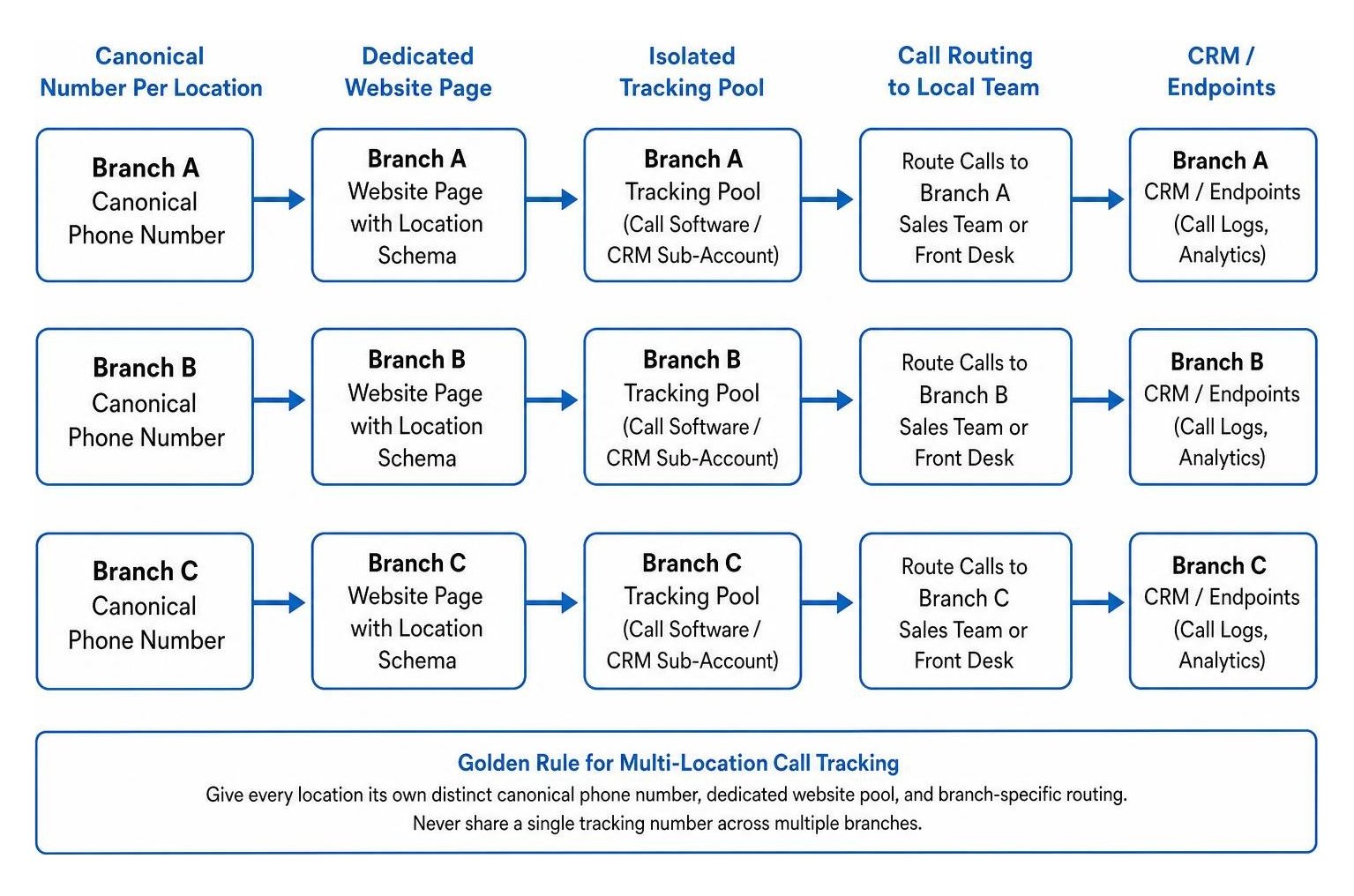
To scale multi-location tracking without errors:
- Assign a unique local area code number to each branch as its canonical identity.
- Build dedicated website landing pages for every branch, applying proper location schema to support building local relevance.
- Create isolated tracking pools in your call software or CRM sub-accounts for each location page.
- Route inbound calls directly to the dedicated sales staff or front desk responsible for that specific market.
How Do You Maintain Citation Health Over Time?
Preserving data accuracy requires ongoing monitoring of the major data aggregators and business directories. If a tracking number accidentally leaks into an external directory, automated aggregators can quickly spread that error across the web.
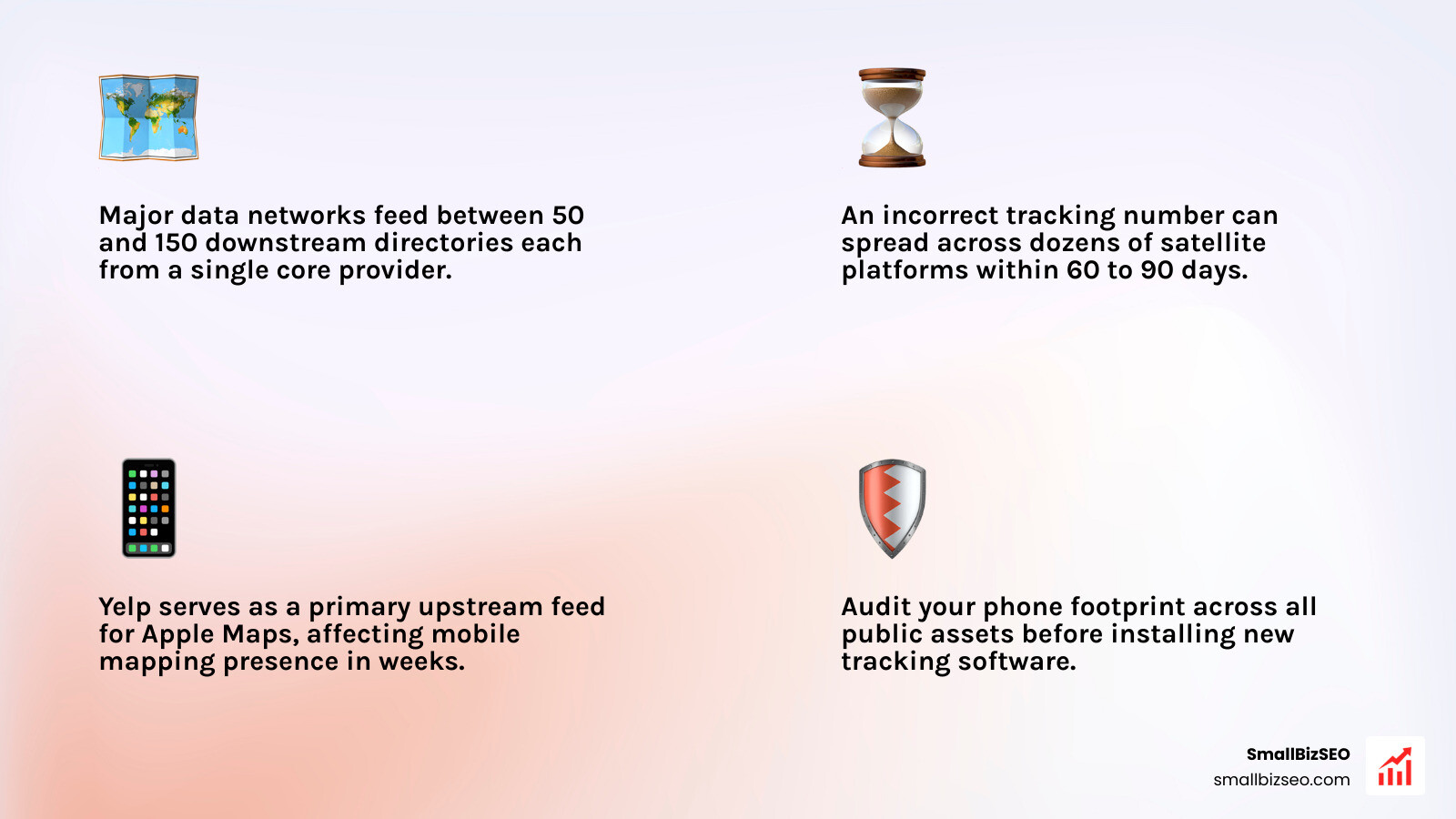
Major data networks feed between 50 and 150 downstream directories each. If an unmonitored tracking number reaches a core provider, that incorrect data will distribute across dozens of satellite platforms within 60 to 90 days. Furthermore, platforms like Yelp serve as primary upstream data feeds for Apple Maps, meaning an incorrect directory edit can alter your mobile mapping presence in a matter of weeks.
How Can You Audit Citations and Aggregator Propagation to Prevent Drift?
Before installing any new software, document your exact phone footprint across every public asset. Then, inspect your live pages and directory feeds to verify that tracking scripts are not leaking into static web indexes.

Run regular checks to safeguard your local citation graph:
- Raw HTML Source Inspection: View the raw page source of your landing pages in an incognito window. Confirm the unrendered text displays your canonical phone number, not a rotating pool line.
- Structured Data Testing: Run your key pages through the Google Rich Results Test to verify that your LocalBusiness schema outputs only your real business number.
- Aggregator Sync Scans: Check major aggregator profiles to ensure legacy tracking numbers have not overwritten your core business data.
- Directory Footprint Reviews: Search the web for your temporary tracking numbers enclosed in quotation marks. If a search query returns third-party directory listings displaying the tracking number, submit manual corrections immediately to stop preventing map spam filters from flagging your brand.
What Should a Strong Call-Tracking Maintenance Protocol Include?
Establish a strict quarterly review cycle to audit directory consistency, verify routing rules, and confirm that all call events pass seamlessly into your analytics platforms.
At SmallBizSEO, we implement this process through our data-driven Velocity framework, ensuring fast technical execution alongside rigorous listing protection. Our quarterly maintenance checklist includes:
- Directory Integrity Audits: Scan your top 50 citation profiles to confirm your canonical phone number remains 100% consistent across all tier-one directories.
- Routing and Forwarding Verification: Place manual test calls to every active tracking number across Google Business Profile, paid ads, and website pools to ensure calls connect instantly without audio degradation.
- Conversion Quality Filters: Review call duration thresholds in your reporting platform. Set minimum call thresholds (such as 30 to 60 seconds) to filter out spam, wrong numbers, and misdials from your conversion reports.
- Asset Governance: Verify ownership of all phone numbers within your primary tracking software. Never allow third-party contractors or agencies to hold your primary numbers in unmanaged accounts. If you ever change platforms, port your numbers directly to maintain full operational continuity.
Maintaining accurate marketing attribution does not require compromising your search engine rankings. By setting up dynamic insertion on your site while keeping your public directories strictly canonical, you gain clear lead intelligence alongside durable local visibility. If you want expert help auditing your technical setup, explore our specialized SmallBizSEO call tracking services to protect your business footprint.