Improving Your First Contentful Paint Score

Why a Slow First Paint Is Costing You Visitors (and What to Do About It)
Knowing how to improve first contentful paint can be the difference between a visitor staying on your site and hitting the back button before they ever see your content. Here is a quick summary of what works:
- Reduce server response time (TTFB) - use caching and a CDN to deliver HTML faster
- Eliminate render-blocking CSS and JavaScript - inline critical CSS and defer the rest
- Optimize web fonts - add
font-display: swapand preload key font files - Preconnect to critical origins - use a preconnect link element for third-party domains
- Use server-side rendering (SSR) - deliver real HTML instead of an empty JS shell
That is the short version. Keep reading for the full step-by-step breakdown.
Think about the last time you clicked a link and stared at a white screen. One second. Two seconds. You started wondering if the page was even loading. That feeling — that moment of doubt — is exactly what First Contentful Paint (FCP) measures: how long it takes before anything appears on your screen.
Google considers an FCP of 1.8 seconds or less to be good. Yet according to Web Almanac data, only 55% of mobile pages hit that mark. That means nearly half of all mobile pages are making users wait long enough to question whether the site is working.
The business cost is real. The BBC found that every extra second added to FCP caused them to lose 10% of their users. Pinterest cut their FCP by 40% and saw a 15% jump in SEO traffic and signups. Walmart shaved one second off their FCP and gained a 2% lift in conversions.
For small business owners, those numbers matter enormously — especially when you are already competing for attention against bigger brands.
I'm Clayton Johnson, and I specialize in digital PR and SEO strategy, including helping businesses understand how to improve first contentful paint as part of a broader technical SEO plan. In the sections below, I will walk you through exactly what causes a slow FCP, how to diagnose it, and the most effective fixes — whether you are running WordPress, React, or anything in between.
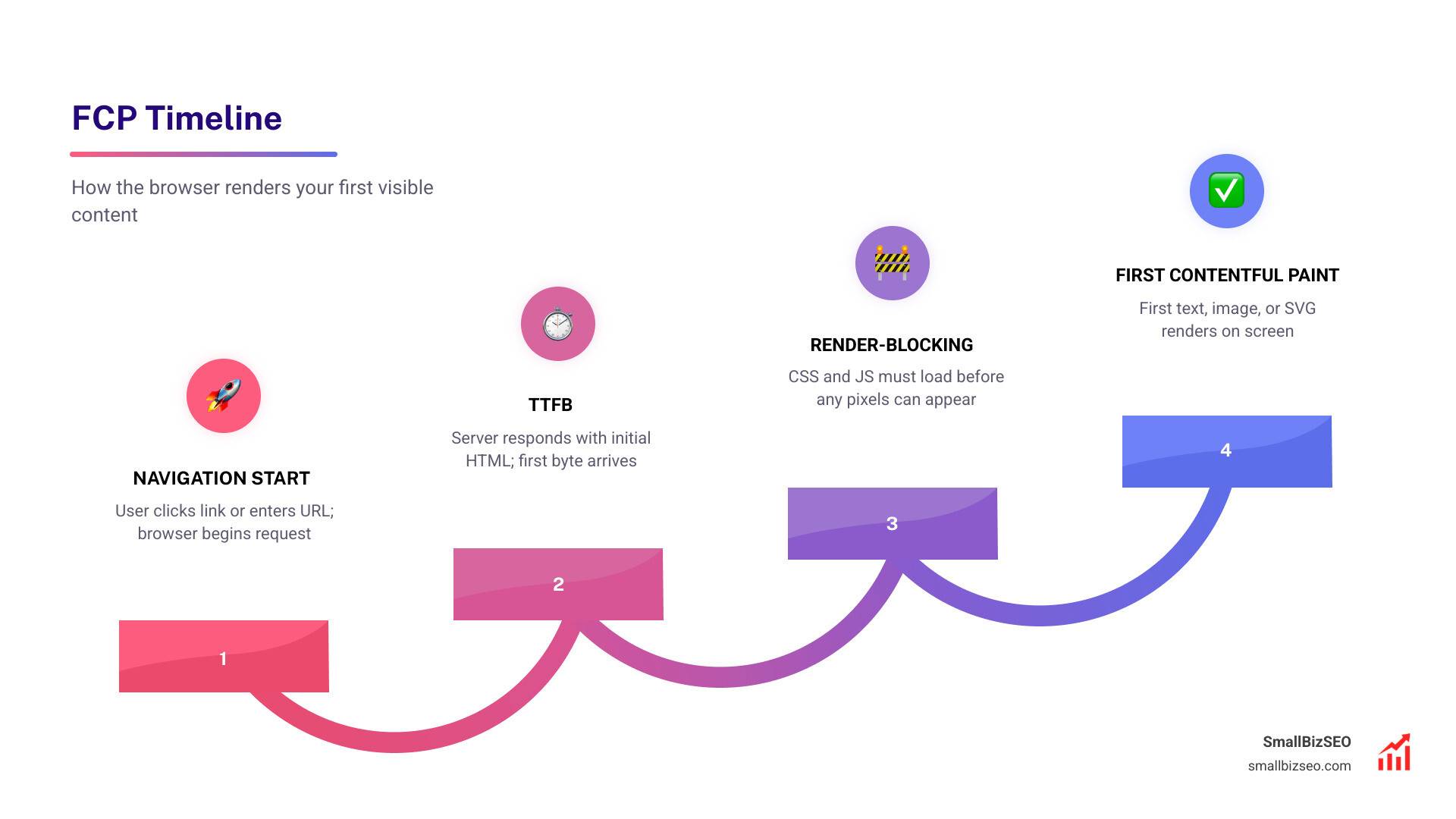
Understanding First Contentful Paint (FCP) vs. Largest Contentful Paint (LCP)
To make our websites load faster, we first need to understand what the browser is actually doing behind the scenes.
First Contentful Paint (FCP) measures the exact timestamp when the browser renders the very first piece of DOM content. This could be a block of text, an image, a non-white canvas element, or an SVG graphic. In simple terms, FCP marks the exact moment a user stops staring at a blank white screen and gets visual feedback that the page is actually working.
It is important to note that FCP does not include content inside iframes, nor does it count background colors or empty elements. It requires actual, visible content to render.
Many people confuse FCP with Largest Contentful Paint (LCP), but they serve different roles in our understanding of user experience:
- FCP (First Contentful Paint) is the beginning of the visual loading journey. It tells the user: "Hang tight, we are loading."
- LCP (Largest Contentful Paint) is the destination. It measures when the main content of the page—usually a large hero image or a major heading—has fully rendered. It tells the user: "Here is the content you actually came to see."
Think of FCP as the upstream gatekeeper. If your FCP is slow, your LCP will inevitably be slow too. You cannot paint the largest piece of content on the screen until you have painted the first.
| Metric | What It Measures | Target Score | Role in Core Web Vitals |
|---|---|---|---|
| First Contentful Paint (FCP) | Time until the first text, image, or SVG renders | 1.8 seconds or less | Supplemental diagnostic metric |
| Largest Contentful Paint (LCP) | Time until the largest main content block renders | 2.5 seconds or less | Core Web Vital (ranking factor) |
While FCP is technically classified as a supplemental diagnostic metric rather than a direct Core Web Vital, it remains incredibly important. It directly influences user bounce rates, overall session duration, and is a major component of your overall Lighthouse performance score.
Improving FCP is a foundational element of any successful On-Page SEO strategy. For more details on how Google handles these paint milestones, you can explore the official guide on First Contentful Paint (FCP) | Articles.
How to Measure and Diagnose Your FCP Score
Before we start applying technical fixes, we need to know where we stand. Google categorizes FCP speeds into three distinct buckets:
- Good: 1.8 seconds or less
- Needs Improvement: Between 1.8 and 3.0 seconds
- Poor: Greater than 3.0 seconds
These thresholds are measured at the 75th percentile of real-world user visits. Interestingly, there is a massive gap between desktop and mobile performance. According to industry data, 70% of desktop pages achieve a "Good" FCP, while only 55% of mobile pages do. This is because mobile devices face slower processors, cellular network latency, and CPU throttling.
To diagnose our site's FCP, we look at two types of data:
- Field Data (Real Users): This is collected from real-world users via the Chrome User Experience Report (CrUX) and Real User Monitoring (RUM) tools. It reflects actual network conditions and device limitations over a rolling 28-day average.
- Lab Data (Synthetic Testing): This is generated in a controlled environment using tools like Lighthouse and Chrome DevTools. It is perfect for testing immediate code changes, though it may not fully capture the chaotic reality of real-user devices.
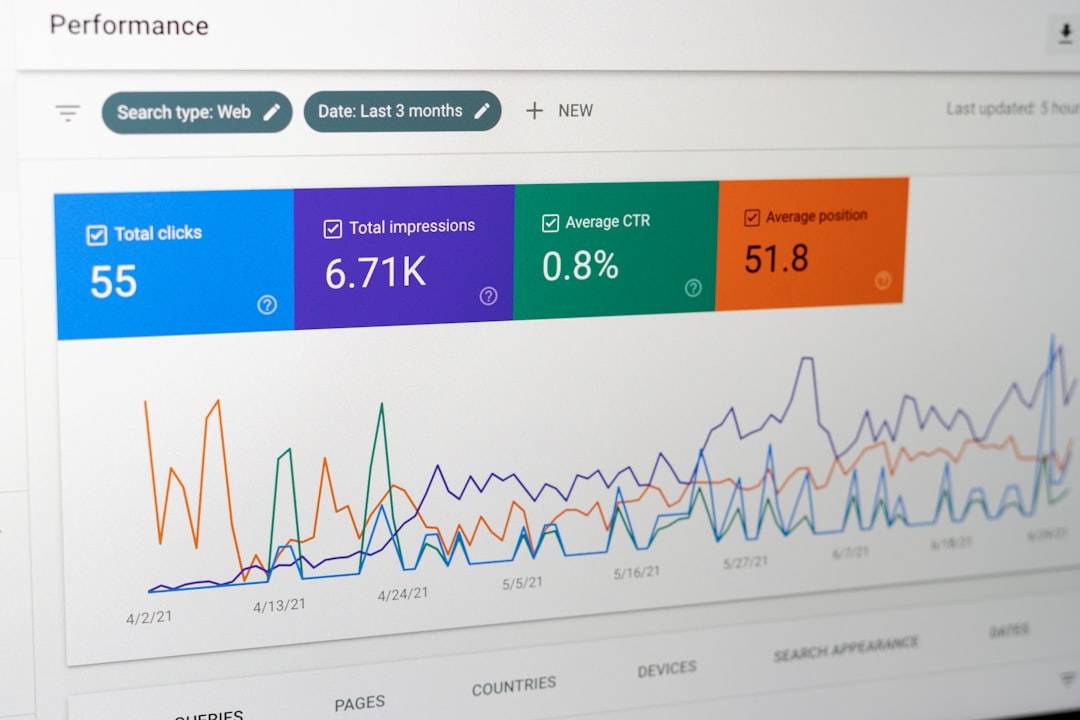
To get a complete picture, we recommend running a Lighthouse audit within Chrome DevTools. Pay close attention to the Diagnostics section, which will flag the exact elements delaying your paint times.
For a deeper dive into measuring these metrics programmatically, you can read the technical documentation on how to Measure And Optimize First Contentful Paint (FCP). Tracking these metrics over time is a core part of implementing a reliable SEO Services Guide for your business.
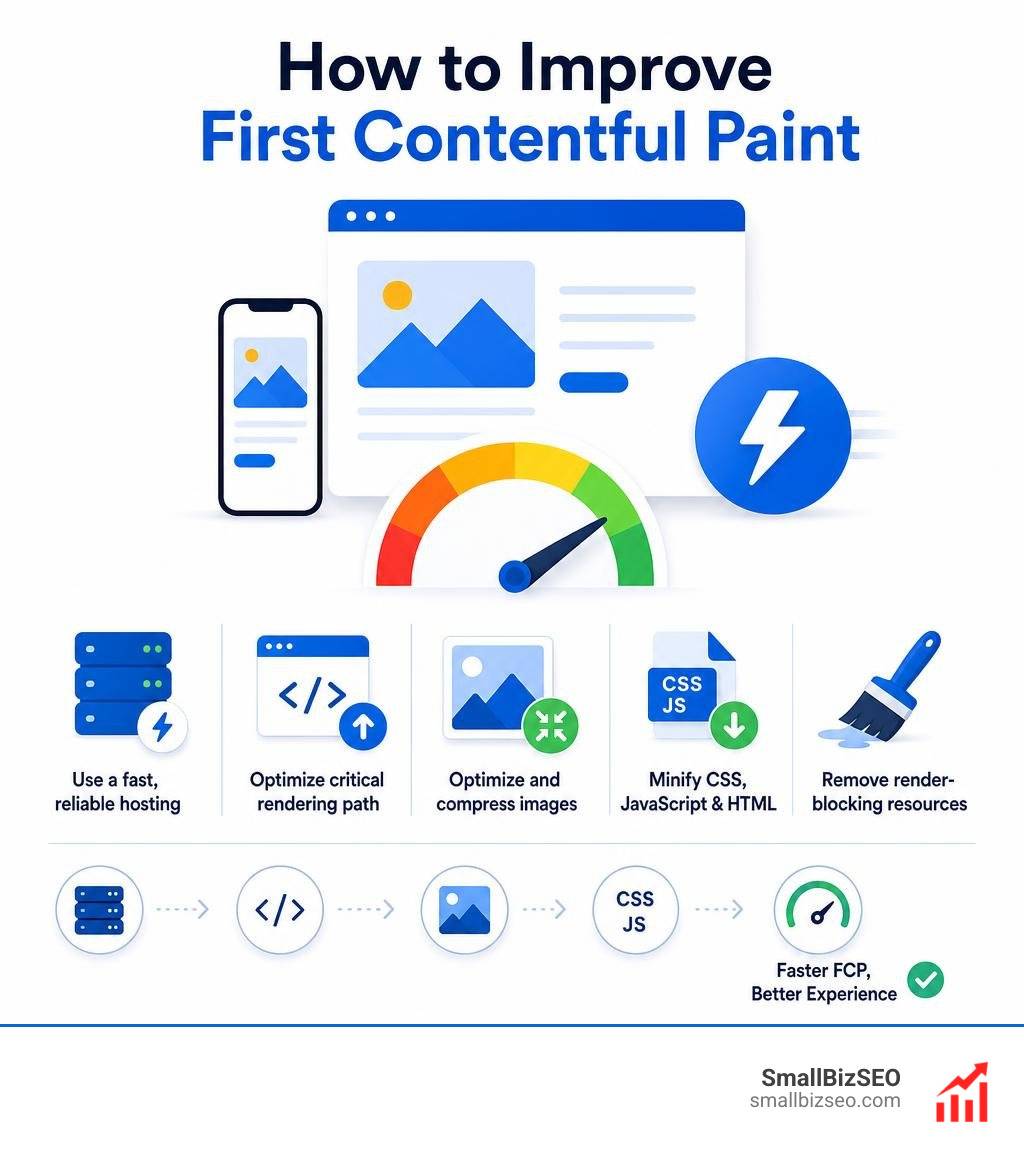
How to Improve First Contentful Paint: 5 Proven Technical Strategies
To speed up FCP, we must optimize the critical rendering path—the sequence of steps the browser takes to convert HTML, CSS, and JavaScript into actual pixels on the screen.
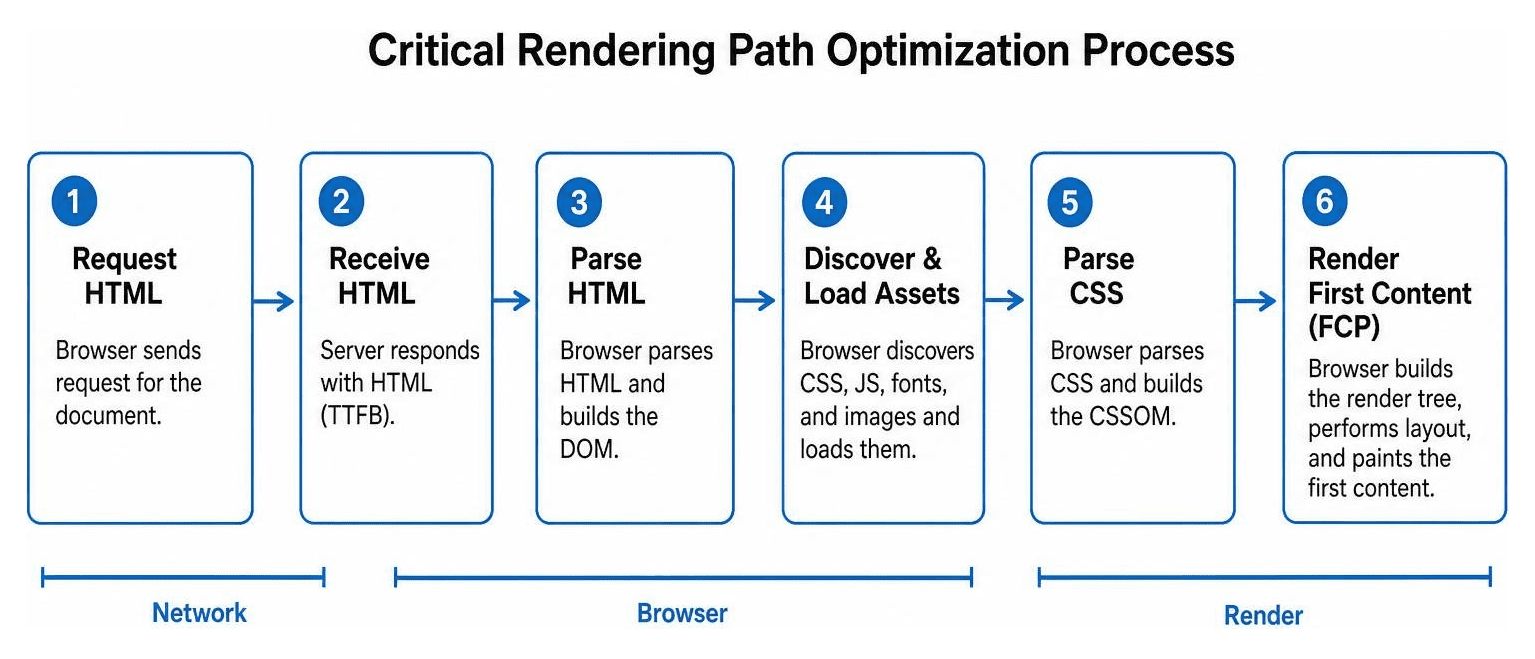
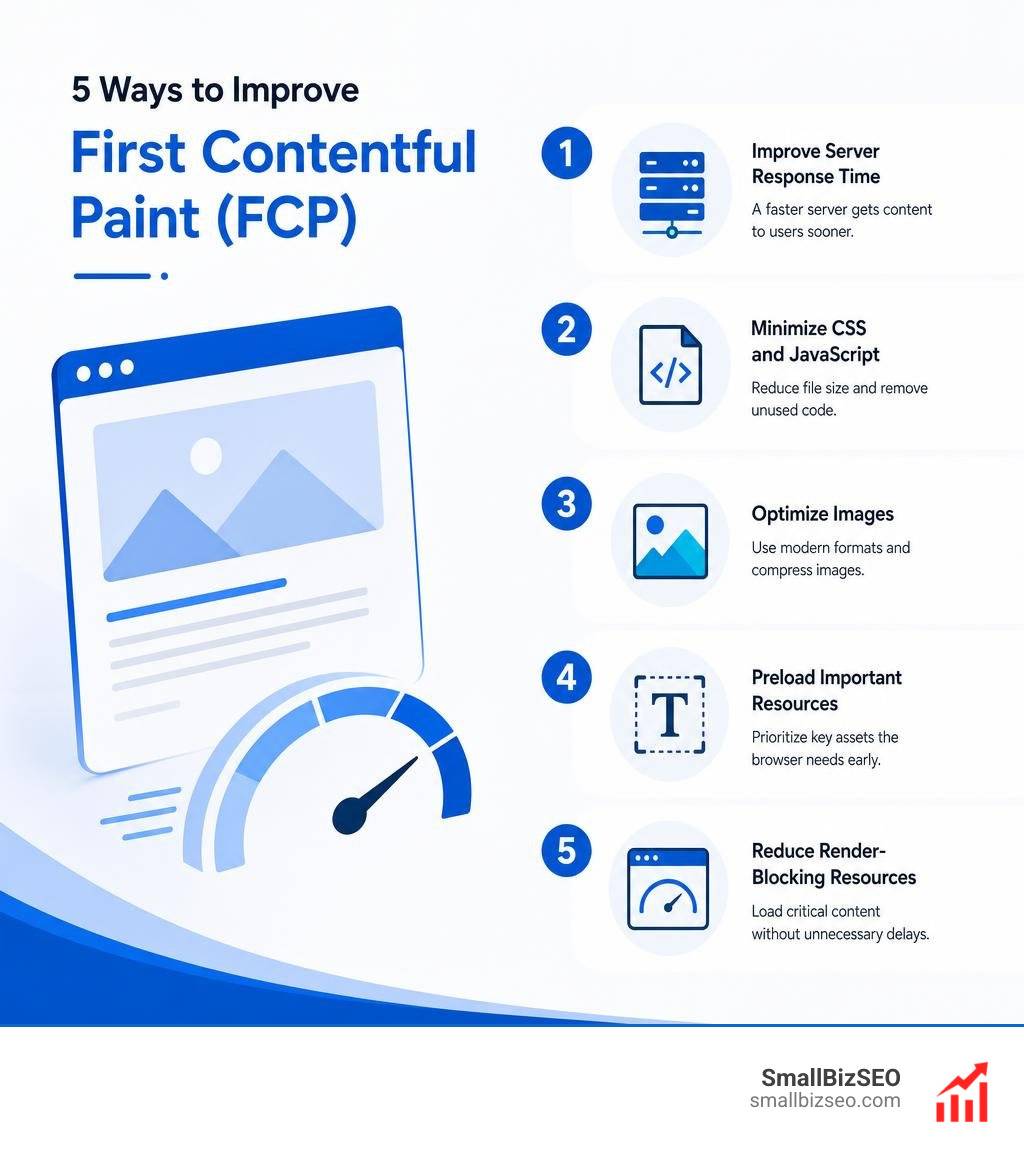
Here are the five most effective technical strategies to optimize this path and lower your FCP times:
1. Slash Your Time to First Byte (TTFB)
FCP is highly dependent on your server response time. If your server takes a full second just to deliver the initial HTML document (TTFB), your FCP is already delayed by that same second.
- Enable robust page caching at the server level.
- Use a content delivery network (CDN) to cache your HTML at the network edge, closer to your users.
- Upgrade to modern protocols like HTTP/3 to ensure faster multiplexing.
- Implement Brotli compression, which is up to 20% more efficient than traditional Gzip.
2. Eliminate Render-Blocking Resources
By default, browsers will pause rendering when they encounter external CSS files or JavaScript scripts in the header. They wait to download and parse these files before showing any content.
- Identify your critical CSS (the styles needed to render the content above the fold) and inline it directly into the HTML header.
- Load non-critical CSS asynchronously by preloading it and switching the stylesheet media type upon load.
- Defer non-essential JavaScript files or load them asynchronously using the defer or async attributes so they do not block the initial HTML parser.
3. Establish Early Connections to Critical Origins
If your site relies on third-party domains for fonts, analytics, or assets, the browser must perform DNS lookups, TCP handshakes, and SSL negotiations for each domain.
- Use the preconnect resource hint to tell the browser to establish these connections early.
- For example, adding a preconnect link for your font provider allows the browser to secure the connection before it even parses the font request.
4. Optimize Web Font Delivery
Web fonts are notorious for causing a Flash of Invisible Text (FOIT), where the browser hides text until the custom font file has fully downloaded.
- Apply the font-display: swap property to your CSS font-face rules. This instructs the browser to show a system fallback font immediately, then swap in your custom font once it loads.
- Preload critical above-the-fold font files using the preload attribute.
- Use modern, highly compressed font formats like WOFF2, and subset your fonts to remove unused characters.
5. Limit the Size of Your DOM
An excessively large DOM tree with thousands of nested elements forces the browser to spend unnecessary CPU cycles calculating styles and layouts.
- Keep your HTML structure clean, shallow, and lightweight.
- Avoid heavy page builders that inject unnecessary wrapper divs.
For a highly technical breakdown of these rendering path optimizations, check out the comprehensive guide on First Contentful Paint (FCP): what it is and how to fix it · lighthouse-md.com. Keeping these technical steps in mind is especially useful when planning a site overhaul, as outlined in our Website Redesign Checklist SEO Best Practices.
How to Improve First Contentful Paint on WordPress Sites
WordPress is an incredibly popular platform, but its plugin-heavy ecosystem and complex themes can easily lead to a bloated critical rendering path. To keep your WordPress site loading fast, we recommend a streamlined approach:
- Choose a Lightweight Theme: Avoid bulky themes that load massive CSS and JavaScript files for features you do not use. Build with highly optimized, performance-first themes.
- Use a Quality Caching Plugin: Plugins like WP Rocket or Hummingbird make it easy to manage asset optimization. They can automatically minify your CSS and JavaScript, defer non-essential scripts, and generate critical CSS for your pages with a single click.
- Control Third-Party Scripts: Limit your reliance on heavy social sharing plugins, chat widgets, and external tracking pixels. If you must use them, load them using Google Tag Manager and set them to trigger only after the main page has fully loaded.
If you are planning to transition to a cleaner, faster setup, we suggest reviewing our guide on managing a successful Website Redesign without losing your hard-earned search rankings.
How to Improve First Contentful Paint in React and Modern SPAs
Single Page Applications (SPAs) built on React, Vue, or Angular often struggle with FCP. By default, these applications deliver an empty HTML shell to the browser, accompanied by a massive JavaScript bundle. The user sees a blank screen until the browser downloads, parses, and executes that entire bundle.
To solve this inherent architectural issue, we focus on three main techniques:
- Implement Server-Side Rendering (SSR): By using frameworks like Next.js, we can pre-render the initial HTML on the server. The browser receives a fully formed document with real content, resulting in an almost instant FCP.
- Utilize Code Splitting: Instead of forcing users to download your entire application on the first page load, split your code into smaller chunks. Use dynamic imports to load only the JavaScript required for the page the user is currently viewing.
- Reduce Initial Bundle Sizes: Audit your package dependencies. Avoid importing entire libraries when you only need a single function.
Optimizing modern JavaScript frameworks is a highly specialized skill, and pairing it with a professional SEO Content Services strategy ensures your fast-loading pages are also perfectly structured for search engines.
Frequently Asked Questions About FCP
What is a good FCP score?
According to Google's performance benchmarks, a good FCP score is 1.8 seconds or less. Scores between 1.8 and 3.0 seconds need improvement, while any score exceeding 3.0 seconds is considered poor. These benchmarks are evaluated at the 75th percentile of your real-world user traffic across both mobile and desktop devices.
Is FCP a Core Web Vital?
No, FCP is not officially one of the three Core Web Vitals (which are Largest Contentful Paint, Interaction to Next Paint, and Cumulative Layout Shift). Instead, FCP serves as a critical diagnostic metric. Because FCP acts as an upstream gateway, optimizing it is often the single most effective way to improve your actual Core Web Vitals, specifically LCP.
Why is FCP slower on mobile devices?
Mobile devices are typically 1.9 times slower to render content than desktop computers. This performance gap is caused by mobile processor limitations (which execute JavaScript 3 to 5 times slower than desktop CPUs), network latency over cellular connections, and aggressive CPU throttling designed to save battery life.
Conclusion
Improving your First Contentful Paint is one of the most rewarding technical optimizations you can make for your website. By eliminating blank screens, you build immediate trust with your visitors, reduce bounce rates, and lay a solid foundation for better search rankings.
At SmallBizSEO, we specialize in helping small businesses outpace larger competitors through technical SEO, content strategy, and high-quality link building. Our data-driven "Velocity" framework is designed to deliver rapid performance improvements and E-E-A-T-compliant growth, backed by transparent, automated reporting.
Ready to leave the slow loading times behind and scale your organic growth? Get professional SEO services from our expert team today, and let's get your website running at peak velocity.