HTTP 410 Gone: When and Why to Tell Crawlers a Page Is Never Coming Back

When should you return HTTP 410 for a removed page?
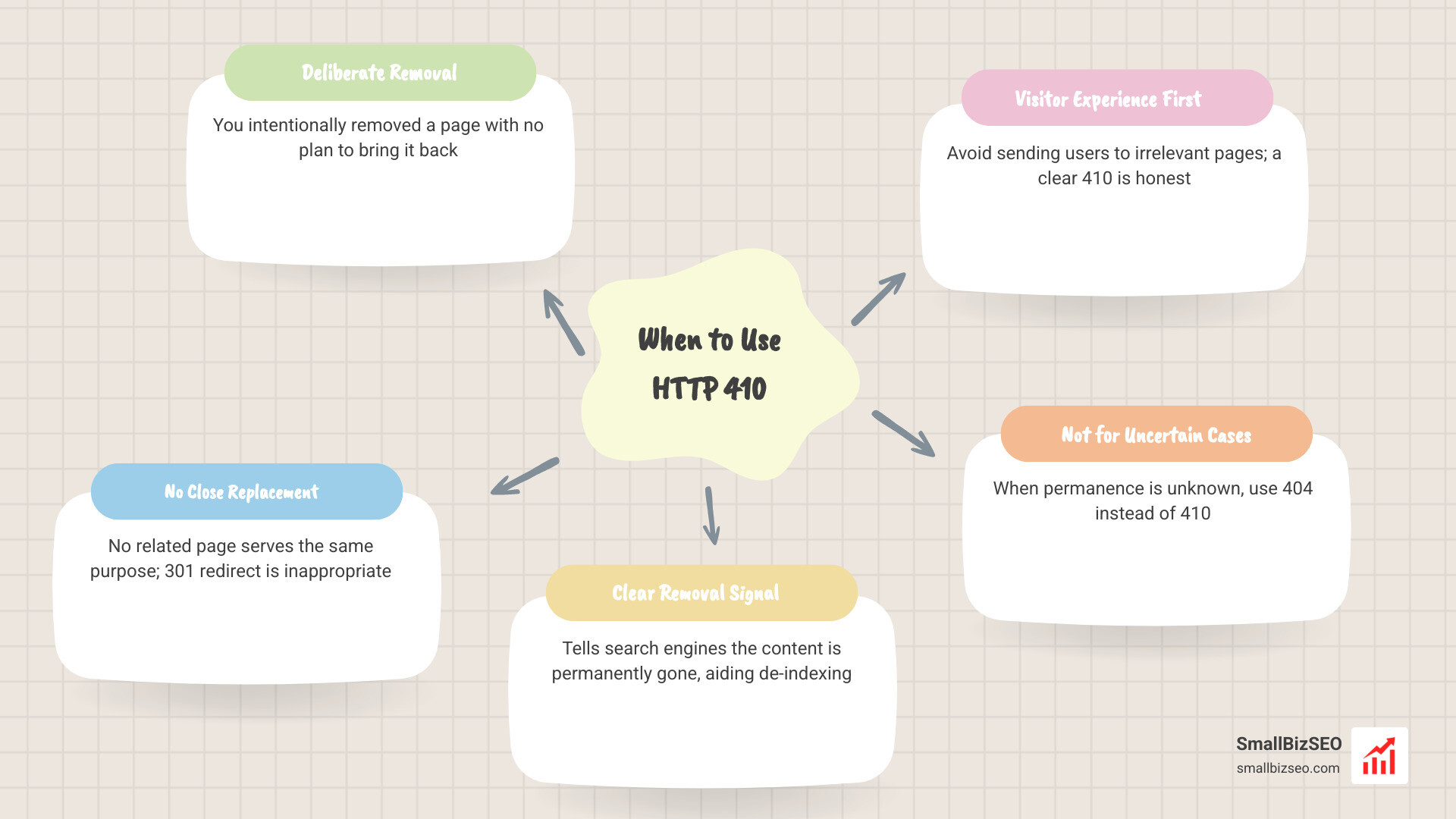
The rule for when to return 410 for permanently removed website content is simple: use it when you have deliberately removed a page, do not expect it to return, and have no close replacement. If the content moved or a closely related page now serves the same need, use a 301 redirect. If you are unsure whether the page is gone for good, use a 404 instead.
A 410 gives search engines a clear removal signal, though its indexing advantage over a 404 is usually small. The bigger win is making the right choice for visitors: don't send them to an unrelated page just to avoid an error.
I'm Clayton Johnson, founder of SmallBizSEO. My work in SEO and content strategy informs this guide to when to return 410 for permanently removed website content, including when a redirect is the better choice.
What Does HTTP 410 Mean, and How Does It Work?
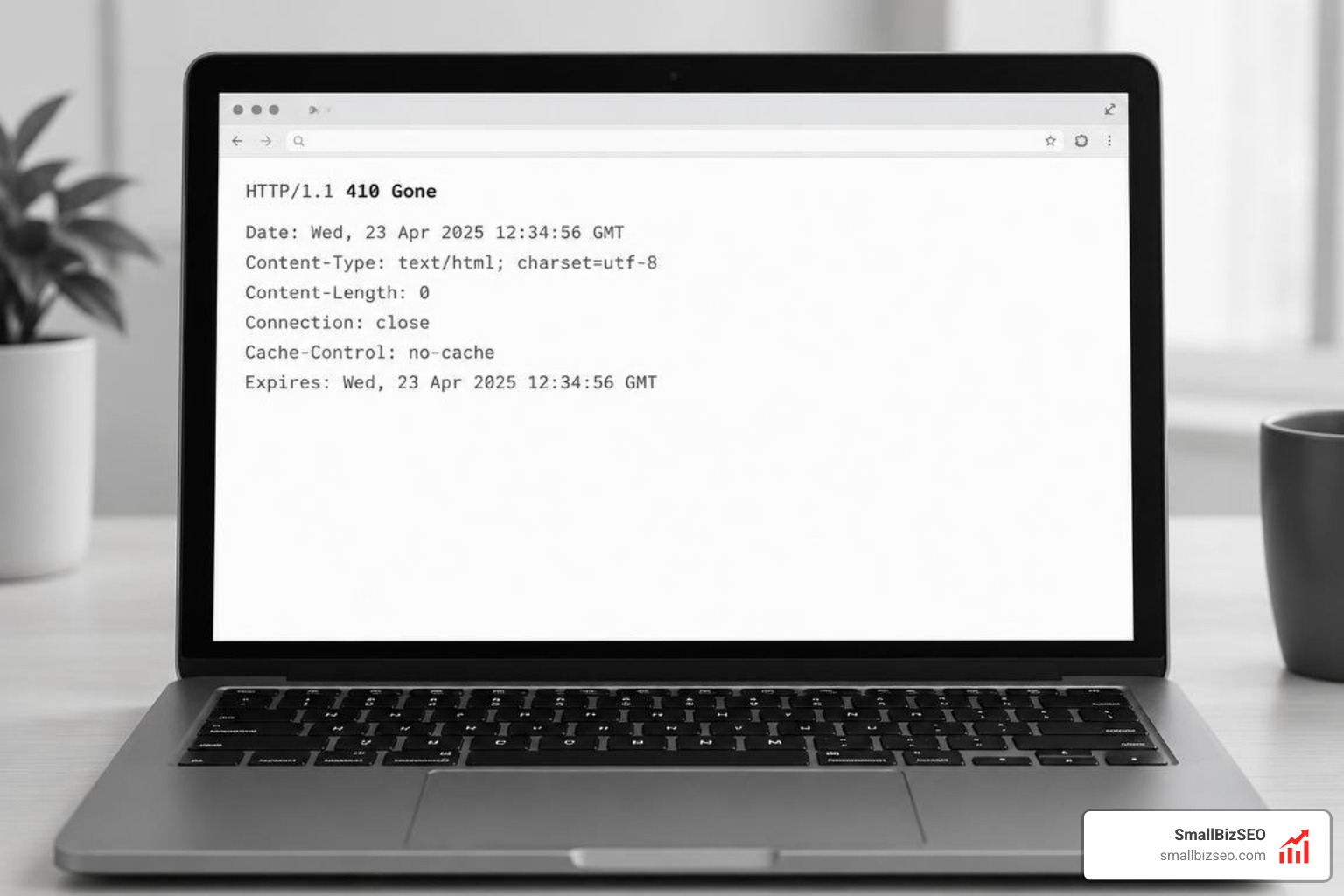
An HTTP 410 response is a server-level instruction communicating that the requested URL no longer exists on the origin server and will never be available again. Defined under the RFC 9110 standard, it is an explicit signal of permanent deletion.
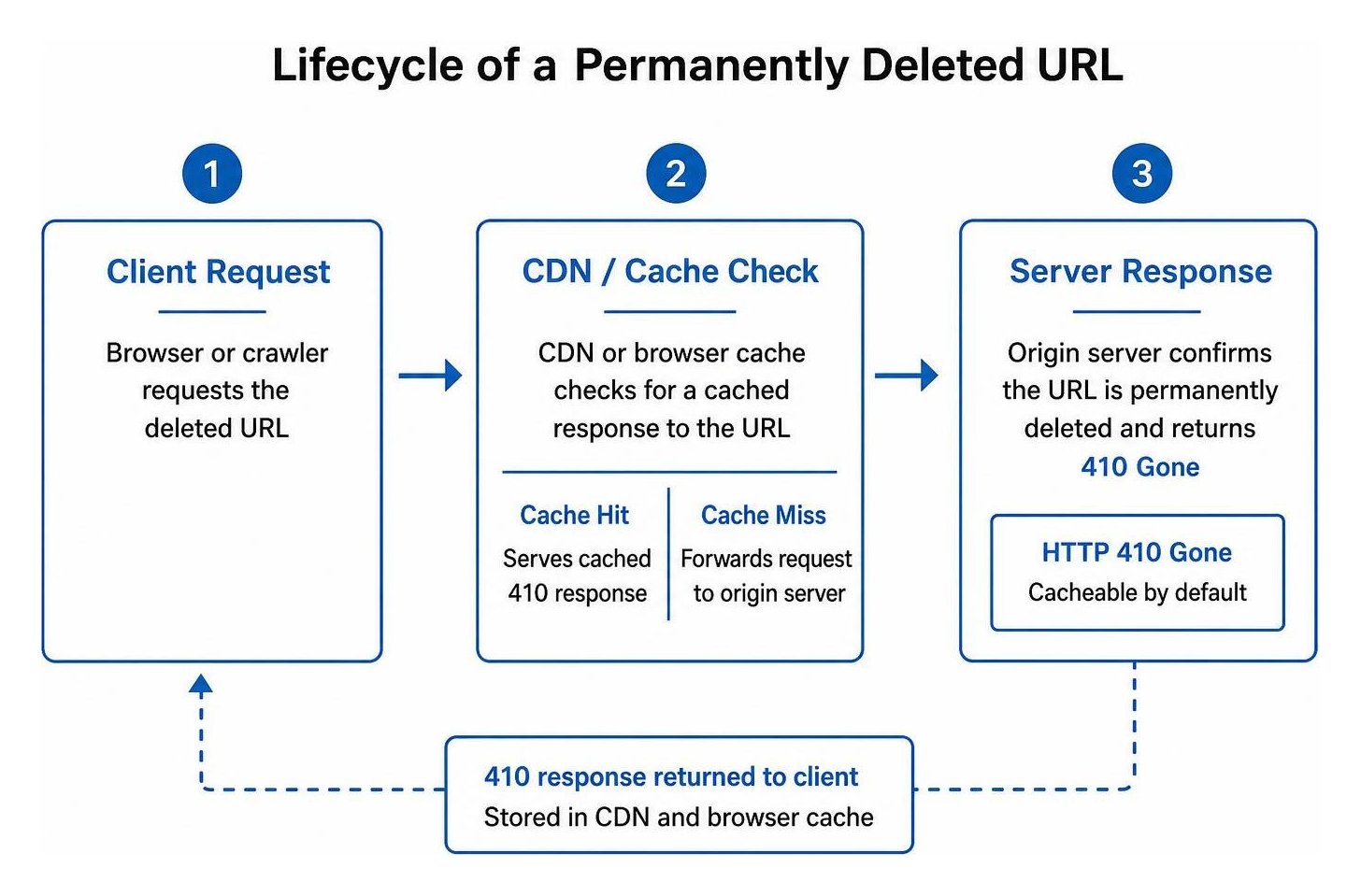
When a web crawler or browser requests an address, the origin server checks its routing logic. If configured for a 410, the server immediately delivers the status code without attempting further fallbacks. Unlike many client error statuses, a 410 response is cacheable by default. This caching capability means intermediate proxies, content delivery networks (CDNs), and client browsers store the response, drastically lowering repeat server queries for dead resources.
What Is the HTTP 410 Gone Status Code and How Does It Differ From 404?
The primary difference between a 410 Gone and a 404 Not Found lies in the certainty of the removal. A 404 status indicates that the server cannot locate the resource right now, leaving open the possibility that the URL might return or was temporarily misplaced. In contrast, according to the official documentation on 410 Gone - HTTP - MDN Web Docs, a 410 indicates deliberate, intentional deletion.
Every HTTP Status Code sends a distinct message to visiting bots:
- 404 Not Found: "We cannot find this file right now."
- 410 Gone: "This resource existed, we purposely purged it, and it will never return."
Serving a proper 410 status does not mean showing visitors an empty, broken screen. Best practices dictate returning an informative HTML body alongside the header. Explain that the resource has been retired, keep your global navigation and search bar intact, and recommend relevant alternative sections to maintain a positive user experience.
How Does Google Treat 410 vs 404 for Indexing and De-indexing?
Google processes both 404 and 410 codes as signals to remove URLs from search results, but it handles 410 responses with greater urgency. As detailed in Google's guide on URL removal explained, Part I: URLs and directories, status codes provide a direct mechanism for de-indexing stale content.
When Googlebot encounters a 404, it often queues the page for re-crawling multiple times over several weeks to confirm the resource did not disappear due to an accidental server glitch or temporary outage. When encountering a 410, Googlebot recognizes the intentional deletion signal and drops the URL from the index faster. While reporting in tools like Google Search Console can exhibit a natural delay before showing zero impressions, the de-indexing timeline is accelerated compared to standard 404 decay.
When to Return 410 for Permanently Removed Website Content vs 404 and 301
The decision to serve a 410 Gone, a 404 Not Found, or a 301 Moved Permanently depends entirely on the nature of the content and whether a relevant substitute exists.
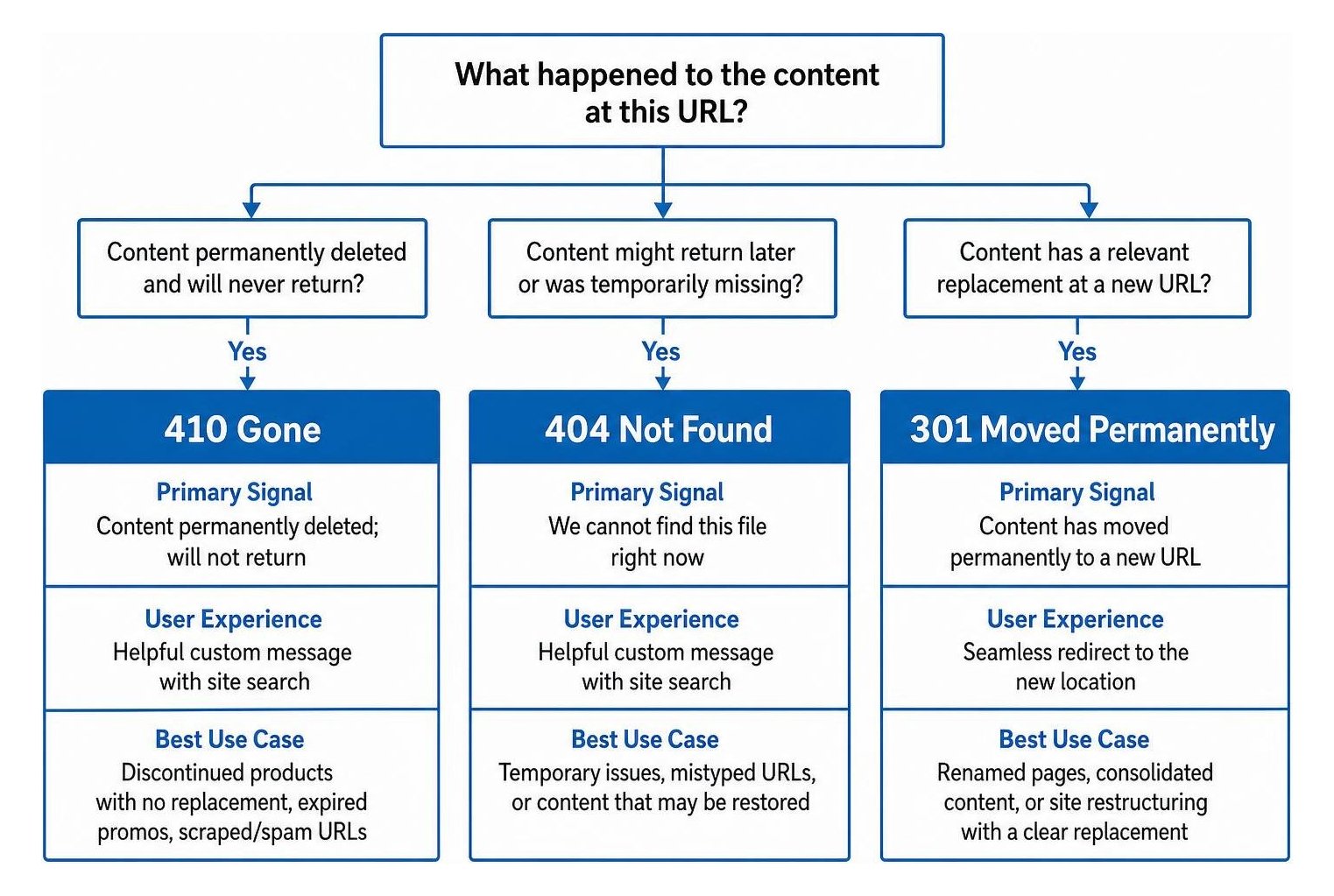
Routing content correctly requires clear governance. Here is a direct comparison of when to use each status code:
| Status Code | Primary Signal | User Experience | Best Use Case |
|---|---|---|---|
| 410 Gone | Content permanently deleted; will not return | Helpful custom message with site search | Discontinued products with no replacement, expired promos, scraped/spam URLs |
| 301 Redirect | Resource permanently moved to a new destination | Automatically forwards to equivalent content | Updated URL structures, rebranded services, merged articles |
| 404 Not Found | Resource cannot be found currently | Helpful custom error page | Typo-ridden URLs, accidental deletions under review |
Exactly When to Return 410 for Permanently Removed Website Content
We recommend applying a 410 status in scenarios where the URL is definitively obsolete and serving any existing page would confuse users. Routine content pruning and technical cleanup initiatives benefit heavily from this approach.
Common use cases include:
- Discontinued E-Commerce Inventory: Products retired permanently with no direct successor model or direct replacement.
- Expired One-Time Promotions: Campaign landing pages for past events that will never rerun.
- Deprecated API Endpoints: Legacy technical endpoints that are permanently shut down.
- Purged Low-Quality or Spam URLs: Removing injected spam URLs following a security cleanup or deleting pages with unfixable thin content.
- Obsolete Service Offerings: Old service lines that your company no longer provides under any format.
When Should You Use a 301 Redirect or 404 Instead of a 410?
A 410 status is destructive to link equity. It passes zero ranking authority to other URLs. If an outdated URL has earned strong inbound backlinks from authoritative external websites, setting up a 301 redirect to the most topically relevant live page is the superior path for preserving equity.
However, avoid redirecting removed pages to completely unrelated areas, like sending a deleted product page straight to your homepage. Search engines recognize mismatched redirects as soft 404s, treating them as errors while delivering a jarring experience to human visitors. Use a 404 when content is temporarily missing or undergoing site maintenance, preserving the option to restore the page without signaling permanent removal.
How Do You Implement 410 Responses and Reduce Unnecessary Crawling?
Implementing 410 status codes properly requires direct configuration at the web server, CDN, or content management system level.
Why Does Returning 410 for Permanently Removed Website Content Help Manage Crawl Budget?
For websites managing tens of thousands of URLs, optimizing crawl budget is essential. Search engine crawlers allocate a finite amount of attention to any single domain during a given visit.
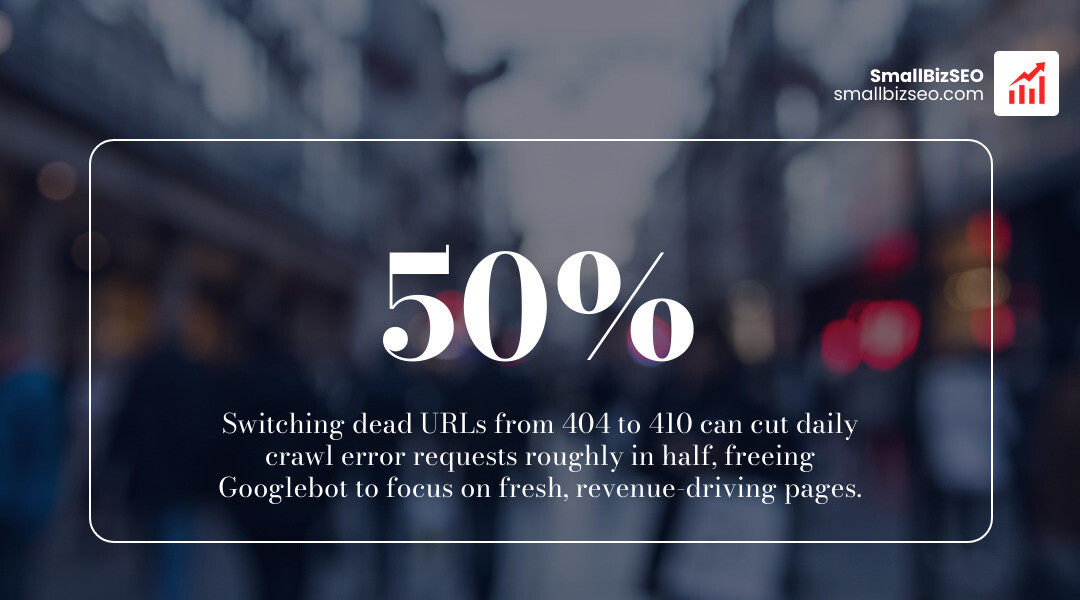
When dead pages return standard 404 codes, search bots repeatedly attempt to re-crawl those dead ends. Switching obsolete URLs to 410 responses provides a definitive stopping signal. In large implementations, transitioning dead URLs from 404 to 410 has cut daily crawl error requests roughly in half while freeing up Googlebot to focus entirely on indexation of fresh, revenue-driving pages. This crawl optimization forms a cornerstone of enterprise technical SEO.
How Do You Configure 410 Gone Responses Across Platforms and Fix Soft 404s?
You can serve a 410 header efficiently across major environments using lightweight configuration rules:
- Apache (.htaccess): Use the
RedirectGonedirective orRedirectMatch 410pattern to instantly drop specific folders or individual files. - Nginx: Add a targeted
locationblock matching the dead URL pattern and specifyreturn 410;within your server configuration. - WordPress: Utilize reputable server-level redirect plugins to assign 410 headers directly to trashed post URLs without writing custom PHP.
- Cloudflare Pages: Static redirect files typically support only 3xx statuses. As explained in the developer guide on How to Return 410 Gone on Cloudflare Pages, you can intercept matching paths using a lightweight Edge Function to return an explicit 410 response.
After deploying your configuration, verify your headers using a terminal request:
curl -I https://smallbizseo.com/410-gone/
Check that the initial status line confirms HTTP/1.1 410 Gone or HTTP/2 410.
If a page currently returns a live 200 OK status code while displaying an "item unavailable" or "page removed" notice, it creates a soft 404. Replacing that configuration with a true 410 header resolves the soft 404 immediately, clarifying your architecture for search crawlers.
Master Your URL Lifecycle Management
Serving the correct HTTP response code keeps your technical architecture clean, protects your crawl efficiency, and ensures search engines prioritize your active, valuable content. If you are auditing legacy URLs, executing a site migration, or looking to resolve crawl errors across your domain, our team is here to assist. Get a thorough, data-driven 410 Gone strategy audit with SmallBizSEO to streamline your technical foundation and drive sustainable organic growth.