Prioritizing Broken Pages: Focus on URLs That Drive Real Value

Which Broken URLs Should You Fix First?
The practical answer to how to prioritize broken urls that still receive visitors is to start with the pages that cost your business the most when they fail. Check which broken URLs still get visits, lead to inquiries or sales, or have valuable backlinks. Fix those first. Restore a useful page when you can, or redirect its old URL to a close match. If there is no useful replacement, do not send visitors to an unrelated page.
You do not need to fix every 404 at once. Focus on the dead ends that affect real people and real opportunities.
I'm Clayton Johnson, founder of SmallBizSEO. My work in technical SEO, content strategy, and link building shapes how I explain how to prioritize broken urls that still receive visitors: use traffic and business value to guide each fix.
How Do You Prioritize Broken URLs That Still Receive Visitors?
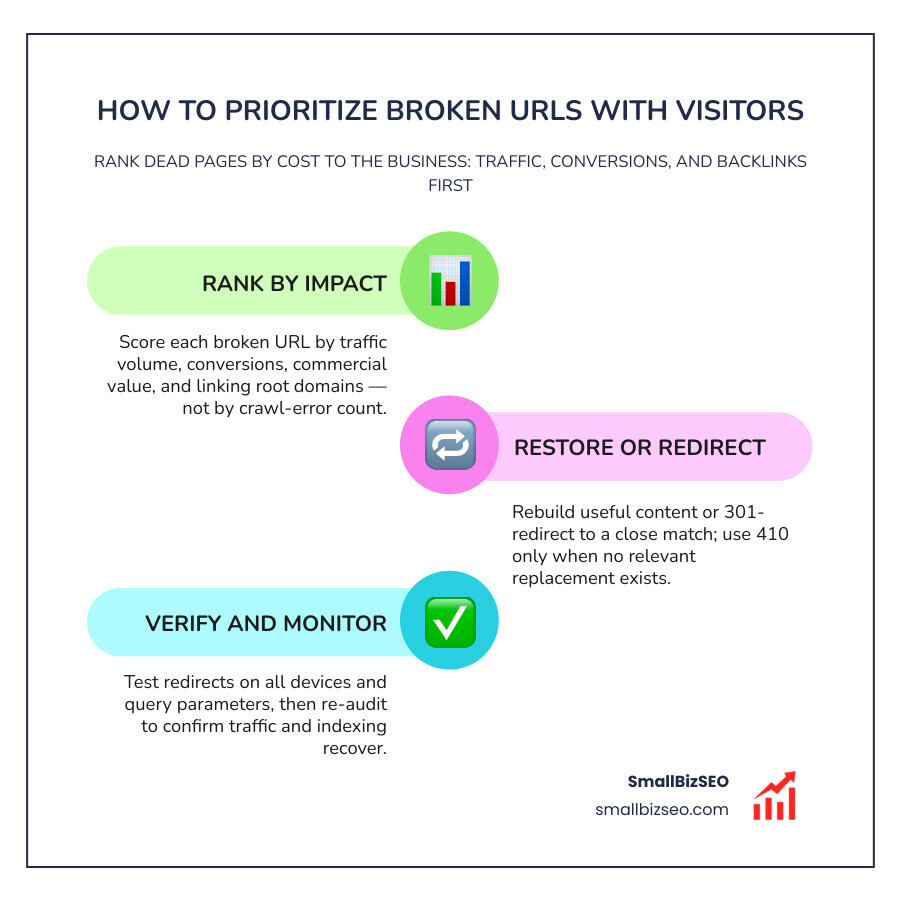
To prioritize broken URLs effectively, rank every broken page by its combined traffic volume, commercial value, and backlink authority rather than treating all crawl errors equally.
When a visitor lands on a dead link, your site immediately leaks potential revenue, squanders search equity, and damages customer trust. As highlighted by web standards on why you should avoid dead ends for your visitors, broken pathways create unnecessary user friction that drives potential clients directly to competitors.
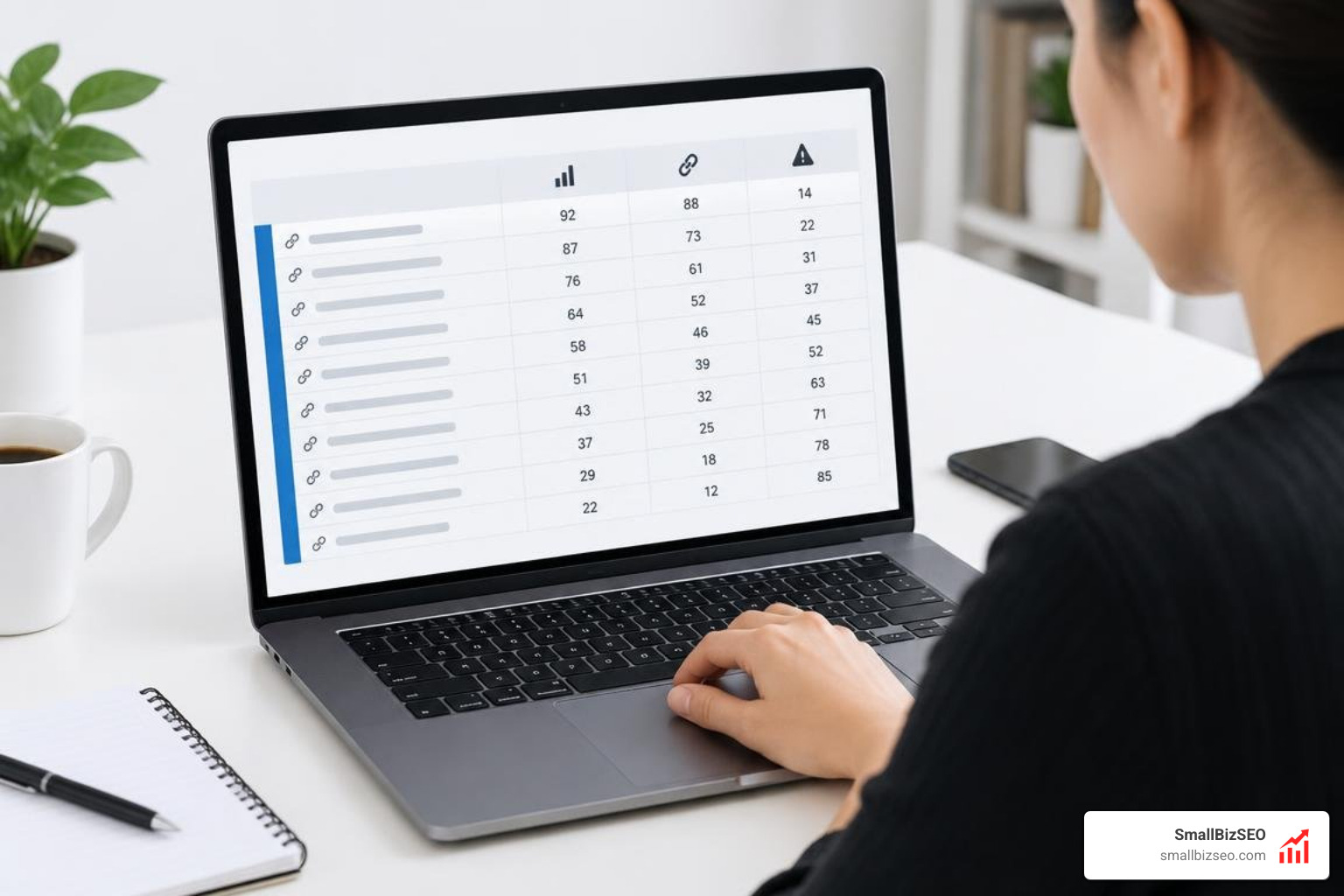
At SmallBizSEO, we implement our data-driven Velocity framework to triage technical issues based on their immediate business impact. A broken page generating hundreds of hits from active referral links or high-intent search queries demands urgent intervention, whereas a dead archive URL with zero historical visits can safely wait.
How Can You Find Broken Pages With Traffic or Backlinks?
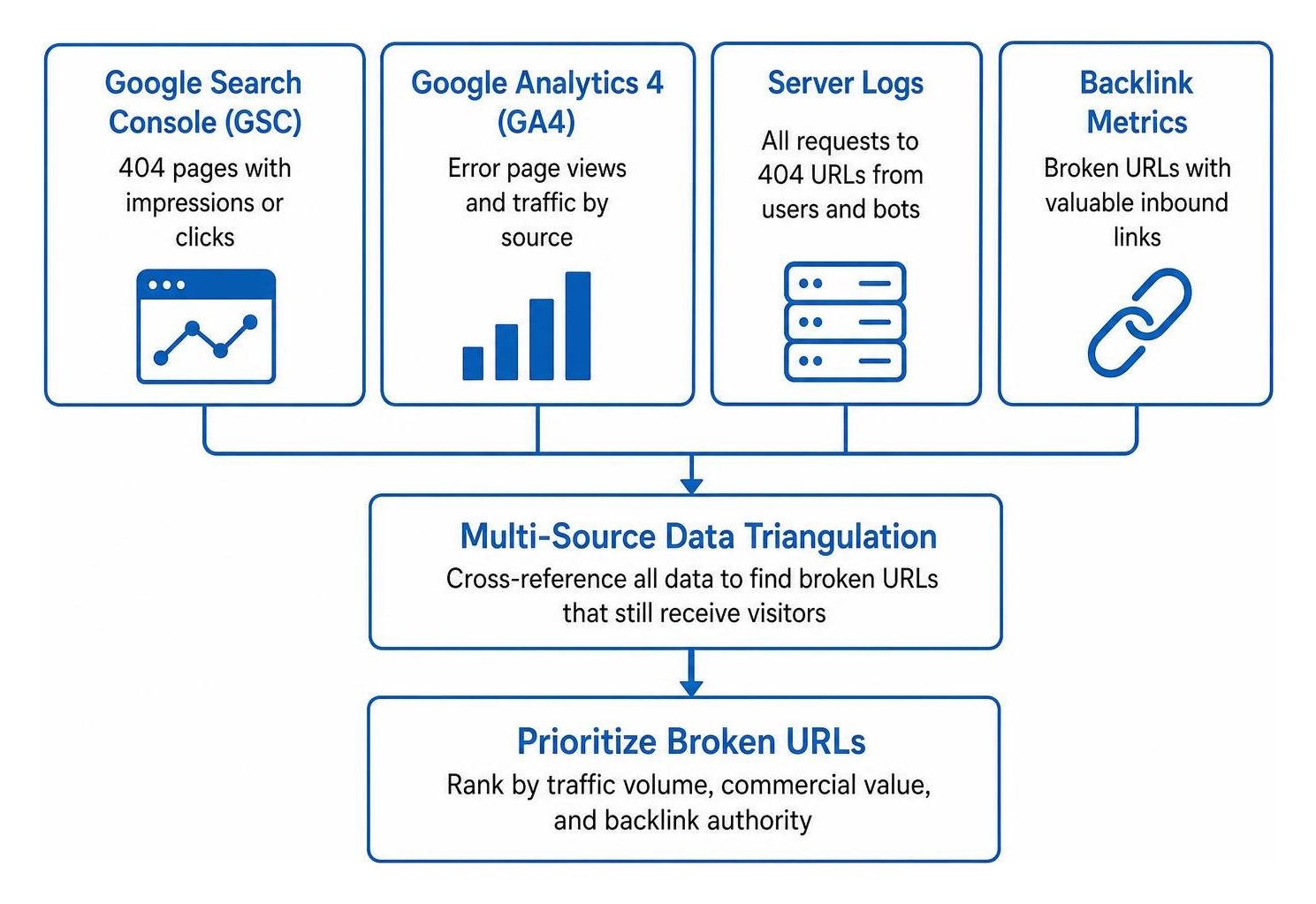
To locate broken pages that still attract audience interest, cross-reference Google Search Console crawl data, analytics landing page hits, server logs, and external backlink profiles.
Crawlers and basic site checkers only uncover links that exist within your current site architecture. To discover dead URLs that real users are still trying to access, we examine four primary data layers:
- Google Search Console: Review the Google Search Console coverage report and indexation errors to find URLs returning 404 responses that still record search impressions or recent clicks.
- Web Analytics (GA4): Build a custom exploration tracking page views where the page title indicates an error. Segment by traffic source to see which broken pages receive direct, organic, or paid traffic.
- Server Log Files: Server logs reveal every request made to your site, including hits from users and search bots that never execute client-side analytics scripts.
- External Backlink Databases: Use tools to identify broken URLs carrying valuable inbound links. Executing broken backlink recovery with smart redirects lets you immediately reclaim lost link equity.
Which Signals Matter Most When Prioritizing Broken URLs?
The primary signals that matter most are active visitor volume, conversion potential, high-authority inbound links, and the crawl demand from search bots.
We score each URL using distinct qualitative and commercial criteria:
- Traffic and Conversion Intent: A broken product, service, or booking page carries direct revenue risk. If an old campaign URL continues to receive referral visits from prospective buyers, restoring that path directly impacts your bottom line.
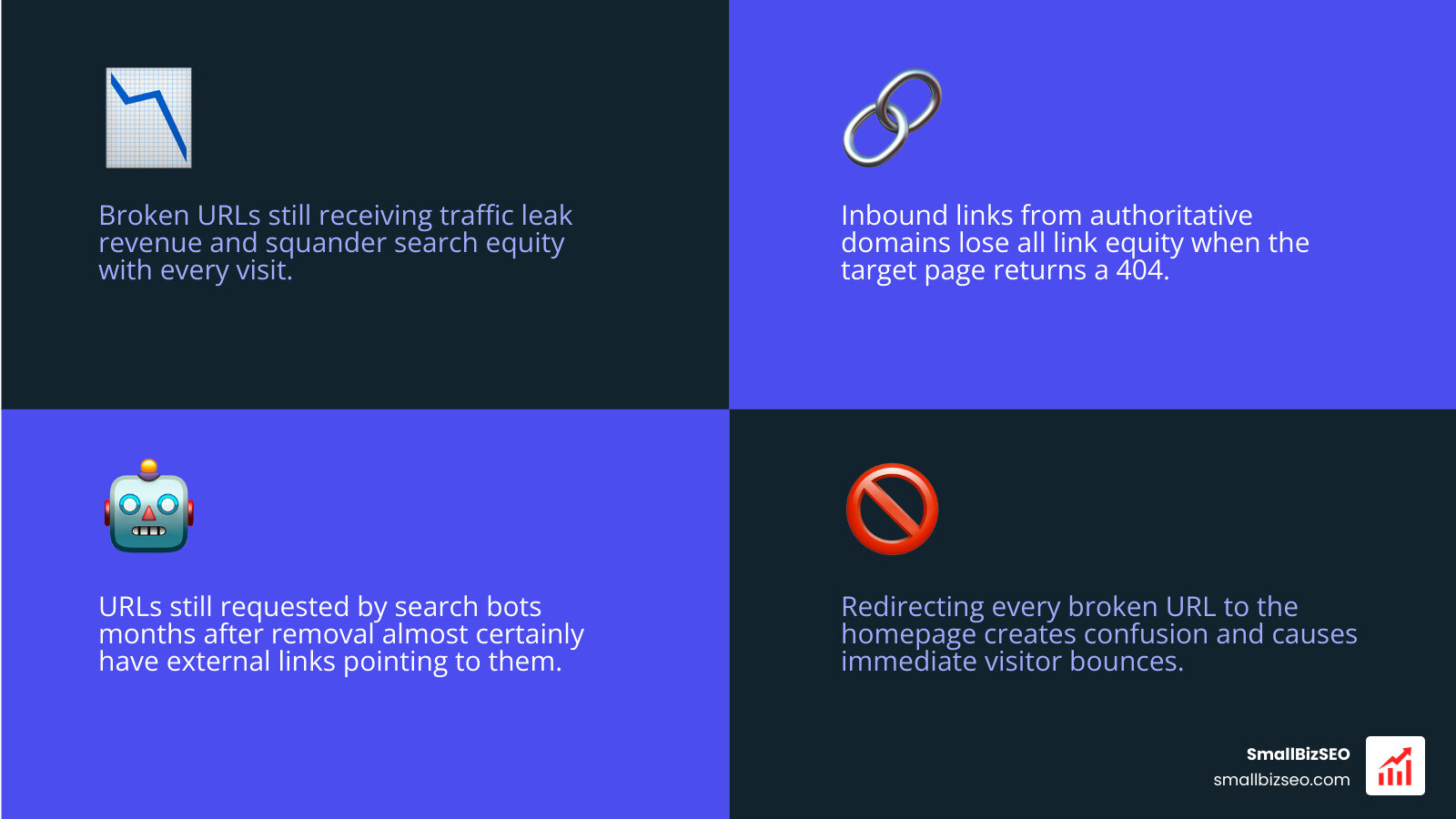
- External Authority and Backlinks: Inbound links from authoritative domains pass significant authority. When a target page returns a 404, that link equity disappears.
- Crawl Health: A URL requested repeatedly by search engine bots months after removal almost certainly has links pointing to it, indicating remaining value. Following a systematic crawl budget optimization checklist helps eliminate crawl budget waste caused when search engine spiders exhaust resources indexing dead pathways instead of critical commercial content.
Should You Fix, Redirect, or Retire a Broken URL?
You should restore the page if the original content remains relevant, implement a 301 redirect if an equivalent destination exists, or serve a 410 Gone status if the page is permanently retired without a replacement.
Avoid the common mistake of redirecting every broken URL to your homepage. Sending a visitor searching for a specific product guide to a generic homepage creates confusion and causes immediate bounces.
| Action | When to Choose | HTTP Response | SEO & User Impact |
|---|---|---|---|
| Restore Content | The content is evergreen, accurate, and still generates search demand. | 200 OK | Restores original rankings, preserves link equity, and resolves user intent completely. |
| 301 Redirect | A direct equivalent, updated edition, or relevant category page exists. | 301 Moved Permanently | Passes link equity to the new URL and guides visitors smoothly to the right information. |
| Retire Page | The content was intentionally deleted, has no modern alternative, and holds no valuable links. | 410 Gone status | Tells search engines the removal was deliberate, allowing rapid index de-listing without crawl waste. |
How Do You Track Recovery and Maintain Your Site?
To maintain healthy site architecture, deploy clean single-hop redirects, validate them across desktop and mobile, and continuously monitor organic traffic rebounds.
Fixing technical errors is not a one-time project. As websites publish new content, update products, and adjust site navigation, link rot naturally accumulates over time.

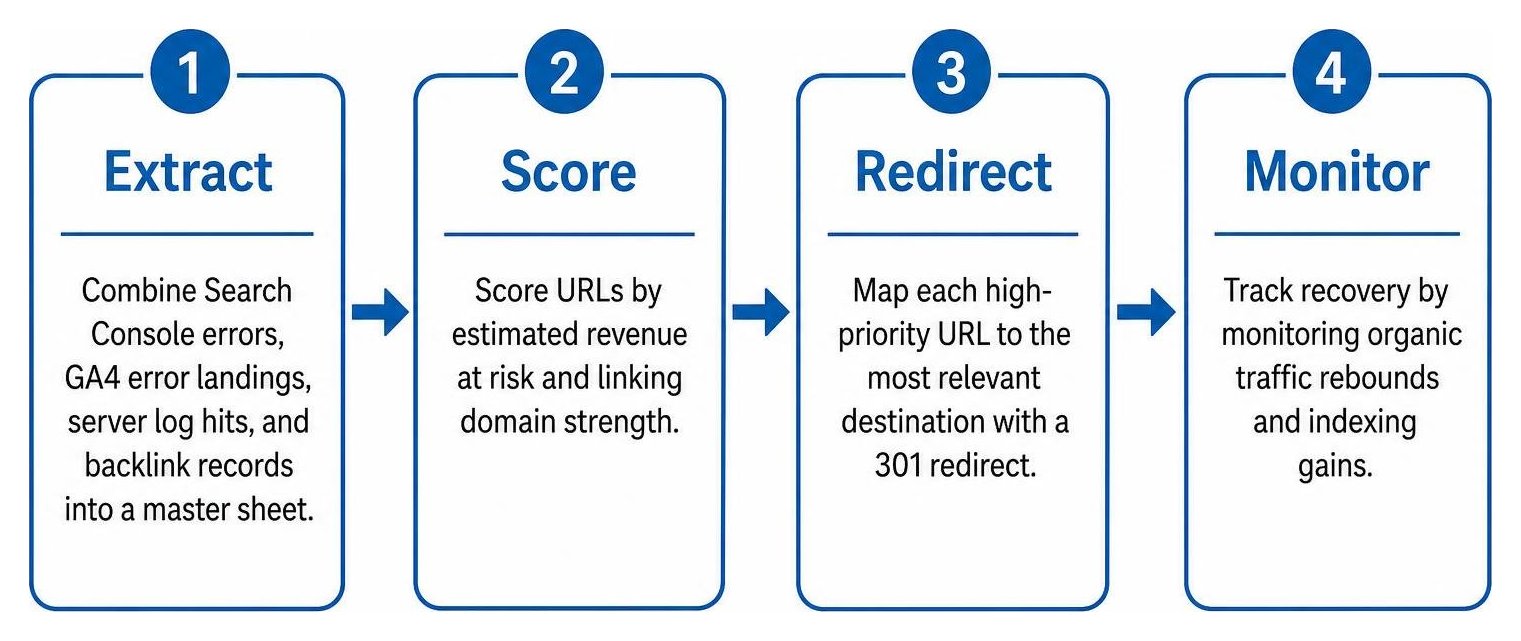
What Steps Should You Follow to Triage Broken URLs?
To triage URLs efficiently, calculate the revenue-at-risk for each URL, apply a structured scoring formula, and resolve issues in descending order of value.
- Extract and Deduplicate: Combine your Search Console error logs, GA4 error landings, server log hits, and backlink records into a single master sheet.
- Calculate Priority Score: Score URLs by calculating estimated revenue at risk (traffic volume multiplied by conversion rate and average order or contract value), combined with linking domain strength.
- Implement Fallbacks: Pair your high-priority fixes with a custom 404 error page strategy featuring intuitive search bars and links to core service categories for unmapped edge cases.
- Execute and Hand Off: Deliver structured redirect maps to your development team, clearly separating 301 permanent moves from 410 removals.
How Do You Set Up Clean 301 Redirects?
To set up clean redirects, map the old URL directly to its most relevant destination in a single hop while preserving query parameters.
Poorly executed redirects create secondary technical issues that hurt performance:
- Avoid Redirect Chains: Never redirect an old URL to an intermediary page that redirects again. Always eliminate redirect chains by mapping the source URL directly to the final 200 OK destination.
- Preserve Context and Intent: Ensure the replacement page matches the exact topic, audience stage, and user expectations of the original URL.
- Reconnect Authority: Eliminating dead ends is just as vital as fixing authority leaks on orphan pages across your site architecture to keep link equity flowing into your key conversion pages.
How Can You Measure Recovery and Prevent Future Broken Links?
Measure the success of your URL recovery by comparing a 28-day post-fix performance window against your historical baseline across organic clicks, indexation speed, and crawl frequency.
Within two or three weeks of resolving high-priority broken URLs, Google Search Console crawl stats typically display an increase in pages indexed per crawl alongside faster re-crawling of essential pages. Furthermore, tracking support ticket volume will demonstrate immediate customer experience gains as visitors stop encountering dead ends.
To prevent value loss as your site grows, establish regular audit cadences:
- Large or frequently updated websites: Run automated crawls and review log files weekly.
- Medium-sized sites: Audit error reports bi-weekly.
- Small business sites: Perform a monthly scan alongside a quarterly deep technical review.
Reclaim Your Lost Traffic and Authority
Fixing broken URLs that still attract visitors is one of the fastest, most cost-effective ways to restore lost search rankings, protect user trust, and stop revenue leakage. By focusing on data-backed triage rather than spreadsheet panic, you ensure every technical fix delivers measurable business value.
If you want an exhaustive, automated evaluation of your site's technical health, schedule a comprehensive SEO visibility audit with SmallBizSEO. We will uncover hidden authority leaks, streamline your architecture, and help you capture compounding organic growth.