User Behavior Analytics: The Secret Weapon for a Better Search Experience

User Behavior Analytics: The Secret Weapon for a Better Search Experience
Why SEO User Behavior Is the Missing Piece in Your Search Strategy
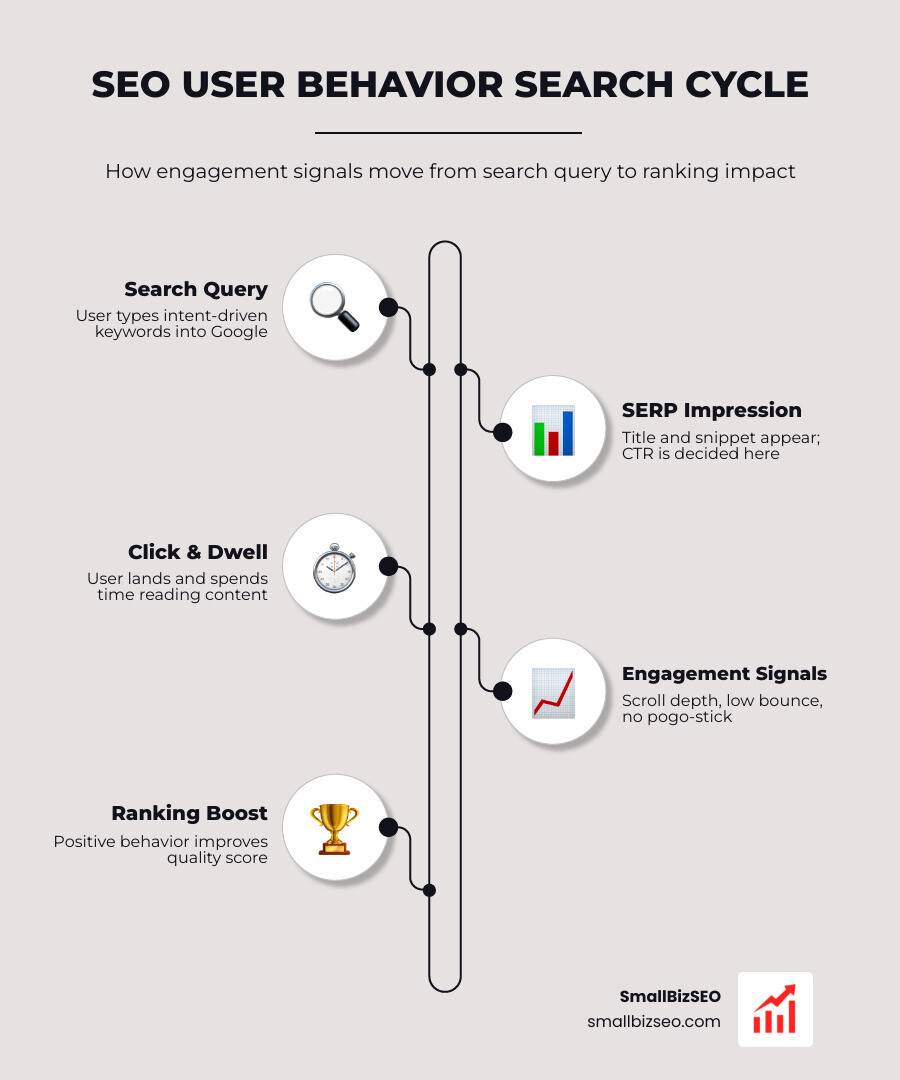
SEO user behavior is how people interact with your website — before and after they click a search result. It covers signals like how long they stay, whether they bounce back to Google, and what they click on your page.
Here's a quick breakdown of what it means and why it matters:
- What it is: The actions users take on search results pages and on your site — clicks, scrolls, time spent, and exits
- Why Google cares: These signals help Google judge whether your content actually satisfied the searcher
- Key metrics: Click-Through Rate (CTR), dwell time, bounce rate, pogo-sticking, and session duration
- What it means for you: Pages that satisfy users tend to hold or climb rankings — pages that frustrate users tend to drop
Most small business owners focus on keywords and backlinks. Those still matter. But Google has built increasingly sophisticated systems — including RankBrain, NavBoost, and Glue — that track how real people respond to your pages after they land on them.
The evidence is hard to ignore. A leaked Google document confirmed that user interaction data is "a critical input that directly improves search quality." Former Google Search Quality Chief Udi Manber stated publicly that click data influences which results rise and fall.
In other words: you can rank a page through technical SEO — but keeping it ranked depends heavily on whether users actually like what they find.
I'm Clayton Johnson, a digital PR and SEO strategist who has spent years building campaigns around measurable user engagement, and SEO user behavior is one of the most underused levers I see small businesses overlook. In the sections below, I'll walk you through exactly how these signals work and what you can do about them today.
Demystifying SEO User Behavior: The Core Metrics That Matter
To optimize your site for searchers, we must first understand the metrics that search engines use to evaluate user engagement. These metrics don't exist in a vacuum; they work together to paint a complete picture of your page relevance.
| Metric | What It Measures | Why It Matters for SEO |
|---|---|---|
| Click-Through Rate (CTR) | The percentage of searchers who click on your link after seeing it. | Signals initial relevance and interest. |
| Dwell Time | The time a user spends on your page before returning to the search results. | Measures content engagement and satisfaction. |
| Bounce Rate | The percentage of visitors who leave after viewing only one page. | Helps identify technical or intent issues. |
| Pogo-Sticking | When a user clicks a result, immediately returns to the search results, and clicks another link. | A strong signal that your content failed to match search intent. |
| Session Duration | The total time a visitor spends on your website during a single visit. | Reflects deep interest and logical site navigation. |
Improving these metrics is a core component of modern On-Page SEO. When we structure pages to satisfy these specific behaviors, we send strong, positive signals back to search algorithms.
Click-Through Rate (CTR) and First Impressions
Your organic CTR is the first touchpoint in the user journey. If searchers ignore your listing, your content never gets a chance to shine.
The data highlights how competitive the search results page really is:
- Position 1 in search results has an average CTR of 20.5%.
- Position 10 has an average CTR of 7.95%.
- The first five results on the first page account for 67.60% of all clicks, while results in positions 6-10 receive just 3.73%.
To capture these organic clicks, we must optimize our SERP snippets. This means writing benefit-led title tags under 60 characters and crafting meta descriptions that directly address the user's search query. If you want to find the exact terms that get searchers to click, check out our guide on How to Use Ahrefs for Keyword Research Without Losing Your Mind.
Dwell Time vs. Bounce Rate in SEO User Behavior
Once a user clicks through, the clock starts ticking. Dwell time and bounce rate are often confused, but they tell different stories.
Bounce rate measures single-page sessions. A high bounce rate isn't always bad; if a user lands on a page, quickly finds a phone number, and leaves happy, the bounce is actually a success.
Dwell time, however, is a direct proxy for content relevance. If a user stays on your page for five minutes, they are highly engaged. If they bounce back to the search results page in three seconds, they did not find what they wanted. To keep users on your pages longer, your site must deliver high-quality, structured information through professional SEO Content Services.
Does Google Use User Behavior as a Direct Ranking Factor?
While Google representatives often downplay user behavior as a direct, algorithmic ranking factor to deter manipulation, their own documentation tells a different story.
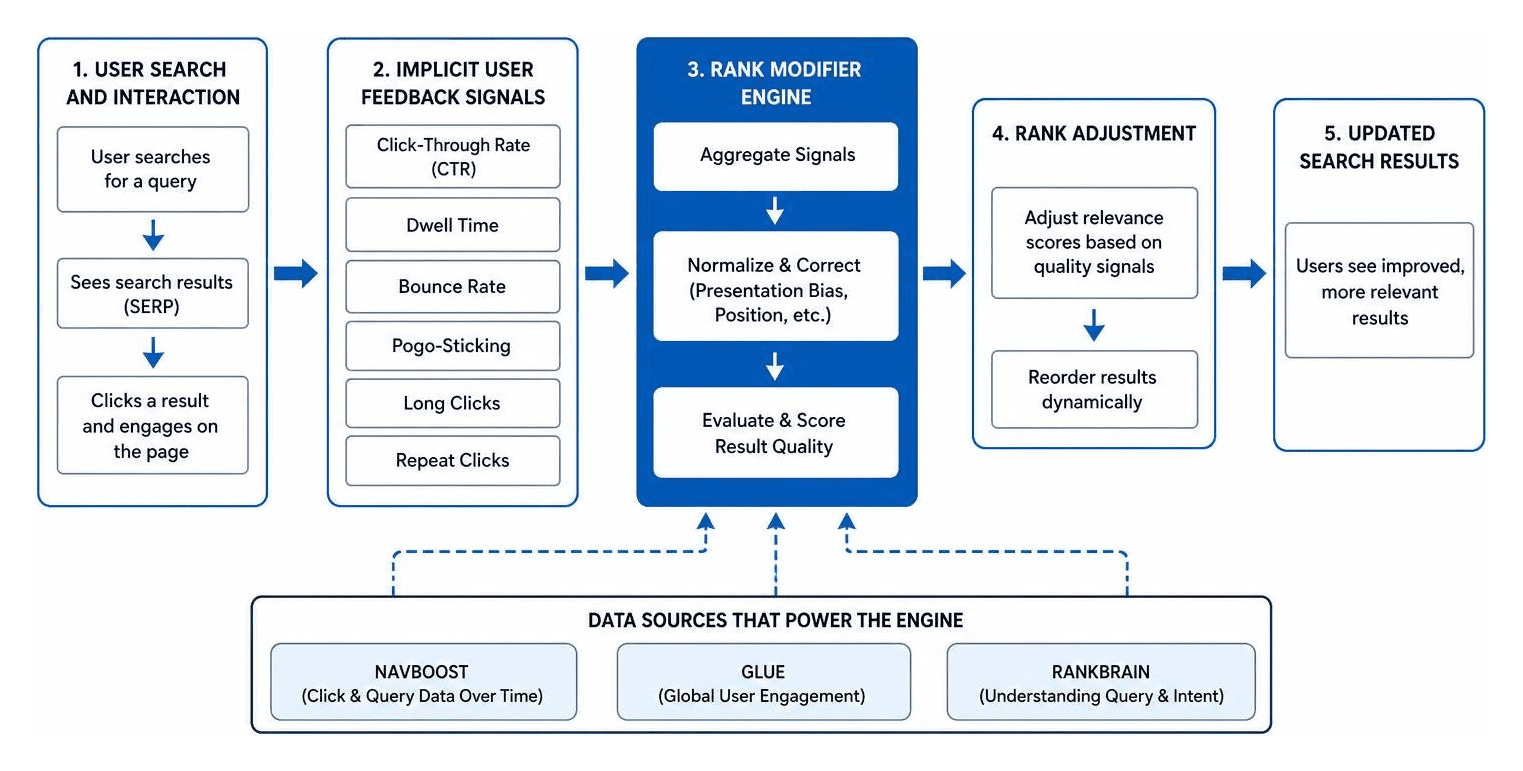
Google patents describe a "rank modifier engine" that uses implicit user feedback — including click data, dwell time, and presentation bias corrections — to dynamically re-rank search results.
The power of these signals has been demonstrated in several real-world experiments. In a famous test, SEO expert Rand Fishkin asked his social media followers to search for a specific query and click on his result (which was sitting at position 7). Within hours of receiving this burst of targeted click-through activity, the page jumped to position 1.
The Mechanics of NavBoost, Glue, and RankBrain
To understand how Google processes this behavioral data, we have to look under the hood at three internal systems:
- NavBoost: This system acts as Google's memory for user behavior. It aggregates click-and-query data over a rolling 13-month period. To put Google's data advantage into perspective, Google collects as much click data in 13 months as Microsoft would need 17.5 years to accumulate.
- Glue: This is Google's super query log. It tracks not just clicks, but micro-interactions like hovers, scroll depth, and exact dwell times on the search results page.
- RankBrain and RankEmbedBERT: These AI-driven systems use click logs and human rater scores to understand search intent. If a query is unfamiliar, RankBrain uses historical interaction patterns to guess which type of content will satisfy the user.
Optimizing for these systems requires looking Beyond Content Optimization and focusing on the entire digital experience.
Limitations and Noise in Measuring SEO User Behavior
If behavioral signals are so powerful, why doesn't Google rely on them entirely? The answer lies in the "noise" of raw web data.
First, click data is incredibly easy to manipulate using bot networks or coordinated click campaigns. Second, the rise of zero-click searches means many users find their answers directly on the search results page without clicking anything.
Additionally, user behavior changes dramatically depending on the search interface. A clickstream study of hundreds of thousands of sessions showed that Users behave differently in AI Overviews vs. AI Mode. In AI Mode, users show acceptance behavior, taking the shortlist as-is. In AI Overviews, the search results page becomes a comparison environment where reverse-direction scrolling accounts for nearly half of all scroll movement.
Google mitigates this noise by pulling data from its own massive infrastructure, including Chrome (via MetricsService and the CrUX report), to cross-reference on-site experience with search behavior.
How User Interaction Shapes Local Search and Intent Shifts
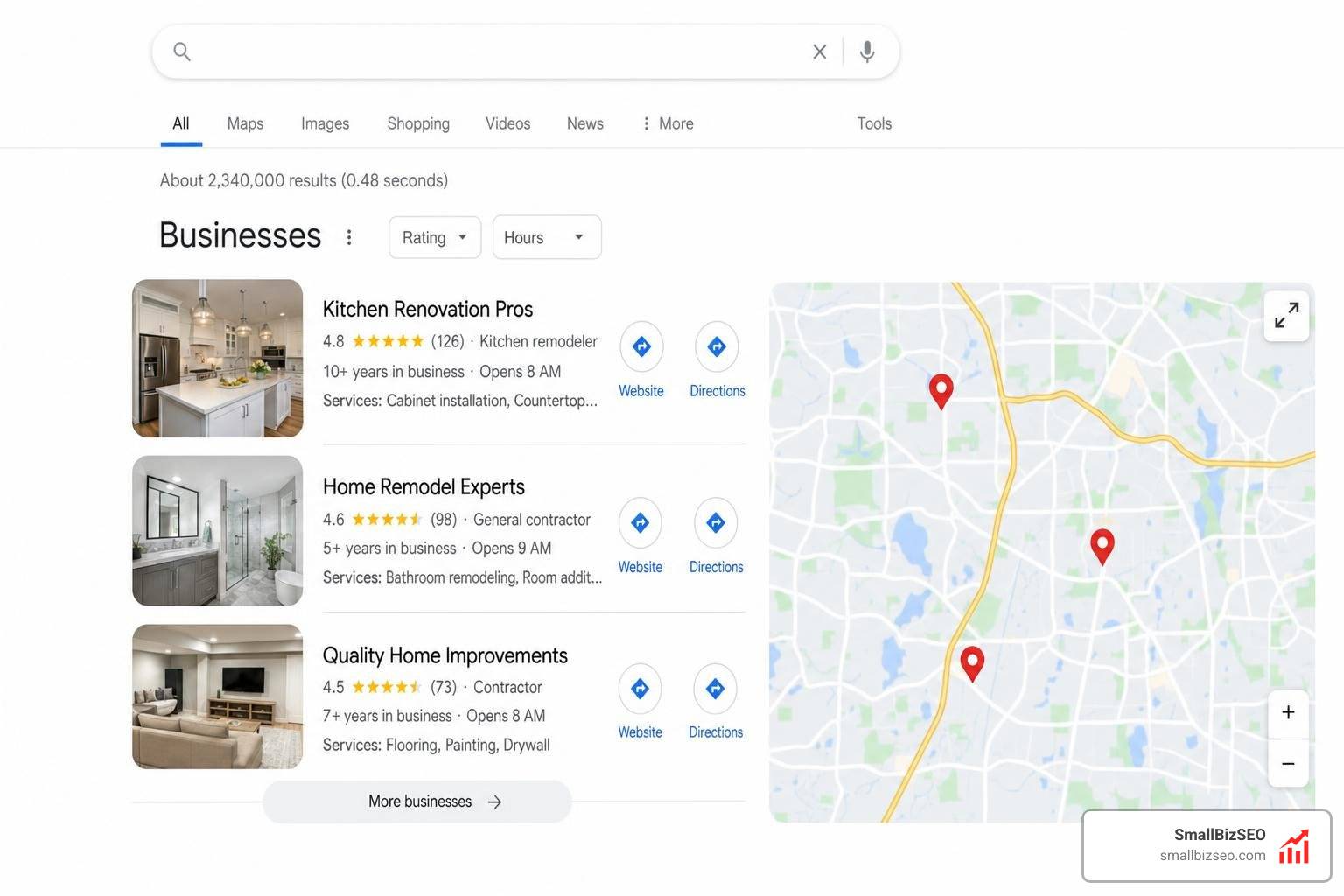
User behavior signals are particularly influential in local search and during major real-world events. In local search, behavioral signals — like clicking for driving directions, making a phone call, or checking local reviews — are estimated to make up approximately 10% of the overall ranking weight.
When real-world conditions change, user intent shifts rapidly. During the early days of a major global health event, search queries for a specific city suddenly shifted from tourism intent to news and health updates. Google's algorithms recognized this sudden change in click patterns and immediately adapted the search results to prioritize news sources over travel guides.
To ensure your business doesn't fall behind when local user intent shifts, make sure to avoid these 5 Local SEO Mistakes Killing Your Visibility and implement proven local strategies for maximum search impact.
How to Optimize Your Website for Positive Behavioral Signals
Optimizing for SEO user behavior requires a shift from traditional keyword stuffing to a user-first design and content strategy.
First, page experience is paramount. Users wait an average of only 4 seconds before bouncing from a slow-loading website. Improving your Core Web Vitals (loading speed, interactivity, and visual stability) is the baseline for keeping visitors on your site.
Second, structure your content for readability. Use clear headings, short paragraphs, bulleted lists, and engaging visual media. Video content is especially powerful, as it is estimated to make up more than 82% of all consumer internet traffic, making it a fantastic tool for boosting dwell time.

Finally, make sure your content matches search intent and demonstrates expertise. You can learn how to do this by reading our guide on How to Optimize Your Content for E-E-A-T and Build Real Search Trust.
Measuring and Analyzing Your Own Site Data
To make data-driven decisions, you must track how users behave on your site. Traditional analytics tools like Google Analytics 4 (GA4) are great for tracking quantitative metrics like session duration and bounce rates.
However, to understand why users behave the way they do, you need qualitative tools like Microsoft Clarity. These platforms offer:
- Heatmaps: Visual representations of where users click, scroll, and hover.
- Session Recordings: Anonymized playbacks of real user sessions to identify friction points, rage clicks, and dead ends.
By analyzing this data, you can turn raw Data Into Traffic by continuously refining your user experience.
Frequently Asked Questions about SEO User Behavior
Is pogo-sticking bad for SEO?
Yes. Pogo-sticking is a strong signal to Google that a user did not find what they were looking for on your page. If multiple users click your link and immediately return to the search results to find another source, your rankings will likely drop over time.
Does installing Google Analytics improve rankings?
No, installing the Google Analytics tracking code does not directly improve your search rankings. However, using the data from Google Analytics allows you to identify and fix user experience issues that do affect your rankings.
How does mobile experience affect user behavior?
Since the majority of search traffic occurs on mobile devices, a poor mobile experience will instantly damage your behavioral metrics. Slow load times, intrusive pop-ups, and hard-to-click buttons lead to high bounce rates and low dwell times on mobile.
Conclusion
At SmallBizSEO, we build campaigns around our proprietary Velocity framework. This data-driven approach focuses on delivering fast rankings and E-E-A-T-compliant growth through transparent, automated reporting. We don't just optimize for search engines; we optimize for the real people who use them.
If you are ready to turn positive user behavior into higher rankings and more customers, check out our comprehensive SEO Services Guide or Explore our SEO packages today.