A Marketer’s Guide to Reporting Organic Search Assisted Conversions

Why Does Organic Search Attribution Go Beyond the Last Click?
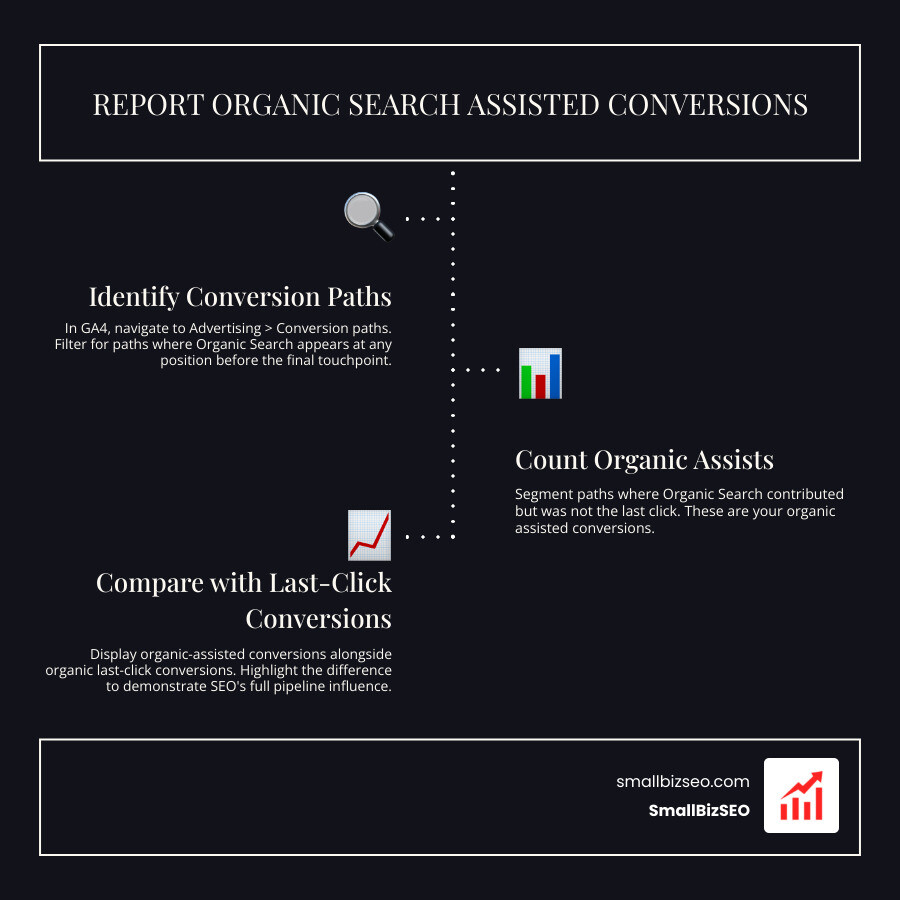
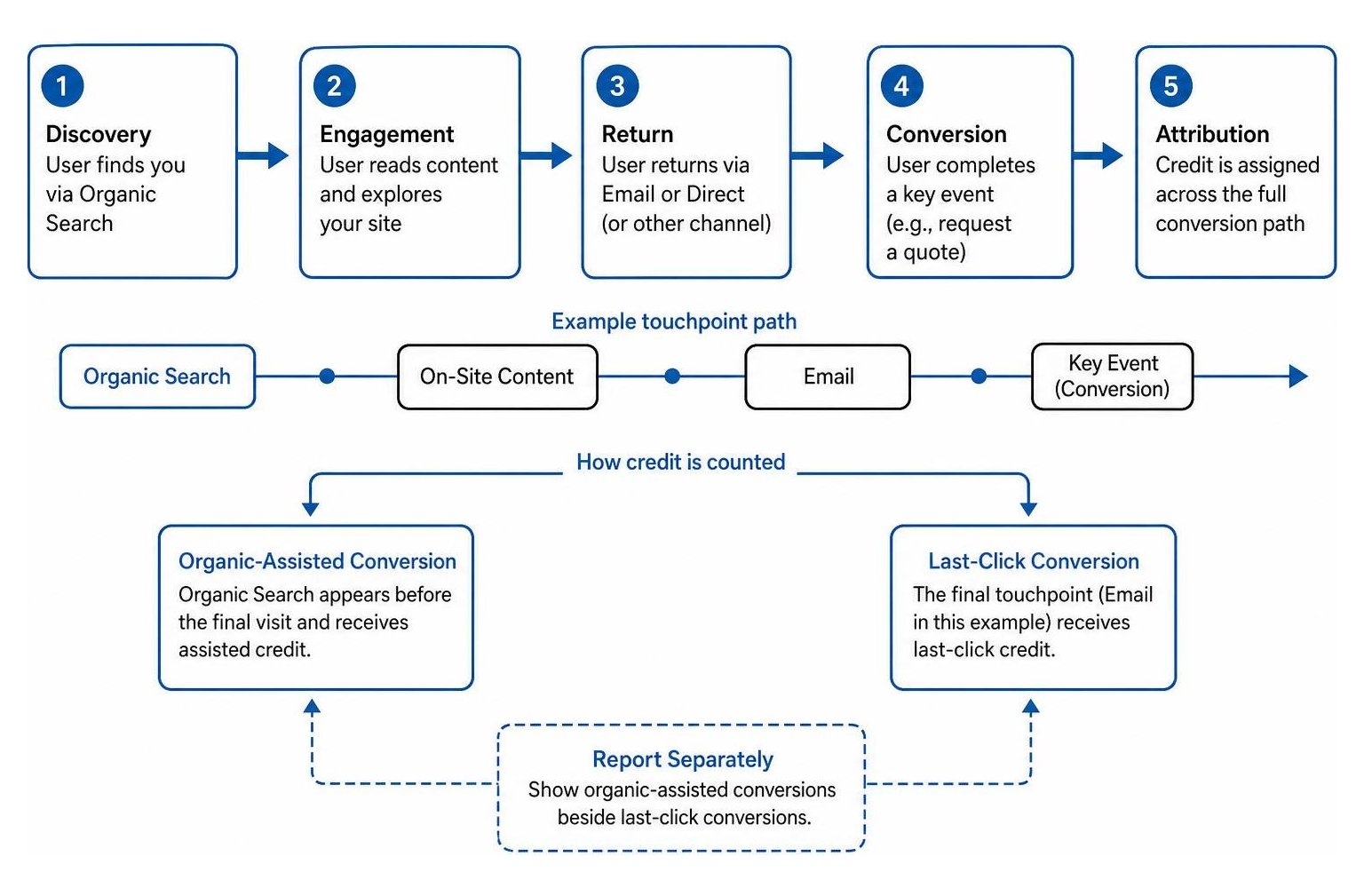
Start reporting organic search assisted conversions by finding conversion paths where Organic Search appears before the final visit. Count those conversions as organic-assisted and show them beside conversions where organic search was the last click. Keep the two numbers separate.
For example, someone may find your business through a search, read a guide, and return through an email to request a quote. Email gets the last-click credit, but organic search helped start the journey. Looking at both roles gives you a better view of SEO's value than clicks or sessions alone.
I'm Clayton Johnson, founder of SmallBizSEO. My work connects SEO and content to qualified leads, and that focus shapes how I approach reporting organic search assisted conversions.
Relying entirely on last-click measurement creates an expensive blind spot for modern marketing teams. When you credit only the final touchpoint before a sale, top-of-funnel blog posts, diagnostic tools, and technical guides look ineffective, even when they introduce thousands of future buyers to your brand.
Consumer journeys are rarely linear. Over 60% of all online queries end without a direct click, and AI Overviews answer initial questions directly within search results across major problem-solving topics. When users do click through to your site, they frequently explore, leave, and eventually return via direct navigation or paid brand ads weeks later. If your reporting ignores how search influences earlier stages, you risk defunding the exact informational pages feeding your entire pipeline.
How Do You Report Organic Search Assisted Conversions in Modern Analytics?
To report organic search assisted conversions accurately, track every multi-touch journey where organic search served as an initiator or middle touchpoint, then present those assisted totals alongside standard last-click conversions.
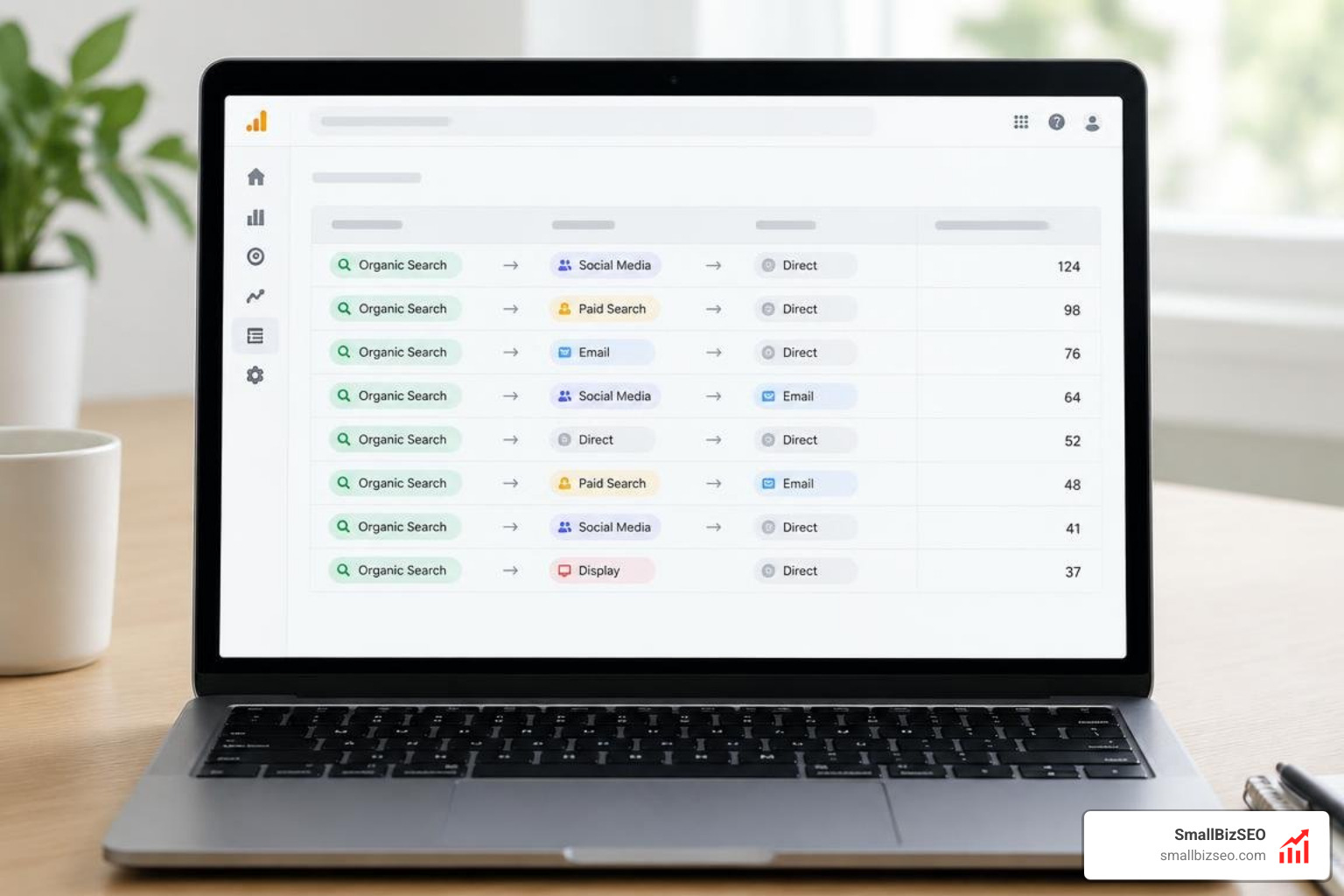
Historically, teams relied on legacy systems detailed in the Google Multi-Channel Funnels guide. Modern analytics platforms allow you to evaluate conversion paths through customizable attribution tools. Follow these sequential steps to establish clean assist reporting:
- Define Core Key Events: Isolate macro-conversions (such as demo requests or purchases) from micro-interactions (like newsletter signups).
- Access Conversion Paths: Open your analytics attribution workspace and isolate full multi-touch paths.
- Filter by Channel Grouping: Segment paths that contain Organic Search in the early or mid-funnel stages.
- Compare Attribution Models: Contrast last-click outcomes with data-driven or position-based distributions.
- Calculate Channel Contribution: Export your findings to measure both direct closings and assisted volume.
How Do You Configure GA4 and Analytics Tools for Reporting Organic Search Assisted Conversions?
Configure GA4 by setting clear key events, navigating to the Advertising workspace, and isolating Organic Search within the Attribution Paths reports.
Begin by confirming that your primary lead forms and e-commerce transactions are designated as key events rather than casual engagement events. In your property's Advertising section, navigate to Attribution > Conversion Paths. This view breaks touchpoints into three distinct categories:
- Early Touchpoints: The first 25% of interactions in the conversion path, highlighting brand discovery.
- Mid Touchpoints: The middle 50% of interactions that nurture prospects during evaluation.
- Late Touchpoints: The final 25% of interactions that close the conversion.
Understanding your selected attribution model ensures you do not mistake fractional data-driven credits for distinct assisted counts. Evaluating user acquisition by isolating first-user source alongside session-level channels clarifies whether organic content originally introduced the customer before another medium closed them.
Which Lookback Windows and Metrics Accurately Track Search Assists?
Match your attribution lookback window to the natural length of your sales cycle: use short 7 to 14-day windows for transactional e-commerce and 30 to 90-day windows for complex B2B buying cycles.
The lookback window determines how far back analytics platforms look for supporting touches prior to a conversion event. Choosing an overly tight window undercounts upper-funnel SEO research, while an excessively long window can attribute credit to ancient sessions that had zero bearing on the final decision.
| Sales Cycle Type | Typical Buying Timeframe | Recommended Lookback Window | Primary Strategic Focus |
|---|---|---|---|
| Impulse / Low-Cost E-commerce | 1 to 3 Days | 7 Days | Promotional landing pages and direct product queries |
| High-Ticket E-commerce | 1 to 3 Weeks | 14 to 30 Days | Buyer guides, unboxing reviews, and comparison hubs |
| Standard B2B Lead Gen | 2 to 6 Weeks | 30 to 60 Days | Solution whitepapers, case studies, and feature comparisons |
| Enterprise B2B / SaaS | 2 to 6 Months | 90 Days | Thought leadership, ROI calculators, and technical documentation |
To interpret your data, calculate the channel assist ratio using simple arithmetic: divide total assisted conversions by last-click conversions.
- Assist Ratio greater than 1.5: Indicates a strong nurturing channel that introduces buyers who convert later.
- Assist Ratio near 1.0: Represents a balanced channel that closes transactions as frequently as it assists.
- Assist Ratio below 0.8: Signals a pure closing channel, such as branded paid search or transactional email.
Organic search typically maintains a healthy assist ratio between 1.5 and 2.5. Evaluating these ratios alongside total organic sessions provides true visibility into true marketing incrementality across your campaigns.
How Should You Segment Search Intent to Map Upper-Funnel Assists?
Segment your search performance by grouping landing pages into distinct intent clusters—informational definitions, comparison reviews, and transactional product pages.
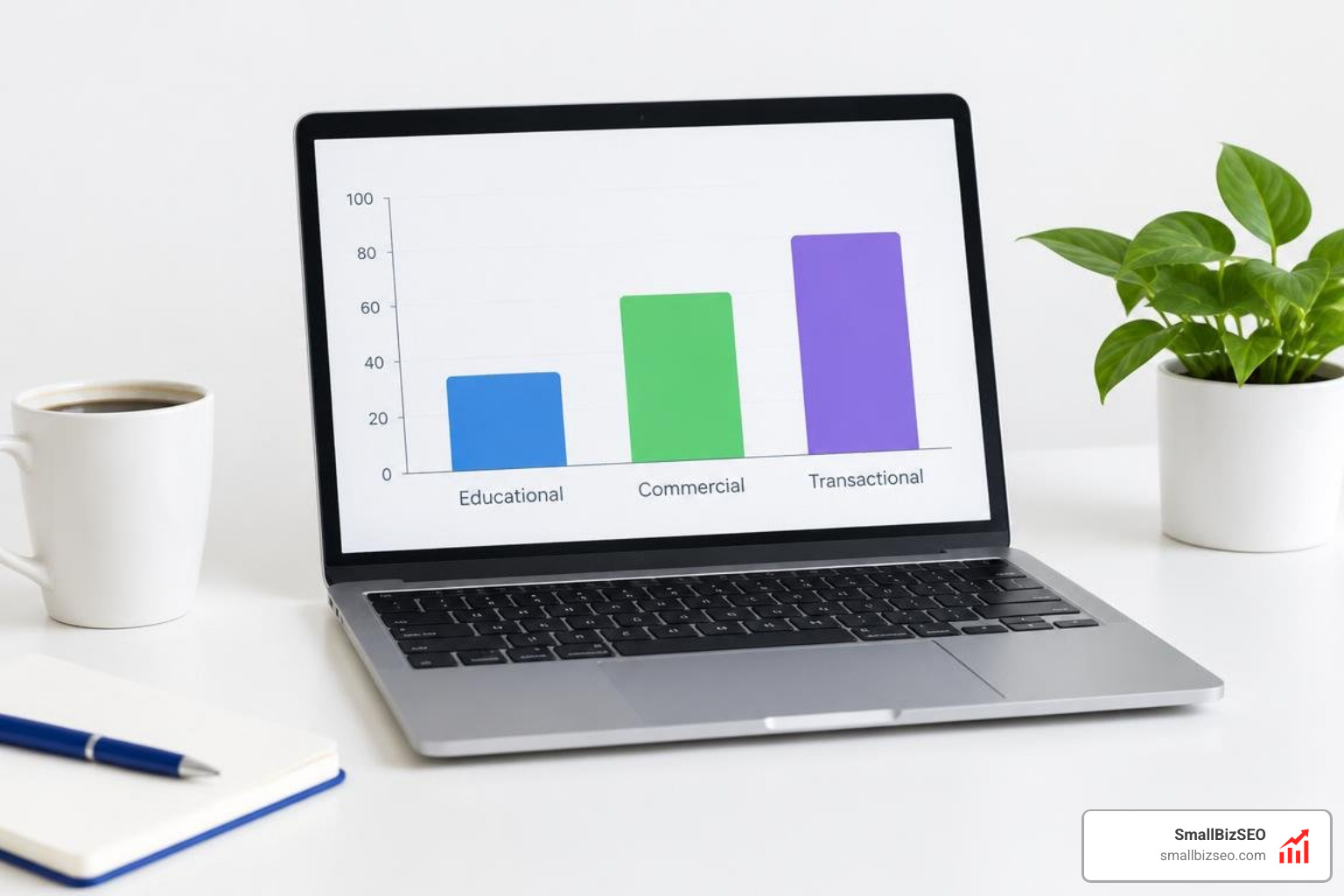
Top-of-funnel informational content naturally drives higher assist numbers, while bottom-of-funnel pages capture direct last-click closures. Connect data from Google Search Console or query raw exports via the Search Analytics API to group URLs into three clear buckets:
- Educational / Problem-Aware: Articles targeting "what is" and "how to" queries that initiate the customer journey.
- Commercial / Solution-Aware: "Best of" roundups and product alternative comparisons that nurture buyers in mid-funnel stages.
- Transactional / Decision-Aware: Pricing, demo, and checkout pages designed to capture the final interaction.
Mapping assists across these clusters proves the business necessity of top-of-funnel content to team members who only evaluate bottom-line revenue.
How Can You Defend SEO Budgets and Validate Pipeline Impact with Advanced Measurement?
Defend SEO investments by connecting assisted organic conversions directly to CRM pipeline value, showing stakeholders how initial search touches generate closed-won revenue across all downstream channels.
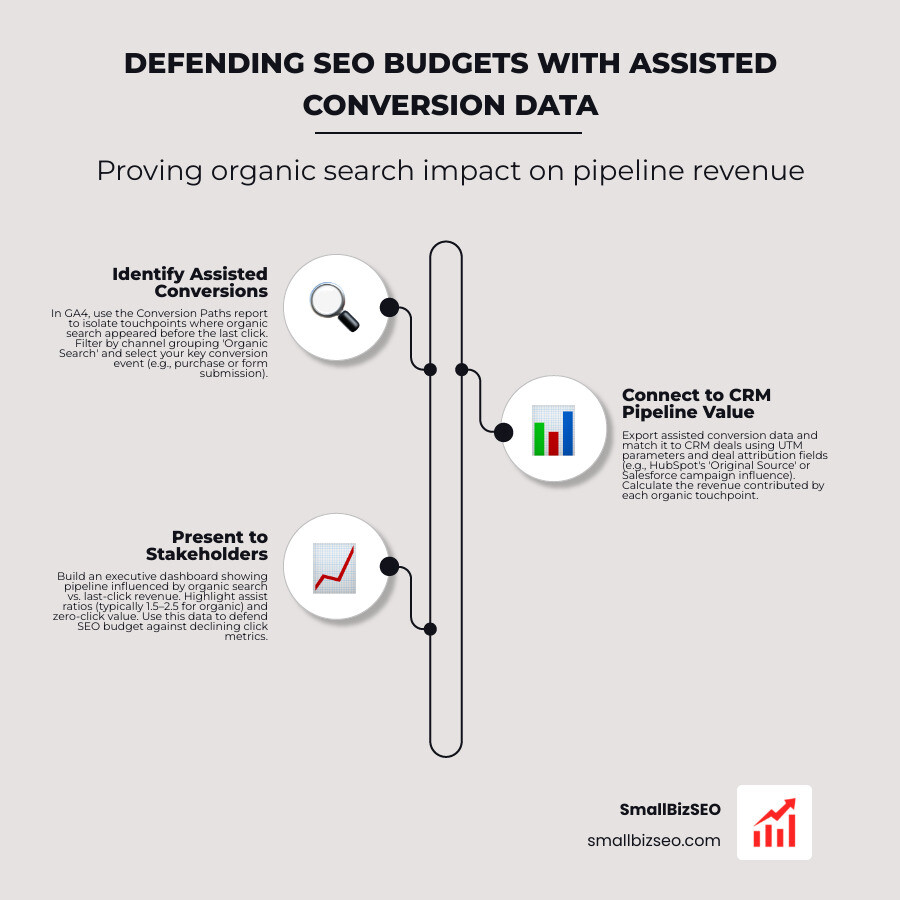
When leadership teams see declining click volume caused by zero-click SERP layouts, showing pure traffic metrics is no longer enough. Utilizing comprehensive frameworks for AI search attribution allows you to demonstrate how early-stage organic touches fuel subsequent paid, direct, and email conversions.
What Common Pitfalls Distort Reporting Organic Search Assisted Conversions?
Avoid common reporting errors by separating primary conversion actions from micro-events, standardizing UTM parameters, and auditing channel taxonomy rules.
When auditing your analytics properties, look out for four widespread data hygiene issues:
- Model Mixing: Presenting data-driven fractional conversions alongside absolute last-click counts without clear labels confuses executives. Always define the metric rules in report headers.
- Micro-Conversion Inflation: Combining email newsletter signups, PDF downloads, and completed purchases into one unweighted conversion bucket creates misleading assist numbers. Report pipeline-driving macro outcomes separately.
- Channel Misattribution: Broken tracking links and missing parameters frequently dump returning organic traffic into "Direct" or "Referral" buckets.
- Consent and Cross-Device Gaps: Tracking drops occur when users research solutions on mobile devices and convert later on desktop browsers. Use authenticated user IDs where possible to stitch journeys together for your unique organic users.
How Do You Track Invisible AI Assists and Measure Real Revenue in Your CRM?
Track invisible AI search assists by pairing attribution reporting with branded search lift, return visitor rates, and lifecycle deal tracking inside your CRM.
When AI answer engines cite your content, prospects frequently absorb your brand recommendation without clicking an external link immediately. They then navigate directly to your website or search for your brand by name days later. Monitor these proxy signals to capture that off-page influence:
- Branded Search Lift: Measure increases in brand query volume in the weeks following major content refreshes.
- Return Visitor Velocity: Track the percentage of users who return to commercial landing pages after an initial organic session.
- CRM Lifecycle Mapping: Use CRM platforms like HubSpot or Salesforce to log first-touch lead sources alongside recent-deal interactions.
Connecting web touchpoints to deal stages confirms whether organic assists generate genuine pipeline value and lowers your blended cost per lead.
How Do You Present Multi-Touch Search Value to Stakeholders?
Present multi-touch organic search performance using executive dashboards that showcase pipeline contribution, assisted conversion volume, and overall marketing ROI.
When presenting performance updates to leadership, structure your monthly reports around business outcomes rather than technical jargon:
- Lead with Pipeline and Revenue: Highlight total closed-won revenue influenced by early organic touchpoints.
- Display Direct vs. Assisted Outcomes: Position last-click organic conversions directly beside total assisted numbers to showcase full-funnel efficiency.
- Quantify Cost Savings: Compare organic assisted acquisition value against the equivalent ad spend required to purchase those same clicks.
By clearly documenting every assisted conversion, our team at SmallBizSEO helps businesses defend their marketing investments and capture sustainable organic growth.
Turning Multi-Touch Insights Into Sustainable Growth
Evaluating SEO performance strictly through the lens of last-click conversions leaves critical marketing value unaccounted for. Modern customer research spans multiple channels and platforms, making organic search one of your most powerful pipeline drivers even when it does not capture the final click.
By configuring clean attribution reporting, matching lookback windows to your sales cycle, and tying early search touches to actual revenue in your CRM, you transform SEO from a misunderstood cost center into a proven revenue engine. Review your analytics conversion paths today to uncover the hidden value driving your business forward.