Demystifying Technical SEO for Growing Digital Brands

Which Technical SEO Pillars Most Affect Infrastructure, Indexing, and Speed?
A technically sound site should be secure, easy to crawl, quick to load, and organized so important pages can be found and indexed. Without these core elements, search engines struggle to navigate your pages, which hurts organic performance before your content even gets a fair review.
When we evaluate a website, we look at several fundamental pillars:
- Server Health and Security: Using encrypted connections across every subdomain builds trust with users and search algorithms. More than 90% of mobile websites already use HTTPS, making it a non-negotiable security standard.
- Bot Accessibility: Your server must respond quickly to automated requests. Managing your crawl budget optimization ensures bots spend their limited resources exploring revenue-driving URLs instead of getting trapped in infinite query parameters or low-value scripts.
- Status Code Integrity: Clean communication between your server and visiting crawlers prevents dropped traffic. Returning proper HTTP status codes—like immediate 200 OK responses for valid content, deliberate 404/410 codes for missing resources, and prompt 301 redirects for permanently moved assets—keeps bot discovery frictionless.
- Mobile Usability: Because Google evaluates websites using a smartphone user-agent, maintaining strict mobile parity across design, text, structured data, and internal links is essential.
For an extensive breakdown of these baseline principles, explore What Is Technical SEO? The Definitive Guide.
How Do Crawling, Rendering, and Indexing Help Search Engines Discover Pages?
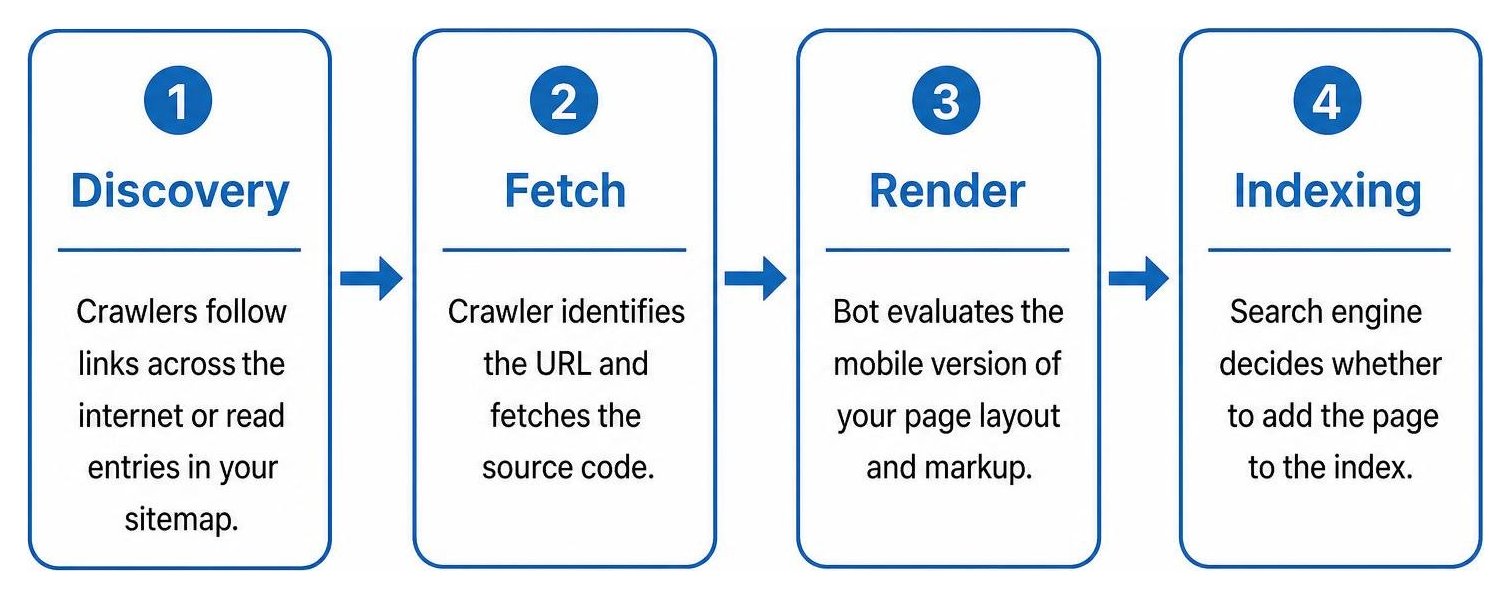
Search engines discover URLs, fetch pages, render their content when needed, and decide whether to add them to the index. If any link in this processing chain breaks, your pages will not appear in search results.
Discovery starts when automated web crawlers follow links across the internet or read entries in your sitemap. Once a crawler identifies a URL, it fetches the source code. Under modern mobile-first indexing standards, bots evaluate the exact mobile version of your page layout and markup.
If your website relies heavily on client-side JavaScript, crawlers must execute that script during a dedicated rendering stage before they can read the full text or follow links. Because rendering requires substantial computing power, search engines often defer it, which delays how quickly fresh pages get indexed. Relying on server-side rendering benefits gives search engines pre-rendered HTML right away, helping avoid crawl bottlenecks.
| Rendering Method | Crawler Discovery Speed | Server Resource Cost | Best Use Case |
|---|---|---|---|
| Client-Side Rendering (CSR) | Slow (Requires secondary rendering stage) | Very Low (Rendered in browser) | Dynamic web applications behind logins |
| Server-Side Rendering (SSR) | Immediate (Full HTML on initial response) | Moderate to High (Rendered on demand) | Large e-commerce and dynamic content sites |
| Static Site Generation (SSG) | Immediate (Pre-built static HTML files) | Extremely Low (Delivered via edge CDN) | Marketing websites, blogs, and documentation |
Beyond rendering modes, keeping your HTML clean and valid ensures that parsers and assistive technologies interpret your document layout as intended.
Which Technical SEO Components Affect Visibility and Core Web Vitals?
Fast, stable, responsive pages give visitors a better experience; Core Web Vitals measure loading, visual stability, and interaction responsiveness. Search engines use these metrics as ranking factors and usability signals.

To deliver a competitive experience, focus on these Core Web Vitals thresholds:
- Largest Contentful Paint (LCP): Measures how long it takes for the main content element to appear on screen. Google's benchmark for Largest Contentful Paint targets is 2.5 seconds or less.
- Interaction to Next Paint (INP): Evaluates overall page responsiveness by measuring the delay between a user interaction (like a tap, click, or key press) and the visual interface update. Aim for 200 milliseconds or less.
- Cumulative Layout Shift (CLS): Assesses visual stability during the entire page lifecycle. Keep your Cumulative Layout Shift score at 0.1 or less by setting explicit dimensions on images, dynamic ads, and embeds.
A strong technical foundation also relies on quick server response. Reducing your Time to First Byte to under 0.8 seconds provides a solid starting point for faster asset delivery. Upgrading your server protocol to leverage HTTP/2 vs HTTP/3 performance reduces latency through multiplexing and streamlined connection handshakes. Pairing these protocols with a Content Delivery Network (CDN) caches static assets close to your users, while regular PageSpeed Insights optimization helps catch performance regressions early.
How Can You Improve Site Architecture, Internal Links, and Canonicalization?
A clear hierarchy, useful internal links, and consistent canonical signals help search engines understand which pages matter and which URLs to index. A well-organized site structure passes authority efficiently across every section.
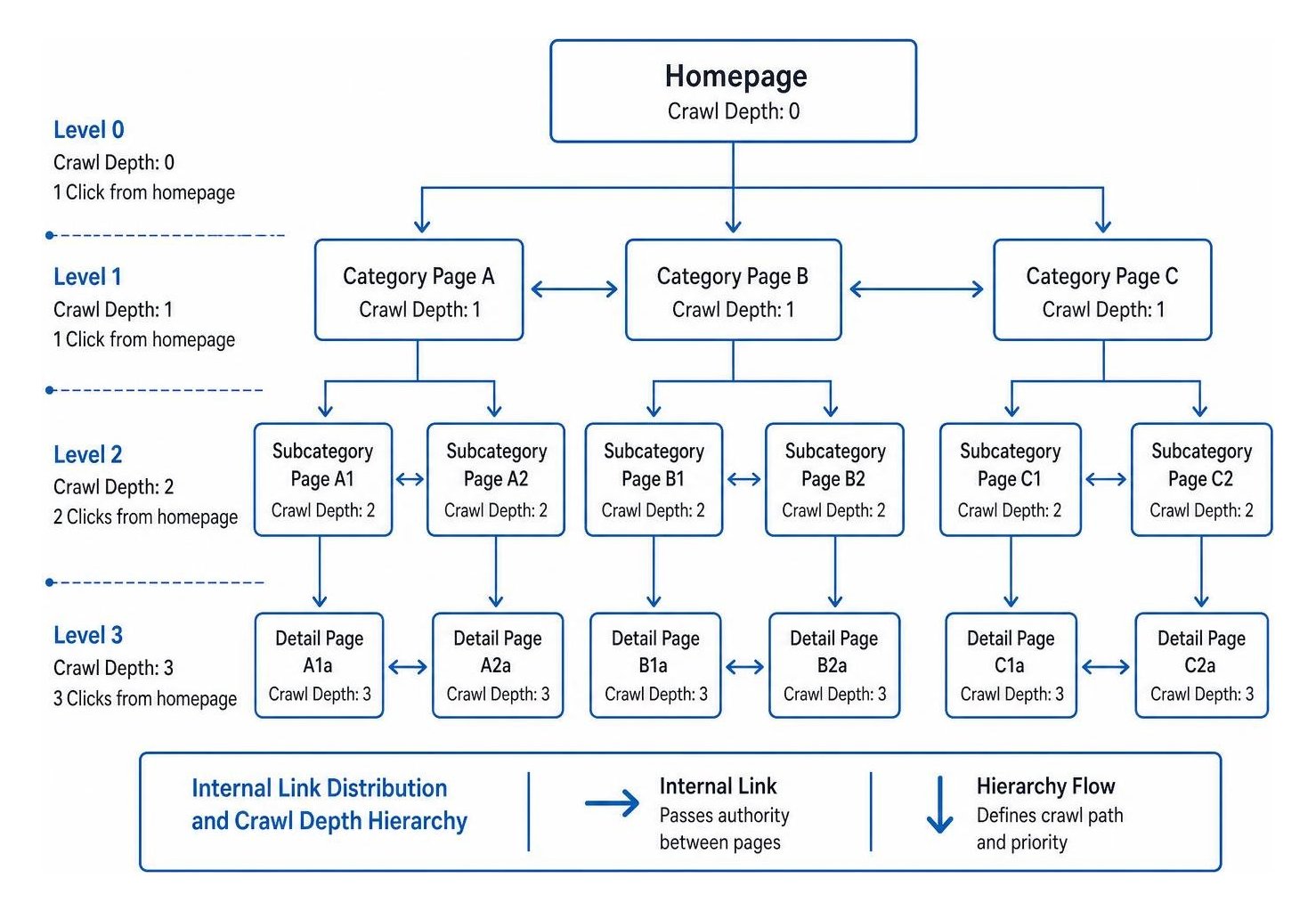
To keep your site structure clear and search-friendly:
- Flatten Your Architecture: Maintain a shallow crawl depth hierarchy where high-priority pages sit no more than three clicks away from the homepage.
- Link Key Pages Directly: Pages with fewer than three internal links rarely rank well, regardless of content quality. Link from high-traffic guides to commercial pages and implement breadcrumb markup to reinforce page relationships.
- Consolidate Sitemaps: Publish a clean XML sitemap index that includes only live, canonical, 200-status URLs. Exclude redirects, parameters, and noindexed URLs.
- Manage URL Migration and Redirects: Implement direct 301 redirect management to avoid redirect chains that waste crawl resources and slow down page loads.
- Handle Duplicate Content: Add self-referential canonical tags to distinct pages, and use canonical tags on parameter variations or faceted navigation to point back to primary category URLs.
- Internationalize Regional Content: For multilingual sites, implement hreflang internationalization tags that self-reference and connect all regional variants.
How Can You Audit Technical SEO, Improve AI Search Visibility, and Maintain Site Health?
Regular audits and monitoring help find crawling, indexing, and performance issues before they undermine organic visibility. Technical errors often happen quietly after routine site updates, which makes scheduled diagnostics essential.
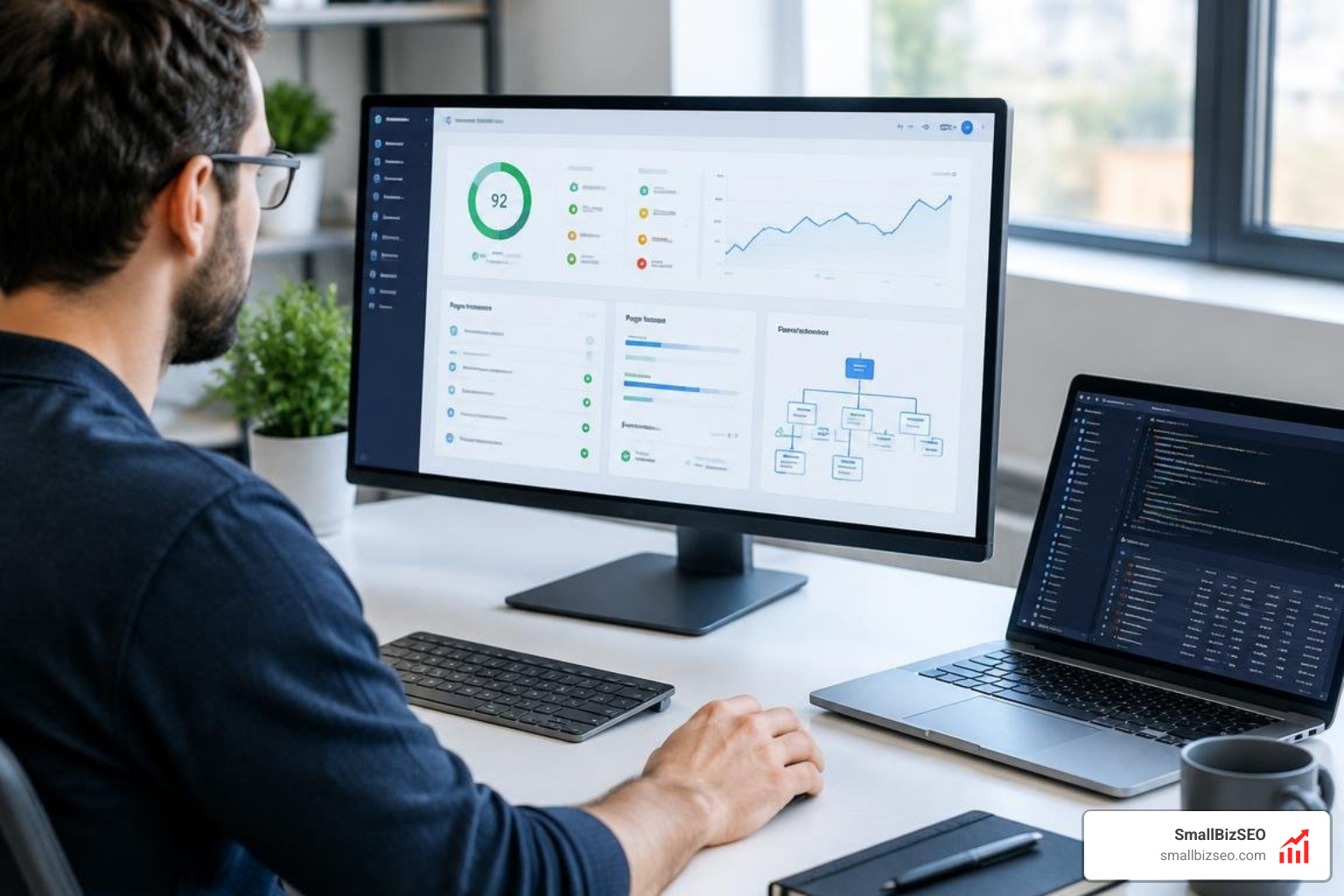
A site with a Domain Rating of 30 and broken indexation will routinely rank below a site with a Domain Rating of 12 that has clean indexation. At SmallBizSEO, our data-driven "Velocity" framework pairs transparent automated reporting with E-E-A-T-compliant architecture so small businesses achieve lasting visibility. To review your crawling configurations alongside expert commentary, read the Intro to technical SEO: Improve your crawling and indexing.
Regular Google Search Console monitoring alerts you when pages drop out of the index or trigger usability warnings. When you need a deep review of your site architecture and technical foundation, you can schedule a comprehensive SEO visibility audit to identify bottlenecks and unlock organic growth.
How Can You Audit and Reduce Technical SEO Debt Across Modern Web Stacks?
Start by finding issues that block important pages from being crawled, indexed, or used, then prioritize fixes by impact and urgency. Technical debt accumulates quickly as teams publish new features, install plugins, and adjust URL routes.
Understanding why early-stage technical debt costs growth helps growing businesses prioritize infrastructure fixes before expanding their content libraries. Performing a thorough log file analysis shows you exactly how search engine bots move through your site, exposing crawl waste on parameter URLs, loops, and 5xx errors.
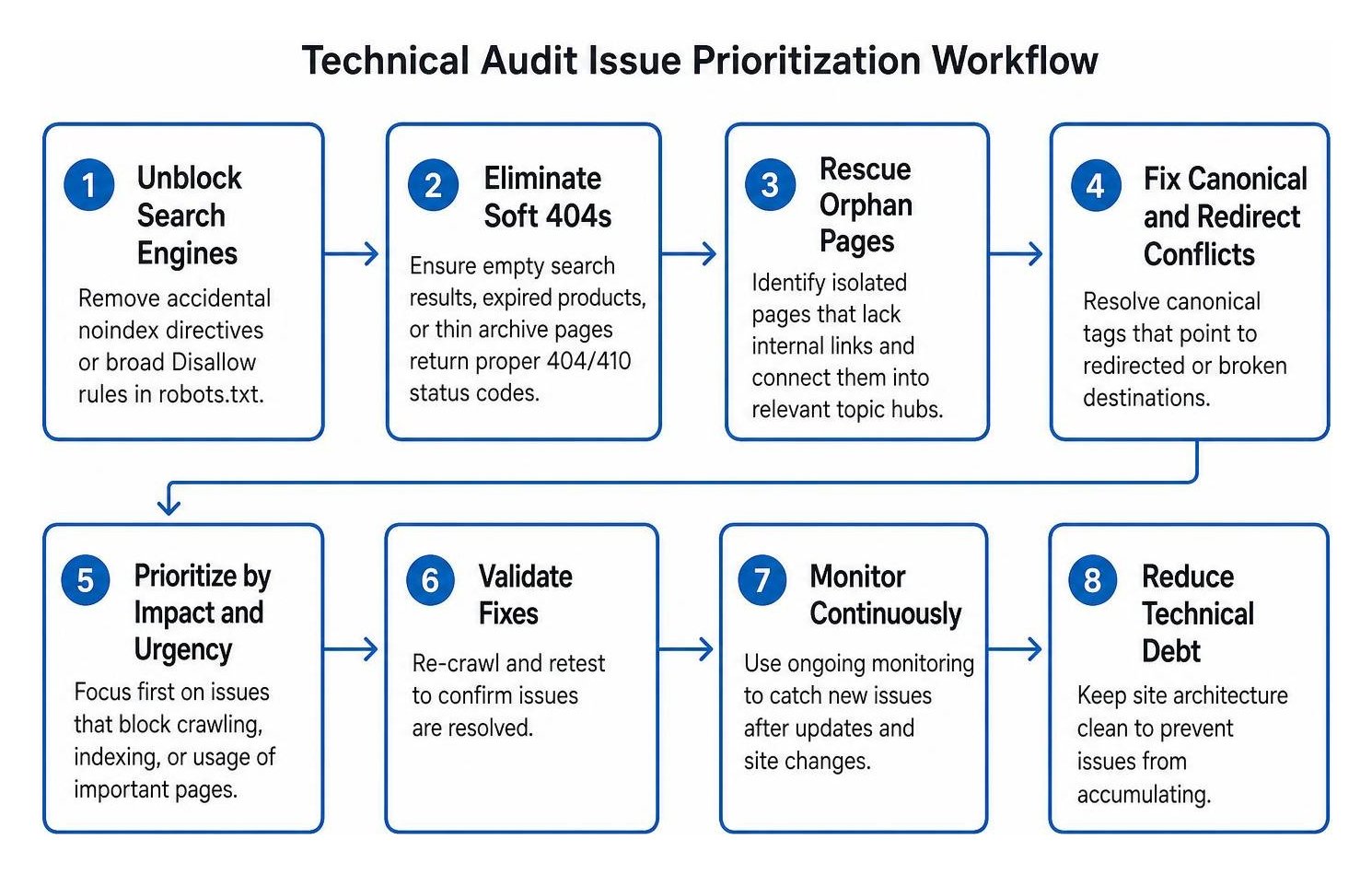
When running a technical SEO audit, tackle issues in this order:
- Unblock Search Engines: Remove accidental
noindexdirectives or broadDisallowrules in your robots.txt file that keep search engines from reaching key pages. - Eliminate Soft 404s: Ensure empty search results, expired products, or thin archive pages return proper 404/410 status codes rather than a 200 OK header with a blank page.
- Rescue Orphan Pages: Identify isolated pages that lack internal links and connect them into relevant topic hubs.
- Fix Canonical and Redirect Conflicts: Resolve canonical tags that point to redirected or broken destinations.
- Validate on Staging: Always test major CMS, plugin, and routing updates in a staging environment before pushing to production.
How Does Technical Infrastructure Support Generative AI Search and Citations?
Clear, accessible pages and structured information help automated systems interpret a site’s content and its entities. Modern AI search platforms use automated crawlers to discover, evaluate, and extract answers from the web.

To make your website accessible for AI-driven discovery and citations:
- Configure Bot Access: Review your robots.txt file to ensure you allow access to AI crawlers like GPTBot and ClaudeBot if you want your brand cited in generative summaries.
- Implement Rich Schema: Comprehensive structured data implementation provides machine-readable context about your business. Adding JSON-LD schema markup for Organization, Product, Article, and FAQ types helps crawlers interpret your content accurately.
- Ground Your Entities: Use the
sameAsschema property to connect your brand to authoritative reference profiles like Wikidata and official social channels. - Rely on Semantic HTML: Structure your content using standard HTML tags such as
,,, and. Clean hierarchy helps AI extract relevant passages directly. - Keep Copy Unambiguous: Present pricing, technical specifications, and key claims in concise, self-contained paragraphs so automated engines can easily parse and quote your information.
How Can Ongoing Monitoring Protect Technical Health and Organic Visibility?
Ongoing monitoring catches changes in indexation, availability, and performance so teams can investigate and fix problems promptly. A single template update can accidentally remove canonical tags or block critical JavaScript across thousands of pages overnight.
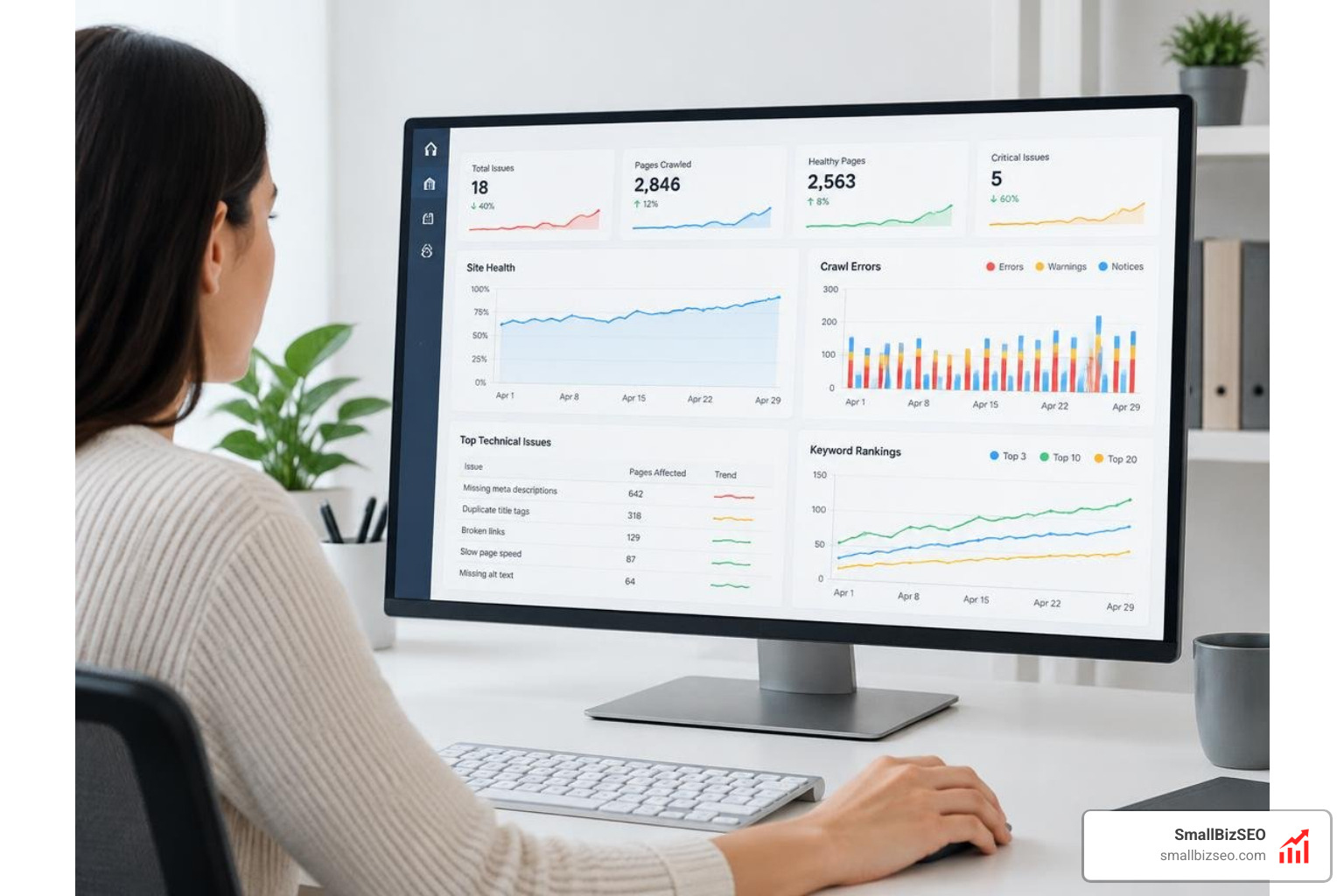
A reliable monitoring program includes:
- Indexation Coverage Tracking: Check your coverage reports weekly to catch unindexed URLs, soft 404 errors, and indexing drops early.
- Automated Regression Alerts: Set up automated tests to run after every deployment, checking that titles, canonical tags, and status codes remain intact.
- Server and Uptime Telemetry: Monitor server response times, 5xx server error spikes, and crawl rate variations to spot hosting problems before they affect rankings.
- Performance Budget Enforcement: Track Core Web Vitals to catch regressions before slow load times increase bounce rates.
- Database and Plugin Hygiene: On platforms like WordPress, clean out post revisions, clear transient data, and remove unused plugins to keep page generation fast.
Build a Resilient Foundation for Long-Term Growth
Technical SEO is not a one-time project; it is the infrastructure that supports your entire digital presence. By keeping your site fast, crawlable, structured, and easy to navigate, you ensure search engines and AI assistants can discover, index, and surface your content.
Prioritize your highest-impact fixes first: resolve broken indexation, clean up internal links, optimize your Core Web Vitals, and deploy clear schema markup. A solid technical setup ensures your digital marketing investments deliver lasting organic traffic and business growth.