Do Small Businesses Need a CDN? A Practical Guide

When Does a Small Business Website Need a CDN?
A small business website is more likely to need a CDN when visitors are spread across regions, large images or videos load slowly, or traffic spikes strain its server. A CDN can deliver cached files from servers closer to visitors and reduce work for the web host. If most visitors are nearby and the site already loads quickly, a CDN may add little value. Measure your site first, then decide.
I'm Clayton Johnson, founder of SmallBizSEO. My work in technical SEO and content strategy shapes how I answer questions such as "when a small business website needs a cdn": find the cause of a slow site before choosing a fix.
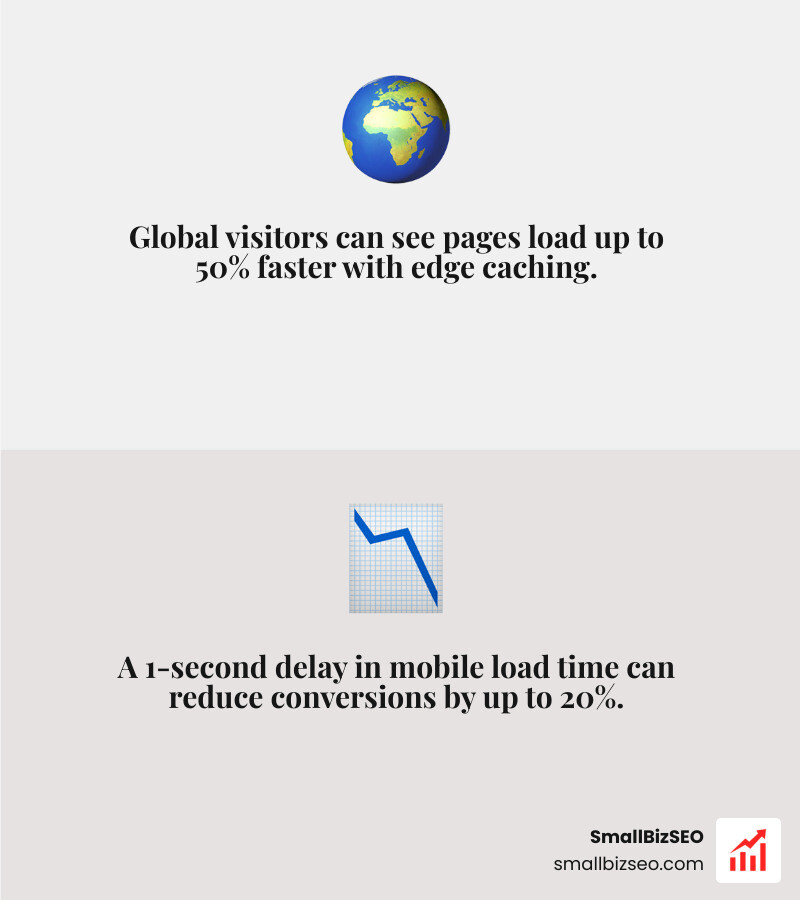
A content delivery network (CDN) reduces the physical distance data must travel between your website's origin server and your customer's screen. By placing copies of static assets on edge servers around the world, a CDN offloads substantial server strain while cutting page load latency. Understanding what a CDN is and how it routes traffic helps clarify how it protects your performance.
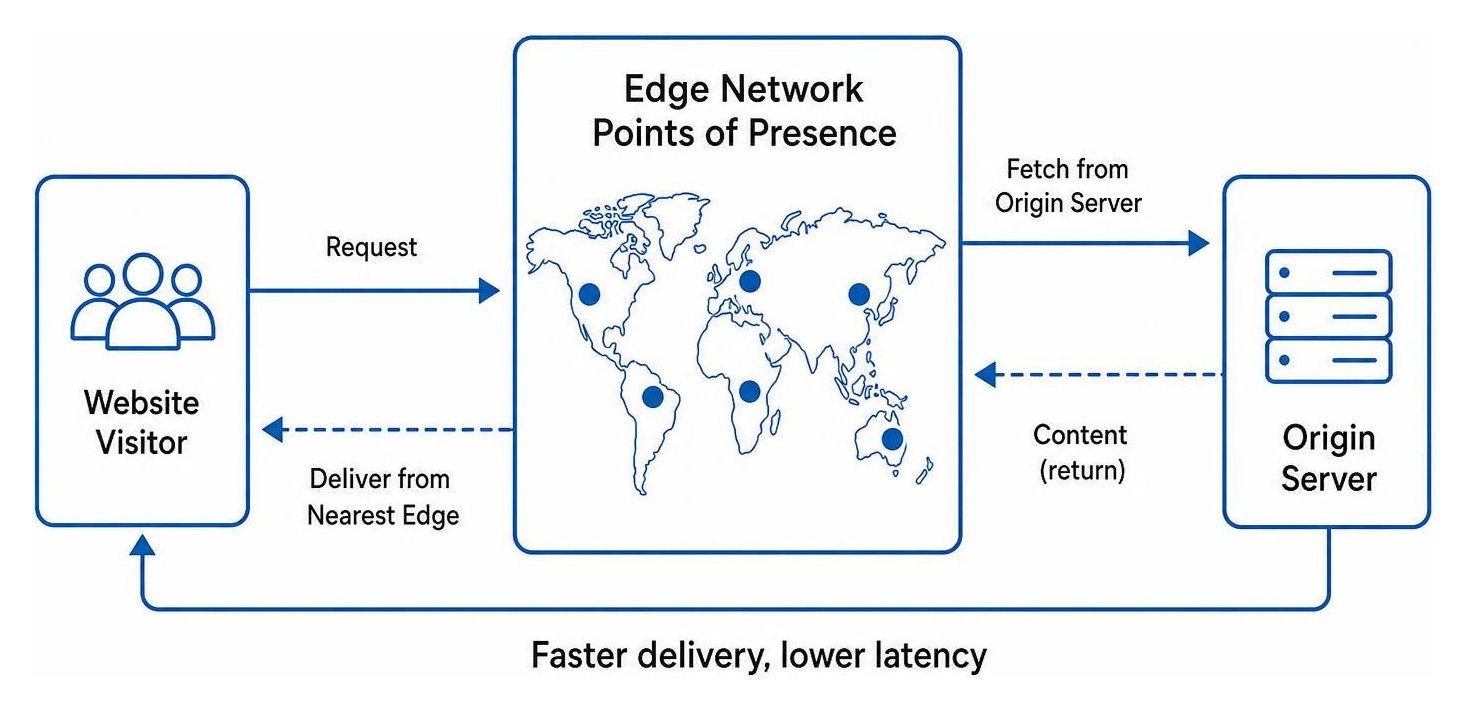
The majority of web traffic is served through edge networks, powering major platforms like Facebook, Netflix, and Amazon. For smaller sites, evaluating your Core Web Vitals and running diagnostic latency tests will quickly reveal whether edge caching addresses your specific bottlenecks. Speed is not just a user convenience; it directly influences Google's Page Experience update metrics, where metrics like Largest Contentful Paint (LCP) and Time to First Byte (TTFB) play an essential role in organic search performance.
When Does a Small Business Website Need a CDN for Speed and Scale?
A website needs a CDN when its audience spans multiple states, regions, or countries, or when the site hosts heavy media assets that overwhelm standard hosting bandwidth. Data travels fast, but physical distance still adds latency. When a visitor located across the country requests an uncached web page from a single distant origin server, the round-trip delay can cause noticeable lag.
A wait of just 3 seconds will cause half of your mobile visitors to leave your website. Given that more than 75% of sales are mobile, poor loading speeds directly hurt your bottom line. Integrating a CDN ensures your mobile SEO strategies succeed by serving media, scripts, and stylesheets via Anycast routing from the closest edge node.
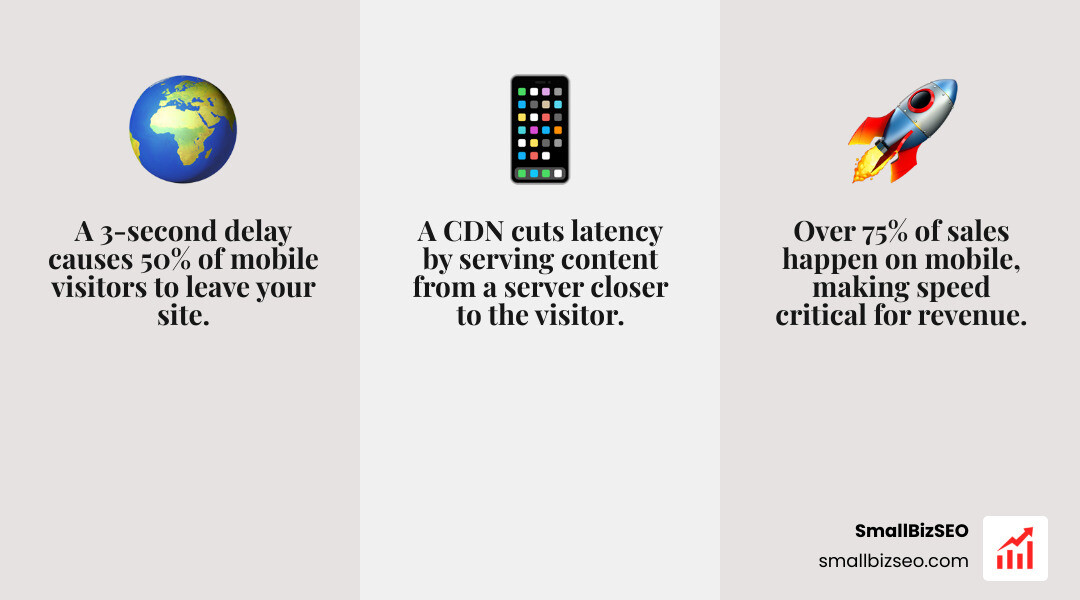
A CDN helps your business scale smoothly if you experience any of the following:
- Geographically Dispersed Visitors: If your analytics show consistent traffic from multiple states or international regions, an edge network eliminates geographic latency penalties.
- Media-Rich Product Pages: High-resolution image galleries, downloadable PDFs, or promotional videos quickly consume origin resources; a CDN caches these assets so your main server does not stall.
- Traffic Spikes and Promotions: When seasonal sales, ad campaigns, or media mentions bring sudden traffic surges, an edge network absorbs the bulk of the requests.
- Bandwidth Overage Protection: A CDN can reduce origin server load by 60 to 90% by caching at the edge, protecting you from costly hosting overage fees.
Reviewing the digital storefront checklist reinforces how crucial baseline site speed is for modern customer retention and transaction flow.
When Does a Small Business Website Need a CDN for Security and Reliability?
A small business website needs a CDN when uptime, DDoS mitigation, and robust data protection are critical to daily operations. Many business owners mistakenly assume that malicious traffic only targets massive enterprises. In practice, automated bots and brute-force attacks frequently strike small sites, draining shared server memory and taking storefronts offline.
Modern edge networks act as an intelligent protective shield between public traffic and your primary web server. They provide automatic DDoS mitigation by absorbing and distributing high-volume junk traffic across thousands of global servers before it ever reaches your host. Furthermore, edge networks handle HTTPS termination and integrate Web Application Firewalls (WAF) that actively block SQL injections, cross-site scripting, and credential stuffing.
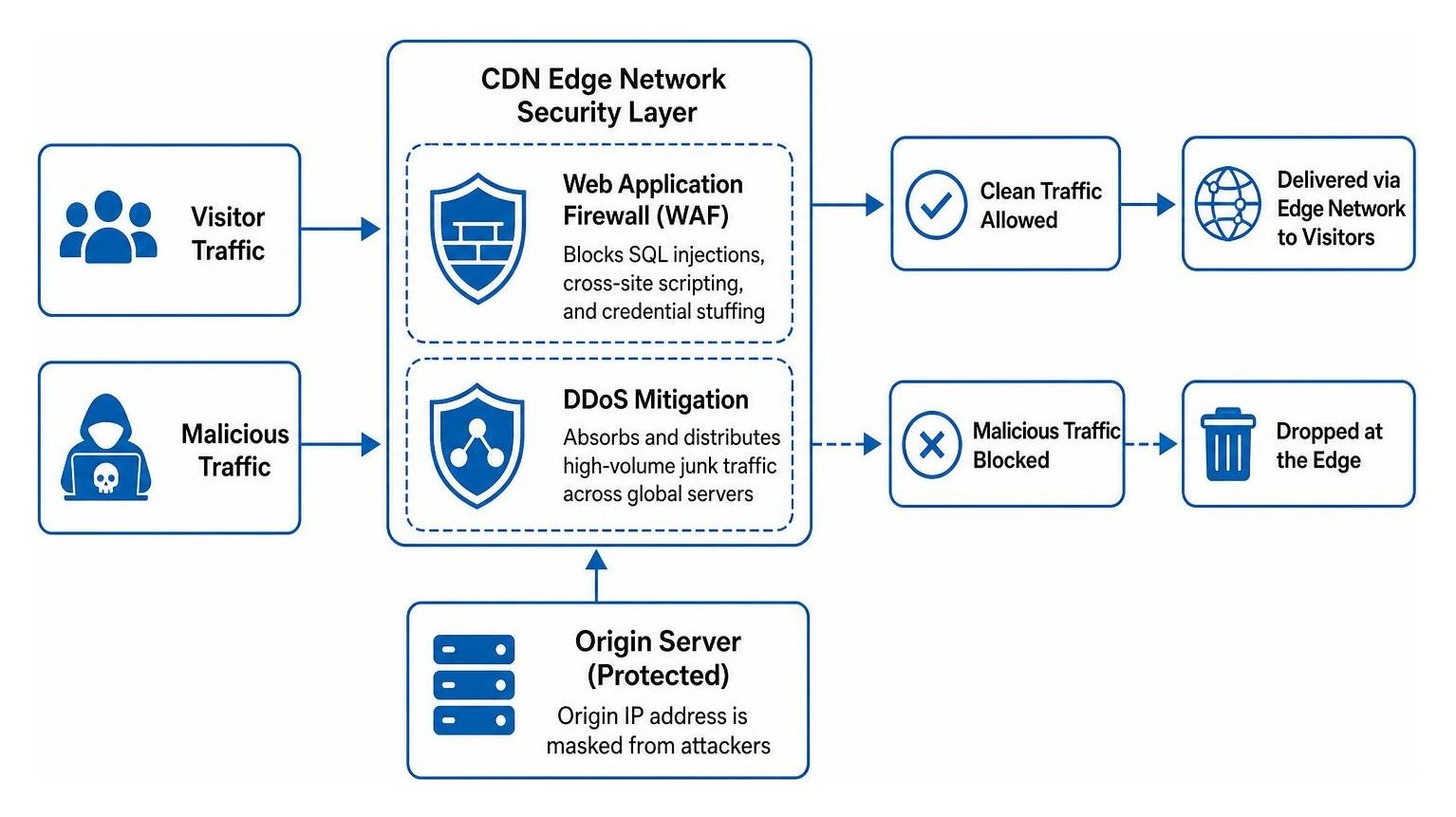
By masking your origin IP address, a CDN prevents attackers from targeting your core hosting environment directly. If a regional data center goes offline, Anycast intelligent failover automatically reroutes visitor traffic to the next closest operational edge node, preserving your uptime and reputation.
When Is a CDN Unnecessary or Redundant for a Local Business?
A CDN is often unnecessary if your business serves a strictly local clientele, your hosting server is located near your service area, and your website consists of lightweight, dynamic pages.
If you run a local service business where almost every visitor lives within a few miles of your origin data center, physical latency is already minimal. In this scenario, placing a CDN in front of an already fast local server can occasionally add a slight delay due to additional DNS lookups and TLS connection handshakes on uncached requests.
A CDN also provides minimal help when your performance issues stem from unoptimized database queries, bloated themes, or excessive plugins. These dynamic requests must still travel all the way back to your origin server to process. In such cases, fine-tuning your server-level caching and upgrading your base hosting plan will deliver far greater speed improvements than simply adding a CDN layer.
How Should a Small Business Evaluate, Implement, and Maintain a CDN?
To evaluate a CDN, measure your current Time to First Byte and full page load times from multiple locations, audit your recurring hosting expenses, and determine whether your technical setup requires edge optimization.
Before making any infrastructure changes, determine where your bottlenecks lie. The table below illustrates the functional differences between relying solely on standard web hosting versus deploying an edge caching architecture:
| Feature / Metric | Traditional Web Hosting Only | CDN Edge Caching Architecture | Hybrid Setup (Managed Host + Edge CDN) |
|---|---|---|---|
| Asset Delivery | Served directly from single origin location | Served from dozens of global edge nodes | Core logic on fast host; assets cached globally |
| Origin Server Load | 100% of traffic hits primary server | 60% to 90% of requests offloaded to edge | Minimal server strain during high traffic |
| DDoS Resilience | Limited to hosting package bandwidth | Enterprise-level Anycast traffic absorption | Origin IP masked with multi-layered WAF |
| Latency for Distant Users | High latency (100ms - 400ms+ round trips) | Low latency (<50ms from local edge) | Consistently low global response times |
| Ideal Use Case | Hyper-local brochure sites | High-traffic blogs, media-heavy catalogs | Growing e-commerce, regional service firms |
Can Edge Caching Replace Quality Web Hosting?
No, edge caching cannot replace a high-performance web host. A CDN is a delivery and acceleration layer, not a replacement for your core computing environment. If your origin server uses outdated hardware, runs an overloaded database, or suffers from severe memory constraints, your site will still lag whenever a page cannot be served from the edge cache.
A healthy digital storefront requires a solid infrastructure foundation. When launching a new company or restructuring digital operations, resources like the New York State Business Startup Guide emphasize building reliable operational systems from the start.
Conducting a thorough site audit allows you to uncover backend database bottlenecks, heavy uncompressed images, and render-blocking scripts that a CDN alone cannot resolve. Quality hosting with fast NVMe storage, modern PHP versions, and dedicated resources ensures that your edge caching layer has a solid origin to pull from.
What CDN Setup Mistakes Should Small Businesses Avoid?
The most common mistakes small businesses make when implementing a CDN include over-caching dynamic content, setting up faulty SSL modes, and leaving their origin server exposed.
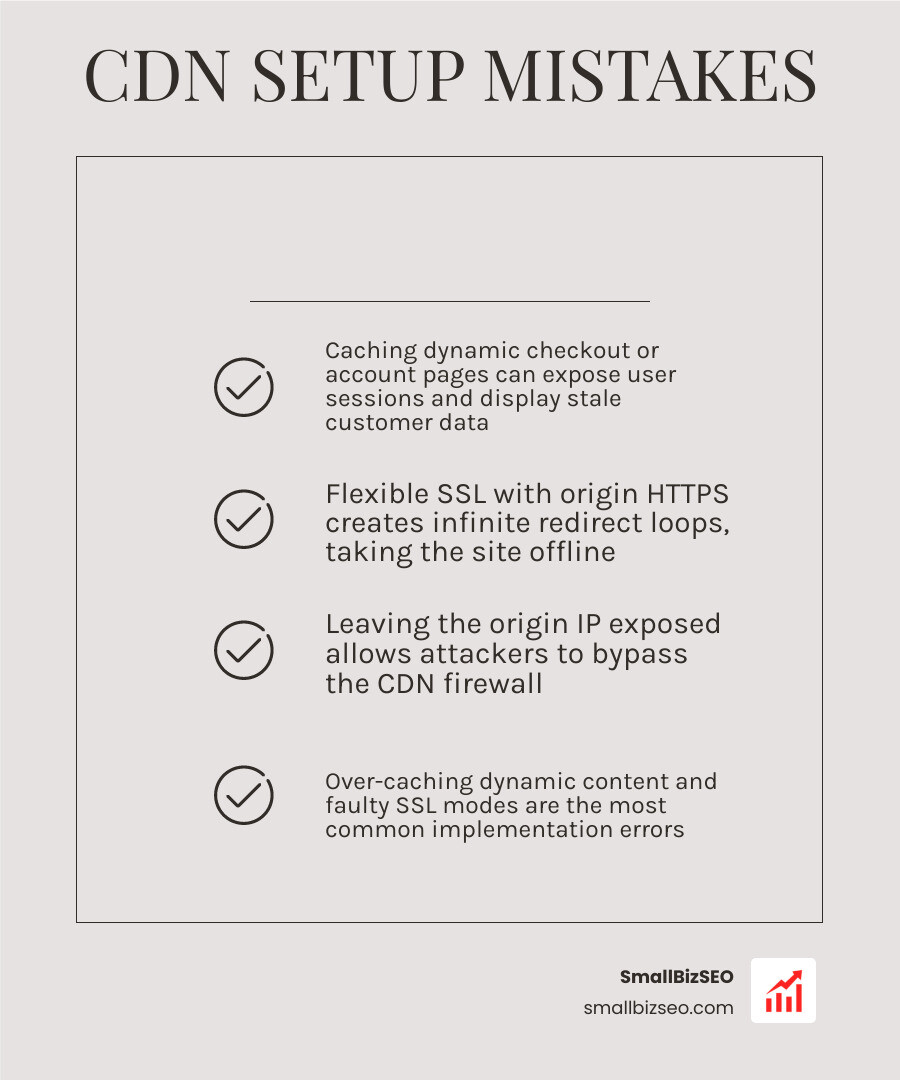
To avoid breaking site functionality or damaging your search visibility, watch out for these implementation pitfalls:
- Caching Dynamic Checkout or Account Pages: Accidentally setting global cache rules on transactional paths (like cart, checkout, or login screens) can expose user sessions or display stale customer data.
- Flexible SSL Redirect Loops: Setting your CDN to "Flexible" encryption while your origin server already enforces HTTPS creates an infinite redirect loop, taking your site offline. Always configure full, end-to-end encryption.
- Leaving the Origin IP Exposed: If you switch your DNS to a proxy network but leave old DNS records or mail headers pointing directly to your host IP, attackers can bypass your firewall completely.
- Ignoring Technical Audit Alerts: DNS misconfigurations and improper canonical tags on asset subdomains can cause indexing issues. Regular monitoring helps in fixing SEO audit errors before they harm your organic visibility.
- Failing to Configure Automatic Cache Purging: When you publish new blog posts, change product prices, or update your site layout, an improperly configured cache will continue showing outdated content to visitors until manually purged.
What Steps Should a Small Business Follow to Choose and Set Up a CDN?
Implementing an edge delivery network should follow a structured, low-risk process to ensure security and performance gains without unexpected downtime.
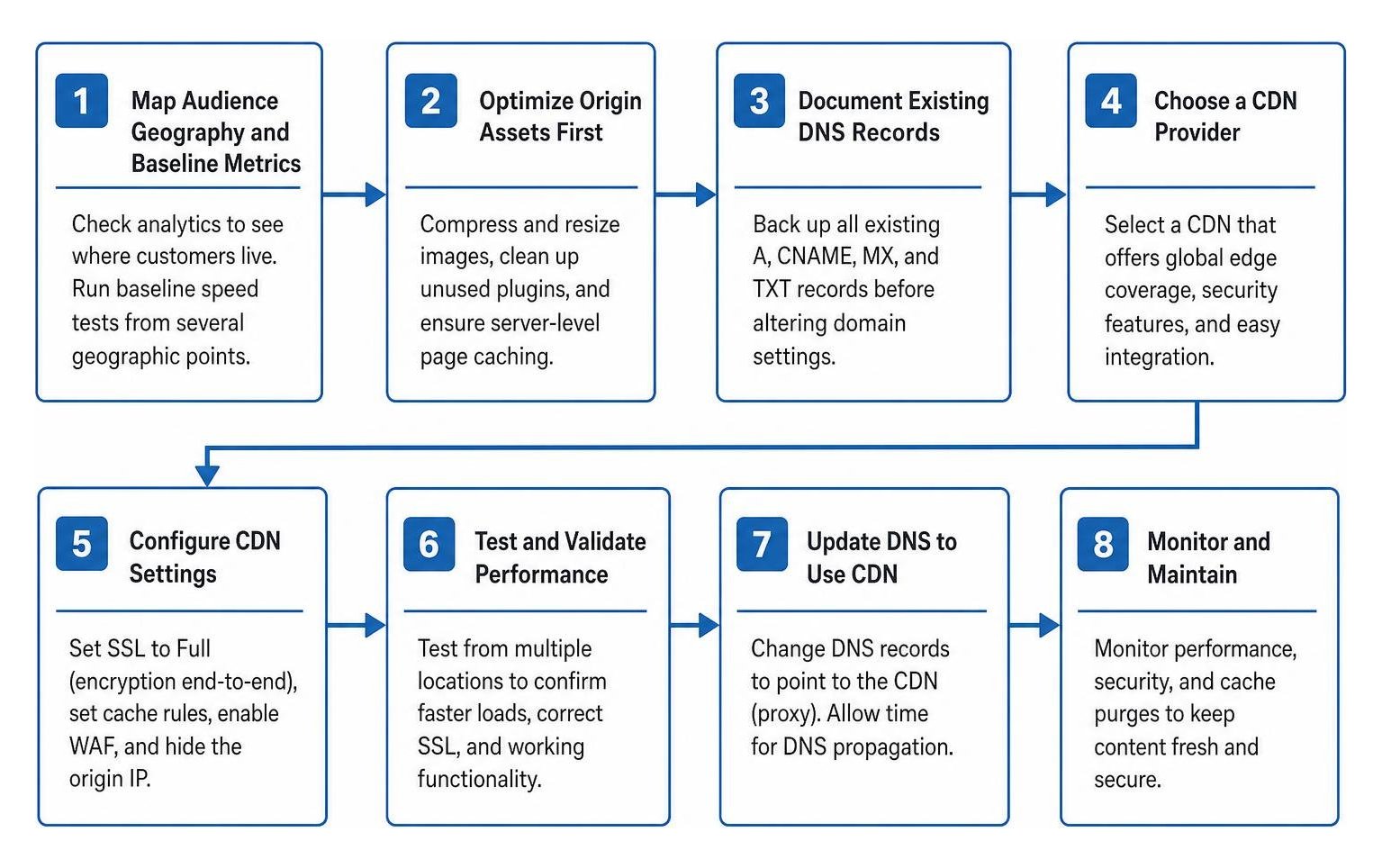
Follow these clear steps to safely roll out a CDN for your website:
- Step 1: Map Audience Geography and Baseline Metrics: Check your analytics to see where your customers live. Run baseline speed tests from several geographic test points using tools like Google PageSpeed Insights.
- Step 2: Optimize Origin Assets First: Compress and resize images, clean up unused plugins, and ensure your host runs server-level page caching.
- Step 3: Document Existing DNS Records: Back up all existing A, CNAME, MX, and TXT records before altering domain settings to ensure your business email and services continue running smoothly.
- Step 4: Configure Nameservers and SSL: Route your DNS through your chosen CDN provider, verify that your origin SSL certificate is valid, and set your edge encryption mode to Full/Strict.
- Step 5: Set Granular Cache Rules: Ensure static files (.css, .js, image files) are cached aggressively while excluding sensitive paths like
/cart/,/checkout/, or/wp-admin/. - Step 6: Conduct Post-Launch Monitoring: Run multi-location load tests to verify cache hit ratios, check interactive forms, test mobile transactions, and review error logs.
Getting the Most from Your Website's Speed Strategy
Deciding whether your website needs a CDN comes down to your audience's location, your content types, and your growth goals. If your business serves customers across multiple regions, showcases large media galleries, or needs dependable protection against traffic spikes and automated attacks, an edge delivery network is one of the most effective upgrades you can make.
If you want to ensure your website is running at peak technical efficiency, explore our CDN integration and technical SEO services. We help growing businesses build resilient digital foundations that improve page experience, protect uptime, and maximize organic search performance.