Step-by-Step Redirect Mapping Guide for Merging Service Pages

Why Do Merged Service Pages Need a 301 Redirect Map?
Here's how to map 301 redirects when merging service pages: list every old URL, match it to a new page that serves the same customer need, and point it directly there with a permanent 301 redirect. Then test each redirect and update your internal links.
A good map helps visitors reach the right service page and helps search engines carry ranking signals from retired URLs to the new one. It also avoids wasted crawl requests caused by broken links and redirect chains.
I'm Clayton Johnson, founder of SmallBizSEO. My work in SEO and content strategy informs how to map 301 redirects when merging service pages while keeping useful answers available to customers.
How Do You Map 301 Redirects When Merging Service Pages?
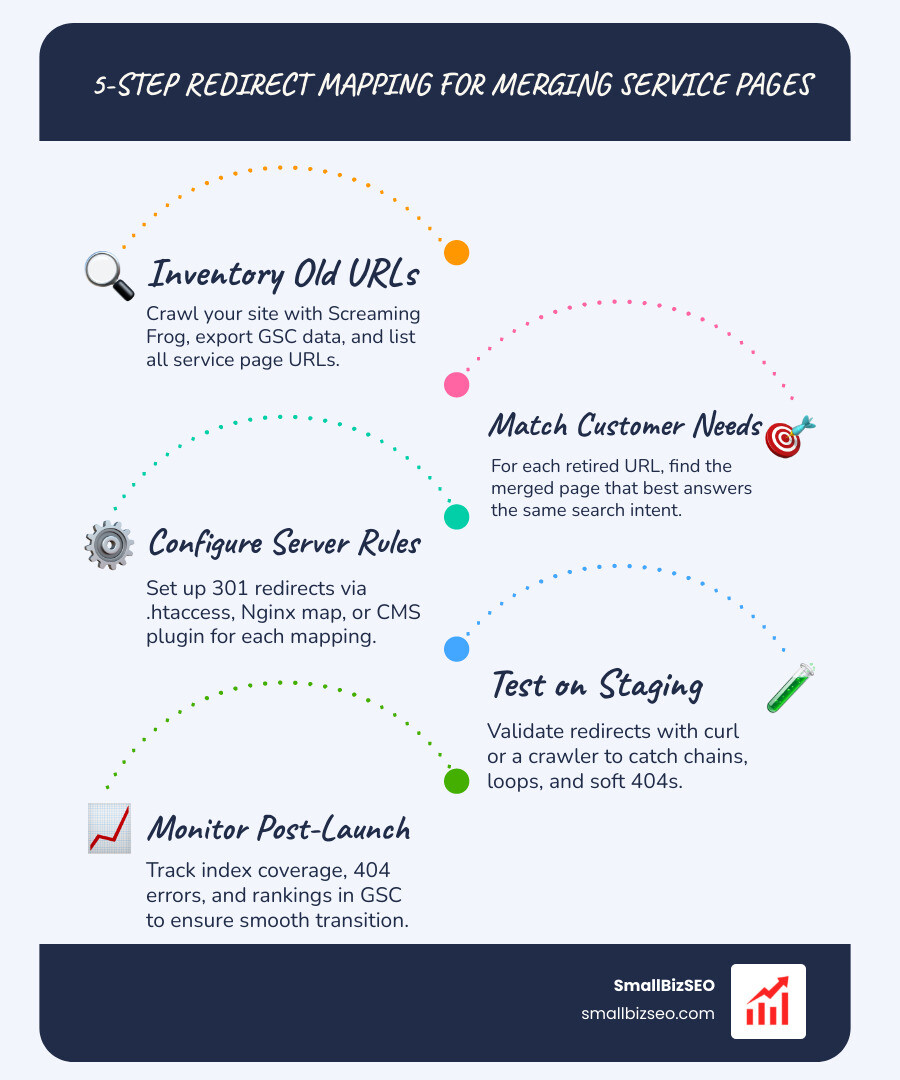
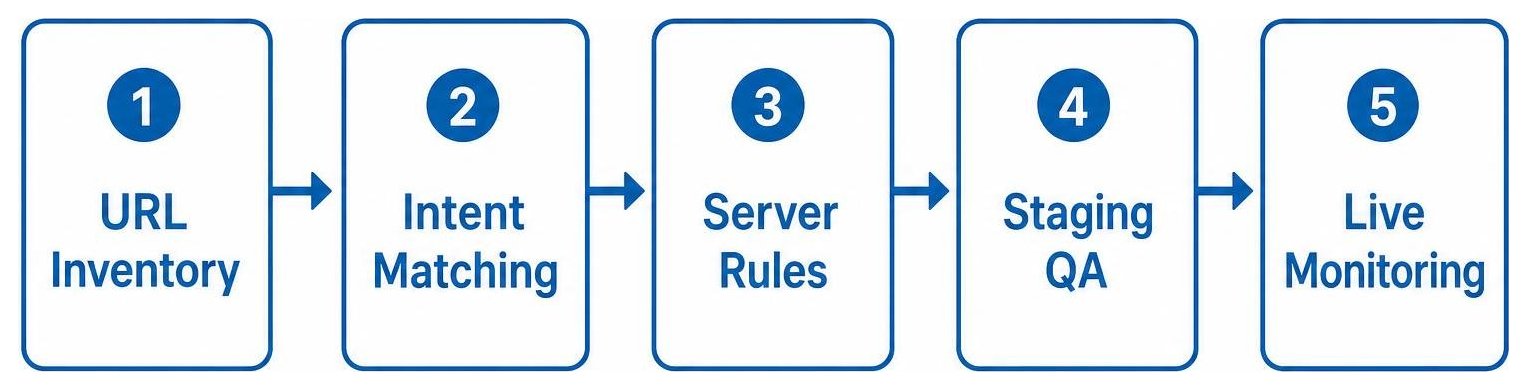
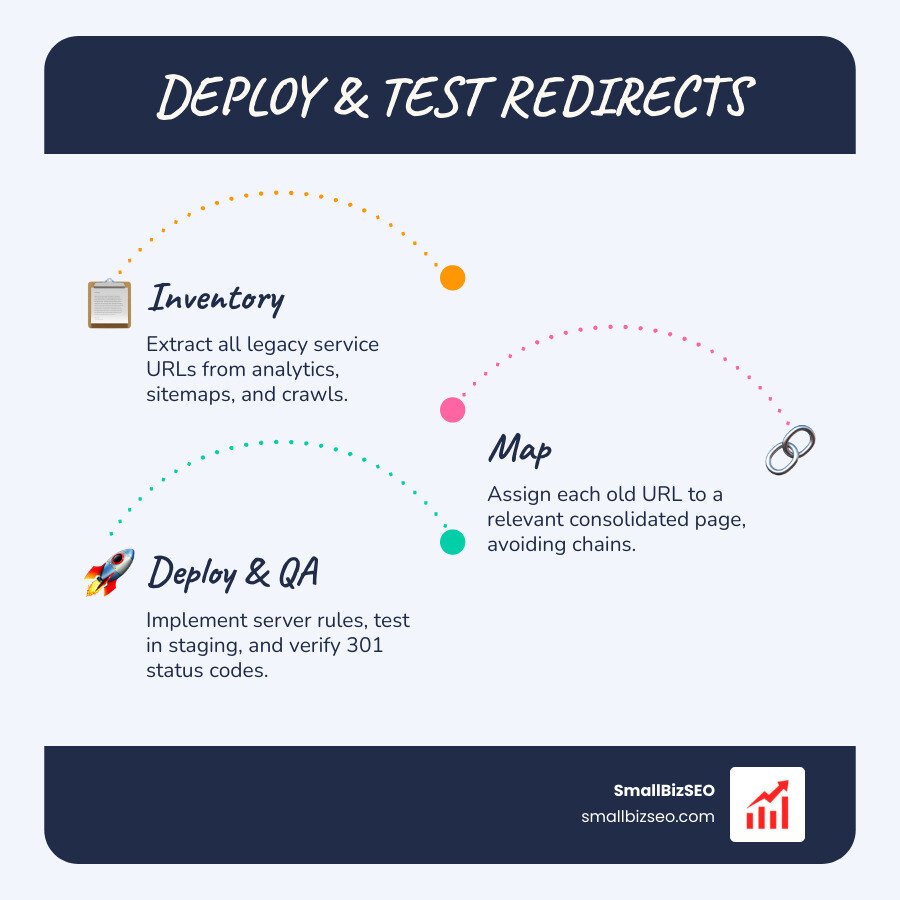
To map 301 redirects when merging service pages, follow a five-step sequence: compile an exhaustive inventory of existing URLs, assign each old URL to its most relevant new destination, configure server-side redirect directives, test the rules on a staging environment, and monitor indexation after launch.
Planning every route before touching server settings protects search performance during any site migration. Without a deliberate map, retired URLs return 404 errors, search engines discard earned authority, and prospective clients encounter dead ends.
How Do You Build a Complete URL Inventory Before Merging?
You build a complete URL inventory by combining multiple data sources rather than relying on a single crawl. Start by running a full crawl of your website using a tool like Screaming Frog to locate all currently linked service pages. Supplement this crawl with your live XML sitemaps, historic landing pages from Google Analytics, indexed URLs from Google Search Console, and backlink records from third-party tools.
Consolidate these data sets into a single spreadsheet and remove duplicate rows. Once compiled, organize your URLs into priority tiers based on performance metrics:
- Tier 1 (High Value): URLs with substantial organic traffic, established backlinks, and steady conversion history.
- Tier 2 (Moderate Value): Secondary service URLs with moderate search presence or strategic internal links.
- Tier 3 (Low Value): Outdated or thin pages with minimal lifetime traffic and no external backlinks.
Prioritizing your inventory ensures that high-impact URLs receive meticulous manual review, which helps prevent technical SEO debt before launch.
How to Map 301 Redirects When Merging Service Pages with Many-to-One Content Consolidation
When consolidating multiple thin or overlapping offerings into a unified destination, map all retired source URLs directly to the single consolidated URL. Align each old page based on underlying search intent and user task rather than matching page titles alone.
Ensure the surviving page incorporates the unique details, FAQs, pricing notes, and service scopes from the retired assets. If a retired page lacks a direct replacement, point it to the closest parent category rather than executing a generic homepage redirect. Directing disparate URLs to the homepage confuses visitors and causes search engines to treat the destination as a soft 404 error, discarding the accumulated link signals.
| Migration Scenario | Source URL Example | Destination URL Example | Implementation Method |
|---|---|---|---|
| One-to-One | /services/residential-cleaning/ |
/services/home-cleaning/ |
Direct exact path 301 |
| Many-to-One | /services/sedan-repair//services/suv-repair//services/truck-repair/ |
/services/auto-repair/ |
Multi-source consolidated 301 |
| Pattern-Based | /services/old-category/* |
/services/new-category/* |
Regex or wildcard rule |
For detailed guidance on transferring critical details between overlapping content assets, consult this guide on merging overlapping service pages.
Which URL Status Codes Should You Choose: 301 vs. 302 vs. 410?
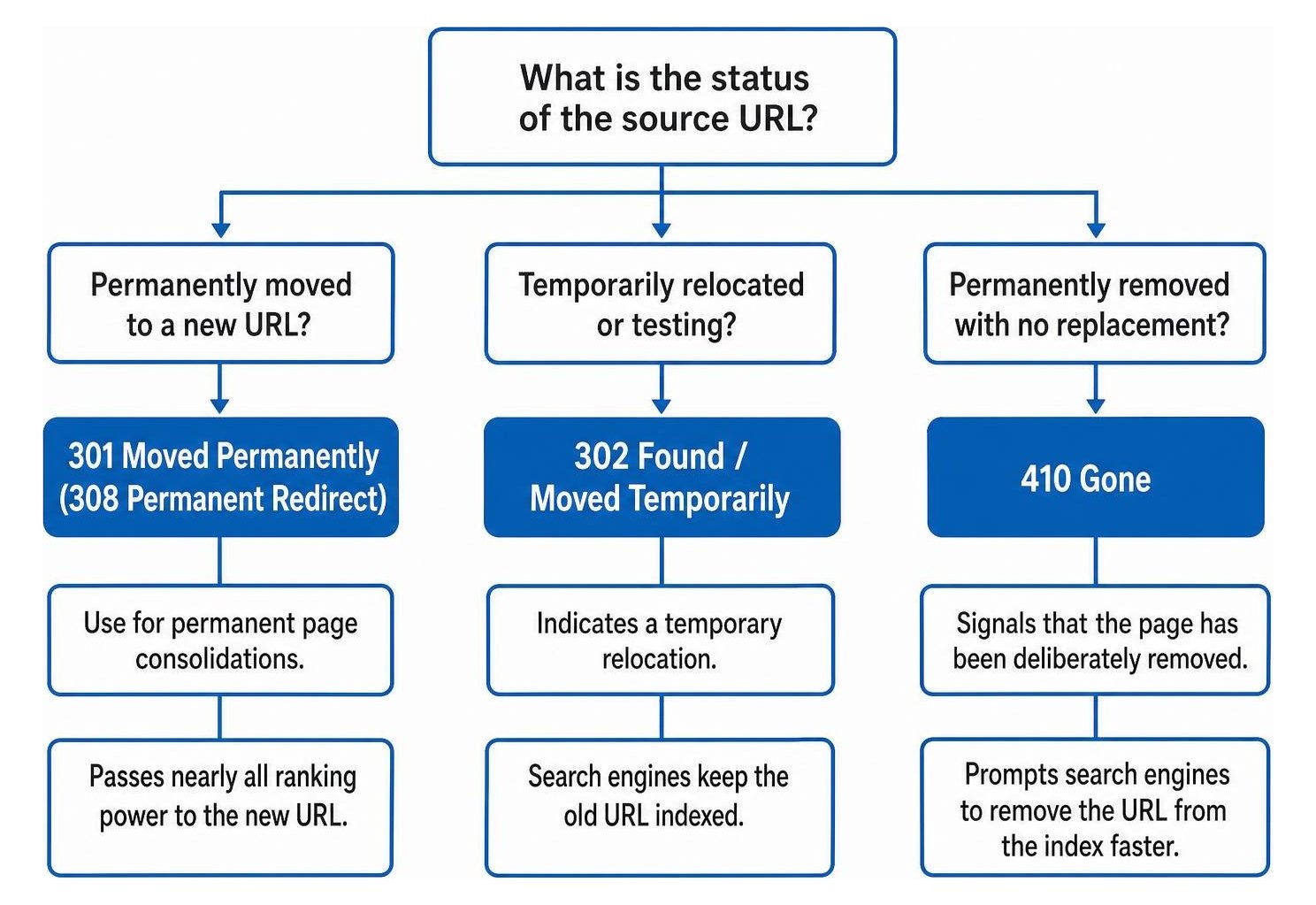
Use a permanent 301 redirect when permanently consolidating service pages because it signals to search engines that the old location has permanently moved and passes nearly all ranking power to the target URL.
Choosing the correct HTTP status code ensures search engines update their indexes efficiently:
- 301 Moved Permanently: The primary choice for permanent page consolidations, transferring link signals to the new destination.
- 308 Permanent Redirect: Modern permanent redirect that preserves original request methods during form submissions.
- 302 Found / Moved Temporarily: Indicates a temporary relocation. Search engines keep the old URL indexed, so it should not be used for permanent service consolidation. Check your setup to identify accidental 302 redirects that stall indexation.
- 410 Gone: Signals that a page has been deliberately removed with no equivalent replacement, prompting search engines to remove the URL from the index faster than a standard 404.
What Is the Technical Process for Testing and Deploying Server Rules?
To deploy your redirect map, convert your spreadsheet pairs into server-level rules or import them into a trusted CMS redirection tool. Server-level directives are processed faster than application-level plugins, reducing server response times.
For Apache servers, add directives to your .htaccess file:
- Direct mapping:
Redirect 301 /services/old-page/ https://yoursite.com/services/new-page/ - Pattern rules:
RedirectMatch 301 ^/services/v1/(.*)$ https://yoursite.com/services/$1
For Nginx environments, build map blocks within your server configuration:
- Map legacy paths to target paths inside the
httpblock, then reference the map in yourserverconfiguration using a direct rewrite rule.
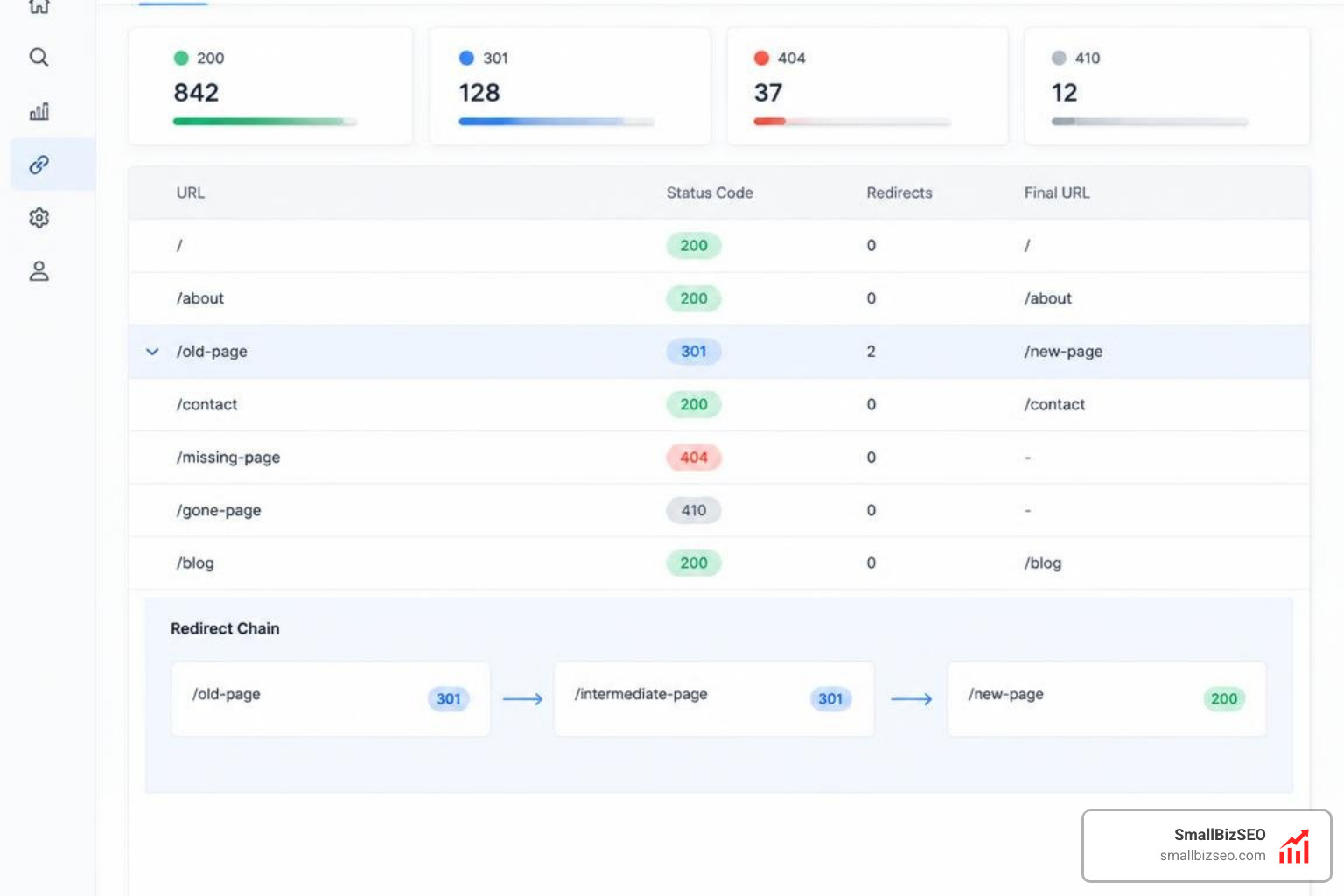
Before deploying changes to live traffic, validate your rules in a staging environment. Test your endpoints using command-line requests or URL testing suites to confirm that each source URL returns an HTTP 301 response pointing to the destination, and that the destination returns an HTTP 200 status code.
Following official Google site move and migration documentation, update all internal links across navigation menus, body copy, and schema markups to point directly to the new URLs, and publish an updated XML sitemap containing only clean, 200-status URLs.
What Best Practices Help Avoid Common Redirect Mapping Pitfalls?
To avoid common redirect mapping pitfalls, maintain a single version-controlled redirect register, keep all redirects to a single hop, and conduct systematic pre-launch and post-launch crawl audits.
Treat your redirect map as a foundational engineering document. Every change should detail the owner, deployment date, source URL, destination URL, and implementation status. Implementing a disciplined 301 redirect strategy prevents index fragmentation and preserves search equity.
How to Map 301 Redirects When Merging Service Pages Without Creating Chains or Loops
Prevent redirect chains and loops by flattening all multi-step routes so every old URL points directly to its final destination in a single hop. A redirect chain occurs when URL A directs to URL B, which then directs to URL C. Each intermediate hop increases page latency and consumes crawl budget.
Redirect loops occur when URL A points to URL B, and URL B points back to URL A, resulting in a browser error that breaks user navigation. When restructuring URL hierarchies, ensure query strings and tracking parameters are forwarded correctly to destination URLs so campaign attribution remains intact. If deep crawl bottlenecks occur after a major structural redesign, consult crawl and index issues specialists to resolve persistent routing conflicts.
How Long Should You Keep Redirects and Monitor SEO Performance Post-Launch?
Keep your 301 redirects active for at least one full year after merging service pages. Search engine crawlers require months to revisit legacy URLs across the web, verify the permanence of the change, and fully consolidate ranking signals. If an old URL maintains valuable external backlinks or continues to receive referral traffic, leave the redirect in place indefinitely.
After going live, monitor performance closely across key technical channels:
- Google Search Console Index Coverage: Review the Page Indexing report weekly to confirm retired URLs transition from indexed to redirect status without triggering soft 404 errors.
- Server Log Files: Analyze log records to track how frequently search engine bots request legacy URLs and confirm they receive clean 301 status headers.
- 404 Error Tracking: Monitor real-time error logs to catch unmapped URLs and implement immediate corrections.
- Keyword Rankings and Organic Traffic: Track primary and secondary service terms to ensure traffic consolidates cleanly onto your new URLs.
Protect Your Search Equity with Structured Redirect Governance
Consolidating service pages streamlines your site structure, sharpens topical relevance, and improves the overall user experience. By building an exhaustive URL inventory, aligning user intent with many-to-one redirects, eliminating multi-hop chains, and maintaining rules for at least a year, you preserve your hard-earned search visibility throughout the migration.
At SmallBizSEO, we help businesses implement seamless technical migrations using our data-driven "Velocity" framework. Whether you are restructuring service tiers, refreshing site architecture, or combining brand properties, our expert 301 redirect services provide the precision, technical safeguards, and transparent reporting needed to keep your organic rankings moving forward.