The Ultimate Guide to SEO Audit Errors: What Literally Happens When Your Site Breaks

The Ultimate Guide to SEO Audit Errors: What Literally Happens When Your Site Breaks
What SEO Audit Errors Are Actually Costing Your Website
SEO audit errors are specific technical, on-page, or structural problems on your website that stop search engines from properly crawling, indexing, or ranking your pages. Even one critical error — like a misplaced noindex tag or a broken redirect chain — can quietly drain your traffic for months before you notice.
Here are the most common SEO audit errors and what they affect:
| Error Type | What It Breaks |
|---|---|
| Blocked robots.txt | Googlebot cannot crawl your pages |
| Noindex on wrong pages | Pages disappear from search results |
| Redirect chains (3+ hops) | Crawl budget wasted, link equity lost |
| Missing or broken canonicals | Duplicate content confuses Google |
| Slow LCP / failing Core Web Vitals | Rankings suppressed among equal competitors |
| Orphan pages (no internal links) | Pages never discovered or ranked |
| Invalid structured data | Rich results not shown in search |
| JavaScript-only content | AI bots and some crawlers see a blank page |
The frustrating part? Most of these errors are invisible to the naked eye. Your website looks fine. Pages load. Links click. But underneath, Google may be spending its entire crawl budget on low-value filter URLs — while your best product pages sit undiscovered.
One real-world example captures this perfectly: a business spent over $4,000 optimizing Core Web Vitals, only to discover that a third-party app had quietly injected noindex tags across every product page. All that performance work returned nothing because the pages were never in the index to begin with.
That is exactly why audit order matters as much as the audit itself.
I'm Clayton Johnson, a digital PR and SEO strategist who has helped businesses untangle exactly these kinds of hidden SEO audit errors — turning overwhelming crawl reports into clear, prioritized fixes that actually move rankings. In the sections below, we will walk through every major error category in the order they should be fixed, so you stop wasting effort on the wrong problems first.
The Anatomy of SEO Audit Errors: Basic Checkers vs. Full Diagnostics
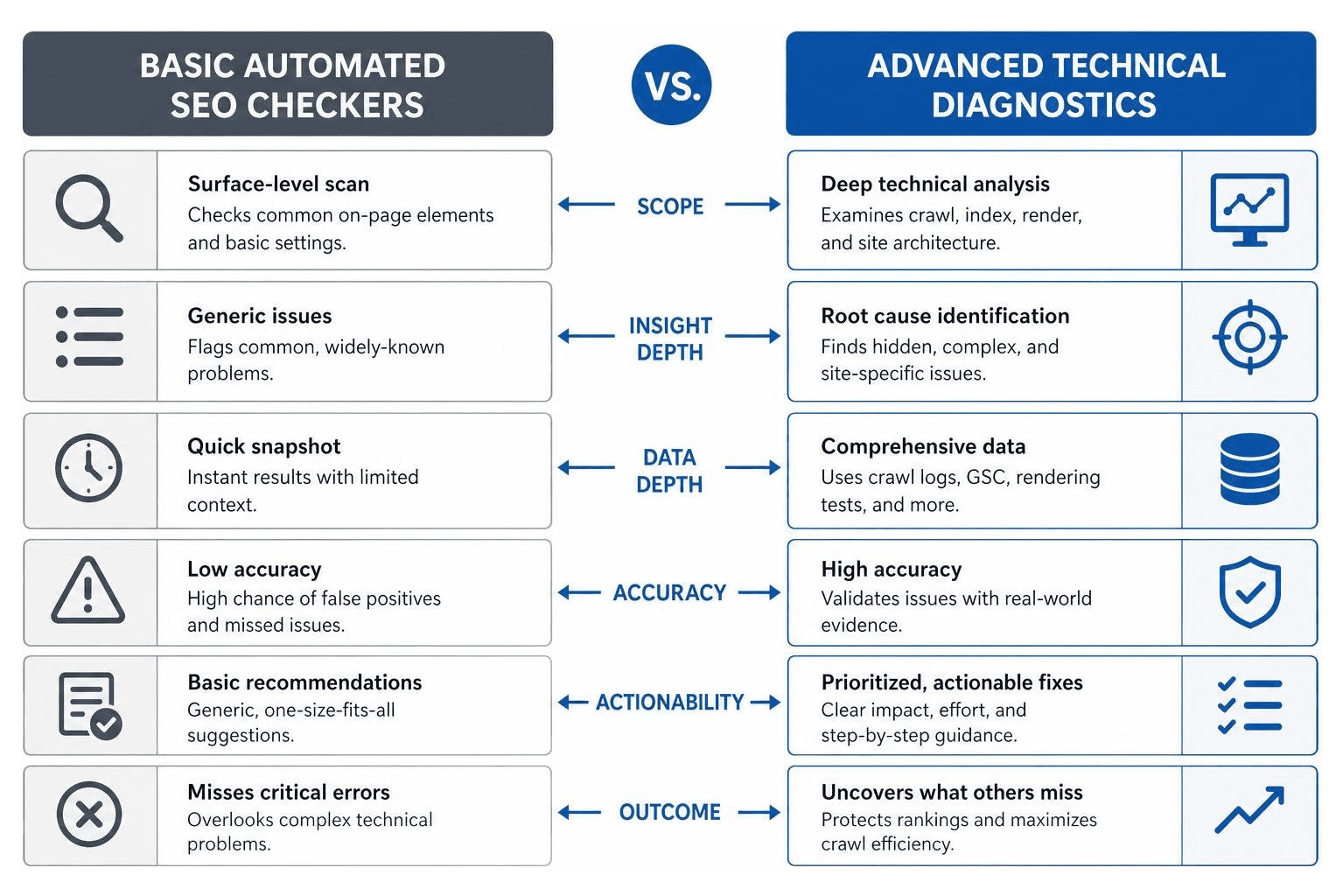
When your organic traffic suddenly drops, it is tempting to run your URL through a free online tool and hope for a quick answer. However, there is a massive difference between a basic surface-level scan and a professional diagnostic audit.
Why Basic SEO Checker Tools Miss Critical SEO Audit Errors
A basic automated SEO checker is designed to give you a fast, high-level snapshot. It checks if your meta descriptions are the right length, flags missing image alt text, and confirms whether you have an XML sitemap. While these quick checks are helpful for day-to-day maintenance, they completely miss complex, underlying architectural issues.
For example, a free tool might tell you that your homepage has a perfect optimization score, while completely missing a faceted navigation crawl trap that is generating thousands of duplicate, thin-content URLs. This automated oversight is one of the most common SEO Audit Mistakes: 8 Issues SEO Auditors Often Miss (5 Min Class) . Relying solely on basic reports creates a false sense of security while critical structural issues continue to sabotage your rankings.
The Signal Stack Method for Deep Diagnostics
To find what automated tools miss, we use the Signal Stack Method. This approach involves cross-referencing three distinct data sources to understand exactly how search engines interact with your site:
- Crawler Data: We run a comprehensive technical crawl to map your site's architecture, directory depth, and internal link equity. This gives us a complete map of what can be found.
- Search Console Data: We analyze Google Search Console (GSC) performance and coverage reports to see what Google is actually indexing and where it is finding errors.
- Server Log Files: We inspect your raw server logs to track exactly when and where Googlebot spends its time.
By stacking these signals, we can diagnose complex issues like crawl budget contraction events—where Googlebot suddenly stops visiting your site because of quality issues. If you want to understand the deeper reasons behind flatlining traffic, a Detailed SEO Analysis is the only way to uncover Why Your Rankings Are Still Stuck.
The Bottom-Up Audit Order: Prioritizing Crawlability and Indexation
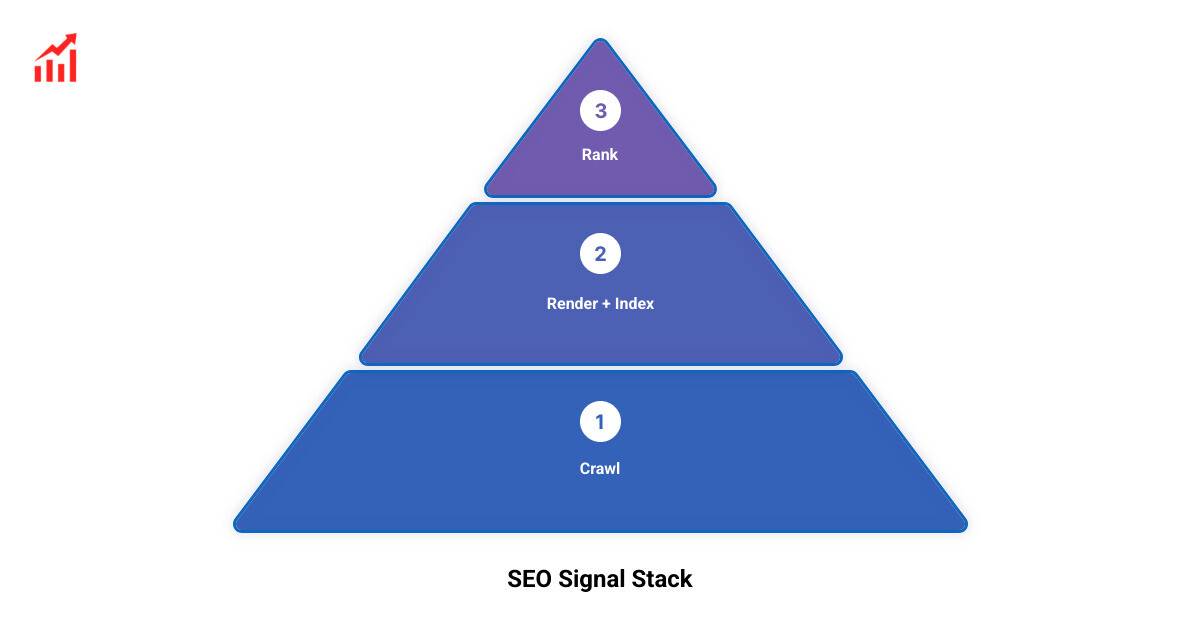
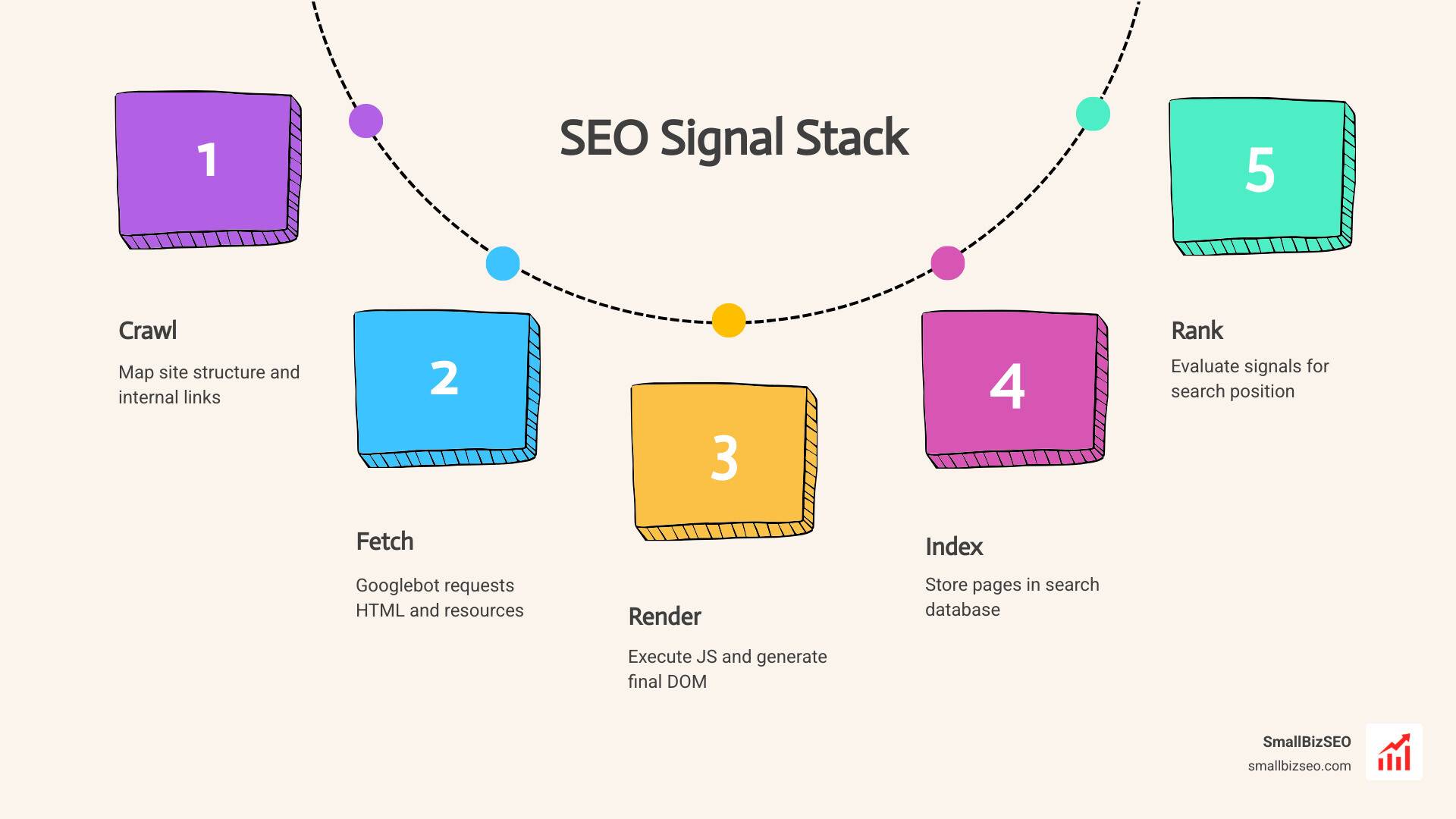
Technical SEO is a dependency stack: search engines must first discover your pages, then crawl them, render them, index them, and finally rank them. If Googlebot cannot crawl your site, optimizing your content or building backlinks is a complete waste of time. We must fix issues from the bottom up.
Crawl Budget Waste: Robots.txt, Sitemaps, and Server Logs
Your crawl budget is the limited number of pages Googlebot will crawl on your site during a given timeframe. On large sites, especially e-commerce stores with faceted navigation, up to 30% of this budget is routinely wasted on low-value, duplicate, or parameterized URLs.
To prevent this waste, we must validate several foundational elements:
- Robots.txt: Ensure your robots.txt file is reachable and permissive. It should block backend administrative folders, but never accidentally block important CSS, JavaScript, or core content directories.
- XML Sitemaps: Your sitemap must be clean, containing only canonical, indexable, 200-status URLs. If your sitemap is bloated with redirects or 404 errors, Googlebot will lose trust in it.
- Server Log Analysis: By analyzing your server logs, we can identify parameter traps, like infinite sorting filters, and redirect chains that force bots to make multiple unnecessary requests.
For a reliable foundational process, prioritize crawl access, sitemap quality, server response behavior, and indexability before moving into content or authority work.
Indexation Signals: Canonicalization and Noindex Rules
Once crawlers can access your pages, you must send clear signals about which pages deserve to be in Google's index.
Confusing indexing signals is a quick way to trigger Google Penalties or algorithmic filtration. For instance, a common mistake is blocking a page in robots.txt while also applying a noindex tag. Because robots.txt prevents Googlebot from crawling the page, the bot will never see the noindex tag, and the page may remain in search results.
Additionally, every indexable page must have a self-referencing canonical tag to prevent duplicate content issues. If you are struggling with indexation issues, learning How to Pass Google's Own SEO Analysis Audits can help you clean up your GSC Pages report and keep your index clean. If your site has suffered from past indexation mistakes, you may also need to learn How to Recover from a Google Algorithm Penalty.
Resolving Complex On-Page and Architecture SEO Audit Errors
With crawlability and indexation secured, we turn our attention to site architecture and on-page optimization. A flat site architecture ensures that your most important commercial pages are never more than three clicks away from your homepage.
Duplicate Content, Redirect Chains, and Hreflang Conflicts
As websites grow, they naturally accumulate structural clutter. Three common architectural SEO audit errors include:
- Duplicate Content: This occurs when multiple URLs display identical or highly similar content. It dilutes your link equity and forces search engines to choose which version to rank.
- Redirect Chains: When a page redirects to another page, which redirects to a third page, it creates a chain. Each redirect hop costs latency and crawl budget. We recommend keeping redirects to a maximum of two hops.
- Hreflang Conflicts: For multilingual sites, hreflang tags must be fully reciprocal. If Page A points to Page B as its Spanish equivalent, Page B must point back to Page A as its English equivalent.
To learn how to resolve these structural issues step-by-step, we recommend watching this practical walkthrough on How to Fix Your Website's Technical SEO Issues (Tutorial) - YouTube .
Validating Structured Data and On-Page Schema
Structured data (JSON-LD) helps search engines understand the entities, relationships, and context of your content. However, implementing schema incorrectly can lead to rich-result dropouts.
We must validate that all structured data matches the visible content on the page. For example, if your product schema claims a 5-star rating, that rating must be clearly visible to human users on the page. Strong on-page validation should also check entity consistency, metadata accuracy, heading structure, image attributes, and whether important content is accessible in the rendered page.
Performance and the Modern Web: Core Web Vitals and Mobile-First Parity
User experience is a critical component of search performance. Google evaluates how quickly your pages load, how fast they respond to user input, and how stable they are visually.

Optimizing Core Web Vitals with Real-User Field Data
Google measures Core Web Vitals using the Chrome User Experience Report (CrUX), which compiles real-user field data. Many webmasters make the mistake of relying solely on simulated "lab data" from Lighthouse. To pass Google's standards, you must meet these real-user thresholds at the 75th percentile:
- Largest Contentful Paint (LCP): Measures loading performance. Target: 2.5 seconds or faster.
- Interaction to Next Paint (INP): Measures page responsiveness. Target: 200 milliseconds or less.
- Cumulative Layout Shift (CLS): Measures visual stability. Target: 0.1 or less.
Mobile Usability and Accessibility Standards
Because Google indexes the mobile version of your website by default, mobile parity is non-negotiable. Your mobile site must contain the exact same structured data, content, and meta tags as your desktop site. Common mobile usability errors include tiny tap targets (less than 48px), small text sizes (under 16px), and mixed content warnings where assets are loaded over insecure HTTP connections.
The AI Era: Optimizing for Retrieval Bots and LLM Search Engines
The search landscape is changing rapidly. AI search engines and LLM retrieval bots now crawl the web to find direct answers for users, which can impact traditional click-through rates.
Managing AI Crawler Access and Machine-Readable Content
To remain visible in AI-driven search results, your technical audit must cover AI crawler access. Bots like GPTBot and ClaudeBot crawl websites to gather information. You must decide whether to allow these bots access via your robots.txt file.
If you want your brand to be cited by AI models, your content must be structured with absolute machine clarity. This means using clean HTML, avoiding vague language, and ensuring your core content is easily retrievable. Your audit should also verify that important answers, product details, author information, and trust signals are available in crawlable HTML rather than hidden behind scripts or interactive elements.
SSR and Content Retrievability for AI Search
Many modern websites rely on JavaScript frameworks that render content on the client side. While Googlebot can render JavaScript, it is a multi-stage process that can delay indexing.
Furthermore, many AI retrieval bots cannot run JavaScript at all-they only read the initial, raw HTML. To ensure your content is retrievable by both Google and AI search engines, we strongly recommend implementing Server-Side Rendering (SSR) or static rendering. This ensures your primary text is baked directly into the initial HTML response.
Frequently Asked Questions about SEO Audit Errors
How often should you run an audit to catch SEO audit errors?
We recommend running a full technical crawl quarterly, and immediately following any major site migration, design change, or CMS update. For ongoing health, you should monitor Google Search Console alerts weekly.
What is the most common technical SEO error found during audits?
The most common critical issue we uncover is crawl budget waste caused by parameterized URLs, from filters and search queries, and broken redirect chains left over from old site migrations.
How do you monitor for regressions after fixing SEO audit errors?
We recommend setting up automated, scheduled crawls and comparing each crawl against historical baselines. This allows you to spot new errors before they impact your rankings.
Conclusion
Resolving SEO audit errors is not about chasing a perfect score on a free online tool. It is about systematically diagnosing the technical bottlenecks that prevent your high-quality content from being found, indexed, and ranked.
At SmallBizSEO, we specialize in helping small businesses clear these technical hurdles. Through our data-driven Velocity framework, we deliver transparent, automated reporting and E-E-A-T-compliant growth that drives real business results. If you are ready to stop guessing and start fixing, let us help you identify exactly what is holding your site back with a comprehensive SEO Visibility Audit.