Visual Content Optimization: Why Your Media Matters More Than Ever
Visual Content Optimization: Why Your Media Matters More Than Ever
Why Visual Content Optimization Is No Longer Optional
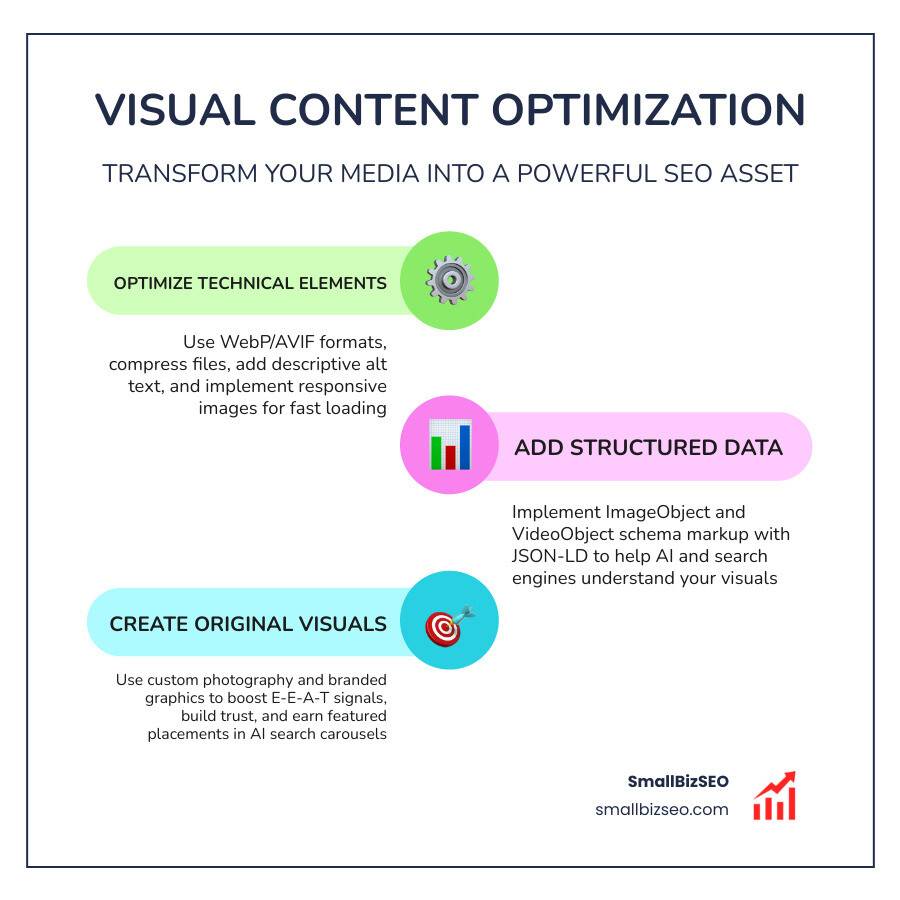
Visual content optimization is the process of improving your images, videos, and other media so that search engines can find them, understand them, and rank them — while also making them fast and engaging for real users.
Here's a quick breakdown of what it involves:
| Area | What to Do |
|---|---|
| Image formats | Use WebP or AVIF for smaller file sizes without quality loss |
| Alt text | Write clear, descriptive text for every image |
| File names | Use keyword-rich names (e.g., red-running-shoes.webp) |
| Compression | Reduce file size to improve page speed |
| Video metadata | Add titles, descriptions, captions, and transcripts |
| Schema markup | Use ImageObject or VideoObject structured data |
| Original visuals | Use custom photos over stock images where possible |
Your website's visuals are doing more work than you might think. Content with compelling visuals gets 94% more views than text-only content, and nearly 94% of first impressions are based on design alone. That means a visitor decides whether to stay or leave before they've read a single word.
Search engines have caught up to this reality. Google Images alone accounts for roughly one-third of all Google searches. And with AI-powered search now pulling images directly into answer carousels, the stakes for getting your visuals right have never been higher.
Yet most small business websites still upload unoptimized images, skip alt text, and treat visuals as decoration rather than a serious SEO asset. That gap is exactly where opportunity lives.
I'm Clayton Johnson, a digital PR and SEO strategist with hands-on experience building campaigns around visual content optimization to drive organic visibility and real audience engagement. In the sections ahead, I'll walk you through every layer of the process — from technical image compression to AI search carousels — so your media starts working as hard as the rest of your site.
Related content about visual content optimization:
The Power of Visual Content Optimization for Modern SEO
When visitors land on your site, they form an opinion in about 50 milliseconds. If your pages load slowly due to heavy, unoptimized media files, those users will bounce before seeing your offer. This is why visual optimization is not just about aesthetics; it is a core pillar of modern SEO Content Marketing.
Google's Core Web Vitals measure real-world user experience, and Largest Contentful Paint (LCP) is highly sensitive to media files. On roughly 70% to 80% of web pages, the LCP element is an image. If that image is unoptimized, your loading speeds suffer, dragging your search rankings down with them. A site with a fast LCP will consistently outrank an identical site that lags. Beyond rankings, optimizing your graphics directly boosts conversion rates. When you make your media load instantly and display beautifully, you reduce cognitive load and guide user decisions. For more context on why search engines prioritize this, check out this guide on How to optimize images for SEO | Contentful.
How Search Engines and AI Process Visuals
Search engines do not "see" images and videos the way humans do. Instead, they rely on a mix of computer vision, metadata, and surrounding text to interpret what is on the screen. Modern search crawlers use advanced multimodal AI systems to analyze the pixels in an image and compare them against the text directly next to them.
For instance, Google's Gemini and Google Lens can process an image of a product, read the surrounding paragraphs, and determine the exact context of your page. If you place a photo of a running shoe next to a paragraph discussing trail running tips, the AI connects these dots. It evaluates your alt text, filenames, and captions to verify that the image matches your content. If there is a mismatch—or if you use generic stock photos that do not align with your text—the search engines may ignore your media entirely.
Technical Best Practices for Image Optimization
To make sure your images help rather than hurt your site performance, you need a solid technical workflow. This begins with selecting the right file format and compressing your files before they ever reach your server.
When selecting formats, WebP is the versatile standard for web images, offering 25% to 35% smaller file sizes than traditional JPEGs. For even greater savings, AVIF is the cutting-edge standard, delivering 40% to 55% smaller files than JPEG at identical visual quality. We recommend serving AVIF first, using WebP as a fallback, and reserving SVGs for logos and icons.
Once formatted, you must deliver these assets responsively. Using the srcset and sizes attributes inside your HTML tells the browser to download only the image size that fits the user's screen. Serving a massive desktop-sized image to a mobile phone wastes bandwidth and slows down LCP. For a deep dive into setting up these responsive patterns, refer to the Image Optimization Guide -- WebVitals.tools.
Remember to avoid lazy loading for any images that appear above the fold, such as your hero graphic. Lazy loading an above-the-fold image delays its render time and hurts your Core Web Vitals. Instead, apply fetchpriority="high" to your hero image so the browser knows to load it immediately. For highly visual websites, implementing these advanced techniques is crucial, as detailed in the forensic guide on LCP Optimization for Graphics Portfolios -- Lucky Graphics.
Mastering Image Metadata and Sitemaps for Visual Content Optimization
Metadata bridges the gap between your visual assets and search engine indexes. Every image on your site needs descriptive alt text. Alt text is not a place to stuff keywords; it is an accessibility tool that tells screen readers and search bots exactly what the image contains. Keep it under 125 characters, natural, and highly descriptive. Writing accurate alt text is also a legal requirement under the European Accessibility Act (EAA) for many organizations, making accessibility compliance a key priority.
Additionally, optimize your image filenames. Swap generic names like IMG_0047.jpg for descriptive, hyphen-separated filenames like custom-leather-boots.webp. Search engines read hyphens as spaces, helping them index the file properly. Captions also play a massive role because search engines treat them as highly visible text signals directly tied to the image.
Finally, compile your visual assets into an XML image sitemap and submit it via Google Search Console. This ensures search engines can discover and index your media files efficiently, boosting your On Page SEO performance.
Video Optimization Strategies for Search and Engagement
Video is an incredibly powerful tool for holding user attention, but it is also incredibly heavy. If you self-host large video files on your server, you will quickly exhaust your bandwidth and slow your site to a crawl.
The best practice is to host your videos on reliable third-party platforms like YouTube or Vimeo, and then embed them on your site. This keeps your page load speed fast while ensuring a smooth playback experience for your visitors. To prevent embedded videos from delaying your initial page load, use lazy loading or "facade" embeds. A facade displays a lightweight preview image of the video player, only loading the heavy player scripts when the user actually clicks the play button. This keeps your site lightning-fast, taking you Beyond Content Optimization and into true performance engineering.
Video Metadata, Transcripts, and Schema Markup
To help search engines index your video content, you must optimize its metadata. Write descriptive video titles and detailed descriptions that naturally incorporate target keywords. Use relevant tags to categorize your video content properly.
Always provide closed captions and full text transcripts. Transcripts make your video content accessible to hearing-impaired users and give search engine crawlers readable text to index. This vastly increases the chances of your video ranking for long-tail search queries.
Additionally, implement VideoObject schema markup using JSON-LD. This structured data gives search engines explicit details about your video, including its name, description, thumbnail URL, upload date, and duration. Properly formatted schema markup allows your videos to appear as rich snippets in search results, complete with playable previews that drive massive click-through rates.
Winning the AI Search Landscape: AEO, GEO, and Multimodal AI
AI-driven search is changing how users discover websites. Platforms like Perplexity, ChatGPT Search, and Google's AI Overviews display prominent inline image carousels alongside their text answers. Winning these highly visible placements requires a shift toward Answer Engine Optimization (AEO) and Generative Engine Optimization (GEO).
These AI systems use a dedicated retrieval pipeline with a very short visual freshness window. While text content can remain relevant for months, the visual freshness window in fast-moving categories is often just 4 to 12 weeks. This means you must regularly update your visual assets to stay cited.
Furthermore, AI engines favor brand consistency. Utilizing a stable, recognizable visual style or persona across your product pages acts as an entity-disambiguation signal. This tells the AI that your brand is a trusted, authentic source, boosting your citation rates significantly. For an advanced look at how to position your media for these surfaces, read the guide on Multimodal Answer Optimization — ppl.studio.
Structured Data and Schema for Visual Content Optimization
To feed these AI retrieval engines the structured data they crave, you must use advanced schema markup. Moving beyond simple image tags, you should wrap your primary images in detailed ImageObject schemas.
In your JSON-LD markup, expand your image fields into full ImageObject arrays that specify the contentUrl, caption, creator, and license properties. Providing explicit licensing information signals content provenance to AI systems, proving your images are original and authorized. Pages that use ImageObject schema are cited in AI search carousels roughly 2.8 times more often than pages relying on raw image tags alone. For step-by-step guidance on aligning your technical signals with AI systems, explore the guide on AI-Ready Image Optimization for Search Engines.
Enhancing E-E-A-T and Conversions with Original Visuals
Search engines and AI systems actively look for signals of E-E-A-T (Experience, Expertise, Authoritativeness, and Trustworthiness). Original, custom visual content is one of the strongest visual evidence signals you can provide.
| Visual Type | Impact on E-E-A-T & Trust | Conversion Performance |
|---|---|---|
| Custom Photography | High; demonstrates real products, real staff, and physical reality. | Up to 7x higher conversion rates than stock photos. |
| Original Screenshots | High; provides visual proof of processes, software, or results. | Enhances learning comprehension by up to 70%. |
| Generic Stock Photos | Low; dilutes topical authority and can feel impersonal. | Often ignored by users; limits engagement. |
Using personalized images rather than generic stock photos can increase user engagement by 45%. When users see real photos of your team or actual screenshots of your software in action, it builds immediate trust. We focus heavily on these trust signals in our SEO Friendly Content Writing to ensure your media does not just rank, but actually converts visitors into customers.
Visual Elements That Drive Engagement and Conversions
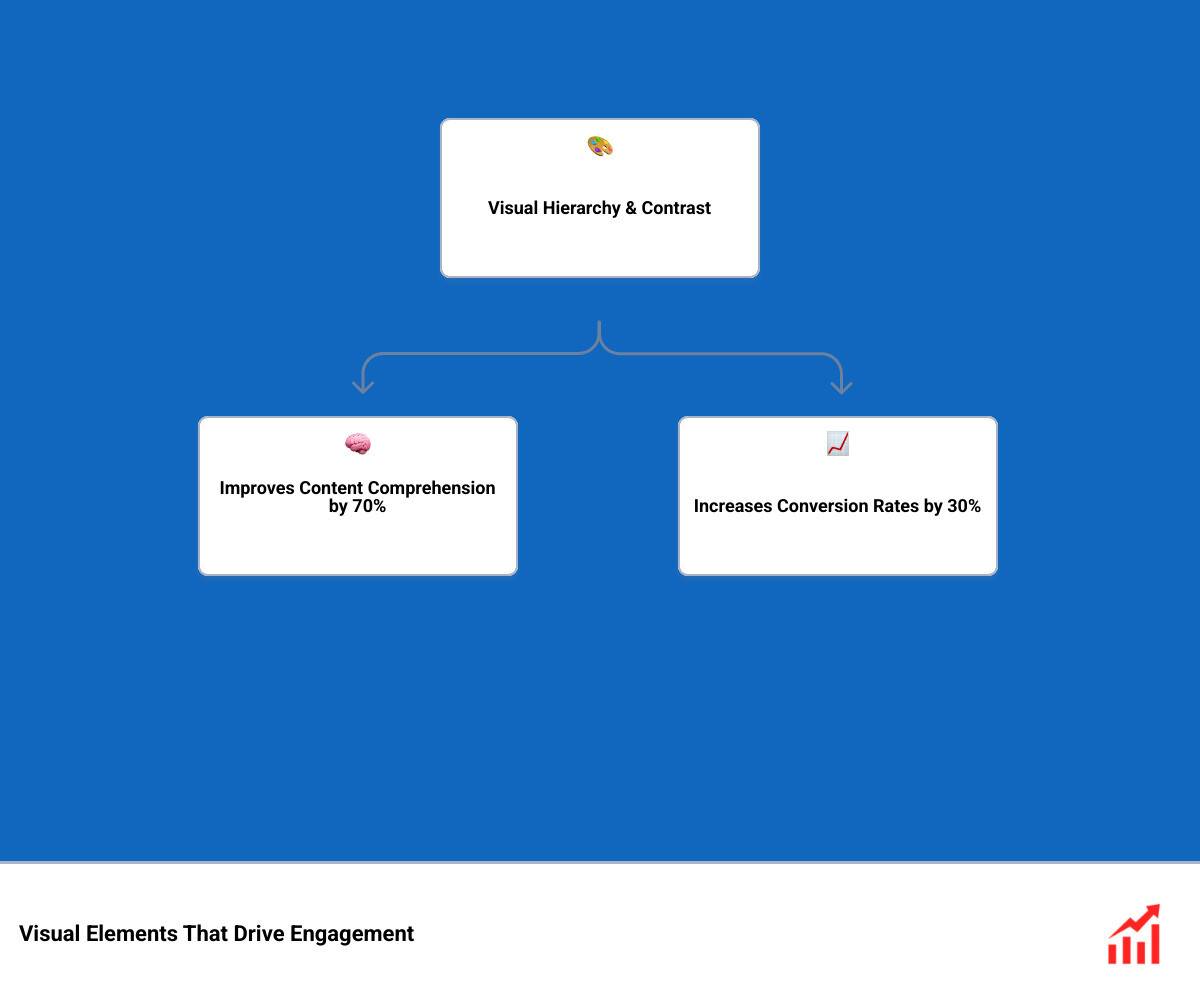
Once a user is on your page, your visual design choices dictate their behavior. Applying a clear visual hierarchy, strong contrast, and deliberate spacing can improve content comprehension by up to 70% and increase conversion rates by 30% by reducing cognitive load.
Ensure your call-to-action (CTA) buttons feature high contrast against the background. Using high-contrast CTAs can increase your click-through rates by 20% to 40% in digital campaigns. Additionally, maintaining a consistent visual system across your site can increase brand recognition by up to 80%. When your thumbnails, carousels, and infographics share a cohesive design language, you create a professional, memorable experience that keeps users coming back.
Measuring Performance and Avoiding Common Visual SEO Mistakes
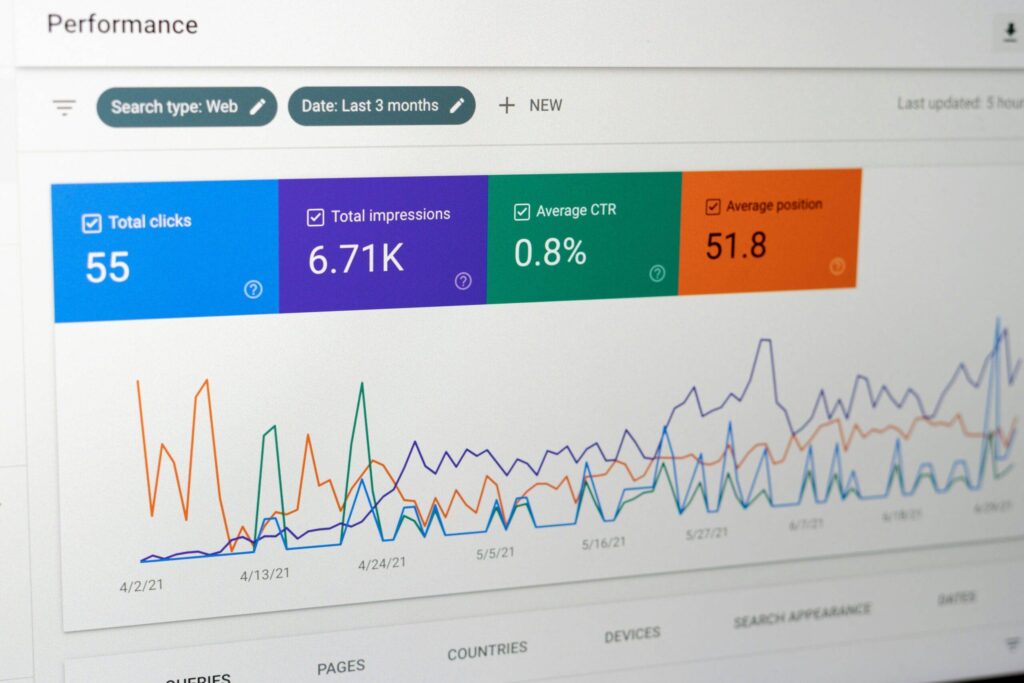
To ensure your visual content optimization efforts are paying off, you must track the right metrics. Use Google Search Console to monitor your image search performance. By changing the search type filter from "Web" to "Image," you can see exactly which queries, clicks, and impressions your visual assets are driving.
Additionally, monitor your Core Web Vitals inside PageSpeed Insights or your Chrome User Experience Report (CrUX) data. Keep a close eye on your LCP and Cumulative Layout Shift (CLS) scores. If you notice high bounce rates on image-heavy pages, it is a strong indicator that your media files are too slow or are causing layout instability. Regular monitoring is a core part of a professional SEO Visibility Audit.
Common Pitfalls in Image and Video Optimization
When optimizing your media, avoid these common mistakes:
- Uploading unoptimized file sizes: Never upload raw photos straight from a camera or design software. Always compress them first.
- Missing or keyword-stuffed alt text: Always write natural, descriptive alt text for accessibility and search understanding.
- Lazy loading above-the-fold elements: Keep lazy loading strictly below the fold to protect your LCP score.
- Omitting width and height attributes: Always specify explicit image dimensions in your HTML to prevent layout shifts (CLS) as your page loads.
Frequently Asked Questions
Why is visual content optimization important for SEO?
It helps search engines understand the context of your page, improves user experience by speeding up page load times, and allows your media to rank in Google Image Search and AI-driven search carousels.
What is the best image format for web performance?
AVIF is the best format for modern web performance, offering up to 55% smaller file sizes than JPEG. WebP is a highly versatile fallback format with near-universal browser support.
How does schema markup help images rank in AI search?
Using ImageObject schema provides AI engines with structured metadata, such as captions, creator details, and licenses. This makes it much easier for AI search engines to pull your images into their inline answer carousels.
Elevate Your Media Strategy with SmallBizSEO
At SmallBizSEO, we help small businesses turn their websites into high-performance search assets. Using our data-driven "Velocity" framework, we deliver rapid search rankings and E-E-A-T-compliant growth backed by transparent, automated reporting.
We integrate technical SEO with custom media strategies to ensure your images, videos, and layouts are fully optimized for both traditional search engines and modern AI platforms. Let us help you unlock the full power of your media. Discover how we can grow your organic visibility with our tailored SEO Content Services.