A Practical Guide to Detecting Cloaking for Crawlers

How can you check for hacked content that differs for crawlers?
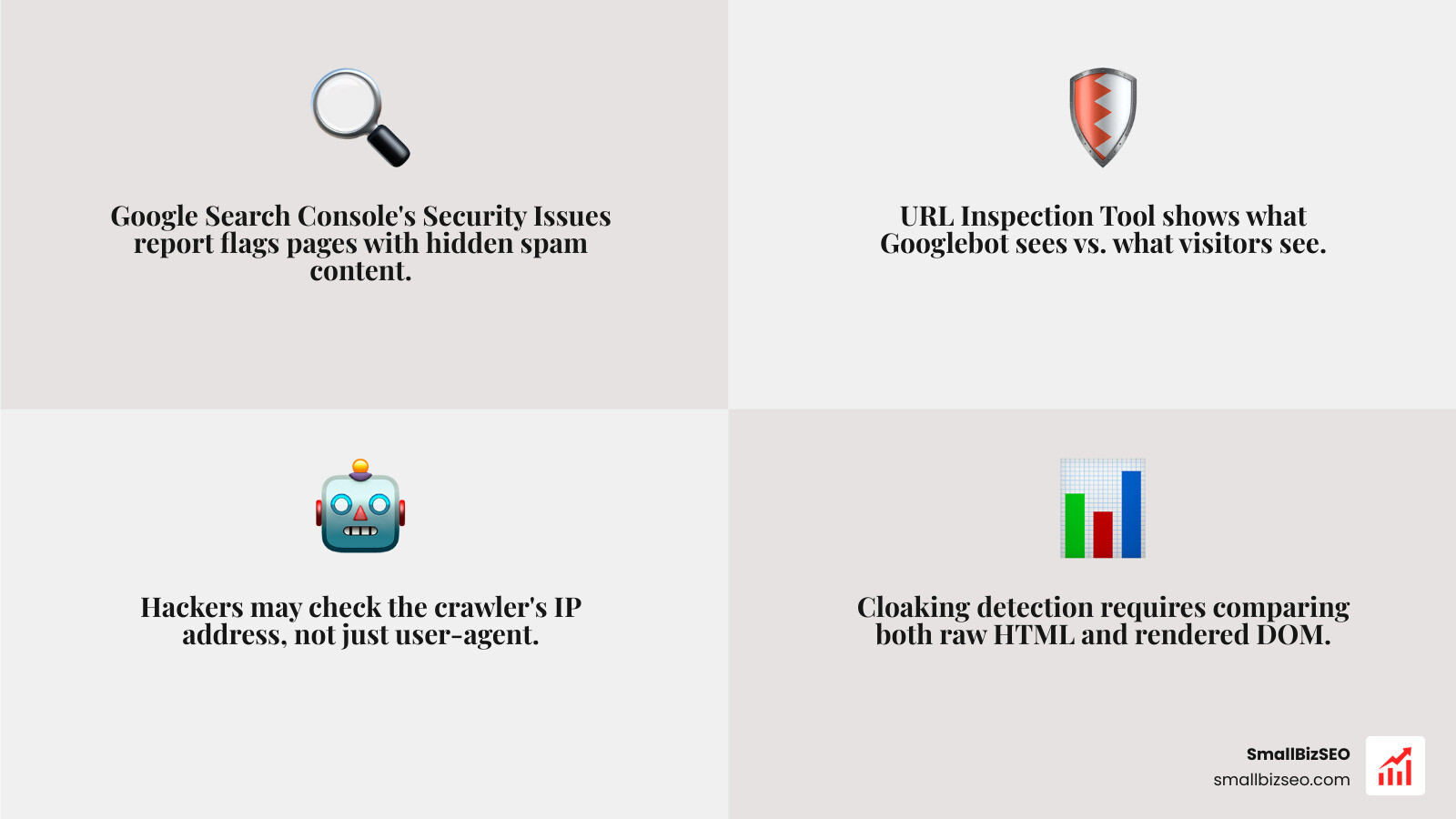
Start checking hacked content that differs for crawlers in Google Search Console. Review the Security Issues report, then use URL Inspection to test a suspicious page. Compare what Google sees with what visitors see. Look for different text, links, redirects, or content added after JavaScript runs.
A page can look normal to you while serving spam to search crawlers. Testing with a Googlebot user-agent may reveal a difference, but it cannot prove what the real Googlebot receives: an attacker may check the crawler's IP address, too.
I'm Clayton Johnson, founder of SmallBizSEO. My work in technical SEO and search visibility informs this guide to checking hacked content that differs for crawlers.
Step-by-Step Guide: Checking Hacked Content That Differs for Crawlers
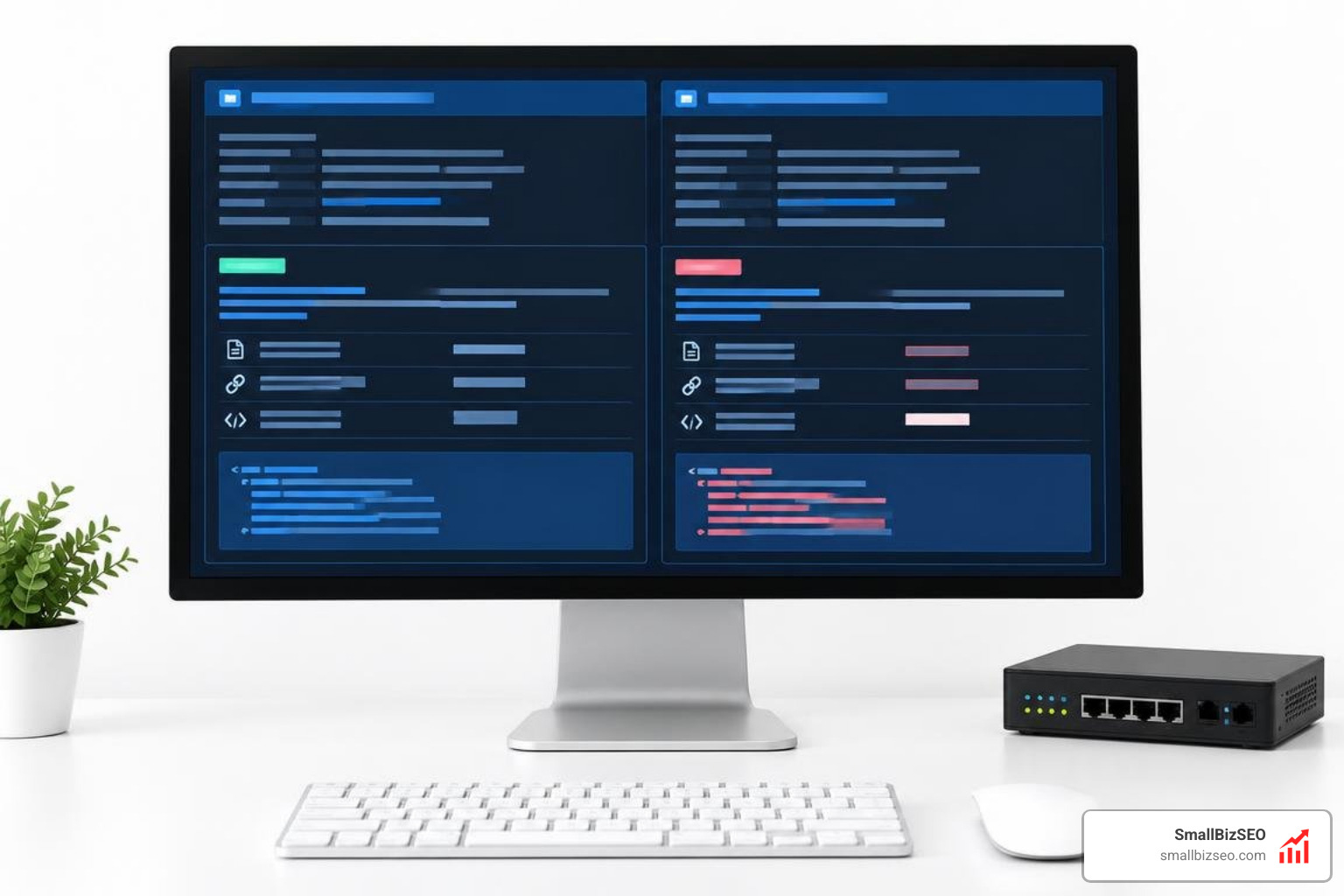
Detecting crawler-specific hacks requires a systematic dual-perspective audit. Because attackers configure malicious scripts to inspect request headers, standard browser visits hide the compromise entirely.
To uncover hidden modifications, we send paired requests—one simulating a regular desktop browser and another mimicking verified search bots. We then compare status codes, page weights, link counts, and rendered text.
| Audit Metric | Clean Site Baseline | Cloaked / Compromised Site | Primary Risk Factor |
|---|---|---|---|
| HTTP Status Code | Identical (200 OK) | 200 for Googlebot, 302/404 for visitors | Sneaky conditional redirects |
| Page Payload Size | Variance under 5% | Divergence exceeding 10% to 50%+ | Injected keyword text or hidden links |
| Outbound Link Count | Matches navigation/body | Spikes significantly for crawler view | Unauthorized doorway and affiliate link schemes |
| DOM Structure | Uniform hierarchy | Injected hidden divs, foreign text, pharma scripts | Search indexing demotion and security blocklists |
How Can You Use Google Search Console for Checking Hacked Content That Differs for Crawlers?
Google Search Console (GSC) is the primary detection tool because it shows the exact rendered output stored by actual crawler infrastructure.
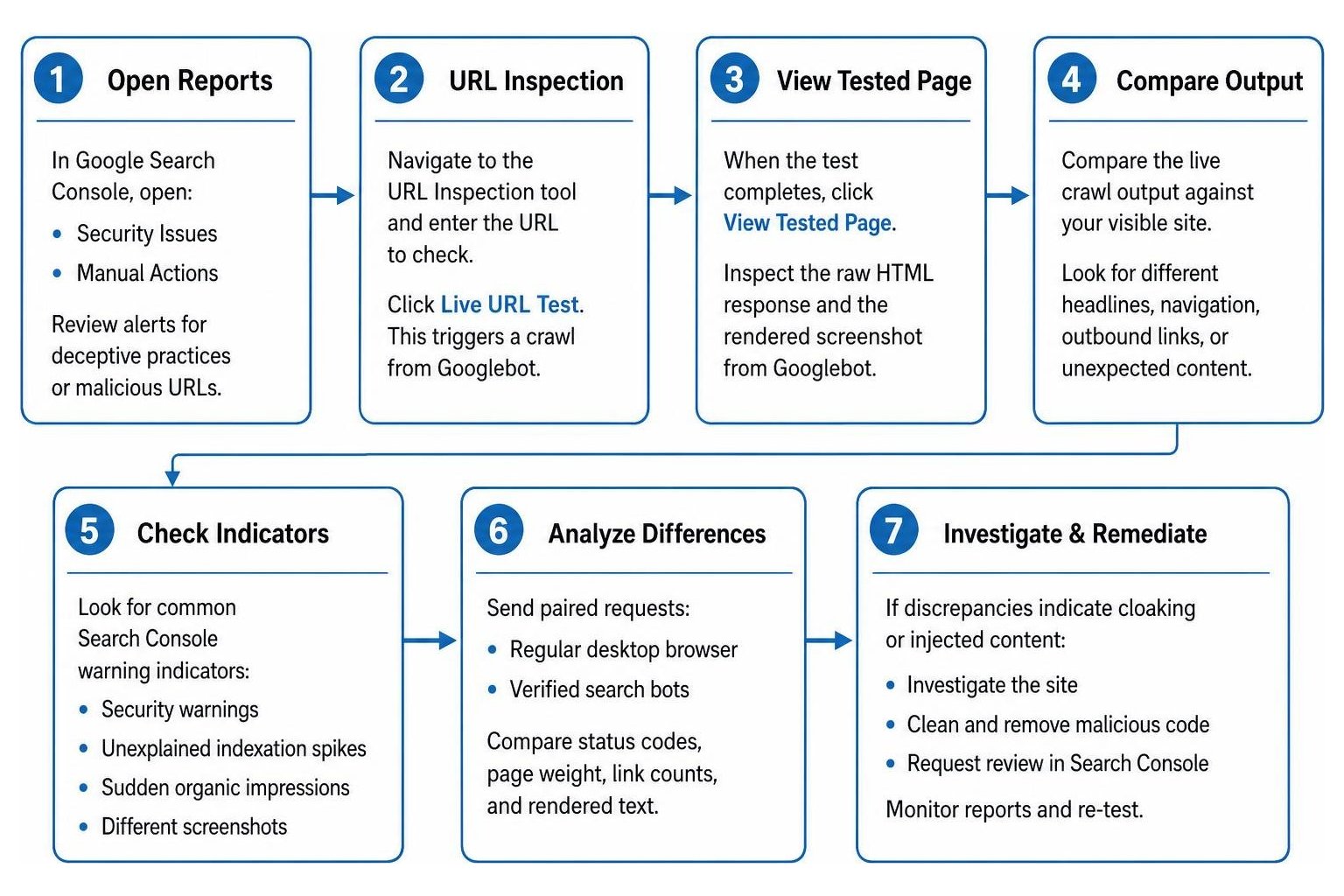
Start by opening the Security Issues and Manual Actions reports in GSC. When automated systems detect server-side conditional logic, Google alerts you to deceptive practices or malicious URLs. However, GSC sample lists are diagnostic indicators rather than complete directories of infected files.
To diagnose individual URLs, navigate to the URL Inspection tool and run a Live URL Test. This forces an on-demand crawl from production Googlebot infrastructure. Once complete, click View Tested Page to inspect the raw HTML response and the rendered screenshot.
Compare this live crawl output against your visible site. When reviewing these differences, follow standard forensic procedures for identifying cloaking via Search Console to uncover unauthorized content injections.
Common Search Console warning indicators include:
- Security warnings flagging hacked content, spammy redirects, or deceptive pages
- Unexplained indexation spikes showing thousands of Japanese, gambling, or pharmaceutical search queries
- Sudden organic impressions for keywords unrelated to your actual products or services
- URL Inspection screenshots displaying entirely different headlines, navigation bars, or outbound footers
How Do You Compare Raw HTML and Rendered DOM to Spot Injected Scripts?
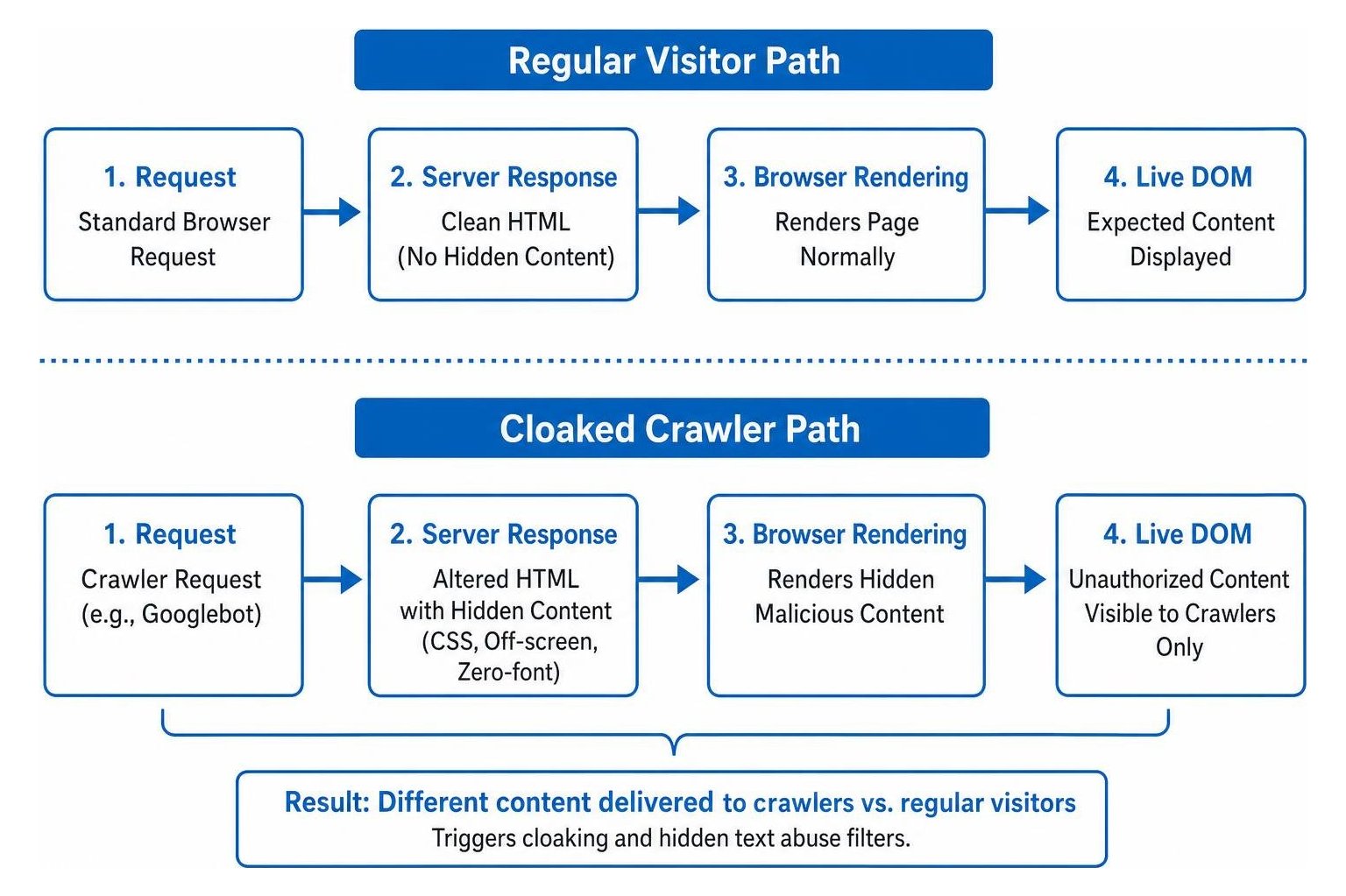
Search engines process pages using two-pass indexing. In the first pass, the engine ingests the initial raw HTML returned by the web server. In the second pass, a headless browser executes JavaScript to render the full Document Object Model (DOM). Attackers exploit this rendering gap by executing scripts only under specific browser parameters.
Data shows that 31.4% of audited sites contain content present in the rendered DOM that is completely missing from the raw HTML. While this gap often stems from client-side framework architectures, malicious actors abuse this behavior to inject scripts that escape basic text audits.
Attackers frequently hide unauthorized content using CSS positioning techniques, off-screen text, or zero-font sizing, which triggers filters for Hidden Text Abuse. Typical examples include the classic pharma hack (inserting illicit product directories) and Japanese keyword spam (generating thousands of auto-generated counterfeit-goods pages).
To catch these discrepancies:
- Fetch the raw HTML using a terminal request or server inspect tool.
- Compare the pre-rendered response against the live DOM using a dedicated Pre-publish Comparison tool.
- Audit your heading structure, canonical tags, and outbound link elements between both versions to verify that no conditional JavaScript is executing rogue content.
What Tools and Server Methods Help in Checking for Hacked Content That Differs for Crawlers?
Automating crawler verification across hundreds of URLs requires specialized command-line queries and automated diffing scanners.
Using terminal cURL commands, you can request pages while declaring official crawler identities defined in the official Google crawlers documentation. Comparing the returned headers reveals whether your server delivers conditional responses.
To streamline this process without manual cURL requests, use specialized automated scanners:
- Automated Dual-Agent Fetchers: Tools like the Cloaking Detector fetch a target URL simultaneously as a standard browser and as Googlebot, instantly highlighting payload and text differences.
- Semantic Divergence Analyzers: Solutions such as the Crawl Integrity Verifier evaluate mathematical divergence between fetches, isolating malicious payloads from harmless variations like dynamic timestamps.
- Server Log Auditing: Routine Log File Analysis uncovers bot impersonation. Cybersecurity research indicates that 5.7% of requests claiming to be legitimate AI or search crawlers are spoofed bots attempting to harvest assets or bypass security controls.
Verifying reverse DNS lookups on crawler IP addresses confirms whether requests originate from authentic Googlebot subnets or malicious scrapers attempting Indonesian gambling redirects.
Remediating and Protecting Your Website from Future Cloaking Attacks

Remediating a cloaking attack requires complete containment, code eradication, and structural hardening. Simply removing an injected file or clearing Search Console warnings is insufficient if the underlying security vulnerability remains unpatched.
What Are the Immediate Containment and Forensic Steps to Remove Compromised Code?
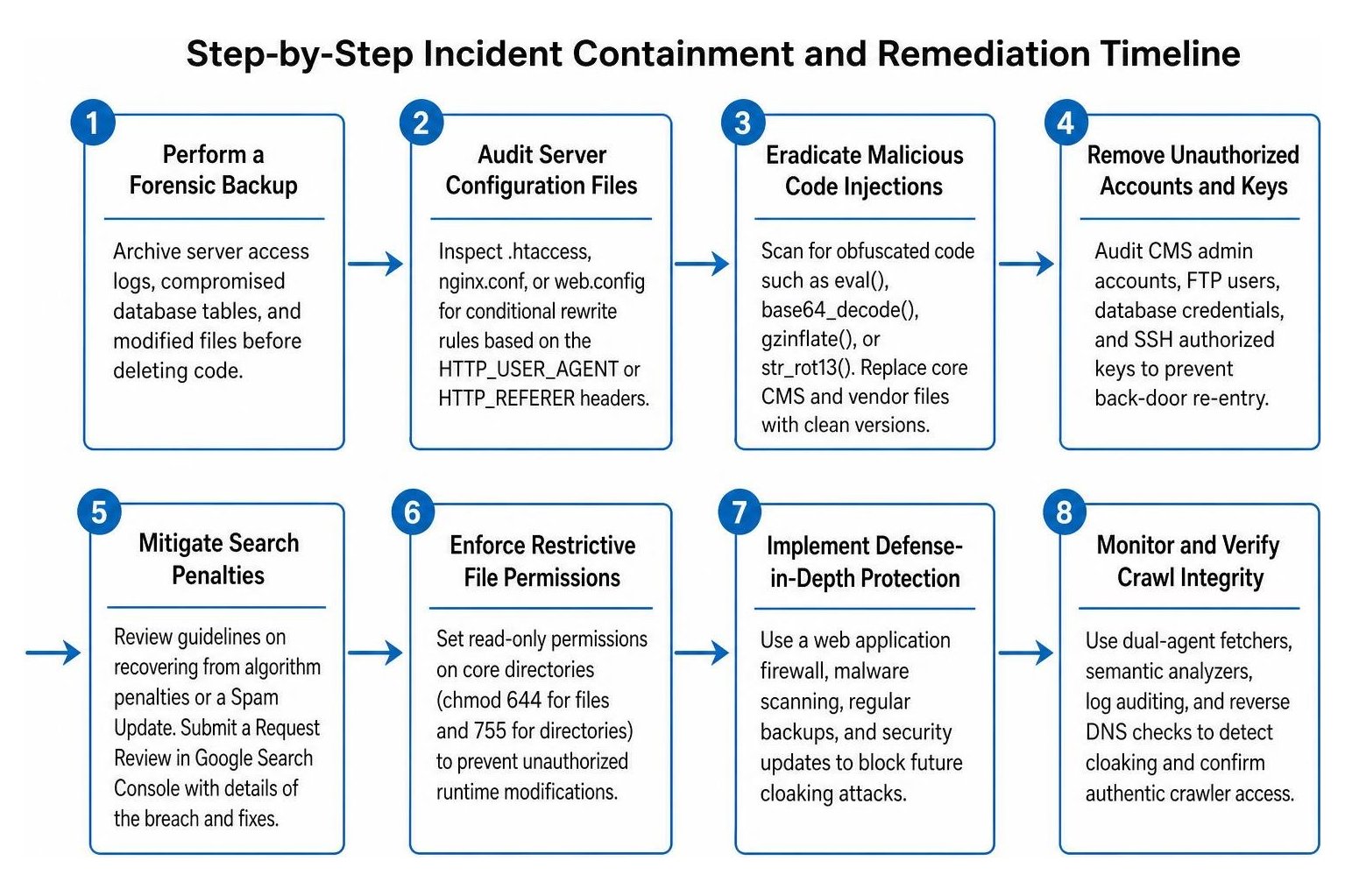
When a crawler-specific hack is identified, execute an immediate containment workflow:
- Perform a Forensic Backup: Archive your server access logs, compromised database tables, and modified files for analysis before deleting code.
- Audit Server Configuration Files: Inspect
.htaccess,nginx.conf, orweb.configfiles. Attackers frequently insert conditional rewrite rules based on theHTTP_USER_AGENTorHTTP_REFERERheaders to redirect search bot traffic while leaving direct visitors untouched. - Eradicate Malicious PHP and Script Injections: Scan core directories for obfuscated code strings such as
eval(),base64_decode(),gzinflate(), orstr_rot13(). Replace core CMS directories and vendor folders with verified, clean installations. - Remove Unauthorized User Accounts and Access Keys: Audit CMS administrative accounts, FTP users, database credentials, and SSH authorized keys to prevent back-door re-entry.
- Mitigate Algorithmic and Manual Search Penalties: Once the site is clean, review our guidelines on How to Recover from a Google Algorithm Penalty to identify search visibility losses caused by automated security filters or a recent Spam Update. Submit an official Request Review within Google Search Console detailing the security breach, remediation steps, and patch implementations.
How Can You Harden Server Configurations and Prevent Persistent Reinfection?
Preventing persistent reinfection requires continuous integrity monitoring and defense-in-depth protection across your hosting environment:
- Enforce Restrictive File Permissions: Set read-only permissions on core directories (such as
chmod 644for files and755for directories), preventing unauthorized runtime modifications to critical routing files. - Maintain Automated Patch Management: Outdated CMS extensions and plugins represent the primary initial access vector for cloaking injections. Update all software dependencies immediately upon release.
- Deploy an Enterprise Web Application Firewall (WAF): A properly configured WAF inspects incoming user agents, enforces rate limits, validates reverse DNS on declared search bots, and blocks unauthorized code injection attempts.
- Implement Multi-Factor Authentication (MFA): Require hardware or app-based two-factor authentication for all administrative control panels, hosting portals, and database management interfaces.
At SmallBizSEO, we utilize our proprietary Velocity framework to audit enterprise architectures, eliminate technical indexing barriers, and protect business visibility through proactive monitoring. If your search visibility has dropped or you suspect unauthorized content manipulation, explore our specialized SmallBizSEO cloaking remediation and defense services to restore search performance and safeguard your digital presence.
Protecting Your Long-Term Search Integrity
Checking for crawler-specific hacked content must be an ongoing component of your technical maintenance rather than a one-time reaction to ranking drops. Because cloaking techniques deliberately hide malicious changes from human visitors, proactive log file monitoring, automated dual-agent diffing, and regular Search Console audits are vital to maintaining search compliance. By isolating vulnerabilities quickly and implementing rigorous server defenses, you keep your site secure, protect your organic visibility, and ensure search crawlers receive the exact experience intended for your audience.