A Practical Guide to Handling Unrelated Backlink Anchors

Why Does Unrelated Anchor Text Appear in Backlink Reports?
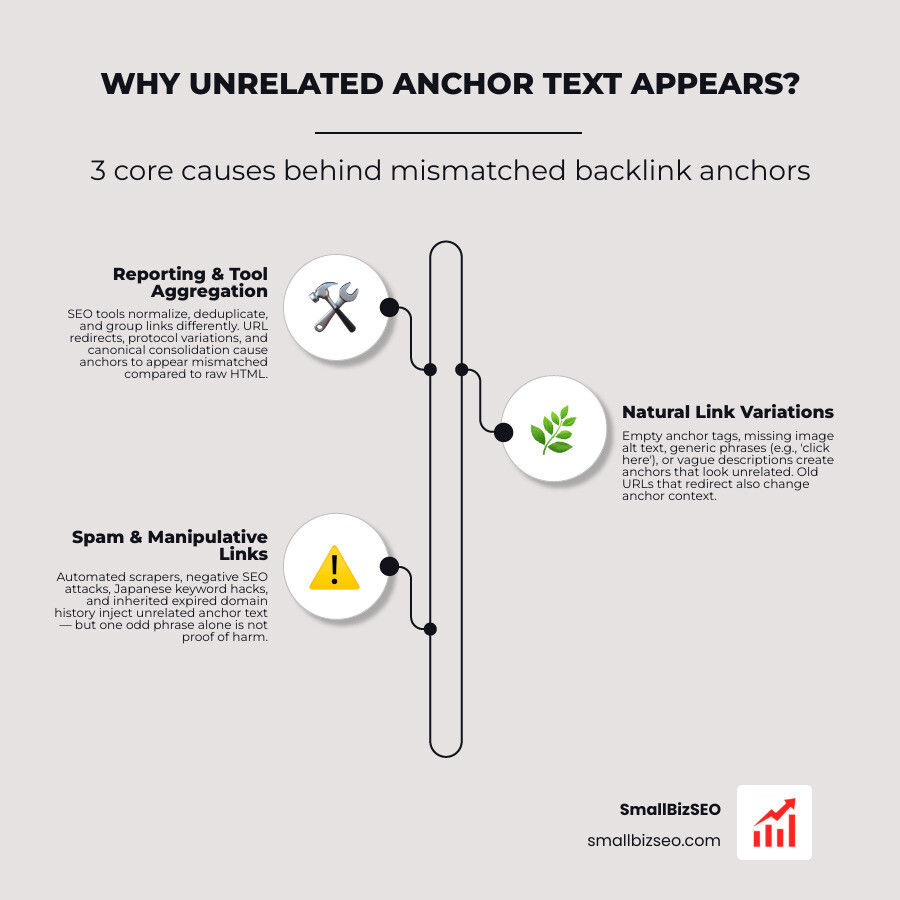
To find out why unrelated anchor text appears in backlink reports, check the linking page and the URL it points to first. The text may be a natural but vague description, an image link with no visible words, or a link to an old URL that now redirects. Reporting tools can also group or omit links in ways that make anchors look mismatched. Some unrelated anchors do come from spam, but one odd phrase is not proof of a harmful backlink problem.
I’m Clayton Johnson, founder of SmallBizSEO, where I connect SEO, content, and digital PR to help small businesses build authority. My work on link relevance shapes this guide to why unrelated anchor text appears in backlink reports and how to decide what needs attention.
Why Does Unrelated Anchor Text Appear in Backlink Reports?
Unrelated anchor text appears in backlink reports primarily because reporting platforms collect, normalize, deduplicate, and aggregate link data differently than raw page source code. Natural author choices, automated scrapers, historical redirects, and third-party link schemes also introduce phrases that do not match your target keywords.
When running an external link analysis, discovering unexpected phrases pointing to your domain can feel alarming. A site about residential electrical services might show links anchored with phrases like "source details," "learn more here," or even foreign character strings. Understanding these signals requires looking past individual text strings to examine the mechanics of link crawlers, URL resolution, and editorial phrasing.
How Do Technical Tracking Differences Affect Anchor Text Reports?
Technical tracking differences change anchor text reports by sampling data, consolidating redirect chains, deduplicating identical links, and grouping URLs under canonical versions. These crawler-level rules often make accurate links look like mismatched or missing data in reporting tables.
According to official guidance on the Links report - Search Console Help, Google Search Console limits table views to 1,000 rows. When a site earns thousands of links, Search Console displays a sample rather than an exhaustive crawl. Furthermore, Search Console combines duplicate links from the same source to the same target after stripping parameters and normalizing protocols, grouping incoming links by canonical URL. If an older page covered a distinct topic and later redirected to your homepage, the historic anchor text may appear attributed to your main URL.
Third-party crawlers also handle duplicate links with specific deduplication rules. If a single external web page contains multiple links to the exact same URL—such as an image link in the header and a text link in the body—many crawler systems only index one instance, omitting the secondary anchor.
| Platform / Mechanism | Data Aggregation Method | Impact on Anchor Reports |
|---|---|---|
| Google Search Console | Groups by canonical URL and case-insensitive matching; truncates UI at 1,000 rows | May show historic anchors from redirected pages; omits lower-volume anchors |
| Third-Party Web Crawlers | Deduplicates multiple links pointing to the identical URL on a single page | Omits secondary anchors; treats HTTP and HTTPS targets as separate entities |
| Internal 301 Redirects | Merges the original inbound link with the final destination URL | Attributes external link text about topic A to replacement page topic B |
Can Spam or Manipulation Cause Unrelated Anchors?
Spam networks, automated scraping bots, compromised websites, and inherited domain history can inject unrelated anchors into your profile, but isolated spam links rarely damage your rankings. Search engines evaluate sitewide link patterns rather than individual anomalies.
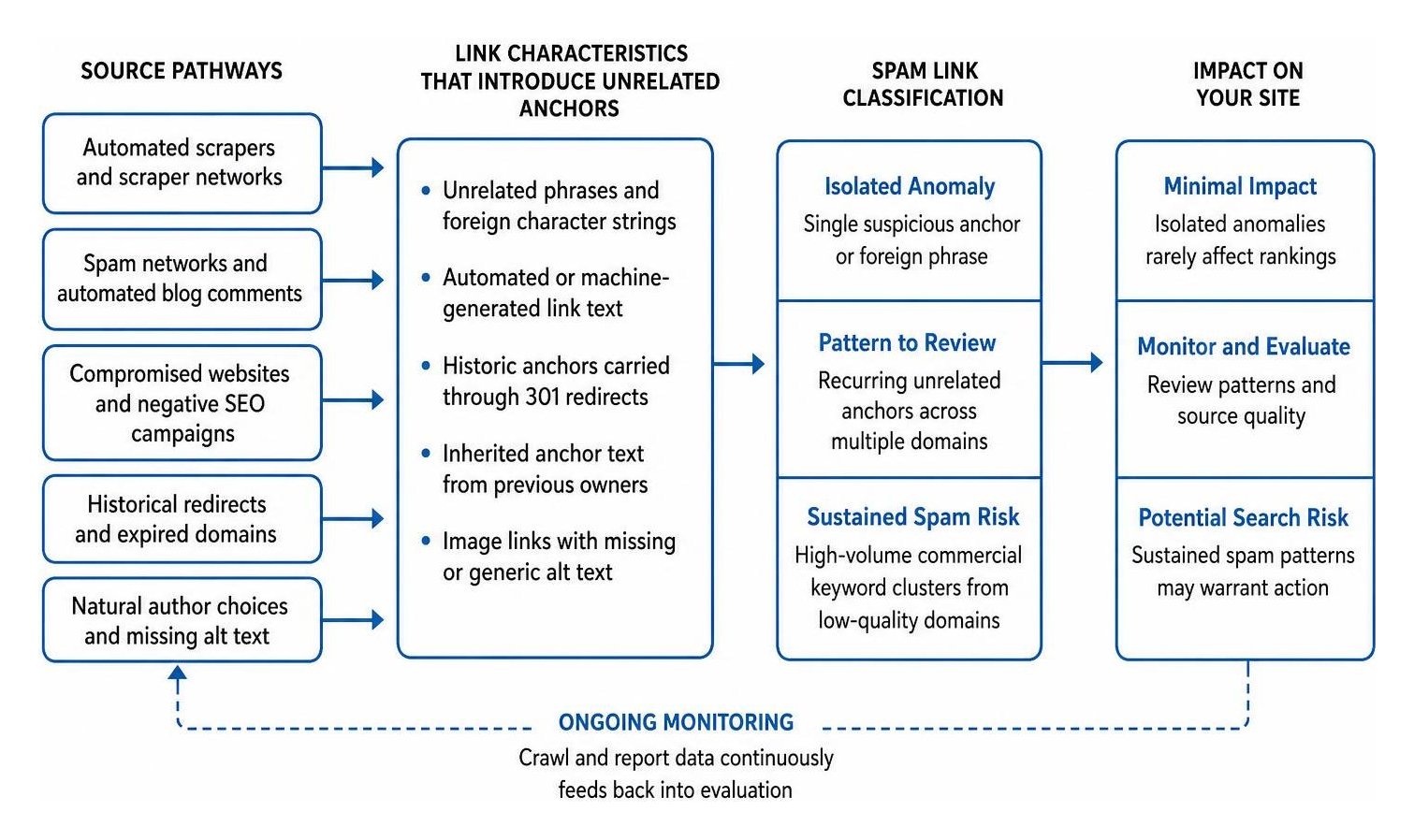
Third parties sometimes create unnatural links through automated blog comments, scraper networks that syndicate stolen content, or negative SEO campaigns that target sites with unrelated commercial terms. In severe cases, websites that previously suffered from automated script injections or expired domains bought by new owners may carry historical anchor baggage.
However, search engines distinguish between isolated anomalies and coordinated link spam. A single suspicious money anchor or foreign phrase does not trigger an algorithmic penalty. Real search risk occurs when a site exhibits a sustained, high-volume concentration of commercial keyword clustering across low-quality referring domains.
How Do Natural Link Variations and Missing Alt Text Affect Anchors?
Natural link text is inherently diverse, meaning human writers frequently link using conversational phrases, citation text, or images that lack descriptive tags. These variations are standard characteristics of a healthy web profile rather than technical errors.
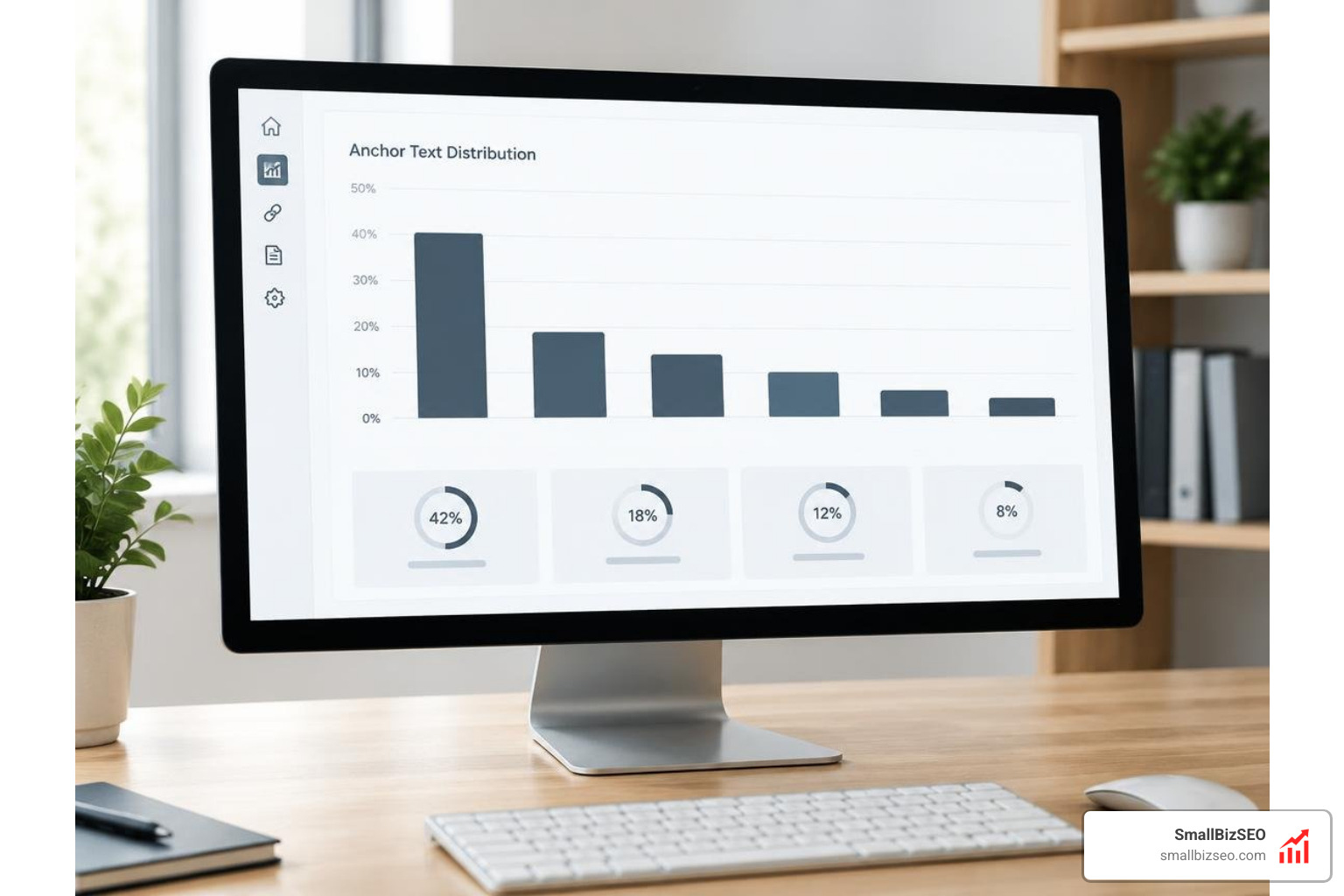
When another website uses an image as a hyperlink, search engines treat the image's HTML alt text attribute as the anchor text. If the webmaster fails to include alt text, the backlink report displays the link as empty or zero text. Similarly, human writers naturally link using generic reference phrasing such as "source," "visit this website," or the author's name. A natural link profile typically features 50% to 70% branded and naked URL anchors, 10% to 25% topical descriptions, 5% to 15% generic phrases, and under 1% exact-match keywords. Using the practical link builders guide to topical relevance ensures your inbound references match reader expectations, while standard nofollow attributes on sponsored placements protect your site from over-optimization filters.
How Can You Audit and Fix Mismatched Backlink Anchors?
To audit and resolve mismatched backlink anchors, export your complete link data across multiple tools, group the phrases into standardized categories, check for genuine toxicity, and apply corrective actions only when patterns show actual risk.

Step 1: How Do You Export and Categorize Inbound Link Data?
Export your full referring domain and link lists from Google Search Console and your preferred analysis platform to organize your anchor distribution into clear categories.
- Export the raw data: Download both the latest links and top linking text samples into a spreadsheet.
- Filter by referring domain: Group links by domain rather than total raw link count so site-wide footers from a single blog do not skew your overall percentages.
- Classify your anchor categories: Group every phrase into one of several primary buckets:
- Branded: Your business name or core brand variations.
- Naked URL: Direct web addresses such as your domain or specific page paths.
- Compound: A combination of your brand name and a service term.
- Generic / Editorial: Phrases like "read more," "source," or conversational descriptions.
- Image / Empty: Graphic links with or without image alt tags.
- Commercial / Exact Match: Specific, competitive search phrases.
Evaluating your anchor text profile against these categories reveals whether strange terms represent harmless editorial variety or concentrated patterns.
Step 2: How Do You Evaluate Negative SEO Threats and Algorithmic Link Spam?
Evaluate potential link threats by looking at the quality of the referring websites, the volume of identical phrases, and whether the influx correlates with an actual drop in organic rankings.
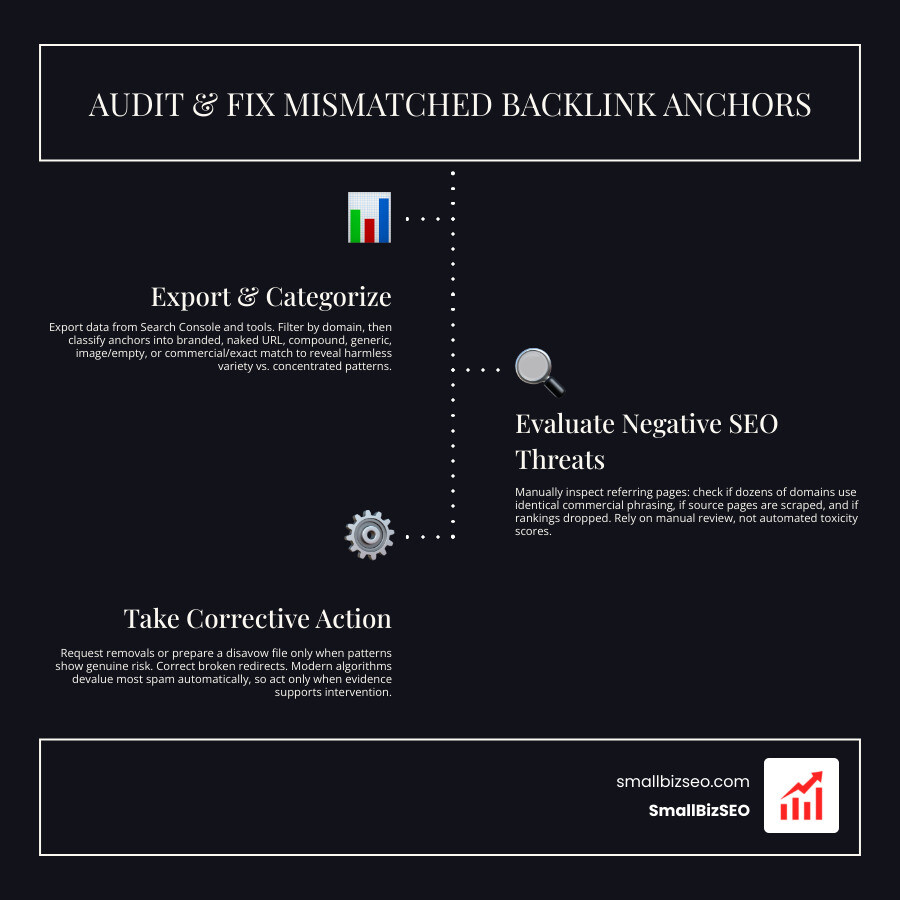
Do not rely solely on automated toxicity scores provided by software tools. Instead, manually inspect referring pages using a structured process to find toxic links and build authority using modern backlink analysis tools.
Check whether dozens of unique domains use identical commercial phrasing, whether the source pages contain scraped text, and whether your search performance dropped when the links appeared. Modern search algorithms automatically devalue and ignore the vast majority of low-quality scraper spam without penalizing the target website.
Step 3: When Should You Use Outreach or a Disavow File?
Use manual outreach or a search engine disavow file only when you identify clear evidence of paid link schemes, aggressive commercial manipulation, or inherited spam that threatens your site's standing.
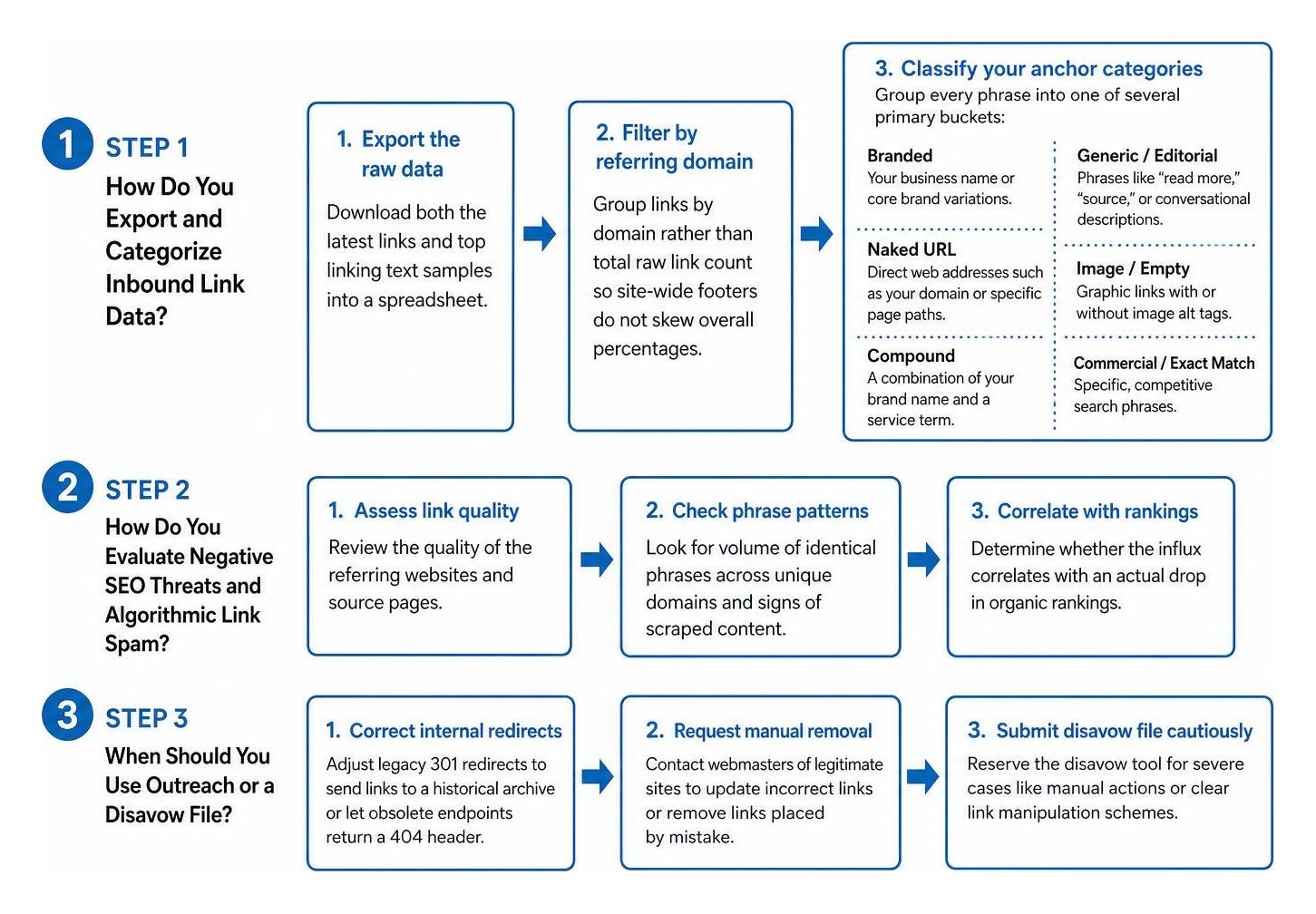
- Correct internal redirects: If legacy 301 redirects are sending outdated anchor associations to current core pages, adjust your server-level redirects to send those links to a dedicated historical archive or let obsolete endpoints return a 404 header.
- Request manual removal: For legitimate websites where an incorrect link was placed by mistake, send a polite message to the editor asking them to update the link target or remove the link.
- Submit a disavow file cautiously: Reserve the disavow tool for severe situations involving manual actions or unmistakable link manipulation schemes. Disavowing harmless scraper links can accidentally strip away legitimate equity.
At SmallBizSEO, our data-driven Velocity framework uses transparent, automated reporting to protect your site equity while maintaining clean, penalty-free backlink profiles.
Keep Your Link Profile Healthy and Resilient
Spotting strange anchor phrases in your search reports is a normal part of running a website. Search engines process millions of links daily through complex systems of URL canonicalization, deduplication, and natural language understanding. By understanding how reporting tools group data and conducting routine link reviews, you can focus on building genuine topical authority while keeping your backlink profile balanced and secure.