The Outbound Connection: A Guide to External Link Analysis
The Outbound Connection: A Guide to External Link Analysis
What Is External Link Analysis (And Why It Matters for Your Site)
External link analysis is the process of auditing every outbound link on your website — checking where those links go, whether they still work, and how they're labeled for search engines.
Here's a quick breakdown of what it covers:
- What links you have — how many outbound links exist on each page
- Where they point — the domains and pages you're linking to
- Link attributes — whether links are dofollow, nofollow, sponsored, or ugc
- Link health — whether links are broken, redirecting, or pointing to HTTP instead of HTTPS
- Anchor text — the visible, clickable text used for each link
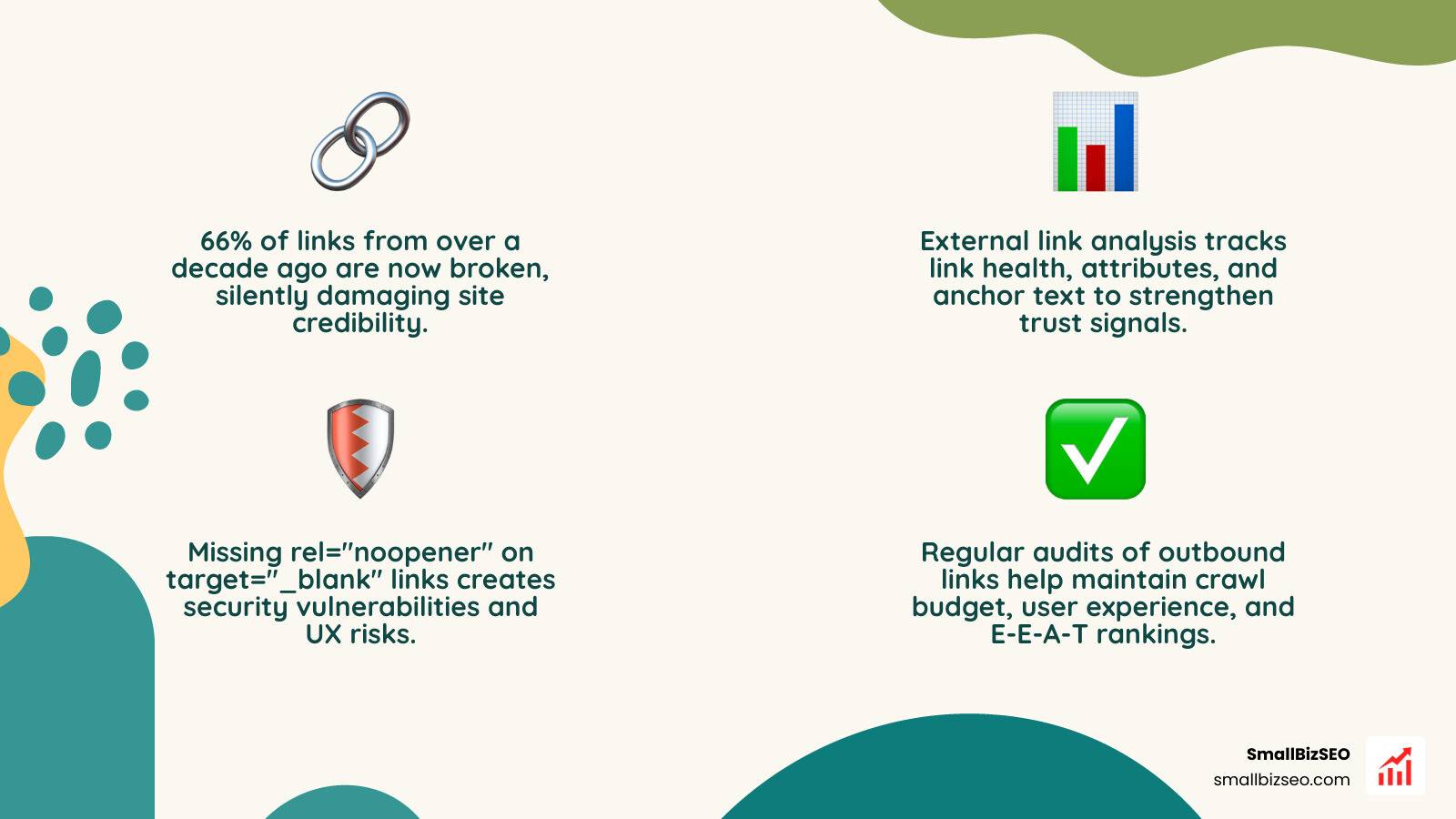
- Security flags — whether links with
target="_blank"are missingrel="noopener"
This matters because every link you send out is a signal. Search engines use those signals to judge whether your content is well-researched and trustworthy — or sloppy and risky.
Here's the hard reality: research shows roughly 66% of links from over a decade ago are now broken. That means most websites are quietly leaking credibility through dead links — without even knowing it.
If you're a small business owner trying to rank higher in search, your outbound links are not something you can afford to ignore.
I'm Clayton Johnson, a digital PR and SEO specialist with hands-on experience running external link analysis campaigns that improve search visibility and build real authority for businesses online. In the sections below, I'll walk you through everything you need to audit and manage your outbound link profile the right way.
Must-know external link analysis terms:
Understanding Outbound Links and Their Role in SEO
Every time we write a blog post or build a new landing page, we have the opportunity to connect our readers with the wider web. Outbound links (or external links) are hyperlinks that point from a page on our domain to an entirely different domain.
In the eyes of search engines, these links are not just pathways for users; they are a form of digital citation. Just as a research paper cites authoritative journals to back up its claims, our website uses external links to prove our content is well-researched. When we practice strategic outbound linking, we show search engines that we belong to a high-quality "link neighborhood."
However, if we link to spammy, low-quality, or irrelevant sites, we risk dragging our own search rankings down. This is where External Links: Definition + SEO Best Practices come into play. Managing how and where we link out is a core part of keeping our site in search engines' good graces.
External Links vs. Internal Links vs. Backlinks
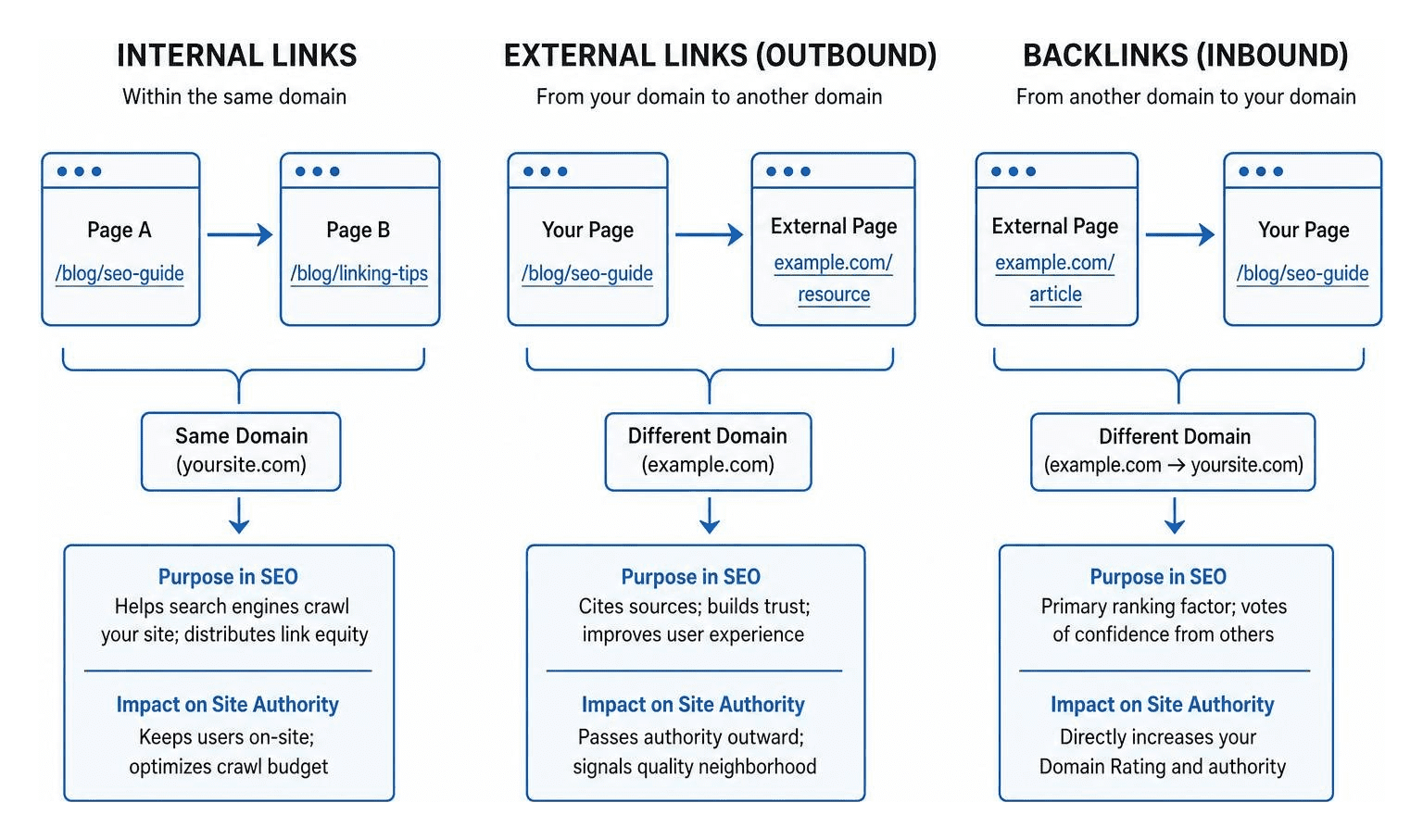
To make sure we are all on the same page, let's look at how external links compare to other link types.
| Link Type | Direct Pathway | Purpose in SEO | Impact on Site Authority |
|---|---|---|---|
| Internal Links | From one page to another page on the same domain | Helps search engines crawl your site; distributes link equity | Keeps users on-site; optimizes crawl budget |
| External Links (Outbound) | From your domain to a different domain | Cites sources; builds trust; improves user experience | Passes authority outward; signals quality neighborhood |
| Backlinks (Inbound) | From a different domain to your domain | Primary ranking factor; votes of confidence from others | Directly increases your Domain Rating and authority |
While internal links help search engines map your site structure and navigate your pages, backlinks act as votes of confidence from other websites. Outbound links, on the other hand, show how well we curate information for our audience. Balance is key. For example, we often recommend maintaining a healthy internal-to-external link ratio of 2:1 or 3:1 on informational pages to keep our crawl budget focused on our own content while still providing external value.
How Outbound Links Impact Rankings and E-E-A-T
Google's Search Quality Rater Guidelines place heavy emphasis on E-E-A-T (Experience, Expertise, Authoritativeness, and Trustworthiness). Outbound links play a major role in establishing these signals.
When we link out to high-authority, trusted sources—such as government databases, major publications, or established industry leaders—we send a strong signal that our content is trustworthy. Just like checking a business's credentials on a Reserv | BBB Business Profile , search engines check our external links to verify if we are citing legitimate sources.
For example, linking to a compliance resource like a Privacy Policy – Data Protection & User Rights - Guideline.ai helps establish that we take user security seriously. To learn more about structuring your content to meet these standards, read our guide on How to Optimize Your Content for E-E-A-T and Build Real Search Trust.
Why External Link Analysis is Crucial for Modern SEO
If we ignore our outbound links, we risk letting our website's authority decay over time. Conducting an external link analysis is just as important as auditing our incoming backlinks. It ensures that our site remains a helpful, secure, and reliable resource for both human visitors and search engine crawlers.
Key Metrics to Evaluate During External Link Analysis
When we run an outbound link audit, we aren't just looking at where the links point. We need to analyze several technical metrics to ensure everything is configured correctly. If you need a comprehensive look at your overall site health, you can start with a Detailed SEO Analysis.
Here are the key metrics we look for during an audit:
- Link Attributes (rel): Is the link dofollow, nofollow, sponsored, or ugc?
- Anchor Text: Is the anchor text descriptive and natural, or is it generic (like "click here")? We want to avoid anchor text over-optimization, keeping any single external anchor text phrase under 10-15% of our total link profile.
- HTTP Status Codes: Do our external links return a clean 200 OK status, or do they lead to 404 errors, 403 forbidden pages, or infinite redirect chains?
- HTTPS vs. HTTP: Are we linking to secure HTTPS pages? Linking to outdated HTTP-only pages can trigger mixed-content warnings and hurt our user experience.
The Danger of Broken Links and Linkrot
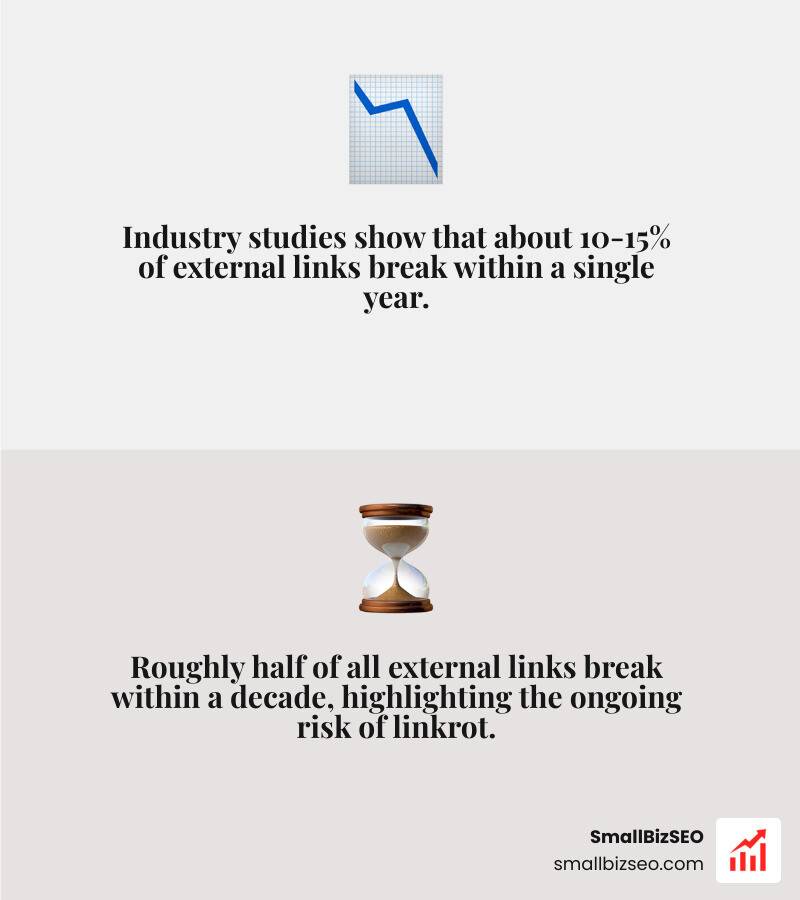
Linkrot is a very real problem. Industry studies show that about 10-15% of external links break within a single year, and roughly half break within a decade.
When we link to a page that eventually goes offline or changes its URL structure, we leave our users facing a frustrating 404 error page. John Mueller of Google has confirmed that broken outbound links are a quality signal that Google considers when evaluating pages. Too many dead links signal to search engines that a website is poorly maintained.
In worst-case scenarios, linking to domains that have expired and been bought by spam networks can even trigger search engine penalties. To protect your site from these issues, check out our guide on Google Penalties to see how to keep your site clean.
Best Practices for Managing Outbound Links
Managing outbound links doesn't mean we should avoid linking to external sites. Instead, it means we need to link deliberately and safely.

When to Use Nofollow, Sponsored, and UGC Attributes
By default, external links are "dofollow," meaning they pass search engine authority (or "link juice") to the target site. However, we must use specific rel attributes to tell search engines how to treat these connections:
- rel="nofollow": Use this when you link to a page but do not want to endorse its content or pass search authority. It is highly useful for untrusted content or links in blog comments.
- rel="sponsored": Google requires this tag for any paid links, affiliate links, or advertisements. Failing to use this tag on commercial links violates Google's link spam policies.
- rel="ugc": Use this tag for user-generated content, such as forum posts or comments left by visitors on your blog.
Using these attributes properly keeps your site compliant and protects your search rankings. For more on-page optimization strategies, read our guide on On-Page SEO.
Security and UX: target="_blank" and rel="noopener"
When we want an external link to open in a new browser tab, we use the target="_blank" attribute. This keeps our users on our site while they explore the external resource.
However, opening links in a new tab without proper security tags exposes our site to a vulnerability called reverse tabnabbing. In this attack, the newly opened page can hijack the original tab and redirect our user to a phishing site.
To prevent this, we must always pair target="_blank" with rel="noopener" or rel="noopener noreferrer". Modern browsers have started defaulting to this secure behavior, but explicitly adding the attribute ensures all users remain safe. You can audit your pages for this security issue using the Free Outbound Link Checker — Audit External Links | Flyn .
How to Audit and Fix Your Outbound Link Profile
Now that we understand the theory, let's look at how to put external link analysis into practice.
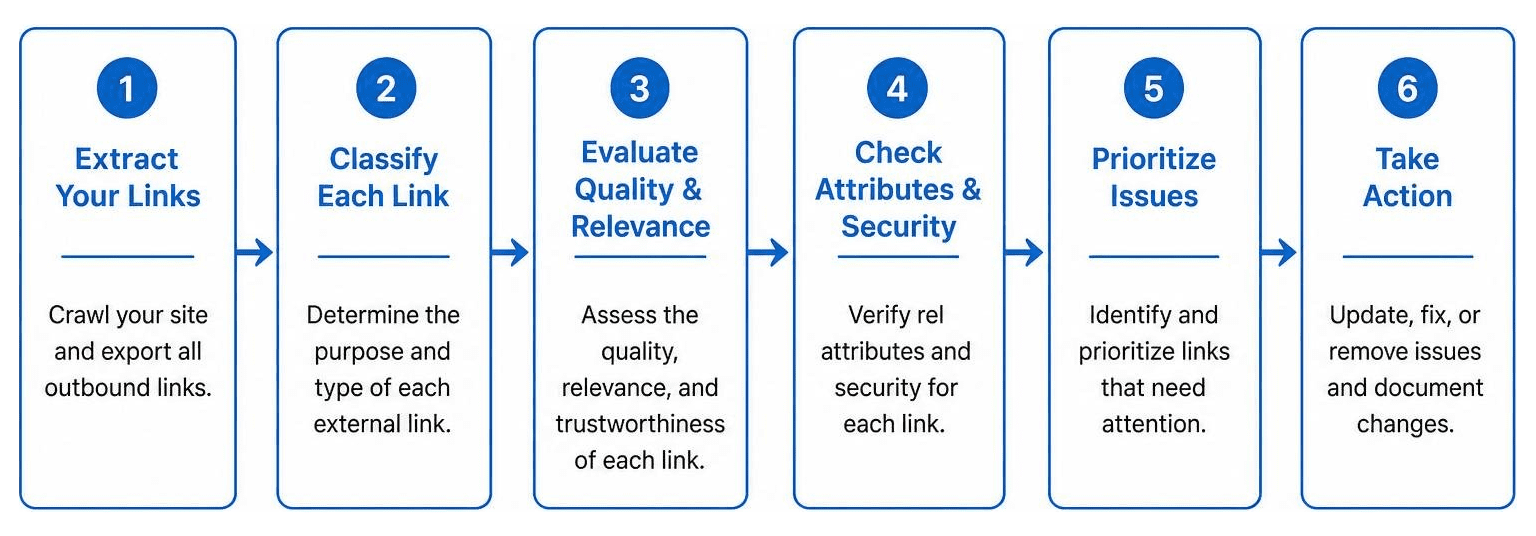
Step-by-Step Workflow for Performing External Link Analysis
We recommend a simple, structured workflow to audit your outbound links:
- Extract Your Links: Use a specialized tool to crawl your pages and extract all outbound links. Great free options include the Link Analyzer - Complete Link Profile Analysis for Any Page , the Free External Link Checker: Advanced Outbound Link Check , and the External Link Extractor Tool | Analyze Outbound Links for SEO .
- Analyze Internal vs. External Distribution: Check your link ratios. If you need to dive deeper into how your internal links are structured, you can use the Internal Link Analyzer or Analyze Internal & External Links of a Webpage .
- Check Status Codes: Run a bulk check to find any broken links (404s), redirect chains, or HTTP security warnings.
- Verify Rel Attributes: Ensure all affiliate links are marked as
sponsoredand user comments are marked asugcornofollow. - Review Anchor Text: Make sure your anchor texts are descriptive and avoid generic phrases like "click here."
Resolving Broken and Low-Quality Outbound Links
Once you have identified your issues, it is time to fix them:
- For Broken Links: Either find a working, modern alternative to link to, or use the Wayback Machine to find the archived version of the resource. If no replacement exists, simply remove the link.
- For Redirect Chains: Update the link so it points directly to the final destination URL rather than passing through multiple redirects.
- For Low-Quality Links: If you discover links pointing to low-authority or questionable domains, either remove them or add a
rel="nofollow"attribute.
If your site has suffered from poor linking practices in the past and you have seen a drop in traffic, our guide on How to Recover from a Google Algorithm Penalty can help you clean up your site and restore your rankings.
Frequently Asked Questions about Outbound Links
How many external links should a page have?
There is no strict limit, but we generally recommend aiming for 2 to 5 outbound links per 1,000 words of content. The focus should always be on quality and relevance rather than hitting a specific number. Keep your total link count (internal and external combined) under 100 per page to ensure a clean user experience and optimal crawl efficiency.
Do broken outbound links hurt SEO rankings?
Yes. While a single broken link won't destroy your rankings, a pattern of broken external links tells search engines that your content is outdated and unmaintained. This directly hurts your site's perceived quality and can lower your search visibility.
How often should I audit my website's external links?
We recommend performing an external link analysis at least once per quarter on your high-traffic and cornerstone content pages. For smaller sites, a full-site link audit once or twice a year is usually sufficient to keep linkrot under control.
Conclusion
Conducting a regular external link analysis is one of the easiest ways to protect your website's search visibility, improve user trust, and support your E-E-A-T signals. By auditing where your links point, fixing broken URLs, and using correct rel attributes, you keep your site secure and authoritative.
At SmallBizSEO, we help small businesses across the USA—including right here in New York NY, near the vibrant business community—grow their search presence. Through our proprietary "Velocity" framework, we deliver fast, data-driven rankings and E-E-A-T-compliant growth with transparent, automated reporting.
Whether you need advanced Link Building Services, comprehensive SEO Content Services, or a complete walkthrough of our SEO Services Guide and Keyword Gap Analysis: What It Is and How to Do It Right, we are here to help.
Ready to clean up your link profile and boost your search rankings? Let's take the first step together. Get a complete look at your site's health today with our SEO Visibility Audit.