Algorithmic Penalties vs Technical Indexing Failures Explained
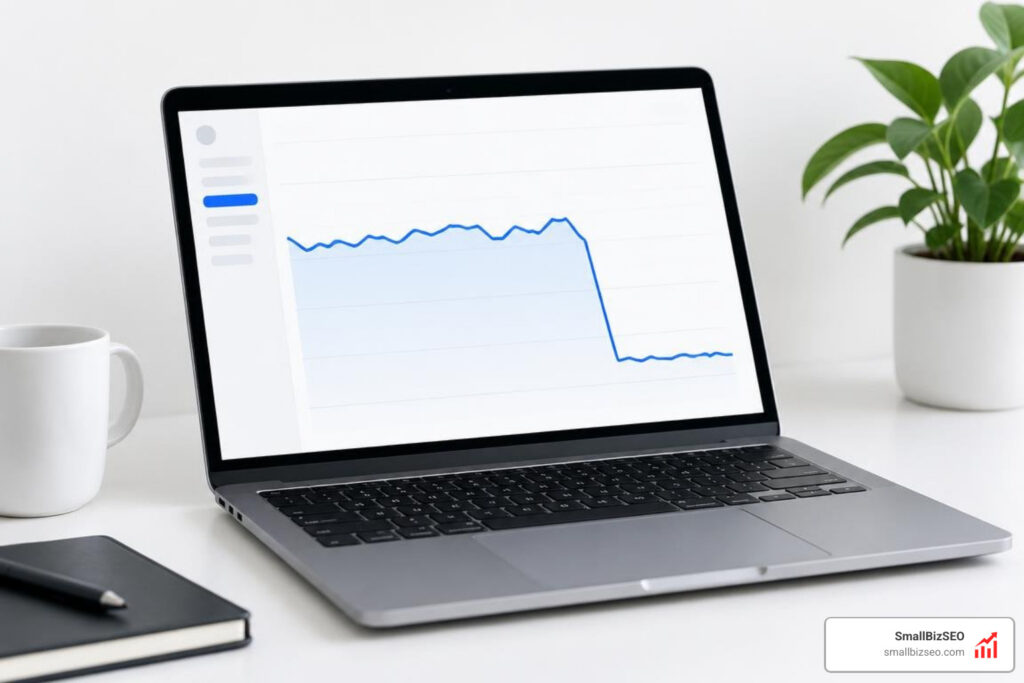
How can you tell a ranking drop from an indexing failure?
To distinguish algorithmic ranking changes versus technical indexing failures, first check whether the affected pages are still indexed. Pages that remain indexed but lose positions may have been re-ranked. Pages that suddenly disappear from Google Search may have a crawl or indexing problem, such as an accidental noindex tag, a robots.txt block, or a server error.
Start in Google Search Console: compare impressions, clicks, average position, and indexing status for the affected pages. A confirmed Google update is useful context, but it does not rule out a technical failure happening at the same time.
I'm Clayton Johnson, founder of SmallBizSEO, where I help small businesses connect technical SEO and content strategy to search visibility and qualified leads. When assessing algorithmic ranking changes versus technical indexing failures, I start with the evidence so the next step addresses the real problem.
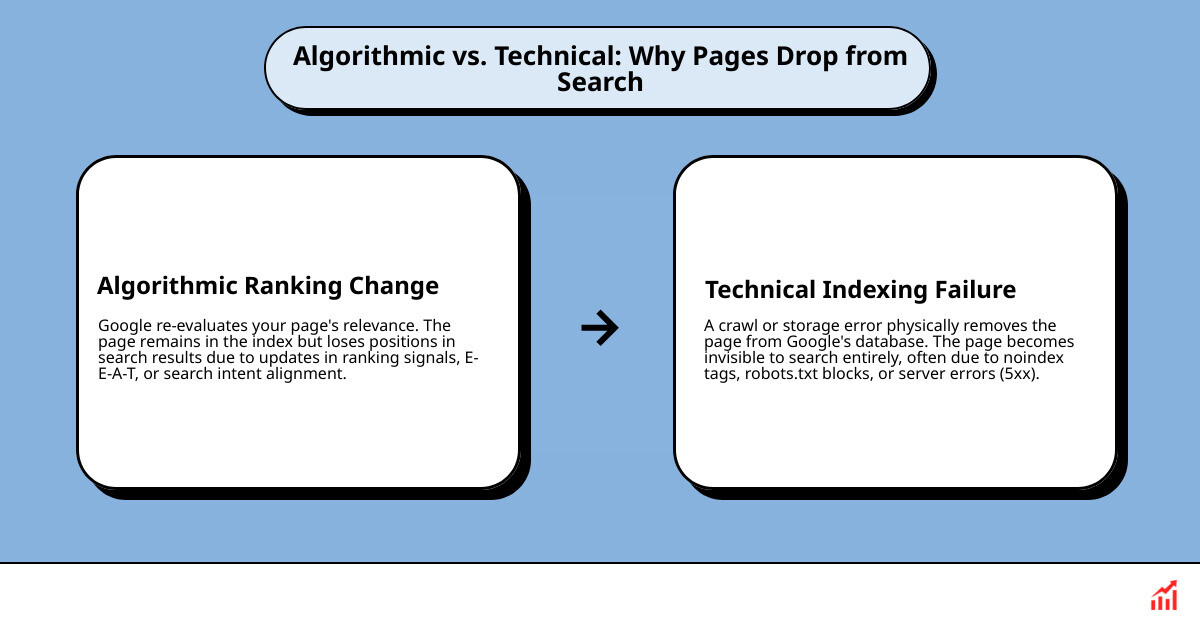
Algorithmic Ranking Changes Versus Technical Indexing Failures: Core Discrepancies
To tell the difference between algorithmic ranking changes and technical indexing failures, you need to look at whether Google evaluated your content's relevance or if its search bot simply failed to retrieve and store your pages. An algorithmic shift means Google still knows your page exists in its database, but its machine-learning scoring systems ranked competing pages higher. A technical indexing failure means your page was physically dropped from Google's database or could not be crawled, making it completely impossible to rank for any search terms.
Google processes over 8.5 billion search queries every single day, pulling results from an index containing hundreds of billions of web documents in a fraction of a second. To manage this massive scale, search engines operate through distinct stages, as explained in this deep dive on how search engines really work: crawling, indexing, ranking, and serving.
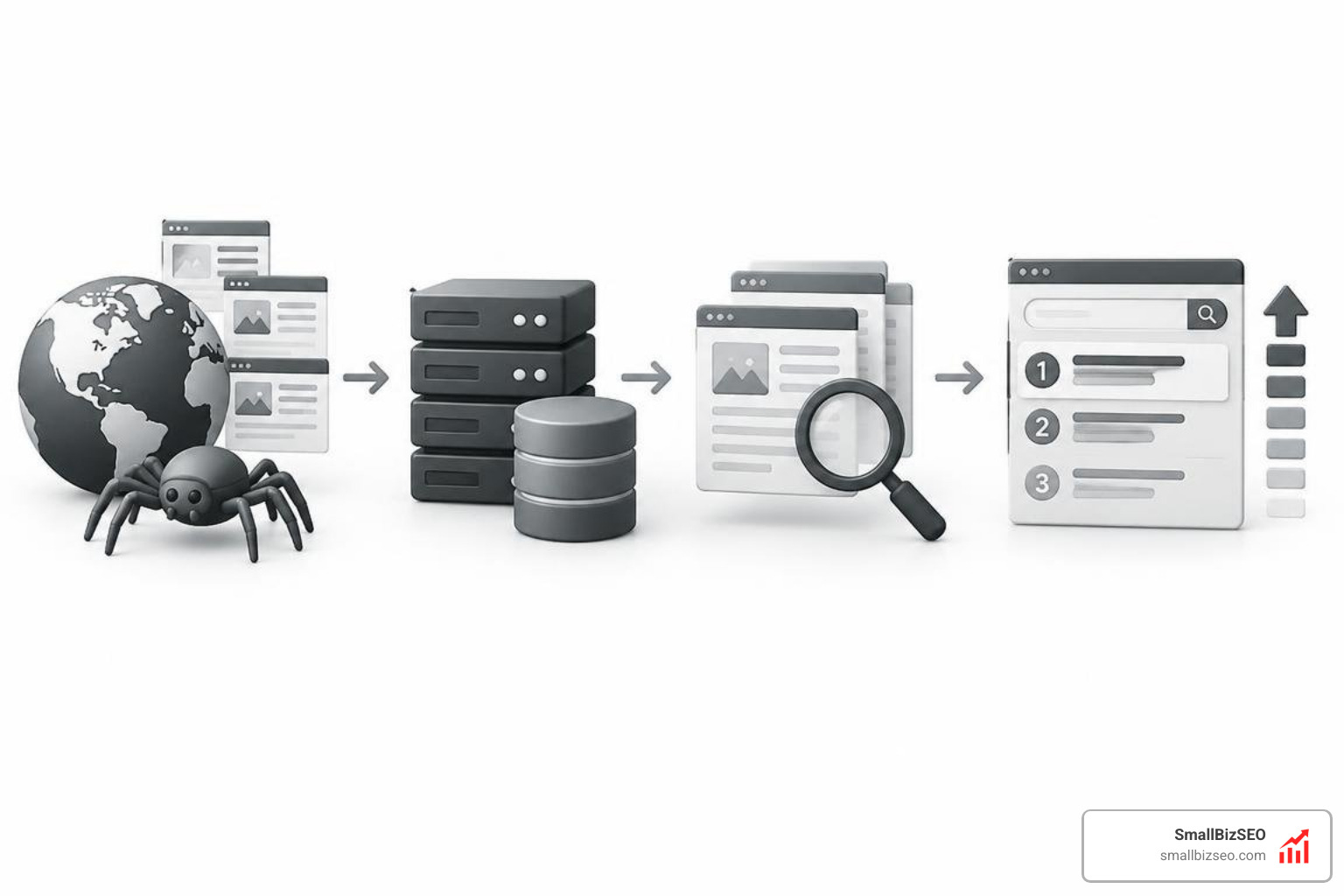
During the crawl stage, Googlebot uses allocated crawl budgets to fetch content. During indexing, it parses the rendered HTML, builds an inverted index, and files documents across tiered storage architectures (such as the high-speed Base tier or secondary tiers). Only after a page enters this database can Google's ranking and serving systems deliver it to users.
When your organic visibility plummets, determining which stage broke is your first priority.
| Diagnostic Factor | Algorithmic Ranking Changes | Technical Indexing Failures |
|---|---|---|
| Index Status | URLs remain indexed in Google's inverted index. | URLs are entirely de-indexed or showing crawl errors. |
| Search Impressions | Moderate to sharp decline; page still surfaces for specific niche or long-tail terms. | Drops to zero across all associated queries instantly. |
| Average Position | Slips gradually or drops from high positions (for example, rank 2 to rank 14). | Metric disappears completely as the URL stops generating impressions. |
| Primary Root Cause | Content quality reassessment, intent shifts, or competitor improvements. | noindex tags, robots.txt blocks, server 5xx errors, or rendering issues. |
| Resolution Pathway | Content expansion, improving user satisfaction, and building topic authority. | Removing code blockers, fixing server configs, and requesting re-indexing. |
How to Diagnose Algorithmic Ranking Changes Versus Technical Indexing Failures in Google Search Console
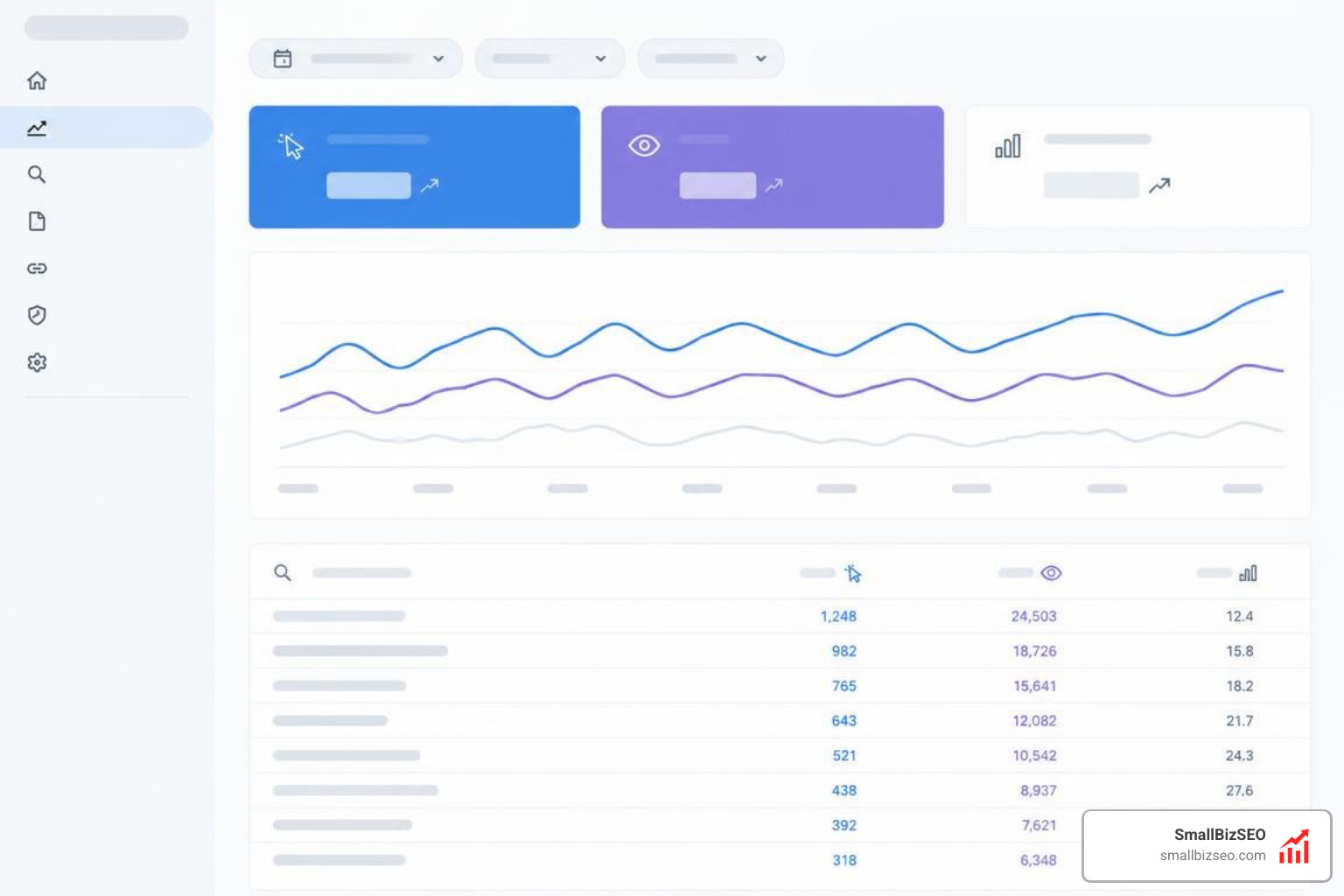
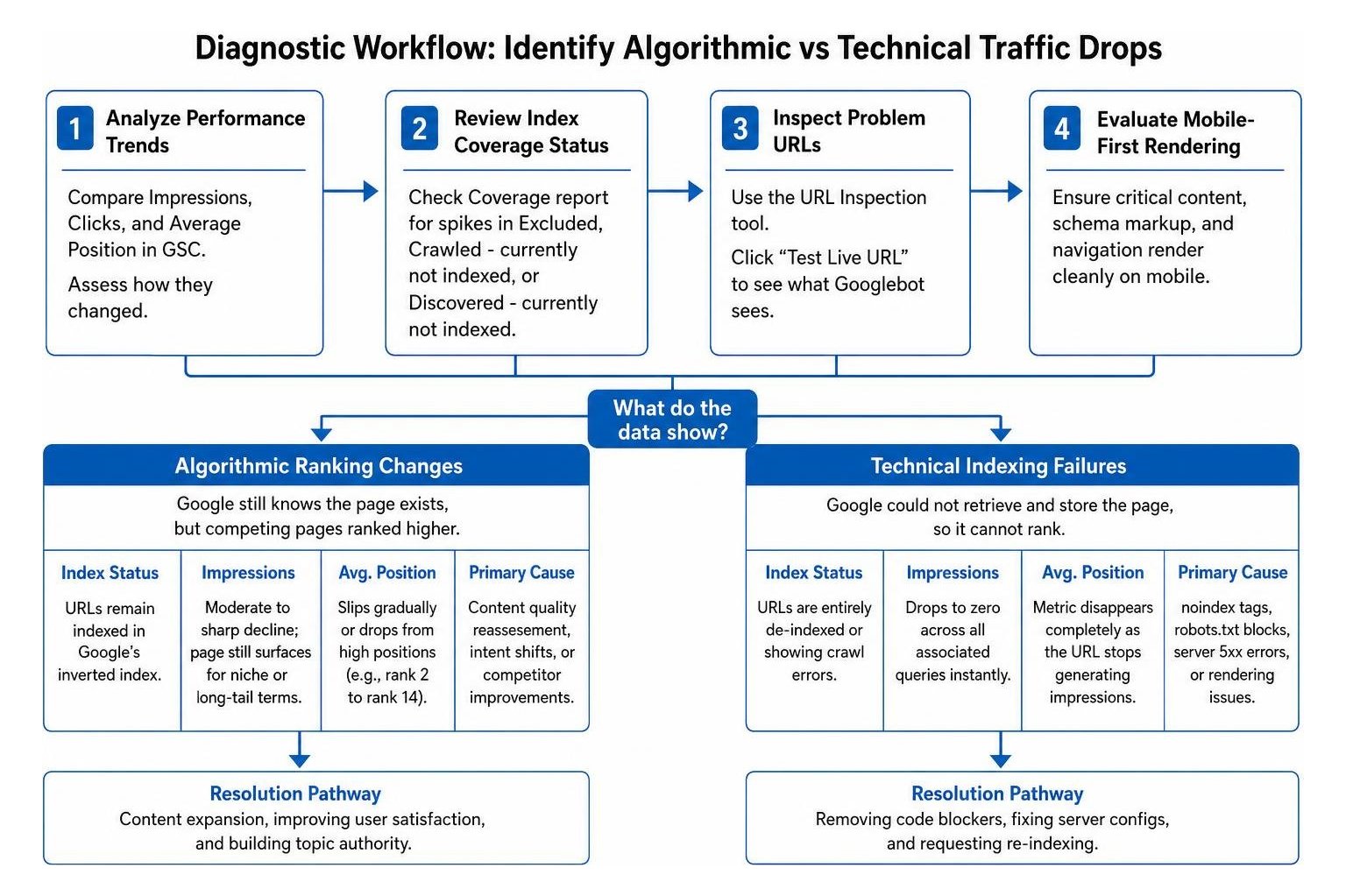
To diagnose whether a traffic drop is algorithmic or technical inside Google Search Console (GSC), analyze your Impressions, Clicks, and Average Position side-by-side while checking your coverage reports.
- Check Impression and Click Relationships: If impressions stay relatively stable or fall slightly while clicks collapse, analyze your average position. If your average position drifted downward, searchers are seeing your snippet further down the page. If clicks dropped while impressions stayed flat and position remained unchanged, a new SERP feature (such as an AI summary or expanded snippet block) may be stealing user clicks.
- Review Index Coverage Status: Head over to your index coverage report inside GSC. Look for sudden spikes in "Excluded," "Crawled - currently not indexed," or "Discovered - currently not indexed" tabs. An abrupt migration of URLs from "Valid" to "Excluded" points immediately to a technical crawling or rendering defect.
- Inspect Problem URLs: Select your top traffic-driving URLs and test them using the URL inspection tool. Use the "Test Live URL" button to verify what Googlebot sees in real time.
- Evaluate Mobile-First Rendering: Because over 62% of all web traffic comes from mobile devices, Google strictly enforces Mobile-First Indexing. Ensure that your critical content, schema markup, and internal navigation render cleanly on mobile viewports without being hidden by client-side JavaScript execution hurdles.
Why Devaluation Differs: Algorithmic Ranking Changes Versus Technical Indexing Failures in Traffic Patterns
Algorithmic devaluation creates a very different visual footprint in your analytics compared to a technical indexing breakdown. Understanding these distinct patterns helps you pinpoint the issue without guessing.
When a site experiences an algorithmic demotion, the decline usually rolls out across topical clusters over several days or weeks. Some pages might drop from position 3 to position 8, while less competitive pages hold their ground. As outlined in the big update to Google's ranking drop documentation, search systems routinely recalibrate how they balance quality, user trust, and query intent across broad segments of the web.
In contrast, a technical failure produces an immediate cliff. Traffic does not gently drift down; it drops straight to zero for affected pages overnight.
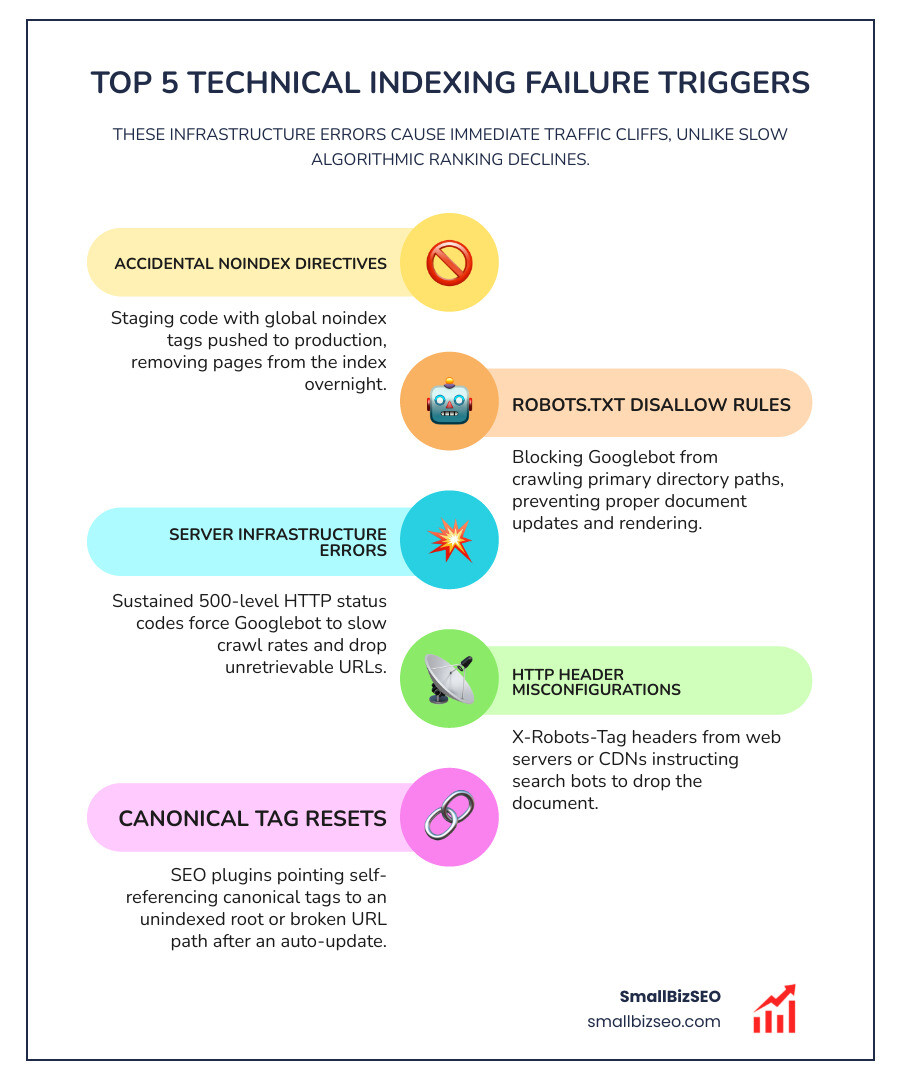
Common technical indexing failure triggers include:
- Accidental
noindexDirectives: A developer accidentally pushing staging environment code to production with globaltags active. - Robots.txt Disallow Rules: Blocking Googlebot from crawling primary directory paths, preventing proper document updates and rendering.
- Server Infrastructure Errors: Sustained 500-level HTTP status codes (such as 500 Internal Server Error or 503 Service Unavailable) that force Googlebot to slow crawl rates and temporarily drop unretrievable URLs.
- HTTP Header Misconfigurations: Misconfigured
X-Robots-Tagheaders sent by web servers or content delivery networks (CDNs) instructing search bots to drop the document. - Canonical Tag Resets: SEO plugins inadvertently pointing self-referencing canonical tags to an unindexed root or a broken URL path after an automatic update.
Diagnostic Framework and Recovery Steps for Sudden Traffic Drops
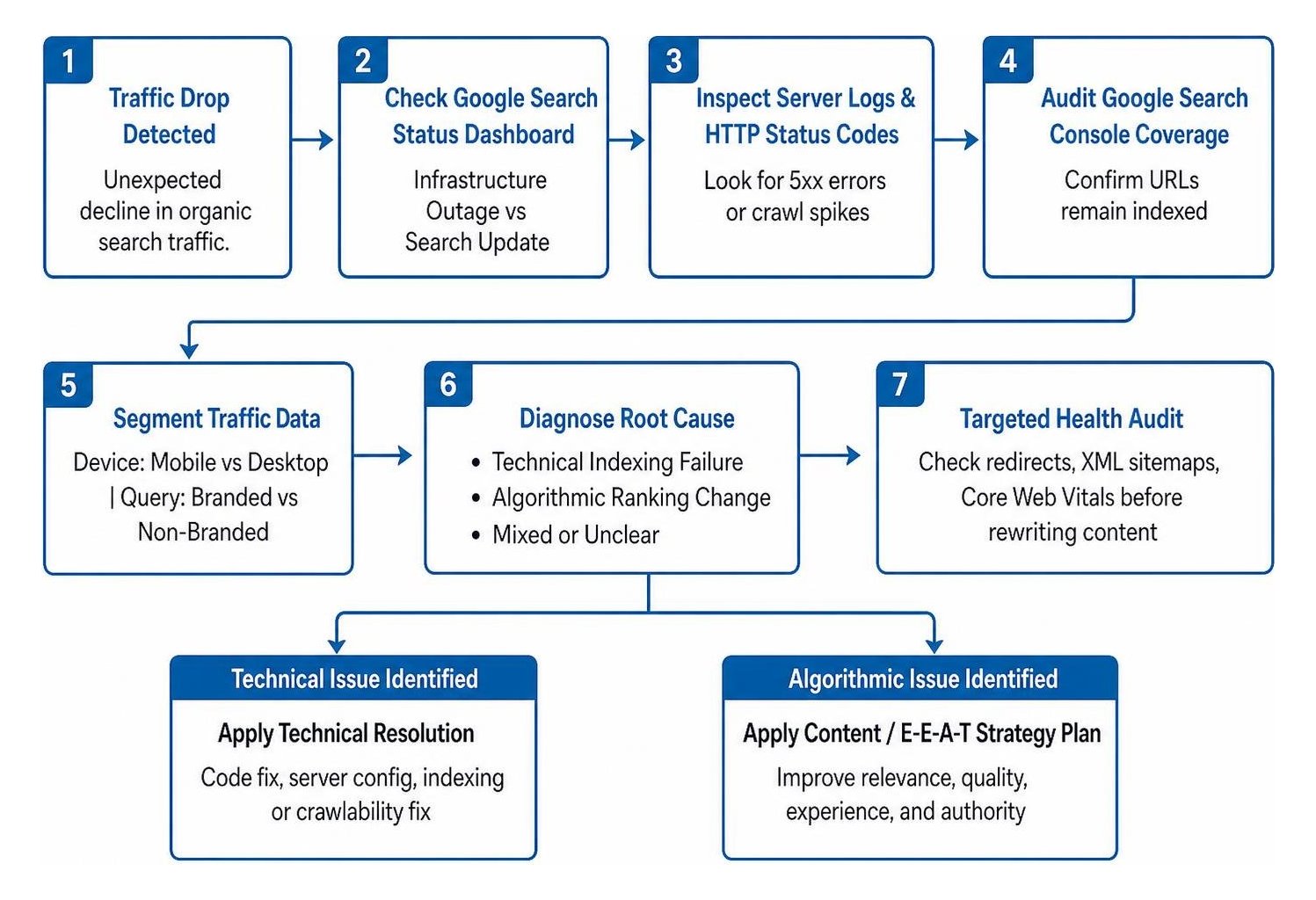
When organic search traffic drops suddenly, you need a structured audit process to find the root cause, verify server health, isolate page segments, and take corrective action.
- Verify Search Infrastructure and Official Updates: Check the Google Search Status Dashboard. Confirm whether Google has noted an ongoing crawling, indexing, or ranking system disruption. Review official guidelines on Google Search's core updates to see if an active system release aligns with your traffic shift.
- Analyze Server Access Logs: Inspect raw web server logs to confirm Googlebot's activity. Look for spikes in crawl errors, timeout rates, or sudden drops in crawl frequency. A sudden bot departure often indicates security firewall blocks or server latency issues.
- Segment by Device Type: Isolate your Google Search Console performance data by mobile versus desktop. A severe drop isolated entirely to mobile devices usually indicates a mobile usability error, unplayable content, or mobile viewport rendering bugs rather than a sitewide quality demotion.
- Filter Branded vs. Non-Branded Queries: Separate your branded navigational terms from general non-branded queries. If users searching for your exact business name cannot find your homepage, you are likely suffering from a critical technical indexing error, an accidental
noindex, or a severe manual security action. If branded traffic remains stable at position 1 while non-branded informational keywords slip, your site was re-evaluated algorithmically. - Execute a Targeted Health Audit: Review our guide to DIY technical audits to check your internal redirect chains, XML sitemaps, and Core Web Vitals performance benchmarks before rewriting any content.
How Can You Rule Out Technical Issues During an Active Core Update Rollout?
To rule out technical issues during an active update rollout, cross-reference your site's deployment logs against the core update timeline. Assuming every drop during an update is purely algorithmic is a frequent and costly mistake.
Major content management systems and plugins frequently update automatically. If an auto-update modifies your caching layer, resets your .htaccess rules, or triggers a security plugin that blocks Googlebot IP ranges with a 403 Forbidden code, your rankings will crash during the update window purely by coincidence.
Ensure your Web Application Firewall (WAF) or CDN is not flagging Google's user-agents, verify that your SSL/TLS certificates renewed properly without handshaking errors, and test your page caching engines. Once you verify your technical architecture is completely clear, you can confidently attribute any movement to adjustments in Google's ranking systems.
What Does It Mean When a Page Stays Indexed but Loses Organic Rankings?
When a URL remains indexed in Google's database but drops down the search results pages, it means Google successfully parsed and stored your content, but its ranking algorithms decided other pages offer better value for that query.
Modern search engines rely on multi-stage ranking pipelines. The primary ranking engine (internally known as Ascorer) evaluates candidate documents using classic factors like keyword relevance, internal links, and topical breadth.
Next, refined machine-learning models and re-ranking modules—often referred to as "Twiddlers"—apply post-processing adjustments:
- NavBoost: Re-evaluates positions based on aggregated user search interactions, click satisfaction, and historical engagement over time.
- Freshness Adjustments: Promotes newer, updated resources when user intent indicates a need for timely information.
- Quality and Trust Re-weighting: Elevates sources demonstrating clear real-world experience, author expertise, authoritativeness, and trust (E-E-A-T).
When an indexed page loses rank, its overall quality score or relevance alignment no longer meets the updated threshold required to win the top spots against competing sites.
Why Should You Avoid Reactive Content Changes Before an Update Settles?
You should avoid making reactive content edits during an active algorithm rollout because rankings constantly fluctuate while Google tests, adjusts, and deploys its updated data models across global data centers.
Core updates typically take one to three weeks to fully roll out. During this volatile period, your positions may shift back and forth daily. If you start deleting pages, changing heading structures, or overhauling your site architecture mid-rollout, you introduce confusing variables. You won't be able to tell whether subsequent ranking shifts resulted from Google's update or your own rushed edits.
Industry best practices recommend waiting at least one full week after an update officially concludes before comparing pre-update and post-update performance data. Take this time to gather clean analytics, evaluate competitor gains objectively, and plan a methodical content roadmap.
Protecting Your Search Visibility with Strategic Precision
Determining whether your site experienced an algorithmic ranking change or a technical indexing failure comes down to structured troubleshooting: check indexation status first, evaluate Search Console metrics, inspect server access logs, and isolate query segments.
Technical indexing bugs require immediate code and server corrections to restore your pages to Google's database. Algorithmic re-evaluations, on the other hand, call for patience, in-depth content analysis, and steady improvements to your topical authority and user experience.
At SmallBizSEO, we use our data-driven Velocity framework to build resilient, E-E-A-T-compliant foundations that keep small businesses growing through every search landscape shift. If you are struggling to diagnose a sudden loss in search traffic, request an in-depth SEO visibility audit with our team to uncover the root cause and get your growth back on track.