Are Visitors Actually Dialing? How to Accurately Track Inbound Calls
Why don't phone button clicks equal completed inbound calls?
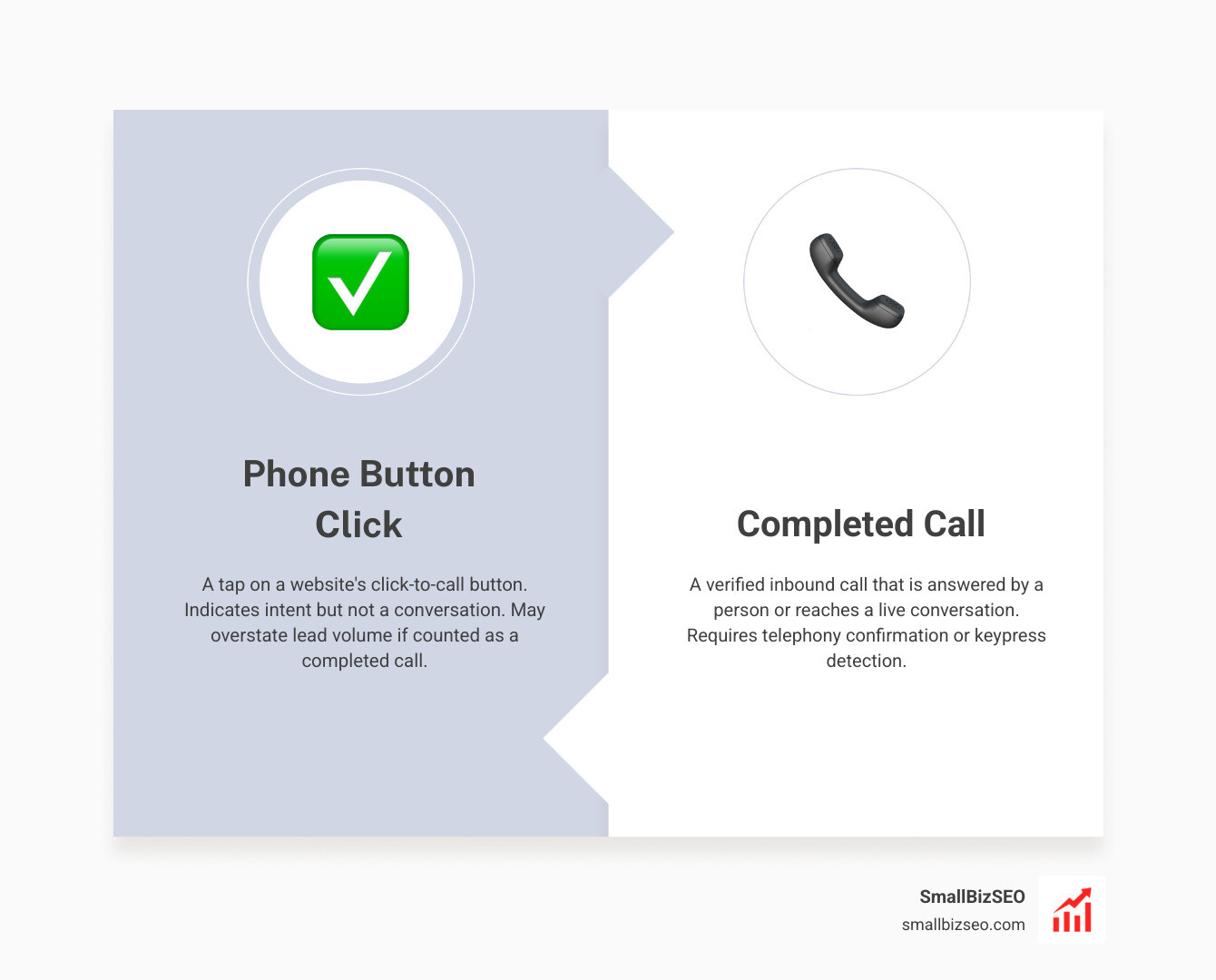
To learn how to distinguish phone button clicks from completed calls, track two separate events: the tap on your website's phone button and the call outcome from your phone system. A tap shows intent, not a conversation. Count an inbound call as answered only when your call records show a connection; use a keypress confirmation if you need stronger proof that a person picked up.
This gap matters for small businesses. If your SEO report counts every tap as a lead, it may overstate how many visitors actually reached you.
I'm Clayton Johnson, founder of SmallBizSEO. My work in SEO and conversion tracking shapes this guide to how to distinguish phone button clicks from completed calls, so you can judge leads by what happened after the tap.
How to Distinguish Phone Button Clicks from Completed Calls Across Platforms
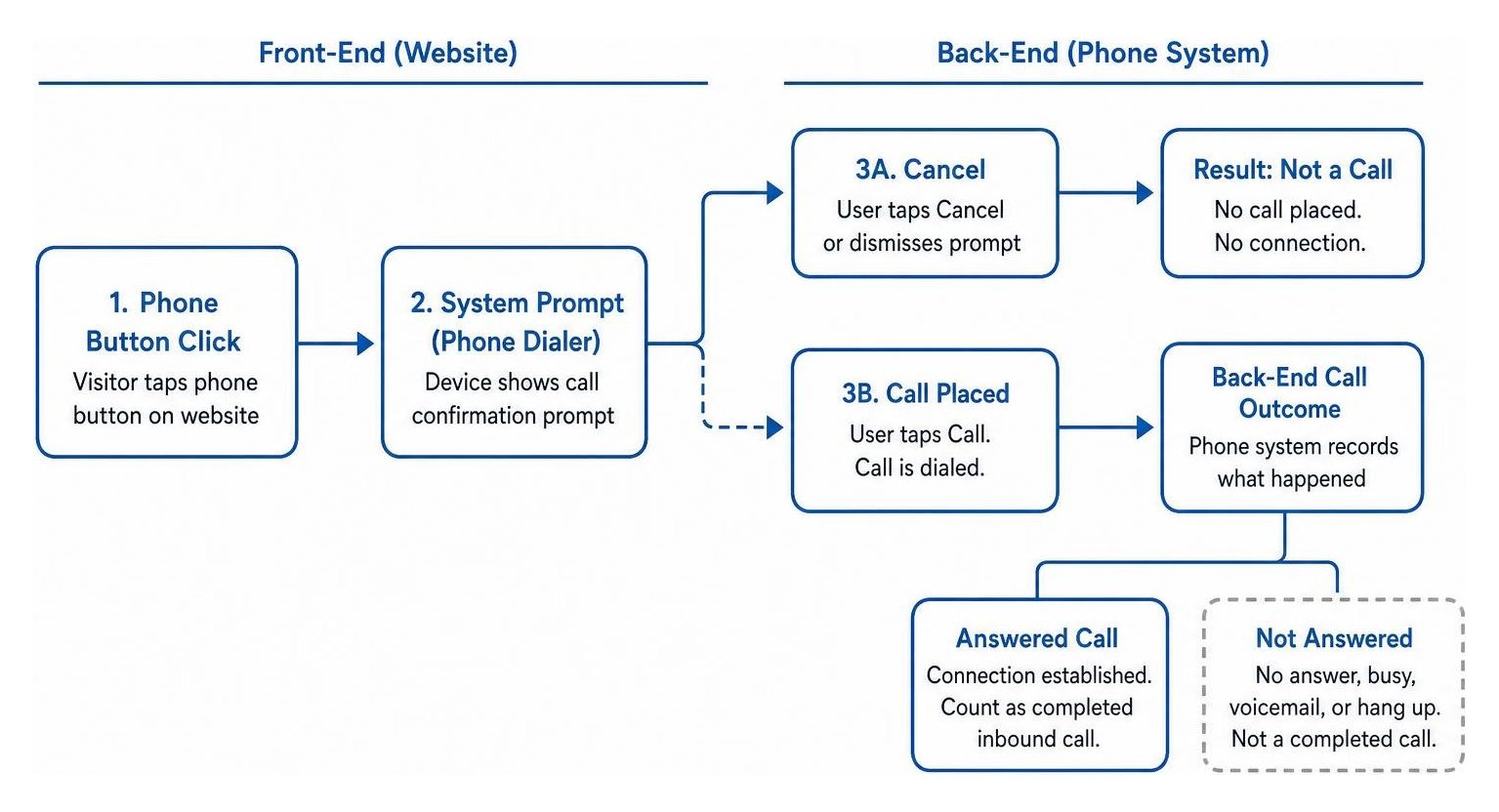
To track true inbound calls across platforms, you must separate user interface interactions on the front end from telephony events on the back end.
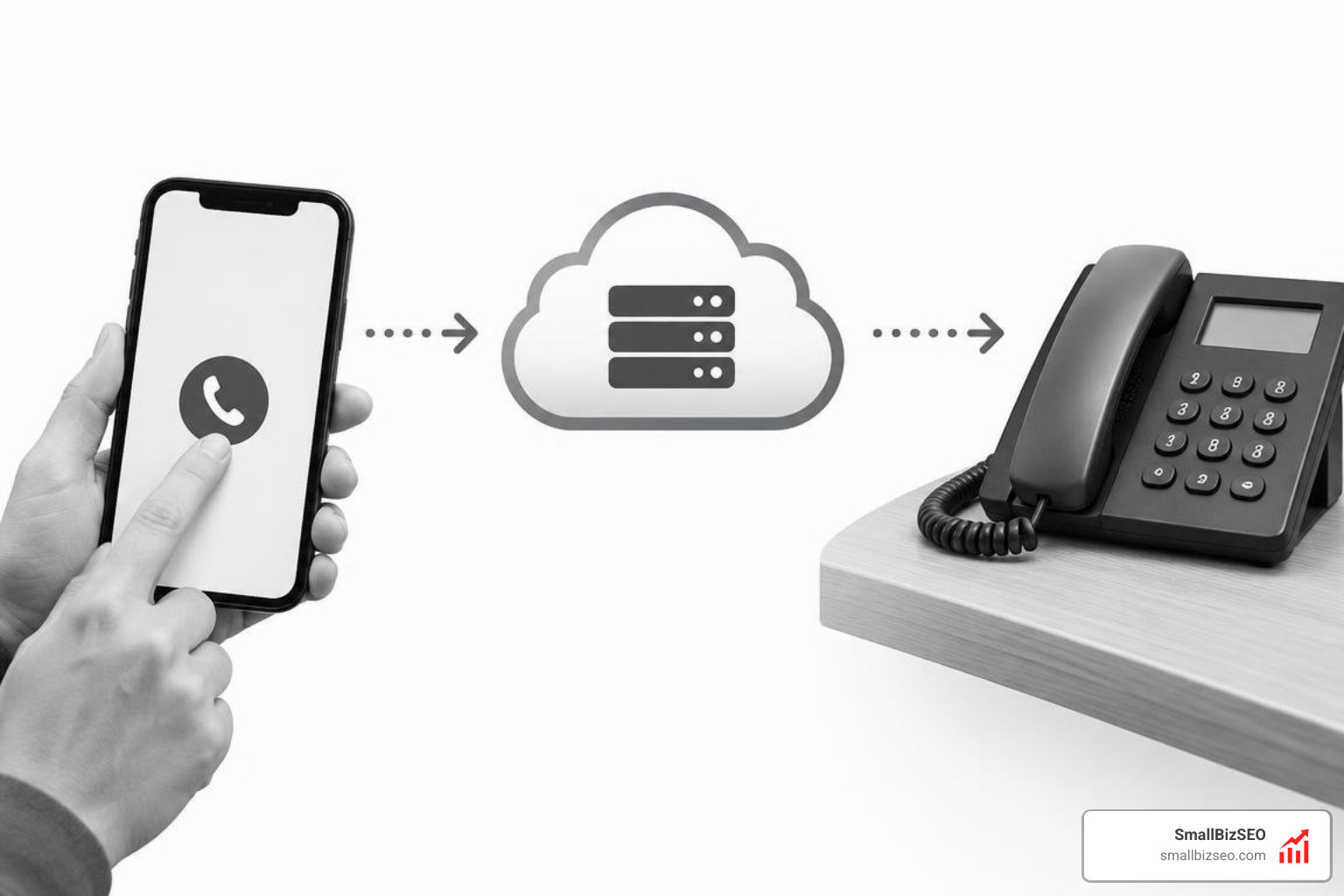
When a website visitor taps a link containing a phone number, the browser prompts the mobile device operating system to launch the native dialer. At that exact moment, web analytics platforms record a button tap. However, the visitor might cancel the prompt, misdial, or hang up during the first ring.
Relying solely on front-end events distorts your conversion tracking data. Accurately determining whether an interaction turned into an actual conversation requires listening to platform-specific system events, mobile framework delegates, and carrier-level webhooks. For developers evaluating native mobile behavior, community discussions on detecting Call versus Cancel actions illustrate how operating system boundaries isolate link clicks from dialed calls.
Mobile Apps: How to Distinguish Phone Button Clicks from Completed Calls on iOS and Android
In native mobile applications, you can detect whether a user completed dialing or canceled by integrating operating system call-state listeners rather than relying on application lifecycle events.
On iOS, using legacy notification listeners such as UIApplicationSuspendedNotification or UIApplicationDidBecomeActiveNotification to infer a call is unreliable. These notifications fire whenever an app loses focus, such as when a user receives an incoming text, swipes home, or handles a notification banner. Instead, implement CallKit’s CXCallObserver and conform to CXCallObserverDelegate. When a user confirms a call dialog triggered by a phone link, the observer receives an event where the outgoing call property evaluates to true. If the user taps Cancel on the system prompt, the app resumes active state without the observer ever registering an outgoing call event.
Adhering to a standard click-to-call button design helps visitors initiate calls smoothly, but pairing clean interface elements with native framework observers ensures that your analytics differentiate between a high ctr and genuine phone engagements.
Telephony APIs: How to Distinguish Phone Button Clicks from Completed Calls in Twilio
In programmable voice workflows, you distinguish initiated attempts from real conversations by evaluating the status parameters and duration values returned in webhook callbacks.
When routing calls via Twilio, relying on the top-level completed status can be misleading. Twilio marks a routing leg as completed whenever the execution of your call instructions finishes, regardless of whether a human answered, the line was busy, or the call rolled to an external voicemail box. To evaluate the true outcome:
- Inspect the
DialCallStatusparameter returned to your action callback. Values such asno-answer,busy,failed, orcanceledimmediately reveal uncompleted attempts. - Evaluate
DialCallDurationalongsideDialCallStatus. A call marked completed with a duration of two seconds often indicates that the recipient rejected the call or hung up during a screening message. - Use whisper prompts paired with redirection logic. When an agent answers, play a short prompt that requires acceptance; if the agent disconnects during the whisper, your application routes the original caller to a voicemail box rather than terminating the flow.
Reviewing developer implementations for screening callers with voicemail fallback demonstrates how custom routing logic maintains accurate source attribution across your campaigns.
Telephony Hardware: How Do Analog, Digital, and VoIP Systems Detect Call Answers?
Telephony systems detect call answers by monitoring physical line voltage, out-of-band signaling packets, or audio frequencies depending on the trunk architecture.
| Trunk Architecture | Primary Answer Detection Method | Latency to Detection | Susceptibility to False Positives |
|---|---|---|---|
| Analog Trunks (PSTN) | Ringback tone cessation & voice energy detection | 4 to 8 seconds | High (background line noise, early greetings) |
| Digital Trunks (ISDN T1/E1) | Out-of-band Q.931 CONNECT message signaling | Instantaneous (milliseconds) | Extremely Low (deterministic network event) |
| VoIP (SIP Trunks) | SIP 200 OK response packet transmission |
Instantaneous (network-bound) | Very Low (signaled by remote endpoint) |
On legacy analog lines, hardware cards listen for the cessation of the audible ringback tone or the emergence of human speech using specialized driver parameters, such as line configuration settings. Because analog trunks lack out-of-band messaging, systems rely on audio silence detection to infer when a call connects.
In contrast, digital ISDN and modern SIP VoIP environments deliver clear, digital signaling events the moment the remote handset lifts. Understanding these infrastructure differences ensures your marketing reports reflect true organic conversion rates rather than false connection flags caused by audio line noise.
Proven Strategies to Verify True Human Connections and Automate Attribution
The most reliable way to verify an inbound phone call is to require an interactive confirmation before logging the interaction as an answered lead.
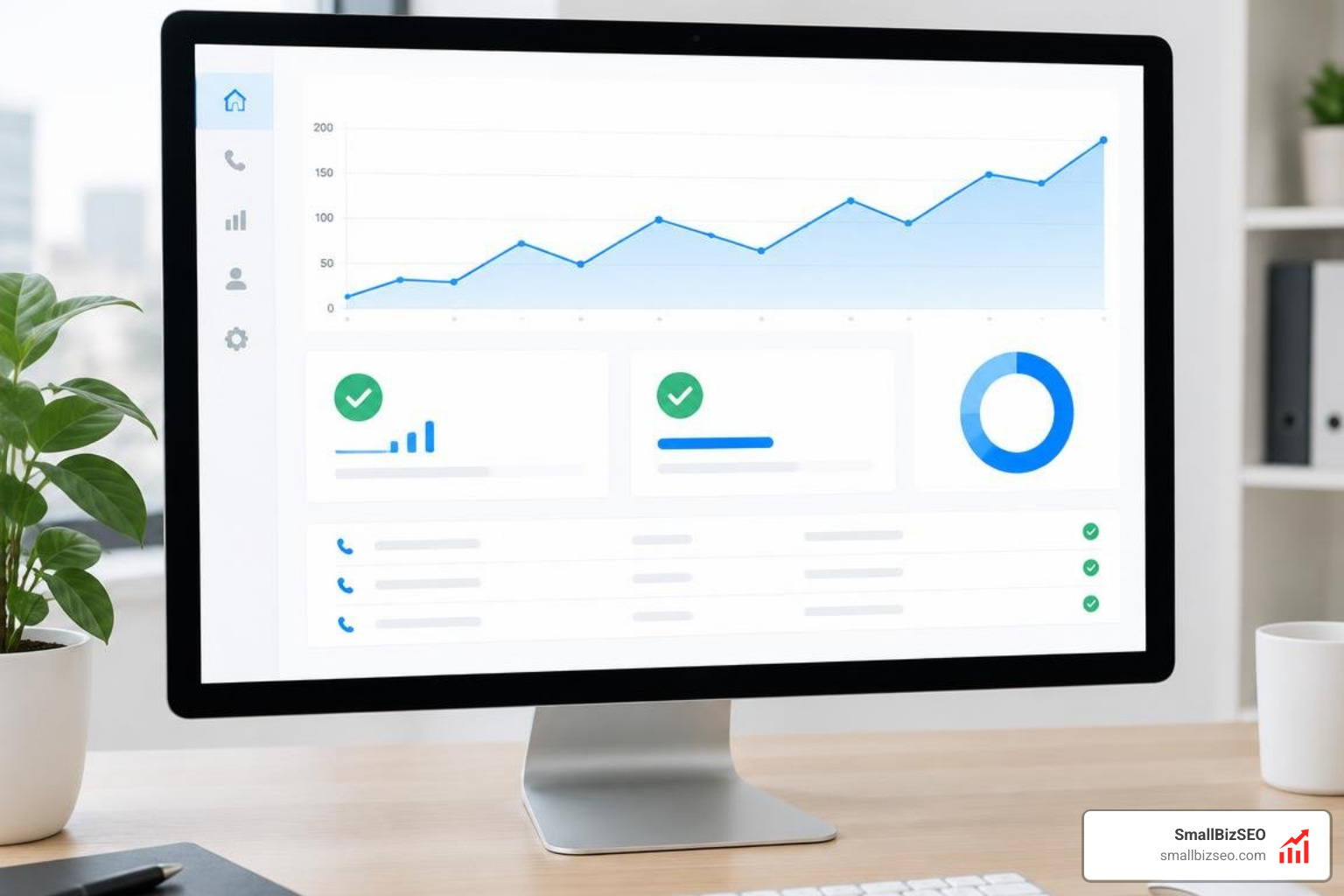
Automated dialers, robocalls, and misrouted lines create significant noise in sales pipelines. Regulatory data highlights why verifying human engagement is critical: regulatory bodies strictly enforce compliance, with penalties reaching tens of thousands of dollars per violation for illegal telemarketing practices under federal rules. Telemarketers making unlawful automated calls have faced hundreds of millions of dollars in total judgments.
At SmallBizSEO, our data-driven Velocity framework uses automated reporting to ensure every tracked milestone represents real business activity. By pairing our technical SEO and content strategy with verified telephony endpoints, you can execute proven tactics to capture high-intent leads that translate into measurable revenue. You can also review our custom click tracking solutions to align marketing clicks with confirmed business results.
How Can Keypress Confirmations and Call Connect Filter Voicemails?
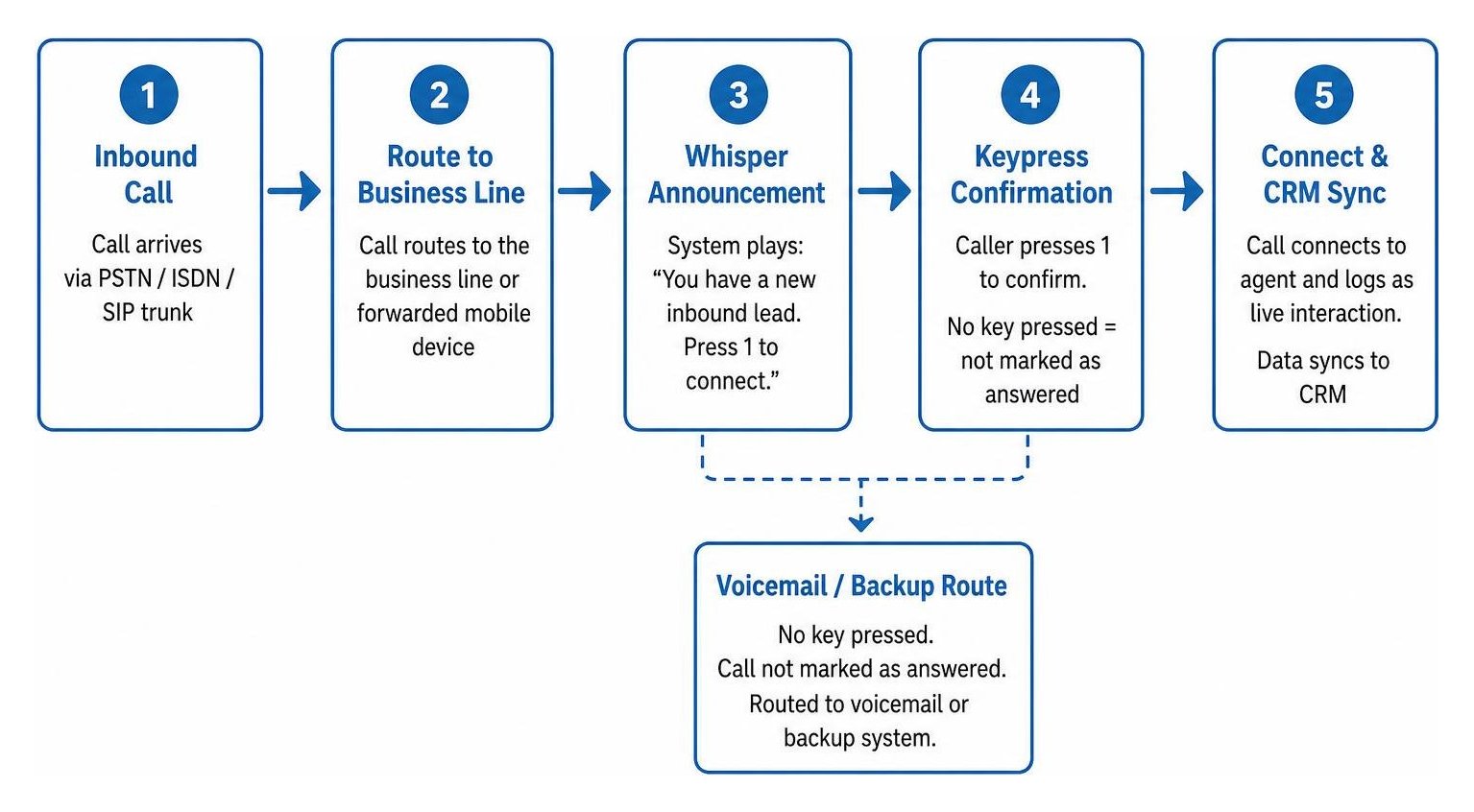
Keypress confirmation mechanisms require the answering party to press a physical or on-screen keypad digit before connecting the two parties, ensuring that answering machines and accidental pickups are never counted as live conversations.
Using interactive voice response elements, such as keypress confirmation or speech gathering instructions, creates an active barrier against automated voicemail boxes:
- Whisper Announcement: When the call routes to a business line or forwarded mobile device, the system plays a brief announcement: "You have a new inbound lead. Press 1 to connect."
- Voicemail Bypass: An automated voicemail inbox cannot listen to the prompt and press a DTMF digit. Because no key is pressed, the call is not marked as answered by an agent and routes cleanly to a designated backup system.
- Accurate Lead Qualification: Because the call is only logged as a live interaction once the digit registers, your CRM records clean data.
Implementing verification workflows prevents false conversions from inflating your Cost Per Lead metrics and gives you an accurate view of your true Lead To Customer Rate.
How Do Webhooks and Machine Detection Parameters Prevent False Positives?
To prevent false positives, configure asynchronous status webhooks and calibrate answering machine detection thresholds to handle callers who hang up without speaking or pressing a key.
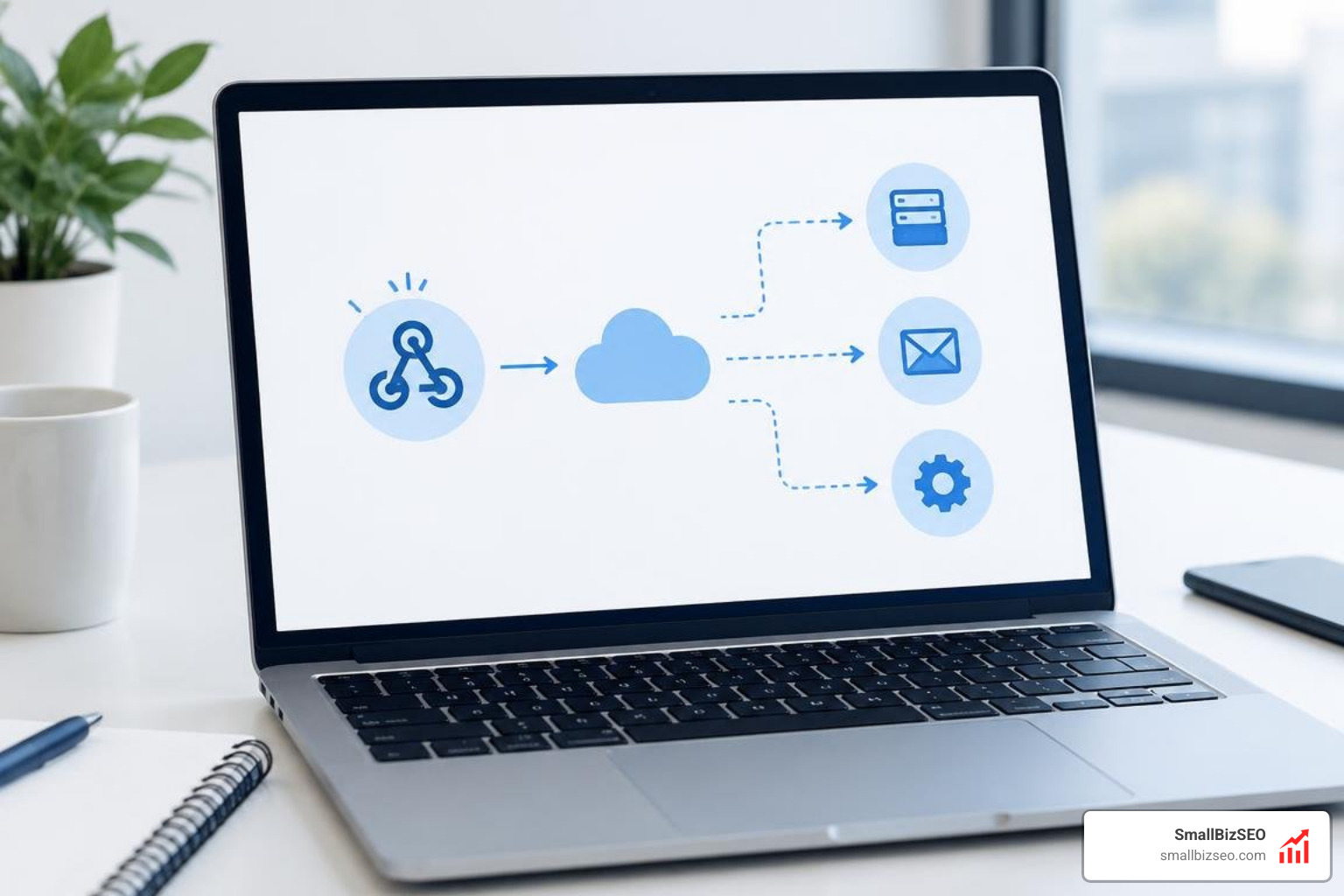
When an inbound caller disconnects during a voicemail greeting or hangs up abruptly, synchronous scripts can fail to execute their remaining instructions. Relying on sequential execution often drops follow-up automations.
To maintain robust tracking and improve overall lead quality:
- Use Asynchronous Recording Webhooks: Point your recording configurations to asynchronous callback endpoints. When a caller finishes speaking or disconnects, the telephony server sends the recording metadata directly to your webhook handler, allowing you to trigger instant notification messages or CRM updates.
- Calibrate Answering Machine Detection: Fine-tune silence detection length and detection timeout thresholds. Setting silence thresholds appropriately prevents short pauses in human speech from being miscategorized as machine greetings.
- Filter Background Line Noise: On mobile or VoIP connections with variable line quality, adjust detection sensitivity thresholds to ensure background static does not prevent the system from recognizing when a caller hangs up.
Turning Raw Call Data into Reliable Business Intelligence
Distinguishing a mobile button tap from an answered phone conversation is the foundation of accurate lead attribution. When your reporting counts simple intent as a completed sale, your marketing budget gets allocated to channels that fail to produce revenue.
By combining native mobile call observers, verified keypress screening, and asynchronous telephony webhooks, you eliminate reporting discrepancies and gain full visibility into your customer acquisition funnel. Implementing these verification layers ensures that every reported conversion reflects a genuine human conversation.