How to Investigate Lost Rich Results After a Website Redesign

How to Find Out Why Rich Results Disappeared
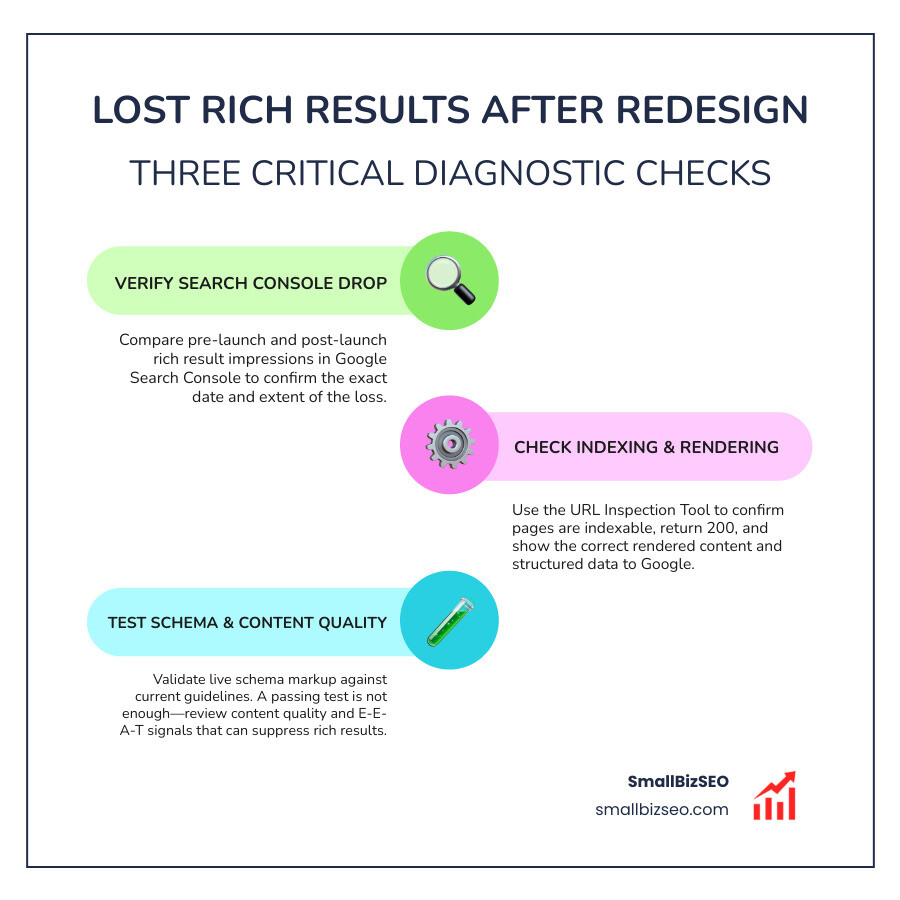
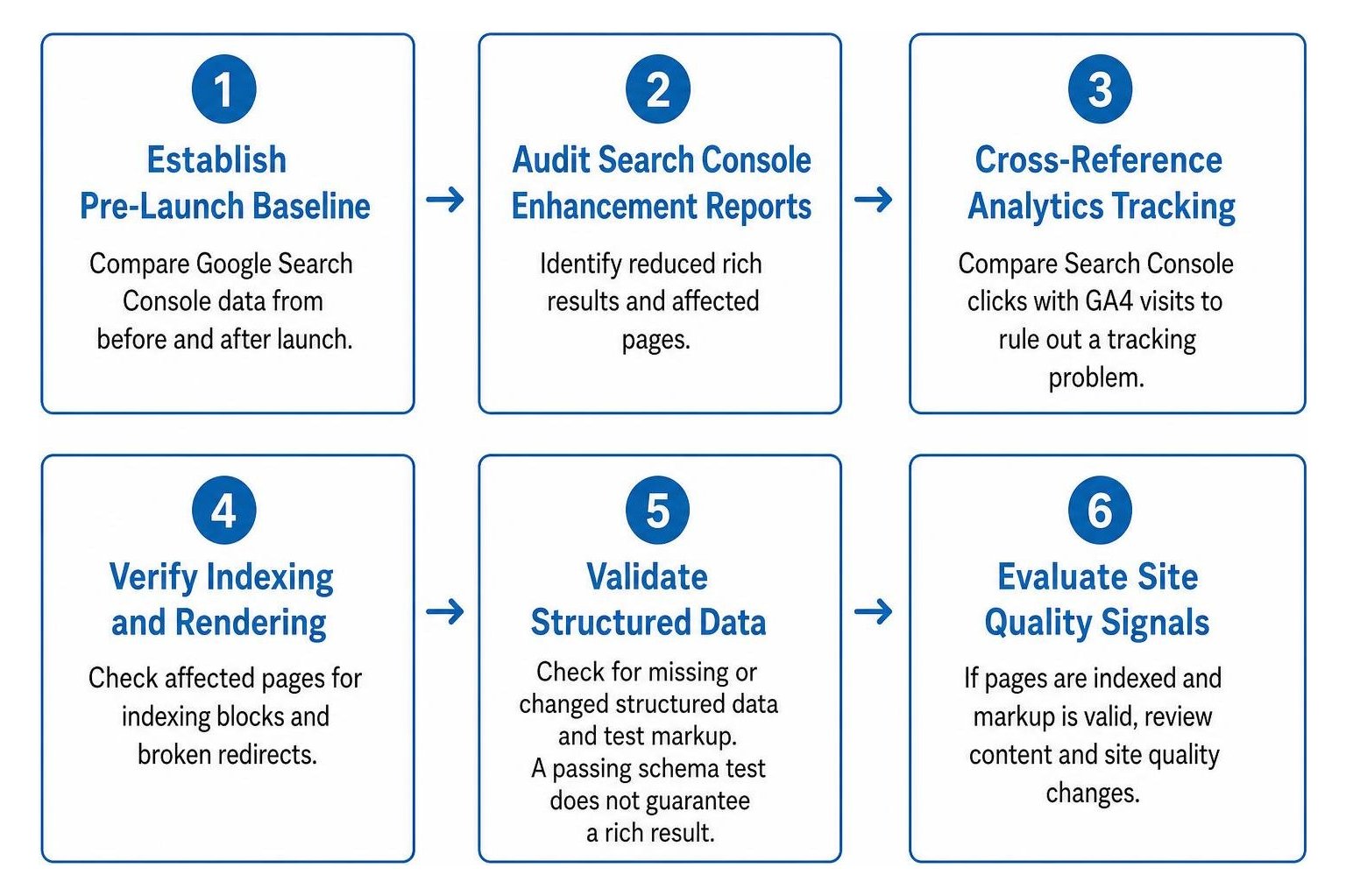
Here’s how to investigate lost rich results after a website redesign: compare Google Search Console data from before and after launch, then check affected pages for indexing blocks, broken redirects, missing content, and changed structured data. Compare Search Console clicks with GA4 visits to rule out a tracking problem. If the pages are indexed and the markup is valid, review what changed in the content and site quality. A passing schema test does not guarantee a rich result.
I’m Clayton Johnson, founder of SmallBizSEO. My work in technical SEO, content strategy, and search visibility shapes this guide on how to investigate lost rich results after a website redesign, starting with the checks most likely to reveal the cause.
The article editor does not render LaTeX. Do not write LaTeX commands or math delimiters in article copy. Explain calculations in plain language, or use an ordinary-text formula when useful, such as watts = volts × amps. Write units as readable text, such as ft³/hour or gallons/kWh. When asked to remove formulas or confusing mathematical notation, replace them with prose; do not substitute different equations or hide the notation in code.
How Do You Investigate Lost Rich Results After a Website Redesign?
To investigate lost rich results after a website redesign, confirm the exact date impressions dropped and follow a structured six-stage diagnostic order: establish a pre-launch baseline, audit Search Console enhancement reports, cross-reference analytics tracking, verify indexing and rendering, validate structured data, and evaluate broad site quality signals.
When rich snippets vanish following a site overhaul, site owners often assume their schema code broke. While syntax bugs are frequent, Google also suppresses enhanced search listings when underlying quality signals change. According to reporting on how Google: Site Quality Can Cause Loss of Rich Results, search algorithms can withhold rich snippet displays on technically flawless pages if overall trust or content depth drops.
Understanding the difference between a technical schema failure and a quality demotion helps you choose the right fix without wasting time:
| Diagnostic Area | Technical Schema Error | Site Quality Demotion |
|---|---|---|
| Search Console Status | Flags errors or unparsable structured data warnings | Reports valid markup with zero or collapsing impressions |
| Testing Tool Output | Fails Google's testing tools with syntax or missing property errors | Passes all automated tests with complete green checkmarks |
| Scope of Loss | Usually confined to specific templates or corrupted URL paths | Often sweeps across entire sections or sitewide templates |
| Primary Remediation | Patch JSON-LD code, fix syntax errors, restore missing required fields | Improve content depth, resolve thin pages, rebuild internal links |
How Should You Compare GSC and GA4 to Investigate Lost Rich Results After a Website Redesign?
Compare Google Search Console (GSC) and Google Analytics 4 (GA4) by aligning identical date ranges and filtering by organic landing pages to isolate whether visibility disappeared on search result pages or tracking failed on the site itself.
Search Console measures impressions, click-through rates, and clicks directly from the search engine results page. GA4 measures user sessions once visitors land on your site. When investigating missing search enhancements, look for specific patterns:
- GSC clicks remain stable, but GA4 organic sessions plummet: This indicates a measurement issue, such as a missing Google Tag Manager container, faulty Google Consent Mode configurations, or broken cookie banners blocking analytics tags on new templates.
- Both GSC impressions and GA4 sessions decline together: The drop represents a genuine organic visibility loss, pointing to indexing blocks, canonical confusion, or lost search appearance features.
- GSC impressions stay high, but clicks drop sharply: A lost search snippet enhancement or an altered SERP feature layout may be depressing click-through rates even while organic positions remain steady.
How Do You Audit Indexability, 301 Redirects, and Rendering?
Audit indexability and rendering by inspecting high-value URLs in Search Console to verify they return a 200 HTTP status, allow search engine bots, and render their complete visual content and structured data.
A redesign often introduces architectural hurdles that quietly block search crawlers:
- Verify Live Status: Use the URL Inspection tool and run a live URL test to ensure the live page matches the indexed version.
- Review Index Status: Check the index coverage report for unexpected spikes in 404 errors, unindexed pages, or staging
noindexdirectives that accidentally shipped to production. - Audit Redirect Paths: Confirm that every legacy URL points to its exact new equivalent via a permanent 301 redirect. Eliminate any multi-hop redirect chain or circular loops that drain crawl budget.
- Test Page Rendering: Review how client-side scripts execute. In complex JavaScript SEO environments, delayed dynamic rendering can hide product details, review markup, or text from search engine crawlers.
- Check Canonical Directives: Verify that each page contains a self-referencing canonical URL or points explicitly to the preferred master document, preventing duplicate content dilution.
Can a Site Query Confirm Why Rich Results Disappeared?
A site: search query provides a fast snapshot of indexed pages, but it cannot definitively diagnose why rich results disappeared or prove algorithmic quality suppression on its own.
Running a query formatted as site:yourdomain.com/page-url displays how Google indexes the specific URL. If a rich snippet appears under the site query listing but does not show up in competitive, unbranded search queries, the underlying structured data is technically valid. In that scenario, algorithmic filters are suppressing the enhancement on competitive search result pages due to query intent or overall site trust.
If the search enhancement fails to appear even in the isolated site query, an underlying technical error, missing JSON-LD code, or rendering block is preventing Google from reading the schema. While helpful for triage, use this test alongside comprehensive server logs and automated tooling to avoid Google penalty assumptions and identify the root cause.
How Do You Check for Schema Drift and Current Rich Result Eligibility?
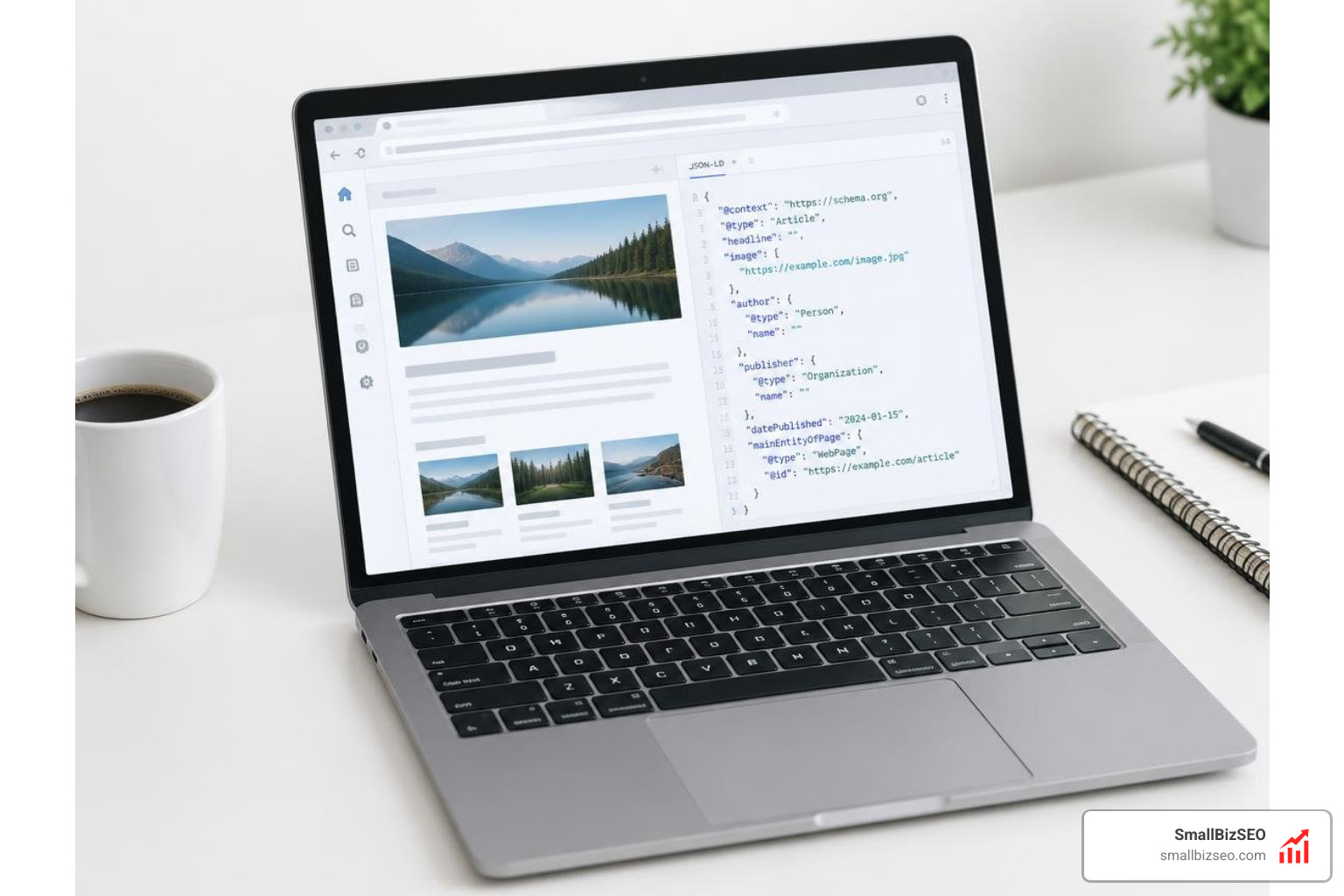
Check for schema drift by comparing your current rendered JSON-LD code against pre-launch backups, validating the output in standard testing tools, and verifying that the page qualifies for modern search result features.

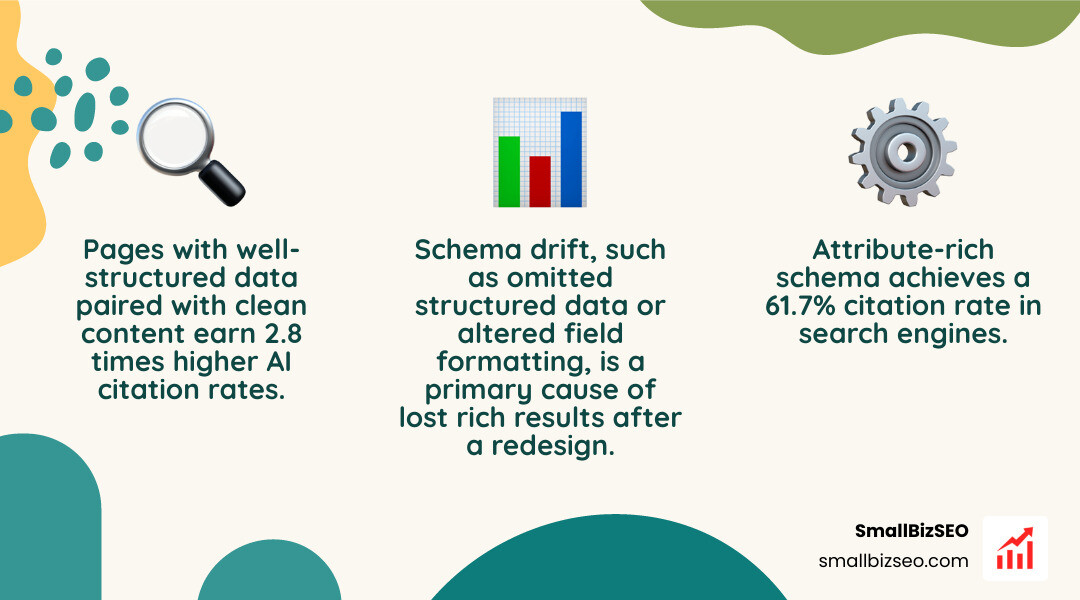
Schema drift occurs when new page templates omit structured data blocks, alter attribute values, or alter field formatting. To run a clean verification:
- Test target pages in the Rich Results Test to verify eligibility for supported Google rich snippets.
- Cross-reference markup in the Schema Validator to catch broader semantic errors across Schema.org specifications.
- Confirm critical business types remain intact, such as LocalBusiness schema for geographic footprint or service schema for core offerings.
- Audit e-commerce Product markup to ensure price, availability, and aggregate rating variables populate dynamically without syntax breaks.
- Review recent search engine guidelines using a detailed Schema Markup Audit Guide for Structured Data Tools.
That search engines regularly refine which schema types generate visual SERP badges. For example, generic FAQ search snippets have been phased out for most commercial websites in favor of direct AI Overviews and traditional organic snippets. Maintaining clean structured markup remains essential: research shows that pages with well-structured data paired with clean content earn 2.8 times higher AI citation rates, and attribute-rich schema achieves a 61.7% citation rate in search engines.
How Can You Recover Missing SERP Enhancements and Protect Future Site Quality?
To recover lost SERP enhancements and safeguard site quality, fix verified technical and schema errors immediately, resubmit clean sitemaps, request page re-indexing, and strengthen on-page content depth.
Following our proven website redesign checklist SEO best practices ensures your technical foundation remains stable. If you want to systematically evaluate your site against rigorous search standards, review how to pass Google's own SEO analysis audits to align your performance metrics with search engine expectations.
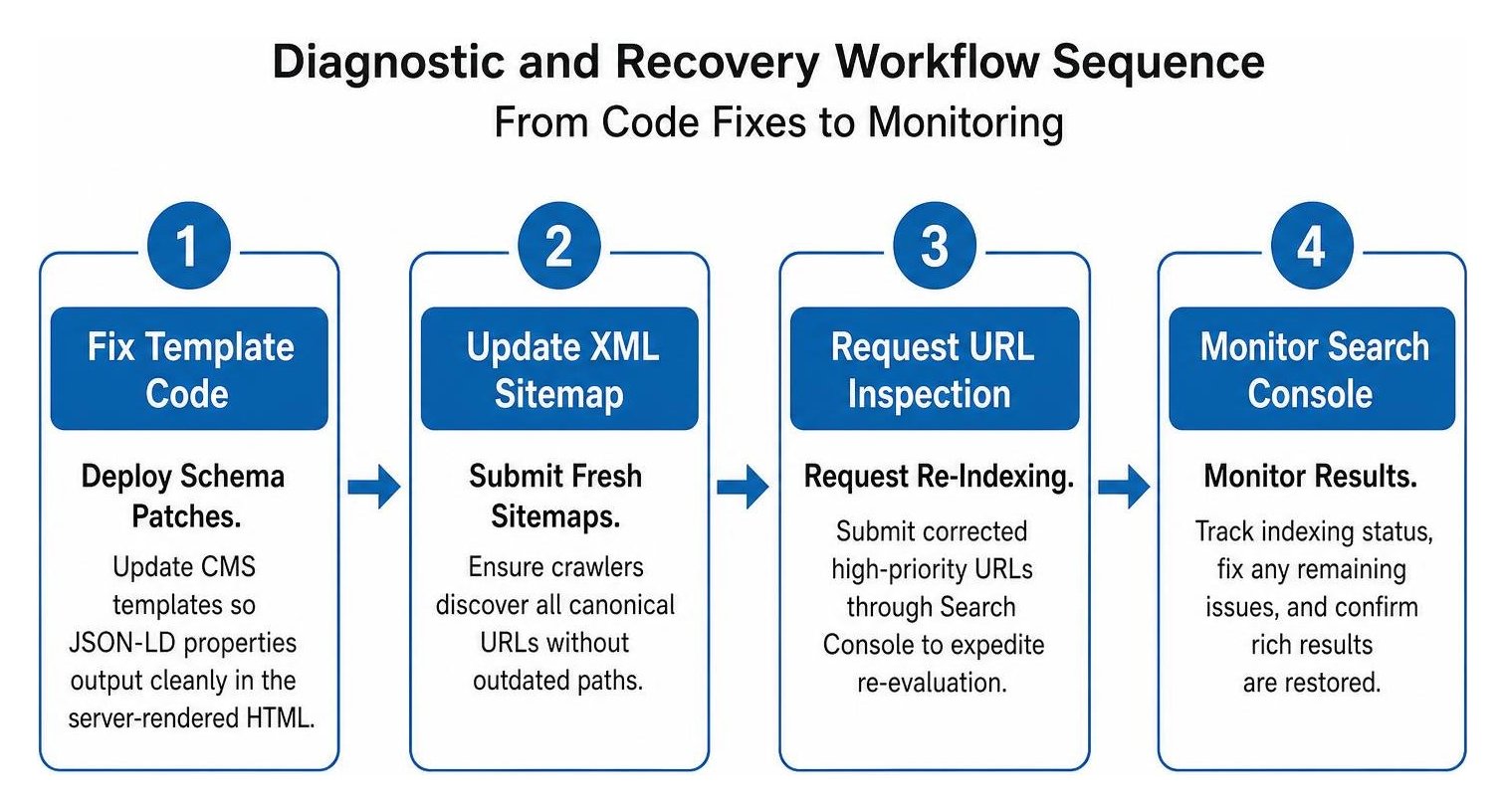
Follow these recovery steps:
- Deploy Schema Patches: Update your CMS templates so that required JSON-LD properties output cleanly in the server-rendered HTML.
- Submit Fresh Sitemaps: Follow our guide on how to create and submit an XML sitemap for flawless indexing to ensure crawlers discover all canonical URLs without encountering outdated paths.
- Request Re-Indexing: Submit your corrected high-priority URLs through Search Console's inspection interface to expedite search engine re-evaluation.
- Reinforce Content Quality: If technical markup passes all checks but enhancements remain absent, expand thin pages, add verifiable author details, and ensure on-page text directly matches all claims made in the structured data.
If your post-launch traffic and visual snippets have dropped and internal teams cannot isolate the issue, our team at SmallBizSEO can uncover the root cause through an in-depth SmallBizSEO SEO visibility audit.
How Do You Restore Internal Linking and Structured Data?
Restore internal linking and structured data by eliminating orphan pages, flattening site architecture so valuable pages sit within three clicks of the homepage, and ensuring complete JSON-LD markup renders across all responsive layouts.
During a site redesign, menu reorganizations and template redesigns often cut off internal link pathways. This impedes search engine bot crawling and reduces the flow of link equity across your catalog.
- Eliminate Orphan Pages: Crawl your site to identify indexable pages that lack inbound internal links from main navigation menus, contextual body copy, or category hubs.
- Flatten Click Depth: Ensure top revenue-generating and informational pages are reachable within minimal clicks from the homepage to signal their relative importance.
- Support Feature Visibility: Maintain robust contextual linking to help search engines understand page hierarchy, which supports earning a featured snippet or rich result display.
- Optimize Performance: Ensure dynamic script execution does not compromise Core Web Vitals, keeping Largest Contentful Paint (LCP) under 2.5 seconds and Interaction to Next Paint (INP) under 200 milliseconds.
Restoring Search Visibility and Rich Results
Recovering lost rich results after a redesign requires an evidence-based approach rather than guesswork. By systematically validating your tracking tags, confirming indexation, inspecting redirects, testing JSON-LD syntax, and maintaining high content standards, you can restore search enhancements and build long-term organic visibility. Regular monitoring across Search Console reports and structured data tools will ensure your new website design performs at its full search potential.