How to Create and Submit an XML Sitemap for Flawless Indexing

How do you create a sitemap for SEO?
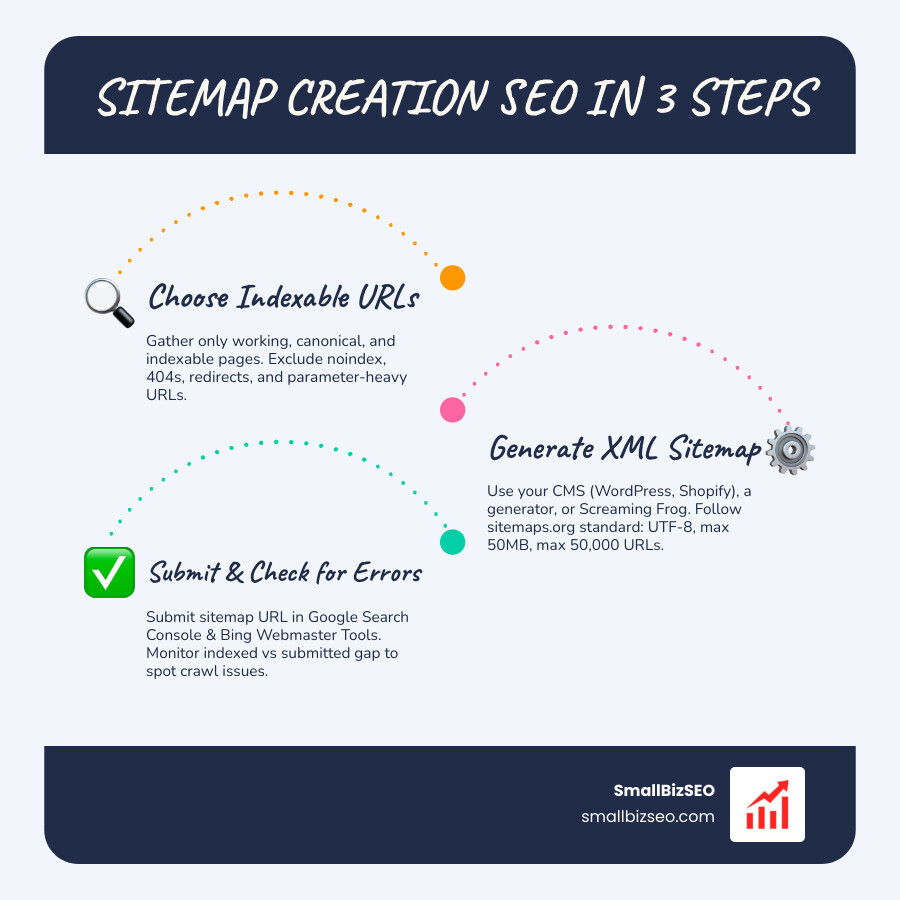
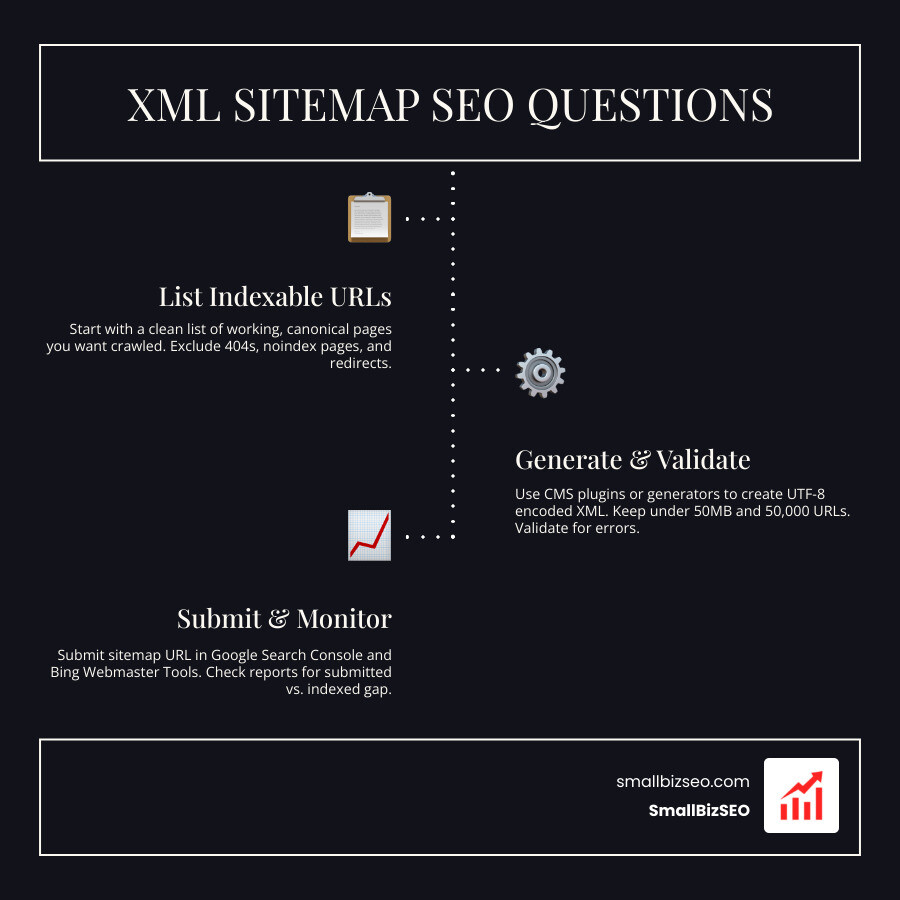
Sitemap creation for SEO starts with a clean list of pages you want search engines to find. Check whether your website already generates an XML sitemap. If it does not, create one with your content management system or a sitemap generator. Include only working, indexable pages at their preferred URLs. Then make the sitemap available on your site, submit its URL in Google Search Console, and check the report for errors.
A sitemap helps search engines discover pages, but it does not guarantee they will index them. The rest of this guide walks through each step, including what to leave out and how to keep the file up to date.
I'm Clayton Johnson, founder of SmallBizSEO, where I help small businesses improve search visibility through technical SEO and content strategy. My approach to sitemap creation SEO is to keep the process practical: list the right pages, check the file, and use the results to spot problems.
Relevant articles related to sitemap creation SEO:
- 404 error page fix
- SEO auditing companies
- blog content for SEO
Introduction to Sitemaps in Modern Search
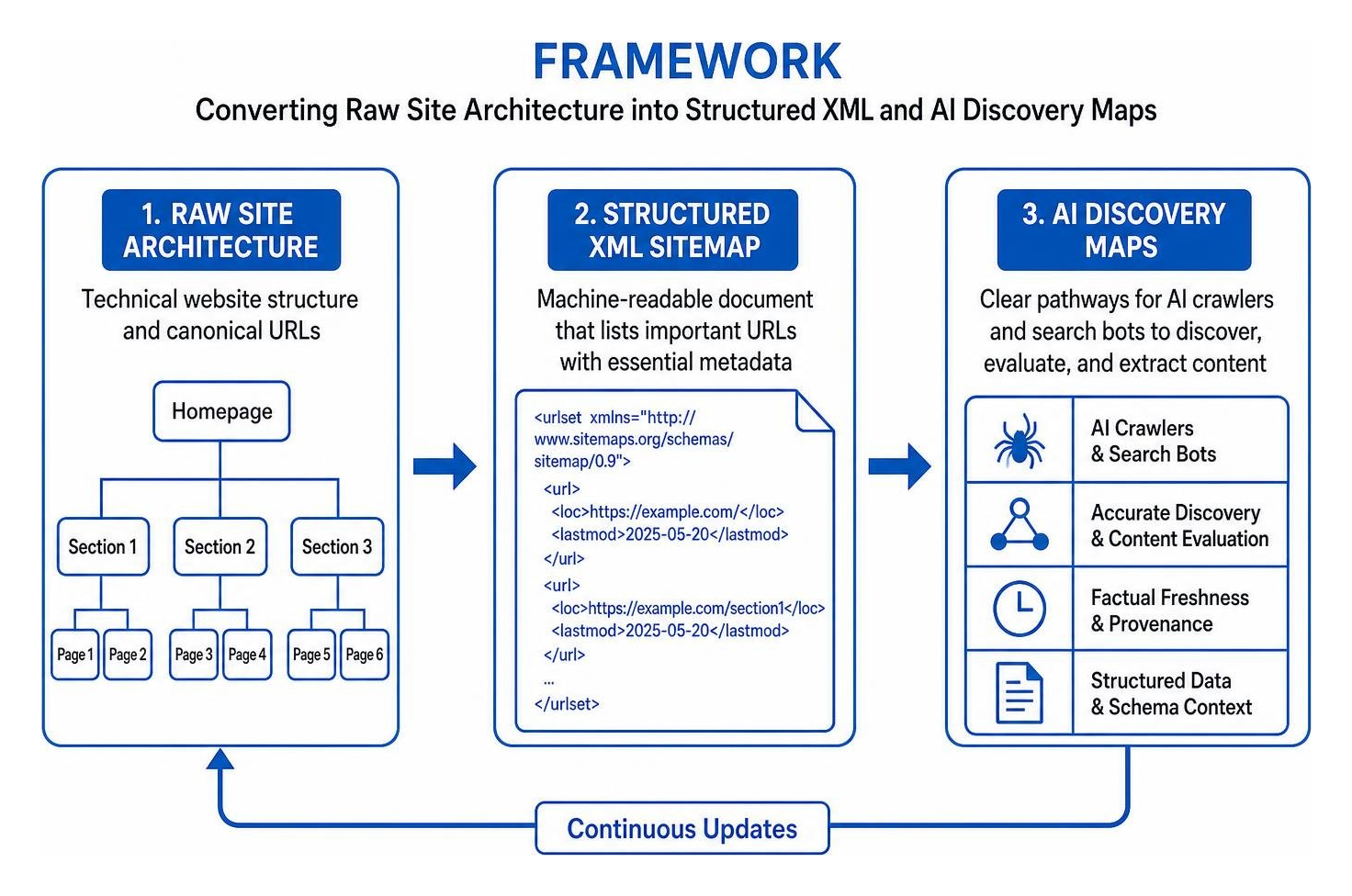
An XML sitemap is a machine-readable document that lists every important URL on a website alongside essential metadata. Search engines rely on standardized protocols established by sitemaps.org to read these files, helping search bots discover and prioritize pages across your site.
With roughly 63% of Google searches happening on mobile devices, ensuring search bots efficiently navigate responsive, mobile-ready pages is essential. Sitemaps act as an explicit roadmap for search bots, guaranteeing that mobile-rendered layouts and deep site architectures receive prompt crawler attention.
What Are the Core Types of Sitemaps and When Should You Use Them?
Different content formats and audiences require specialized sitemap structures. While XML files speak directly to search engine crawlers, human visitors and dynamic publishing feeds benefit from alternate formats.
| Sitemap Format | Primary Audience | File & URL Limits | Update Frequency | Technical Requirements |
|---|---|---|---|---|
| XML Sitemap | Search Engine Bots | 50,000 URLs or 50MB uncompressed | Real-time / Dynamic upon publication | UTF-8 encoding, valid namespace, absolute URLs |
| HTML Sitemap | Human Visitors & UX | Recommended under 100 links per page | Manual or CMS template updates | Clean HTML markup, hierarchical navigation links |
| RSS / Atom Feed | Search Bots & Readers | Generally recent 15–50 updates | Automated on new post creation | RSS 2.0 or Atom 1.0 specifications |
| Plain Text (.txt) | Search Engine Bots | 50,000 URLs or 50MB | Periodic or programmatic export | One absolute URL per line, UTF-8 text |
| Media Sitemaps | Search Media Bots | 50,000 URLs or 50MB | Updated alongside new media uploads | Specialized image or video XML schema extensions |
| News Sitemap | Google News Bots | Content within last 48 hours | Immediate upon article publication | News tags including publication name, language, date |
When building site navigation, integrating mobile-first indexing ensures your sitemap URLs align with mobile page templates and streamlined layouts.
How Does Sitemap Creation for SEO Connect to AI Crawlers and Search Bots?
Modern search systems and artificial intelligence engines rely on accurate discovery signals to find source material, evaluate factual freshness, and extract answers without hallucination.
When AI crawlers scan your site, accurate modification timestamps in your sitemap establish clear content provenance. Providing clear pathways through a technical implementation guide for website architecture prevents orphan URLs, protects crawl budgets, and reinforces structured schema markup across every template.
Step-by-Step Sitemap Creation SEO Guide: Building, Validating, and Submitting
Creating a search-engine-ready sitemap involves compiling your canonical URLs, enforcing proper encoding standards, and verifying that every page returns a clean HTTP 200 status code.
Following our comprehensive Technical SEO Guide ensures your files conform to universal sitemaps.org standards before deploying them live.

What Technical Requirements and URL Limits Apply to Sitemap.xml Files?
Every XML sitemap must follow specific technical parameters to guarantee search engines can read and process the file:
- Size Limits: A single sitemap file cannot exceed 50,000 URLs or 50MB in uncompressed size. Larger websites must divide URLs across multiple files linked by a parent sitemap index.
- URL Formatting: All links must be fully qualified, absolute HTTPS addresses. Do not use relative paths or mixed HTTP protocols.
- Encoding: Sitemaps must use UTF-8 character encoding.
- Ignored Tags: Modern search engines ignore both priority and changefreq tags. Focus instead on providing genuine modification timestamps.
For official protocol limits, review the Google Search Central documentation on building sitemaps.
How Do You Generate a Sitemap Manually, via CMS, or with Automated Tools?
Depending on your content management platform, generating an XML sitemap can be fully automated or created with specialized crawler tools:
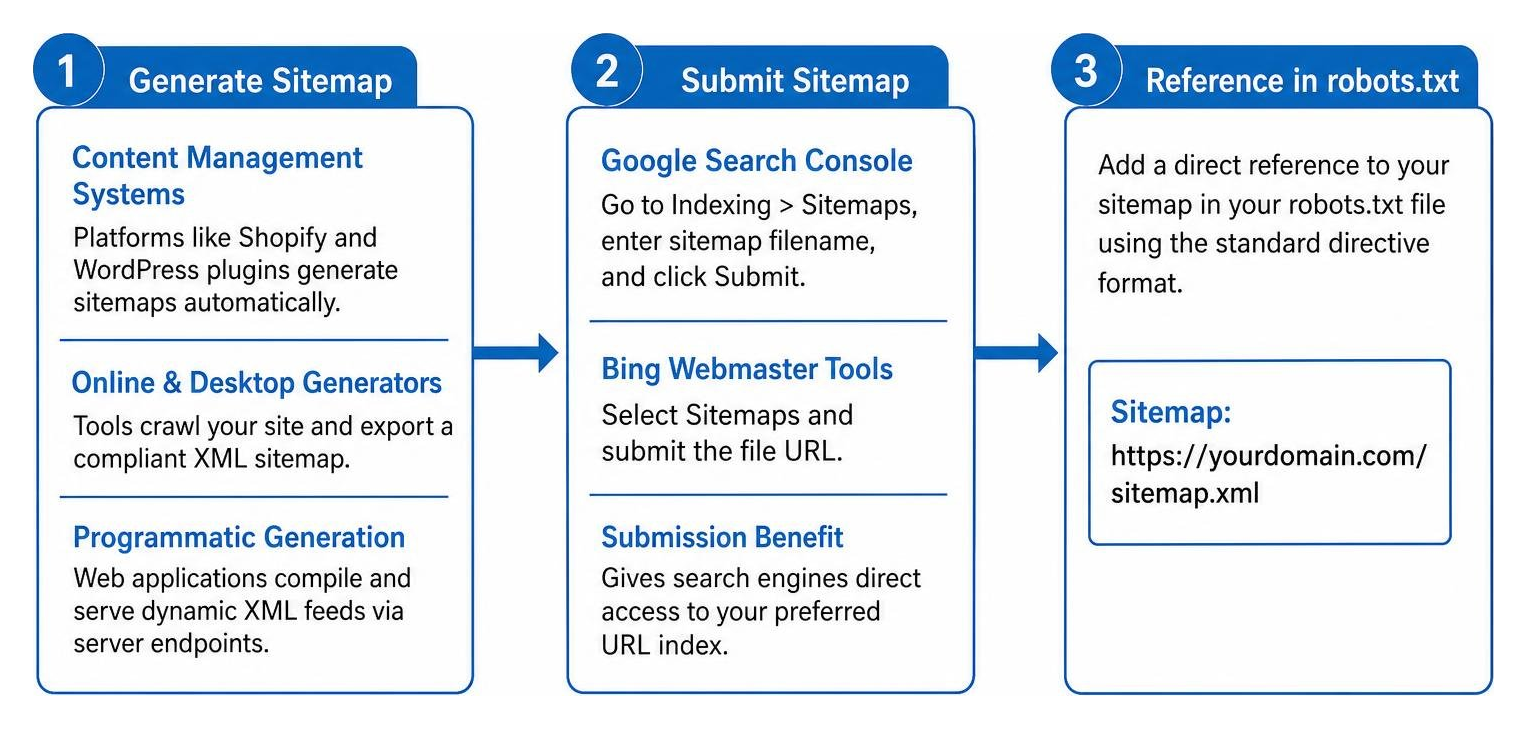
- Content Management Systems: Platforms like Shopify build and update sitemaps automatically. For WordPress sites, leading SEO plugins generate dynamic sitemaps that refresh whenever content is published or updated.
- Online & Desktop Generators: For static websites, dedicated tools crawl up to 500 pages for free, outputting a compliant XML document. Desktop site crawlers allow you to export custom XML files with granular exclusion filters.
- Programmatic Generation: Custom web applications can query backend databases to compile and serve dynamic XML feeds directly via server endpoints.
How Do You Submit Sitemaps to Google Search Console and Bing Webmaster Tools?
Submitting your sitemap gives search engines direct access to your preferred URL index.

To submit your file:
- Open Google Search Console, navigate to the Sitemaps menu under the Indexing section, enter your sitemap filename, and click Submit.
- Open Bing Webmaster Tools, select Sitemaps, and submit the file URL.
- Add a direct reference to your sitemap within your site configuration via robots.txt file optimization, using the standard directive format:
Sitemap: https://yourdomain.com/sitemap.xml.
Best Practices, Diagnostics, and Common Sitemap Pitfalls to Avoid
Maintaining high technical hygiene requires auditing your sitemap against search indexation reports to ensure search engines crawl only high-value pages. Addressing discrepancies early prevents crawl budget waste and aids in fixing deep crawling and indexing issues.
How Do You Audit and Fix Critical Sitemap Creation SEO Errors?
Regular technical audits prevent conflicting signals between your sitemap and on-page directives.

Essential pre-submission validation checklist:
- Verify that every listed URL returns an HTTP 200 OK status code.
- Remove all 301 redirects, 404 broken links, and 410 gone status codes.
- Ensure no URLs containing
noindexrobots meta tags appear in the sitemap. - Confirm listed URLs match canonical link tags exactly.
- Exclude infinite faceted navigation parameters and duplicate search filters.
- Ensure modification timestamps reflect actual, substantive page edits.
If you want an exhaustive assessment of your site's technical structure, consider requesting a professional SEO visibility audit from our team to uncover hidden indexing bottlenecks.
Keeping Your Search Indexing Clean and Dependable
A well-maintained XML sitemap removes uncertainty from search engine crawling. By including only canonical, indexable pages and keeping your file synchronized with site updates, you provide search engines and AI discovery bots with a clean path to your content. Routine audits and structured sitemap management keep your technical foundation strong and your rankings stable.