How to Pass Google’s Own SEO Analysis Audits

How to Pass Google's Own SEO Analysis Audits
Why Google SEO Analysis Is the Starting Point for Better Search Rankings
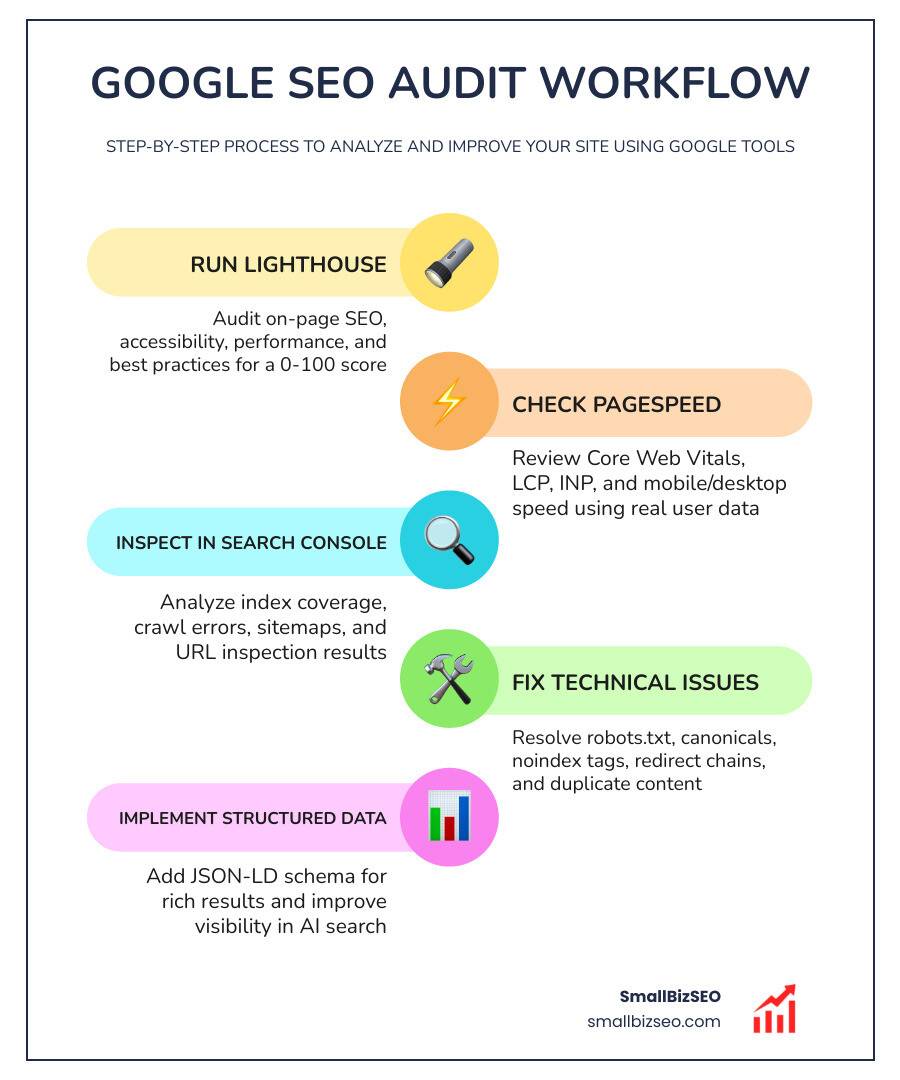
Google SEO analysis is the process of auditing your website using Google's own tools — like Lighthouse, PageSpeed Insights, and Search Console — to find what's hurting your visibility and fix it.
Here's a quick overview of the core tools and what each one does:
| Tool | What It Checks |
|---|---|
| Google Lighthouse | On-page SEO, accessibility, performance, best practices (0-100 score) |
| PageSpeed Insights | Page speed, Core Web Vitals, mobile and desktop performance |
| Google Search Console | Index coverage, crawl errors, search traffic, URL inspection |
| URL Inspection Tool | Whether a specific page is indexed and why it might not be |
Most small business owners assume their website is fine — until they actually run an audit.
The reality? Even a well-designed site can have dozens of hidden issues blocking it from ranking. One audit using these tools revealed 47 technical problems that, once fixed, led to a 34% increase in organic traffic within a single month.
Google's own data tells the same story. Companies that act on SEO analysis see real results — a job site doubled its organic traffic after addressing SEO fundamentals, and a video platform tripled theirs after implementing structured data correctly.
The good news: Google gives you the tools to do this analysis for free. You just need to know how to use them.
I'm Clayton Johnson, a digital PR and SEO specialist who has helped businesses improve their search visibility through data-driven Google SEO analysis and technical audits. In this guide, I'll walk you through exactly how to use Google's own frameworks to audit, diagnose, and improve your site's performance.
Must-know google seo analysis terms:
Demystifying Google SEO Analysis: The Core Frameworks
To win at search, we must look at our websites through the eyes of the search engine. Google does not guess which websites are the best; it uses structured, programmatic frameworks to evaluate them. By aligning our optimization with these exact systems, we remove the guesswork from search engine visibility.
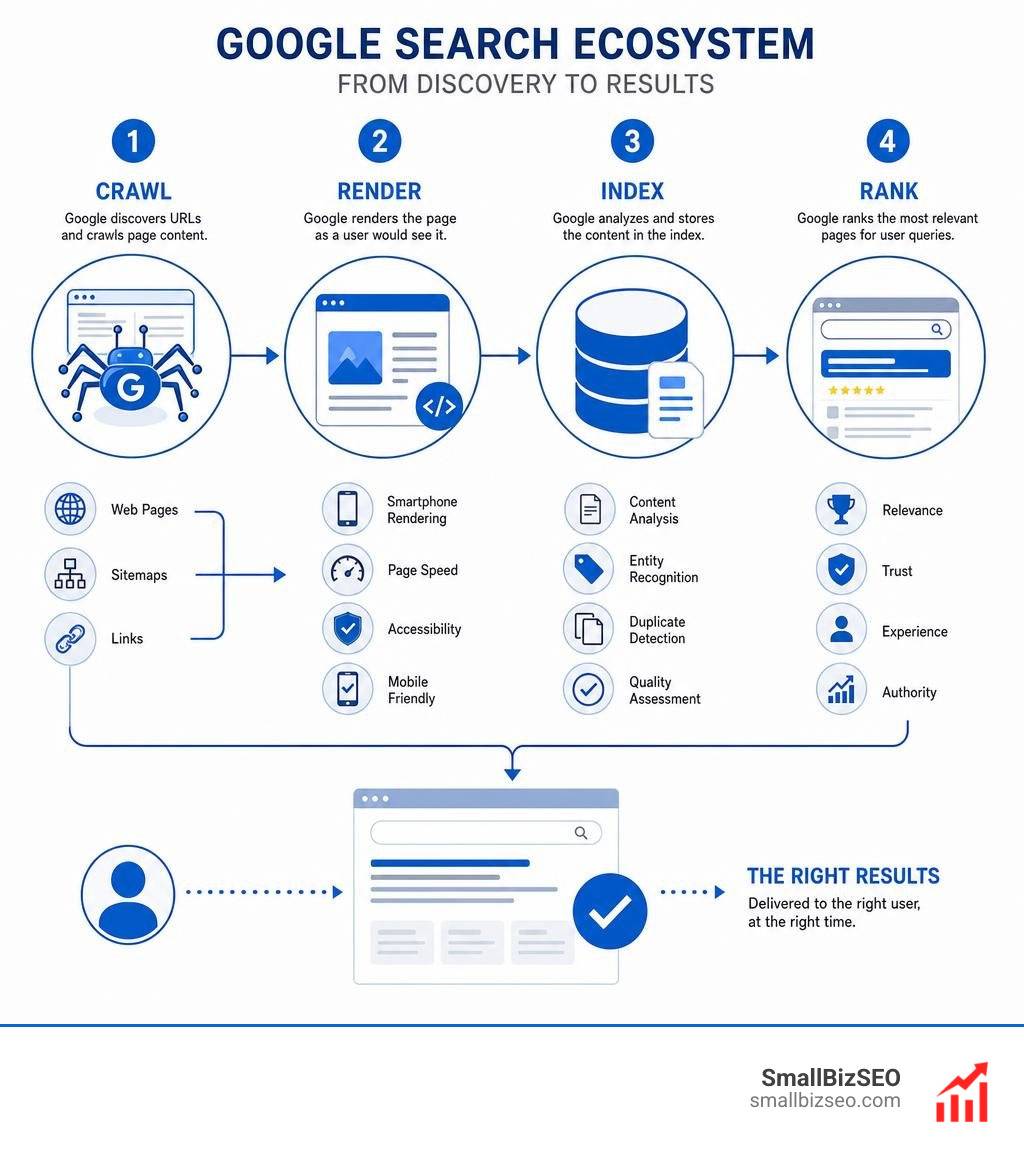
When we perform a detailed SEO analysis, we rely heavily on the official guidelines provided by Google Search Central. Google's core ecosystem is built to crawl, index, and rank content based on speed, accessibility, structural integrity, and user trust.
How to Perform a Google SEO Analysis with Lighthouse
Google Lighthouse is an open-source, automated tool designed to help developers and SEO professionals improve the quality of web pages. When you run a Lighthouse audit, it grades your page on a scale of 0 to 100 across several categories, including performance, accessibility, best practices, and SEO.
For our on-page SEO audits, Lighthouse evaluates 14 critical on-page SEO elements to ensure your site is fully optimized. The core areas you need to watch include:
- Metadata: Lighthouse verifies that your meta title and description tags are present, descriptive, and within recommended length limits.
- Heading Hierarchy: Your page should follow a logical heading hierarchy (H1 through H6). Lighthouse flags missing, empty, or multiple H1 tags that confuse crawlers.
- Image Alt Text: Every image must have descriptive alt text to ensure accessibility and help search engines understand the image content.
- Mobile Friendliness: The tool checks your viewport meta tags to ensure content scales beautifully on mobile devices.
To speed up this process, we often use browser integrations like the Free SEO Audit Tool to run instant on-page scans directly from our browser.
Leveraging Google Search Console for Google SEO Analysis
While Lighthouse provides a snapshot of a single page, Google Search Console (GSC) gives us a sitewide view of how Google actually interacts with our pages over time. It is our direct line of communication with the search engine.
We use Google Search Console to monitor index coverage, submit sitemaps, and track crawl status. If Google cannot crawl your site, you will not rank. By submitting an XML sitemap, we ensure Google discovers our new and updated pages quickly.
When troubleshooting specific pages, the URL Inspection tool is invaluable. By entering a URL, you can see if the page is currently in the Google index, identify any crawl blocks, and view the rendered page exactly as Google's smartphone crawler sees it.
Core Web Vitals and PageSpeed Insights
Site speed is no longer just a luxury; it is a direct ranking factor. Google's PageSpeed Insights tool analyzes our pages and measures their performance using Core Web Vitals—a set of specific metrics that track real-world user experience.
| Metric | Full Name | What It Measures | Ideal Score |
|---|---|---|---|
| LCP | Largest Contentful Paint | Loading performance (how fast the main content loads) | Under 2.5 seconds |
| INP | Interaction to Next Paint | Visual responsiveness (how fast the page reacts to user clicks) | Under 200 milliseconds |
| CLS | Cumulative Layout Shift | Visual stability (how much elements jump around during loading) | Under 0.1 |
Improving these metrics is crucial for maintaining strong mobile friendliness and keeping users engaged on your site.
Field Data vs. Lab Data in Performance Reports
When you analyze a page with PageSpeed Insights, you will see two types of information: field data and lab data. Understanding the difference is key to interpreting your reports correctly.
- Field Data: This is real-world performance data collected from actual users via the Chrome User Experience Report (CrUX) over a trailing 28-day period. It reflects true user conditions, including varied internet speeds and device types.
- Lab Data: This is synthetic data collected in a controlled environment with predefined device and network settings. It is highly useful for debugging and testing changes in real time, but it may not always match the real-world experiences of your actual visitors.
Technical SEO and Indexation Diagnostics
A technically flawless website is the foundation of any successful SEO strategy. If search engine crawlers encounter roadblocks while navigating your site, your content will remain invisible.
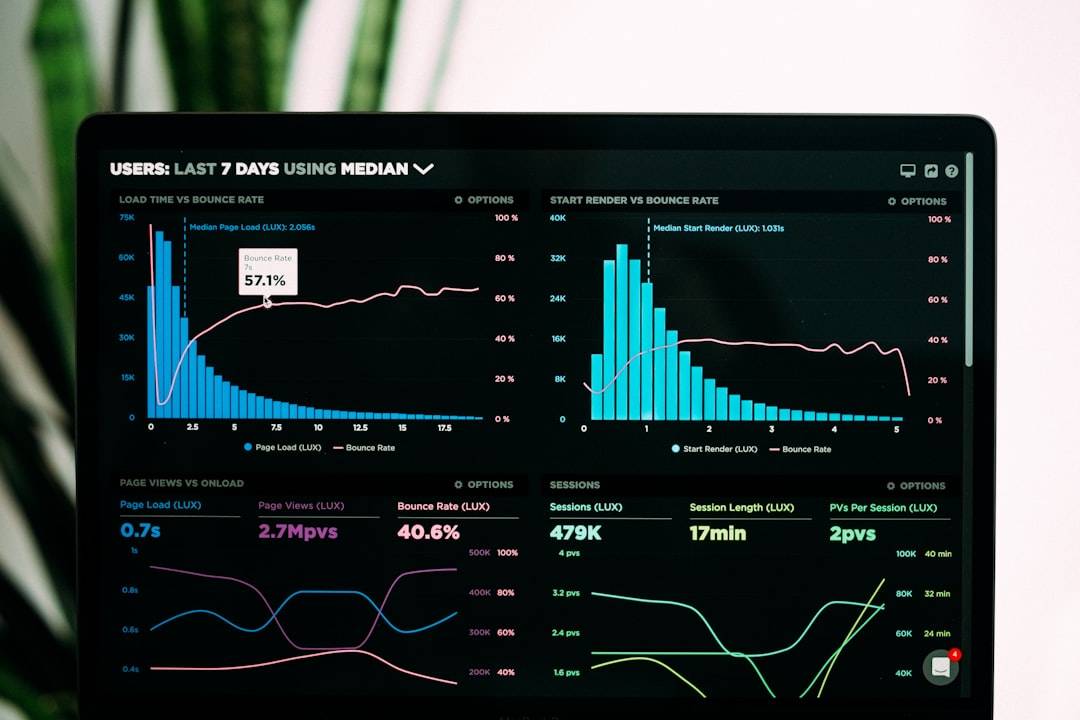
To maintain a healthy technical foundation, we must regularly audit several critical elements:
- Robots.txt: This file tells search engine bots which pages they can and cannot request from your site. A single misplaced rule can accidentally block your entire site from being indexed.
- Sitemaps: Your XML sitemap should be clean, up-to-date, and free of redirecting or broken URLs.
- Canonical URLs: Explicitly declaring canonical tags prevents duplicate content issues by telling Google which version of a page is the master copy.
- Hreflang Tags: If your business serves multiple regions, proper hreflang implementation ensures Google serves the correct language version to the right audience.
- Broken Links: Broken internal and external links frustrate users and waste your crawl budget.
Resolving Common Indexing and Crawl Errors
When pages go missing from search results, we use the URL Inspection tool to diagnose the root cause. Some of the most common issues we resolve include:
- Accidental Noindex Tags: Sometimes, developers forget to remove
noindextags after launching a page, instructing Google to ignore it. - Crawl Budget Waste: If your site has thousands of low-quality or duplicate pages, crawlers may exhaust their budget before reaching your high-value content.
- Redirect Chains: When Page A redirects to Page B, which redirects to Page C, it slows down crawlers and dilutes link equity.
For a complete breakdown of how to structure your site to avoid these issues, explore our comprehensive SEO Services Guide.
Optimizing for Rich Results and AI Search Visibility
The search landscape is changing rapidly. With roughly 40% of searches now happening in AI engines, optimizing solely for traditional blue links is no longer enough. We must optimize our sites for both human readers and Large Language Models (LLMs).
To stay ahead, we use advanced tools like the SEO Lens Chrome Extension to audit our meta tags, schema markup, and AI bot access. This helps us ensure our content is structured for Generative Engine Optimization (GEO) and Answer Engine Optimization (AEO).
Structured Data Types for Rich Snippets
Structured data (using JSON-LD schema) helps search engines understand the context of your content, making your pages eligible for eye-catching rich results. Implementing schema markup can dramatically improve your click-through rates.
Some of the most valuable structured data types include:
- Article Schema: Helps search engines index and display news, blog posts, and editorial content.
- FAQ Schema: Displays common questions and answers directly in search results, capturing more visual space.
- JobPosting Schema: Essential for recruitment platforms to appear in Google Jobs.
- Video Schema: Helps search engines discover and index video content, which can drive massive traffic boosts.
Aligning with E-E-A-T and Generative Engine Optimization
To rank well on Google and remain visible in AI-generated search overviews, your content must demonstrate high E-E-A-T (Experience, Expertise, Authoritativeness, and Trustworthiness).
AI engines and LLMs do not just look for keywords; they search for structured data, clear facts, and strong trust signals. If you want to build lasting search equity, follow our guide on how to optimize your content for E-E-A-T and build real search trust.
Frequently Asked Questions about Google SEO Audits
What is the difference between Google Search Console, PageSpeed Insights, and Lighthouse?
While all three are official Google tools, they serve different purposes. Google Search Console is a long-term monitoring platform that tracks your site's overall indexing, crawl errors, and search performance. PageSpeed Insights is a specialized tool focused entirely on speed and user experience metrics, combining real-world field data with lab tests. Lighthouse is an on-demand developer tool that audits a single page's technical health, accessibility, and basic SEO structure in real time.
How do you interpret and act on a 0-100 Google SEO checker score?
A 0-100 score represents how closely your page aligns with Google's technical and structural best practices. If your score is low, do not panic. Treat the report as a prioritized to-do list. Start by resolving high-severity issues, such as missing canonical tags, broken links, or duplicate meta descriptions, before moving on to minor optimizations like image compression.
How do Core Web Vitals directly impact search rankings?
Core Web Vitals are official ranking factors. Google prioritizes websites that load quickly and remain visually stable as they load. If your site has poor LCP or CLS metrics, it can hurt your rankings, especially in competitive niches where mobile user experience is a key differentiator.
Conclusion
Passing Google's own SEO analysis audits is not about chasing a perfect score—it is about building a fast, accessible, and highly trustworthy website for your users.
At SmallBizSEO, we help businesses in New York, NY, and across the country scale their organic traffic. Using our signature "Velocity" framework, we deliver rapid rankings and E-E-A-T-compliant growth backed by transparent, automated reporting.
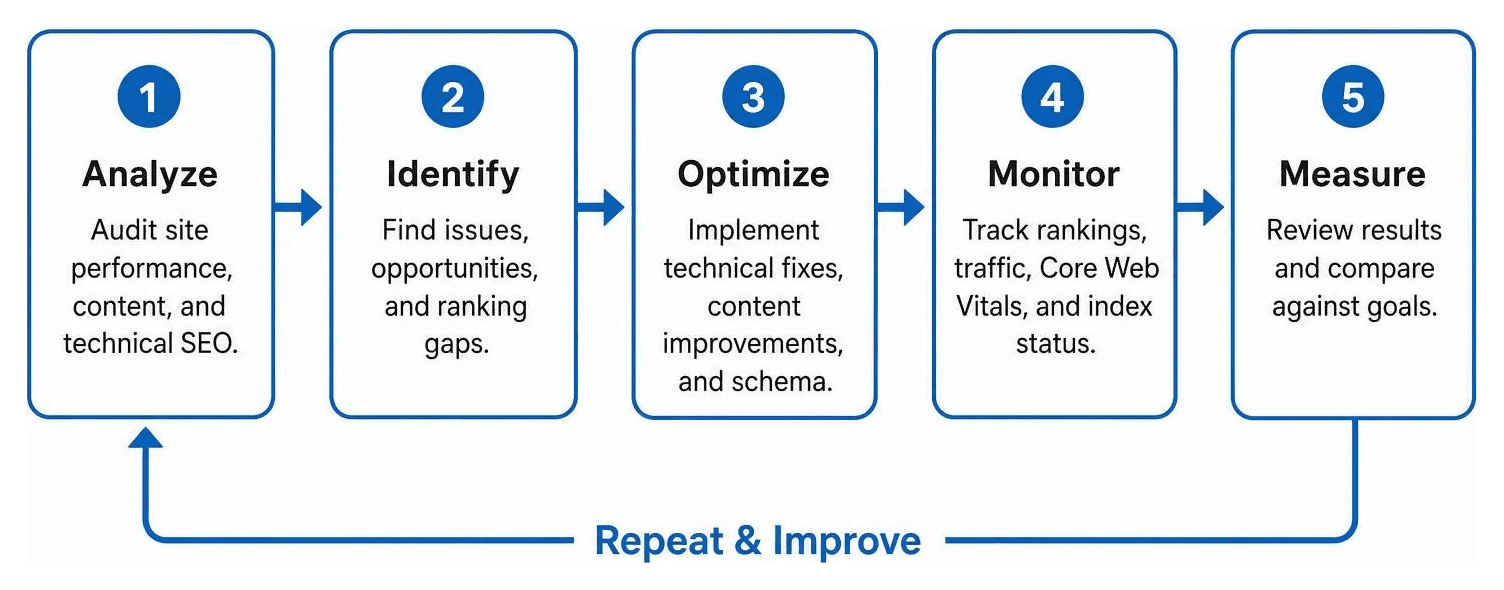
Ready to see how your website measures up against Google's official standards? Contact us today to schedule your professional SEO Visibility Audit and let us build a clear roadmap for your search success.