Life After Google Cache: 5 Ways to Retrieve Old Webpages
What can you use instead of Google's cached pages?
The best alternatives to Google's retired cached-page feature are the Wayback Machine and Archive.today for old snapshots, Google Search Console for crawl data on a site you own, Bing if a cached view is available, and browser tools that search archives for you. Start with the Wayback Machine when you need an earlier version of a page.
Google retired its public cache, saying that more reliable websites had reduced the need for it. These alternatives serve different purposes: an archived page shows what an archive saved, while Search Console helps you check what Google found on your own site.
I'm Clayton Johnson, founder of SmallBizSEO. My work in technical SEO and content strategy informs how I assess alternatives to Google's retired cached-page feature without mistaking an archive snapshot for Google's crawl data.
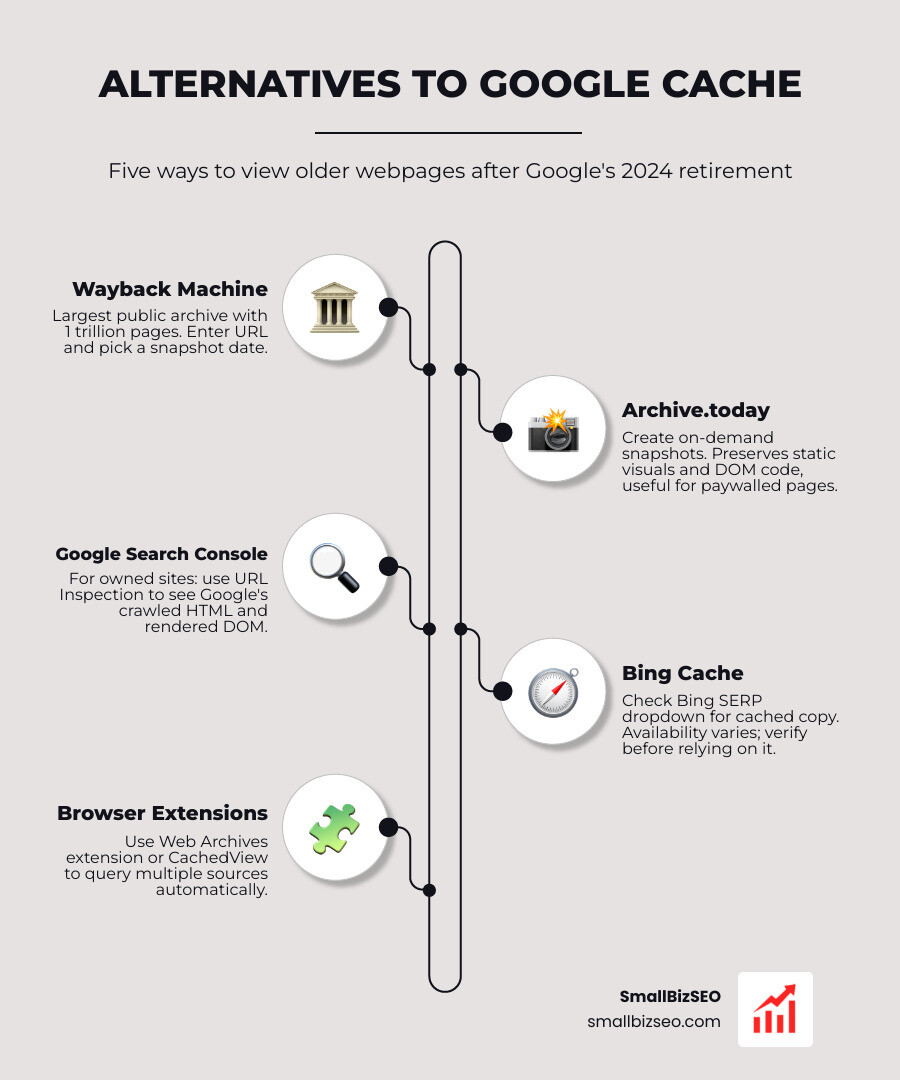
What are the five alternatives to Google's retired cached-page feature?
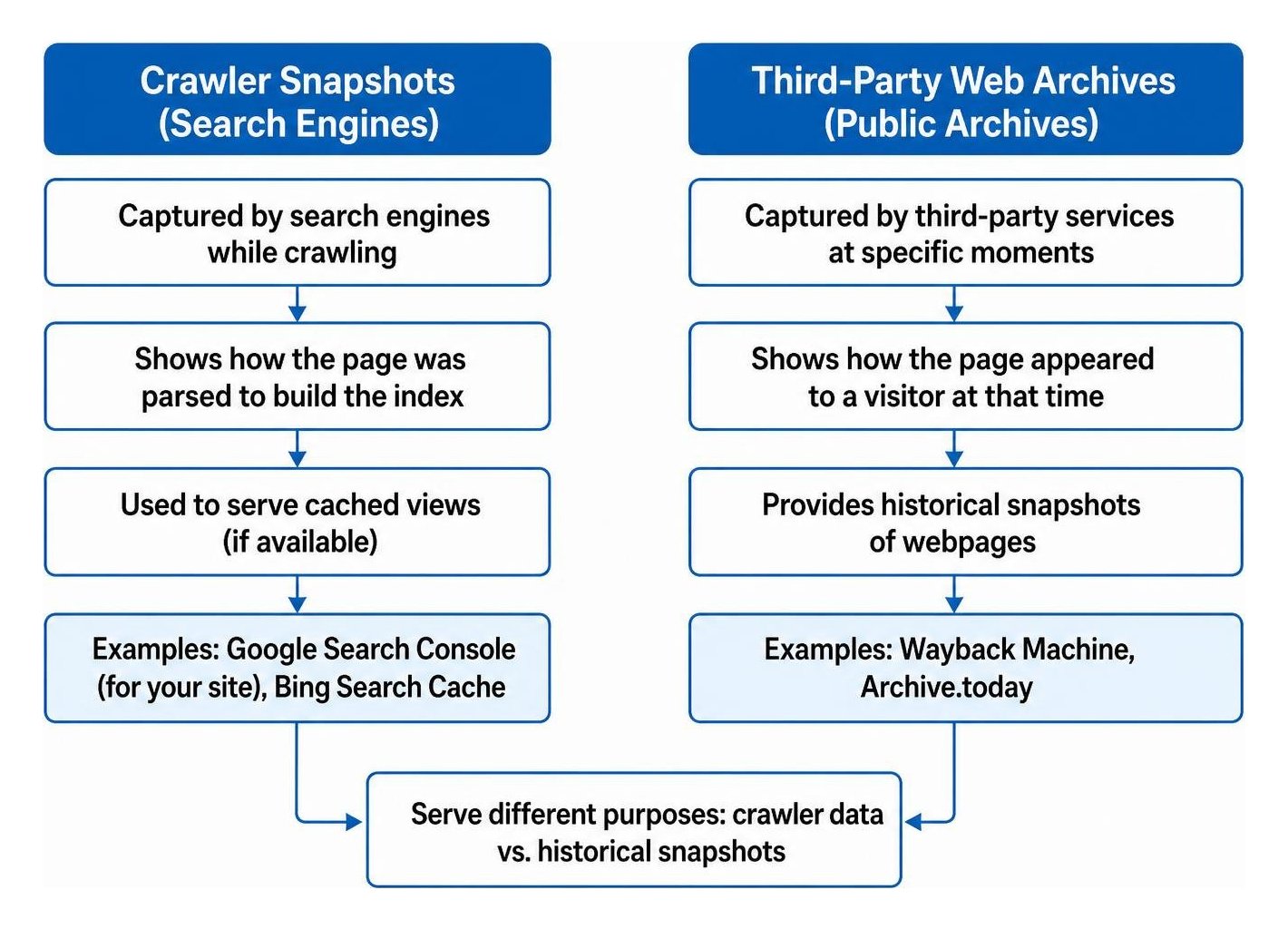
When Google removed its public cache links and the search operator, it left a gap for webmasters, researchers, and everyday users. To replace that functionality, we must distinguish between two main types of records: search engine crawl snapshots and third-party web archives.
A crawler snapshot shows how a search engine parsed a page to build its index. A public web archive captures how a page appeared to a visitor at a specific moment in time.
The five primary methods to retrieve webpage data include:
- The Wayback Machine: A massive public repository for historical snapshots across decades of web history.
- Archive.today: An on-demand archiving tool that saves visual screenshots and clean static text.
- Google Search Console: The definitive platform to inspect how Google crawls and renders your own site.
- Bing Search Cache: A secondary search engine fallback that occasionally provides stored crawler snapshots.
- Archive Extensions and Web Utilities: Browser add-ons and aggregator platforms that route requested URLs across multiple archive providers instantly.
1. How can you use the Wayback Machine to find an old webpage?
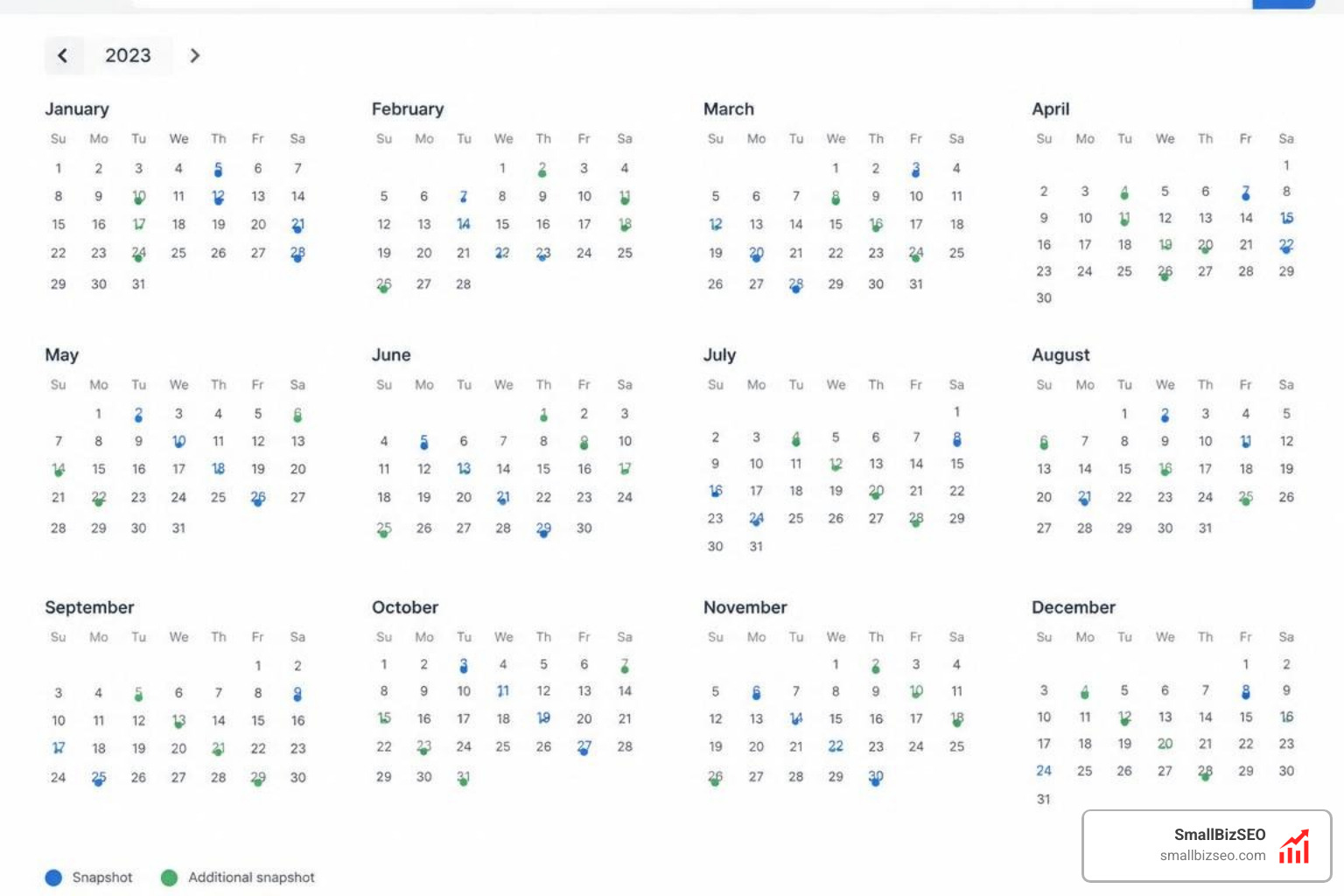
To find an old webpage, navigate to the Internet Archive's Wayback Machine, input the full URL, and select a timestamp from the interactive calendar.
The Internet Archive operates the largest public digital archive on the planet, preserving over one trillion webpages and accumulating tens of petabytes of historical data. Because of this massive footprint, Google even integrated links to the Wayback Machine inside its search result informational panels.
When reviewing historical content on the platform, keep these core functions in mind:
- Interactive Calendar Navigation: You can view every snapshot captured over time, allowing you to examine how page layouts, copy, and structural elements changed across different updates.
- Save Page Now: If a live page is missing from the record, you can manually trigger an immediate capture to preserve the current state.
- Header and Asset Logs: The tool displays HTTP response codes, helping you confirm whether an old page was returning healthy headers or server errors when the snapshot occurred.
That the platform respects specific exclusion standards, meaning some private directories or restricted websites will not display historical captures. If you want to dive deeper into everyday retrieval methods, The Intelligence provides a helpful overview on viewing cached sites.
2. How can you capture a page with Archive.today?
To capture and view a webpage on Archive.today, paste the target URL into the submission box to generate an immutable snapshot, or search its repository for previously saved records.
Operating under domains like archive.ph, archive.is, and archive.li, Archive.today focuses on static fidelity rather than dynamic site exploration. It records two distinct formats for every entry: a complete rendered visual screenshot and a clean code snapshot containing the text and structural formatting.
Key advantages of Archive.today include:
- On-Demand Preservation: It takes an immediate snapshot rather than waiting for an automated web crawl cycle.
- Unaltered Records: Because snapshots cannot be edited or removed through automated webmaster requests, journalists and researchers rely on it to document breaking news, pricing updates, and deleted statements.
- Paywall and Script Handling: The platform renders content during capture, often preserving text that might otherwise fail to load on complex JavaScript frameworks.
- Easy Link Sharing: Every snapshot creates a lightweight, shortened URL that you can reference directly in research reports, audits, or legal documentation.
3. How can you inspect a page’s crawled version in Google Search Console?
For websites you own and manage, use the URL Inspection Tool in Google Search Console to view exactly how Google crawled and processed your live page.
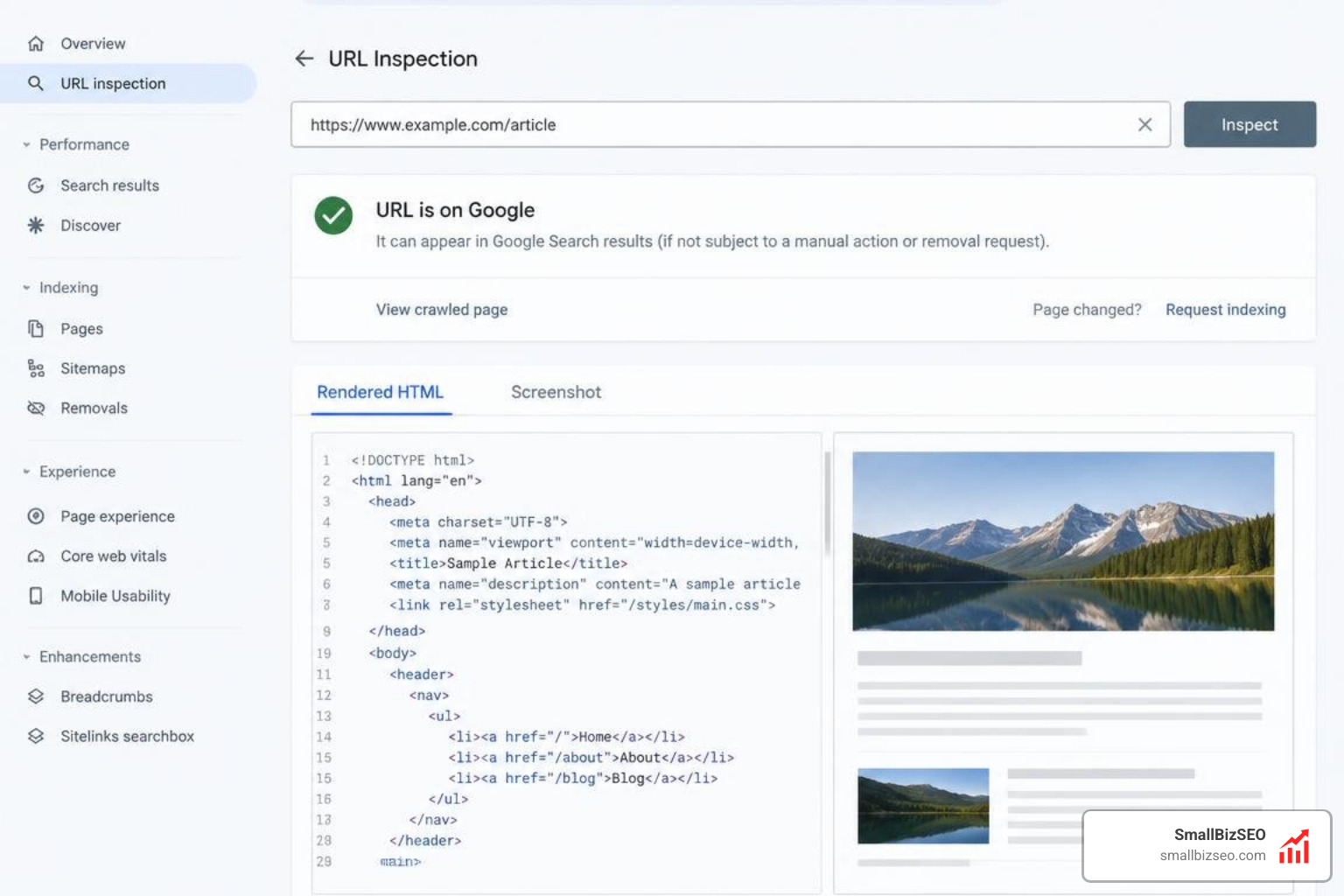
While public archives show user-facing versions, Search Console provides technical transparency into search engine indexing. By opening the tool and running an inspection, you gain access to:
- Crawled HTML View: Examine the raw code retrieved by Googlebot during its most recent visit to ensure critical metadata, schema, and copy are present.
- Rendered DOM and Screenshots: Test the live URL to see a visual render of your page, confirming that client-side scripts, styling, and assets loaded properly.
- Crawl Timestamps: Check the exact date and time your page was last evaluated to monitor crawl frequency.
- Index Status Diagnostics: Cross-reference individual URLs with your broader Page Indexing Report to ensure search engines are not encountering crawl errors or canonical mismatches.
Understanding these technical logs is essential as modern search systems move toward real-time processing. For deeper context on this technical evolution, review our analysis on how to understand the shift from batch crawling to live index updates.
4. Can Bing or other search tools provide a cached page?
Yes, you can occasionally access stored crawler snapshots on alternative search engines like Bing by checking the dropdown menu next to a search result URL.
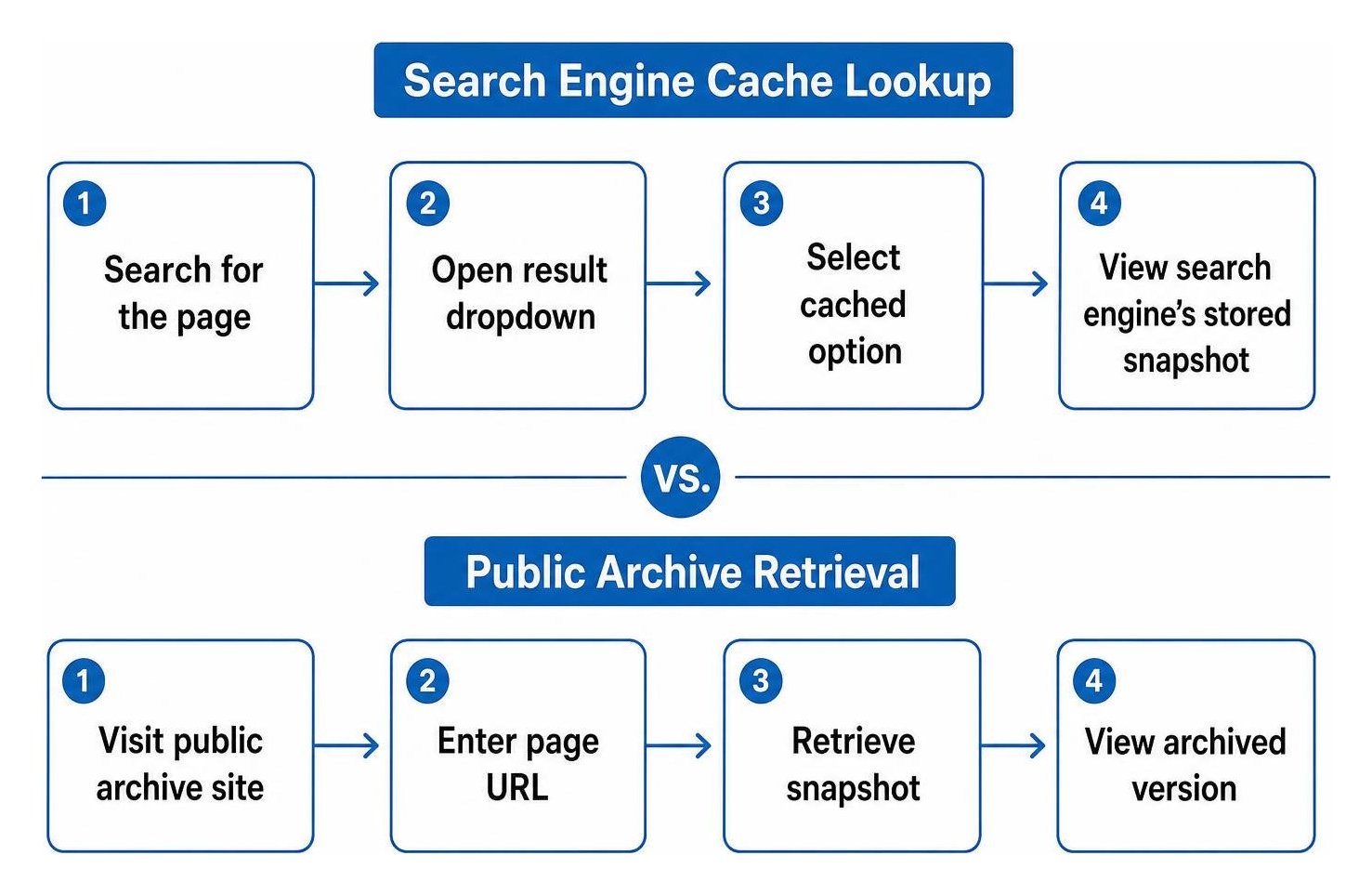
When Bing indexes a page, it sometimes preserves an accessible copy of that crawl. To check for this version:
- Search for the specific page URL or brand query on Bing.
- Look for the small arrow or dropdown indicator beside the result URL.
- Select the cached option to open the search engine's stored snapshot.
While this feature provides a direct look into search engine storage, it is not always available for every page. Crawl frequencies vary widely, and smaller or newer pages may not have a saved copy available. Ensuring your website follows technical crawl best practices makes a significant difference; explore our comprehensive guide on getting your new website indexed to optimize crawl discovery across all search engines.
5. Which browser extensions and web utilities can help find archived pages?
Browser extensions, bookmarklets, and multi-engine aggregators allow you to query multiple web archives simultaneously without manually visiting individual platforms.
If you regularly audit content or conduct digital research, these tools streamline your workflow:
- Aggregator Platforms: Sites like CachedView allow you to enter a single address and instantly choose between the Wayback Machine, Archive.today, and other providers.
- Browser Add-ons: Extensions such as Web Archives allow you to right-click on any broken page or dead link to pull up historical copies across several databases.
- Custom Bookmarklets: A lightweight JavaScript snippet saved to your browser bookmarks bar can pass the active URL directly into the Internet Archive with a single click.
- Programmatic Scraping Utilities: Cloud-based actors and API scripts can automate bulk checks across thousands of URLs, identifying whether older versions exist for as little as a fraction of a cent per page.
| Retrieval Method | Primary Use Case | Historical Depth | Cost | Access Scope |
|---|---|---|---|---|
| Wayback Machine | Long-term historical research | Decades of captures | Free | Any public URL |
| Archive.today | Immediate static page proof | Snapshot-based | Free | Any public URL |
| Search Console | Technical SEO & crawl verification | Most recent crawl | Free | Verified sites only |
| Bing Cache | Alternative search crawl checks | Recent crawl only | Free | Indexed public URLs |
| Aggregator Tools | Quick multi-source lookup | Varies by source | Free / Low API cost | Any public URL |
Smarter Ways to Verify Content and Scale SEO Audits
Relying on a single third-party snapshot can lead to false conclusions. Some automated tools merely act as live proxies rather than true caches, meaning they display the current version of a site rather than a historical capture.
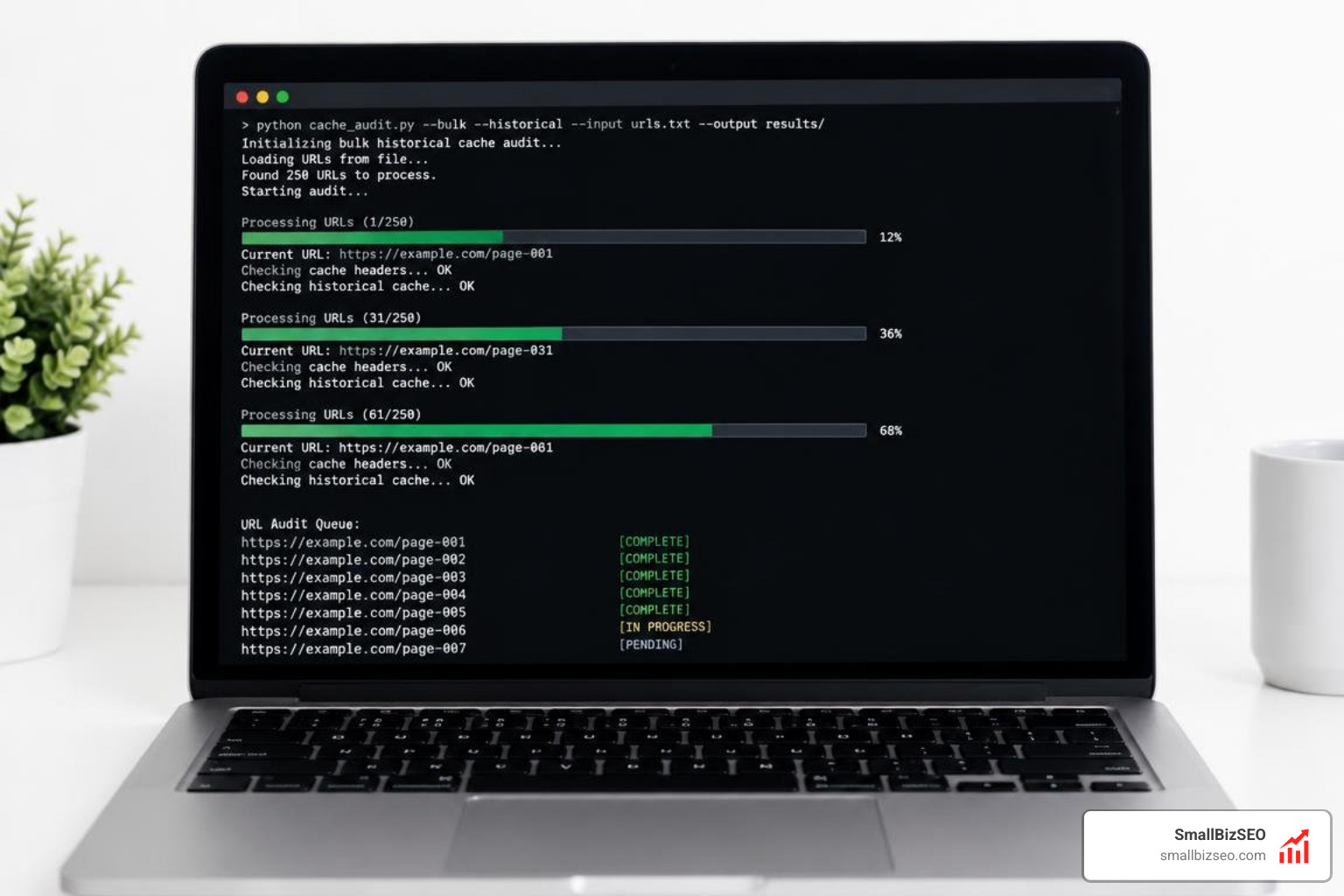
When conducting SEO audits or tracking competitor updates, use a structured verification approach:
- Verify Indexing Separately from Archiving: An archive capture does not confirm whether a page is indexed in search engines. Use dedicated search console tools for indexing checks.
- Account for URL Formatting: Always test variations of your target URL (such as secure protocols, subdomains, and trailing slashes), as web archives often store snapshots under precise string matches.
- Cross-Reference Multiple Sources: If a page is missing on the Wayback Machine, check Archive.today before assuming no historical record exists.
- Document Timestamps Accurately: When preserving content for competitive analysis or client reporting, note the exact timestamp and provider URL.
At SmallBizSEO, we build these structured verification checks into our data-driven Velocity framework, helping businesses maintain accurate crawl monitoring, resolve indexing hurdles, and grow organic search visibility. If you need help auditing your site architecture or recovering performance, explore our expert guidance on navigating cached page solutions to keep your technical foundation strong.