Master Canonical URL Selection for Complex Product Variants
What Is the Right Canonical URL for Near-Identical Product Variants?
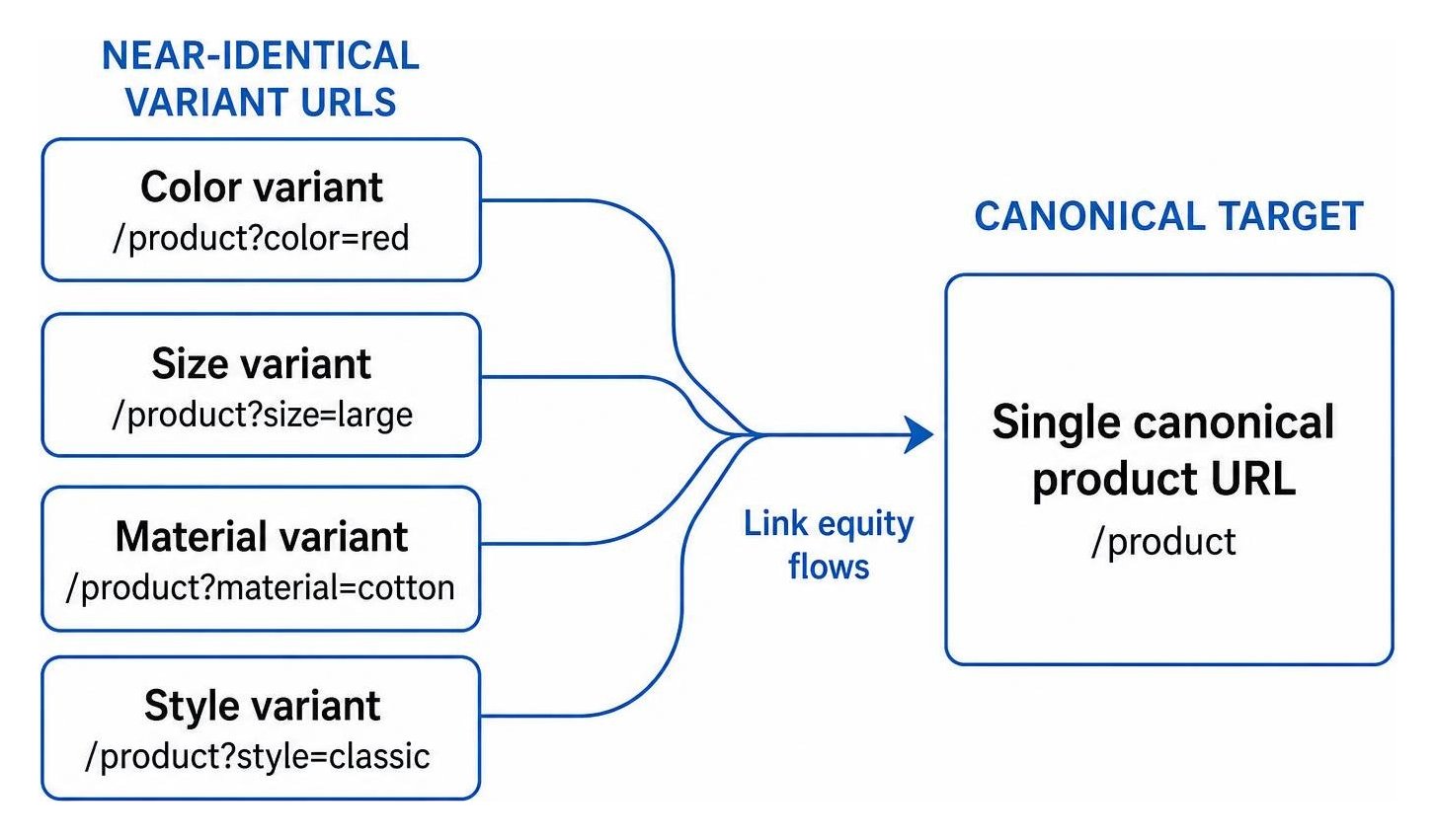
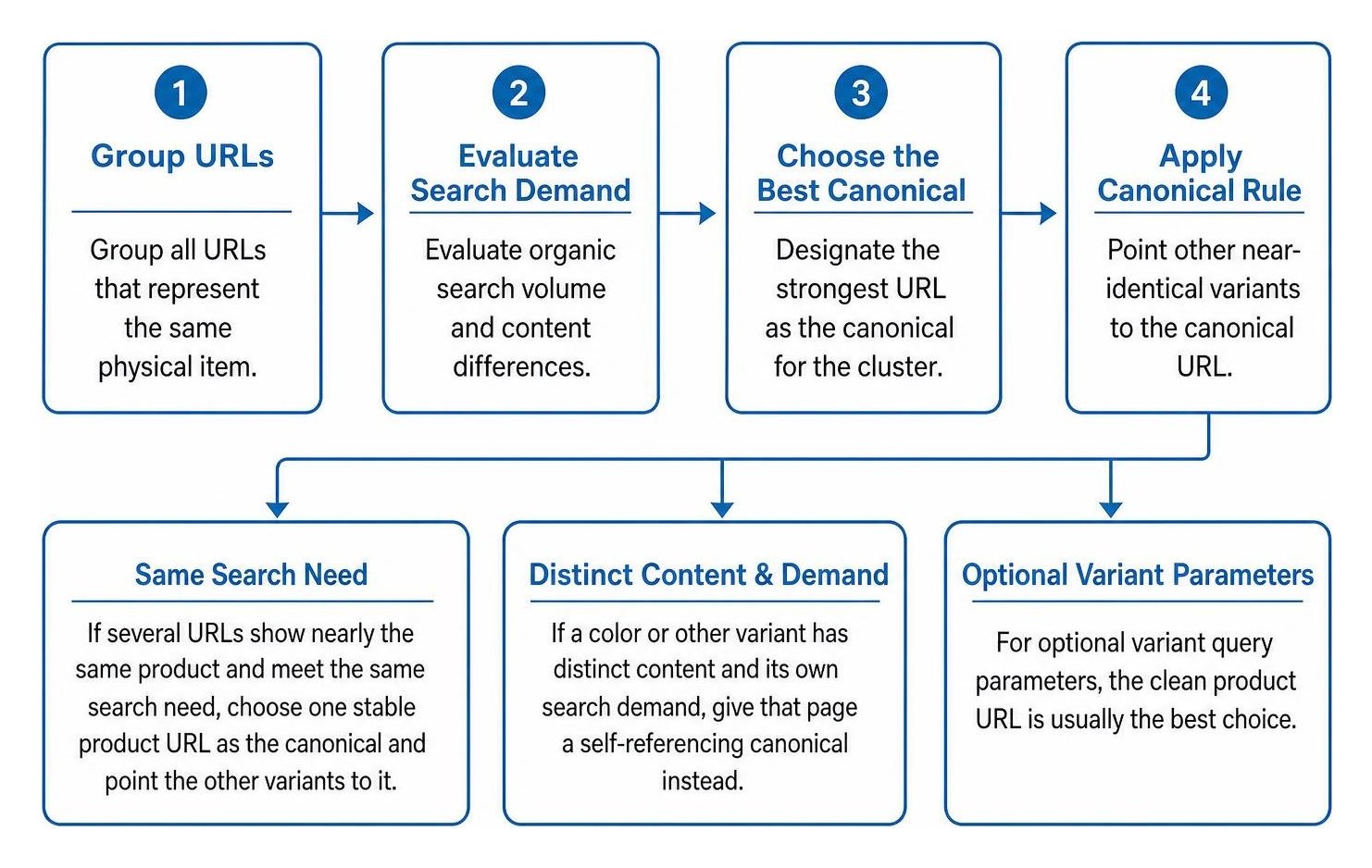
To understand how to select a canonical url for near-identical product variants, start with what shoppers are looking for. If several URLs show nearly the same product and meet the same search need, choose one stable product URL as the canonical and point the other variants to it. If a color or other variant has distinct content and its own search demand, give that page a self-referencing canonical instead. For optional variant query parameters, the clean product URL is usually the best choice.
I’m Clayton Johnson, founder of SmallBizSEO, where I help small businesses improve search visibility through SEO and content strategy. I use that experience to explain how to select a canonical url for near-identical product variants while keeping useful product pages discoverable.
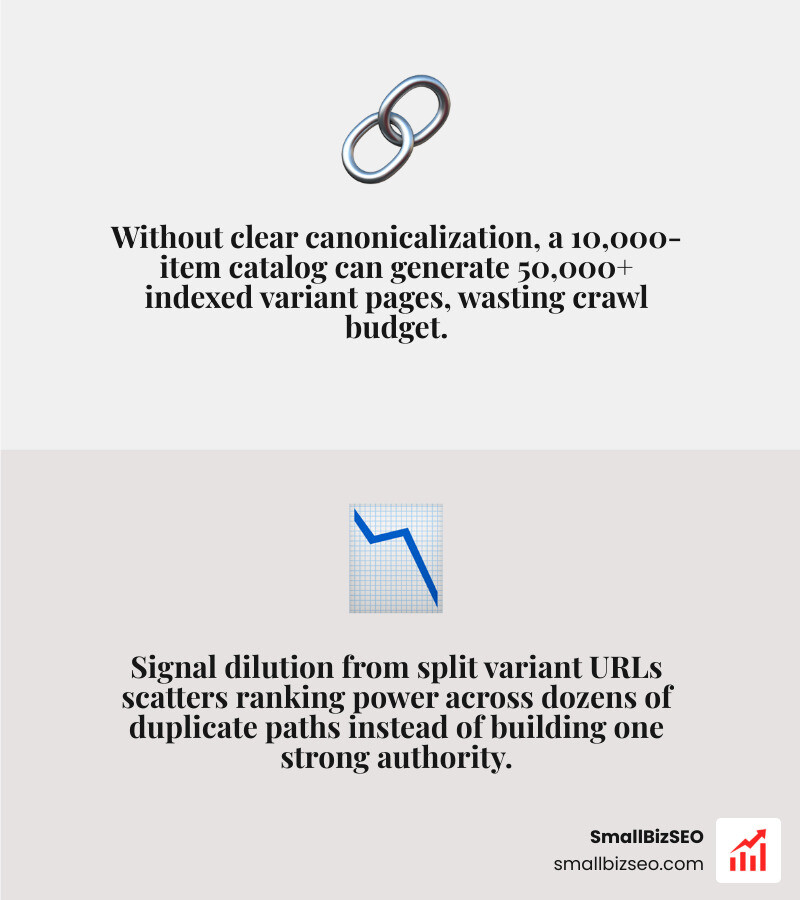
When an online store creates separate links for every color, size, material, or style, search engines struggle to identify which page represents the primary offer. This split causes signal dilution, where ranking power divides across dozens of duplicate paths instead of building authority on a single destination.
Without clear canonicalization, ecommerce stores face severe index bloat. A catalog with 10,000 base items and multiple modifier combinations can generate 50,000 or more indexed pages, wasting valuable crawl budget and confusing search engine algorithms.
How Should You Select a Canonical URL for Near-Identical Product Variants?
To choose the best canonical target, group all URLs that represent the same physical item, evaluate their organic search volume and content differences, and designate the strongest URL as the representative version for the entire cluster.
When deciding between a single consolidated canonical and independent indexable URLs, review how search volume is distributed:
| Feature | Single Parent Canonical Strategy | Standalone Self-Referential Strategy |
|---|---|---|
| Best Used For | Sizes, technical specs, and low-search colors | High-volume colors, distinct models, or unique styles |
| Search Intent | Universal commercial intent for the base product | Specific intent targeting particular attributes |
| Content Uniqueness | Minimal; shared descriptions, titles, and reviews | High; dedicated images, unique copy, and custom reviews |
| Crawl Efficiency | Consolidates all crawl equity into one primary URL | Requires search engines to crawl and index multiple URLs |
| Link Equity | Gathers all internal and external links in one place | Distributes external backlink equity across individual pages |
How Do You Choose a Canonical for Color and Size Variants?
For size attributes, always point variant URLs back to the primary parent product page. Shoppers rarely search for specific sizes (such as "blue linen shirt size medium") as standalone search queries. Creating distinct indexable pages for sizes creates severe keyword cannibalization without adding search value.
Color variations require a nuanced approach based on search demand. When colors have unique search volume (such as "emerald green cocktail dress"), giving that specific color a dedicated URL with a self-referencing canonical tag helps capture distinct customer demand. When color variations share the same general search intent and show low individual query volume, point their canonical tags to the default base product page.
Following Google's ecommerce URL structure guidelines ensures your store remains organized. Combining clear technical architecture with an accurate On-Page SEO definition keeps product titles, headers, and SKU management aligned with search intent.
How Should You Handle Query Parameters for Product Variants?
Keep your default product URL clean and free of unnecessary parameters, using structured key-value parameters only when a user selects a specific option. When parameter URLs are generated, point their canonical tag directly to the clean root URL.
Search engines do not index content differentiated solely by URL fragment identifiers (symbols containing #). If your site uses fragments to switch product colors, search engines will drop the alternate content as duplicate data. Use standard query parameters or unique path segments instead.
According to the Google Search Central product variant structured data documentation, single-page variant designs must maintain one primary canonical address for the parent group. You can then implement structured Schema Markup using ProductGroup entities to highlight pricing, availability, and specific SKU details without creating duplicate indexable pages.
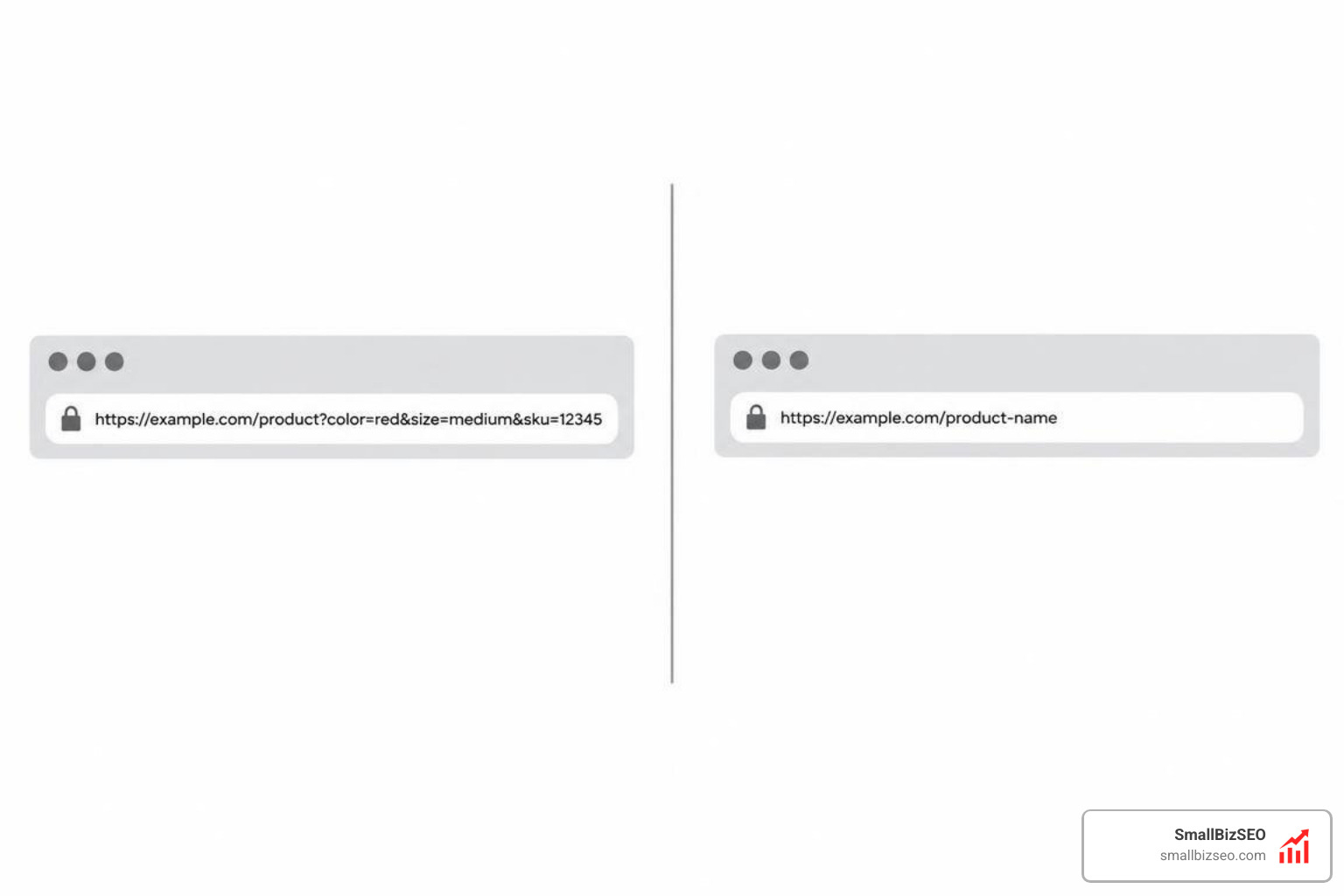
Should You Use a Canonical Tag, a 301 Redirect, or a Sitemap for Variants?
Use a canonical tag when variant URLs need to stay live for customer selection, use a 301 permanent redirect when an old variant is discontinued, and list only your canonical URLs in your sitemap to confirm your indexing preferences.
Search engines evaluate canonical signals using a defined hierarchy:
- 301 Redirects (Strong Signal): Permanently routes users and bots to the target URL, passing accumulated ranking equity.
- Canonical Link Tags (Strong Signal): Instructs search engines to consolidate duplicate signals onto the target URL while keeping the original page accessible to shoppers.
- Internal Links (Medium Signal): Reinforces the chosen master page across site navigation, category lists, and breadcrumbs.
- Sitemaps (Weak Signal): Including preferred URLs in your XML Sitemap confirms your indexation preferences.
As outlined in Google documentation on canonicalization methods, combining multiple matching signals significantly increases the likelihood that search engines accept your preferred URL. Always place your canonical tags in the server-rendered HTML using absolute URLs rather than relative paths.
How Do You Implement and Audit Canonicals for Faceted Navigation?
Configure template-level rules that set self-referencing canonical tags on primary product listings and point filtered or sorted URLs back to the clean base category or product page.

Faceted navigation and product filters can generate thousands of duplicate URLs if not handled correctly. Avoid these common ecommerce canonicalization mistakes:
- Canonicalizing paginated pages to page one: Sequential pages contain unique product collections and should use self-referencing canonical tags rather than pointing back to the first page.
- Using relative paths: Relative links can cause domain misconfigurations; always specify full absolute URLs.
- Injecting canonical tags via JavaScript: Client-side tags are frequently missed by search crawlers; render tags directly in the raw server HTML.
- Combining contradictory directives: Never place a
noindextag and a canonical tag on the same page, as they provide conflicting instructions. - Blocking canonicalized paths in robots.txt: If a page is blocked from crawling, search bots cannot read the canonical tag to consolidate ranking signals.
How Do You Resolve Canonical Conflicts and Scale Store Architecture?
To fix canonical mismatches, inspect the affected URL in Google Search Console's URL Inspection tool to compare your declared canonical with the one Google selected, and update your site's internal links to match the preferred URL.
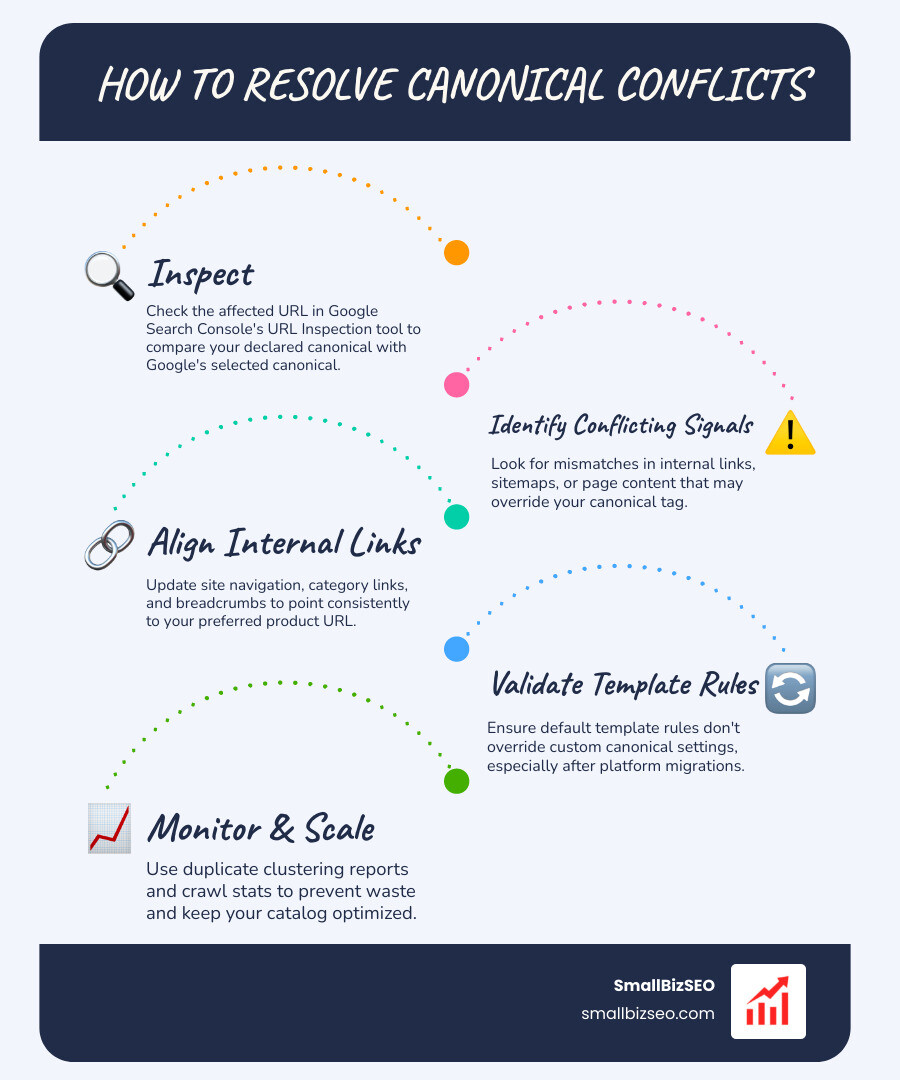
In technical audits across hundreds of websites, mispointed canonical tags occur most frequently during platform migrations when default template rules override custom product settings. When Google selects a different canonical than what you declared, it usually means internal links, sitemaps, or page content send conflicting signals.
Aligning your internal navigation and category links directly with your preferred product URLs prevents duplicate clustering and protects crawl efficiency. If you need help untangling complex store parameters or setting up reliable automated templates, explore our SmallBizSEO canonical URL consultation to keep your catalog optimized and growing.
Building a Scalable Architecture for Product Variants
Selecting the correct canonical URL for product variants protects your organic rankings and ensures search engines index your most valuable pages. By evaluating search intent, pointing low-demand variants to clean parent URLs, and validating indexing rules across your store templates, you eliminate duplicate content issues and maximize your organic visibility. Review your product templates regularly to maintain clear technical signals as your catalog expands.