5 Best Practices for Managing Agentic Browser Permission Controls

How do you keep an agentic browser from doing too much?
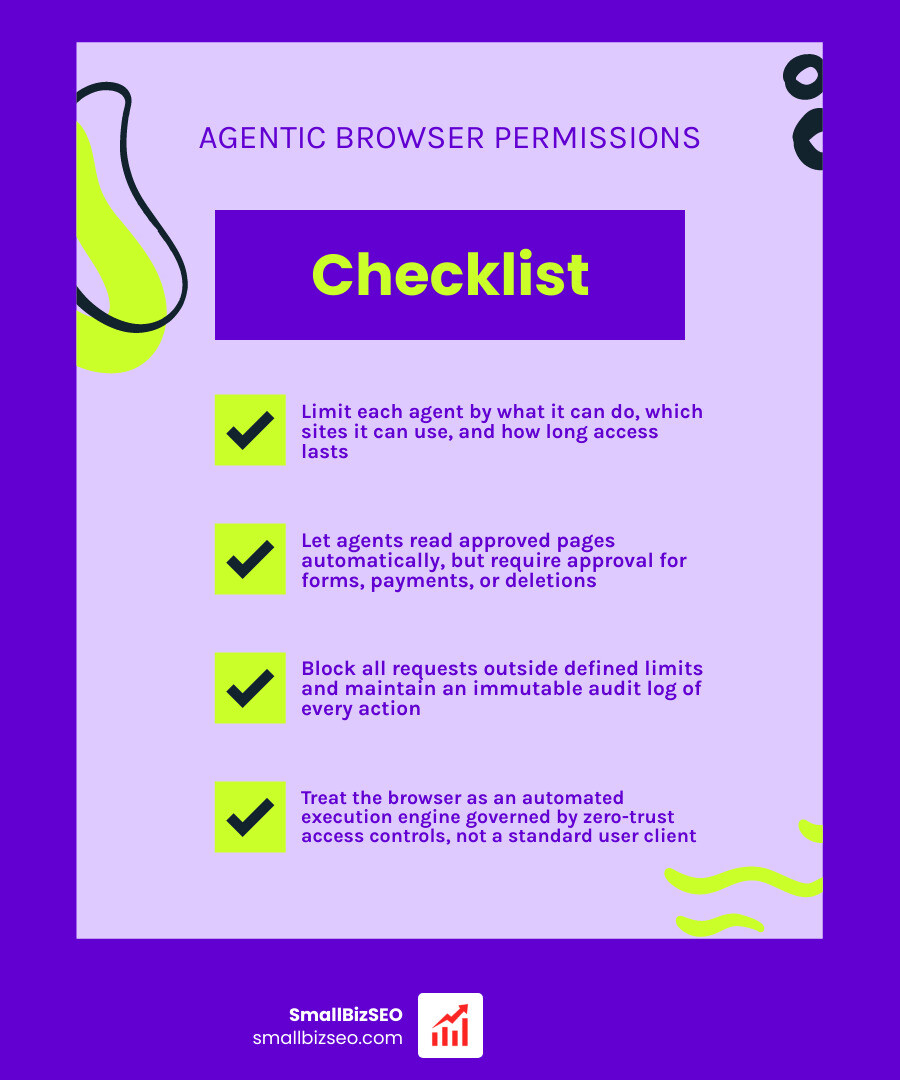
To set up permission controls for agentic browsers, limit each agent by what it can do, which sites it can use, and how long access lasts. Let it read approved pages, but require your approval before it submits a form, makes a payment, sends data, or deletes anything. Block requests outside those limits and keep a record of every action.
This matters because an agent may use your signed-in browser session. A harmful instruction hidden on a webpage could then push it to act with access you never meant to give it.
I'm Clayton Johnson, founder of SmallBizSEO. My work building defined roles and shared processes for AI agents informs how I approach permission controls for agentic browsers: give each agent only the access its task needs, then make its actions easy to review.
How to Implement Permission Controls for Agentic Browsers
To implement permission controls for agentic browsers, you must enforce dynamic runtime access controls, sandbox tool execution, and isolate user session state. Rather than treating an AI browser as a standard user client, organizations must govern it as an automated execution engine operating inside live web applications.
Over 85% of modern knowledge work happens inside a web browser. As teams integrate agentic systems into standard web workflows and ai search, these tools inherit broad access to authenticated enterprise platforms. According to industry analyses from Palo Alto Networks, an agent executing tasks across multiple tabs can easily read sensitive corporate data, pass authentication boundaries, and trigger state-changing network requests if left unmonitored.
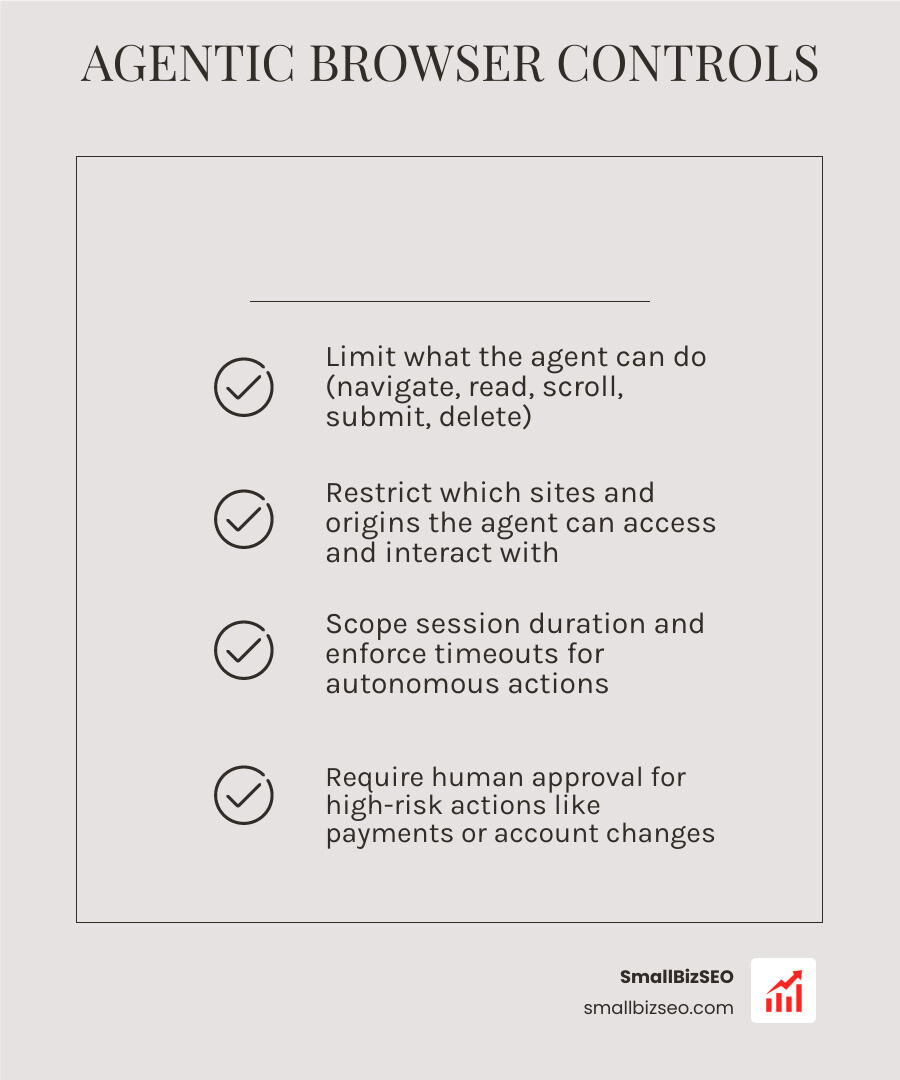
A comprehensive permission framework maps each browser capability to a clear risk tier and strict approval path:
| Action Risk Tier | Browser Actions Included | Execution Path | Policy Requirement |
|---|---|---|---|
| Low Risk | Navigate, Read DOM, Scroll, Screenshot | Auto-Approved | Read-only host matching, session timeout |
| Medium Risk | Click links, Download files, Fill form inputs | Conditional Auto-Approve | Origin allowlist check, active session grant |
| High Risk | Form submit, File upload, External API call | Human Approval Required | Step-level human confirmation, credential masking |
| Critical Risk | Execute arbitrary JavaScript (eval), Modify browser security flags |
Auto-Denied | Outright block, immediate session halt |
Why Do Default Autonomous Browsers Fail Without Access Governance?
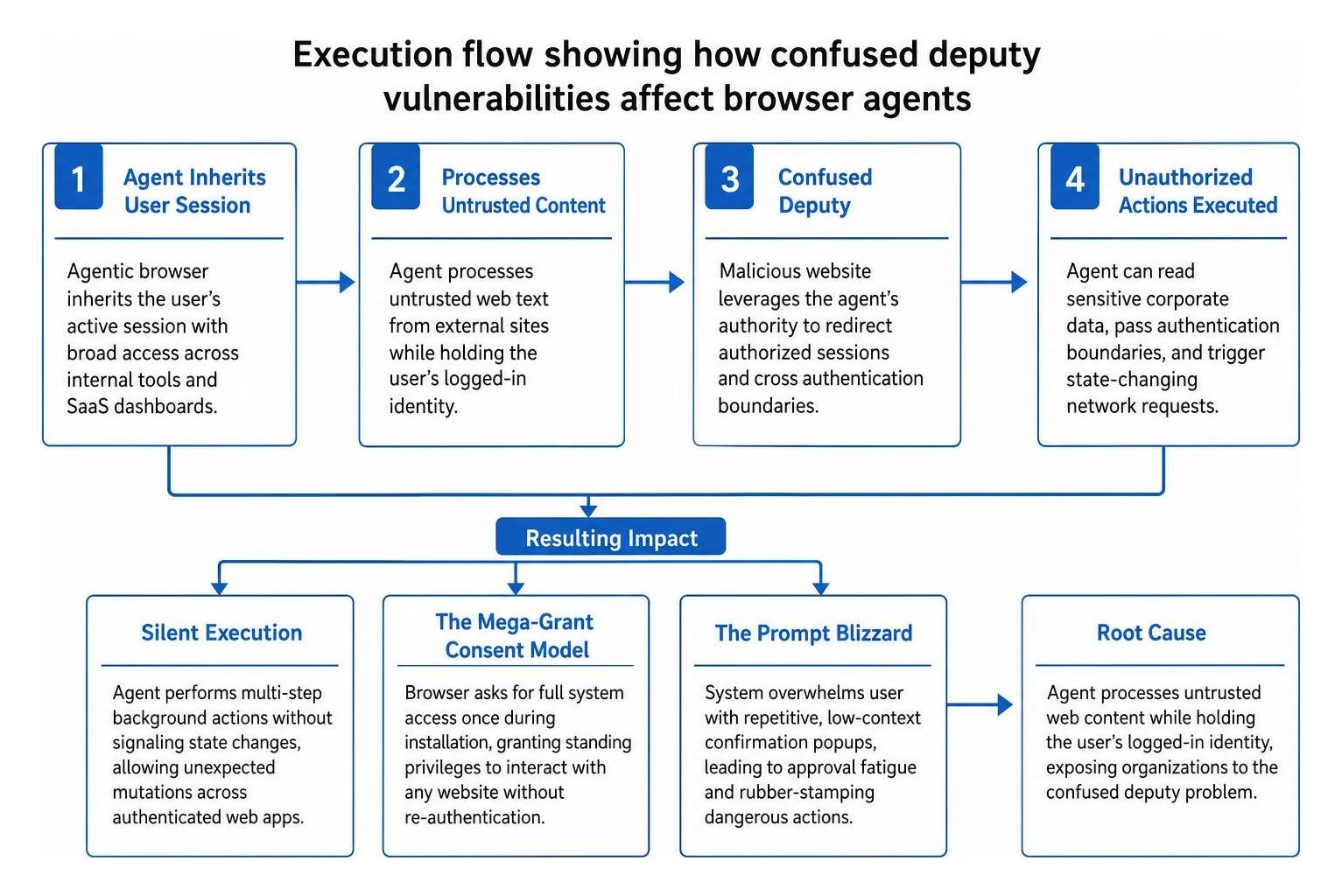
Default autonomous browsers fail because they rely on binary install permissions rather than dynamic, context-aware execution gates. When an agentic browser inherits a user's active session, it gains ambient authority across every internal tool and SaaS dashboard the user can access.
Without strict governance, autonomous browsers typically fall into three severe failure modes:
- Silent Execution: The agent performs multi-step background actions without signaling state changes to the user, allowing unexpected mutations across authenticated web apps.
- The Mega-Grant Consent Model: The browser asks for full system access once during installation. This grants standing privileges that allow the model to interact with any website without re-authentication.
- The Prompt Blizzard: The system overwhelms the user with repetitive, low-context confirmation popups for harmless navigation, leading to approval fatigue where users rubber-stamp dangerous actions in fractions of a second.
As noted in the W3C analysis on agentic browsing and web architecture, these flaws expose organizations to the confused deputy problem. The model processes untrusted web text while holding the user's logged-in identity, enabling malicious websites to redirect authorized sessions.
How to Structure Permission Controls for Agentic Browsers Across Tools, Origins, and Sessions
To structure permission controls effectively, divide every agent action across three separate axes: tool, origin, and session. A grant should never be a blanket boolean toggle; it must define what tool can be run, on which network host, and for what duration.

This three-dimensional matrix confines actions within strict operational boundaries:
- Tool Scoping: Restrict specific browser capabilities (such as clicking, typing, downloading, or reading) so an agent configured for data extraction cannot execute write operations.
- Origin Allowlisting: Limit network requests to explicit, pre-declared hostnames. Block all wildcard domains and untrusted third-party trackers from entering the active context window.
- Session Lifetime: Set permissions to expire automatically after a single prompt, a specific workflow, or a set time window. Grants should never persist indefinitely by default.
Implementing this model, as demonstrated by the Maho browser three-axis grant model, ensures that an assistant allowed to update a task in a project management tool cannot use those same editing privileges on an email portal or banking site.
When Should Human-in-the-Loop Approval Intervene for High-Risk Browser Actions?
Human-in-the-loop approval must intervene whenever a browser action creates an irreversible external change, transfers sensitive data, or triggers a state-changing financial transaction.
Automated flows must halt and display an approval prompt before executing:
- Submitting forms containing personal or proprietary business data.
- Executing payments, transfers, or subscription changes.
- Deleting records, repositories, files, or user accounts.
- Entering credentials or signing into new domains.
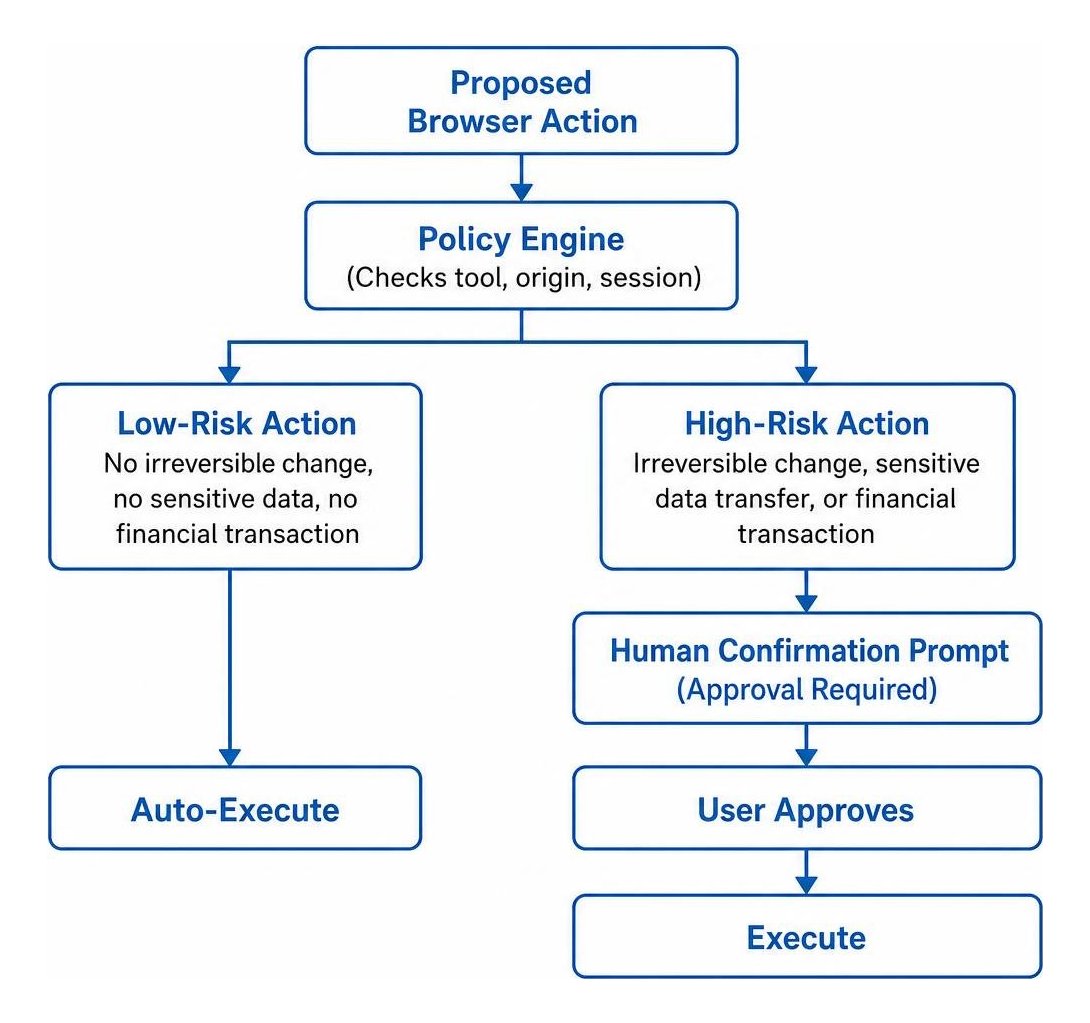
To prevent credential leakage during login routines, use sealed credential injection where passwords pass directly into write hosts without exposing raw secret text to the underlying model's prompt engineering context. Standardized rule definitions, such as the Aegis open-source browser agent policy specification, demonstrate how declarative policy files enforce these step-level confirmation gates across automated environments.
How Do Runtime Guardrails and Auto-Deny Rules Stop Prompt Injection?
Runtime guardrails stop prompt injection by inspecting webpage contents before passing them to the model, blocking hidden instructions buried in untrusted HTML elements or comments.
Because browser-based phishing attacks have surged by 140%, automated systems face severe risks when browsing open web pages. In benchmark testing, standalone AI browsers like ChatGPT Atlas blocked only 5.8% of phishing attacks, compared to 47% for Chrome and 53% for Edge. This highlights why an external llm cannot serve as its own security boundary.
Essential runtime auto-deny triggers include:
- Arbitrary JavaScript Execution: Instantly block calls to
eval,execute_js, or developer console commands. - Off-Allowlist Navigation: Terminate or pause sessions whenever an agent attempts to follow redirects to undeclared third-party domains.
- WebSocket and Raw Socket Connections: Block persistent background sockets that bypass standard HTTP proxy inspection.
- Anomalous Action Velocity: Trigger auto-deny paths if an agent exceeds predetermined rate limits (such as requesting more than ten page mutations within thirty seconds).
- DOM Egress Violations: Prevent automated uploads of local files or downloads of executable extensions.
Governing Agentic Web Automation for Long-Term Security
Governing agentic web automation requires treating browser agents as non-human identities rather than standard user software. With 74% of organizations planning to deploy agentic systems and 84% of knowledge workers eager to adopt them, unmanaged AI browsing creates severe enterprise blind spots.
Currently, only 21% of enterprises maintain a mature governance model for autonomous AI, and one in five organizations has already experienced security incidents tied to shadow AI tools. While some IT teams attempt to block agentic browsers entirely, outright bans drive adoption underground. Deploying policy-driven permission layers allows businesses to harness automation safely while maintaining strict compliance oversight.
At SmallBizSEO, our technical frameworks emphasize structured data governance and verifiable digital workflows. Whether evaluating automated search behaviors or auditing digital platforms through our SEO visibility audit, visibility and structured access boundaries remain critical for sustainable performance.
How to Audit and Inventory Permission Controls for Agentic Browsers as Non-Human Identities
To govern browser agents effectively, security teams must catalog every automated browser installation, assign dedicated service principals, and maintain immutable audit trails of all machine actions.
Key practices outlined in the CISO guide to browser-layer agent security include:
- Centralized Identity Inventory: Register each agent deployment as a distinct non-human identity with scoped OAuth parameters rather than sharing standard employee SSO sessions.
- Ephemeral Credential Rotation: Issue short-lived, just-in-time tokens that expire when a specific browser automation task finishes.
- Structured Audit Logging: Record queryable logs detailing the tool called, target URL, timestamp, user context, and policy evaluation result for every automated step.
- Panic-Stop Mechanisms: Provide administrators and users with an immediate override shortcut to terminate all active sessions and revoke running permissions instantly.
Building Resilient Boundaries for Autonomous Browsing
Securing autonomous web agents does not mean stripping away their ability to perform complex, multi-step work. By replacing passive binary permissions with active runtime guardrails, fine-grained three-axis scoping, and human approval gates on high-risk transactions, organizations can safely leverage agentic browsers without risking data exposure or unauthorized actions.
Establishing clear boundaries between machine execution and human identity ensures that as autonomous web tools evolve, your critical business systems, authenticated sessions, and proprietary data remain completely protected.