Stop Caching Checkout Pages: Essential Web Architecture Rules

Which Website Pages Should Not Be Cached?
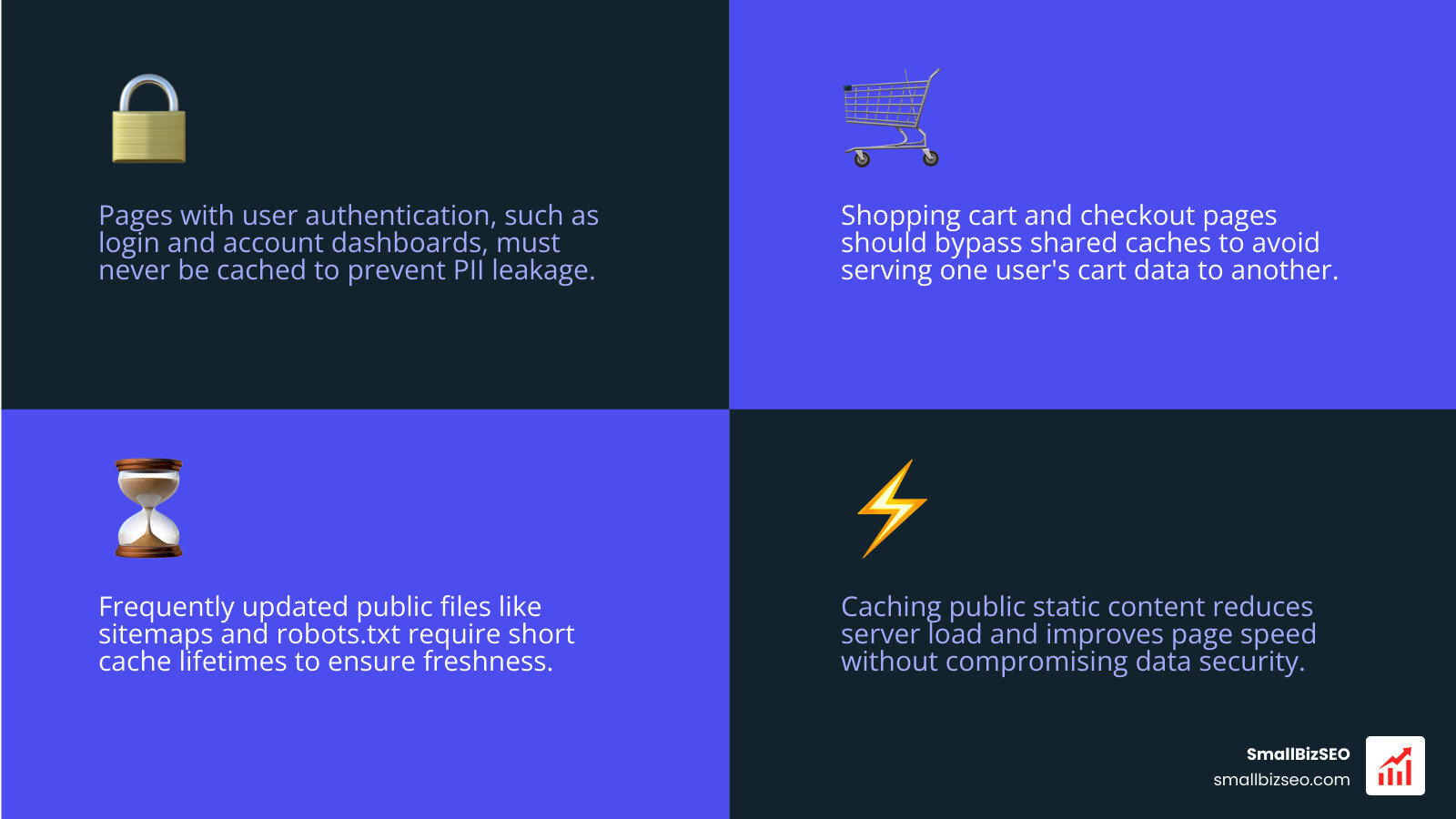
To decide which website pages should not be cached, start with pages that contain private information or change for each visitor: shopping carts, checkout, login, account pages, and user dashboards. Bypass shared caches for these pages so one visitor cannot receive another visitor's details or outdated totals.
Public pages can often be cached to improve speed. Keep frequently updated files, such as sitemaps and robots.txt, fresh with short cache lifetimes or a way to clear stored copies when they change.
I'm Clayton Johnson, founder of SmallBizSEO, where I help small businesses connect technical SEO with better search visibility. My approach to which website pages should not be cached starts with protecting visitors, then finding safe ways to keep the site fast.
Which Website Pages Should Not Be Cached? Key Exclusions by Content Type
You must exclude any URL that processes user authentication, handles financial transactions, or renders personalized user data. While static resources like images and stylesheets thrive on long-term storage, dynamic pages require live database lookups to prevent severe data leaks and broken user journeys.

Understanding what to store and what to bypass requires separating public assets from private or sensitive interactions. The table below outlines the primary classifications:
| Page Category | Example Paths | Primary Caching Rule | Risk of Misconfiguration |
|---|---|---|---|
| Ecommerce Transactions | /cart/, /checkout/ | Bypass completely (no-store) | Showing another user's cart, pricing mismatch |
| User Authentication | /login/, /my-account/ | Bypass completely (private, no-store) | PII exposure, session hijacking |
| Search Engine Assets | /sitemap.xml, /robots.txt | Short TTL or immediate purge | Crawlers receiving outdated indexing rules |
| Error Handlers | 404 handlers, 500 errors | Bypass or short revalidation | Fixed pages permanently returning errors |
| Public Content | /blog/, /about-us/, homepage | Cache publicly with revalidation | Unnecessary origin server strain |
Which Session and Transaction Routes Should Not Be Cached for Users?
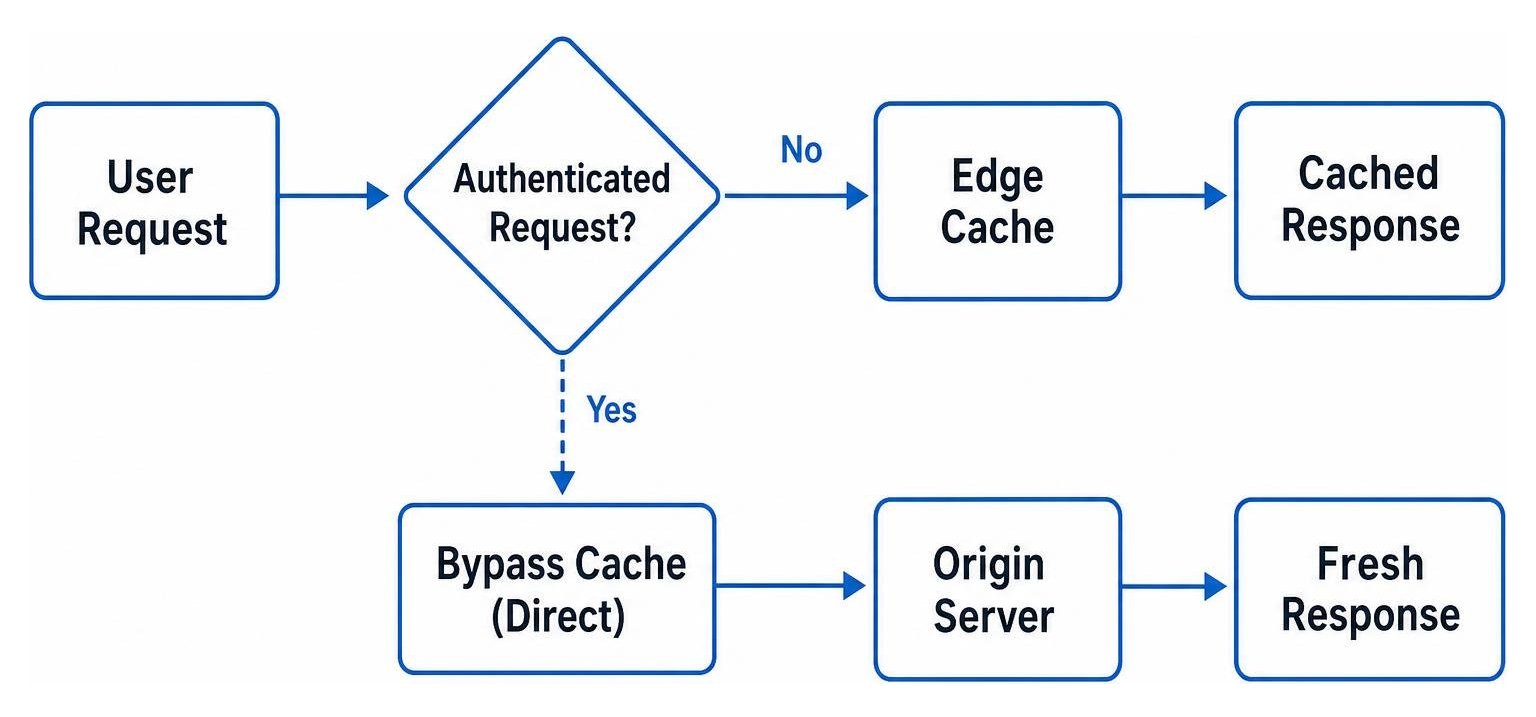
All transactional endpoints—such as shopping carts, checkout funnels, user account dashboards, login endpoints, and account profile settings—must bypass caching. If an edge proxy or browser caches an authenticated page, it risks serving personally identifiable information (PII) to a completely different user.
When configuring Cloudflare Cache Rules recommendations, the standard practice for ecommerce and SaaS applications is to bypass edge storage whenever specific session cookies are present. Storing dynamic checkout data creates immediate checkout friction, such as cart errors, incorrect shipping totals, or cached payment tokens that fail validation. Integrating these dynamic rules forms a crucial pillar of your broader technical SEO and security hygiene.
When Should Technical and Search Engine Assets Be Cached or Bypassed for Bots?
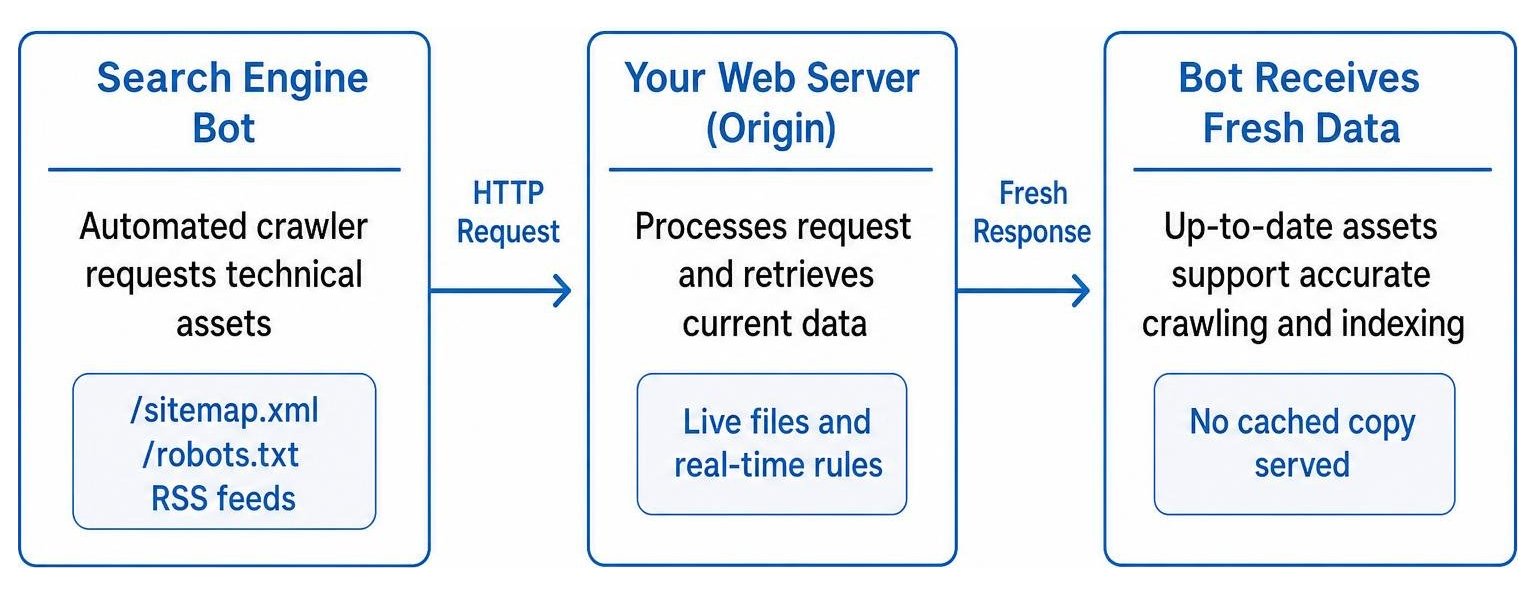
Technical assets like XML sitemaps, RSS feeds, robots.txt files, and XML-RPC endpoints need real-time accuracy to prevent crawling errors. While public HTML pages can safely sit on a content delivery network, caching robots.txt for too long can delay search engines from recognizing newly opened or blocked site sections.
According to NitroPack page optimization guidance, automated optimization engines exclude sitemaps, feeds, and 404 error responses to keep search directives synchronized with server reality. Storing a 404 response in a shared cache means visitors and search engine bots might still see an error long after you have restored the page. Similarly, serving incorrect status codes risks turning broken URLs into a soft 404, which burns your crawl budget on dead-end content.
How Can You Control or Bypass Website Caching?
You control caching behavior primarily through HTTP response headers sent from your origin server, alongside specific bypass rules configured in your reverse proxy or CDN. By setting clear directives, you instruct browsers and intermediary edge nodes exactly when to serve stored copies and when to request fresh files.

How Do No-Store, No-Cache, and Max-Age Directives Differ?
The Cache-Control header defines how, where, and for how long a page can be stored. The main directives include:
- no-store: Completely prohibits any cache (browser, proxy, or CDN) from saving a copy of the response. This is the required directive for checkout funnels, payment gateways, and private dashboards.
- no-cache: Allows caches to store the response, but forces them to validate with the origin server (using ETag or Last-Modified headers) before serving it to a user.
- max-age: Specifies the maximum time in seconds a resource is considered fresh. Major platforms like Google use a 3-second max-age for their main search page, while Stack Overflow has used 21 seconds to balance server load against real-time content changes.
- private vs. public: The
privatedirective ensures only the end-user's browser stores the page, preventing shared proxy servers from holding user-specific HTML. Thepublicdirective indicates any intermediate node can store the asset. - stale-while-revalidate: Permits clients to use an expired cached response while asynchronously fetching a fresh update in the background.
Configuring these rules properly ensures that your caching infrastructure maintains peak performance without serving stale data.
How Can You Exclude Pages in Nginx, LiteSpeed, and Edge Caches?
Web servers and caching layers provide specialized configurations to bypass storage based on URI patterns, request methods, and session cookies.
For Nginx and Redis setups, following GridPane default cache exclusions ensures that HTTP POST requests, query strings, and administrative directories (like /wp-admin/) automatically trigger a cache skip flag. In LiteSpeed Cache, administrators use the "Do Not Cache URIs" interface or custom server rewrite rules to prevent caching on dynamic query endpoints and search results.
In Varnish or CDN edge layers, checking for logged-in user cookies allows the edge to pass requests directly to the origin backend. This targeted exclusion protects user interactions while preserving fast Core Web Vitals for the general public browsing static articles.
How Can You Invalidate or Bust Cache After a Redesign?
When launching a site redesign or structural update, users' browsers may stubbornly hold onto old CSS, JavaScript, and HTML templates. Because you cannot directly wipe a visitor's local browser storage, you must employ cache busting strategies.
Cache busting involves changing the asset's URL whenever its contents change. You can achieve this by appending query version strings (such as style.css?v=2) or using fingerprint hashes in the filename (such as main.a8f9c2.js). For HTML updates, maintaining a short initial max-age allows your updated site architecture to propagate quickly. Before rolling out major structural changes, consult our website redesign checklist for SEO best practices to preserve crawl health.
Optimizing Your Site's Caching Architecture
Balancing lightning-fast load times with absolute data privacy requires a clear separation between static public resources and dynamic user transactions. By applying strict no-store headers to private user journeys and using cache busting for site assets, you protect sensitive data while maximizing crawl efficiency.
If you want to ensure your site delivers top-tier speed without risking indexing errors or data leaks, schedule a comprehensive caching strategy audit with our team at SmallBizSEO today.