Tame the Bingbot Crawl Flood Without Accidentally Banning Real Users

How can you investigate a Bingbot crawl spike safely?
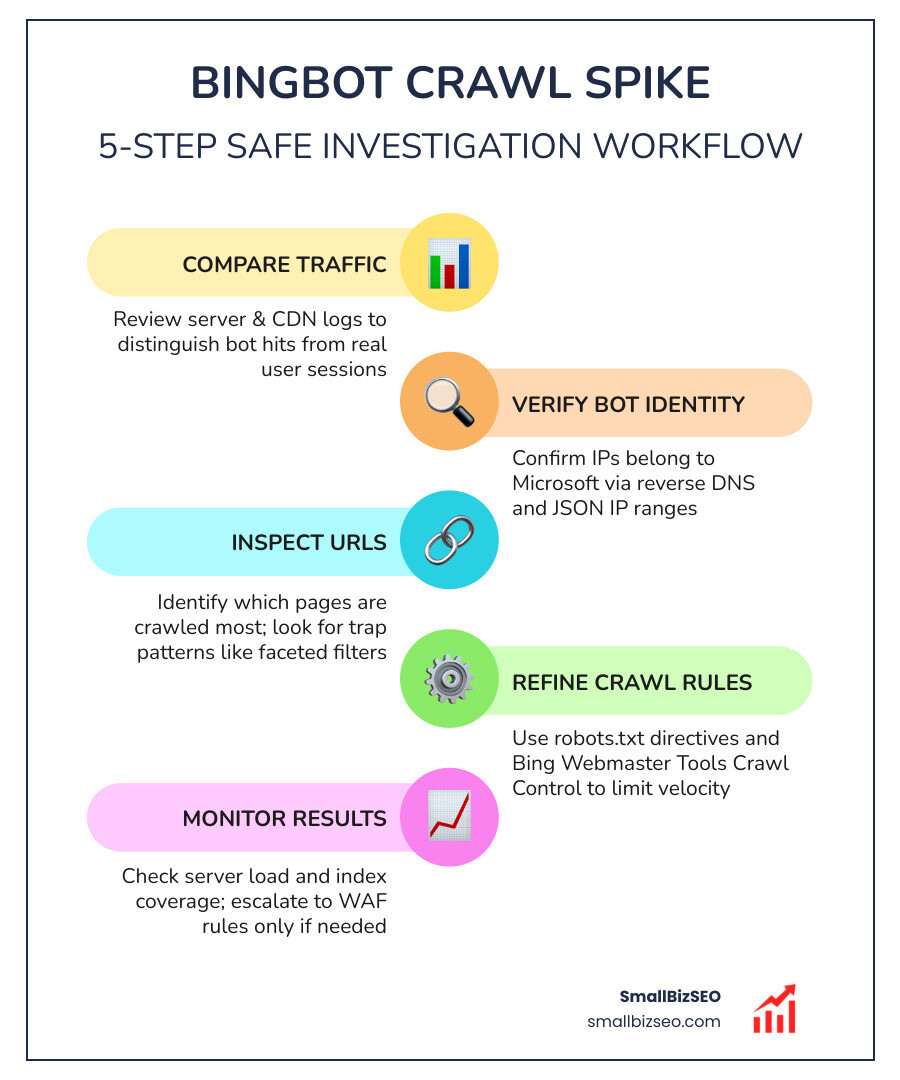
To learn how to investigate bingbot crawl spikes without blocking legitimate traffic, start with your server and CDN logs. Compare request counts and response times, then verify that the IPs claiming to be Bingbot belong to Microsoft. Check which URLs are being fetched most often. If real Bingbot is crawling too fast, limit unnecessary URLs and adjust Bing Webmaster Tools' Crawl Control before considering a block.
A blanket block can cut off pages from Bing Search and affect their visibility in Copilot. The goal is to reduce wasted requests while keeping useful pages available.
I'm Clayton Johnson, founder of SmallBizSEO, where I help small businesses connect technical SEO with search visibility. My approach to how to investigate bingbot crawl spikes without blocking legitimate traffic starts with evidence from logs, not a broad firewall rule.
How to Investigate Bingbot Crawl Spikes Without Blocking Legitimate Traffic

When an unexpected traffic surge hits your infrastructure, immediate panicked firewall blocks often cause more business damage than the surge itself. A sudden spike in crawler activity can exhaust server memory, max out database connections, and drive up origin hosting bills. However, search engines rely on continuous crawling to discover new content, update search listings, and generate real-time AI citations across Microsoft Copilot.
Balancing performance with search visibility requires robust technical SEO practices. When you optimize your site's architecture, you protect your server resources and preserve your crawl budget so that legitimate search engines process high-value commercial pages rather than infinite technical junk.
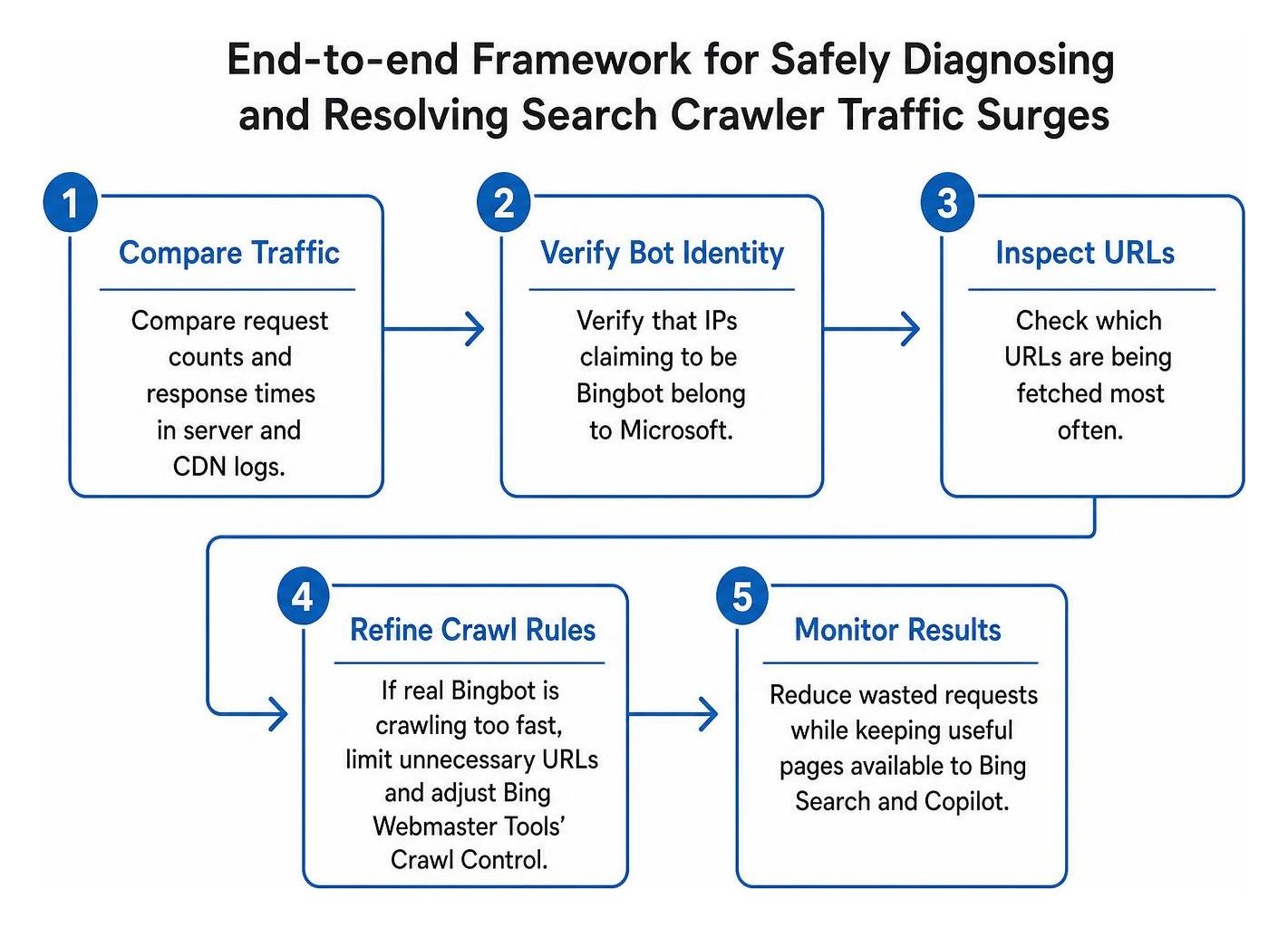
Step 1: How to Investigate Bingbot Crawl Spikes Without Blocking Legitimate Traffic by Verifying Bot Identity
The first step in any investigation is determining whether the traffic originates from Microsoft or an imposter masquerading as a search bot. The declared user-agent string in an HTTP request header is trivial to forge; any basic scraping script can declare itself as Bingbot to bypass simple security filters.
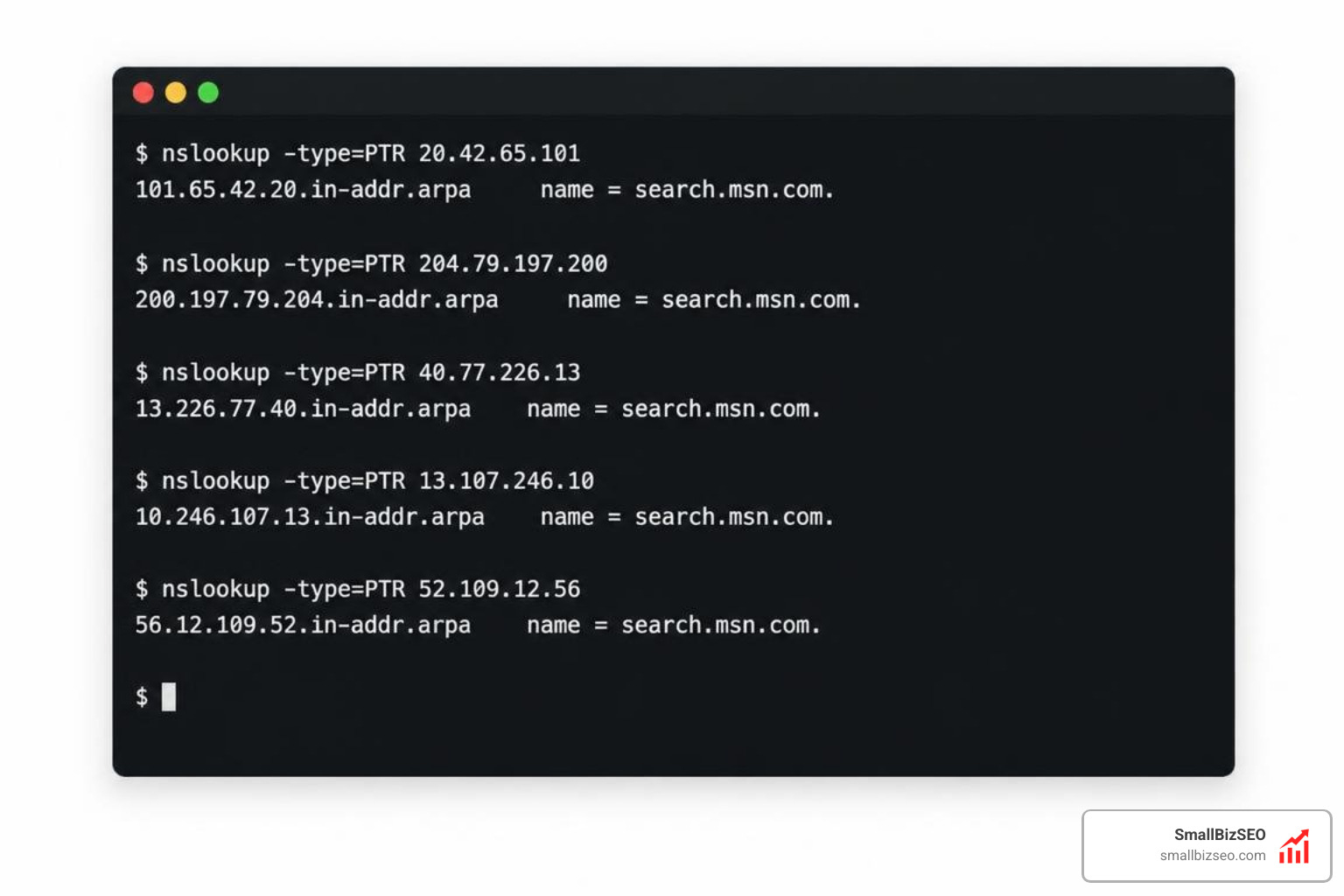
To verify bot authenticity:
- Perform automated log file analysis on your raw access logs, pulling the client IP address, full user-agent string, timestamp, request path, and HTTP response code.
- Execute a reverse DNS lookup on the hitting IP address. Legitimate Bingbot requests resolve back to hostnames ending in search.msn.com.
- Perform a forward DNS lookup on that hostname to confirm it maps directly back to the original IP address.
- Cross-reference suspicious IPs against Microsoft's published list of public JSON IP ranges or submit them directly to the Verify Bingbot tool inside Bing Webmaster Tools.
If the IP fails reverse DNS validation and does not exist within Microsoft's registered subnets, it is a spoofed bot and can be dropped immediately at the firewall edge without endangering your organic search footprint.
Step 2: How to Tell a Real Bot Surge From a CMS Performance Regression
Before rewriting server configurations, determine whether your infrastructure is experiencing a bot volume event or a Content Management System (CMS) latency event.
A bot surge is characterized by a massive leap in raw request counts over a specific window, whereas a CMS performance regression manifests as skyrocketing response times and CPU usage even when total request volume remains flat.
| Diagnostic Metric | Legitimate Bot Crawl Surge | CMS Performance Regression |
|---|---|---|
| Request Volume | Sudden 300% to 1,000%+ increase | Normal, steady baseline traffic |
| Latency per Request | Origin slows due to concurrent volume | High response times on low request counts |
| Traffic Footprint | Concentrated requests across specific paths | Uniform degradation across all user paths |
| Database Load | High query throughput from repetitive fetches | Slow queries, deadlocks, and unindexed tables |
| Primary Remediation | Crawl controls, robots.txt, edge caching | Code profiling, query caching, server scaling |
Cross-reference your Application Performance Monitoring (APM) telemetry with edge CDN analytics. If total request volume has doubled or tripled while your average origin response time per request remains healthy until concurrency limits are reached, you are dealing with a volume surge.
Step 3: How to Investigate Bingbot Crawl Spikes Without Blocking Legitimate Traffic Caused by Spider Traps
Legitimate crawlers rarely flood servers without an underlying technical trigger. In most instances, an aggressive crawl spike is caused by a self-inflicted spider trap—a structural flaw in your site architecture that generates an infinite number of unique, indexable URLs.
Common spider traps include:
- Faceted Navigation and Sort Filters: E-commerce catalog pages where multiple filter parameters (such as color, size, material, and price ranges) combine dynamically. Each combination produces a distinct URL that serves nearly identical content.
- Infinite Calendar or Date Pickers: Event systems and booking plugins that allow crawlers to click "Next Month" endlessly into the future.
- Session ID Appending: Systems that attach tracking tokens or dynamic session parameters to internal links.
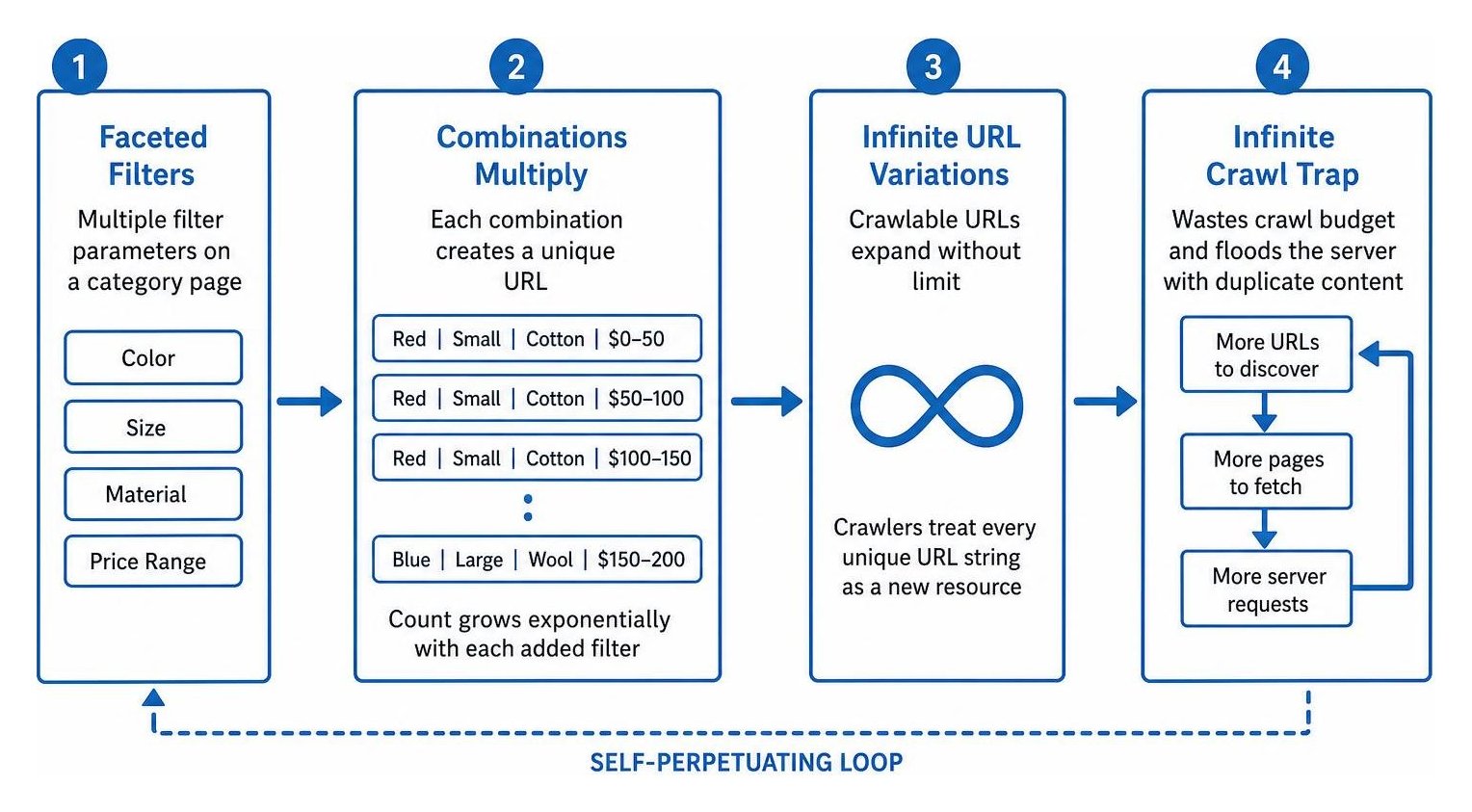
When Bingbot hits a spider trap, it treats every unique URL string as a new resource requiring discovery. While setting a canonical URL helps consolidate ranking signals, it does not prevent the crawler from fetching the page to read that tag.
Audit your crawl paths by running a comprehensive site audit to surface infinite loops. For pages returning broken HTTP status code errors or dynamic parameter combinations that provide no unique search value, update your routing architecture to disallow crawling at the root level.
Step 4: How to Configure Robots.txt Directives and Crawl-Delay Rules
Your robots exclusion rules serve as the primary roadmap for compliant search engine crawlers. Bingbot honors standard directives within your robots.txt file, but its handling contains unique rules regarding precedence and crawl rates.
Bingbot evaluates directives using a strict hierarchy:
- It first looks for a dedicated user-agent section matching its specific token.
- If no dedicated section exists, it falls back to legacy backward-compatibility sections.
- Finally, it defaults to the wildcard user-agent rule block.
Bingbot also honors the crawl-delay directive to throttle fetch frequency. For example, setting a crawl-delay of 5 seconds limits Bingbot to fetching one page every 5 seconds, resulting in a maximum ceiling of 17,280 URLs per day. Increasing the crawl-delay to 10 seconds cuts that limit down to 8,640 URLs per day.
These critical behaviors outlined in the official crawl-delay directives guide:
- Per-Subdomain Isolation: If a robots.txt file is missing from any subdomain (such as staging, dev, or media subdomains), Bingbot treats that subdomain as fully unrestricted and will not fall back to parent domain rules.
- Cache Latency: Bingbot caches robots.txt files in memory for several hours. When you deploy updated disallow directives, the crawler will not adjust its rate until it fetches the refreshed version.
- Granular Parameter Disallow Rules: Add path-level rules to block search crawlers from entering sorting strings, such as dynamic sorting parameters on product category archives.
Step 5: How to Use Bing Webmaster Tools Crawl Control to Manage Hourly Velocity
If you need dynamic control without altering robots.txt code, Microsoft provides granular crawl throttling directly inside Bing Webmaster Tools.
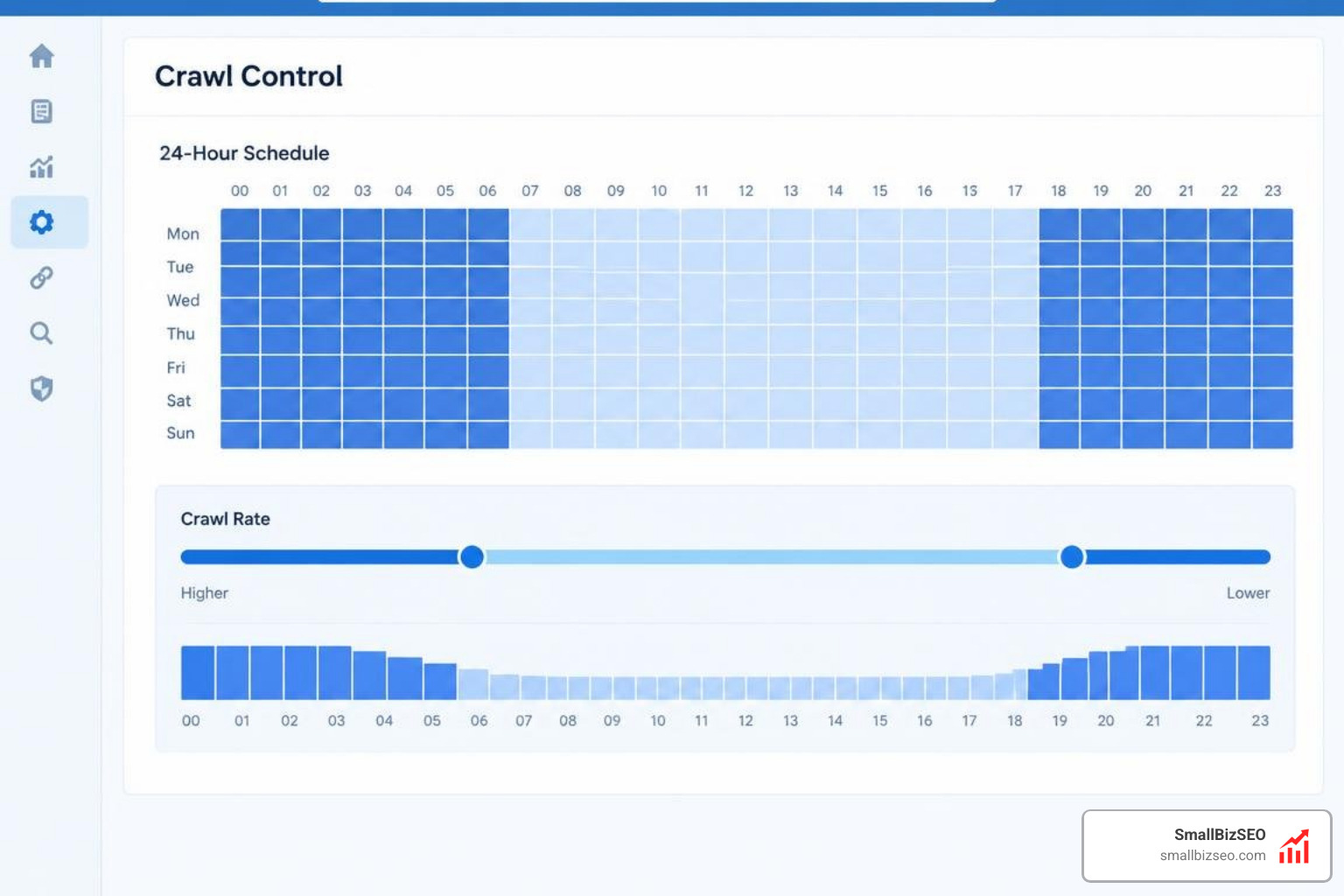
Using Bing Webmaster Crawl Control, you can establish custom 24-hour crawling patterns mapped to your local time zone:
- Peak Business Hour Throttling: Reduce crawl intensity during your heaviest customer traffic windows to ensure server bandwidth and CPU capacity remain dedicated to human users.
- Off-Peak Acceleration: Allocate higher crawling velocity during overnight or early-morning windows. This ensures your site achieves rapid content discovery and indexing without causing performance degradation during business hours.
An explicit crawl-delay directive located in your robots.txt file will override settings defined inside the Crawl Control dashboard. Align your robots.txt file and Webmaster Tools configurations to prevent contradictory instructions.
What to Do When Overcrawling Continues: Advanced Controls and Escalation
If you have cleaned up spider traps, configured robots.txt, and adjusted Crawl Control presets, yet verified search bot requests continue to overwhelm your origin server, move to edge-level traffic management.

At SmallBizSEO, we implement a data-driven Velocity framework that balances aggressive technical optimization with rock-solid server reliability. Our specialists review server logs, eliminate architectural bottlenecks, and manage search engine crawl mechanics through our dedicated Bingbot crawl optimization and technical auditing workflows.
How to Leverage Cloudflare, CDN Edge Rules, and Support Escalation
Deploying edge intelligence via your Content Delivery Network (CDN) or Web Application Firewall (WAF) allows you to shield your origin infrastructure without dropping search engine visibility:
- Edge Caching: Cache rendered HTML at the CDN edge for static, publicly indexable pages. When crawlers request cached pages, the CDN serves the response directly from edge memory, reducing origin server load to zero.
- WAF Verified Bot Filtering: Configure your edge security layer to validate crawlers automatically. Platforms like Cloudflare maintain verified bot directories that permit authentic search indexers while challenging unverified scraping bots attempting to spoof user agents.
- Temporary Challenge Mitigation: If severe origin stress threatens site availability, deploy a temporary managed challenge mode across non-critical parameter paths rather than executing a hard IP ban.
- Direct Escalation: If verified crawlers persistently ignore robots directives and flood your origin infrastructure, compile an access log extract containing timestamps, IP addresses, requested URLs, and response codes. Submit this data through the official portal on how to report an issue with Bingbot. Microsoft engineers will review your crawl logs and manually calibrate crawler concurrency against your domain.
Keep Your Server Fast and Your Content Fully Indexed
Investigating crawler spikes requires methodical log analysis, accurate identity verification, and precise structural fixes. By diagnosing request volume against latency, eliminating infinite faceted spider traps, fine-tuning your robots.txt directives, and scheduling hourly fetch rates in Bing Webmaster Tools, you can protect origin server stability while maintaining complete index coverage across Bing Search and Microsoft Copilot. Never resort to broad firewall blocks when structured crawler management solves the underlying issue at its source.