The Complete Guide to Video Search Optimization
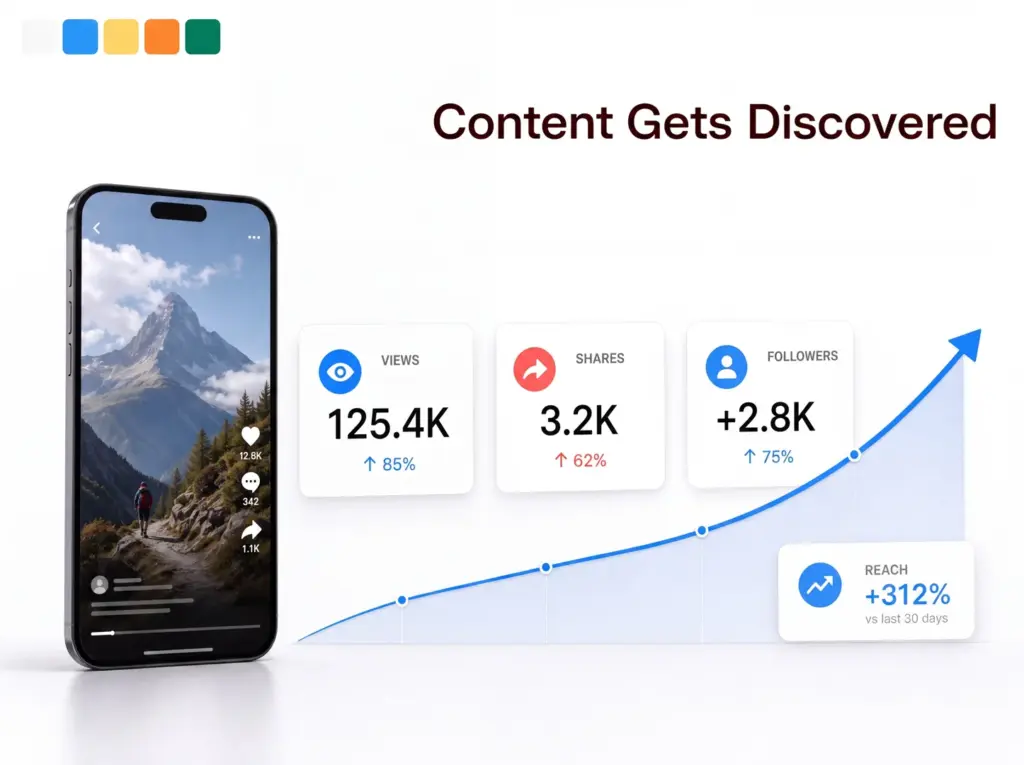
What Video Search Optimization Does for Your Business
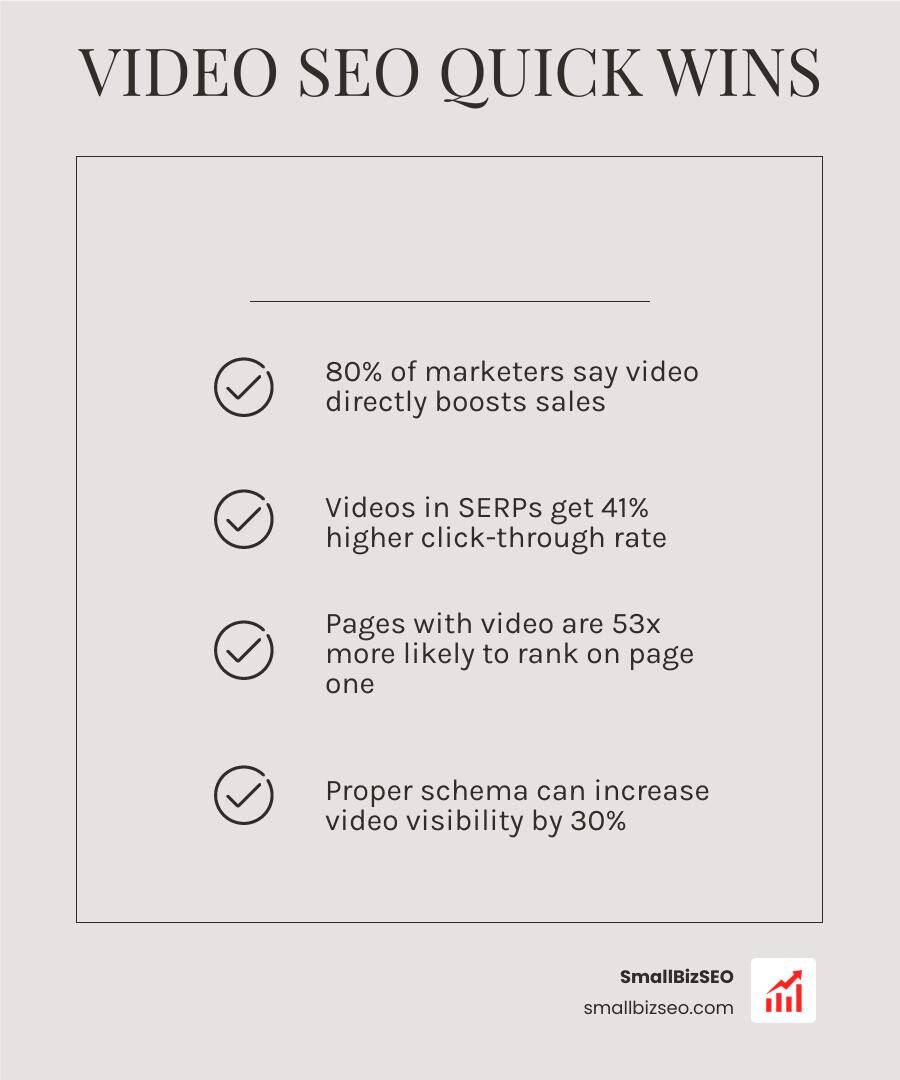
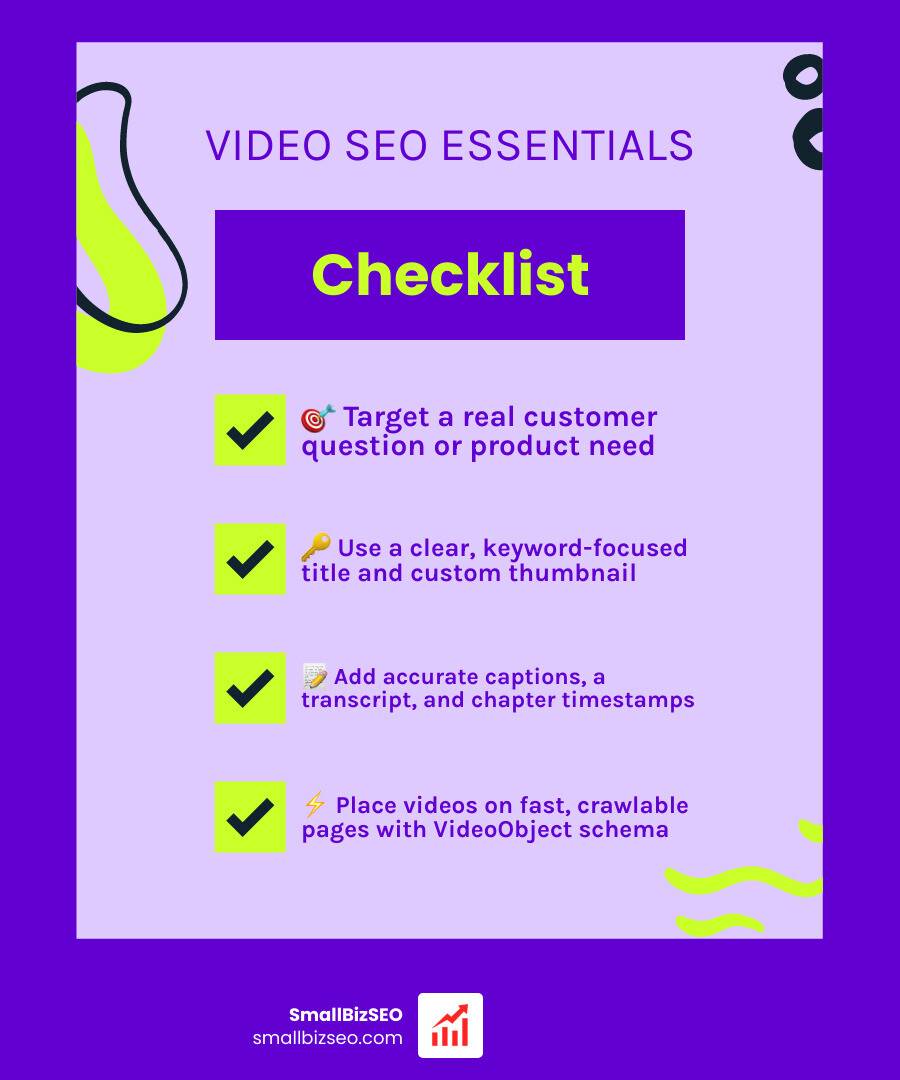
Video search optimization helps Google and YouTube understand what your video covers, show it for relevant searches, and give people a clear reason to click. For a small business, start with these essentials:
- Target a real customer question or product need.
- Use a clear, keyword-focused title and custom thumbnail.
- Add accurate captions, a transcript, and chapter timestamps.
- Put important on-site videos on fast, crawlable pages with VideoObject schema and a video sitemap.
- Track impressions, clicks, watch time, and conversions to improve what works.
Video can appear in Google results as a video carousel, rich result, or a clickable moment within a longer video. But uploading a clip alone is rarely enough. Search engines depend on the surrounding text, captions, metadata, structured data, and page experience to understand it.
The best approach depends on your goal. Use YouTube to reach new audiences through platform search and recommendations. Use on-site video SEO when you want search visitors to land on your own product, service, tutorial, or conversion page. Many small businesses benefit from using both.
I’m Clayton Johnson, a digital marketing and SEO professional who uses digital PR, content strategy, and technical SEO to improve search visibility. In this guide, I’ll break down video search optimization into practical steps that help businesses earn more qualified views and leads.
Discover more about video search optimization:
Core Principles of Video Search Optimization
About one third of all online activity is spent watching video. Because 87% of online marketers produce video content, competing in organic search requires more than hitting the record button.
Video carousels appear in roughly 17% of all Google queries, showcasing an average of 8.5 video cards per carousel. To capture these prime positions, you must match your video production directly with search intent. Informational and instructional queries trigger video snippets because searchers want direct, step-by-step demonstrations.
Modern search engines also evaluate multimodal signals for AI Overviews, breaking down video assets to cite relevant snippets. Achieving high organic visibility begins with comprehensive visual content optimization to ensure search bots can extract clear topical meaning. For a broader strategic roadmap, review this Guide to dominating video SERPs to understand how search engines display visual media.
Crafting Click-Worthy Thumbnails and Title Tags
Securing a ranking on page one is only half the battle; searchers must actually click your link. Your title and thumbnail serve as the digital billboard for your media asset.
When creating video titles:
- Keep title lengths between 55 and 65 characters to prevent truncation across mobile and desktop devices.
- Front-load the primary target keyword within the first 30 to 40 characters.
- Frame titles around explicit search queries or problem-solving phrases.
For thumbnails:
- Use a standard 16:9 aspect ratio (1280x720 pixels).
- Ensure high visual contrast with minimal, readable text overlays.
- Maintain at least 80% alpha opacity greater than 250 so search crawlers validate the graphic.
Refining these visual cues directly supports your broader on-page SEO strategy by lifting organic click-through rates.
Video Transcripts, Captions, and Semantic Relevance
Search crawlers cannot watch raw video footage the way a human does. Crawlers parse the surrounding text, closed captions, and transcripts to build contextual relevance.
Providing full WebVTT caption files and readable transcripts allows search engines to index every spoken phrase. Formatting on-page transcripts with clear subheadings turns spoken audio into indexable semantic entities. This practice mirrors the best standards of SEO friendly content writing, ensuring your pages rank for a wider net of long-tail search queries.
Technical Requirements to Get Self-Hosted Videos Indexed
Hosting videos on your own domain keeps referral traffic and conversion opportunities on your website. However, self-hosted media requires a strict technical setup to ensure Googlebot discovers, renders, and indexes your files.
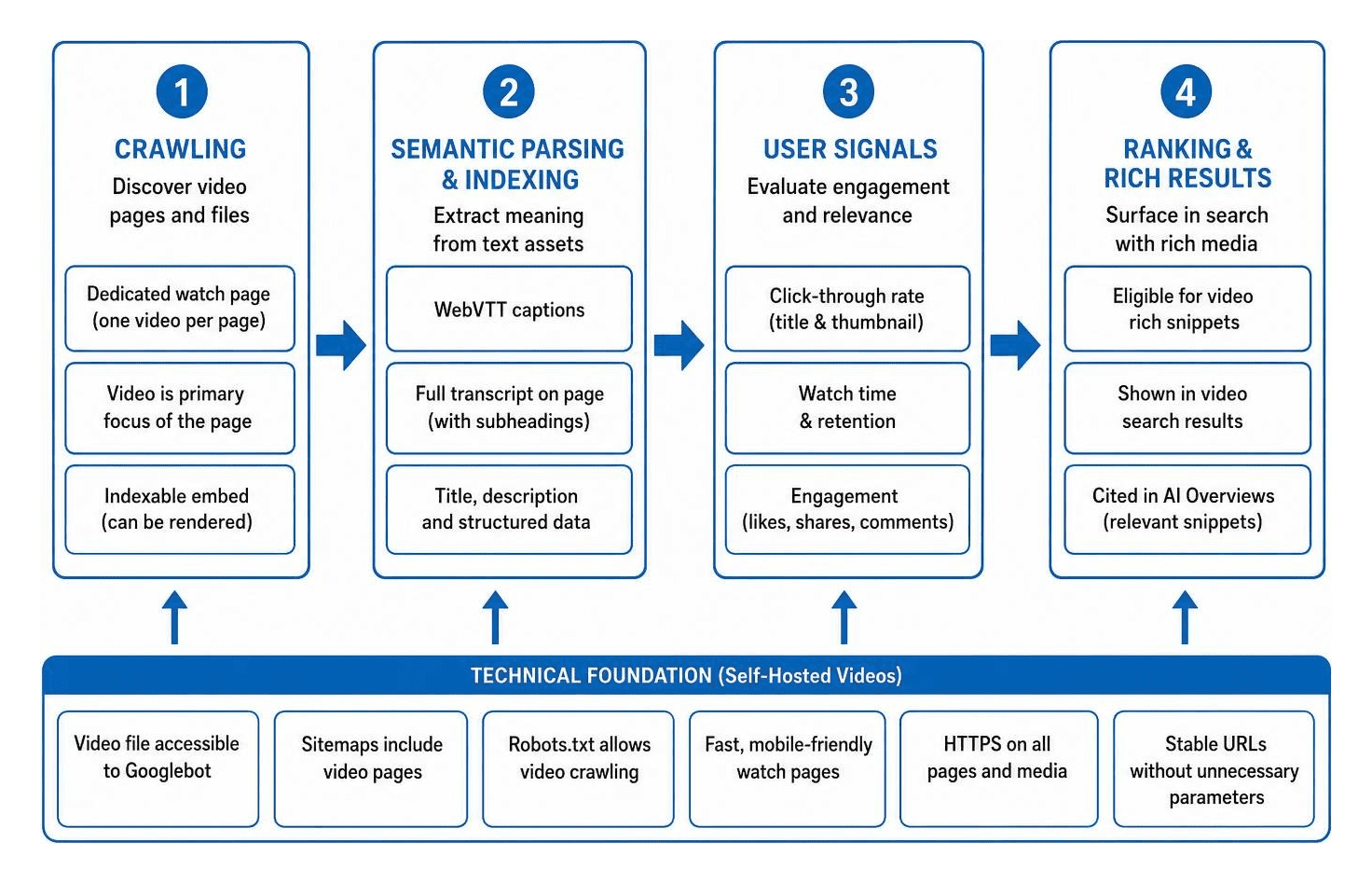
To earn standalone rich snippets, search engines require the video to be the primary focus of the page. Embedding a clip as secondary decoration deep within a blog post often causes search engines to reject the media from dedicated video indexes.
Follow this 4-step video indexing framework to establish dedicated watch pages, correct media embeds, and robust crawl paths.
Technical Video Search Optimization for Indexing
Pages with valid VideoObject schema markup appear in 63% of relevant Google queries, compared to just 22% for pages without it. This structured data communicates critical media details directly to search algorithms.
Key properties to configure in your JSON-LD VideoObject markup include:
- name: The exact title of the video.
- description: A comprehensive summary of the video content.
- thumbnailUrl: A stable, publicly accessible image URL.
- uploadDate: The original publication date in ISO 8601 format.
- duration: The runtime formatted to ISO 8601 standards (e.g., PT4M15S).
- contentUrl and embedUrl: The direct media file path and the player embed URL.
To enable interactive features in search results, implement Clip schema to define timestamped segments, or deploy SeekToAction markup so search engines can deep-link users directly to relevant timestamps.
Implementing Video XML Sitemaps and Search Console Diagnostics
A dedicated video XML sitemap acts as a direct discovery pipeline for search bots. Unlike standard sitemaps, video sitemaps include specific tags such as video:video, video:thumbnail_loc, video:title, and video:duration.
After generating your sitemap, submit it directly through Google Search Console and reference its URL inside your robots.txt file. Regularly check the Video Indexing Report in Google Search Console to diagnose validation errors, such as missing thumbnails, blocked URLs, or videos not flagged as the primary content.
YouTube SEO vs. On-Site Video SEO Strategies
Deciding where to publish depends entirely on your marketing objectives. YouTube is the second largest search engine behind Google, making it exceptional for top-of-funnel reach, brand discovery, and algorithm-driven recommendations. Conversely, on-site video SEO captures bottom-of-funnel users and retains direct conversion control on your own website.
| Feature / Strategy | YouTube SEO | On-Site Video SEO |
|---|---|---|
| Primary Goal | Audience discovery, platform views, channel growth | Domain traffic, lead generation, direct sales |
| Search Surfaces | YouTube Search, Suggested Feeds, Google Video Carousel | Google Organic Search, Google Video Tab, AI Overviews |
| Traffic Ownership | Platform owns the audience and traffic | You own the visitor data and conversion funnel |
| Technical Requirement | Channel tags, accurate descriptions, SRT captions | VideoObject schema, XML sitemaps, fast page load speeds |
| Ranking Factors | Click-through rate, retention rate, watch duration | On-page textual relevance, page authority, technical markup |
Partnering with a specialized YouTube SEO company can help balance these dual distribution channels. Furthermore, recent AI search video optimization research shows that YouTube accounts for 31.8% of all social media citations across AI engines, proving that platform optimization directly fuels conversational search visibility.
Optimizing YouTube Chapters, Tags, and Audience Retention
YouTube search algorithms prioritize viewer satisfaction, average view duration (AVD), and click-through rates. To optimize your uploads:
- Add descriptive timestamps in your video descriptions (starting at 00:00) with at least three intervals of 10 seconds or more.
- Place your primary target keyword within the first 100 characters of your description.
- Write 300 to 500 words of descriptive context explaining the core takeaways.
- Use pattern interrupts (visual cuts, graphics, B-roll shifts) every 7 to 15 seconds during editing to keep initial 30-second retention rates above 70%.
- Use tags primarily to capture common misspellings and niche topical variations.
Video Search Optimization for Ecommerce and Conversions
For online stores, video assets provide immediate visual proof that reduces shopping friction. Optimizing ecommerce video involves pairing your JSON-LD VideoObject markup with structured Product schema on each individual product page.
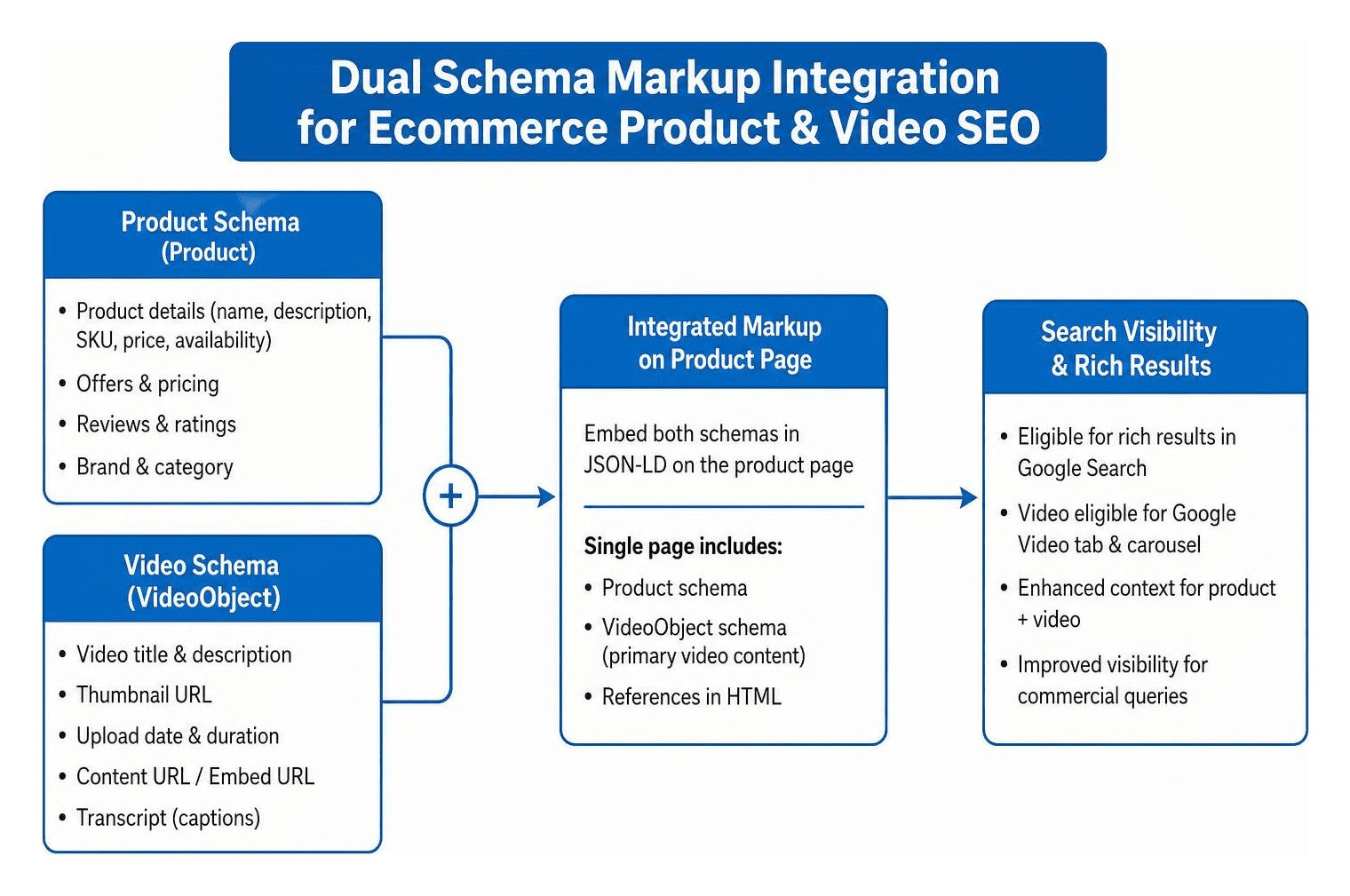
Integrating customer reviews, sizing guides, and unboxing clips directly alongside product listings lifts conversions while securing rich snippets in commercial search queries. Embedding structured product media into your wider SEO content marketing efforts ensures steady transactional search growth.
Core Web Vitals and Page Speed Optimization for Video Content
Video assets require substantial bandwidth. Slow loading speeds degrade user experience and trigger high bounce rates; in fact, 53% of users will click off a mobile page if it takes more than 3 seconds to load.
To protect your Largest Contentful Paint (LCP) and Cumulative Layout Shift (CLS):
- Implement lightweight facade thumbnails that load a static image first, fetching the heavy video player iframe only after the user clicks play.
- Compress video files using modern codecs like WebM or MP4 and serve media assets through a Content Delivery Network (CDN).
- Defer video JavaScript libraries toward the bottom of the page to avoid render-blocking issues.
- Avoid heavy background video files with infinite loops on mobile viewports.
Frequently Asked Questions about Video Search Optimization
How does VideoObject schema impact Google Search visibility?
VideoObject schema supplies search engines with explicit, machine-readable metadata about your media file. Pages with valid schema are significantly more likely to qualify for rich snippets, video badges, key moment breakdowns, and prominent video carousel placements in search results.
Why are my embedded videos failing to index in Google Search Console?
The most frequent cause is that the video is not recognized as the main content of the web page. Google requires the video player to be prominent, accessible above or near the fold, and rendered on a dedicated watch page. Other common issues include robots.txt files blocking media crawlers or inaccessible thumbnail URLs.
What is the best way to optimize ecommerce product videos for search?
Create focused, high-quality demonstration and troubleshooting videos for each product. Pair your VideoObject schema directly with Product structured data, upload high-contrast 16:9 thumbnail images, include concise written summaries, and ensure player scripts use lazy loading to keep page speeds fast.
Driving Long-Term Growth with Video Search
Search engines continue to expand how visual media surfaces across carousels, AI answer engines, and standard search results. Treating video search optimization as a structured technical discipline gives your business a distinct competitive edge. By combining fast watch pages, precise VideoObject markup, accurate transcripts, and engaging thumbnails, you turn every video into a durable search asset.
If you are ready to scale your organic presence with technical precision and proven ranking frameworks, explore our data-driven SEO content services at SmallBizSEO to grow your visibility and revenue.