Why Checking Breadcrumbs Post-Restructure Saves Your Internal Links

How do you check breadcrumbs after a website restructure?
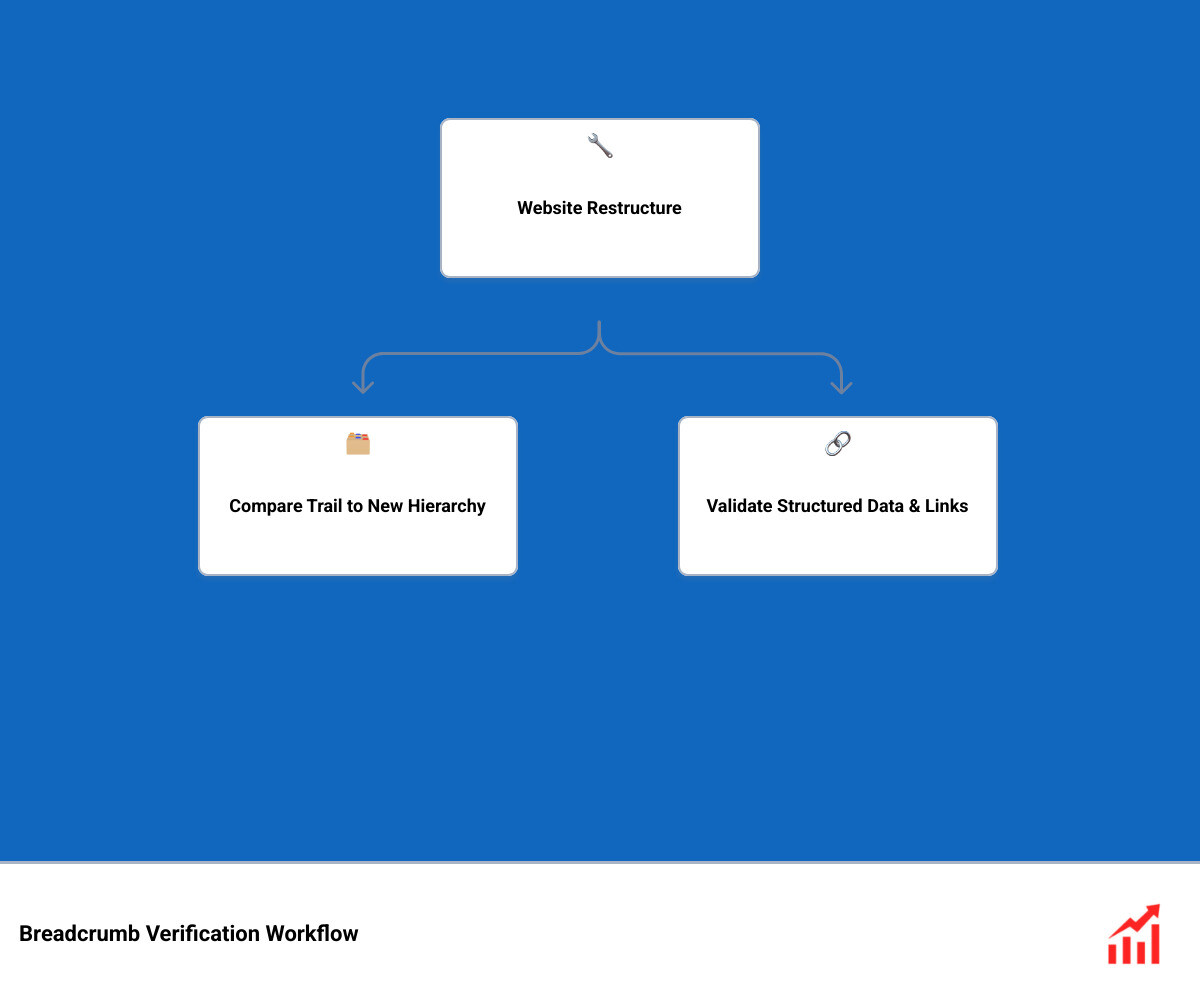
Here's how to check breadcrumb navigation after restructuring a website: compare each trail with the new page hierarchy, click every parent link, and confirm that the visible trail matches its structured data. Then test key pages on mobile and with a keyboard. Look for broken links, old category names, missing trails, and duplicate breadcrumbs.
This check helps visitors find their way back to useful pages. It also helps keep breadcrumb links aligned with the site's new structure.
I'm Clayton Johnson, founder of SmallBizSEO. My work in SEO and website structure shapes this guide to how to check breadcrumb navigation after restructuring a website.
Step-by-Step Guide: How to Check Breadcrumb Navigation After Restructuring a Website
To audit your breadcrumb trails after a major site overhaul, follow a structured verification workflow: inspect the visible interface, extract the underlying structured data across all templates, and cross-reference every link against your updated URL map.
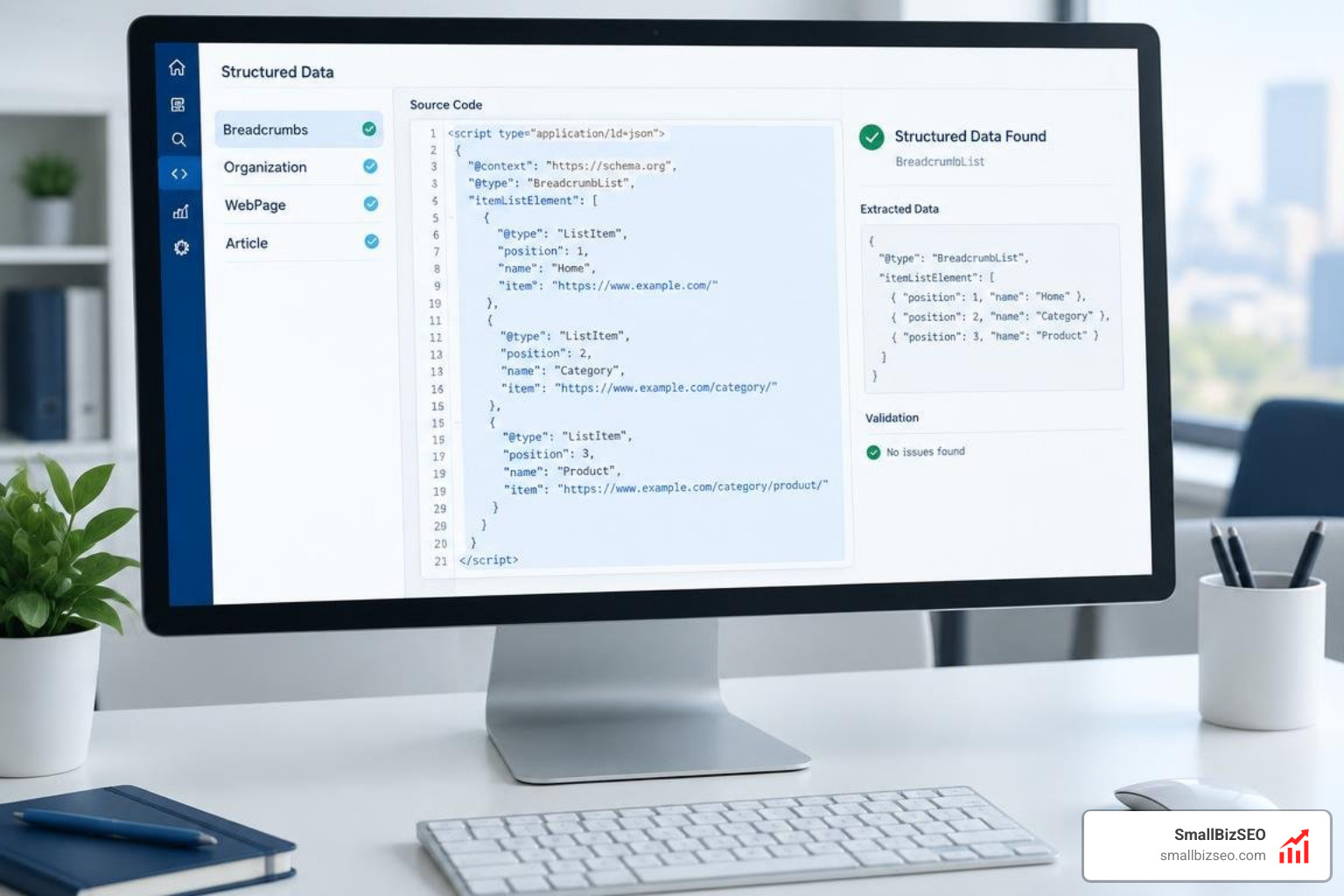
Checking breadcrumbs requires combining manual page spot-checks, automated site crawls, and schema validators. Each testing method catches different structural flaws:
| Audit Method | Primary Focus | Best Used For | Key Weakness |
|---|---|---|---|
| Manual DOM Inspection | Visual rendering, CSS breaks, tap targets | High-priority landing pages & core templates | Time-consuming on large sites |
| Automated Crawlers | Broken links, missing tags, sitewide depth | Sitewide audits (thousands of URLs) | Cannot evaluate UX context |
| Schema Validators | JSON-LD syntax, BreadcrumbList compliance | Verifying rich result eligibility | Misses visual layout bugs |
Why Learning How to Check Breadcrumb Navigation After Restructuring a Website Protects SEO
A comprehensive site redesign changes page relationships, and failing to verify your trails risks breaking your entire link ecosystem. During a major site migration, moving or deleting categories can sever parent-child pathways, trapping search engine bots and users on dead-end pages.
Proper breadcrumbs distribute internal link equity directly from deeper content back up to critical category hubs. Research shows that 89% of customers do business with a competitor because of a poor website experience, and 38% of users judge a website based on its layout and navigation.
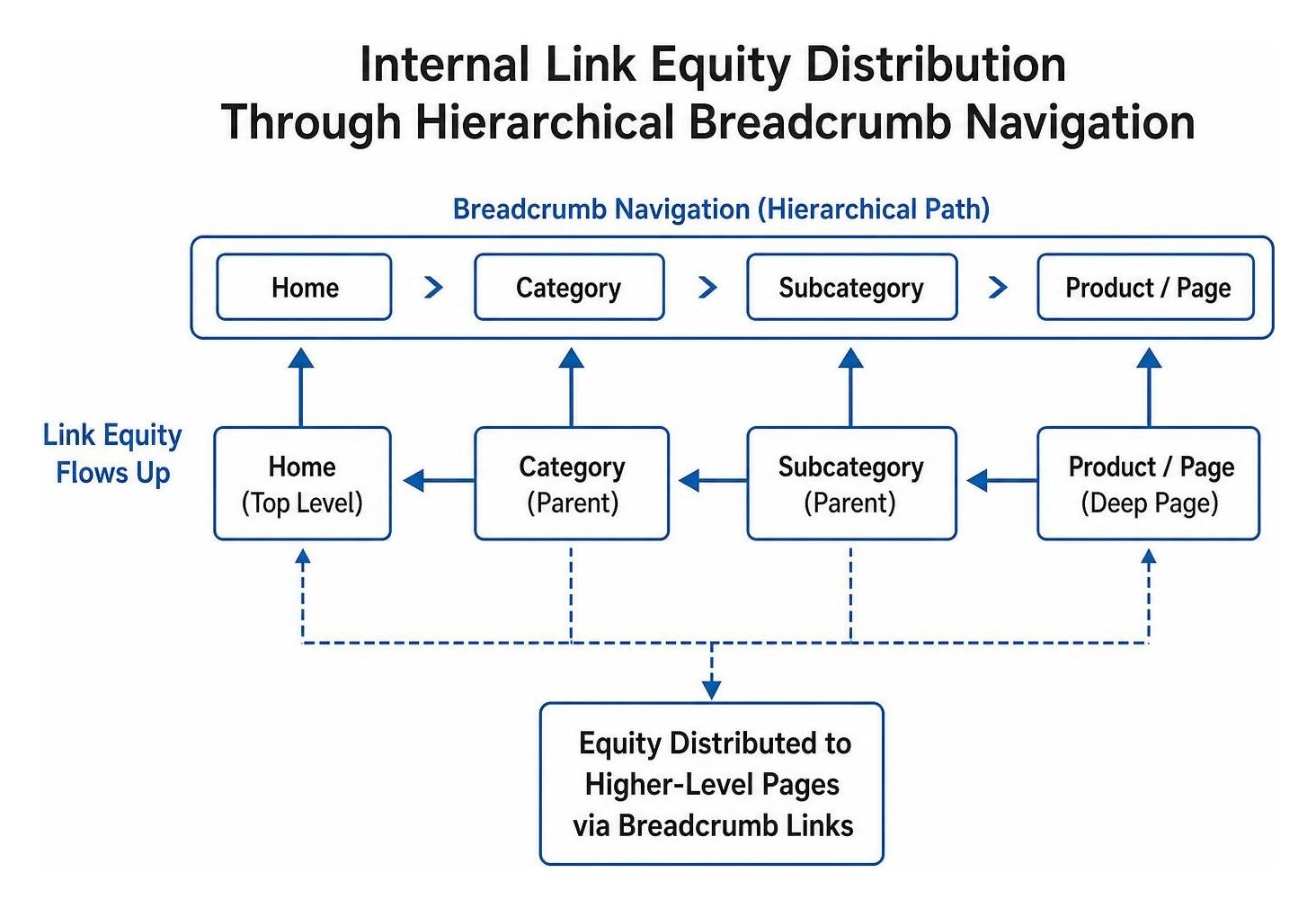
Maintaining active, logical trails prevents the creation of an accidental orphan page by ensuring every interior page has at least one contextual pathway pointing upward. Adhering to proven design guidelines for desktop and mobile breadcrumbs ensures visitors always understand where they are within your content taxonomy.
Automated Crawls: How to Check Breadcrumb Navigation After Restructuring a Website at Scale
To check thousands of breadcrumb trails at scale, use an automated crawler like Screaming Frog to extract HTML elements and JSON-LD schema simultaneously. Configure custom extraction rules targeting your breadcrumb navigation wrapper to capture every trail label and destination URL across your entire catalog.
When running a technical site audit, export your crawl data into Google Sheets to spot broken links, missing schema, and trailing slashes. Following systematic methodologies for auditing information architecture allows you to compare your intended site taxonomy against actual rendered links, catching missing trails before search bots encounter them.
How Do You Verify Breadcrumbs Reflect Actual User Navigation Instead of URL Folders?
Breadcrumbs must reflect real navigational hierarchy, not rigid URL folder paths. Search engines rely on internal link architecture rather than folder depth to infer topical relationships. A page located at a flat URL like /seo-checklist/ can still sit three levels deep in your visual hierarchy.
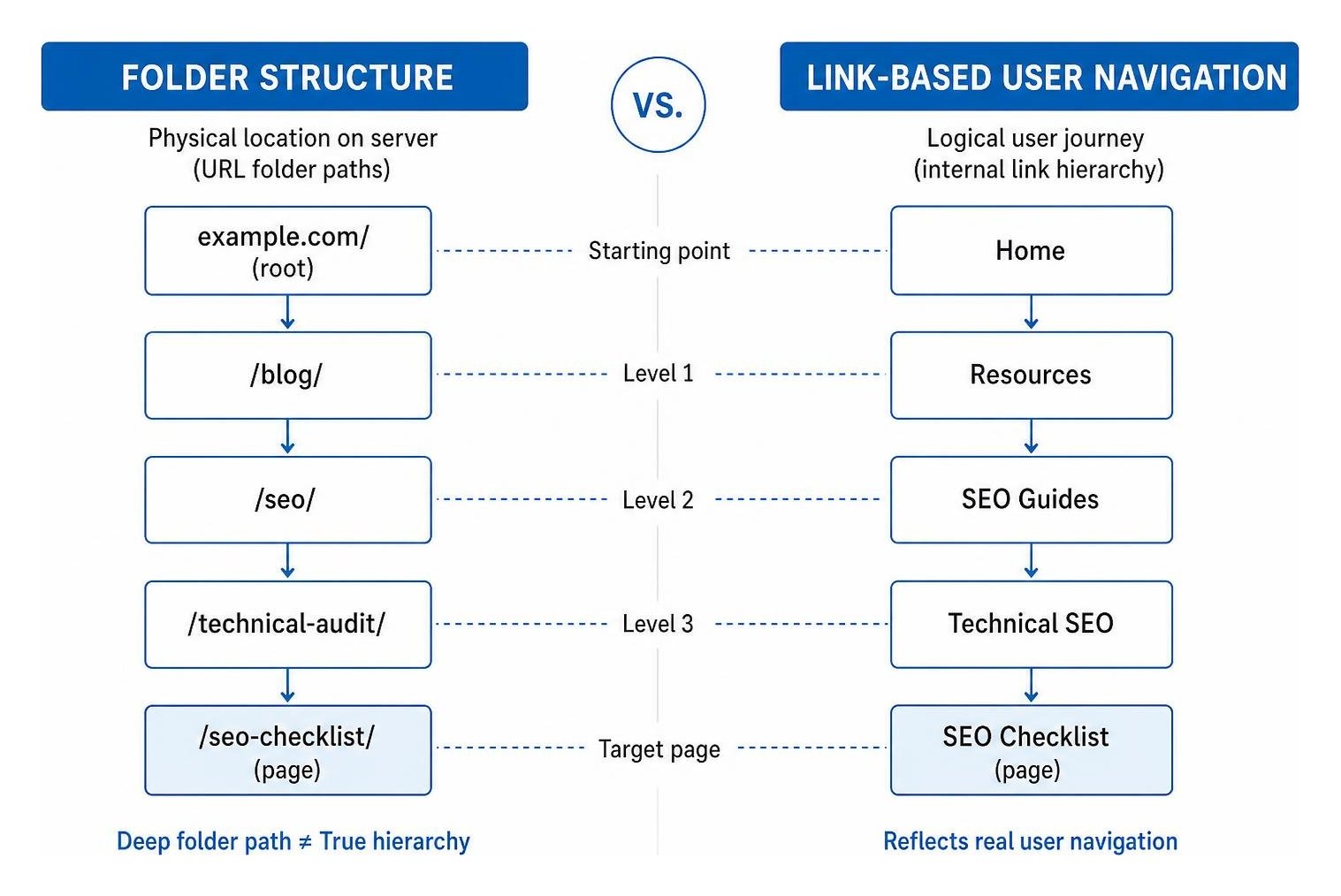
Ensure your breadcrumb trails match the logical journey a visitor takes through your content categories:
- Map by user intent: Build trails based on how users browse topics, not where files live on your server.
- Support faceted pathways: For products or articles accessible through multiple topics, ensure the trail reflects the user's active filter path.
- Keep trails concise: Include at least two navigation levels (such as Home > Category) to provide genuine navigational context.
How to Audit Breadcrumb Accessibility for WCAG 2.2 and Assistive Devices
Accessible breadcrumbs require semantic HTML that communicates hierarchy clearly to assistive technologies. Web Content Accessibility Guidelines (WCAG) specify that breadcrumbs serve as a sufficient technique for Success Criterion 2.4.8 (Location), which sits at Level AAA conformance.
However, breadcrumbs alone do not satisfy the Level AA criterion 2.4.5 (Multiple Ways), which requires alternative discovery mechanisms such as sitemaps, search bars, or table of contents modules.
When building accessible navigation, refer to official standards like designing accessible breadcrumbs with USWDS. Always wrap breadcrumbs in a landmark with an aria-label="Breadcrumb" attribute and an ordered list (
Ensure keyboard users can tab smoothly through every link with visible focus rings, and verify that the text color meets the WCAG Level AA contrast ratio of at least 4.5:1 against the page background.
Best Practices for Long-Term Breadcrumb Health and Resolving Common Errors
Long-term breadcrumb health requires regular monitoring of search engine indexing reports and swift resolution of structural conflicts across your content management system.
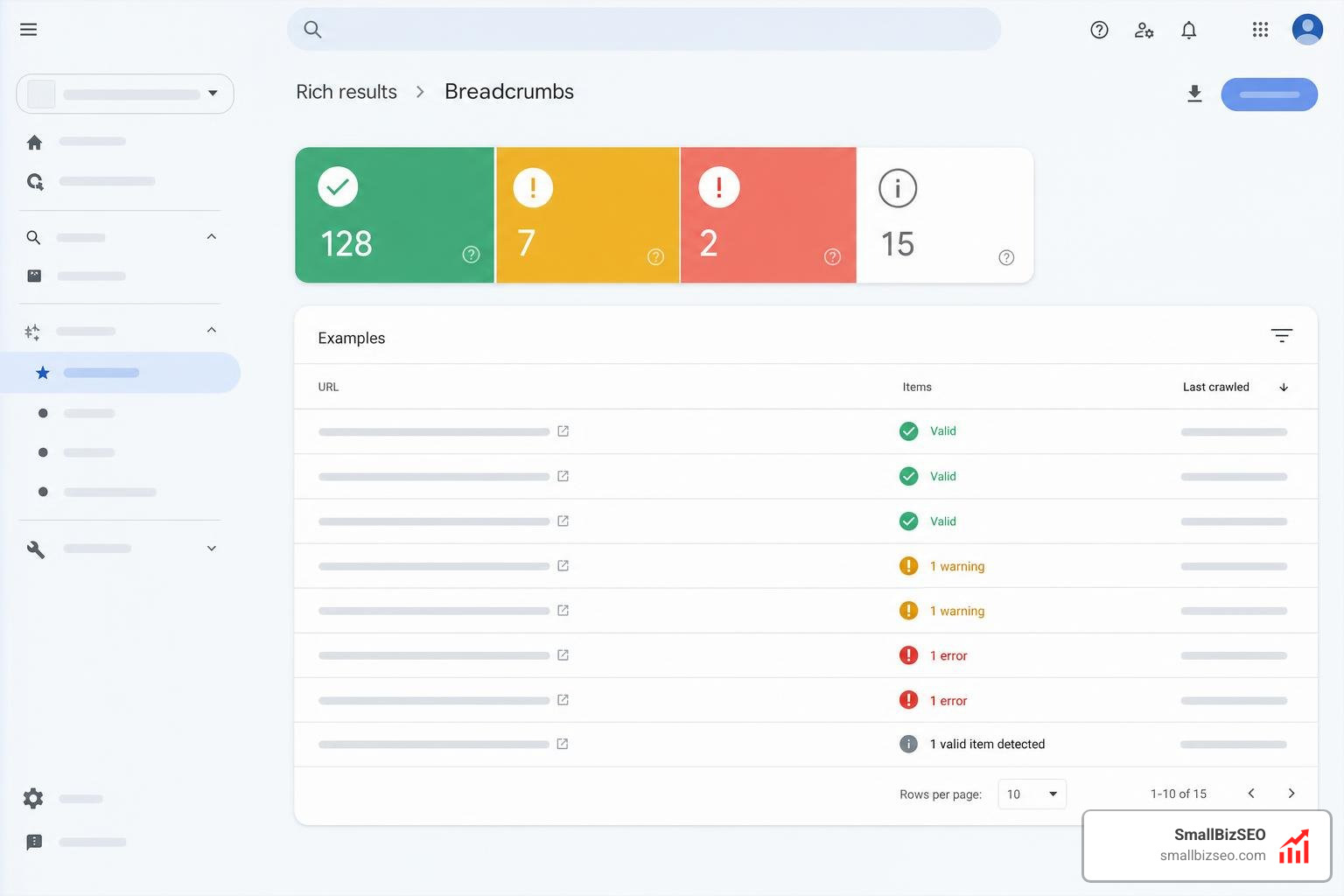
Maintain clean navigation by completing these post-migration checks:
- Inspect your search engine rich results reports weekly for structured data warnings.
- Verify that your visible on-page trail matches your JSON-LD markup identically.
- Ensure only one system (your theme or an SEO plugin) generates breadcrumb schema to prevent duplicate tags.
- Test responsive layouts on mobile devices to confirm breadcrumb trails wrap or scroll cleanly without overlapping text.
How Do Sitemaps and Canonical Tags Interact with Breadcrumbs?
Breadcrumbs, canonicals, and sitemaps must present a unified hierarchy to search engine crawlers. If your breadcrumb trail points to a non-canonical URL, search engines receive conflicting signals regarding which page version to prioritize.
Every link in your breadcrumb trail must match the self-referencing canonical tag of its target destination.
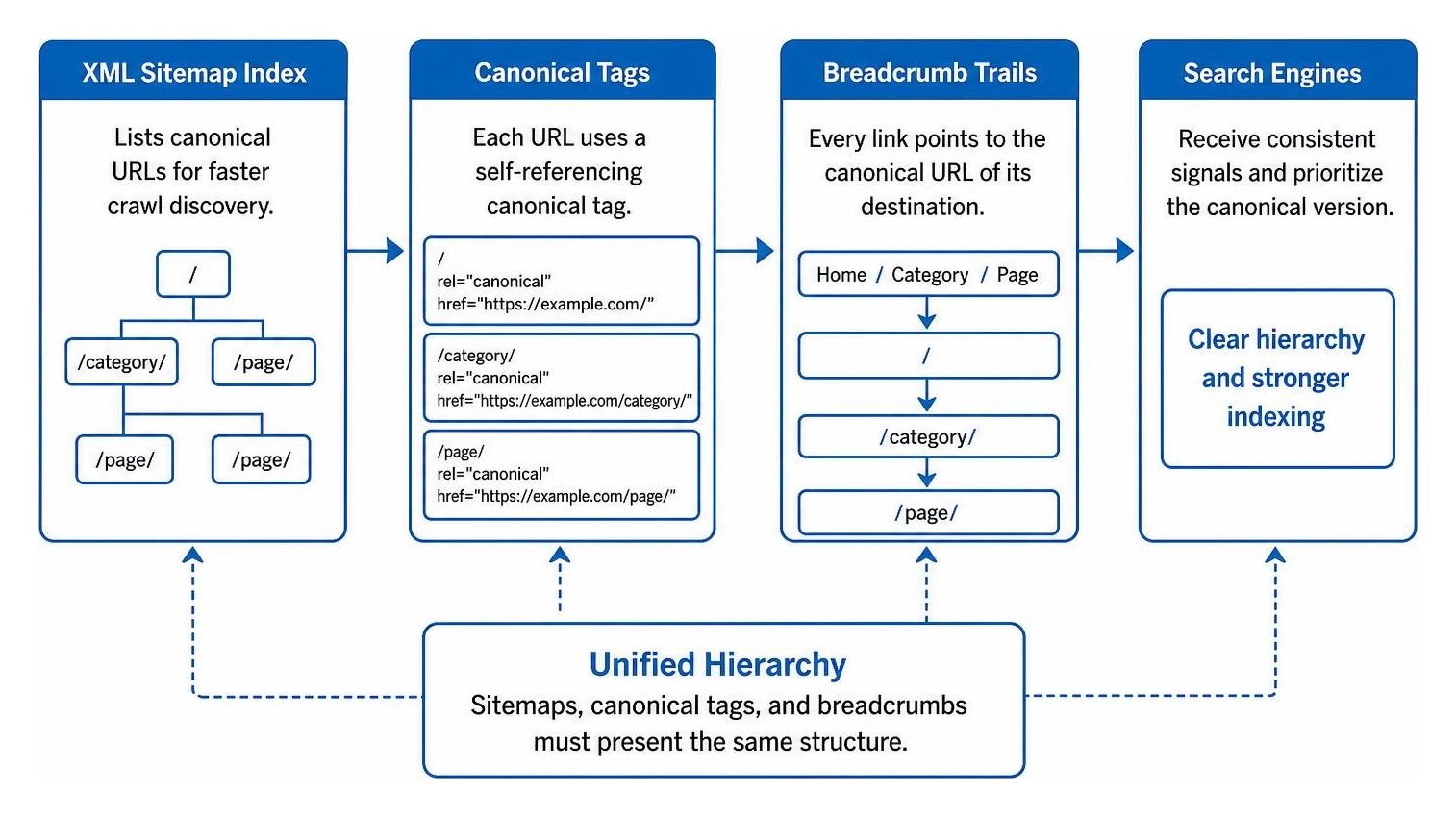
Aligning these pathways with your XML Sitemap Index speeds up crawl discovery and improves Index Coverage. You can monitor the progress of newly restructured URLs directly within your Search Console Page Indexing Report to ensure parent categories are indexed accurately.
Resolving Post-Restructure Mistakes and Preserving Link Equity
The most frequent error after restructuring is leaving legacy URLs inside breadcrumb trails, which triggers unnecessary redirect hops. When an interior page points to an outdated category URL, it creates a 301 redirect that slows down users and dilutes link signals.
Audit your trails to eliminate any accidental redirect chain where breadcrumb links pass through multiple intermediate hops before reaching their final destination.
Another common issue is duplicate markup caused when both your CMS theme and an SEO plugin output schema simultaneously. Resolving these code conflicts is a vital component of advanced technical SEO.
Our team at SmallBizSEO helps businesses audit, repair, and accelerate their site architecture through a comprehensive breadcrumb optimization strategy designed to protect search visibility and enhance user journeys.
Keep Your Site Hierarchy Strong and Navigable
Verifying your breadcrumb navigation after a website restructuring protects your internal link equity and ensures visitors can explore your content without hitting dead ends.
By combining automated technical audits, valid structured data, and strict accessibility standards, you turn simple navigation trails into reliable pathways that support both search engine discovery and user satisfaction. Maintain a regular audit routine, keep your markup synchronized with your live URLs, and let clean site architecture drive long-term organic performance.