Why Your Pillar Page Repeats Child Articles and How to Fix It

How Can You Outline a Pillar Page Without Repeating Every Article?
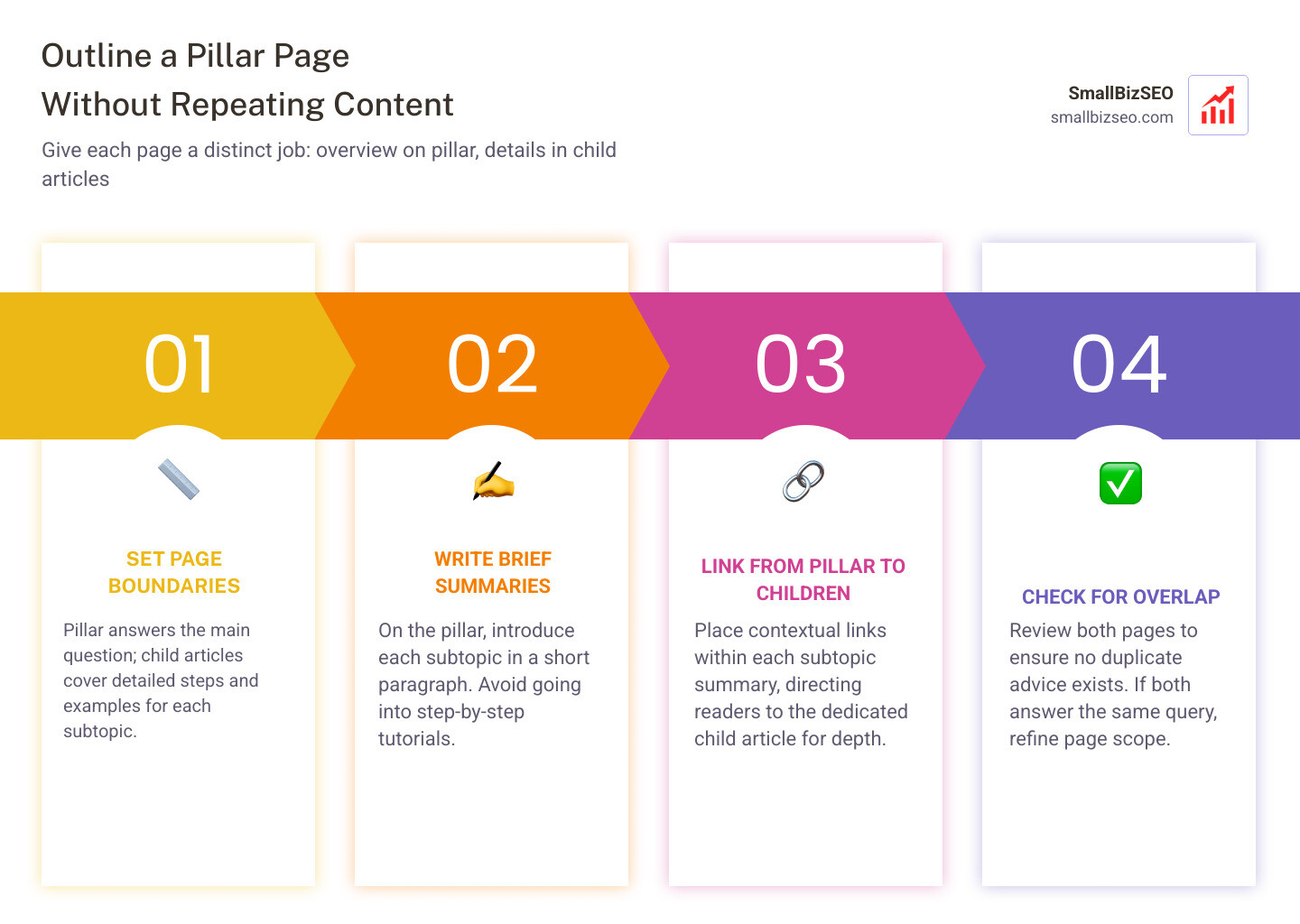
To learn how to outline a pillar page without repeating every article, start by giving each page a distinct job. Use the pillar page to answer the main question and briefly introduce each subtopic. Put detailed steps and examples in child articles, then link to them from the relevant sections of the pillar.
This gives readers a useful overview without making them scroll through the same advice twice. It also helps you spot sections where the pillar and a child article are trying to answer the same search.
I'm Clayton Johnson, founder of SmallBizSEO, where I help small businesses organize their expertise into clear, useful content. My approach to how to outline a pillar page without repeating every article starts with setting page boundaries and planning the links between pages.
Introduction
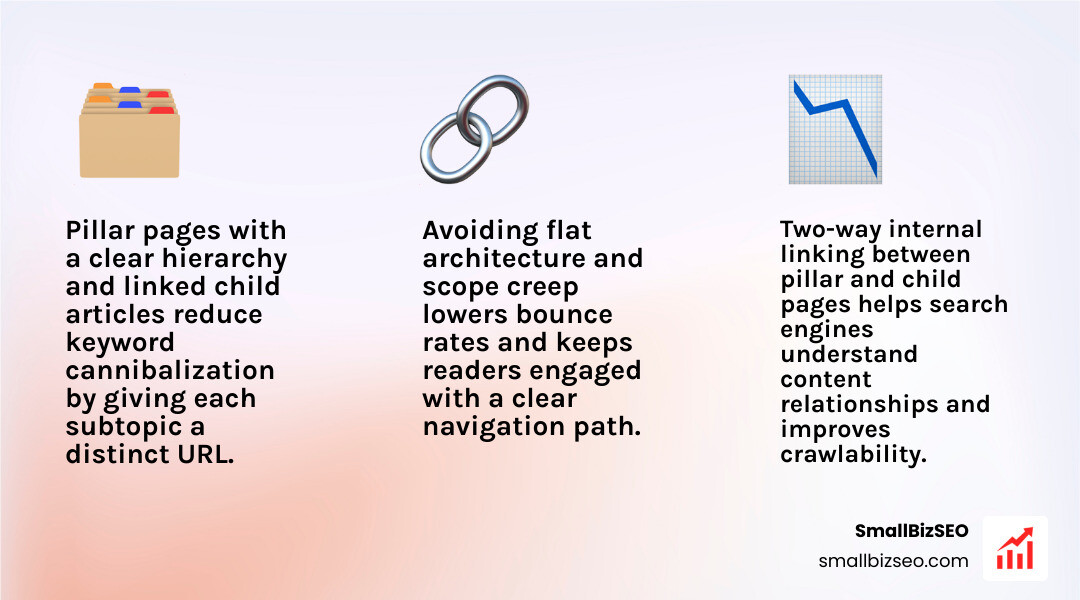
A pillar page should explain the main topic and guide readers to focused child articles; repeating those articles can blur search intent and lead to keyword cannibalization. When every subtopic on your central hub is fleshed out into an exhaustive step-by-step tutorial, your website suffers from scope creep, reader fatigue, and inflated bounce rates. Search engines struggle to discern which specific URL should rank for detailed long-tail queries, turning what should be a high-converting hub into a bloated asset that competes against your own blog posts.

Organizing your site around clear parent topics avoids the trap of flat architecture. Rather than publishing isolated, competing pieces, a structured content hub connects your central overview to individual deep-dives. This architecture satisfies search crawlers and improves engagement, helping visitors navigate complex subjects seamlessly.
How Do You Outline a Pillar Page Without Repeating Every Article?
To outline a pillar page without repeating every article, give the central page broad coverage of the parent topic, then link out to dedicated child articles for deep-dive tutorials, tutorials, and granular steps. Following foundational search best practices—such as those outlined in the Google SEO Starter Guide—requires structuring your site with logical hierarchies so both users and search engines understand content relationships.

A high-performing pillar page typically targets 2,000 to 5,000 words. It provides broad context across 8 to 12 core subtopics without exhaustive depth in any single section. Leaving the tactical nuance to child articles keeps your hub clean, focused, and intent-aligned.
| Content Element | Pillar Page Scope | Child (Cluster) Article Scope |
|---|---|---|
| Primary Goal | High-level synthesis, foundational concepts, framework | Exhaustive tactical guidance, execution steps |
| Search Intent | Broad informational, exploratory overview | Specific transactional, technical, or long-tail query |
| Word Count Range | 2,000 to 5,000 words (covering all subtopics) | 800 to 2,000 words (covering a single subtopic) |
| Linking Role | Hub passing equity down to 8–12 child pages | Spoke reinforcing the hub and linking to sibling pages |
| Content Depth | Definitions, "why it matters," summary frameworks | Detailed examples, step-by-step actions, code/templates |
What Should a Pillar Page Include—and What Should It Leave to Child Articles?
A pillar page must include direct answers, foundational definitions, and high-level frameworks, while leaving granular procedures, edge cases, and exhaustive examples to child articles. To maintain discipline when drafting your outline, establish a clear scope definition with explicit inclusion and exclusion statements.
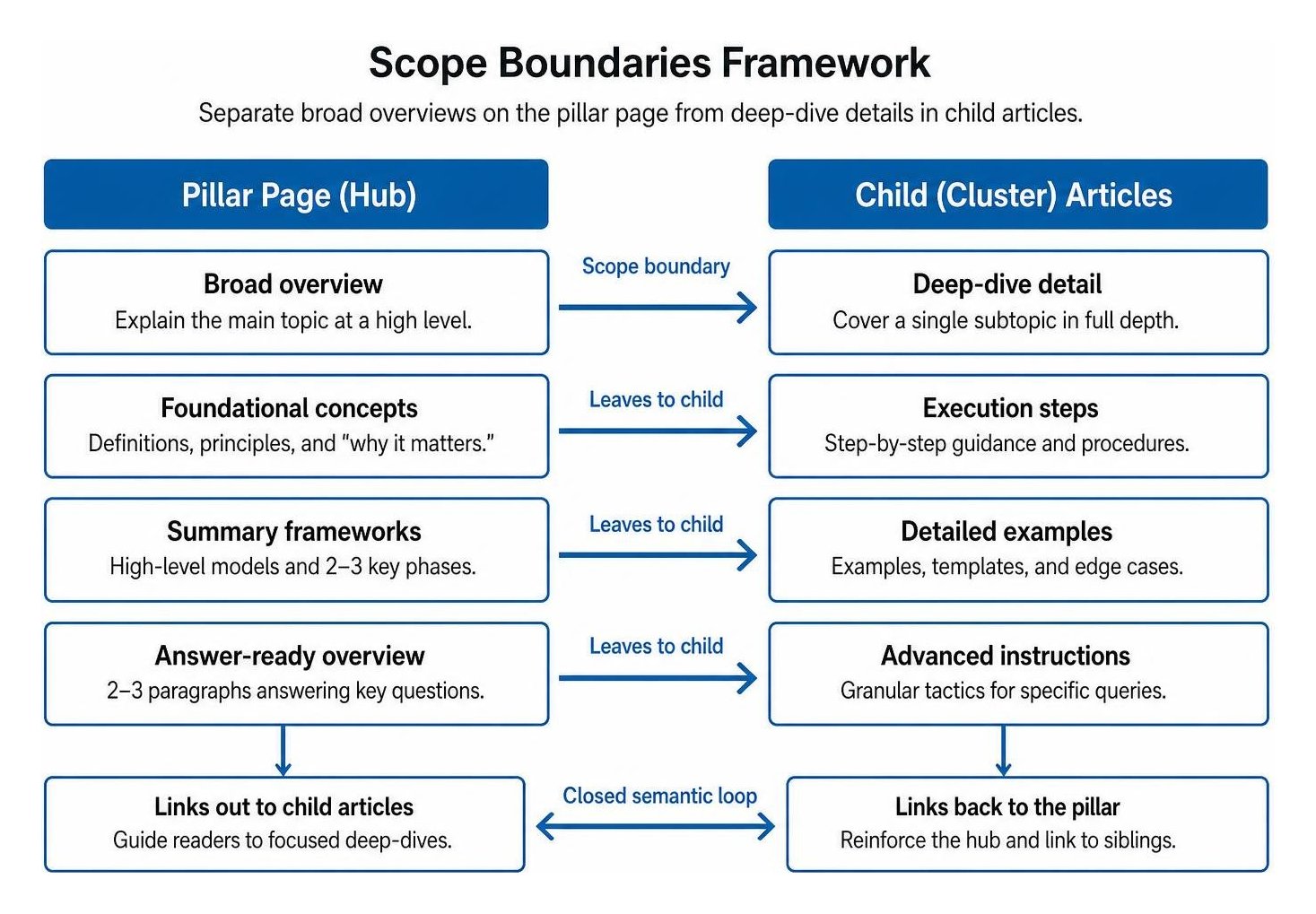
Creating structured, search-ready long-form content starts with defining what your central page will not cover. For instance, an overview section might explain what a strategy is and summarize its three main phases. The detailed, step-by-step walkthrough for executing phase one belongs entirely inside a child article. Delivering concise answer-ready content at the start of each H2 section satisfies quick informational queries, while readers needing advanced instructions can follow your link to the full spoke guide. Always review search engine results pages (SERPs) for overlap to ensure your hub targets broad head terms while individual child posts capture specific, intent-driven phrases.
How Do You Map Subtopics Without Repeating Them?
Map subtopics by assigning each topic to a distinct child URL, summarizing its core takeaway in 2 to 3 concise paragraphs on the pillar, and establishing bidirectional internal links between both pages. This closed semantic loop signals topical depth to search engines while distributing page authority evenly across your domain.
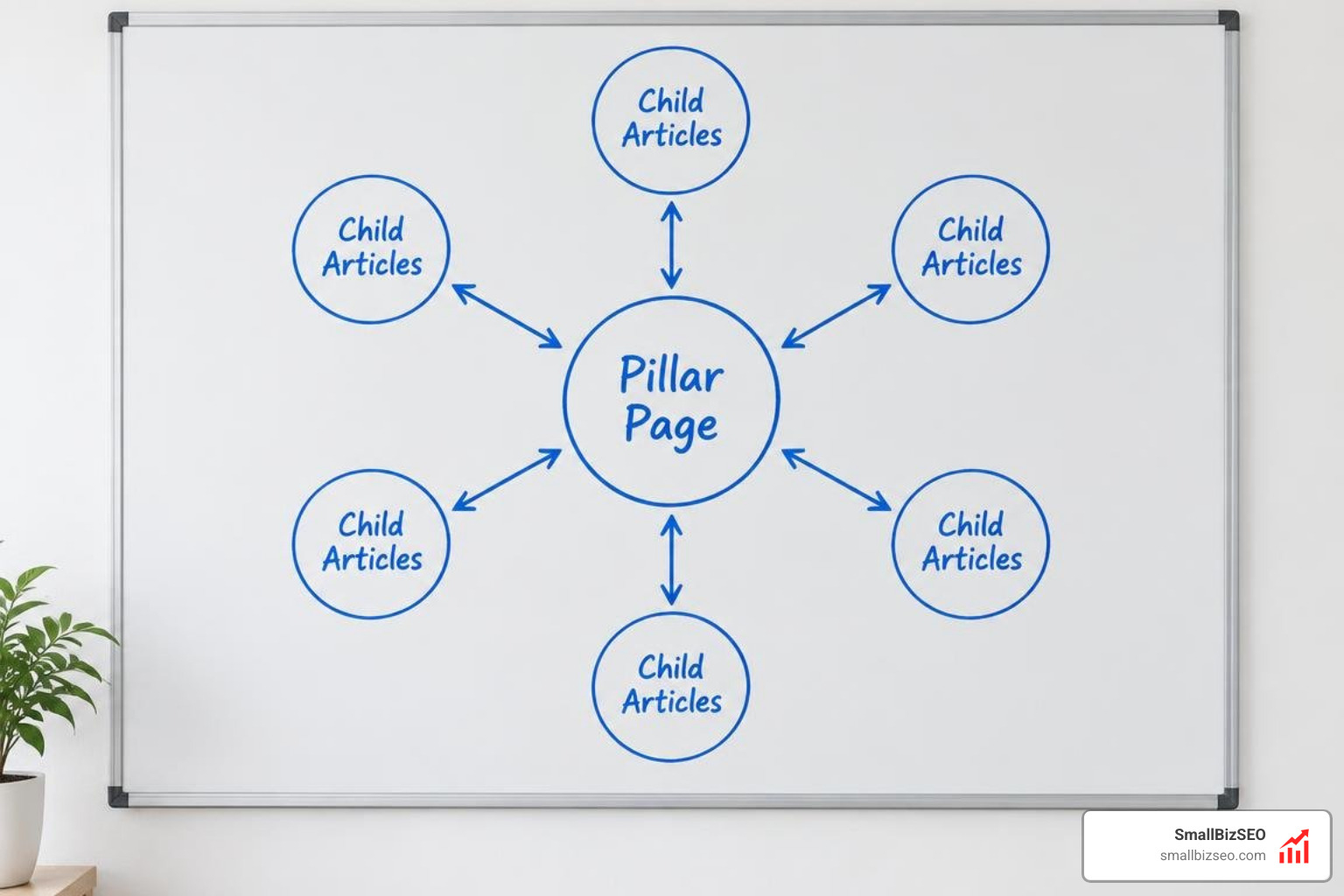
Building topical authority depends on disciplined internal linking. When structuring your outline, determine the exact anchor text for every child reference. The pillar should link to the spoke using descriptive anchors within the subtopic section, and the child article should feature a prominent contextual link back to the hub within its first 200 words as well as in its conclusion. This reciprocal model pools link equity, reduces bounce rates, and prevents isolated orphan pages from dragging down your site architecture.
How Can You Cover More Topics Without Going Too Deep?
Cover broad subject areas efficiently by using a strict heading hierarchy, introductory direct answers, and scannable bullet points that summarize key takeaways before providing a contextual exit ramp to the supporting article. This structural approach reinforces your entity SEO by defining clear relationships between broad industry concepts and granular subtopics.
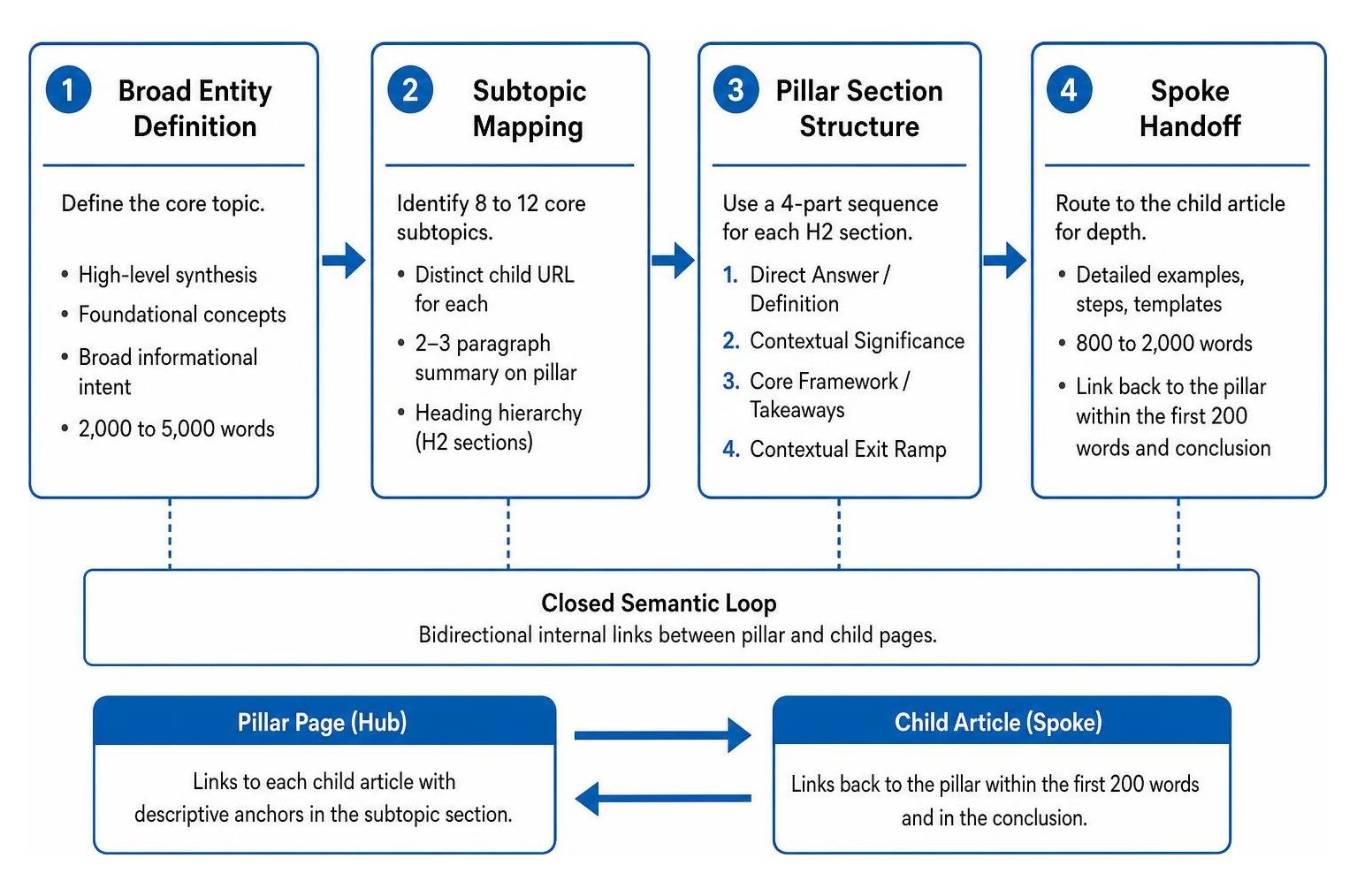
Structure each H2 subtopic on your pillar outline using this predictable four-part sequence:
- Direct Answer / Definition: A clear summary defining the concept in plain English.
- Contextual Significance: A brief explanation of why this component matters to the broader process.
- Core Framework / Takeaways: A bulleted list highlighting the primary steps, considerations, or metrics.
- Contextual Exit Ramp: A natural text link guiding the reader to the child article for detailed implementation steps.
Formatting your outline with this modular structure makes your page easy for visitors to skim, while helping AI search engines identify, extract, and cite your summaries accurately.
How Can You Make a Pillar Page Easier to Navigate?
Make long-form pillars easy to navigate by incorporating a sticky table of contents, accessible jump links, visual callout boxes, and brief summary callouts for every major section. These usability elements help visitors locate relevant answers immediately without becoming overwhelmed by long walls of text.
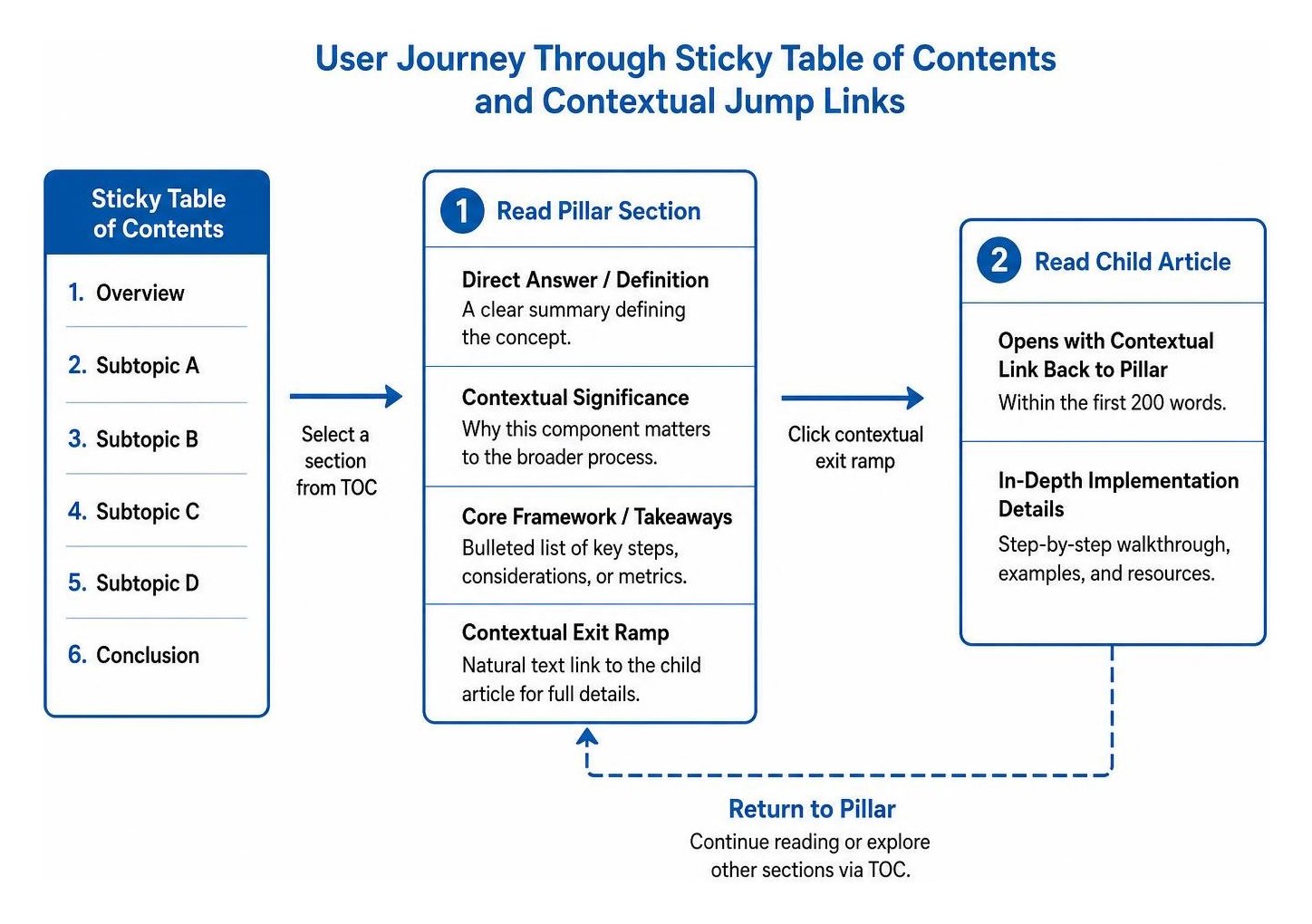
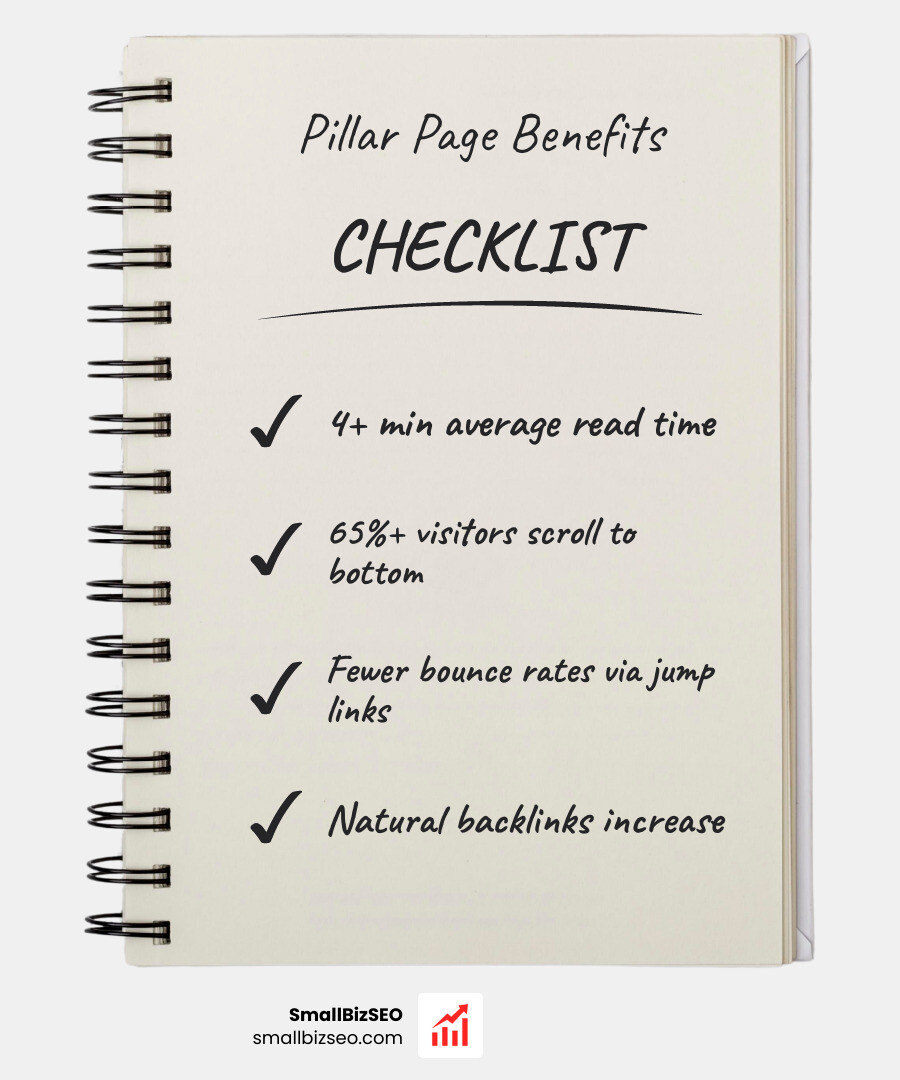
Data indicates that well-designed pillar pages featuring jump links and clear navigation retain readers for 4+ minutes, with over 65% of visitors scrolling all the way to the bottom sections. Adding visual breakout boxes, structured checklists, and clear heading hierarchies ensures that scanning users stay engaged, while turning your hub into a practical reference tool that earns repeat visits and natural backlinks.
How Can You Refine, Audit, and Scale Your Topic Clusters?
Refine and scale your topic clusters by auditing internal link integrity quarterly, tracking scroll depth and user engagement, and using a structured editorial roadmap to fill identified content gaps. Over time, search intent shifts and industry best practices evolve, requiring regular updates to keep your content ecosystem fresh and competitive.
Conducting a routine content refresh protects your pages against traffic decay. Use your audit to fix broken links, identify orphan articles that lack connections to a central hub, and map out emerging customer questions using a strategic content calendar. When scaling your publishing across multiple business topics, partnering with specialized content pillar experts helps maintain strict structural discipline and prevents duplicate content across your entire site.
What Should You Check Before Publishing a Long-Form Hub?
Before launching your pillar page, run through a systematic quality assurance checklist to verify scope boundaries, linking health, and technical readability across all devices.
- Scope Validation: Confirm that no H2 section includes granular step-by-step instructions that belong inside dedicated child articles.
- Link Completeness: Ensure every planned child article is linked from its corresponding section on the hub, with a reciprocal link pointing back to the pillar.
- Anchor Text Variety: Verify that anchor text is natural, varied, and descriptive rather than stuffed with repetitive exact-match phrases.
- Orphan Page Check: Check that all child posts within the cluster are linked to the hub and to relevant sibling pages.
- Structured Data and Meta Tags: Review title tags, meta descriptions, and schema markup to confirm clear topical alignment.
- Conversion and Call-to-Action Placement: Place relevant, non-intrusive conversion points throughout the guide to direct engaged readers to the next step in their journey.
Turn Your Scattered Content Into High-Performing Topic Hubs
Building an effective pillar page does not require rewriting your entire blog library onto a single, endless page. By setting clear boundaries for your pillar, summarizing subtopics with answer-ready clarity, and linking intentionally to dedicated child articles, you create a structured ecosystem that search engines reward and readers enjoy exploring. Start by auditing your existing posts, mapping your core parent topics, and applying this outline framework to build topical authority that drives sustainable business growth.