A Step-by-Step Guide to Updating GBP Categories After Changing Your Offerings
What Signs Show Your Profile Needs a Category Refresh?
Refresh your categories when your core offerings change and your profile no longer describes what customers can hire you to do.
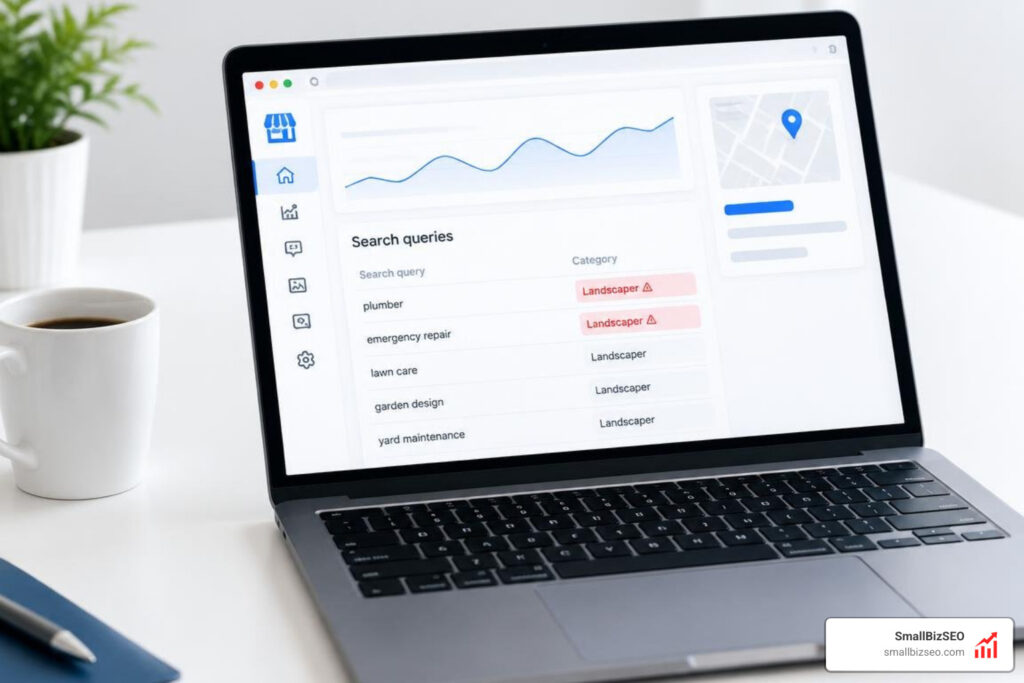
When your business evolves, your Google Business Profile must evolve with it. The primary category carries the heaviest algorithmic weight for local pack visibility. If that category points to work you retired, Google continues matching your listing to irrelevant search intent. This creates a severe relevance gap, suppressing visibility for high-margin services you actively provide while generating unqualified leads.
| Symptom Observed | Root Operational Change | Recommended Immediate Action |
|---|---|---|
| Inquiries for discontinued work | Phased out legacy services | Remove associated secondary categories |
| Zero calls for high-margin new work | Launched a major service expansion | Add matching secondary categories; build site content |
| Complete local pack impression drop | Fundamental pivot in business model | Update primary category to reflect new core business |
| Competitors outranking you with fewer reviews | Algorithmic category deprecation | Audit against the live selector; replace deprecated terms |
| High impressions, near-zero conversions | Primary category mismatch | Align primary category with actual customer intent |
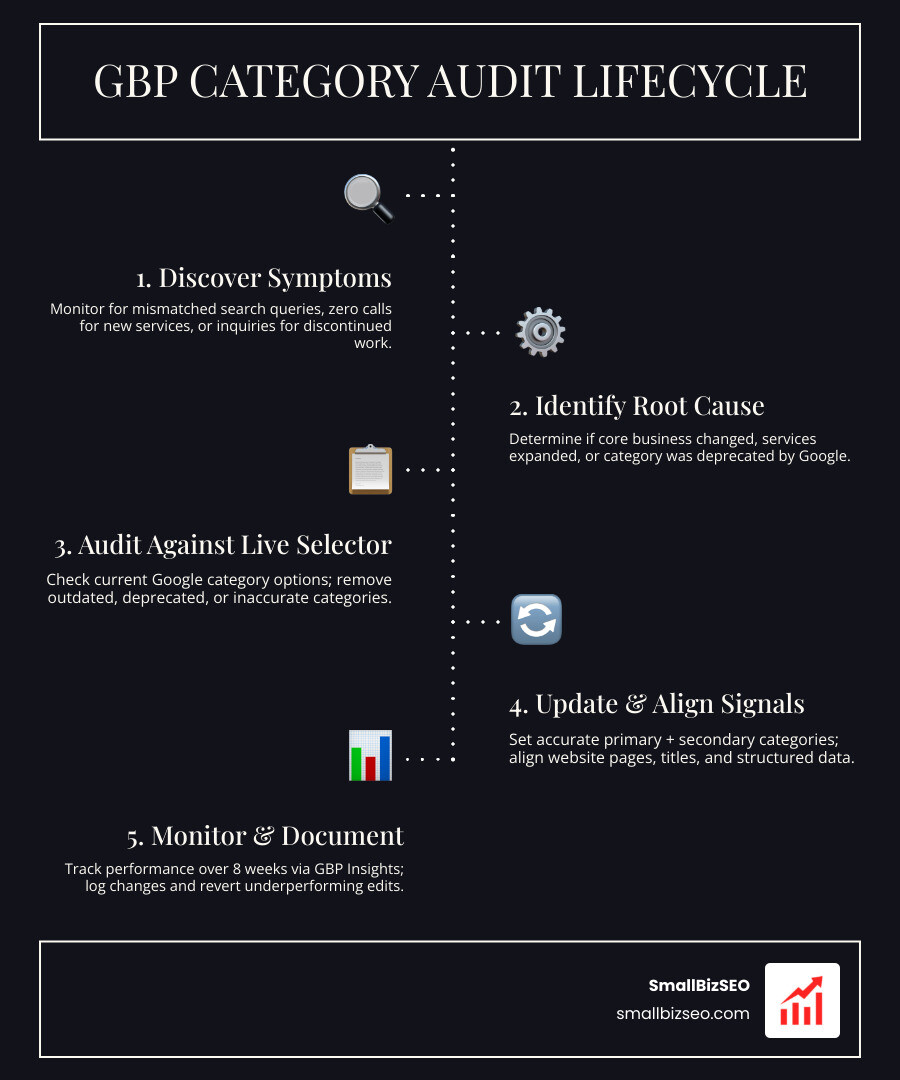
How Do You Audit Outdated GBP Categories After Your Business Changes Its Offering?
Check the current category options, choose the one that best describes your main business, and keep only accurate secondary categories.
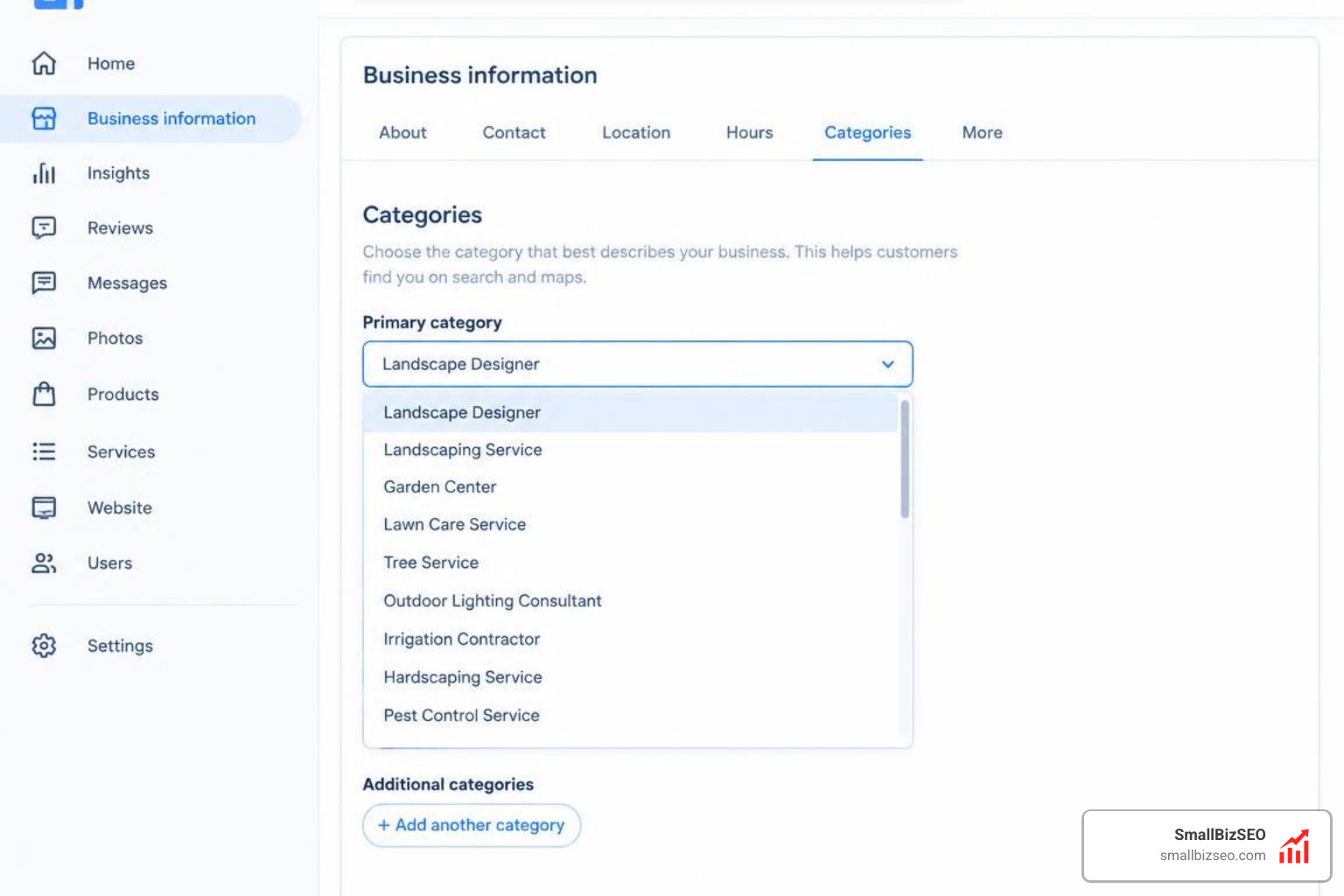
Google permits one primary category and up to nine secondary categories per listing, capping your profile at ten total fields. Because Google frequently adds, merges, and deprecates predefined categories, third-party lists become stale quickly. Every selection must be verified against the live dashboard. Review the official guidelines on how to manage your business category, and explore our specialized GBP services to keep your profile finely tuned.
Step 1: Is Your Main Business Changing, or Are You Adding a Secondary Service?
Choose a primary category for what drives the core business; use secondary categories for genuine additional services.
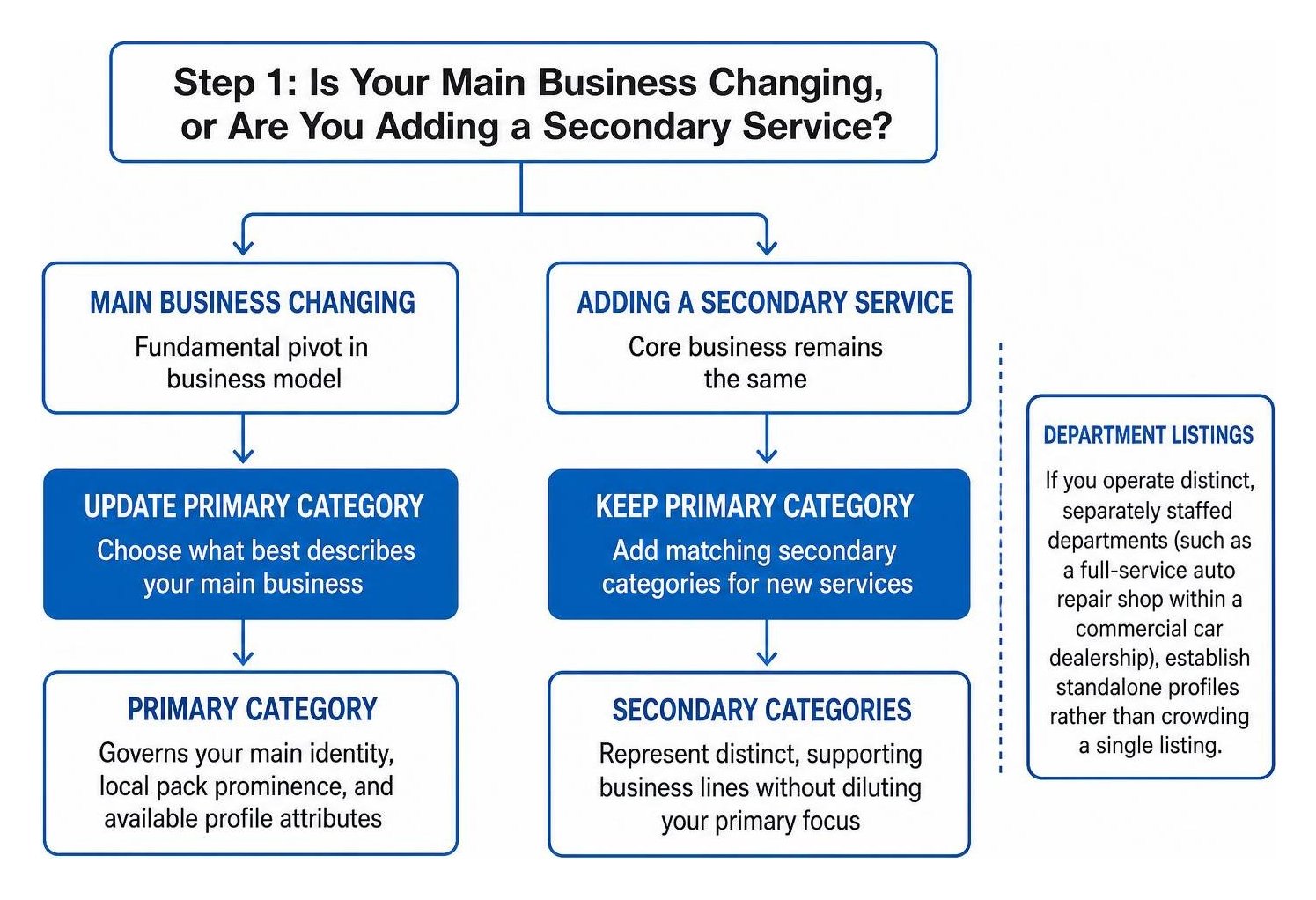
To establish the right configuration, apply the simple "business-is-a" test. Ask yourself: "My business is a..." The direct answer defines your primary category. If you run a commercial plumbing company that added drain jetting, you remain a "Plumbing Contractor." If you completely pivoted from general contracting to dedicated roofing restoration, your core identity changed, requiring an update to your primary category.
- Primary Category: Governs your main identity, local pack prominence, and available profile attributes.
- Secondary Categories: Represent distinct, supporting business lines without diluting your primary focus.
- Department Listings: If you operate distinct, separately staffed departments (such as a full-service auto repair shop within a commercial car dealership), establish standalone profiles rather than crowding a single listing.
Implementing these distinctions correctly forms the backbone of sustainable local SEO.
Step 2: How Can You Check Competitor Categories Without Copying the Wrong Setup?
Compare a few similar local businesses for ideas, but use only categories that accurately describe your own business.
Audit three to five legitimate, highly comparable competitors. Google Maps publicly displays only the primary category on standard business cards. To uncover secondary categories, utilize diagnostic tools like GMB Everywhere or the PlePer database.
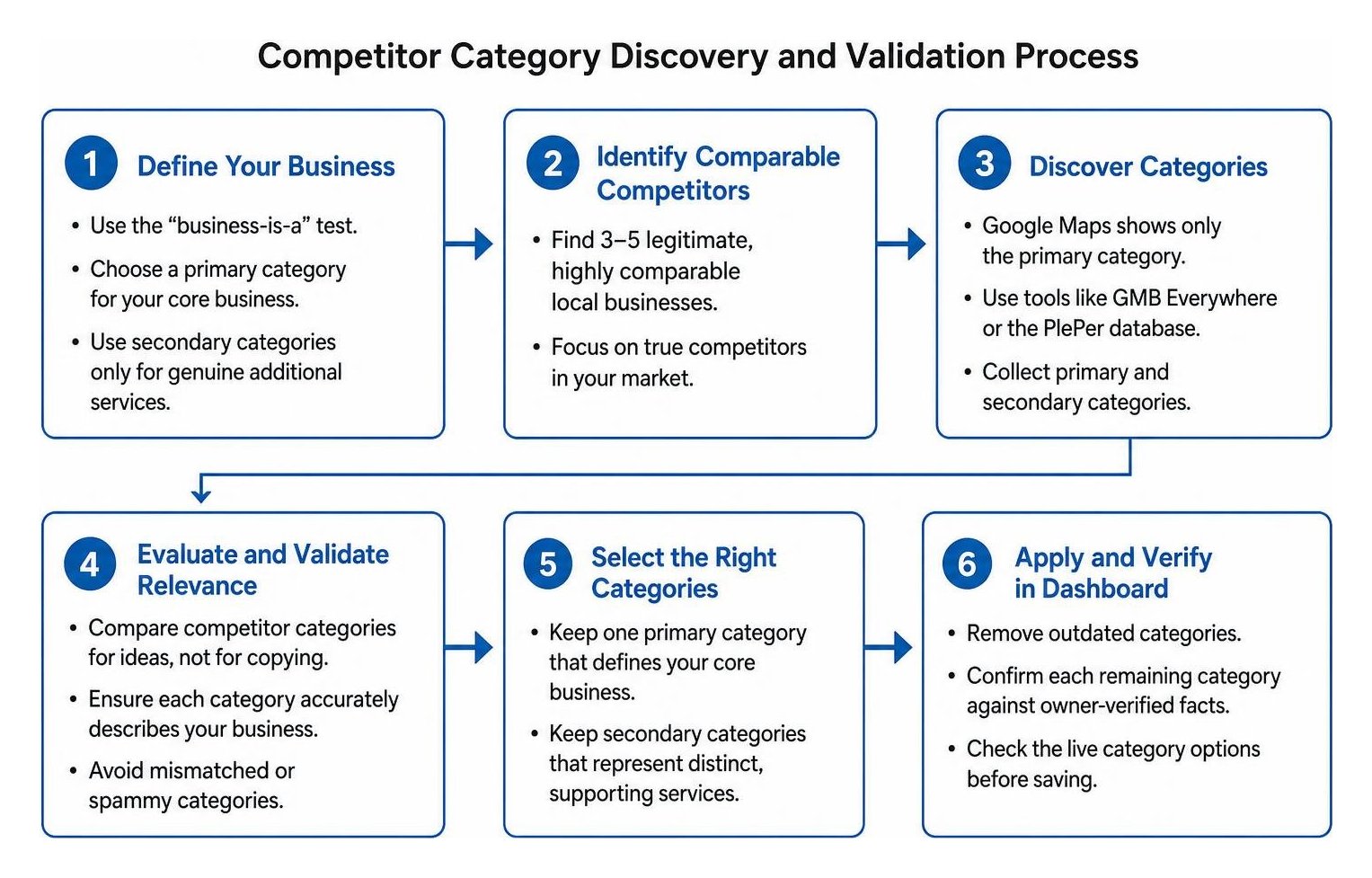
Never copy competitor setups blindly. If multiple competitors use a mismatched or spammy category, repeating their mistake will only expose your profile to algorithmic filtering. Follow the structured SOP to review and update your Google Business Profile using verified facts.
Step 3: How Do You Make and Verify Category Changes in Your Dashboard?
Remove outdated categories, confirm each remaining category against owner-verified facts, and check the live category options before saving.
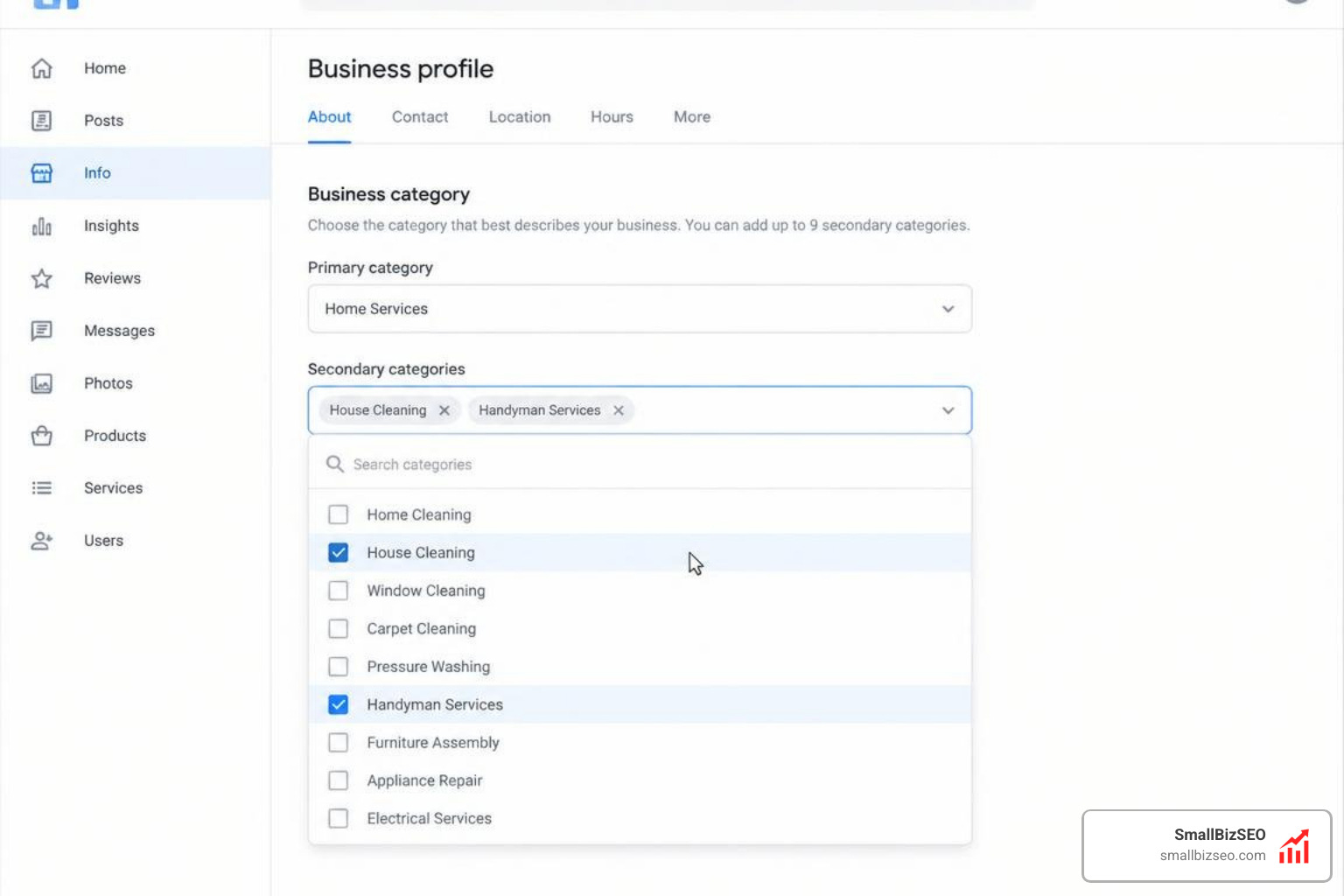
Before editing your profile, compile an owner-confirmed facts worksheet detailing every active service line. Remove any deprecated or discontinued categories from your dashboard, search the live selector for the exact terms matching your active services, and save your updates in a single session. For deeper execution steps, review our blueprint for optimizing for local search to earn higher map rankings.
How Do You Align Signals, Reduce Risks, and Track Performance After the Audit?
Match your website and business information to the updated categories, then monitor visibility and conversions for changes.
A category update inside your dashboard must not exist in a vacuum. Google's local algorithm cross-references your listing against web data to ensure high trust. Strengthening your profile requires combining category clarity with a practical guide to local SEO map visibility and verified NAP consistency.
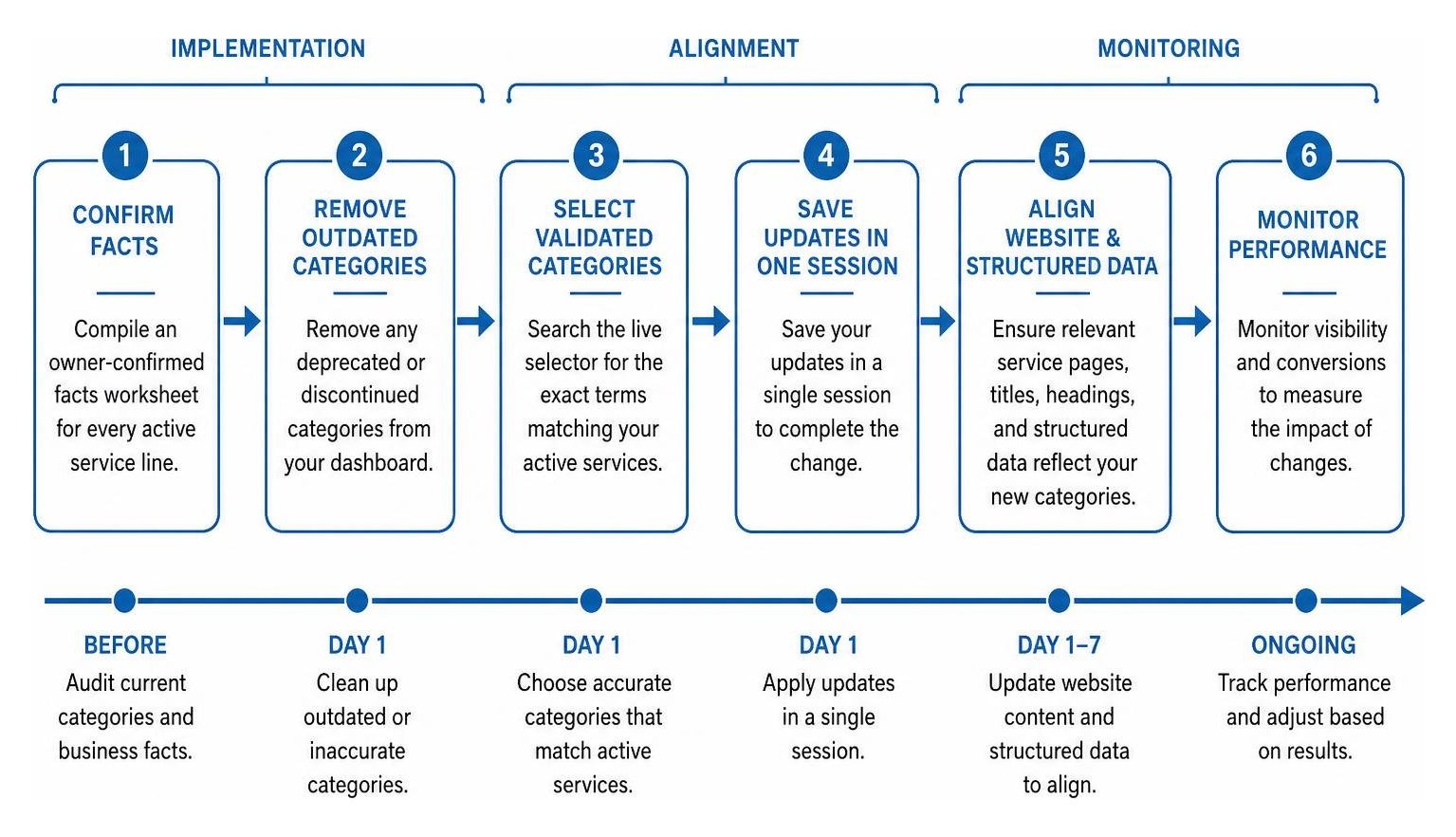
How Should You Align Website Pages and Structured Data With Your New Categories?
Make sure relevant service pages, page titles, headings, and structured data clearly describe the services represented by your categories.
Every category selected on your profile must have clear supporting content on your website:
- Dedicated Service Pages: Publish dedicated, in-depth pages for every secondary category service.
- On-Page Headers and Metadata: Align H1 tags, title tags, and contextual copy with your chosen categories.
- Structured Data: Implement JSON-LD schema (such as
LocalBusinessor specific subtypes) on your landing pages to reinforce entity clarity.
Connecting these technical components ensures both standard local crawlers and modern AI Overviews understand your updated capabilities. Build a solid base using the ultimate guide to local search optimization basics.
How Long Should You Monitor Changes, and What Could Trigger Re-Verification?
Track profile performance over an 8-week monitoring window, and keep business details accurate to reduce verification or suspension risks.
Major edits—especially altering your primary category—can trigger re-verification prompts from Google. To avoid manual reviews or profile suspensions, make only evidence-backed updates and avoid stacking unrelated edits (such as simultaneous phone and address changes). Steer clear of deceptive practices detailed in our guide on map spam. Monitor your performance metrics, calls, direction requests, and search term reports across the full 8-week window before making further adjustments.
How Should You Document the Audit, and When Should You Revert a Change?
Keep a record of why each category changed, review the profile quarterly, and revert edits that underperform or no longer reflect the business.
Maintain an audit trail log documenting previous categories, newly selected fields, the operational rationale behind each change, and baseline ranking metrics. At SmallBizSEO, we integrate this discipline into our data-driven Velocity framework, giving businesses clear visibility into their organic growth. If an 8-week evaluation shows a sustained drop in qualified discovery searches without improvement in your new target areas, re-examine your competitors and consider reverting or refining your selections when optimizing additional categories.
Keeping Your Business Profile Accurately Positioned
Maintaining an accurate Google Business Profile requires routine care. Treat category management as an ongoing operational habit rather than a one-time chore. By running quarterly audits, confirming real business capabilities, and reinforcing profile changes with strong website content, you protect your local rankings and consistently attract the right customers.