How to Investigate Crawl Waste From Endless Calendar URLs

How Do You Find Crawling Wasted on Endless Calendar URLs?
To investigate crawling wasted on endless calendar URLs, test calendar navigation in a controlled way, group the URLs that appear, and compare that evidence with verified server-log requests and Search Console trends. The goal is to find an unbounded or low-value URL pattern, not to assume that every calendar page is a problem.
Start with a representative set of next and previous links. Follow each direction only to a defined stopping point, then record whether navigation ends, repeats, creates empty combinations, or exposes useful event and archive pages. A capped, low-impact crawl can reveal the same pattern without placing unnecessary load on the site.
Keep valid event pages and useful historical archives in the review set. Focus on empty dates, nonexistent pagination, duplicate parameter combinations, and paths that keep expanding without a clear purpose. This is how to investigate crawling wasted on endless calendar URLs without treating normal calendar content as a crawl trap.
Use Technical SEO audit practices to document the test scope, the URL patterns found, and the change candidates before a developer modifies navigation.
What Makes a Calendar URL Pattern a Crawl Trap?
A calendar URL pattern becomes a crawl trap when navigation or parameters can generate an open-ended supply of low-value URLs. The concern is not that calendars exist. The concern is that the same interface can create unlimited empty, duplicate, or nonsensical states that a crawler must evaluate.
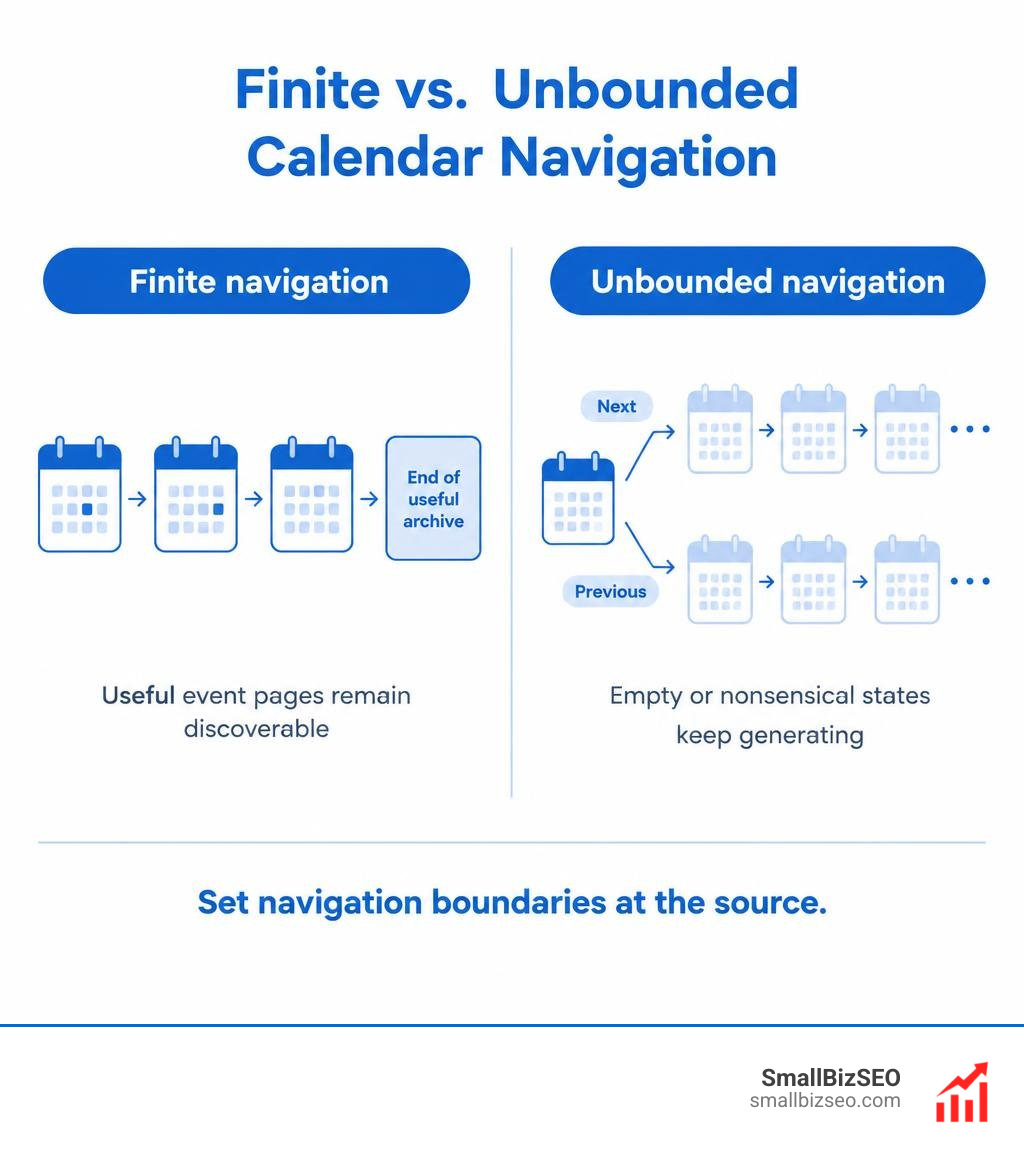
Google describes similar risks for faceted navigation: very large URL spaces can consume server resources and slow discovery of useful URLs. That matters most when there is evidence of a large or fast-changing URL inventory, or when Search Console shows many discovered but unindexed URLs. Smaller sites commonly do not need crawl-budget work unless their own evidence points to an issue.
Which Calendar Pages Should Remain Available?
Keep pages that serve visitors and can stand on their own, such as active event detail pages, meaningful archives, and finite pagination that presents distinct results. Do not remove a URL pattern simply because it contains a date.
Investigate pages that are empty, outside the business's useful time range, duplicated by another URL, or created by repeated next and previous navigation. A canonical can help consolidate genuinely equivalent pages, but it does not stop infinite URL generation or resolve related thin content issues. The durable fix is to set clear navigation boundaries at the template or plugin level.
Google's guidance on faceted navigation explains the distinction between URLs that need to be available for search and URLs that should not generate an ever-growing crawlable inventory.
How Can You Investigate Crawling Wasted on Endless Calendar URLs?
Use several signals together: bounded navigation tests, a limited crawl, server logs, and Search Console. No single report proves a calendar trap or measures an exact crawl budget.
How Do You Test Calendar Navigation and URL Growth?
First, list the calendar's main entry points and try representative next and previous paths from each one. Set a strict test boundary before starting. Record the response status, page purpose, canonical target, and whether each URL shows a real event list, an archive, an empty state, or a duplicate.
Then run a small crawl with a fixed URL cap and low request rate. Group results by calendar path and query parameter, such as month, date, view, session, or pagination values. Look for repeating folders, stacked parameters, unusually long URLs, and combinations that return empty results. This limited approach is consistent with Google documentation on high URL counts and practical technical SEO audit practices.
What Can Technical SEO Audit Practices Show in Server Logs and Search Console?
Server logs can show the number and share of requests reaching the reviewed calendar patterns within the stated log window. Verify Googlebot with Google's documented IP or DNS-based verification process rather than relying only on a user-agent label. Logs can still be incomplete when a CDN, cache, load balancer, or separate application layer does not retain the full request path. This evidence can also guide work on taming crawler traffic floods.
Search Console provides samples and aggregate trends, not a complete index inventory. Review Crawl Stats for changing request patterns and Page Indexing for recurring calendar URLs in non-indexed groups. A site: query can help surface examples, but it is not an exhaustive count of indexed pages.
| Evidence | What It Can Indicate | Appropriate Next Step |
|---|---|---|
| Bounded next and previous test | Navigation has no clear stopping point or creates empty states | Set a business-appropriate navigation boundary at the source |
| Capped crawl grouped by URL pattern | Repeating date paths, parameter stacking, or large low-value URL growth | Fix URL generation and internal links that create the pattern |
| Verified Googlebot log requests | Calendar patterns account for a meaningful share of observed requests in the log window | Prioritize the highest-volume low-value pattern for review |
| Search Console trend or sample | Calendar URLs appear repeatedly in crawl or indexing reports | Compare the pattern with logs and crawl findings before changing directives |
| Duplicate equivalent pages | Multiple URLs represent the same useful content | Use canonicalization only for genuine equivalents |
For a broader review of crawl signals and site structure, a SEO visibility audit can help prioritize the evidence that warrants developer work.
How Should You Fix an Endless Calendar URL Pattern?
Fix the source of URL generation first, then choose crawl and indexing controls based on the specific page type. A change should preserve useful event URLs, accessible navigation, and a clear rollback path.
Which Crawl-Budget Controls and Optimization Options Fit Each Calendar URL Type?
Use the Google crawling infrastructure guide on crawl budget to match the control to the URL pattern. Crawl-budget guidance can help frame implementation priorities, but it does not replace developer testing.
For nonexistent date combinations, nonsensical repeated parameter combinations that yield no results, or pagination beyond available results, return a true not-found response where the resource does not exist. Google recommends a 404 response for filter combinations and nonexistent pagination that return no results. Use a canonical instead when actual equivalent useful pages represent the same content, and do not use 404 or 410 responses for valid older events that still serve a useful archive purpose.
For a finite collection of useful pages that have true duplicates, point equivalent versions to the preferred canonical URL. Canonicals are not a cure for an interface that keeps generating new URLs.
For low-value states that should never be crawled, a carefully scoped robots.txt rule can reduce crawling. Robots.txt is crawl control, not a reliable deindexing method, and cached rules may not take effect immediately. A noindex directive can support deindexing only while crawlers can access the page to read it. Do not apply a blanket calendar block or a universal noindex-then-block sequence.
Use buttons or fragments only when they support a nonindexable interface state and do not hide useful event links from visitors or assistive technology. Nofollow is not a dependable long-term block for an unwanted URL space, and the retired URL Parameters tool is not a current remediation path. For implementation details, see configuring robots.txt files after the URL pattern and its allowed pages have been defined.
How Do You Test Changes Safely and Prioritize Valuable URLs?
Stage the change before release. Test a small set of allowed URLs, blocked or invalid URLs, real event pages, archive pages, navigation controls, canonicals, and status codes. Confirm that useful links remain discoverable and that the interface remains accessible. Start the staging list by prioritizing valuable URLs that must remain available.
After release, monitor comparable windows of equal duration before and after the change, using the same calendar URL pattern groups. Compare observed request counts, the request share for the affected patterns, crawl results, and Search Console trends. Treat the comparison as validation of the implementation, not a promise of ranking, traffic, or crawl-budget recovery.
Google's crawl-budget guidance and its URL structure guidance support managing URL inventory and using consistent, crawlable URL formats. Keep ongoing SEO content services separate from the code-level fix so the calendar issue can be measured clearly.
Turn Evidence Into a Safer Calendar Fix
A well-supported calendar fix starts with proof: a bounded navigation test, a limited crawl, verified log requests, and Search Console trends that point to the same low-value URL pattern. It then protects the pages that visitors need, limits only the states that have no purpose, and validates the result using comparable, equal-duration windows before and after the change.
If the evidence shows an unbounded calendar pattern, work with a developer to test the smallest source-level change in staging and prepare a rollback plan. For help turning the findings into a prioritized Technical SEO review, request a SEO visibility audit or book a consultation.