Clean Up Keyword Reporting by Grouping Common Brand Misspellings

How Do You Group Brand Misspellings in Keyword Reporting?
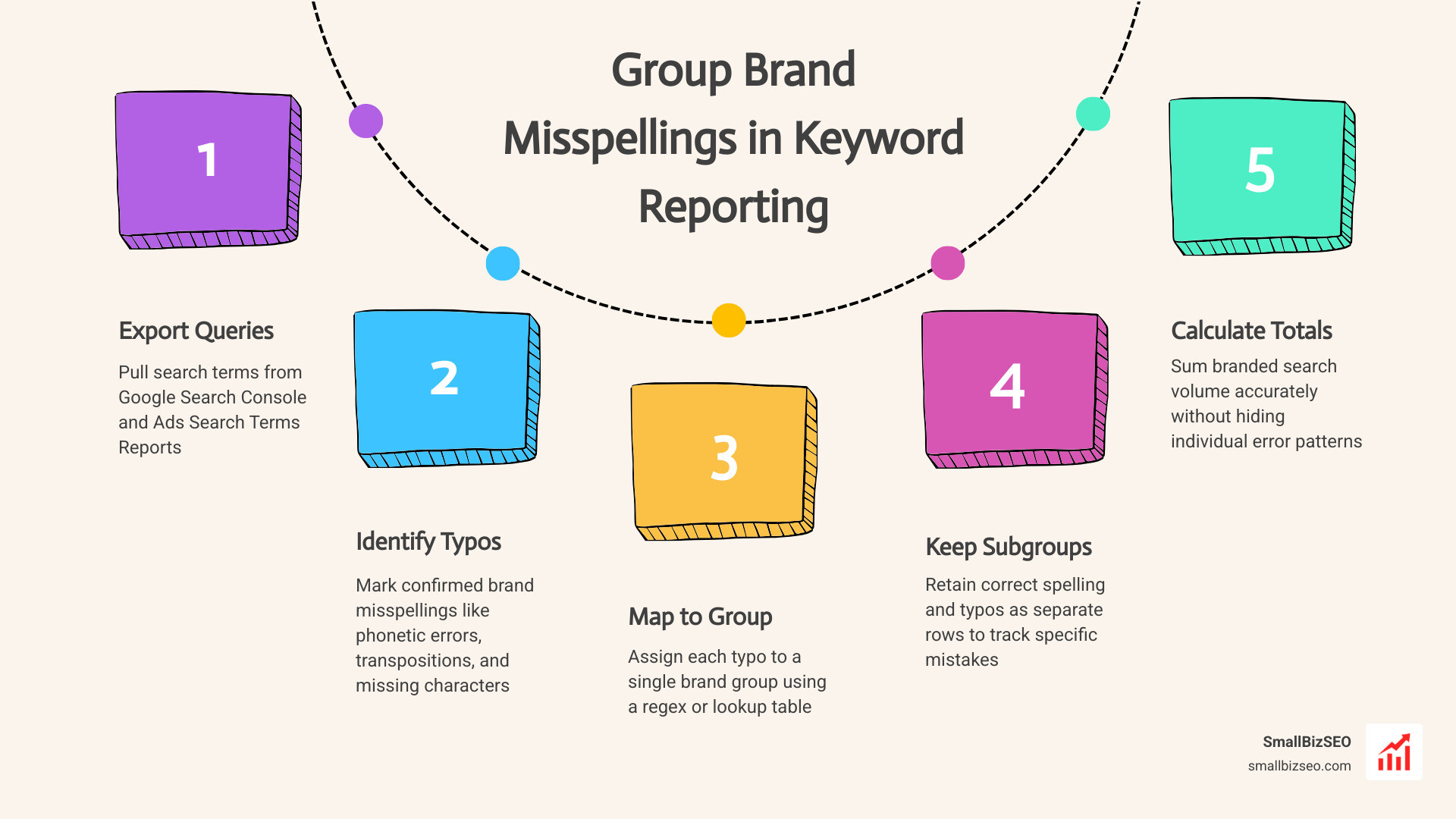
Here’s how to group brand misspellings in keyword reporting: export your search queries, identify confirmed typos, and map each one to a single brand group with a tested regex or lookup table. Keep the correct spelling and typos visible as separate subgroups. That gives you an accurate total for branded searches without hiding which mistakes people make.
I’m Clayton Johnson, founder of SmallBizSEO, where I connect keyword research with clear SEO reporting for small businesses. This guide shows how to group brand misspellings in keyword reporting while keeping ambiguous searches out of your brand totals.
Why Brand Typos Skew Data and How Misspellings Occur
Brand typos fragment your performance data across dozens of long-tail variations, hiding the true size of your direct audience and skewing non-brand discovery metrics. When search engines process user queries, misspelled brand names split your core traffic into hundreds of low-volume rows.
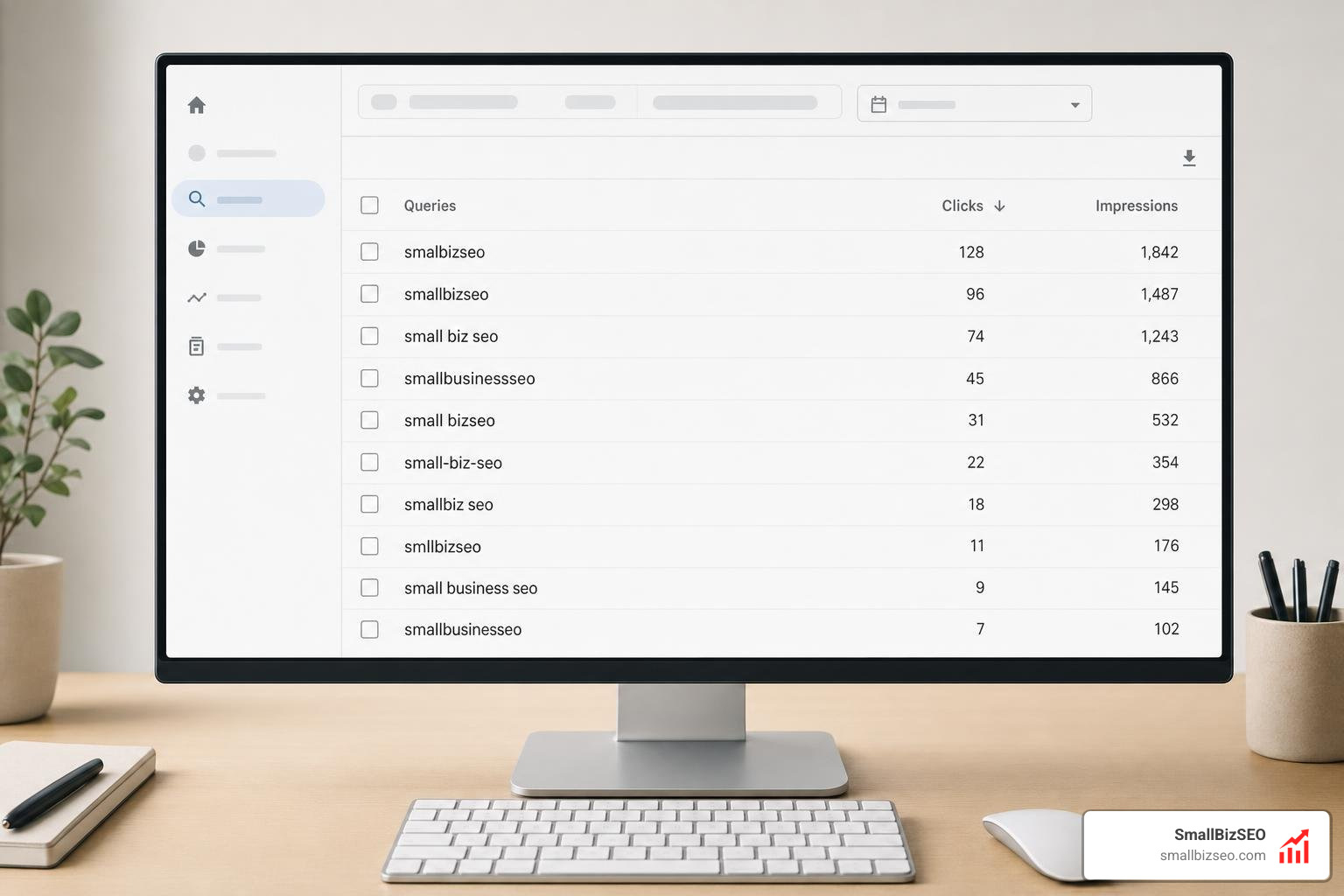
If you leave these misspellings ungrouped, your analytics dashboards report artificially low click-through rates and distorted organic performance figures. In paid search, uncategorized typos bypass budget allocation rules and trigger automated bidding adjustments based on incomplete conversion numbers.
Why Learning How to Group Brand Misspellings in Keyword Reporting Protects Data Integrity
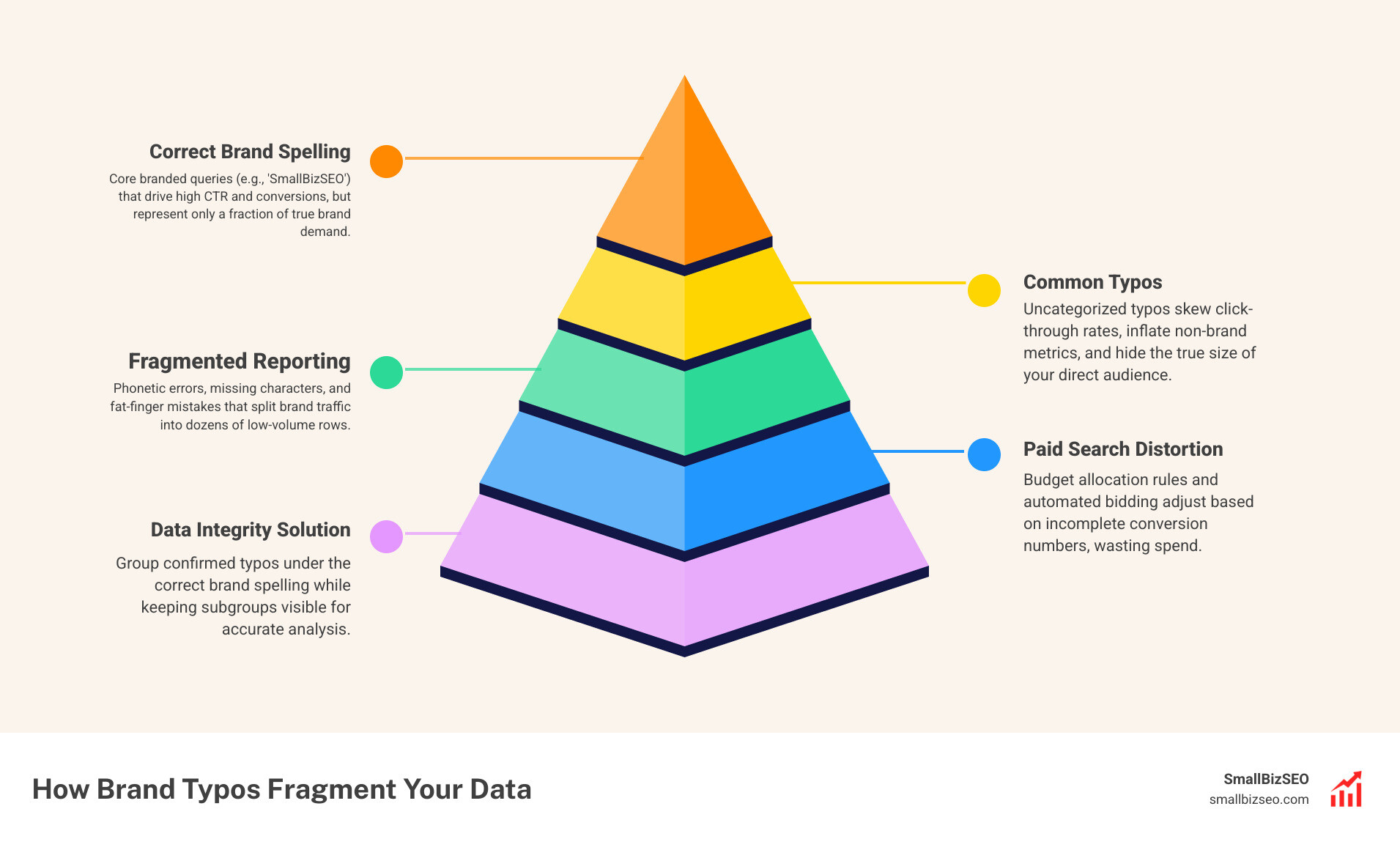
Consolidating brand typos preserves reporting accuracy by establishing a clear separation between navigational demand and unbranded discovery traffic. When we analyze performance data, properly analyzing branded search demand reveals whether traffic spikes stem from external marketing campaigns or organic search improvements.
Branded queries naturally command high click-through rates, often landing between 35% and 60% for top positions. When typos wander into non-brand discovery buckets, they inflate non-branded conversion metrics while masking true non-branded keyword gains. In paid advertising, ungrouped search terms dilute conversion signals that automated bidding systems rely on to optimize target returns.
What Are the Most Common Types of Brand Typos in Search Terms Reports?
Search terms contain predictable pattern variations caused by physical input constraints and natural language habits. You will find that most misspelled queries fall into five distinct categories:
- Letter Transpositions: Adjacent keys swapped during rapid typing (for example, typing "samllbiz" instead of "smallbiz").
- Phonetic Approximations: Searchers spelling out your company name based on sound rather than correct orthography.
- Missing or Repeated Characters: Skipped double letters or unintentional double keystrokes caused by mobile touchscreens.
- Spacing and Punctuation Variations: Merged compound words, missing hyphens, or added spaces between brand syllables.
- Fat-Finger Errors: Striking keys directly adjacent to the target letter on physical or mobile keyboards.
Step-by-Step: How to Group Brand Misspellings in Keyword Reporting
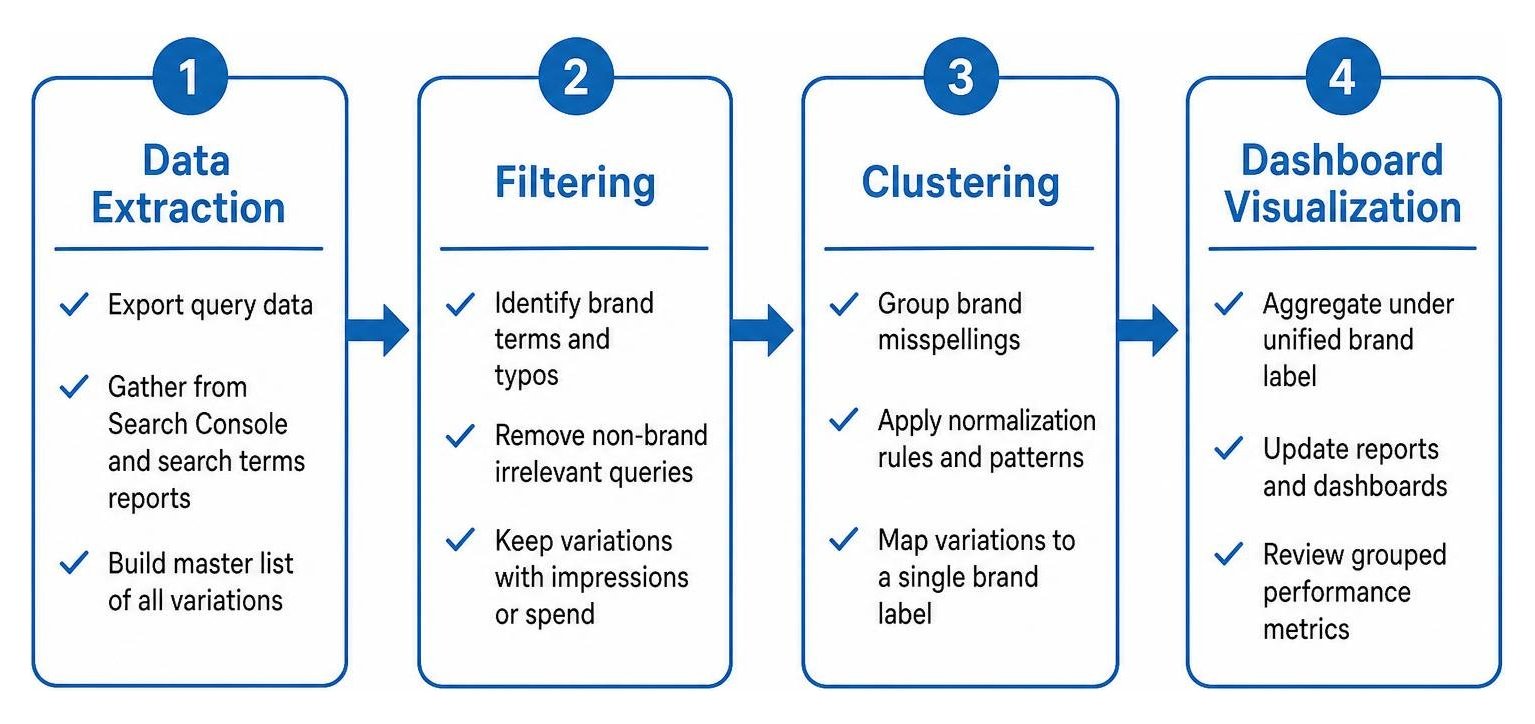
Grouping your brand variations requires a structured progression: pull raw search terms, extract typo variants, normalize queries under unified labels, and audit the results.
By following a standardized workflow, you ensure every misspelled iteration rolls up into an accurate brand entity while preserving granular visibility.
How to Collect Brand Typos from Google Search Console and Search Terms Reports
Start by gathering all query variations across both paid and organic channels to build an exhaustive master list. In your organic workflow, export the complete query list from the Google Search Console performance report using maximum date ranges to surface low-volume search variants.
Filter the export using n-gram frequency analysis to identify root fragments of your company name. When reviewing paid search terms, examine both broad match triggers and close variants to identify every variation that has incurred cost. This systematic harvesting ensures you capture the complete picture when tracking every branded keyword across all campaigns.
How to Group Brand Misspellings in Keyword Reporting Across Paid and Organic Dashboards
To unify these queries, apply grouping logic using regex formulas, custom dashboard dimensions, or database queries depending on your reporting stack.
| Grouping Method | Best Use Case | Primary Advantage | Limitation / Risk |
|---|---|---|---|
| GSC Regex Filter | Quick organic audits | Native in interface; no external setup | RE2 syntax rules limit complex conditions |
| Looker Studio Custom Field | Client reporting dashboards | Dynamically updates across blended data sources | Requires maintenance as new typos emerge |
| BigQuery / SQL Pipeline | Large-scale multi-channel data | Scalable, permanent transformation of raw logs | Requires database setup and pipeline maintenance |
| Campaign Label Structuring | Paid search budget routing | Direct control over bidding algorithms | Negative keyword conflicts must be audited |
In Google Search Console, you can deploy a custom query filter using RE2-compliant regular expressions. For instance, syntax matching pipe-separated stems within word boundaries captures core variations in a single view.
Within Looker Studio or connected business intelligence dashboards, construct a calculated field with a CASE statement that checks query strings for brand stems and maps them to a unified "Brand" dimension. For larger data volumes, export raw queries into BigQuery pipelines to transform search terms before passing normalized figures into your rank tracker dashboard.
How Do You Manage Ambiguous Overlaps and Negative Keyword Match Types?
Isolate ambiguous typos that overlap with generic terms or competitor brand names by using narrow negative match types and strict campaign boundaries. When your brand name closely resembles an everyday word or an industry product category, broad matching rules can mistakenly pull purely generic research traffic into branded buckets.
In paid search environments, manage these boundaries by understanding how negative keywords operate. Negative keywords do not automatically match close variants, plurals, or misspellings. Every unwanted typo or generic collision must be explicitly added to your negative lists.
Use exact match negatives for precise queries you want to exclude without blocking long-tail brand searches. For broader category conflicts, deploy phrase match exclusions to block specific offending sequences. Failing to exclude ambiguous variants causes conversion data dilution and burns advertising budget. Maintain clean traffic routing by building dedicated brand exclusion lists applied across non-brand campaigns.
Best Practices to Automate Brand Grouping and Prevent Data Dilution
Maintain reporting accuracy over time by scheduling regular data hygiene audits and automating variant ingestion pipelines.

Regular maintenance ensures that newly emerging typos are captured without causing over-aggregation that corrupts historical trend lines.
How Can You Automate Brand Variant Grouping and Maintain Clean Reports?
Automating brand grouping requires scheduled data extraction scripts paired with disciplined manual verification cadences. You can deploy Google Ads scripts that inspect daily search term reports for new queries containing high similarity scores to your brand name, automatically applying campaign labels or alerting your team.
For comprehensive organic reporting, combine automated data feeds with our foundational best practices outlined in the ultimate guide to SEO reporting. Establish a routine where new queries surfaced during ongoing comprehensive keyword research are checked against your master entity list every month.
Avoid over-aggregation by enforcing strict negative match checks so non-branded informational queries containing incidental brand letters are never absorbed into brand totals. At SmallBizSEO, we build these validation checks directly into our technical frameworks to ensure total reporting transparency.
Maintain Precision in Your Search Analytics
Clean keyword reporting gives you the clarity needed to make confident marketing and budget decisions. By systematically identifying common typos, applying precise regex filters, and isolating ambiguous collisions, you protect data integrity across all your organic and paid dashboards.
If you want an objective review of your search performance and reporting infrastructure, schedule a SmallBizSEO SEO visibility audit today. We will help you streamline your analytics, eliminate data dilution, and establish a clear baseline for sustainable organic growth.