How to Verify Conversion Tracking on an External Booking Platform

How Do You Verify Conversions on an External Booking Platform?
Start by confirming what the provider actually supports: a native GA4 integration, permitted tags, a documented widget event, a reliable confirmation step, a webhook, or only an outbound-click proxy. That capability determines what can be measured.
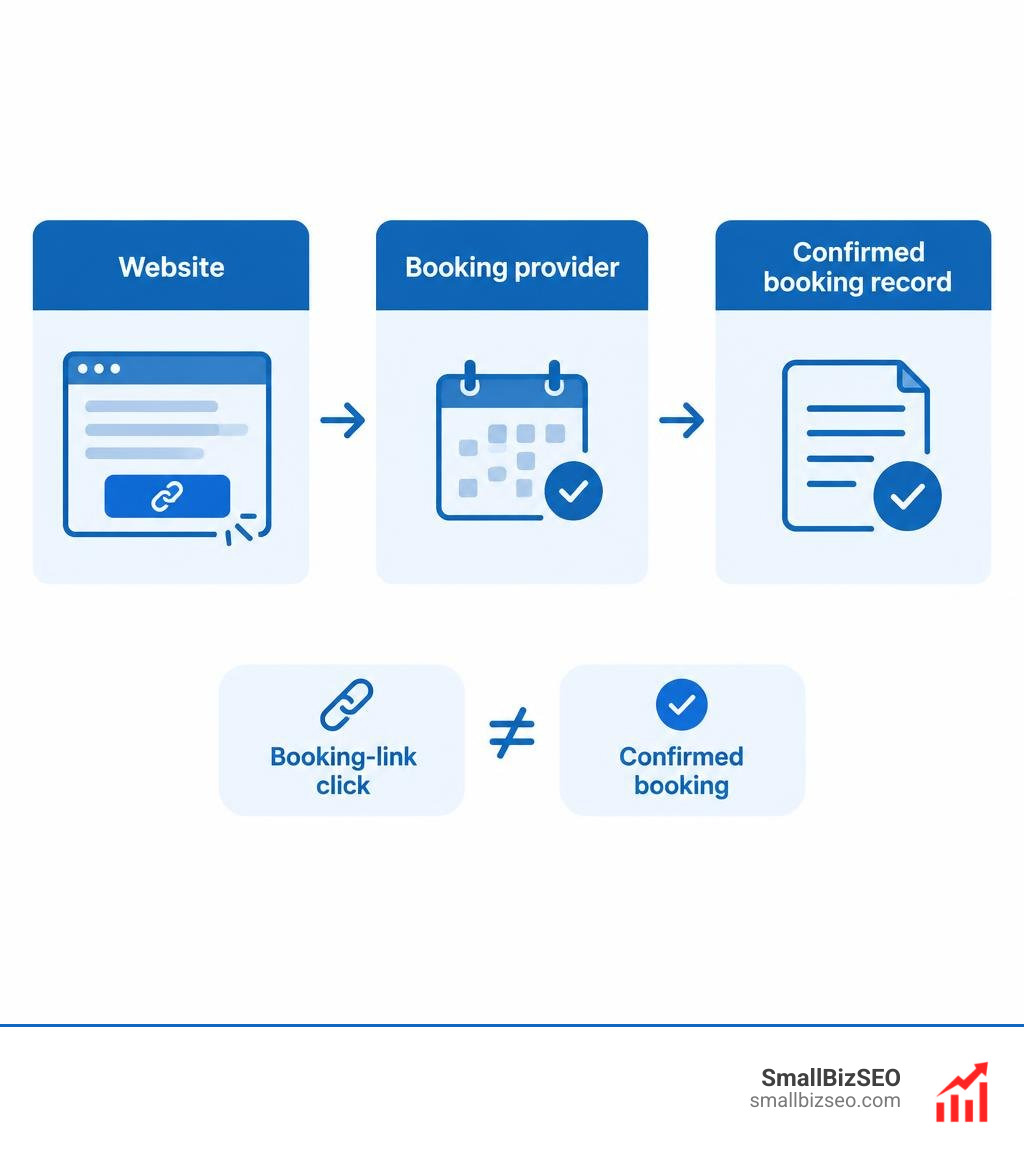
A booking-link click is not a confirmed booking. For a free consultation or no-cost appointment, use the provider's appropriate confirmed-booking event rather than a purchase event. Send purchase, value, and currency details only when the completed booking is an actual transaction.
Use a controlled test that the provider approves, preferably in a sandbox. Do not use arbitrary test cards or create live-inventory bookings without provider permission. Match one confirmed booking to the intended analytics event, then record what the test can and cannot prove.
How Does Attribution Work for External Booking Platforms?
Attribution can remain more consistent when the same GA4 web stream and Google tag run on both domains and the provider supports Google's cross-domain linker. Google explains the supported setup in its cross-domain measurement documentation. Listing a booking domain in GA4 does not install a tag there or create a confirmed-booking event.
Check that the linker parameter survives each relevant redirect. Its presence is useful evidence of a handoff, but it does not prove that a completed booking event was received or that attribution is correct. Referral exclusions can prevent a referral from replacing the original source. They do not stitch users or sessions and cannot repair a missing completion event.
Enhanced-measurement outbound clicks do not record clicks to configured cross-domain domains. If the provider supports only an outbound click, label it as a separate, tested proxy rather than a completed booking. Keep the difference clear in reporting: the booking platform records the business outcome, while analytics records measurement signals and attribution.
How Can You Verify Conversion Tracking Across an External Booking Platform Step by Step?
Use a provider-approved test to compare the booking platform's confirmed record with the intended analytics event. Start with the provider's documented capabilities, then test the exact journey a visitor uses.
FareHarbor, for example, documents built-in Google Analytics tracking and custom conversion pixels with different scopes. Review the provider's primary documentation for the provider you use before selecting an event or test method.
| Provider capability | Test | Pass sign | Failure sign | Next step |
|---|---|---|---|---|
| Native GA4 or permitted tag | Complete an approved test journey | One expected confirmed event | No event or duplicate event | Review the provider setup and tag placement |
| Supported cross-domain linker | Follow every redirect in the test journey | Linker survives where supported | Linker is removed or the session restarts | Review redirect handling with the provider |
| Reliable confirmation event | Compare one booking record with one event | Event matches the confirmed booking type | Click is recorded without a confirmed booking | Use the provider's confirmation event or label the click as a proxy |
| Webhook | Compare the authorized webhook record with the booking record | Expected status and opaque identifier agree | Missing, repeated, or unsupported payload | Review webhook support, consent, and server handling |
| Outbound-click proxy only | Test the booking-link click separately | Proxy is labeled as a click | Proxy is reported as a booking | Keep it separate from completed bookings |
How Do You Run a Controlled Booking Test?
Test successful completion, abandonment, reload and back-button behavior, duplicate submissions, and relevant consent, browser, and mobile paths. Verify that each confirmed booking produces the intended event once, not simply that an event appears.
Reconcile with authorized, non-identifying opaque IDs. Compare the same timezone, booking date, currency, gross or net basis, and cancellation treatment on both sides. Do not send email addresses, names, phone numbers, or payment data to GA4 or place them in URLs.
Accurately tracking inbound calls follows the same principle: define the business outcome first, then validate the measurement signal against it.
How Can a Server Webhook Help?
A server webhook can corroborate the booking platform's business record when the provider supports it. It still requires a lawful consent and privacy approach, supported linkage to the analytics setup, and a deduplication design that matches the provider's event behavior. Matching identifiers can help with reconciliation, but they do not automatically guarantee deduplication across browser and server events.
Use any validation endpoint to check payload formatting, not as proof that reporting recorded the event. Keep API secrets and credentials on the server, never in browser code or URLs. When appropriate, merging analytics and CRM records can provide a separate reporting workflow for authorized business data.
What About Iframes and Redirect Chains?
Use an iframe or redirect integration only when the provider documents and supports it. If a supported integration passes event messages to a parent page, validate the allowed origin and expected message schema before using the message. Do not assume that a generic browser listener can see booking activity inside a cross-domain iframe.
Test every redirect in the real booking path. Confirm that the supported linker survives where expected, but do not treat that observation alone as confirmation that a booking event or attribution record is complete.
How Can You Maintain Tracking Quality and Catch Regressions?
Maintain tracking quality with a repeatable regression check after provider changes, tag updates, booking-flow redesigns, or consent changes. A working test today does not establish that future releases will preserve the same behavior.
Create a simple ongoing routine:
- Re-run an approved test for the relevant booking paths and devices.
- Check successful completion, abandonment, reload and back-button behavior, and duplicate-event handling.
- Compare authorized booking records and analytics events using opaque identifiers and the same timezone, booking date, currency, gross or net basis, and cancellation treatment.
- Investigate a changed result as a measurement issue first, then determine whether it reflects a booking-flow or attribution change.
- Document the capability tested, the pass or failure result, and the next owner or next step.
Keep analytics attribution separate from the booking platform's business truth. The two systems can inform each other, but they do not establish perfect matching or causality on their own. These checks also complement automated tracking dashboards used to monitor reporting changes.
Build a Reliable Booking Measurement Process
Reliable measurement starts with a clear distinction between a booking-link click, a confirmed booking, and a completed transaction. Document the provider capabilities, test the supported journey, and reconcile authorized booking records with analytics events without sending personal or payment data to GA4.
For a broader review of search visibility and measurement reporting, request an SEO visibility audit or book a consultation. Continue improving the content and links that bring qualified visitors to the booking journey, while keeping reporting claims limited to what the provider and tests can verify.