Smarter Attribution: Joining Analytics Exports with CRM Lead Data for Full-Funnel Visibility
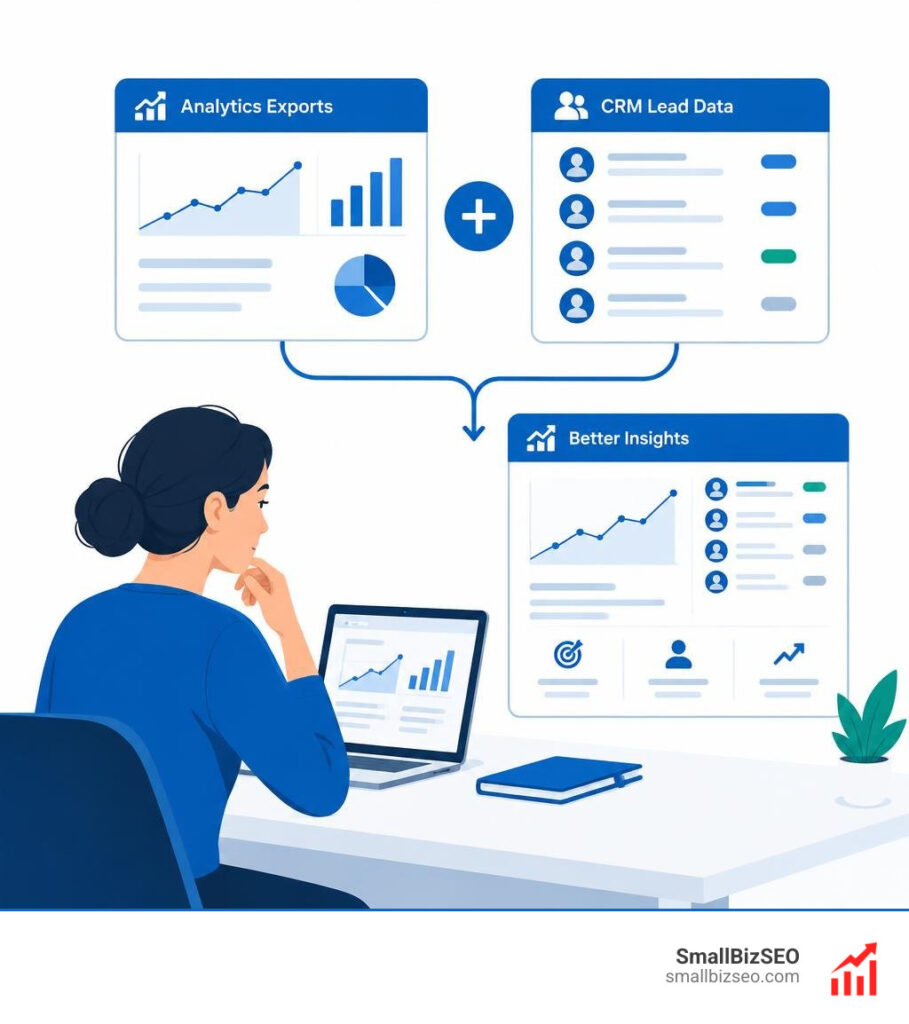
How Do You Connect Website Traffic to CRM Leads?
Start with a shared identifier. For joining analytics exports with CRM lead data, capture the GA4 Client ID when someone submits a lead form and save it in a CRM field. Export GA4 events and CRM leads to a queryable tool such as BigQuery, then match records on that ID. Check how many leads match before using the results to judge which traffic sources produce customers.
Without that link, analytics can show where visitors came from, while your CRM can show which leads became deals. Neither view tells the full story.
I’m Clayton Johnson, founder of SmallBizSEO. My work connects search visibility with qualified leads, and this guide applies that focus to joining analytics exports with CRM lead data.
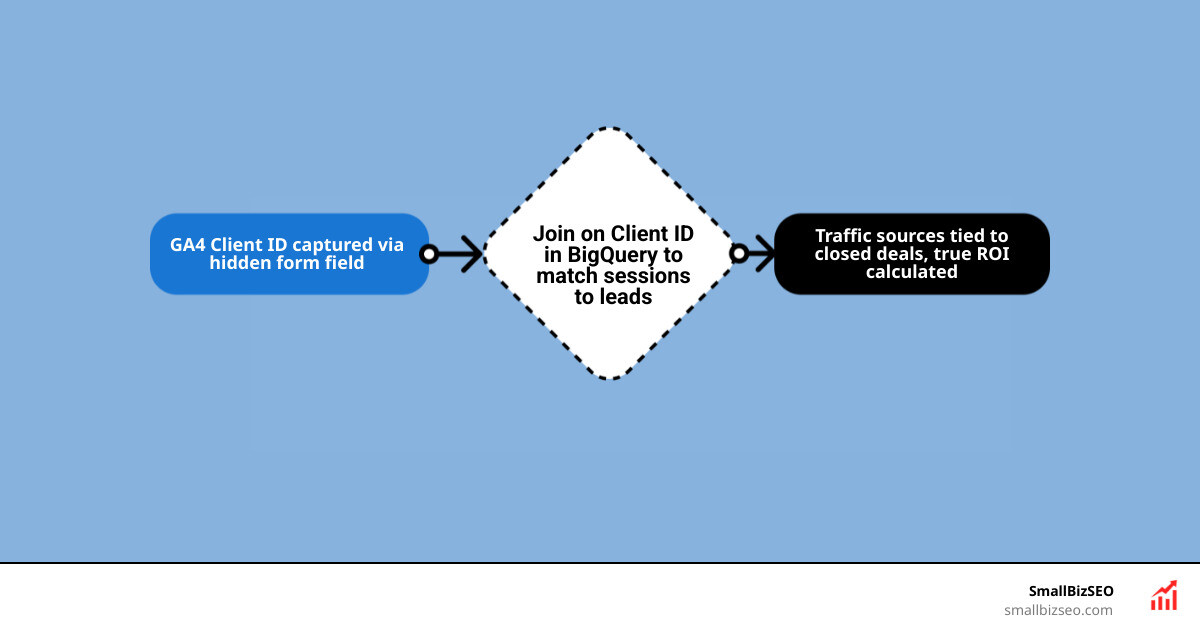
Architecture and Methods for Joining Analytics Exports with CRM Lead Data
To combine your marketing touchpoints with sales outcomes, you must build a clean, bidirectional data synchronization workflow. Marketing teams often struggle when 84% of data teams spend most of their time on data quality and reliability rather than actual analysis. Without structured alignment between systems, reports show numbers that never match your bank deposits.
Connecting these systems requires aligning data schemas across your tech stack. Platforms like Connect HubSpot to Prowork demonstrate how automating the exchange between pipeline updates and analytical layers prevents manual export errors. Building an automated flow ensures you can calculate your true return on ad spend and evaluate customer lifecycle patterns without spending weekends stitching spreadsheets.
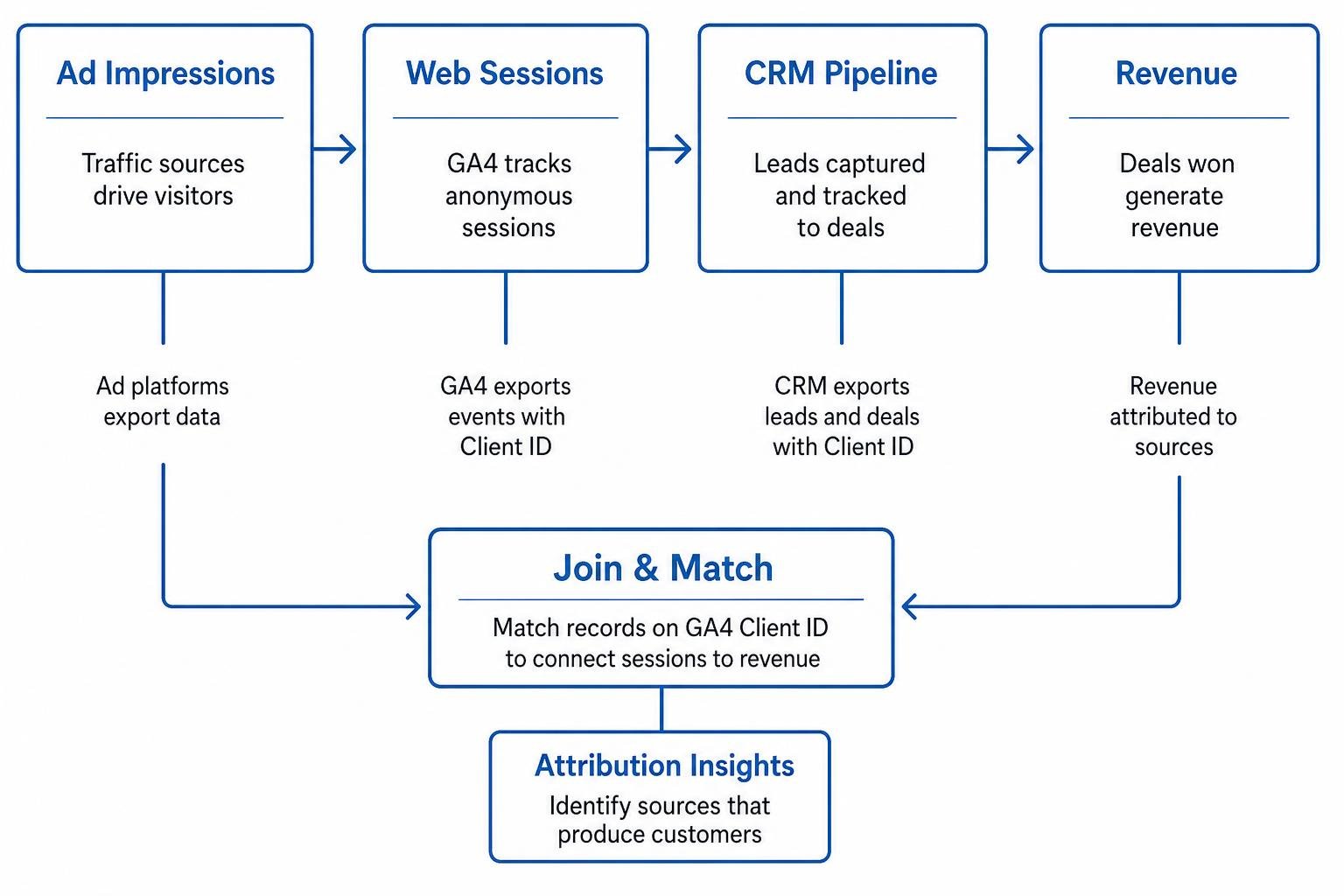
What Is the Core Identity Resolution Problem When Joining Analytics Exports with CRM Lead Data?
The core challenge is that analytics tools track anonymous sessions, while CRMs track known individuals. Web platforms assign random device cookies, whereas sales software categorizes contacts by email, phone number, or internal deal IDs.

Resolving this identity gap requires creating a bridge between anonymous browser sessions (user_pseudo_id) and identifiable records. As explored in technical research on Identity Resolution for Customer 360, teams must choose between two matching approaches:
- Deterministic Matching: Links records using exact, direct keys such as a shared Client ID, User ID, or normalized email address. This approach is highly reliable and provides full confidence in your data.
- Probabilistic Matching: Uses statistical models to estimate matches based on IP addresses, timestamps, and browser configurations. While it increases match coverage across unlinked records, it can introduce false positives that distort revenue attribution.
For businesses accurately evaluating your lead to customer rate, deterministic matching is the standard approach. It ensures clean attribution even when handling complex scenarios like shared office devices or cross-browser browsing sessions.
How Do You Capture the Client ID to Link Touchpoints?
To build an exact match, capture the browser identifier at the moment of lead conversion. In ga4, the Client ID tracks individual browser instances. By passing this value into your lead capture forms, you permanently bind web activity to the newly created sales contact.
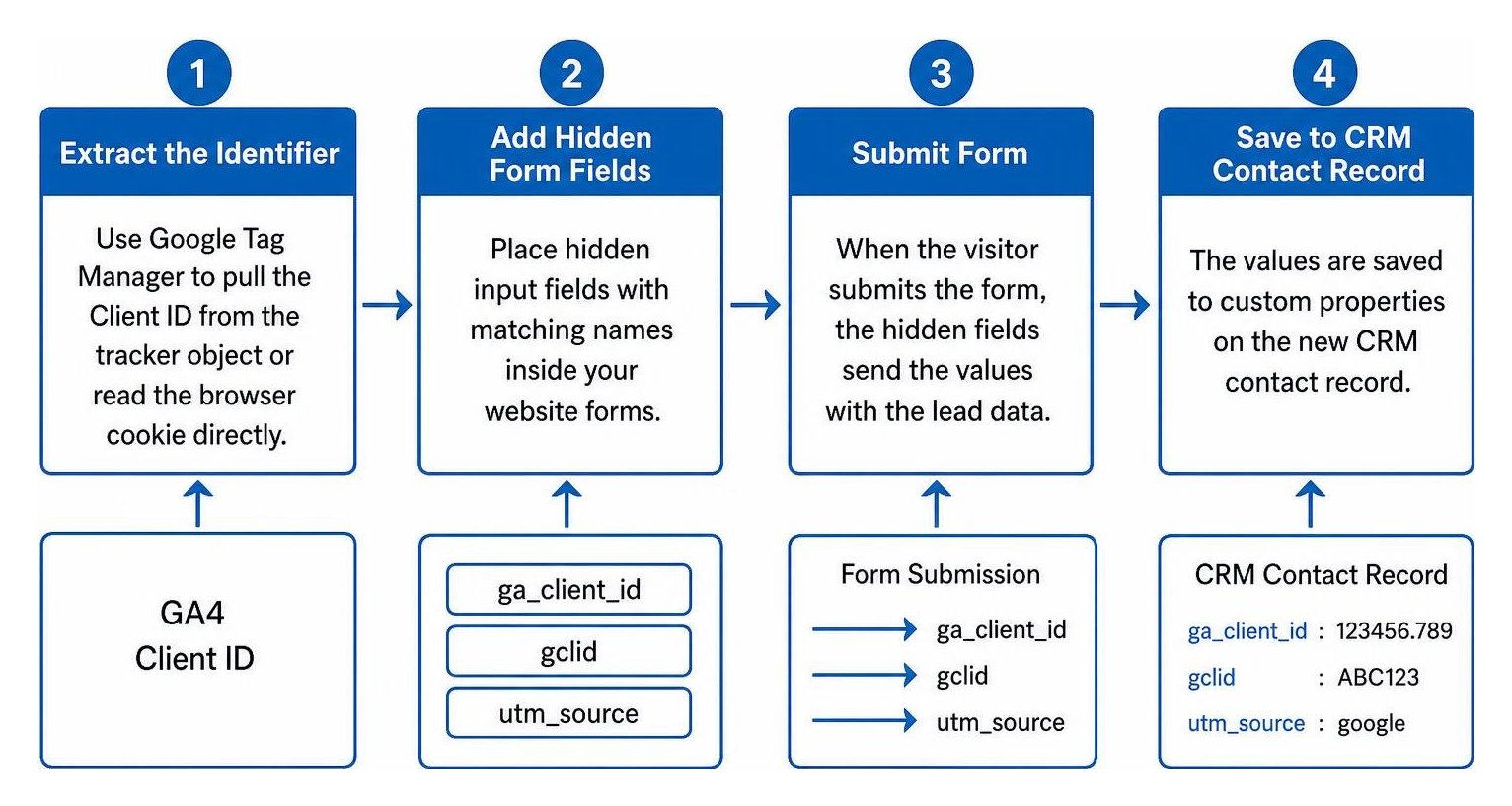
Follow these steps to capture and store the identifier:
- Create Custom Fields: Add custom properties in your CRM named
ga_client_id,gclid, andutm_source. - Add Hidden Form Fields: Place hidden input fields with matching names inside your website forms.
- Extract the Identifier: Use Google Tag Manager to pull the Client ID from the tracker object or read the browser cookie directly.
- Populate the Form: Write the extracted ID into the hidden form field before the visitor clicks submit.
- Record the Lead: When the form is submitted, the identifier passes into your CRM record alongside contact details.
This mechanism ensures you capture the exact origin of every qualified organic lead. Furthermore, capturing this value enables the Measurement Protocol, which allows your CRM to send offline sales conversions back to ad networks when deals close.
Which Integration Method Fits Your Team When Joining Analytics Exports with CRM Lead Data?
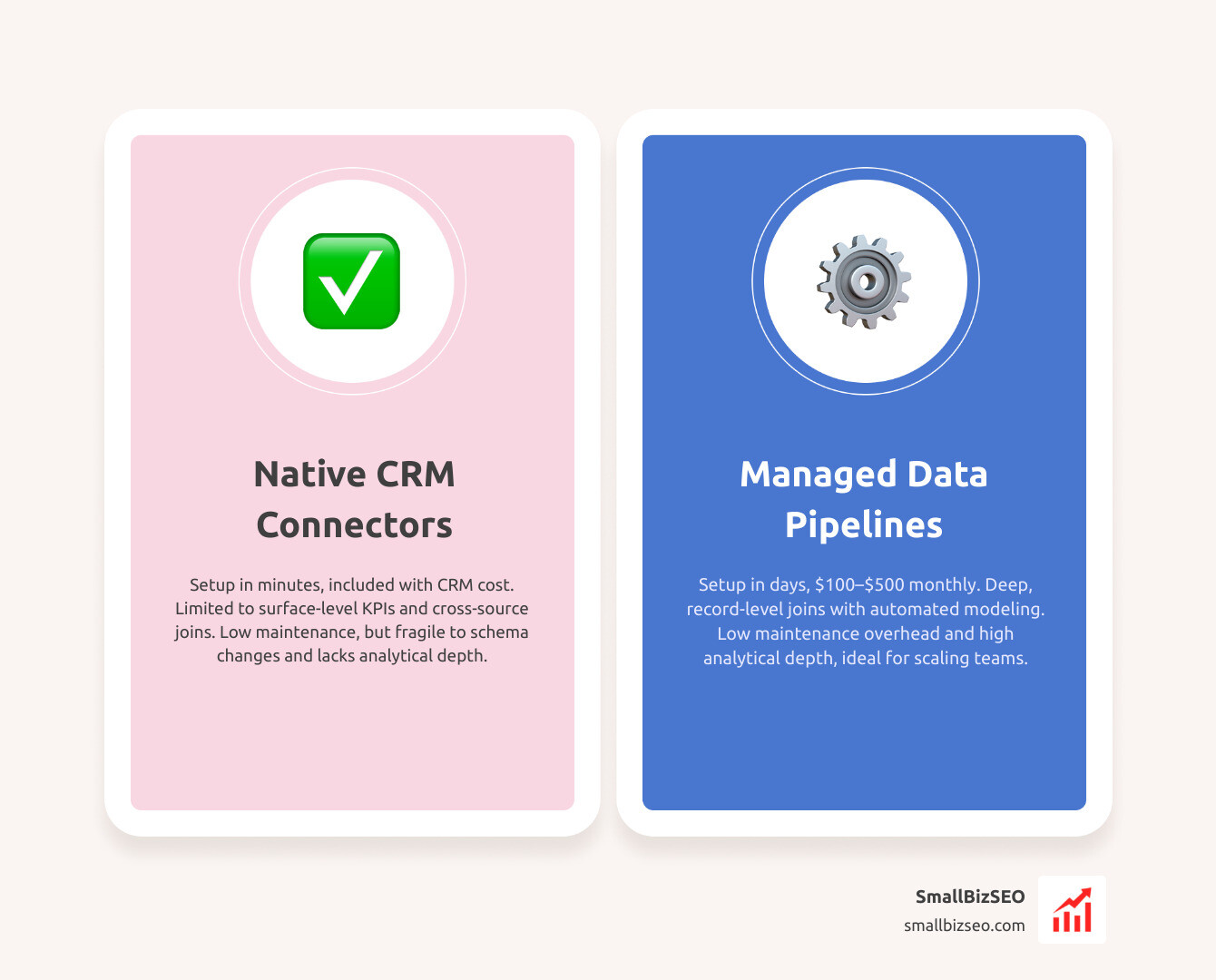
Selecting an integration method depends on your engineering bandwidth, data volume, and budget. Teams that choose the wrong model often hit a wall within three to six months. In fact, 29% of data teams regretted a build decision in the past year, compared to only 18% who regretted a buy decision, primarily because 67% of centralized enterprises allocate over 80% of their engineering resources just to keeping custom pipelines running.
| Integration Method | Setup Time | Monthly Tool Cost | Maintenance Overhead | Analytical Depth |
|---|---|---|---|---|
| Native Connectors | Minutes | Included with CRM | Low | Surface-level KPIs; limited cross-source joins |
| No-Code Automation | Hours | $20 – $100 | Medium (Fragile to schema shifts) | Event-level logging; lacks warehouse aggregation |
| Managed Data Pipelines | Days | $100 – $500 | Low | Deep, record-level joins with automated modeling |
| DIY Warehouse Build | 8 – 12 Weeks | $2,000 – $7,000 | High | Complete custom control across all touchpoints |
For scaling organizations, guides like Connect Salesforce to BigQuery — CRM Pipeline at Warehouse Scale highlight how managed connectors extract CRM entities into analytical tables without requiring complex custom software builds.
Implementation Blueprint: Warehousing, Compliance, and Analysis
Once you decide to move past simple spreadsheet exports, a centralized cloud warehouse provides the storage and processing power needed to unify your operational data.
How Can BigQuery Serve as the Central Hub for Raw Exports?
Google BigQuery serves as an ideal central hub because it natively ingests raw, unsampled event streams directly from web analytics. This allows you to combine individual user interactions with sales stages using standard SQL joins.

To maintain high query speeds and manage computing expenses, follow best practices for partitioning GA4 export tables. Partitioning your datasets by ingestion date ensures that queries only process relevant records rather than scanning historical logs repeatedly.
Using transformation tools like dbt on top of BigQuery helps manage schema changes and automate data cleanup. Once modeled, these unified tables can power Looker Studio reports that display exact revenue returns alongside campaign performance.
How Do You Ensure Privacy Compliance and Prepare for AI Analysis?
Combining behavioral analytics with personal CRM records requires strict data privacy governance under regulations like GDPR and CCPA. Analytics platforms strictly prohibit storing personally identifiable information (PII) such as unhashed email addresses, full names, or phone numbers in behavioral reporting suites.
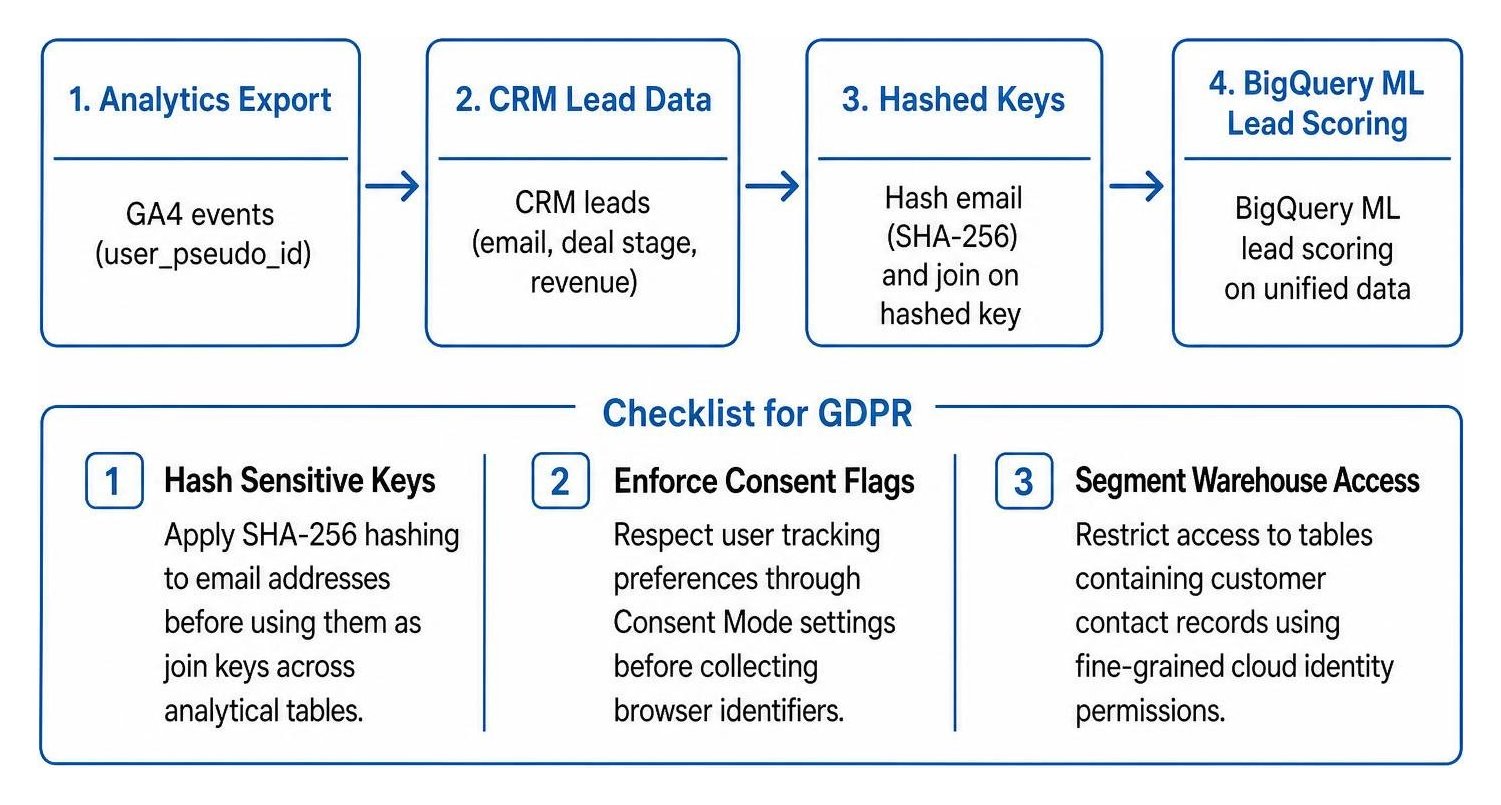
To maintain compliance while preparing your dataset for advanced modeling:
- Hash Sensitive Keys: Apply cryptographic hashing (like SHA-256) to email addresses before using them as join keys across analytical tables.
- Enforce Consent Flags: Respect user tracking preferences through Consent Mode settings before collecting browser identifiers.
- Segment Warehouse Access: Restrict access to tables containing customer contact records using fine-grained cloud identity permissions.
With clean, join-ready data in your warehouse, you can use built-in machine learning tools like BigQuery ML. Running Shapley value multi-touch attribution models distributes conversion value across every touchpoint leading to a sale. You can also build predictive lead scoring models that analyze historical browsing habits to identify which prospects are most likely to convert.
Turn Unified Data into Revenue Growth
Connecting raw traffic to closed pipeline transforms marketing from a cost center into a predictable growth driver. At SmallBizSEO, we implement this level of visibility through our Velocity framework, pairing search optimization with automated BigQuery export pipelines to help business owners understand their return on investment.
When you capture the right identifiers at the point of lead conversion, your reporting shifts from simple pageview counts to clear revenue attribution. Pick an integration path that fits your engineering resources, secure your join keys, and turn your combined analytics into actionable business insights.