Monitor Organic Revenue and Technical Health in Real Time

Monitor Organic Revenue and Technical Health in Real Time
What Should an Automated SEO Tracking Dashboard Show?
A dashboard for SEO tracking should show how search visibility turns into visits, leads, and sales. Connect Google Search Console, Google Analytics 4, and your lead data. Then track rankings, organic traffic, conversions, and site health in one place. Add alerts for sudden drops so your team can act before the next monthly report.
I'm Clayton Johnson, founder of SmallBizSEO. My work connects SEO, content, and digital PR to qualified leads, and that business-first approach guides how I think about a dashboard for SEO tracking.
Basic dashboard for SEO tracking glossary:
What Are the 7 Core Features of a High-Impact Dashboard for SEO Tracking?
An effective SEO tracking hub connects organic visibility and technical performance directly to business revenue, filtering out raw data noise so leadership can make immediate decisions.
When teams track SEO, they often drown in spreadsheets or surface-level vanity metrics like total impressions or average bounce rates. A high-impact dashboard bridges the gap between raw search metrics and executive decision-making.
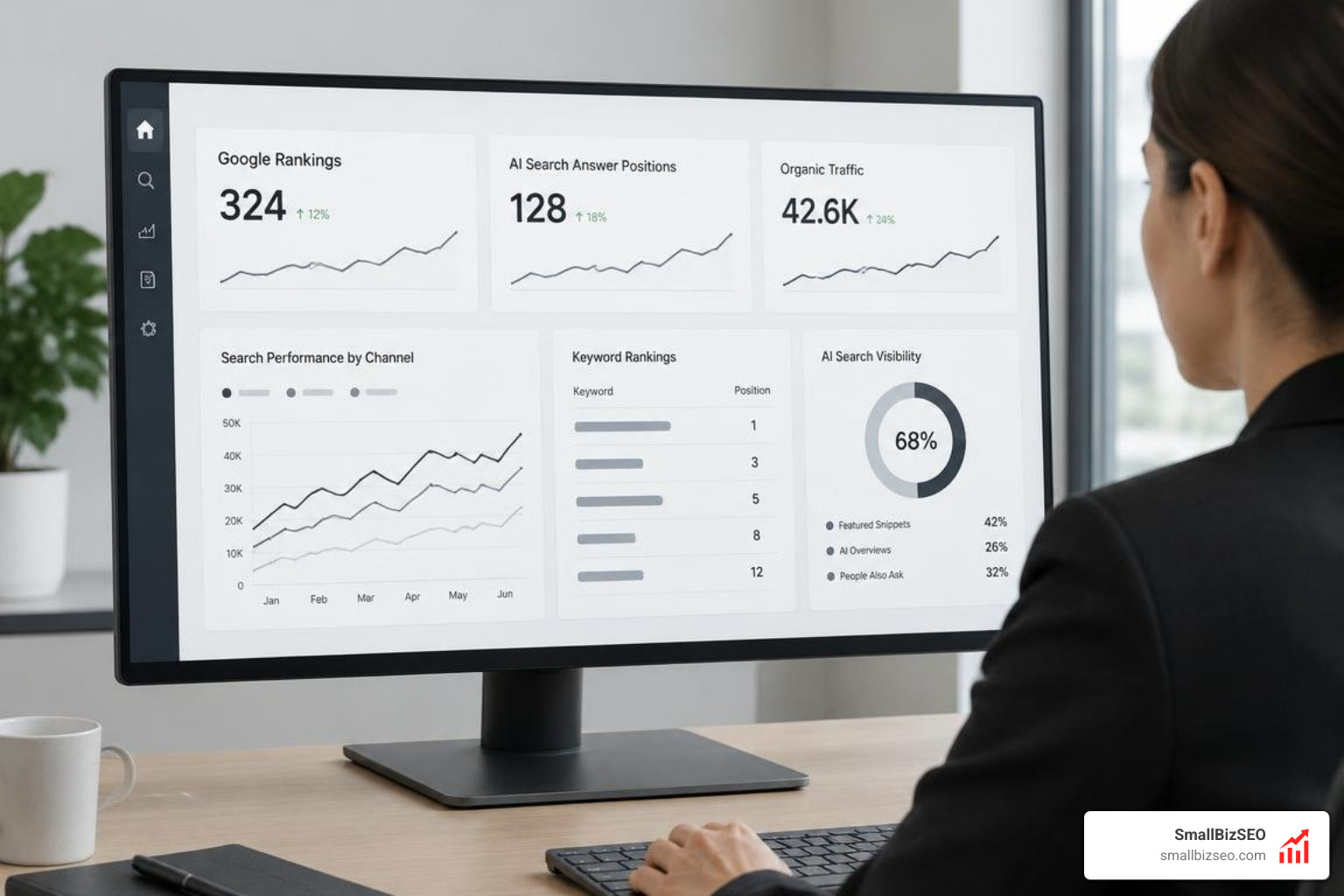
A modern setup relies on seven core features:
- Direct Revenue and CRM Pipeline Mapping: Connecting landing pages to actual closed-won deals and customer lifetime value.
- Multi-Channel Search Tracking: Monitoring traditional Google SERP positions alongside modern AI search answers.
- Automated Data Warehousing: Preserving historical query data beyond native retention limits.
- Real-Time Technical Health Auditing: Surfacing page speed bottlenecks, indexation drops, and crawl errors immediately.
- Brand vs. Non-Brand Query Segmentation: Isolating baseline brand awareness from true organic market expansion.
- Role-Based Customizable Interfaces: Delivering high-level summaries for the C-suite and granular diagnostics for developers.
- Proactive Anomaly Alerts: Pushing instant notifications when traffic anomalies or ranking shifts occur.
By organizing your tracking around these pillars, you align technical fixes and content creation with clear business outcomes. Understanding the core setup in Google's official Search Console Performance documentation ensures your baseline data remains accurate and complete.
1. How Can You Connect Organic Traffic to Revenue?
To connect organic traffic to revenue, map every organic landing page to your CRM pipeline to measure conversions, pipeline value, and customer lifetime value.
Hand an executive a report showing a 20% lift in keyword impressions, and they will likely ask what that meant for the bottom line. Tracking revenue rather than traffic volume changes SEO from an unproven expense into a reliable growth engine.
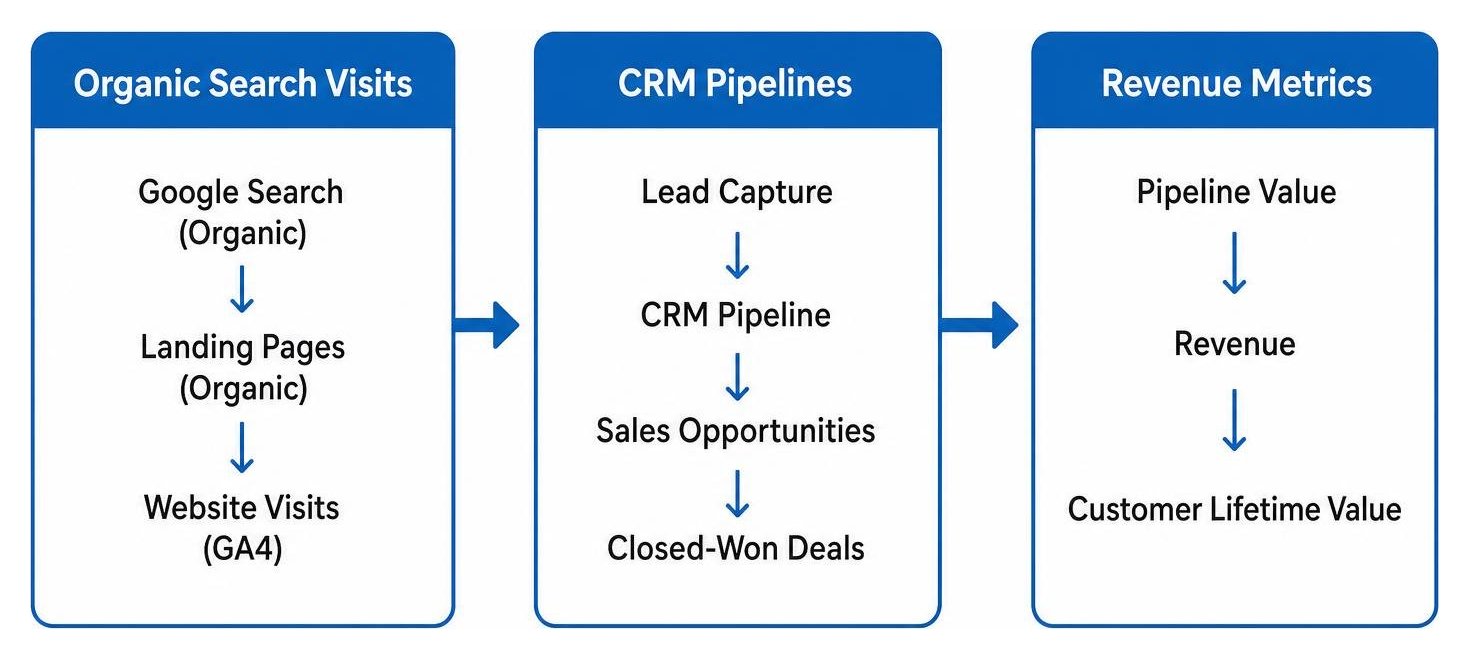
Connecting search to revenue requires aligning your analytics tools with customer purchase records. By linking Google Search Console and GA4 to your CRM, you can identify which specific URLs drive paying customers. Often, a high-volume blog post generates massive traffic without a single lead, while a page ranking on page two quietly produces high-value sales demos.
When you evaluate commercial outcomes, tracking clear monthly SEO metrics helps you prioritize optimizations on pages that directly generate pipeline. Technical improvements also create measurable business gains; for instance, retail case studies show that every 0.2-second improvement in Largest Contentful Paint (LCP) corresponds to a 3% lift in conversion rates.
2. Which Search Visibility Metrics Should a Dashboard Track?
Your dashboard should track non-branded keyword positions, striking-distance queries, traditional rank share, and visibility across AI search features like Google AI Overviews.
Search visibility extends beyond standard ten-blue-link results. Modern search results include AI-generated summaries, rich snippets, and conversational answers from platforms like ChatGPT and Gemini.
To maintain a true view of search presence, track:
- Non-Brand vs. Branded Visibility: Branded searches reflect existing brand recognition, while non-branded visibility proves you are winning new market share.
- AI Overview and Citation Presence: Tracking brand mentions in AI-generated answers is essential for understanding your modern digital footprint across generative search engines.
- Position 1 and Top-3 Rankings: Tracking high-intent transactional keywords in the top spots ensures visibility for terms that drive immediate conversions.
- Striking-Distance Keywords: Queries ranking on page two represent rapid-growth opportunities that require only minor on-page or internal linking adjustments.
For a deeper look at calculating and interpreting your search footprint across modern SERPs, explore our guide to measuring visibility metrics.
3. How Should You Monitor Technical SEO Health?
Monitor technical health by tracking page experience metrics, Core Web Vitals, crawl errors, mobile usability, and indexation status in real time.
A drop in rankings often stems from undetected technical errors rather than content quality. If your site suffers from broken redirects, slow page speeds, or server timeouts, search engines struggle to index your content effectively.
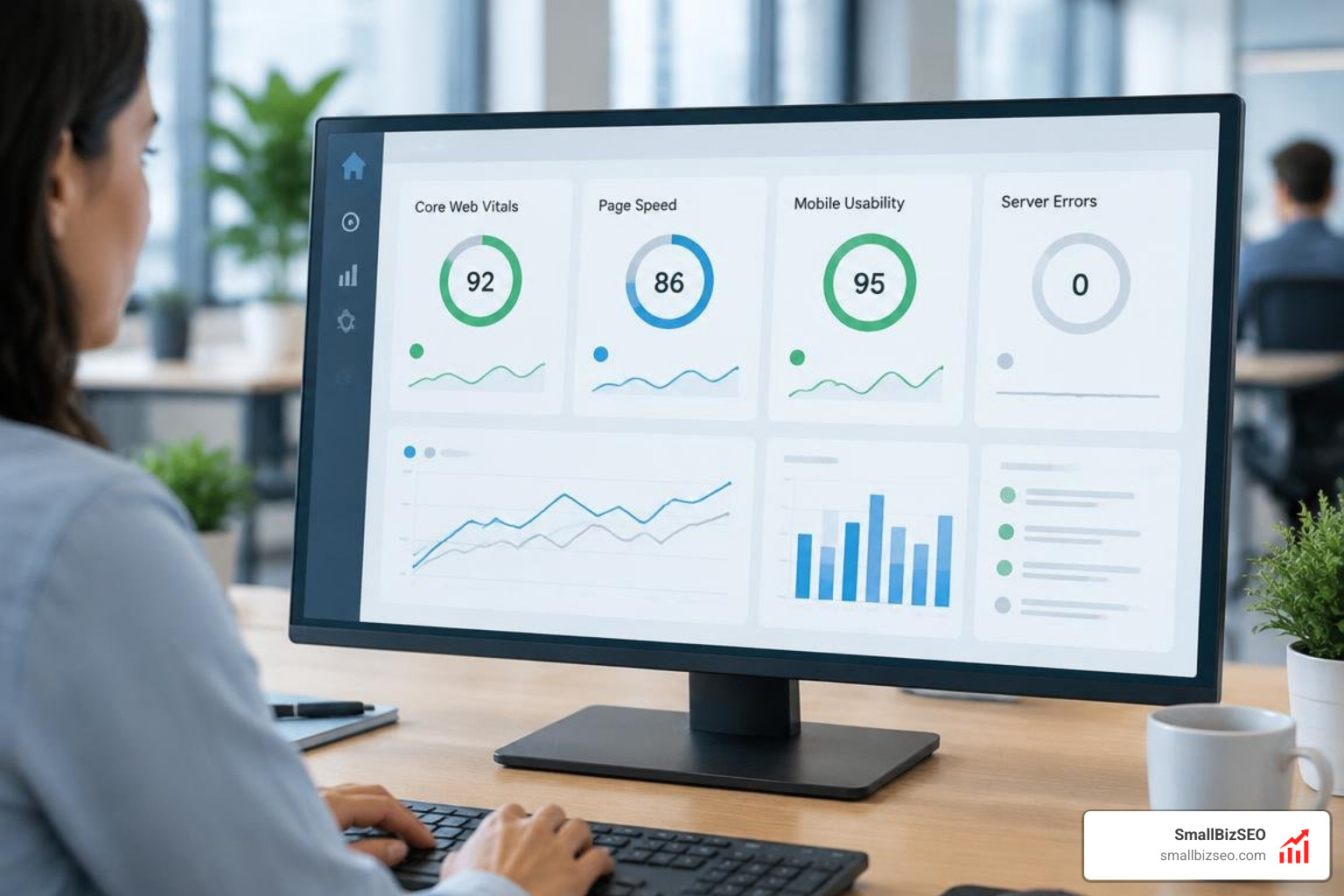
Track these critical technical components continuously:
- Core Web Vitals: Monitor Largest Contentful Paint (LCP), Interaction to Next Paint (INP), and Cumulative Layout Shift (CLS) across top-converting templates.
- Crawl and Status Code Errors: Set automated trackers for sudden spikes in 4xx broken links or 5xx server errors.
- Indexation Health: Monitor total valid indexed pages versus excluded URLs to catch accidental noindex tags immediately.
- Mobile Usability: Verify that layouts render cleanly and interact smoothly across mobile viewports.
Automating these diagnostics prevents sudden traffic drops from going unnoticed. Implementing automated visibility audit processes allows your team to catch and resolve crawl barriers before they affect organic revenue.
How Do You Build, Automate, and Scale an SEO Tracking Dashboard?
Build an automated dashboard by connecting core analytics sources to a centralized reporting layer, configuring custom alerts, and tailoring the layout to your operational goals.
Moving from static reporting spreadsheets to an automated system reduces operational latency from weeks to minutes. Instead of spending hours compiling data at the end of the month, your team operates from live data streams that encourage quick adjustments.
What Data Sources Should You Connect to a Dashboard for SEO Tracking?
Connect Google Search Console, Google Analytics 4, rank-tracking software, and your CRM to build a unified reporting system.
- Google Search Console: GSC provides first-party impression, click, and query data. However, Google Search Console retains only 16 months of historical data and hides approximately 46% of long-tail queries. Tools like KeywordHistory solve this retention limit by backing up your GSC data permanently into BigQuery from day one.
- Google Analytics 4: GA4 tracks user engagement, session paths, and goal conversions. To ensure data accuracy before piping it into a dashboard, complete a comprehensive Google Analytics audit.
- Dedicated Rank Trackers: Platforms like Ahrefs allow teams to group up to 1,000 URLs across 10 domains into unified portfolios, while SE Ranking tracks thousands of keyword positions and offers direct API integrations.
- CRM and Lead Tracking Platforms: Hubspot, Salesforce, or custom webhooks that connect closed deals directly back to organic landing pages.
Should You Use a Real-Time SEO Dashboard or a Scheduled Report?
Use real-time dashboards for daily operational management and scheduled static reports for executive summaries.
| Feature / Metric | Real-Time SEO Dashboard | Scheduled SEO Report Generator |
|---|---|---|
| Primary Audience | SEO Managers, Developers, Content Leads | C-Suite, Board Members, Clients |
| Data Freshness | Live / Daily Continuous Streams | Monthly or Quarterly Snapshots |
| Primary Purpose | Anomaly detection, tactical adjustments | Strategic alignment, budget justification |
| Interaction Level | Interactive filtering and segmentation | Static presentation deck or PDF |
| Action Speed | Same-day issue resolution | High-level monthly planning |
Integrating reliable rank tracking tools into your operational dashboard allows team members to spot fluctuations immediately, while scheduled summaries keep leadership aligned on long-term growth.
How Should You Customize Dashboard Views for Each Role?
Customize dashboard views by showing revenue metrics to executives, keyword cluster trends to content creators, and crawl health to developers.
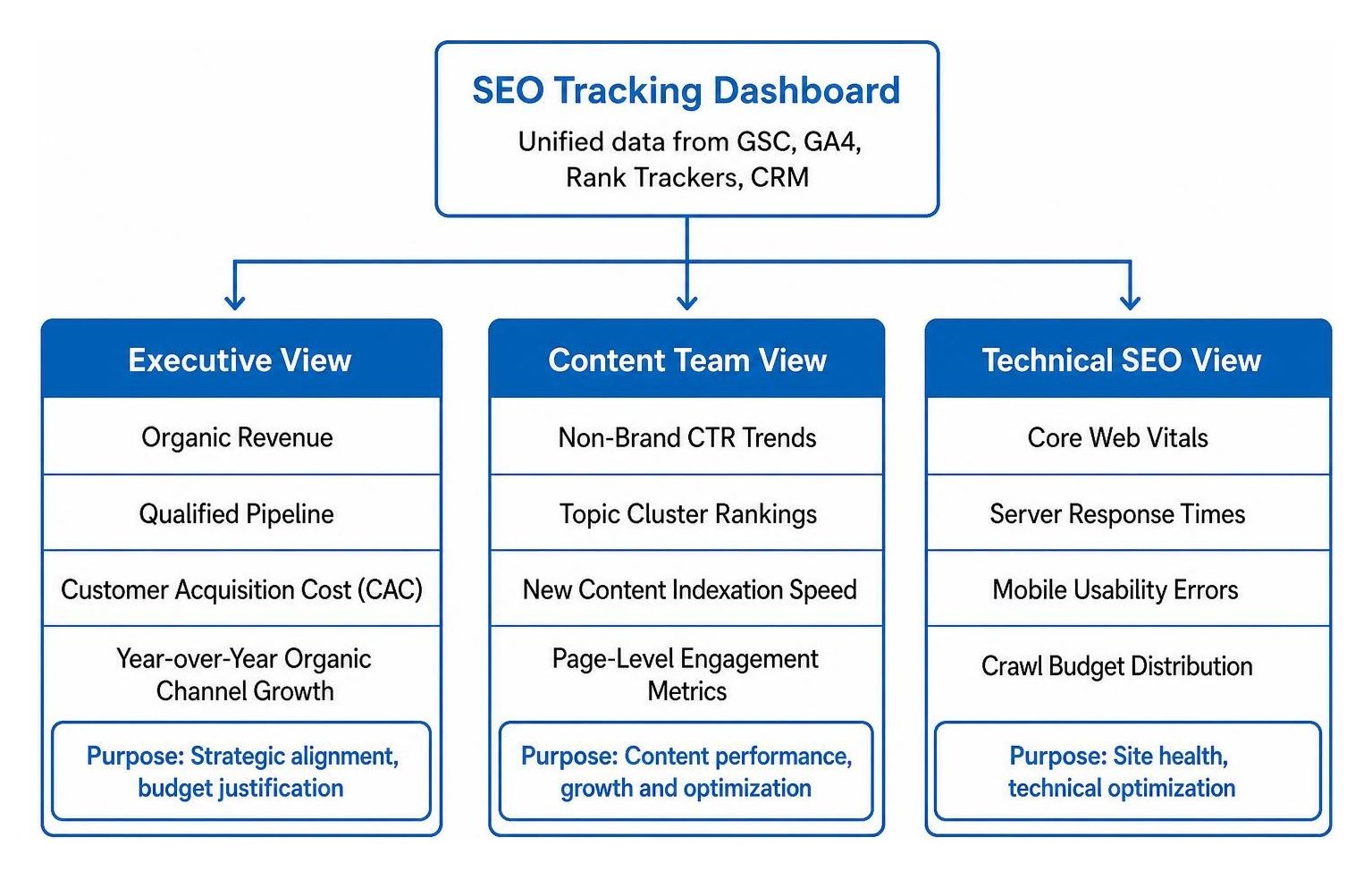
A single generic dashboard rarely meets the needs of an entire company. Different teams require specific views:
- Executive View: Highlights organic revenue, qualified pipeline, customer acquisition cost (CAC), and year-over-year organic channel growth. Growth-minded founders rely on transparent reporting principles to track search investments clearly.
- Content Team View: Displays non-brand CTR trends, topic cluster rankings, new content indexation speed, and page-level engagement metrics.
- Technical SEO View: Focuses on Core Web Vitals, server response times, mobile usability errors, and crawl budget distribution.
At SmallBizSEO, we implement this structured approach through our proprietary "Velocity" framework. By combining technical precision with transparent, automated reporting, we help businesses uncover ranking opportunities and scale search performance rapidly. When you need a complete evaluation of your current search performance, starting with a detailed SEO visibility audit provides the roadmap needed to build a dashboard that drives business growth.
Turn Your SEO Data into a Reliable Growth Engine
An automated SEO dashboard does more than display charts - it turns complex search data into clear, revenue-driven decisions. By connecting your search queries to your sales pipeline, tracking both traditional and AI search visibility, and giving each team member the specific metrics they need, you remove the guesswork from organic growth. Set up your tracking hub today to protect your search performance and accelerate your business results.