How to Craft a Winning Google Search Result Snippet for Modern SEO
What Is a Google Search Result Snippet, and How Can You Improve It?
A google search result snippet is the short description shown beneath a page's title in Google Search. Google usually selects it from the page's visible text and may change it to match the search. To improve yours, put a clear answer to your customer's question on the page and write a unique meta description that accurately sums it up. Google may use that description, but it does not have to.
A useful snippet helps people decide whether your page answers their question. In this guide, we'll cover how snippets differ from featured snippets and rich results, what you can control, and how to judge whether your changes help.
I'm Clayton Johnson, founder of SmallBizSEO. My work in SEO and content strategy focuses on making pages easier for customers to find and understand, including the content Google may use for a google search result snippet.
What Elements Make Up a Standard Google Search Result Snippet?
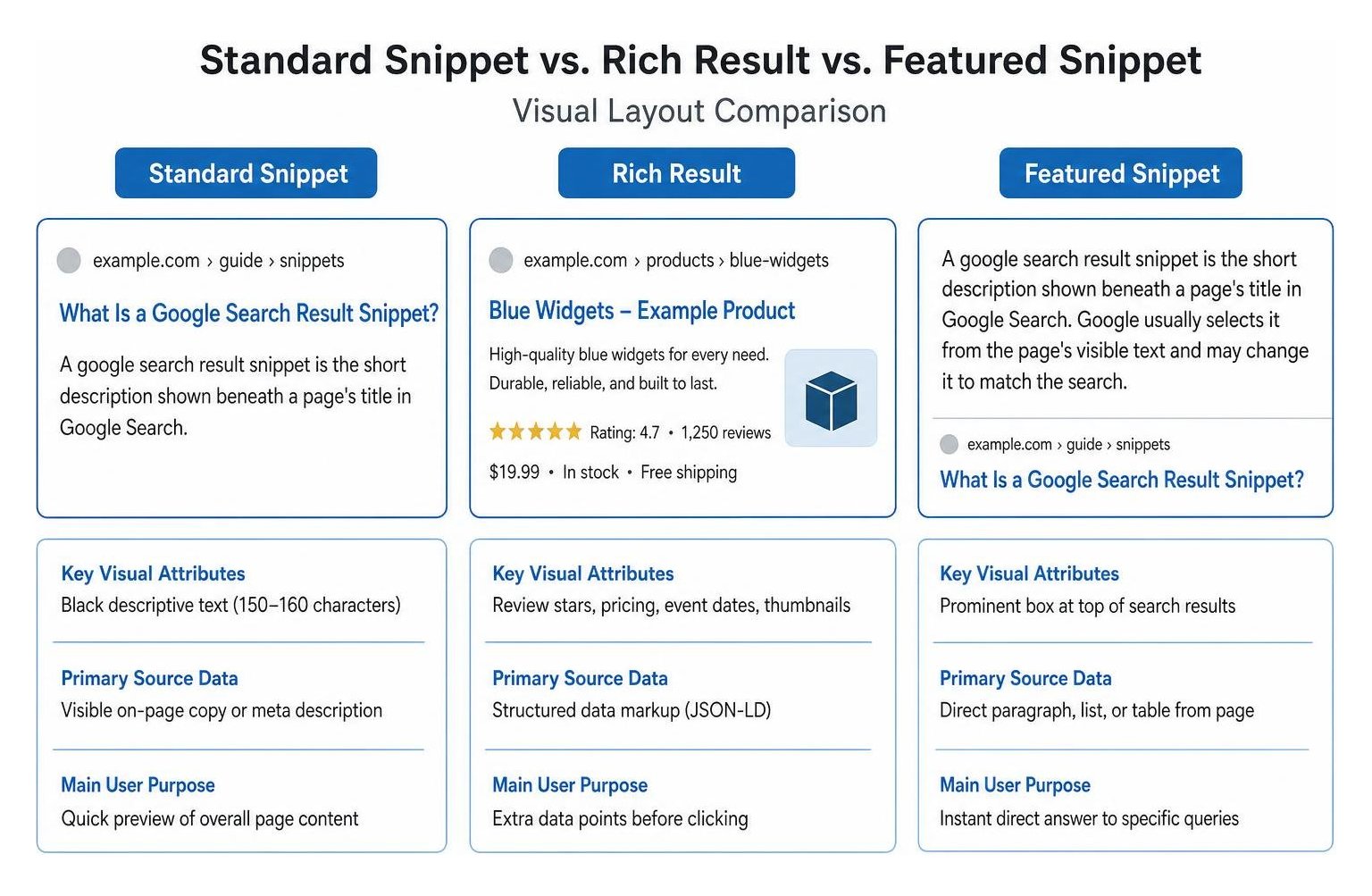
A standard search listing consists of three core components: the site attribution or display URL, the clickable headline, and the descriptive text snippet. Together, these elements provide searchers with immediate context about what your webpage delivers.
- Site Attribution and Breadcrumbs: Displayed at the very top of the result, this shows your domain, favicon, and visual breadcrumb hierarchy.
- The Title Link: The prominent blue text serving as the primary clickable anchor to your webpage.
- The Descriptive Snippet: The body text located underneath the title, offering a concise excerpt or summary of the target page's content.
According to the Google Search Central visual elements gallery, Google treats standard text listings, rich enhancements, and position-zero features as distinct display formats.
| Snippet Format | Primary Source Data | Key Visual Attributes | Main User Purpose |
|---|---|---|---|
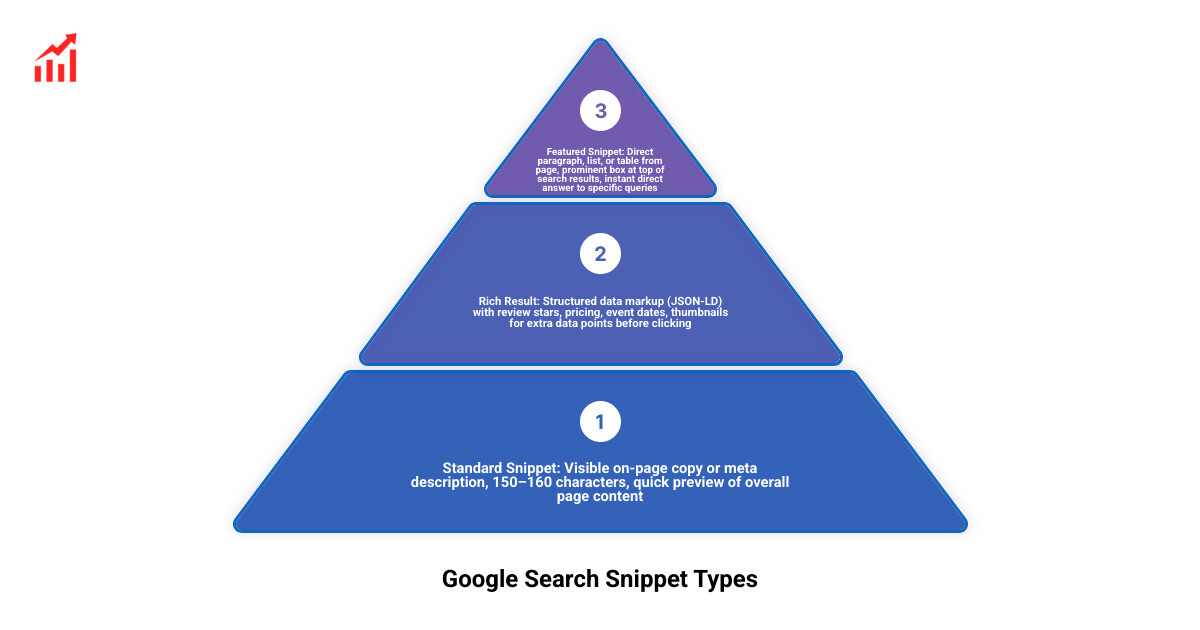
| Standard Snippet | Visible on-page copy or meta description | Black descriptive text (150–160 characters) | Quick preview of overall page content |
| Rich Result | Structured data markup (JSON-LD) | Review stars, pricing, event dates, thumbnails | Extra data points before clicking |
| Featured Snippet | Direct paragraph, list, or table from page | Prominent box at top of search results | Instant direct answer to specific queries |
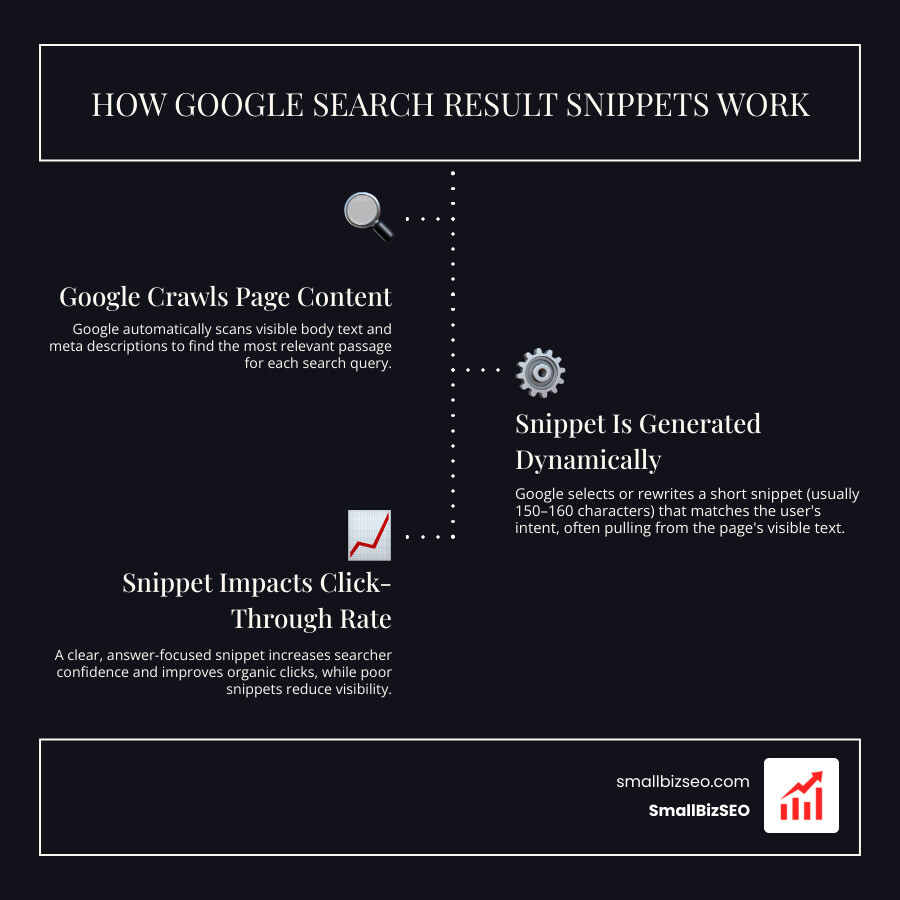
How Does Google Generate Each Google Search Result Snippet from On-Page Content?
Google generates search snippets automatically by parsing the visible content on your page to find text that directly matches the user's specific query. While many webmasters assume their coded descriptions always display, Search Engine Land reporting on snippet sources highlights that Google relies primarily on on-page body copy rather than external tags.
When someone executes a search, Google's algorithms dynamically scan your document for the most relevant sentence or paragraph. If your written meta description provides a clearer, more accurate summary for that exact query than on-page text, Google may use it instead. Otherwise, it extracts phrases directly from your headers and body copy, truncating sentences with ellipses to fit the searcher's screen width.
How to Optimize and Control Your Search Snippets for Maximum Clicks
You can optimize and control your search snippets by writing clear, topic-focused sentences on your page and implementing precise HTML robots directives. While Google retains final editorial control over what displays, providing structured summaries gives search engines the best possible text to present.
How Can You Use Meta Tags and Robots Directives to Control Snippets?
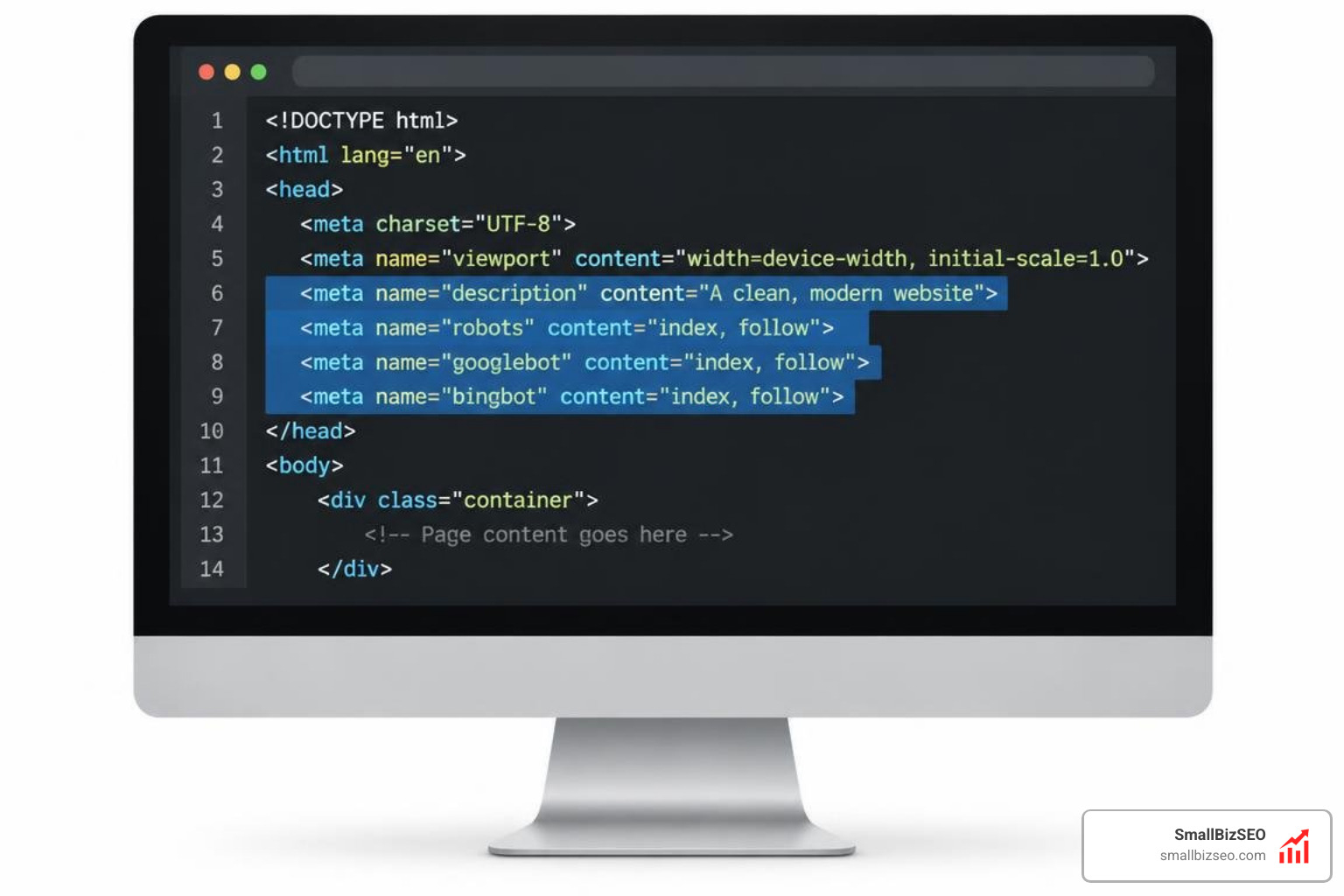
You can directly manage how Google displays your text using specific robots meta tags placed in your site header or inline HTML attributes on your page elements.
As outlined in Google Search Central snippet documentation, webmasters have access to several explicit controls:
- nosnippet: Prevents Google from showing any text snippet or video preview for the page entirely.
- max-snippet:[number]: Sets the maximum character limit for the snippet Google generates for your page.
- data-nosnippet: An HTML attribute applied to specific span, div, or section tags to prevent proprietary, sensitive, or disclaimer copy from appearing in search previews.
For large-scale websites, generating programmatic descriptions based on page variables (such as product categories, authors, or key specs) ensures every page maintains unique descriptive metadata rather than generic filler text.
How Do Structured Data and Rich Results Enhance Your Visibility?
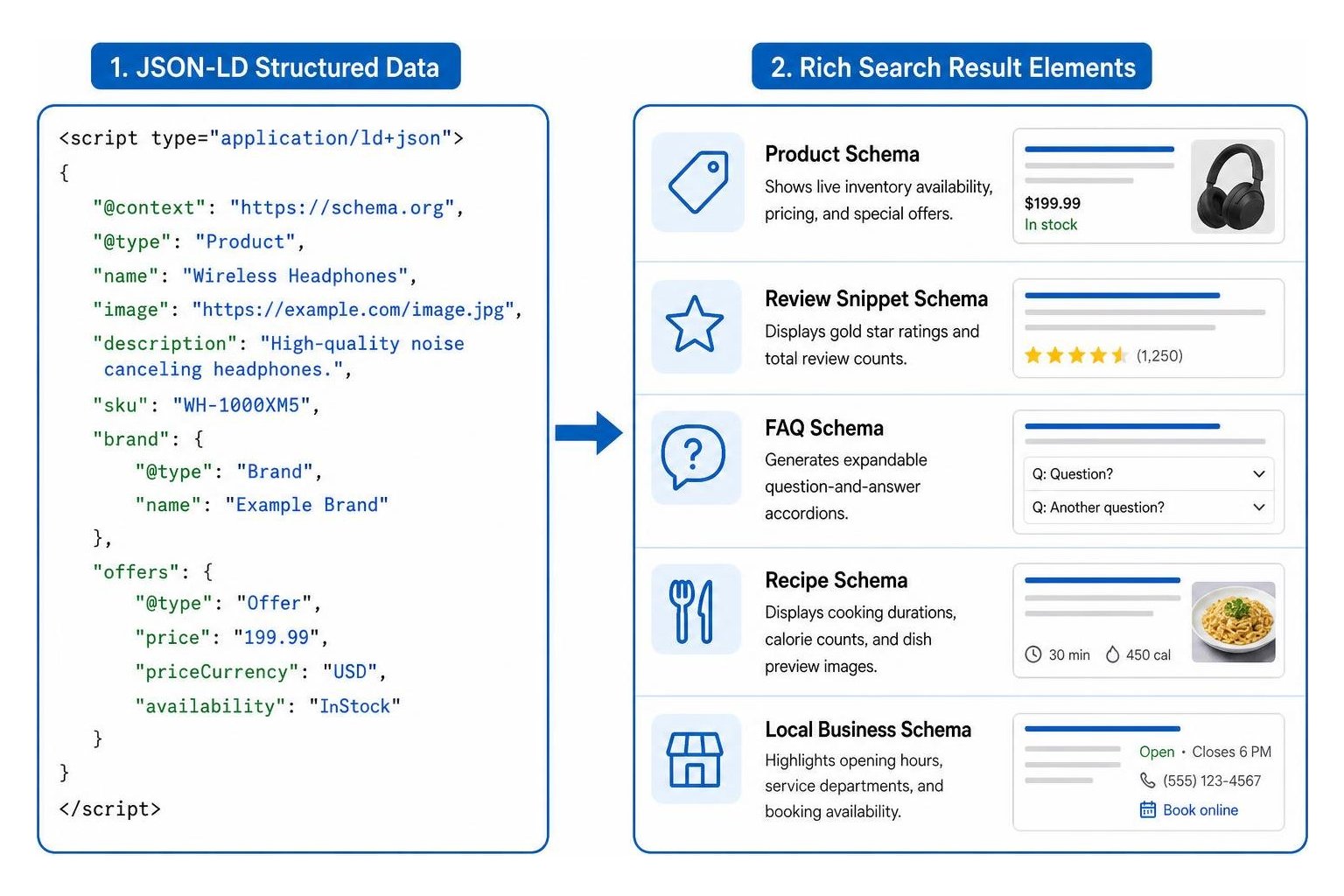
Structured data enhances standard listings by turning plain text descriptions into visual rich result elements that capture user attention and improve click-through rates. By embedding machine-readable code using JSON-LD, you help search engines interpret key details instantly.
High-impact schema markup types include:
- Product Schema: Shows live inventory availability, pricing, and special offers.
- Review Snippet Schema: Displays gold star ratings and total review counts directly below your title.
- FAQ Schema: Generates expandable question-and-answer accordions under your search entry.
- Recipe Schema: Displays cooking durations, calorie counts, and dish preview images.
- Local Business Schema: Highlights opening hours, service departments, and booking availability.
Before publishing schema markup, always validate your code using the Google Rich Results Test to catch syntax warnings and ensure your pages are fully eligible for rich display attributes.
Advanced Snippet Strategies: Rich Results, Featured Snippets, and Extraction
Advanced snippet strategies focus on capturing high-intent search real estate across position-zero answer blocks and extracting competitor data to refine your content presentation.
How Do You Win Featured Snippets and People Also Ask Boxes?
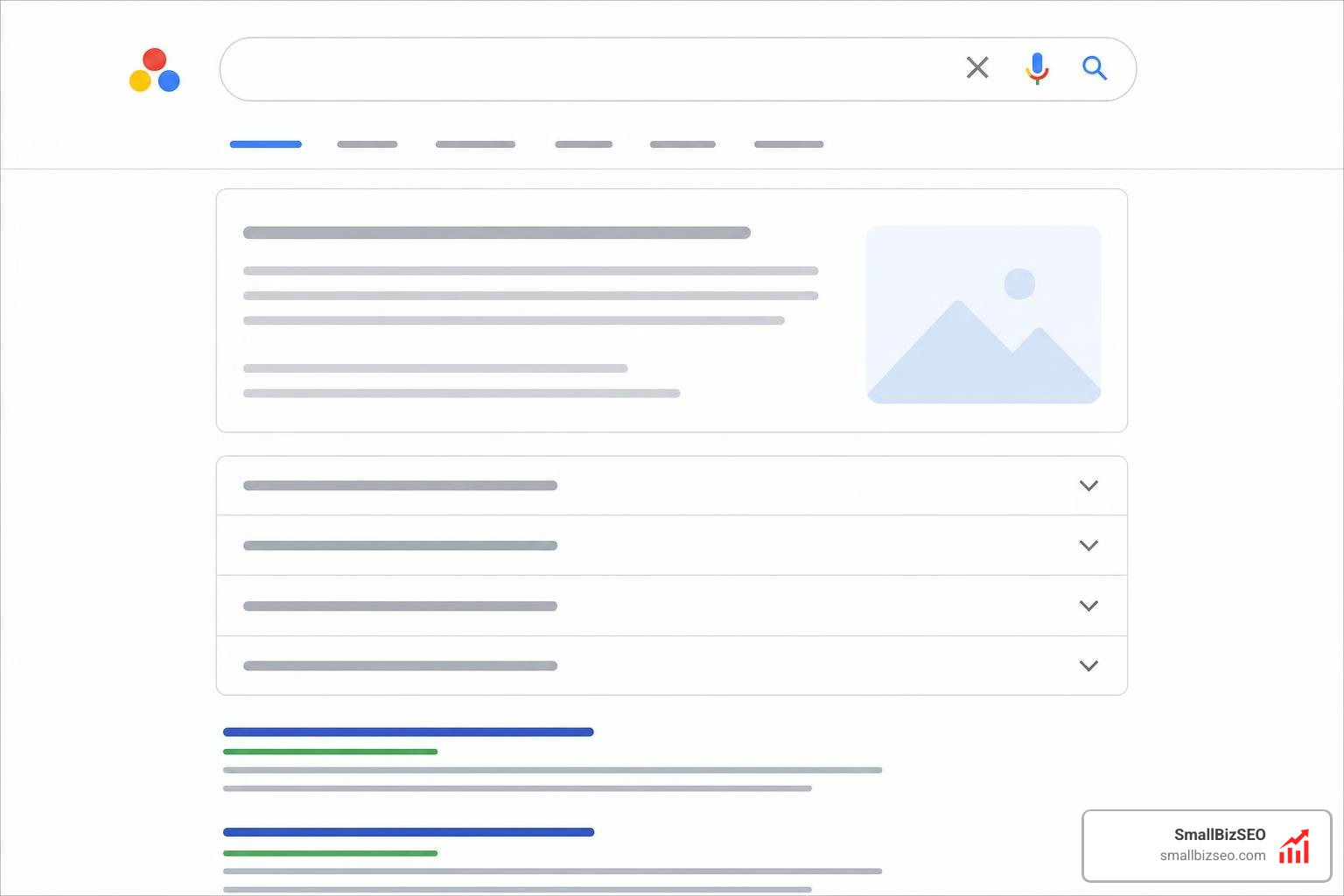
You can win featured snippets by answering common customer questions in clear, 40-to-50-word summaries positioned directly under descriptive subheadings. When optimizing for an expanded SERP feature, matching your content format to search intent is essential.
- Paragraph Snippets: Provide direct definitions or conceptual summaries immediately following an H2 or H3 question.
- List Snippets: Use ordered or unordered HTML lists to explain sequential processes, recipes, or itemized rankings.
- Table Snippets: Format data into clean HTML tables for direct comparative searches, pricing schedules, or specifications.
Capturing these spots also feeds into People Also Ask boxes, which expand query visibility. However, website owners must weigh these visibility gains against zero-click search behavior. When searchers get their full answer directly on Google, they may not click through to your website. Additionally, Google's deduplication rules mean a webpage earning a featured snippet will not appear a second time as a standard organic link on page one.
How Can You Scrape or Analyze Competitor Snippets for Insights?
You can analyze competitor snippets programmatically to uncover the exact sentence patterns and content structures that search algorithms prefer for your target keywords.
As detailed in the SerpApi guide on extracting full search snippets, automated extraction allows you to retrieve organic search data at scale. Because Google frequently truncates displayed copy, text normalization and sentence reconstruction techniques—such as crawling the source URL and locating the surrounding sentence using matching algorithms—allow analysts to see the complete context Google selected.
At SmallBizSEO, we leverage these competitive insights within our specialized search snippet optimization services. By auditing target search result pages and aligning on-page content with algorithmic preferences, our data-driven Velocity framework helps small businesses secure high-visibility snippets and drive qualified organic traffic.
Elevate Your Search Visibility with High-Impact Snippets
Refining your search snippets transforms ordinary listings into compelling entry points for your target audience. By pairing concise, well-structured on-page answers with technical schema markup and robots controls, you maximize both organic visibility and user engagement across modern search engine results pages.