Navigating Web Archives vs Google Index: A Practical Technical SEO Guide
How Do Website Archives Compare With Google's Indexed Version?
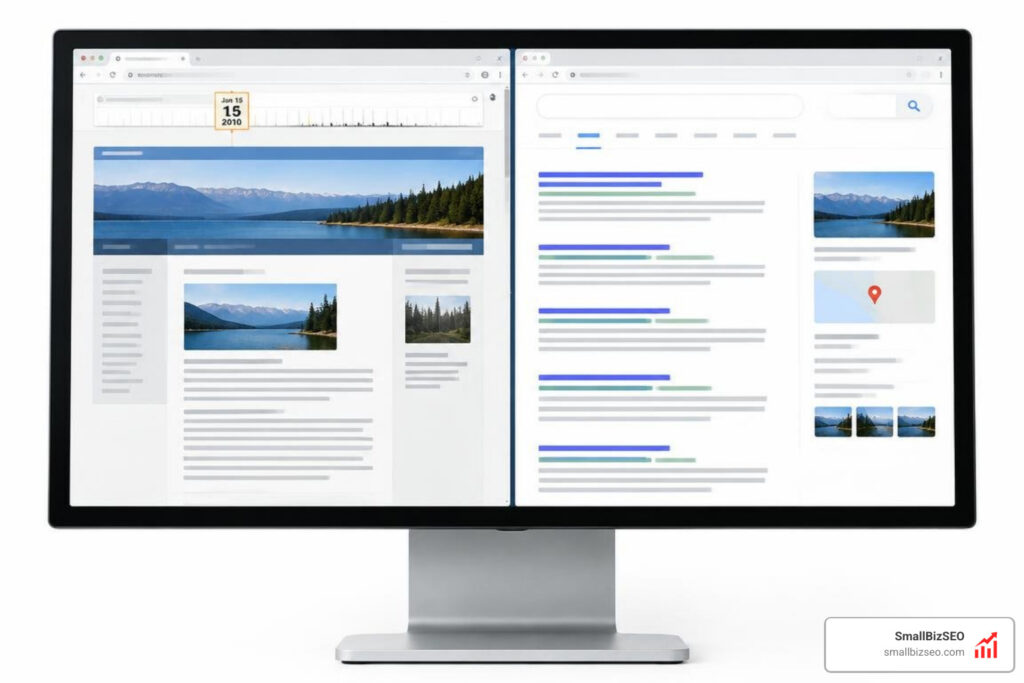
Website archives versus Google's currently indexed version serve different purposes. Archives preserve snapshots from specific dates, so you can check how a page used to look. Google's index reflects content it has processed for search, which may differ from the live page until Google crawls and processes it again. Use the Wayback Machine to investigate past changes. For a site you own, use Google Search Console's URL Inspection tool to check its indexed status and last crawl.
Google's old public cache is no longer available, so one tool cannot answer both questions. The key is to check history in an archive and current search status in Search Console.
I'm Clayton Johnson, founder of SmallBizSEO. My technical SEO and content strategy work helps small businesses make sense of questions like "website archives versus google's current indexed version" and check what search engines can see.
Website Archives Versus Google's Current Indexed Version: Core Differences and Mechanics
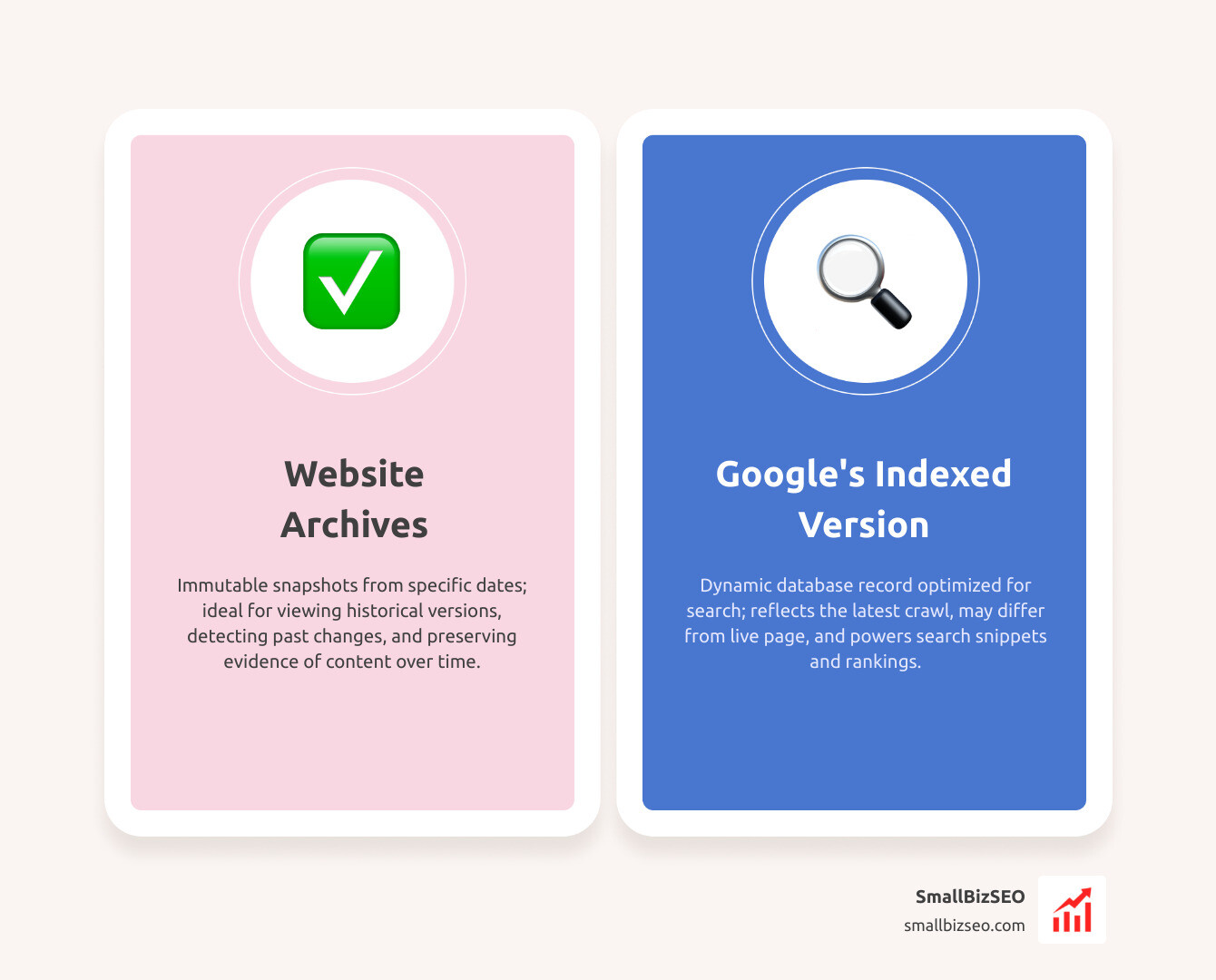
Website archives preserve immutable historical captures, while Google's indexed version is a dynamic database record optimized to serve search queries. Knowing this distinction is crucial when performing technical SEO audits, tracking content alterations, or diagnosing ranking drops.
Historically, webmasters relied on Google Cache as a quick bridge between search records and public viewability. As explored in The Surprising End of Google Cache: What Happens Next?, that utility disappeared, shifting the responsibility of historical preservation entirely to specialized platforms. Gaining clarity on understanding search engine indexing and the role of web caching fundamentals prevents teams from mistaking an archived snapshot for live search eligibility.
How Do Website Archives Versus Google's Current Indexed Version Differ in Technical Purpose?
An archive acts as an objective public museum, whereas an index functions as a working catalog for search delivery. When evaluating website archives versus google's current indexed version, each platform operates with distinct crawl engines, storage models, and business objectives.
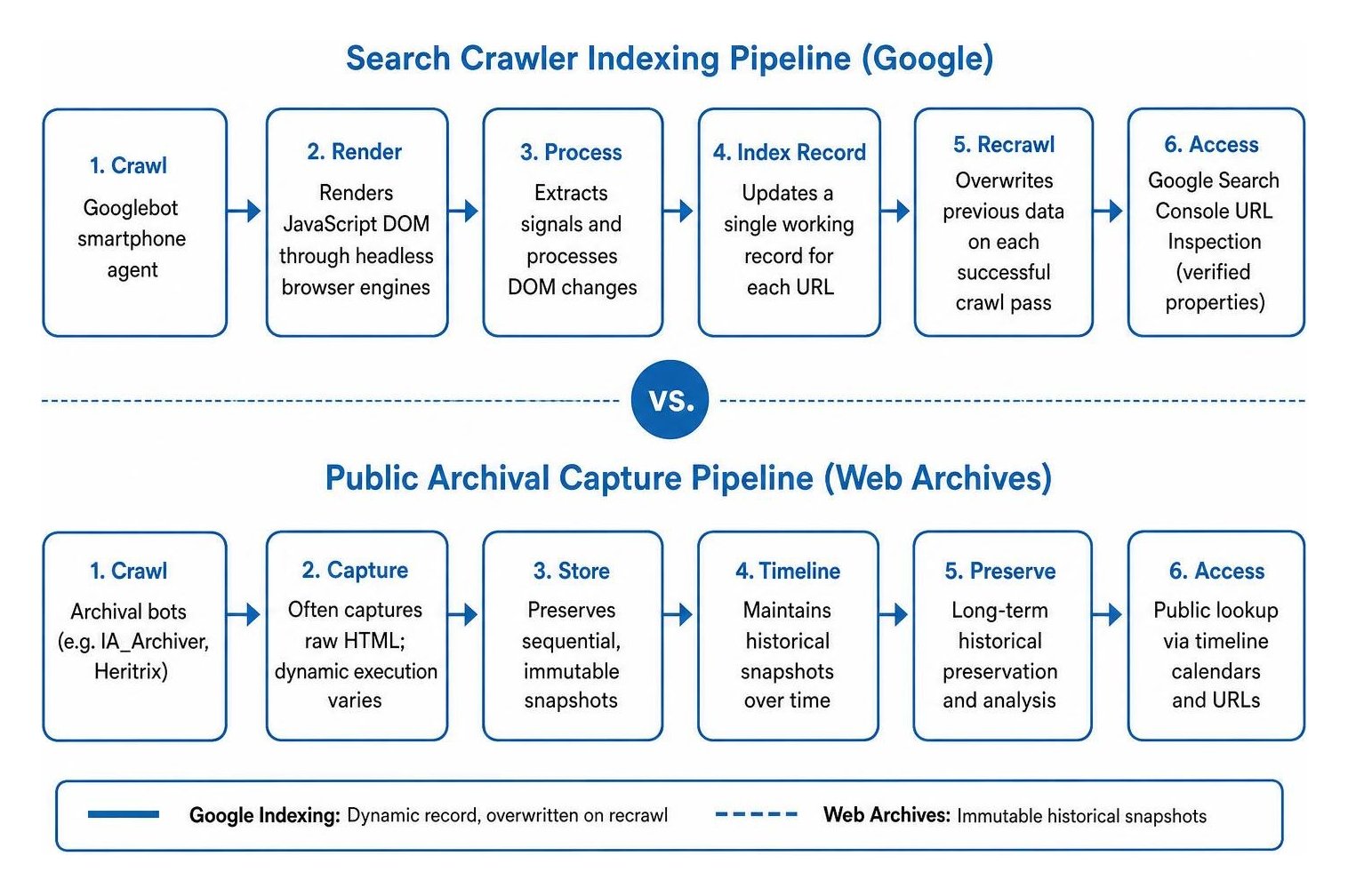
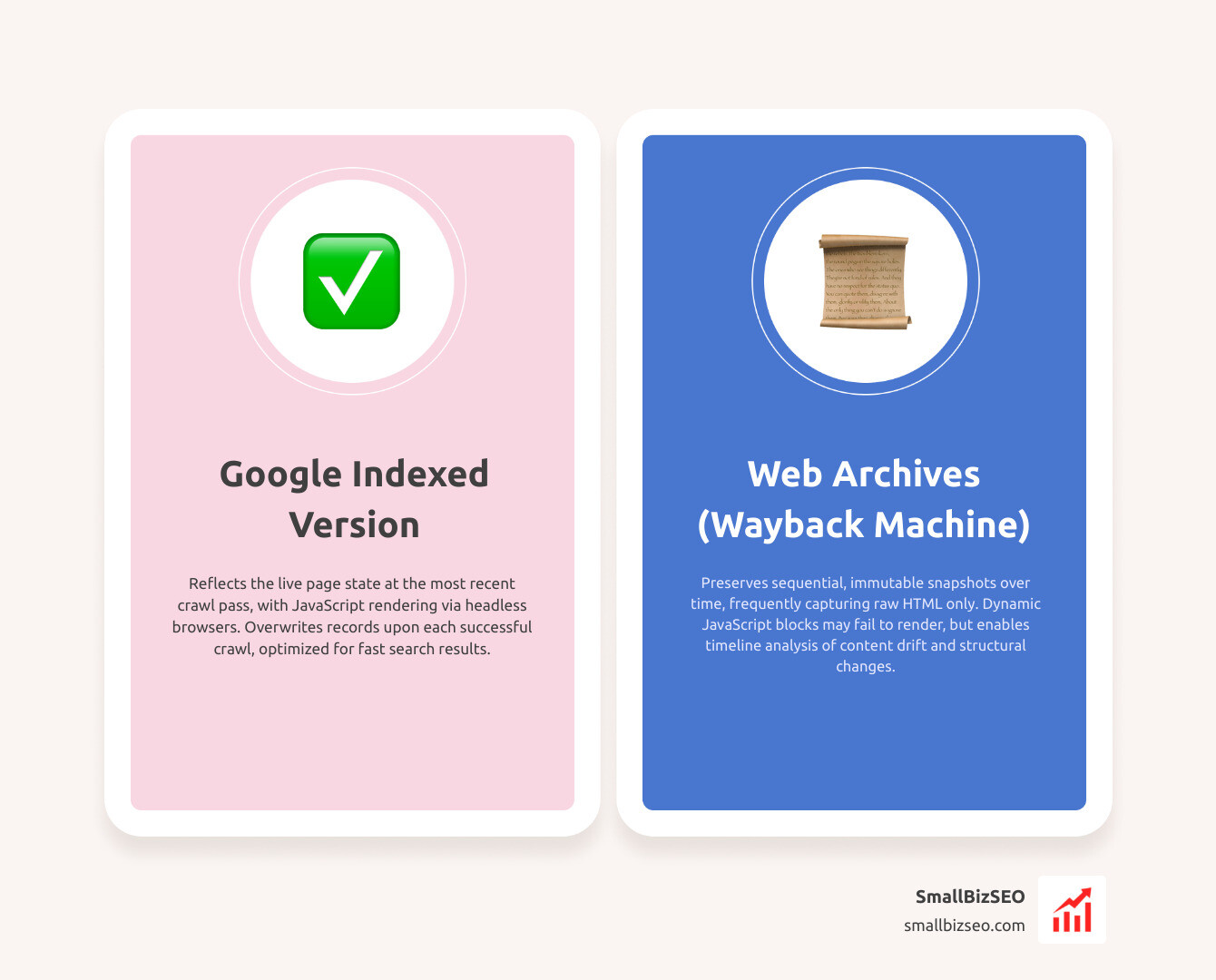
Google crawls pages with its smartphone user-agent, renders client-side assets to process Document Object Model (DOM) changes, extracts signals, and updates a single working record for each URL. When Googlebot recrawls a page, it overwrites previous data.
In contrast, dedicated web archives capture sequential points in time. When analyzing past layout shifts or investigating ranking changes, discovering methods for retrieving past webpage records provides historical context that live search indexes overwrite.
| Feature / Metric | Third-Party Website Archives (e.g., Wayback Machine) | Google's Current Indexed Version |
|---|---|---|
| Primary Purpose | Long-term historical preservation and timeline analysis | Serving relevant, fast search results to live user queries |
| Snapshot Handling | Preserves sequential, immutable snapshots over time | Overwrites records upon each successful crawl pass |
| Crawling Engine | Archival bots (e.g., IA_Archiver, Heritrix) | Googlebot smartphone agent (Mobile-first indexing) |
| JavaScript Rendering | Often captures raw HTML; dynamic execution varies | Renders JavaScript DOM through headless browser engines |
| Direct User Access | Open public lookup via timeline calendars and URLs | Google Search Console URL Inspection (for verified properties) |
| Directive Respect | Respects direct exclusion forms and specific opt-outs | Follows robots meta tags (noindex, nofollow, canonical) |
Why Did Search Engines Retire Direct Cache Links in Favor of Web Archives?
Search engines phased out native cache links because modern hosting infrastructure made server downtime rare, rendering fallback cache views redundant for everyday searchers.
Maintaining public-facing cached copies consumed massive storage and computing power across global data centers. Search engines never designed their cache system to function as a permanent public historical record; it was an operational byproduct of crawling.
To provide searchers with a way to view prior page versions, search platforms integrated third-party archival links directly into search result listings. Users can now access historical captures preserved across billions of web pages directly via the "About this Result" menu, as detailed in the announcement to Access Archived Webpages Directly Through Google Search. This workflow shifts historical preservation to dedicated non-profit archives while streamlining search engine infrastructure.
How Do Content Timeliness and JavaScript Rendering Vary in Website Archives Versus Google's Current Indexed Version?
Google's index reflects the page state at its most recent crawl pass, whereas web archives reflect page states on specific capture dates. If a page undergoes revisions, search snippets may display older text until Googlebot recrawls and reprocesses the live DOM.
Archival bots frequently capture raw server HTML responses. If essential page content relies entirely on client-side JavaScript execution, standard web archives might fail to display dynamic blocks that Google's modern rendering pipeline indexes seamlessly.
When auditing content changes over time, tools like Free Wayback Change History compare raw text and field metadata without executing complex scripts. This analysis is especially valuable for site migration tracking, enabling SEOs to confirm whether canonical declarations, heading structures, or metadata shifted during architectural overhauls.
Best Practices for Diagnosing and Preserving Search Visibility
Maintaining search performance requires distinct workflows for live indexing checks and historical verification. Rather than relying on a single tool, modern technical SEO uses verified diagnostic channels alongside independent record-keeping.
How Can Webmasters Access Archived Pages and Replace Diagnostic Functions?
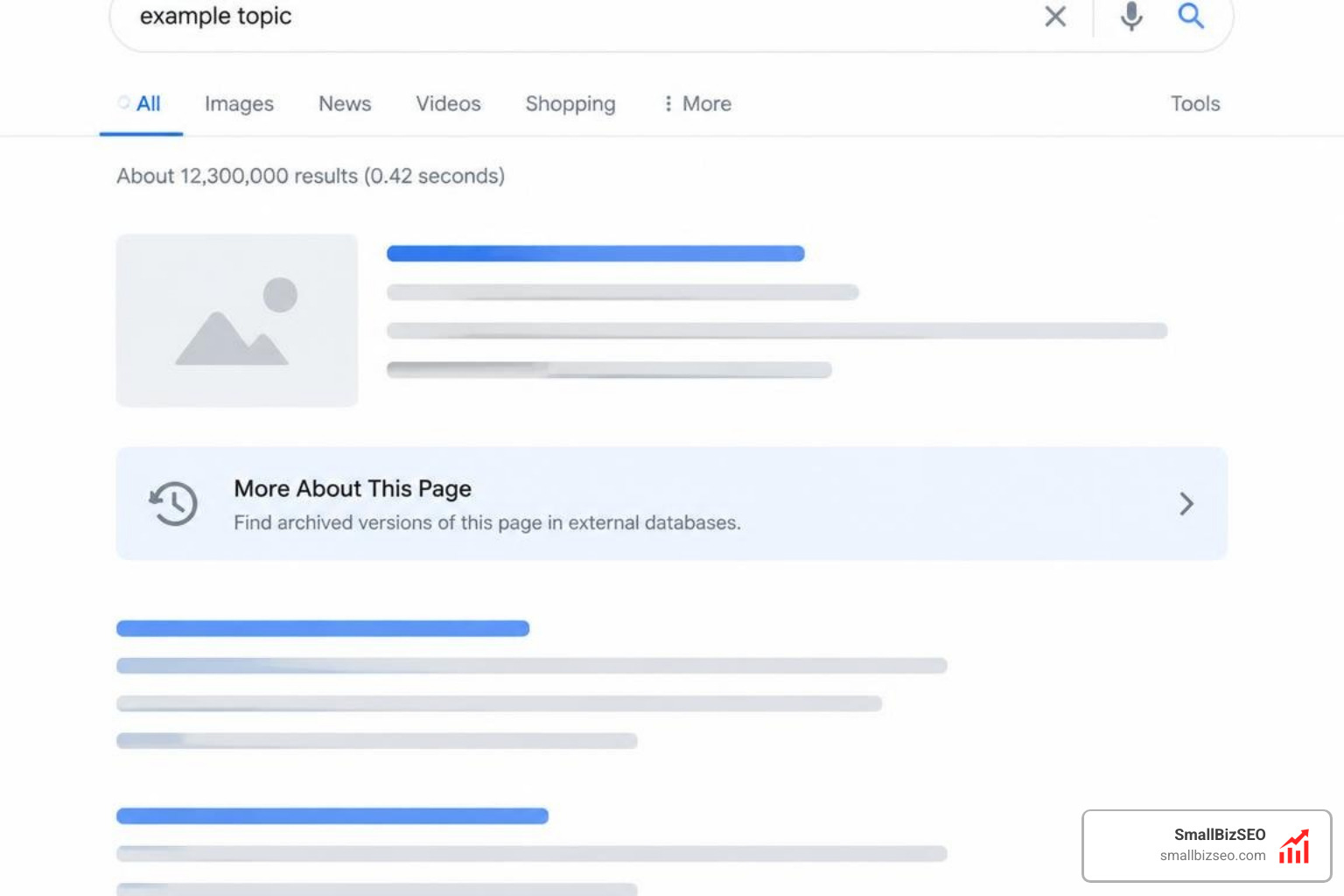
To access historical page captures directly from search results, follow these steps:
- Click the three vertical dots (ellipsis) next to any search snippet.
- Open the "About this Result" panel.
- Select "More About This Page."
- Click the link directing to historical snapshots on the Wayback Machine.
For site diagnostics, webmasters should use specific tools based on their auditing needs:
- Google Search Console URL Inspection Tool: Provides verified site owners with the exact crawl date, indexing status, mobile usability, and raw crawled HTML that Google currently stores.
- Rich Results Test: Validates structured data markup and generates a rendered screenshot showing how Googlebot executes dynamic JavaScript on a live page.
- Wayback Machine (archive.org): Delivers a comprehensive historical timeline of public snapshots spanning past years.
- Archive.today (archive.ph): Creates reliable, on-demand static visual snapshots of pages, particularly dynamic or paywalled layouts.
- Third-Party Technical Crawlers: Emulate search engine user-agents to uncover canonical conflicts, missing meta directives, and rendering bottlenecks across your entire catalog.
Can Website Owners Prevent Archival Crawlers While Maintaining Indexing?
Yes, website owners can restrict public web archives from saving snapshots while allowing search engines to crawl and index their live content.
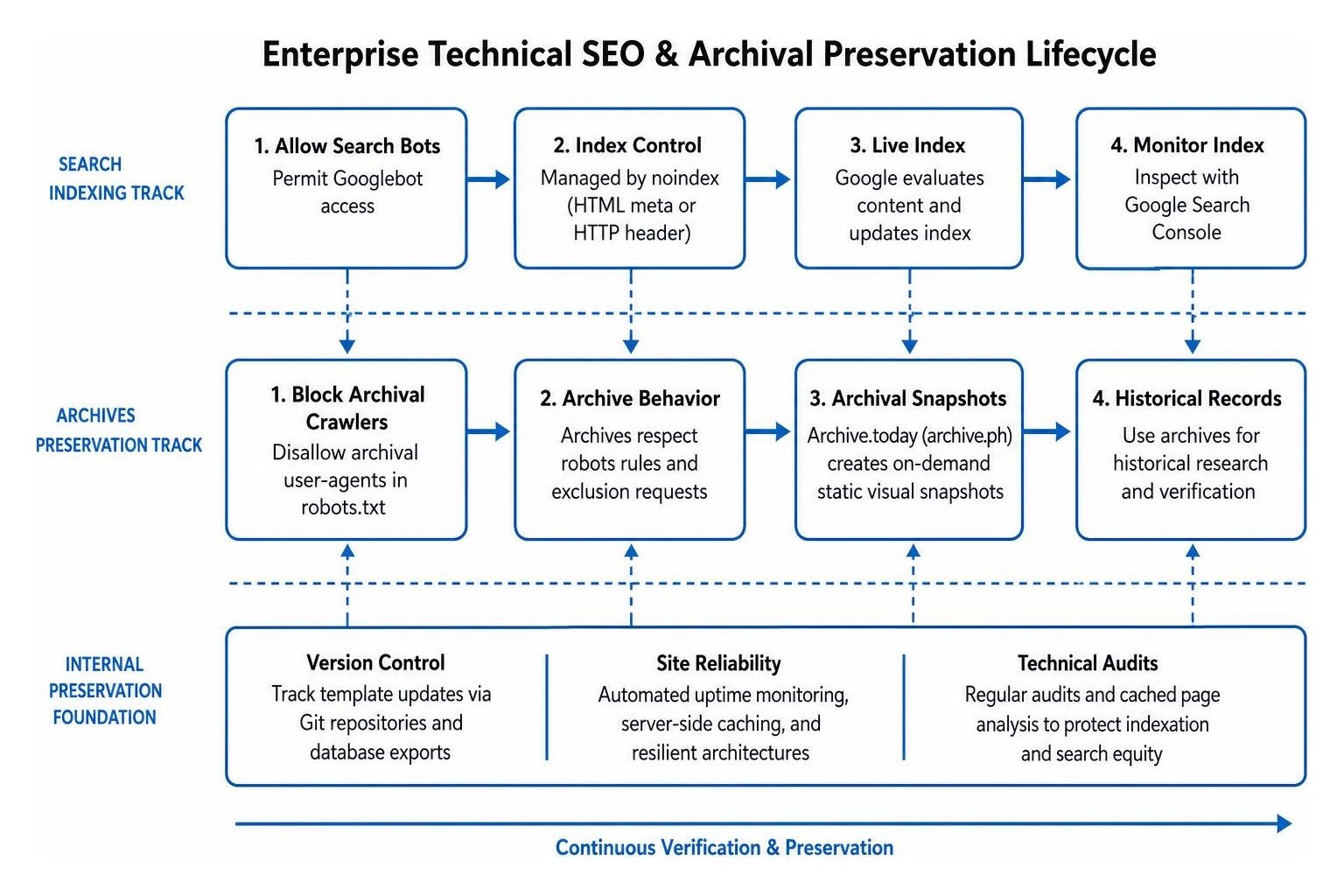
Achieving this requires a two-track management approach because search bots and archiving crawlers follow separate directives:
- Controlling Search Indexation: Search engines evaluate tags like
noindexdelivered through HTML meta tags or HTTP response headers. The legacynoarchivetag is no longer processed by Google Search to remove cached search links. - Controlling Web Archives: Independent archives respect targeted rules configured within a configuring a robots txt file targeting specific user-agents, alongside manual URL exclusion forms submitted directly to the archiving organization.
To maintain active search visibility while blocking archival crawlers, permit Googlebot access while establishing explicit disallow rules for dedicated archival user-agents:
How to Ensure Long-Term Verification and Accessibility for Business Websites
Relying entirely on third-party crawlers creates operational blind spots during critical site updates. If an archival crawler skips your pages or encounters dynamic script hurdles, valuable design and copy records can be permanently lost.
Our team at SmallBizSEO implements our data-driven "Velocity" framework to deliver fast rankings, transparent performance reporting, and resilient website architectures. We recommend that businesses maintain internal version-controlled backups of all core landing pages, tracking template updates via Git repositories and database exports.
Coupling internal version control with automated uptime monitoring, server-side caching, and regular technical audits ensures your website maintains strong search presence and reliable verification. Explore our technical resources on cached page analysis and technical SEO visibility to optimize your indexation pathways and protect your search equity.
Mastering Index Diagnostics and Historical Preservation
Understanding the distinction between historical web archives and search engine index records is fundamental to modern technical SEO. Web archives preserve the historical evolution of your content, while search engine index databases govern your live organic visibility.
By using Google Search Console to inspect active index states, tapping into dedicated web archives for historical research, and maintaining internal version control, businesses can safeguard their digital assets and ensure reliable search performance.