Retiring “Click Here” for Descriptive Hyperlinks That Help Readers and Search Engines
How do you replace “click here” with useful link text?
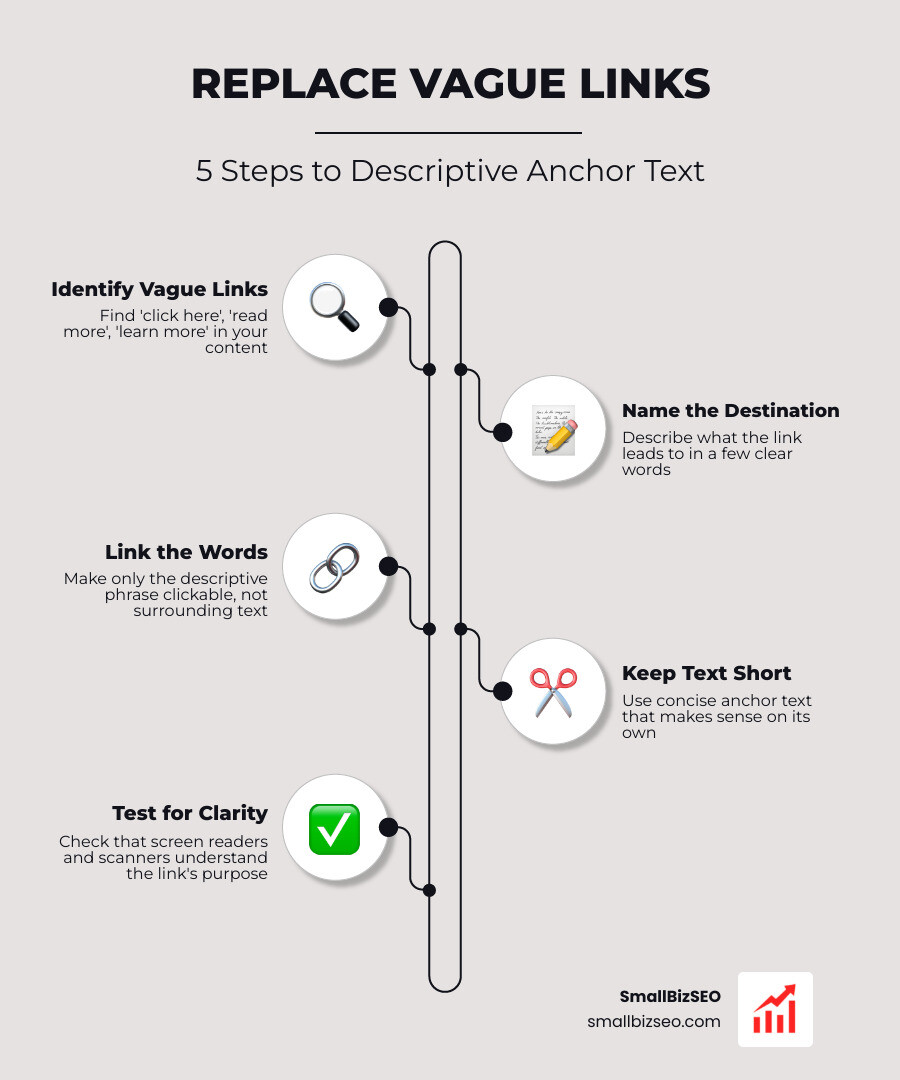
Here’s how to replace vague “click here” links with useful anchor text: name what the link leads to, then link those words. For example, change “Click here to download our checklist” to “Download the SEO checklist.” Keep the text short, but clear enough to make sense on its own.
That small edit helps people scan your page and helps screen reader users understand a link without hearing the whole sentence around it. It also gives search engines a clearer clue about the linked page.
I’m Clayton Johnson, founder of SmallBizSEO, where I help small businesses make their content easier to find and use. My work on how to replace vague click here links with useful anchor text draws on that same approach: give readers a clear next step.
Why Do Uninformative Links Hurt Accessibility, Search Engines, and User Experience?
Vague links hide their destination, while descriptive links provide readers, screen readers, and search engine crawlers with direct context about where a hyperlink leads.
When someone reads online, they rarely read word-for-word. Research shows users read only about 20% to 28% of the words on a page. People scan in an F-pattern, latching onto visual waypoints such as headings, bold words, and blue underlined hyperlinks. When those links say nothing more than "click here," "read more," or "learn more," the user's scanning process stalls. The link offers zero "information scent," forcing visitors to read backward and forward through surrounding paragraphs to figure out what happens if they click.
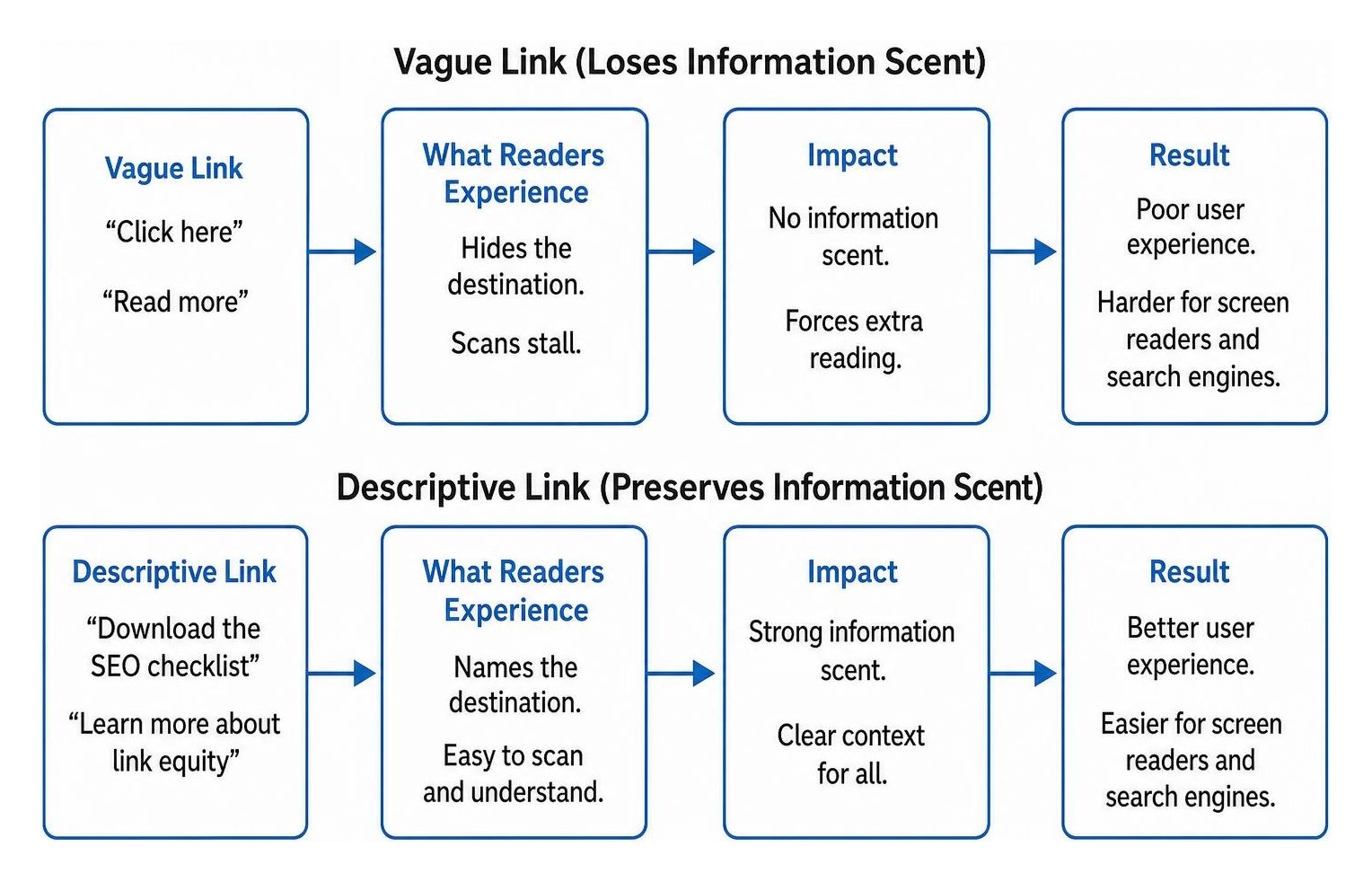
For search engines and assistive technology, vague links break the natural flow of information. Search engines rely on descriptive words in links to understand how pages connect thematically and how to pass link equity across a website. Ambiguous anchors weaken this topical connection. As outlined in guides on Link Clarity: How Descriptive Anchor Text Helps Search Engine and AI Interpret Links, clear anchor text helps both modern search engines and AI retrieval models understand destination pages accurately.
How Does Descriptive Link Text Help Accessibility and WCAG Compliance?
Descriptive link text ensures people using assistive technology can navigate efficiently without needing surrounding text to understand where a link leads.
Screen reader users frequently navigate web pages by pulling up an isolated list of all hyperlinks on the page. In this link list mode, the software reads each link text out of its paragraph context. If your page features several generic phrases, a blind visitor hears:
- "Click here"
- "Click here"
- "Read more"
- "Learn more"
This repetition makes navigation nearly impossible without listening to the entire surrounding paragraph.
Under the Web Content Accessibility Guidelines, specifically WCAG 2.4.4 - Link Purpose (In Context), the purpose of each link must be determinable from the link text alone or from programmatic context. Level AAA criterion WCAG 2.4.9 goes even further, requiring link purpose to be obvious from the anchor text alone. Federal standards also reflect this requirement, as detailed in Accessibility Bytes No. 4: Descriptive Links and Hypertext. Making link text descriptive ensures your site remains accessible, compliant, and easy to navigate for everyone.
How Can Ambiguous Link Text Affect Search Visibility and User Behavior?
Ambiguous link text deprives search engine bots of critical context, reducing crawl efficiency and weakening the relevance signals needed to rank target pages.
Search crawlers treat anchor text as an explicit summary of the linked page. When you practice thoughtful seo friendly content writing, your internal hyperlinks serve as signposts. A link labeled "residential roofing services" tells search engines exactly what the destination page offers, while "click here" provides no topical relevance.
Usability research from the Nielsen Norman Group highlights that users focus heavily on the first two words of a link. In their resource Writing Hyperlinks: Salient, Descriptive, Start with Keyword, eyetracking data proves that front-loading relevant keywords into links improves scanning speed and reduces bounce rates. When links match search intent and user expectations, visitors click with confidence.
How Do You Replace Vague “Click Here” Links with Useful Anchor Text?
To replace vague links, identify the specific topic or action of the destination page, front-load the most relevant keywords, and wrap the hyperlink directly around those descriptive words.
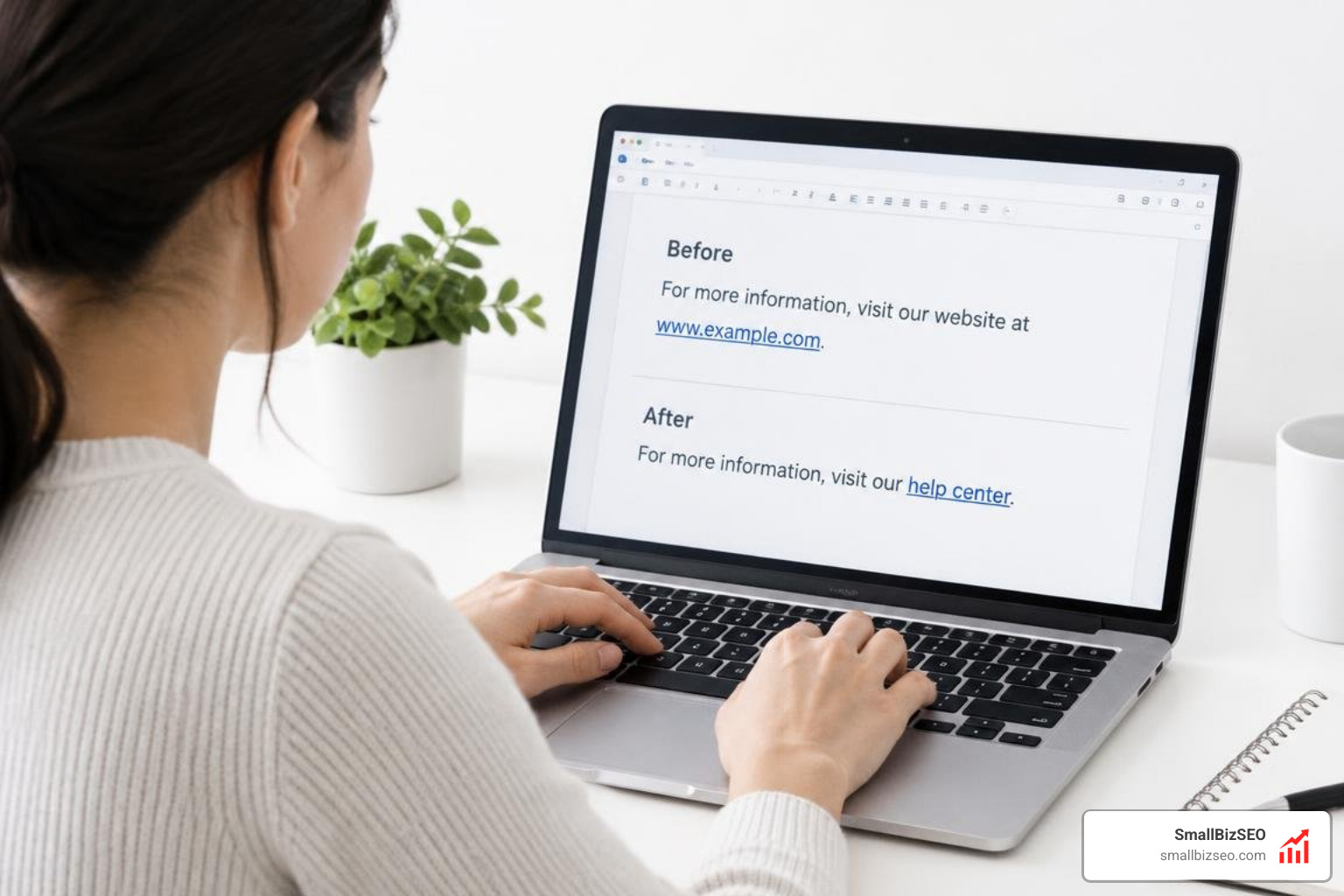
Creating high-performing hyperlinks does not require complicated copywriting. Instead of adding a link as an afterthought at the end of a sentence, integrate the link naturally into your prose. This builds a clear internal link structure that guides visitors smoothly through your content.
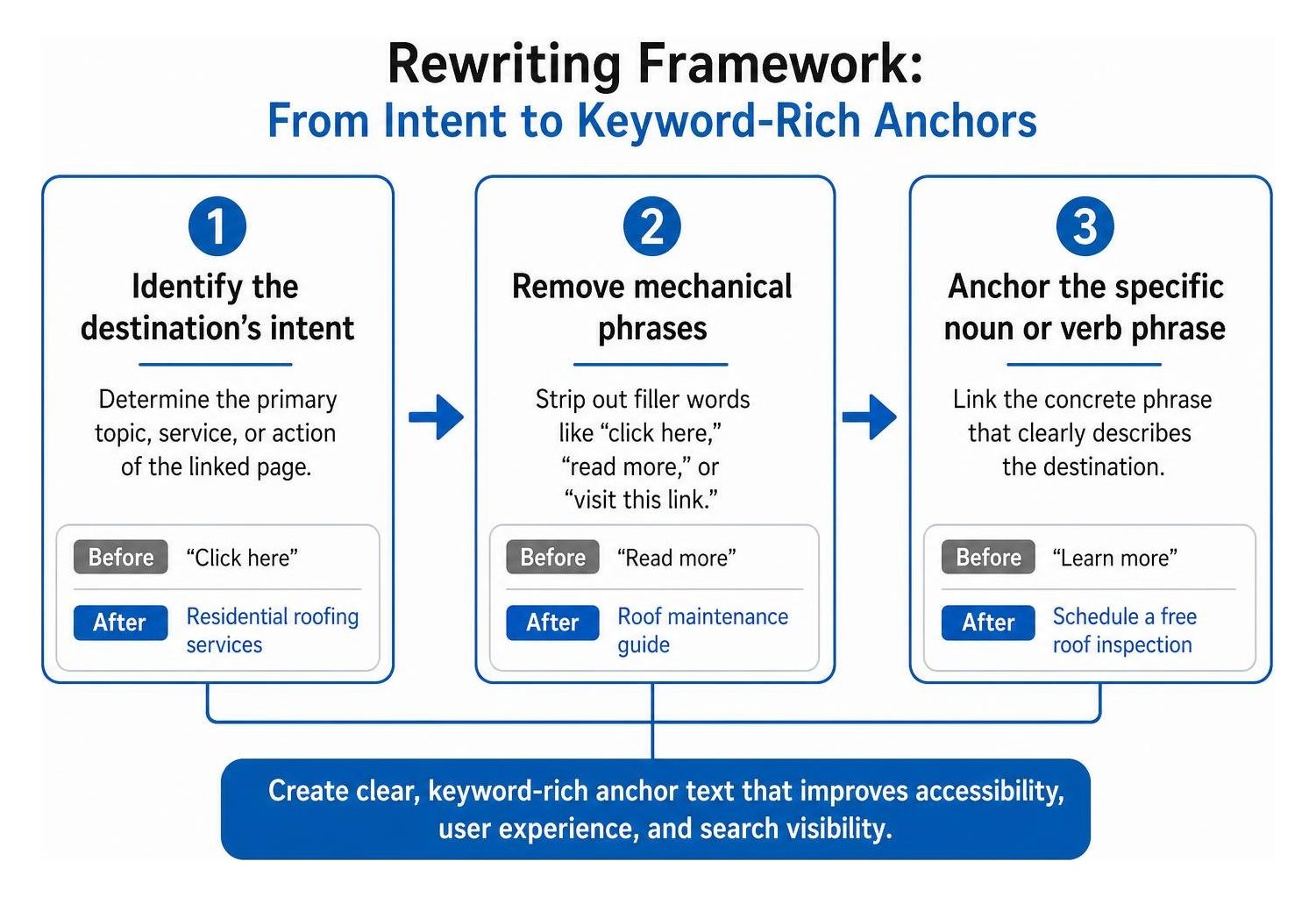
Use this simple three-step method:
- Find the destination's primary topic: Ask yourself what document, service, or concept the user lands on after clicking.
- Remove mechanical phrases: Strip away filler words such as "click here," "visit this link," or "read our article about."
- Anchor the specific noun or verb phrase: Place the link on the concrete phrase that describes the destination.
How Can You Rewrite “Click Here” and “Read More” Links?
You can rewrite vague links by moving the hyperlink to the key nouns, resource titles, or action phrases already present in your sentence.
Never use full raw URLs as visible link text unless you are displaying a short, recognizable domain name. Long URLs create clutter for visual readers and cause screen readers to spell out every slash, dash, and tracking parameter character by character.
The following table shows common uninformative phrasing alongside recommended descriptive rewrites:
| Vague Link Phrasing | Why It Fails | Recommended Descriptive Rewrite |
|---|---|---|
| "To see our pricing plans, [click here]." | Forces the reader to read surrounding filler words; meaningless out of context. | "Explore our [transparent pricing plans] to find the right fit." |
| "[Read more] about our commercial painting services." | Generic call to action that repeats across multiple blog or service teasers. | "Read our full guide to [commercial painting services]." |
| "Check out our latest case study [here]." | Fails to identify the subject or results of the case study. | "Read our [HVAC lead generation case study] to see the results." |
"For support, visit: https://smallbizseo.com/help/desk?id=4928" |
Unreadable URL string that disrupts visual scanning and screen readers. | "Submit a ticket through our [online support desk]." |
| "[Download] to get the checklist." | Fails to inform the user what they are downloading. | "Download the [local SEO checklist] to optimize your profiles." |
Refining each anchor link turns routine website navigation into an intuitive reading experience.
What Should You Include for Downloads, New Tabs, and Icon Links?
When linking to downloadable files, opening links in new windows, or using icon buttons, provide explicit format details and accessible labels.
Downloadable Files
If a link triggers a file download, always state the file type and file size in the anchor text. This prevents surprises for users on limited mobile data plans or devices without native viewers.
- Weak: "[Download the manual]."
- Strong: "Download the [equipment installation manual (PDF, 3.4 MB)]."
New Tab and Window Behaviors
Opening links in new tabs can disorient screen reader users and break browser history navigation. Whenever possible, keep links opening in the same tab. If a link must open in a new tab (such as an external resource or reference document), add a clear parenthetical note or accessible warning:
- "Review the official [accessibility standards guide (opens in new tab)]."
Icon-Only Links and ARIA Labels
Buttons or navigation elements that use icons without visible text (such as magnifying glasses for search or social media logos) require an accessible name. Use an aria-label attribute to describe the action clearly:
- A search button should include
aria-label="Search site". - A social icon link should include
aria-label="Visit our company profile".
When handling links across your site, applying these technical details supports comprehensive on page seo and accessible design.
How Can You Audit Your Site for Vague Links?
You can audit your site by running automated crawlers to detect generic anchor text strings and conducting manual reviews of your primary landing pages.
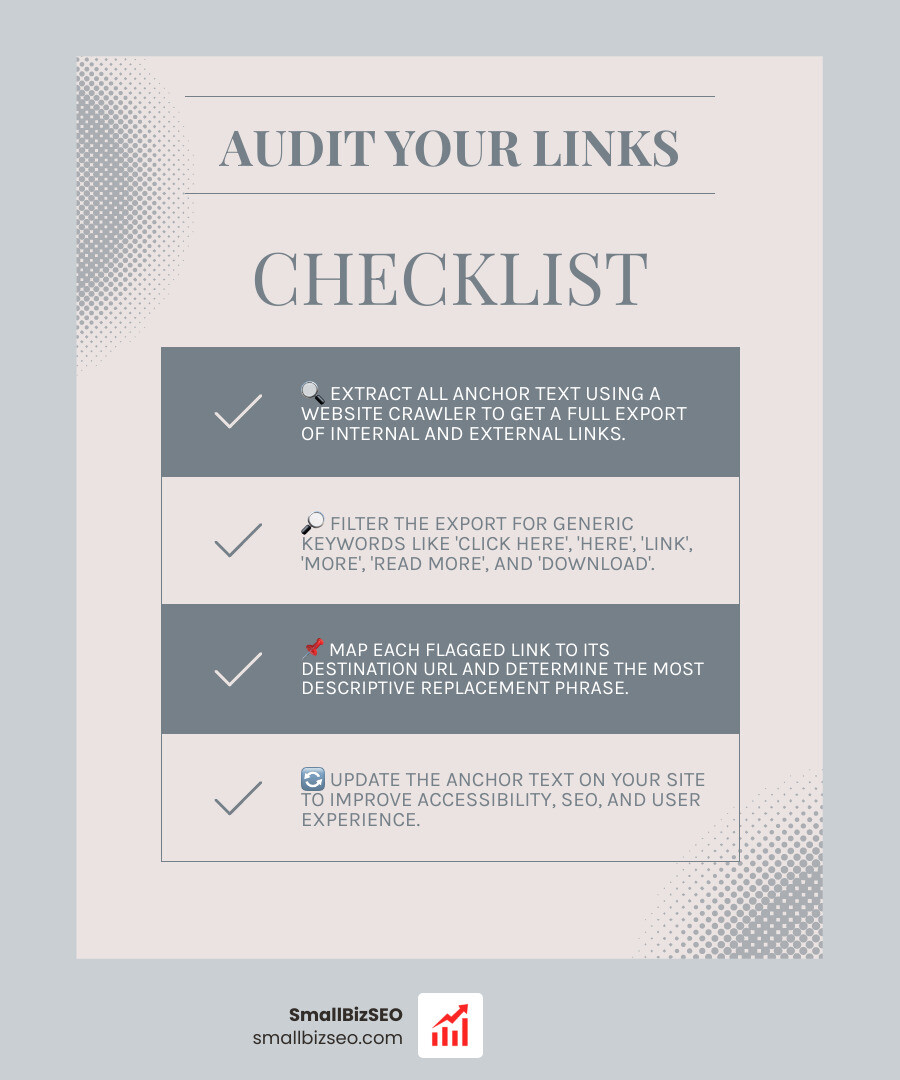
Auditing your website ensures that outdated link habits do not undermine your content quality. To clean up your links across existing pages:
- Extract your site's anchor text: Use a website crawler to export a full list of all internal and external anchor text on your site.
- Filter for generic keywords: Search your anchor text export for phrases such as "click here," "here," "link," "more," "read more," and "download."
- Map links to target destinations: Review each flagged link against its destination URL to determine the most accurate, descriptive replacement phrase.
- Prioritize high-impact pages: Start by updating your homepage, top service pages, and most-trafficked blog posts.
- Establish editorial guidelines: Train your content creators to avoid generic phrases during the drafting phase.
For a broader evaluation of site health and crawling performance, our guide on how to stop guessing and start auditing a beginners guide to web page seo provides a clear framework for identifying technical and content issues.
How Should You Style Links for Accessibility?
Links should be visually distinct from surrounding body text through underlines, high color contrast, and clear focus states.
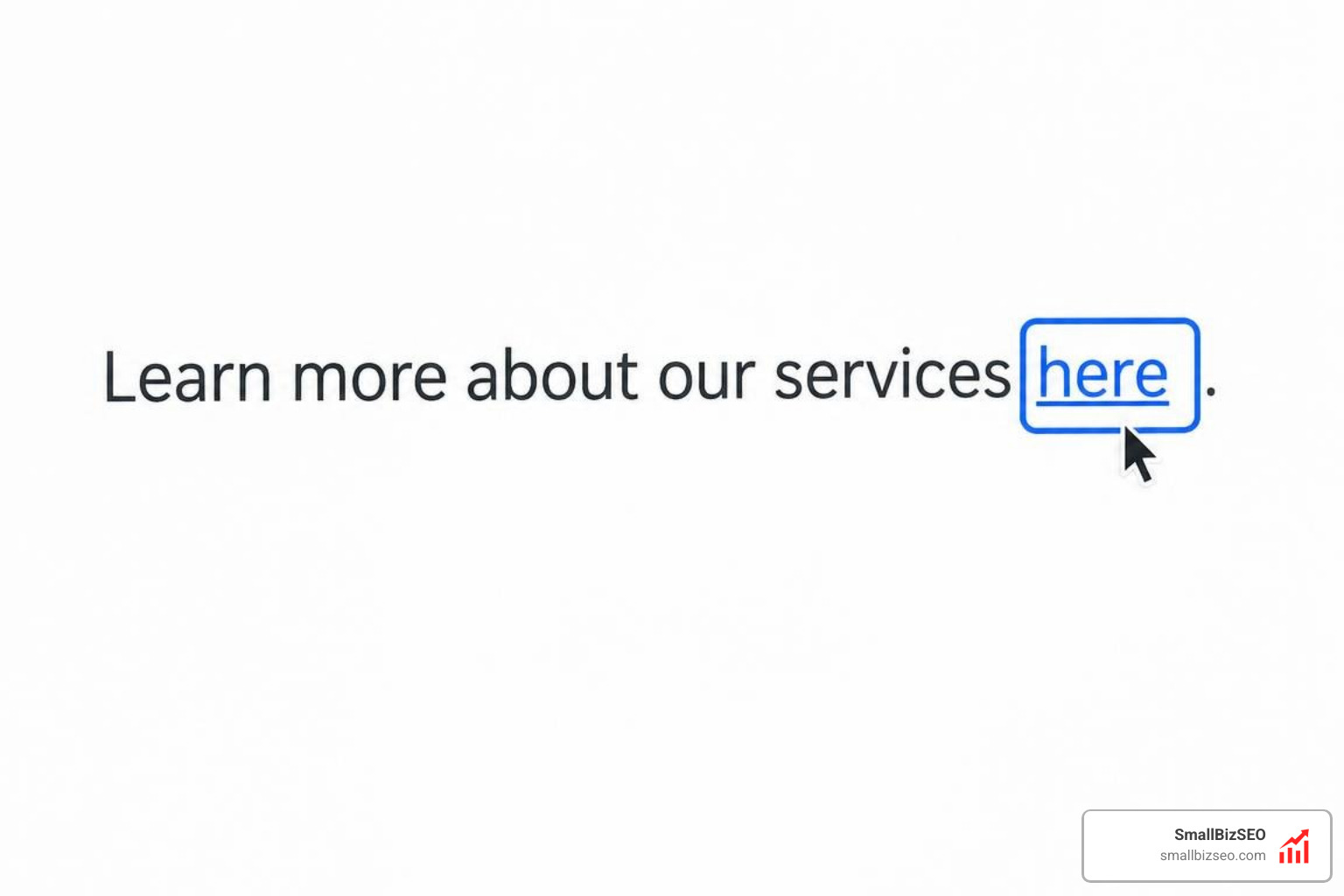
Visual presentation directly affects how easily visitors interact with your content:
- Underlines: Body text hyperlinks should remain underlined by default. If you remove underlines for stylistic reasons, WCAG guidelines require a minimum 3:1 contrast ratio between the link color and the surrounding body text, plus a non-color indicator (like an underline appearing) on hover and focus.
- Color Contrast: Text links must maintain at least a 4.5:1 contrast ratio against the background color to remain legible for readers with low vision or color blindness.
- Hover and Focus Indicators: Always pair CSS
:hoverstates with distinct CSS:focusoutlines. Keyboard-only users rely on focus outlines to see which element is active as they tab through a page. - Touch Target Size: Ensure buttons and standalone links have an adequate click area (at least 24 by 24 pixels, ideally 44 by 44 pixels) so mobile users can tap them easily without hitting neighboring links.
At SmallBizSEO, we build these accessibility and clarity standards into our Velocity framework, helping businesses improve user engagement and search rankings simultaneously. You can review your current site architecture and discover link improvement opportunities by requesting our detailed anchor text optimization audit.
Moving Toward Clear, Descriptive Hyperlinks
Every hyperlink on your website is an invitation for your reader to take the next step. When you retire generic phrases like "click here" and replace them with informative, keyword-rich anchor text, you eliminate guesswork for your audience, simplify navigation for screen reader users, and send clear topical signals to search engines. Take time to audit your top pages, replace vague anchors with descriptive descriptions, and make your entire site more accessible and effective.