A Practical Guide to Google Search Snippet Optimization Tools
How Does Snippet Simulation Fit Modern Search?
A google search snippet optimization tool lets you preview a draft title, description, and URL before you publish. Enter your page details, check the desktop and mobile views, and revise any wording that hides your main point. The preview is only an estimate: Google generates title links separately and may show different description text depending on the search query.
This guide looks at a small set of preview options, including a standalone simulator and an in-editor preview. It also shows how to check what Google actually displays after your page goes live.
How Do You Choose the Best Google Search Snippet Optimization Tool for Your Workflow?
Choose a tool that fits your preview needs and editorial workflow, and treat its display as an estimate rather than a guarantee.
When evaluating preview tools, consider whether your team needs a quick sandbox for drafting ideas or an integrated check inside your content management system. As outlined in Google's official documentation on creating snippets and influencing title links, Google may create description snippets from page content and may use the page’s HTML description tag when it better describes the page. Title links are generated separately. A preview can support clearer drafting, but it cannot lock in Google’s final presentation.
What Does a Google Search Snippet Optimization Tool Actually Simulate?
A snippet simulation tool provides an illustrative preview of a title, meta description, and URL. It is not a Google-approved rendering.
The Mangools SERP Simulator is a standalone tool for previewing a title tag, URL, and meta description before those fields are added to a page.
Use the preview as a drafting aid for clarity and relevance. It is illustrative, not Google approval, and the live search result can differ by query and context.
How Do Standalone Simulators Compare With In-Editor Previews?
Standalone simulators let you draft metadata outside a website editor, while in-editor previews let you review metadata where you manage the page.
Mangools can be used independently of a website editor. Yoast SEO’s snippet preview appears in its editing workflow, where users can review title and description settings before publication.
| Tool | Best Use | Limits |
|---|---|---|
| Mangools SERP Simulator | Standalone previews of titles, URLs, and meta descriptions | Metadata changes must be added to the site separately |
| Yoast SEO Snippet Preview | Reviewing title and description settings within the Yoast editing workflow | Available within the Yoast SEO editing environment |
When Should You Use a Google Search Snippet Optimization Tool in Content Production?
Use a preview tool during drafting and pre-publication quality checks to refine your messaging, remove awkward phrasing, and ensure the snippet reflects the core topic of the page.
Previewing copy is especially helpful when writing concise summaries for service pages or key landing pages. For example, consider this fictional local plumbing contractor drafting metadata:
- Draft Title: Drain Cleaning & Emergency Plumbing | Apex Rooter Service
- Draft Description: Drain cleaning and emergency plumbing information for local customers. Use only service claims that the actual page can support.
Previewing this text helps assess whether the primary service and page topic are stated clearly. It also helps keep the draft aligned with search intent match before you publish accurate metadata.
How Can You Use Snippet Previews to Refine Your Search Presentation?
Draft and preview your metadata during editorial production, publish clear text, and then audit live search results using Search Console data to guide ongoing improvements.
A practical workflow balances pre-publication drafting with post-launch observation:
- Draft: Write clear, concise titles and meta descriptions that describe the main offer accurately.
- Preview: Check the text in a simulator to spot clipping, redundant words, or buried value propositions.
- Publish: Add the metadata alongside comprehensive, accurate on-page content.
- Observe: Inspect actual search queries to see how search engines present the page in context.
- Refine: Update metadata or on-page headings based on user queries and impression performance.
How Do Search Engines Generate Title Links and Snippets?
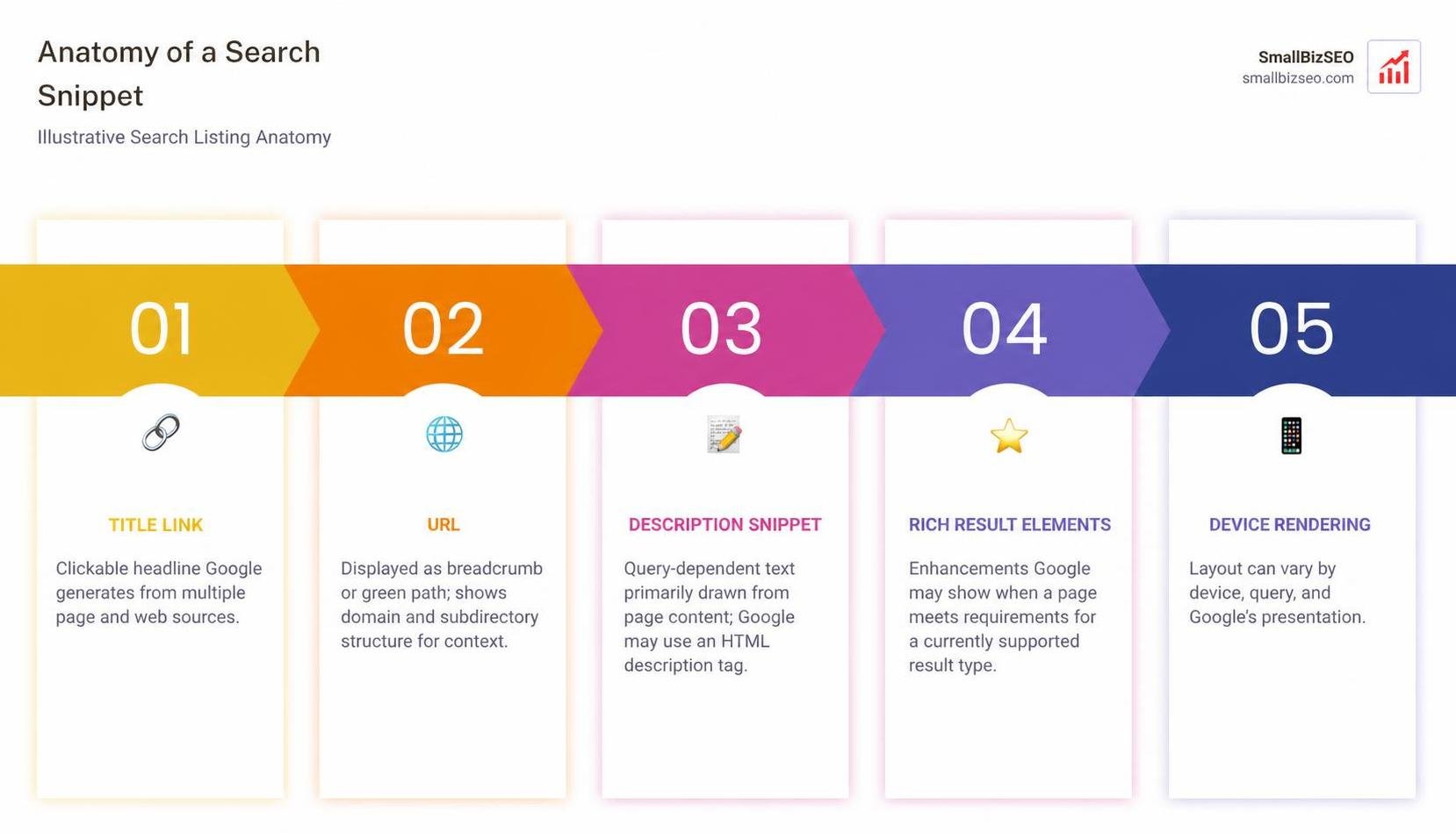
Title links and description snippets are different search-result elements. Google generates title links separately, while description snippets are query-dependent and are primarily drawn from page content, though Google may use the page’s HTML description tag when appropriate.
A page’s HTML description tag is a suggestion, not a binding instruction. Clear on-page SEO practices, including useful headings and body copy, give Google useful page content to draw on when it selects a query-specific snippet. Featured snippets are another result type that may surface a direct page answer; they are not the same as ordinary description snippets or rich results.
Does Structured Data Guarantee a Rich Search Display?
Structured data can contribute to eligibility only for result types Google currently supports, but markup alone does not establish eligibility or command Google to show an enhancement.
Use structured data only for a currently supported result type and ensure it matches the page’s visible, truthful content. Google applies its own requirements and decides whether to display any rich-result enhancement.
How Can You Track Search Impressions and Click Performance After Launch?
Track search performance by analyzing impression, position, and query trends inside Google Search Console rather than relying on isolated preview tools.
When reviewing organic CTR, segment reporting by query, device, country, and page. Compare similar ranking ranges and page mixes over comparable periods, and account for seasonality and broader demand changes before attributing a change to metadata.
Long-term search visibility relies on a comprehensive approach: routine content refreshes, regular link maintenance, earned outreach, and SEO content services and an SEO consultation.
Practical Next Steps for Your Search Snippet Workflow
Using a snippet preview tool brings structure to your metadata drafting, helping you craft concise, relevant titles and descriptions. Treat every preview as an editorial estimate, ensure your on-page text delivers on what your snippet promises, and monitor Search Console to guide your future updates.