Why Did Clicks Tank? A Pre-Refresh Diagnostic Checklist for Marketers

Why Did Your Older Article Lose Clicks?
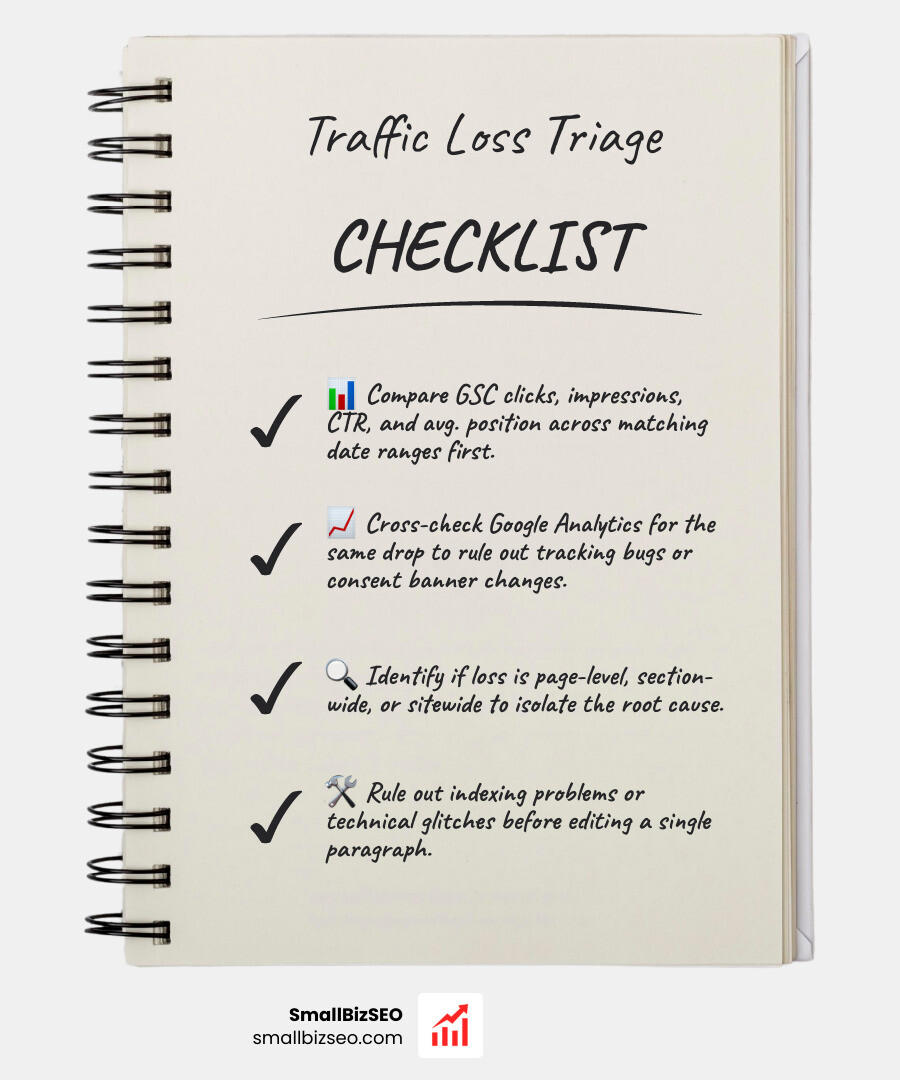
Start diagnosing traffic loss before refreshing an older article by comparing its Google Search Console clicks, impressions, click-through rate, and average position across matching date ranges. Check whether Google Analytics shows the same drop, then see if the loss affects one page, a whole section, or the entire site. Rule out tracking and indexing problems before changing the content.
These checks help you choose the right fix. Fewer impressions may point to lower search demand or lost visibility. Stable impressions and rankings with fewer clicks may point to a change in the search results. A page that slips for its main queries may need a closer content review.
I'm Clayton Johnson, founder of SmallBizSEO, where I use SEO data and content strategy to help small businesses attract qualified leads. My approach to diagnosing traffic loss before refreshing an older article is to find the cause first, then decide whether the page needs an update at all.
Diagnosing Traffic Loss Before Refreshing an Older Article: The Core Diagnostic Framework
When organic clicks decline on a key landing page, the immediate impulse is to rewrite headings, add paragraphs, and adjust publishing dates. Jumping straight into content edits without structured analysis often wastes resources and can worsen existing visibility issues. A medical-style differential diagnosis isolates the exact mechanism behind traffic loss so that your team applies the correct operational remedy.
Why Is Diagnosing Traffic Loss Before Refreshing an Older Article the Essential First Step?
Diagnosing traffic loss before refreshing an older article prevents wasted editorial effort and protects existing ranking equity. Rewriting a page that is dropping due to technical indexing errors, canonical mismatches, or broad SERP layout shifts will not recover lost visitors.

Before editing text, we must confirm that the page itself is the actual source of the problem. If a URL is fundamentally sound but search engines have altered how they present results, rewriting the article does not address the core issue. Implementing the ultimate content audit process to revive dead traffic ensures that every page modification is backed by diagnostic data rather than guesswork.
How Do You Confirm the Drop Is Real and Rule Out Measurement Errors?
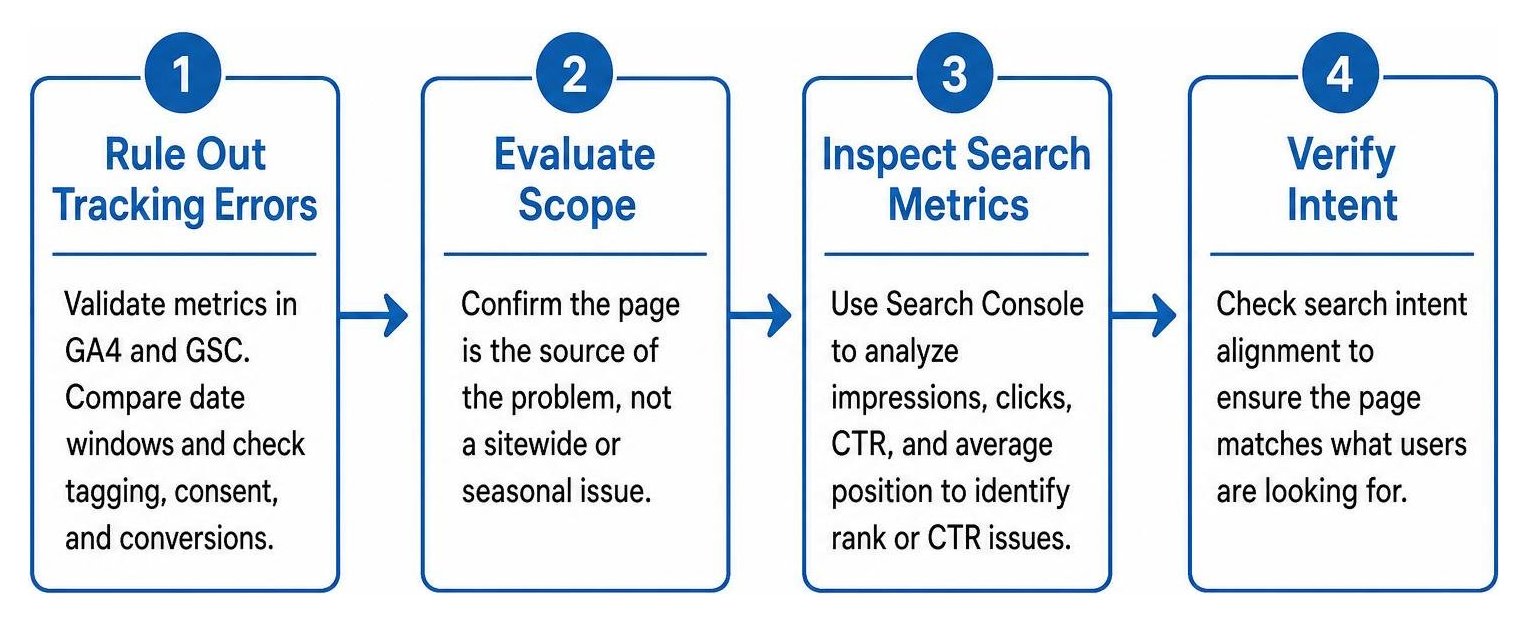
You can confirm an organic drop is real by validating metrics across both Google Analytics 4 (GA4) and Google Search Console (GSC) over comparable date windows.
If GA4 shows a sharp decline in sessions while GSC shows steady impressions and clicks, the drop is typically a tracking failure rather than an audience loss. Before assuming content failure, work through diagnosing a traffic drop before calling the content outdated by verifying these technical checkpoints:
- Check tag management containers to ensure tracking scripts fire on all relevant templates.
- Review recent consent banner updates to ensure user consent settings are not blocking analytics tags.
- Compare a rolling 28-day window against the preceding 28-day period to establish immediate trajectory.
- Run a year-over-year comparison across identical date ranges to account for predictable seasonal fluctuations.
- Verify backend conversion and lead volume to confirm whether business activity dropped alongside analytics sessions.
Tracking these indicators alongside clear SEO metrics every small business owner needs to track monthly separates measurement glitches from genuine search visibility declines.
How Do Search Console Metrics Isolate Rank, Impression, and CTR Issues?
Search Console performance reports isolate the exact nature of an organic loss by tracking the relationship between impressions, clicks, click-through rate (CTR), and average position.

According to a website traffic loss audit, evaluating query-level movements reveals whether the root cause is visibility loss or engagement loss:
- Impression Loss with Stable Position: If average position remains high but impressions drop across core queries, overall search demand has declined, or search queries have migrated to different phrasing.
- CTR Collapse with Stable Position: If average position and impressions remain steady while clicks fall, modern SERP features—such as AI Overviews, featured snippets, or visual carousels—are satisfying user intent directly on the search page. In these scenarios, examining how to investigate lost rich results after a website redesign helps uncover whether snippet displacement or schema losses caused the click reduction.
- Simultaneous Drop in Impressions and Position: If both average position and impressions slip across the primary query family, the page has lost relevance relative to competitors, indicating content decay or algorithmic reassessment.
How Can You Tell If Content Decay, Cannibalization, or Algorithm Updates Caused the Decline?
You can identify the specific cause of traffic loss by analyzing the scope of the decline across your site's URL structure.
Algorithmic shifts impact large clusters of pages simultaneously, whereas content decay is isolated to individual URLs. When an algorithmic shift occurs, our guide on when Google shakes the ground a guide to core updates explains how site-wide quality assessments influence organic visibility. Conversely, if a single URL loses clicks while related URLs begin picking up impressions for the same target terms, internal competition is at play. Understanding why your rankings are still stuck requires evaluating whether internal link distribution and query targeting have become split across multiple assets.
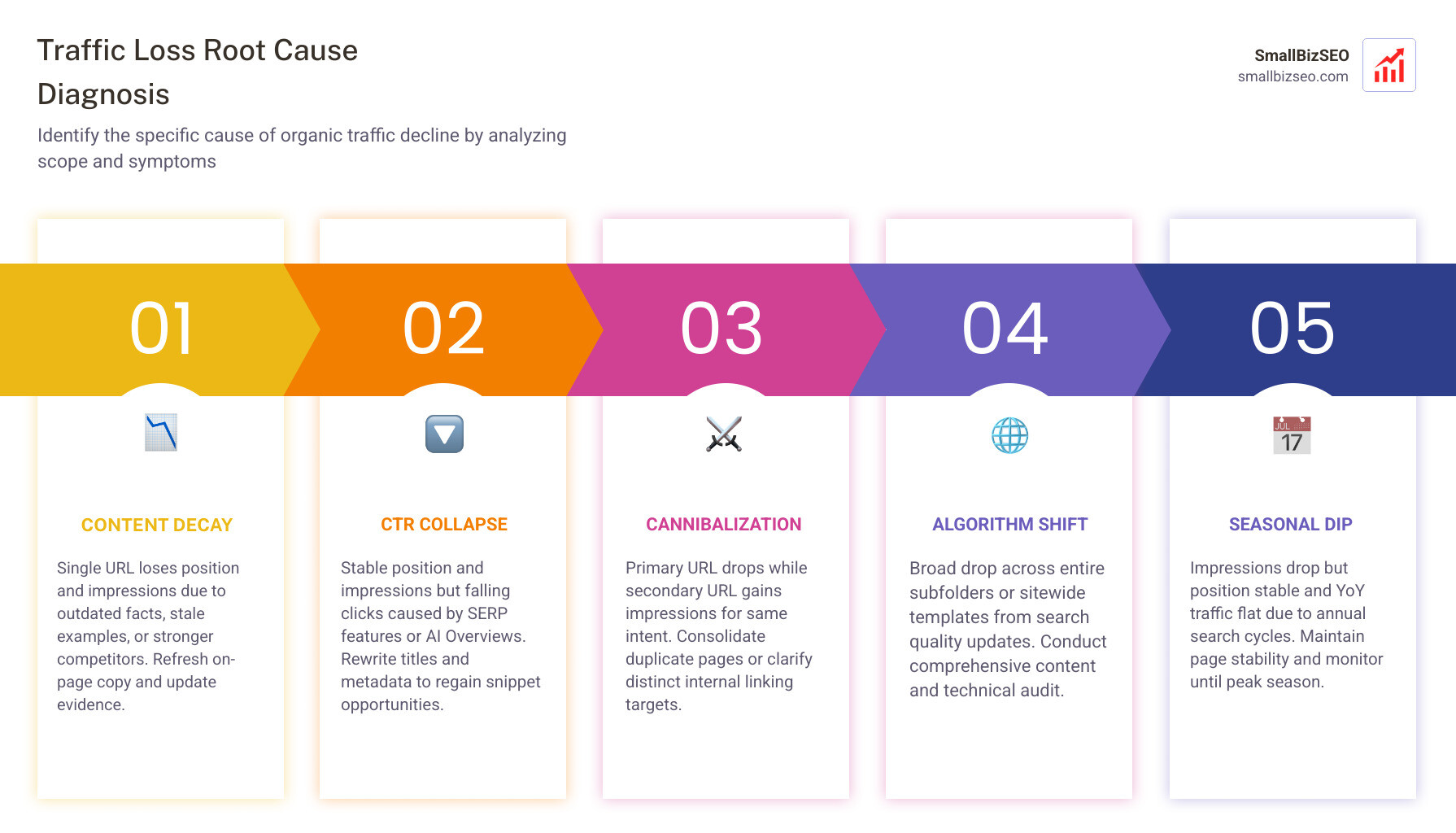
| Diagnostic Category | Key Search Console Symptoms | Primary Root Cause | Correct Remedial Action |
|---|---|---|---|
| Content Decay | Single URL loses position and impressions on core terms | Outdated facts, stale examples, stronger competitors | Refresh on-page copy, update evidence, improve direct answers |
| CTR Collapse | Stable position, stable impressions, falling clicks | SERP feature changes, AI Overviews, metadata fatigue | Rewrite title tags and meta descriptions, target structured snippets |
| Cannibalization | Primary URL drops; secondary URL gains impressions | Multiple internal pages targeting identical search intent | Consolidate duplicate pages or clarify distinct internal linking |
| Algorithm Shift | Broad drop across entire subfolders or sitewide templates | Search quality updates, site-wide trust adjustments | Conduct a comprehensive content and technical audit |
| Seasonal Dip | Impressions drop, position stable, YoY traffic flat | Annual search volume cycles, holiday slowdowns | Maintain page stability and monitor until peak season |
How to Decide the Next Action and Prevent Future Drops
Once the root cause is categorized, teams can execute targeted remedies without disrupting healthy pages.
What Evidence Should You Gather When Diagnosing Traffic Loss Before Refreshing an Older Article?
Before making content adjustments, compile a structured evidence pack documenting the page's historical performance, current ranking landscape, and competitor changes.

A comprehensive evidence pack should contain:
- A Search Console export detailing declining queries, lost impressions, and historical ranking positions.
- A comparative audit of the top three ranking competitor pages to identify missing subtopics and structural formats.
- An assessment of the visible page to locate broken outbound links, outdated statistics, and unsupported claims.
- A evaluation of first-screen answer quality to ensure key questions are answered clearly without excessive preamble.
Pairing this evidence pack with the ultimate SEO visibility audit guide to save your rankings ensures that writing teams receive precise instructions on what to update, retain, or remove.
When Should You Refresh, Consolidate, Redirect, or Retire the Page?
The decision to update, merge, or delete an underperforming page depends on its ongoing search intent alignment, business value, and link equity:
- Refresh the Page: Choose a refresh when the URL targets a viable keyword, retains existing backlinks, but contains outdated data or trailing competitor content.
- Consolidate with Another Page: When multiple URLs target overlapping search intent and dilute ranking authority, merge the thinner post into the stronger URL using a 301 redirect.
- Retire and Redirect: If the underlying topic is obsolete and search demand has permanently disappeared, implement content pruning by removing the page and redirecting its URL to the most relevant parent category.
- Maintain Stability: If the drop is seasonal or driven entirely by zero-click SERP layouts, leave the core content intact and avoid unnecessary rewrites.
Systematically identifying and reversing content decay ensures your content library maintains high search relevance and consistent organic performance over time.
Turn Diagnostic Data Into Sustainable Search Growth
Recovering organic visibility requires treating traffic declines as technical signals rather than editorial failures. By methodically verifying analytics integrity, evaluating Search Console trends, and classifying root causes, you ensure every content refresh produces measurable performance gains.
At SmallBizSEO, we help businesses apply structured, data-driven frameworks to resolve traffic drops, improve technical health, and scale long-term organic authority. Reach out to our team today to diagnose your declining assets and build a clear path back to top search rankings.