A Practical Guide to Technical SEO Optimization for Simple 5-Page Websites
Which technical SEO fixes should a small brochure website tackle first?
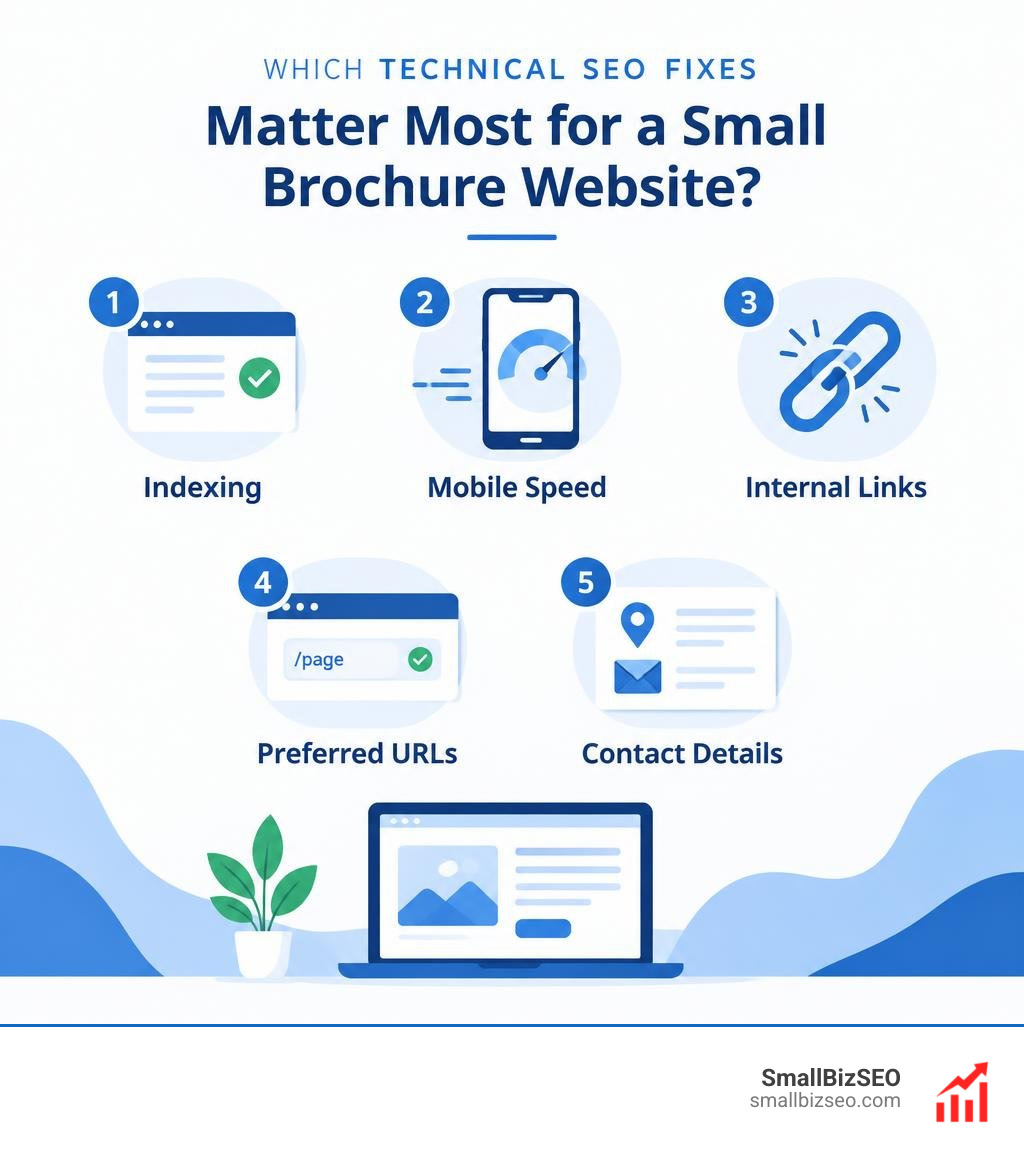
To decide which technical SEO fixes matter most for a small brochure website, start with the pages that bring in inquiries. Make sure search engines can access and index them. Then check that the site works well on phones, loads quickly, links clearly between pages, uses one preferred URL for each page, and shows accurate business contact details.
A five-page site does not need a long list of technical tasks. It needs its service and contact pages to be easy to find, use, and trust.
I’m Clayton Johnson, founder of SmallBizSEO. My work connecting SEO, content, and qualified leads shapes how I assess which technical SEO fixes matter most for a small brochure website.
Which Technical SEO Fixes Matter Most for a Small Brochure Website?
The technical fixes that matter most for a small brochure website are those that directly eliminate barriers between your business and prospective clients. You should prioritize resolving crawler access blocks, speeding up mobile rendering, establishing clean site navigation, eliminating URL confusion, and adding local structured data.
When running a lean online presence, you do not need enterprise-level technical audits. Large platforms focus heavily on managing their crawl budget, but search bots can crawl a five-page site in seconds. Instead, high-impact technical SEO focuses on commercial visibility. In fact, research shows that 74% of small businesses invest in SEO, and organic search accounts for 94% of all clicks on Google. Because the top three organic search results capture 68.7% of clicks, small technical errors that keep your pages out of top positions directly reduce prospective customer inquiries.
1. How Can You Make Sure Search Engines Can Crawl and Index Your Pages?
To verify that search engines can discover, read, and store your pages, inspect your robots.txt file, confirm that noindex meta tags are absent from public pages, and submit an accurate XML sitemap to Google Search Console.
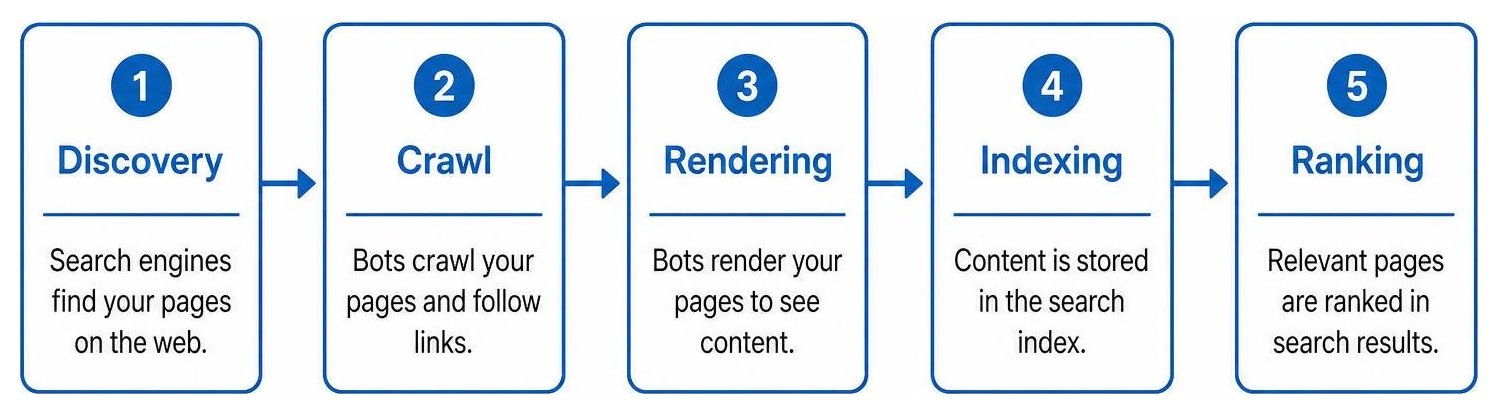
Search engines follow a linear pipeline: discovery, crawling, rendering, indexing, and ranking. If an error occurs during discovery or indexing, your page cannot rank, regardless of copy quality. Indexing issues are foundational template-level roadblocks that keep otherwise useful pages out of search results.
To secure proper crawlability:
- Inspect the robots.txt file: Ensure your file does not include rules like
Disallow: /that accidentally block search bots from your live pages or visual styling files. - Audit noindex directives: Check that your live content does not contain accidental
tags, which often linger after a staging site launch. - Submit a clean XML sitemap: Include only status 200 indexable URLs. Exclude redirects, broken URLs, and utility pages like admin logins.
- Check Google Search Console's Pages report: Look for pages marked as "Crawled - currently not indexed." This status indicates Google found the page but determined its content lacked depth or distinct value.
2. How Can You Improve Mobile Usability and Core Web Vitals?
To optimize mobile usability and Core Web Vitals, compress all page images, serve modern formats like WebP, assign explicit width and height dimensions to media, and defer heavy scripts.
Google uses mobile first indexing, evaluating the mobile version of your site to determine search position. Performance directly affects your bottom line: 53% of users leave a mobile site if it takes longer than 3 seconds to load, and 60% of small businesses report improved visibility after maintaining load times under 2.5 seconds.
Maintain these standard Core Web Vitals thresholds on mobile:
- Largest Contentful Paint (LCP): Keep main content loading at or below 2.5 seconds. Resize large hero images to a maximum width of 1000px and compress files to 50–100Kb. Avoid lazy-loading above-the-fold hero images.
- Interaction to Next Paint (INP): Keep user interface responsiveness under 200 milliseconds by minimizing heavy tracking plugins and third-party scripts.
- Cumulative Layout Shift (CLS): Maintain visual stability under 0.1 by defining explicit image dimension attributes and preloading key fonts so buttons and text do not jump while loading.
3. How Should You Structure and Link a 5-Page Website?
Structure your five-page site in a clean hierarchy where every subpage links directly to and from your homepage and primary navigation, ensuring a click depth of no more than two clicks.
Publishing 40+ thin pages can dilute authority, while five well-structured pages matching buyer intent convert at higher rates. Ensure you do not leave orphan pages—pages with zero incoming links. For deeper audits on linking architecture, refer to our practical guide on auditing deep navigation paths for SEO.
Follow these internal linking guidelines:
- Use descriptive anchor text: Avoid vague links like "click here." Instead, use context-rich text such as "commercial HVAC maintenance" or "emergency roof repair."
- Link core services from body copy: Contextually link your homepage copy directly to key sub-services.
- Keep conversion pathways shallow: Ensure visitors can reach your contact page or tap-to-call button from any page on the site.
4. How Can You Prevent URL and Duplicate-Content Problems?
Prevent duplicate content by picking one primary URL format, enforcing sitewide HTTPS, implementing self-referencing canonical tags, and creating 301 redirects for legacy URLs.
Search engines treat http://, https://, www.yoursite.com, and yoursite.com as distinct pages unless instructed otherwise. Failing to consolidate these variations dilutes ranking authority.
Key URL hygiene steps include:
- Host canonicalization: Configure server-level 301 redirects to steer all traffic to a single secure protocol (e.g., redirecting all non-secure and non-www traffic to
https://yoursite.com). - Canonical tags: Place a self-referencing canonical tag on every indexable page to clarify the authoritative version.
- Avoid redirect hops: Direct old or updated URLs straight to their live destination. A multi-hop redirect chain slows down load times and degrades crawl efficiency.
- Avoid duplicated boilerplate copy: When offering services across multiple locations, write distinct, locally helpful text rather than cloning identical pages with search-and-replaced town names.
5. How Can Local Business Schema and Consistent Contact Details Help?
Adding LocalBusiness structured data and maintaining identical Name, Address, and Phone (NAP) details across your website helps search engines accurately match your business to relevant local searches.
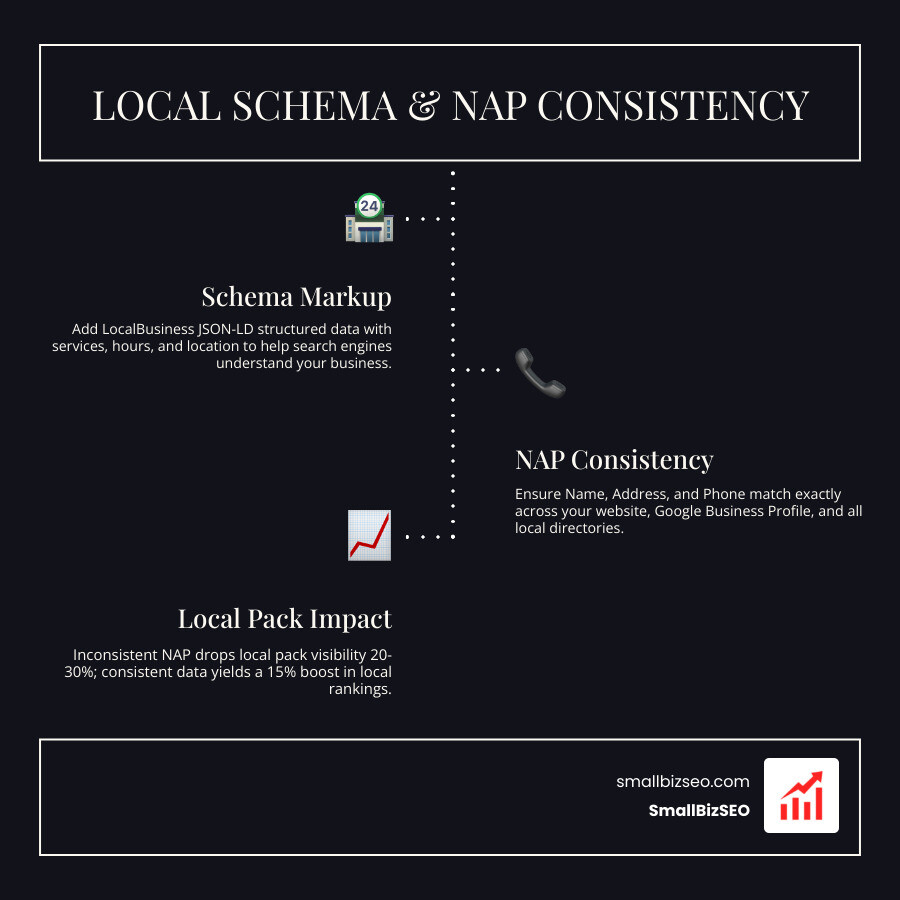
Data shows that inconsistent NAP details can cause a 20% to 30% drop in local pack visibility, while maintaining exact consistency across listings yields a 15% boost in local rankings. Adding JSON-LD structured data provides explicit details about your services, operating hours, and location. For step-by-step setup instructions, review our practical guide to implementing schema markup on any website.
| Technical Fix | Business Impact | Implementation Effort | Core Priority |
|---|---|---|---|
| Crawl & Index Verification | High | Low | Essential |
| Mobile Core Web Vitals | High | Medium | Essential |
| 301 URL Consolidation | High | Low | Essential |
| Internal Linking & Navigation | Medium | Low | Recommended |
| LocalBusiness Schema & NAP | High | Low | Essential |
How Can You Execute and Maintain Technical Fixes on a Small Site?
To maintain your website's technical health, run a simple quarterly checklist, monitor Google Search Console monthly, and test your conversion forms after every site update.
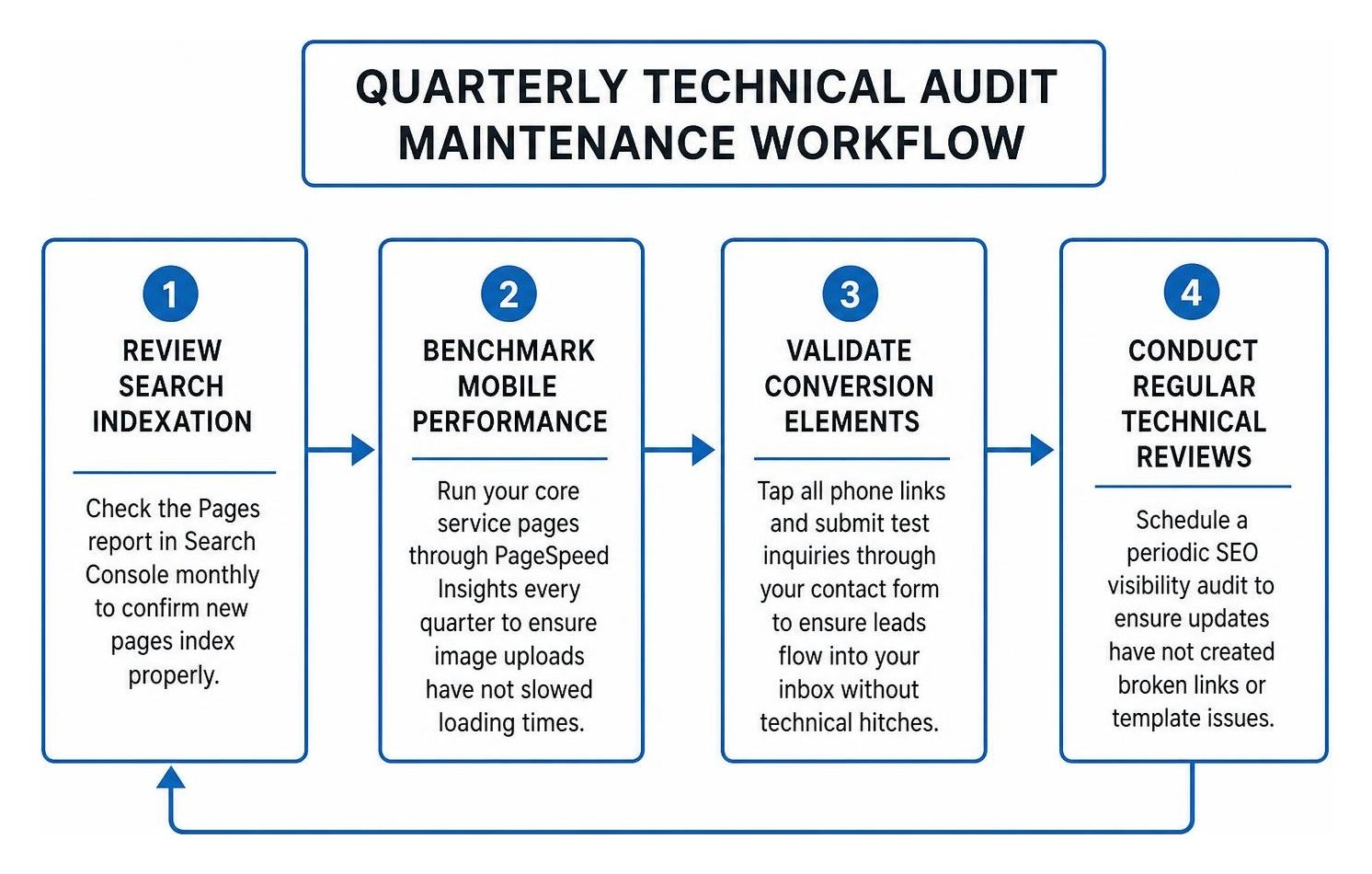
A maintenance schedule keeps your technical foundation solid:
- Review search indexation: Check the Pages report in Search Console monthly to confirm new pages index properly.
- Benchmark mobile performance: Run your core service pages through PageSpeed Insights every quarter to ensure image uploads have not slowed loading times.
- Validate conversion elements: Tap all phone links and submit test inquiries through your contact form to ensure leads flow into your inbox without technical hitches.
- Conduct regular technical reviews: Schedule a periodic SEO visibility audit to ensure updates have not created broken links or template issues.
Should You Audit the Site Yourself or Hire an Expert?
You can audit standard elements yourself using free tools, but you should partner with an expert when dealing with server errors, complex code bloat, or major website redesigns.
You can handle routine checks using our guide to DIY technical audits that keep small business websites running smoothly. Free diagnostic tools include:
- Google Search Console: For detecting indexation drops, sitemap errors, and crawl issues.
- Google PageSpeed Insights: For evaluating mobile performance and Core Web Vitals metrics.
- Chrome DevTools Lighthouse: For identifying layout shift triggers and uncompressed assets.
- Rich Results Test: For validating JSON-LD schema markup syntax.
Escalate to a professional when you encounter hosting-level redirect loops, complex CMS template bloat, unresolved crawl anomalies, or sudden drops in organic traffic following a domain redesign.
Turning Technical Health into Business Inquiries
On a small five-page brochure site, technical SEO is not about managing crawl budgets or complex scripting—it is about removing friction for prospective customers and search engines alike. By ensuring your site is fully indexable, responsive on mobile devices, logically structured, and clearly identified with local structured data, you protect your search visibility and turn everyday visitors into qualified leads. Take 90 minutes to review these essential fixes today to build a fast, visible foundation for your business.