Ditching AMP? How to Sunset Accelerated Mobile Pages Without 404s
How Can You Remove AMP Without Breaking URLs?
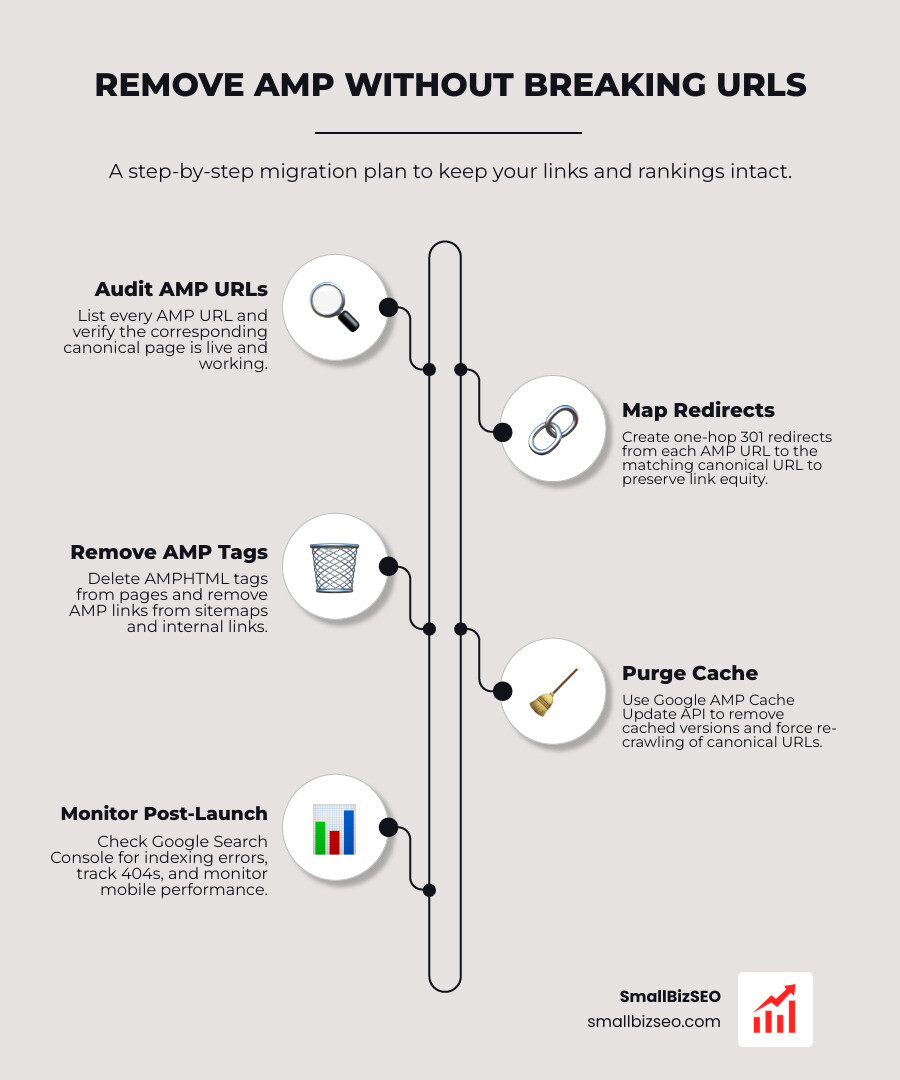
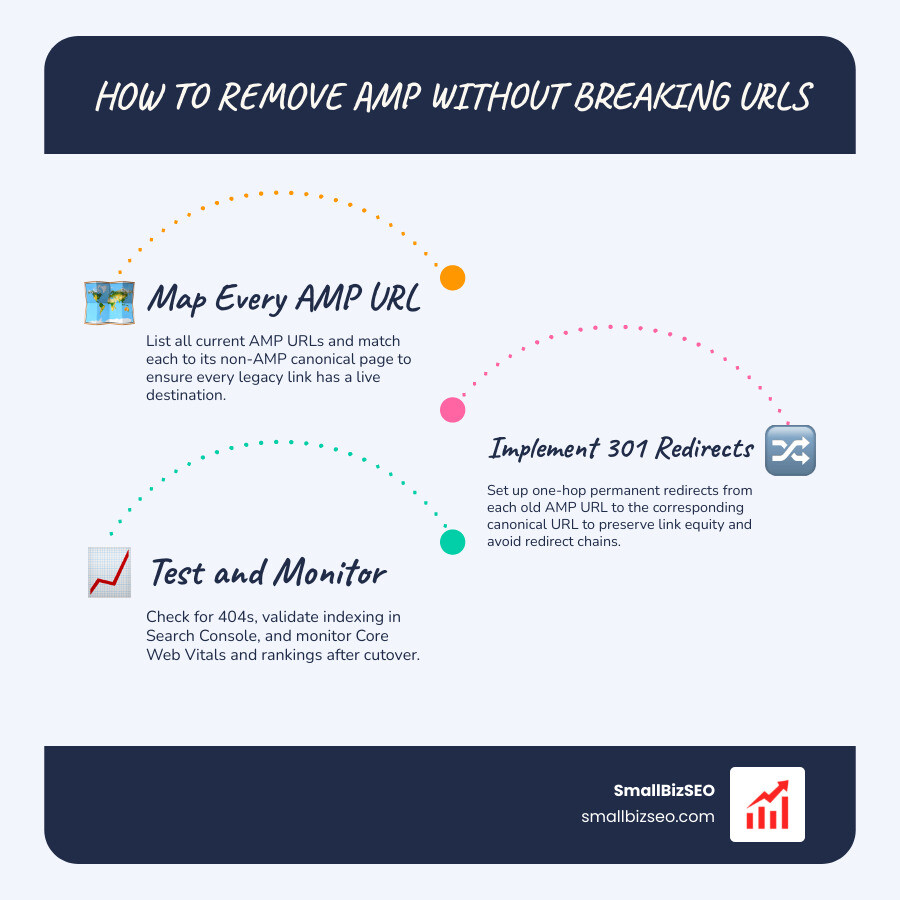
The key to migrating away from amp without breaking urls is to keep your main article URLs live and redirect each old AMP URL to its matching page. Before turning AMP off, list every AMP URL and confirm its non-AMP page works. Then add one-hop 301 redirects, remove AMP links from your pages and sitemap, and test old links for 404s. Check Google Search Console and mobile performance after launch.
AMP is no longer required for Google's Top Stories. But removing it without a URL plan can still break bookmarks, app links, and visits from search.
I'm Clayton Johnson, founder of SmallBizSEO. My technical SEO work shapes how I approach migrating away from amp without breaking urls: protect existing links, test redirects, and watch search performance after the change.
Introduction: Why Sunset Accelerated Mobile Pages?
Google originally launched Accelerated Mobile Pages to solve slow mobile load times by serving stripped-down HTML from external cache servers. Today, modern responsive design, edge caching, and fast hosting render secondary page formats unnecessary. Non-AMP pages compete on equal footing in mobile search carousels because ranking systems evaluate raw user experience rather than proprietary markup.
Modern JavaScript tools and frameworks have completely discontinued native support for mobile-only markup templates. Because search engines evaluate speed via Core Web Vitals, maintaining two parallel versions of every article doubles engineering overhead without providing search benefits. Sunsetting mobile sub-templates lets you unify brand experiences, run native scripts, and regain full control over user engagement.
The Step-by-Step Blueprint for Migrating Away from AMP Without Breaking URLs
A successful decommission requires preserving inbound links, retaining user bookmarks, and keeping your organic rankings intact. When you dismantle cached mobile formats, web crawlers and legacy referrers will continue requesting secondary paths for months.
Early attempts to solve mobile viewer fragmentation, such as Cloudflare's Announcing AMP Real URL initiative using signed exchanges, demonstrated that publishers prefer serving pages directly from their own domains. Decommissioning these extra endpoints demands an organized routing strategy that routes every incoming request directly to its standard counterpart.
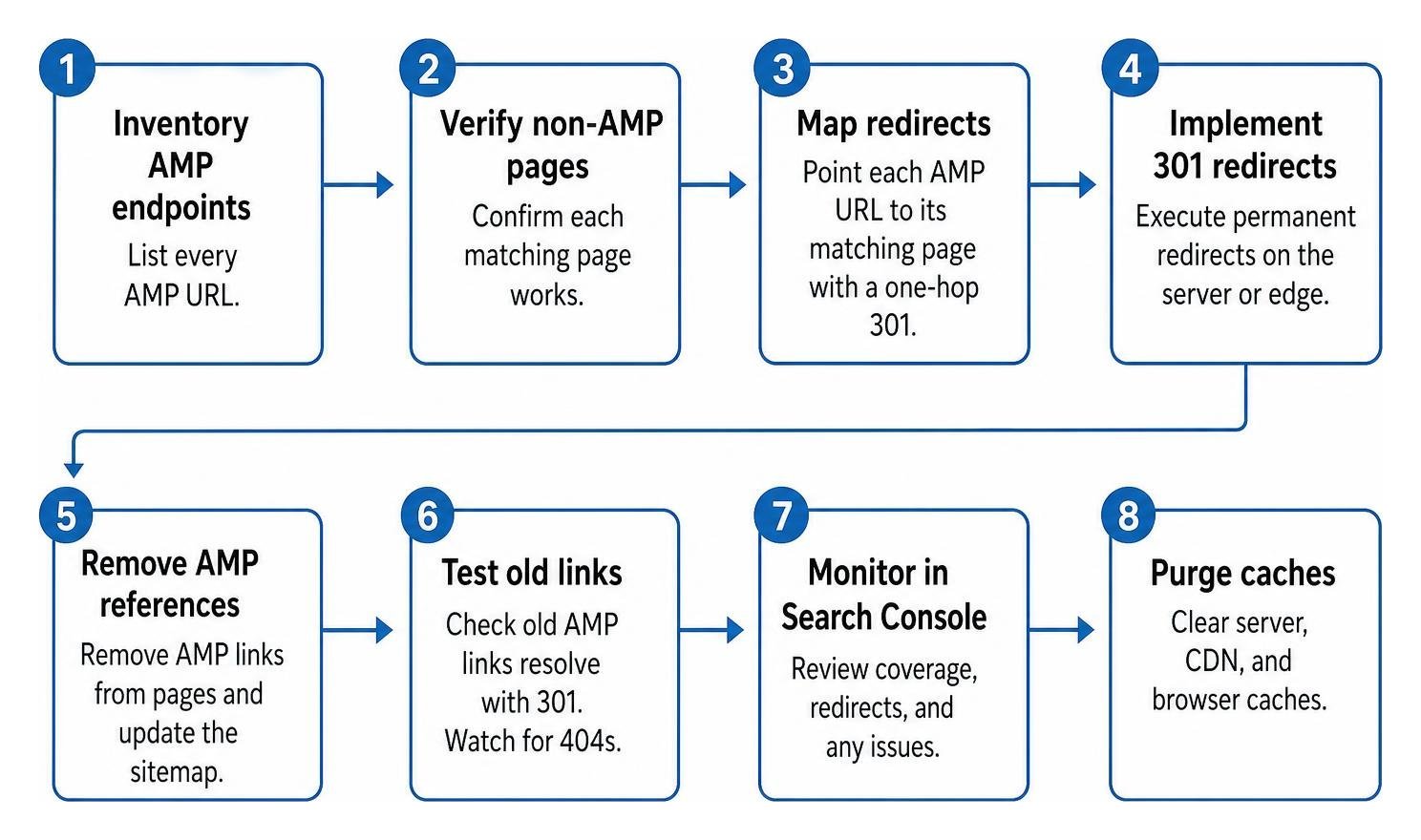
How Do You Map Redirects When Migrating Away from AMP Without Breaking URLs?
To map redirects effectively, point every legacy endpoint directly to its primary destination using 301 permanent redirects without introducing intermediary steps.
Legacy mobile setups generally use two common patterns: directory endpoints (such as /article-slug/amp/) or query strings (such as /article-slug?amp=1). When managing legacy system decoupling strategies, stripping these trailing patterns requires precise edge rules. In situations where tracking parameters or campaign tags exist alongside mobile flags, proper legacy URL parameter handling ensures query strings pass cleanly to destination pages.
| Legacy Pattern Format | Example Legacy Request | Target Canonical Destination | Recommended Regex Pattern |
|---|---|---|---|
| Trailing Path Directory | /blog/sample-post/amp/ |
/blog/sample-post/ |
^/blog/(.*)/amp/?$ to /blog/$1/ |
| Prefix Directory | /amp/news/post-title |
/news/post-title |
^/amp/(.*)$ to /$1 |
| Query Parameter Flag | /products/item?amp=1 |
/products/item |
Query rule: strip amp=1 |
| Query with Extra Tracking | /item?amp=1&src=social |
/item?src=social |
Regex rule: preserve non-AMP parameters |
Executing rules at the CDN edge processes traffic instantly before hitting origin servers, protecting your crawl budget while stopping multi-hop redirect loops.
What Steps Purge Google Cache and Canonical Tags When Migrating Away from AMP Without Breaking URLs?
Purging stale cached versions requires removing link annotations from desktop templates and pointing old mobile endpoints directly back to your primary pages.
First, remove all discovery tags from your standard HTML templates. This immediately signals search bots that an alternate lightweight template no longer exists. Next, ensure your primary pages feature self-referencing canonical tags to complete canonical tag consolidation.
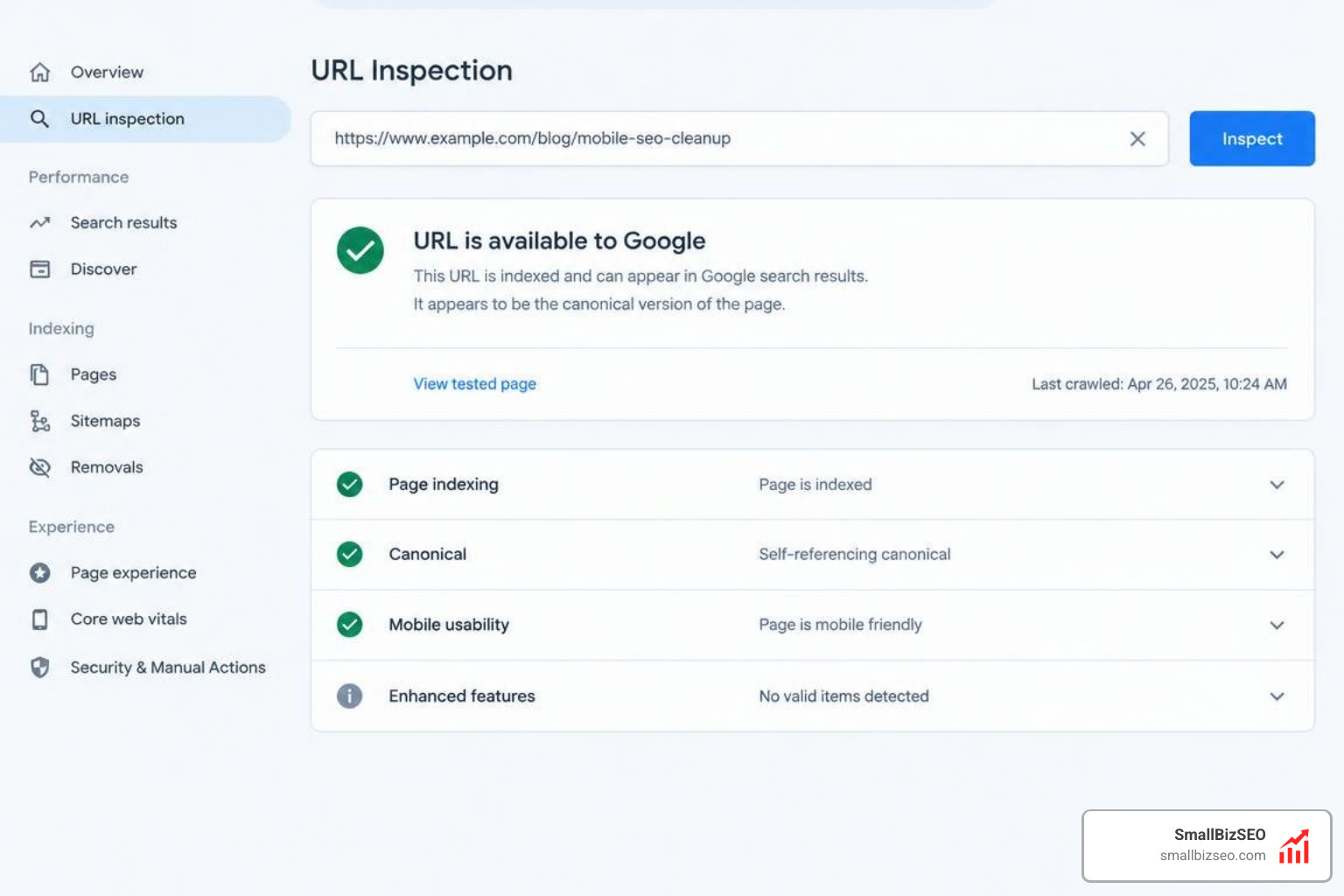
Modern publishers shifting to an updated AMP status and modern performance stack often rely on natural re-crawling to clear index records. If urgent updates are needed, the Google AMP Cache Update API can force immediate edge invalidation. Make sure your server returns permanent 301 status headers rather than temporary 302 responses; diagnosing temporary redirect indexing errors early prevents search bots from indefinitely holding deprecated cache URLs in search indexes.
How Do You Preserve Deep Linking, Universal Links, and Analytics Attribution?
Preserving mobile app transitions and marketing attribution requires forwarding query parameters and maintaining stable destination addresses.
Third-party web caches break mobile deep links—such as iOS Universal Links and Android App Links—because incoming requests resolve against cache domains rather than your primary verified host. Returning users to standard responsive pages restores canonical URL integrity across all devices.
When routing inbound traffic, ensure server rules preserve conversion tracking, campaign tags, and referrer strings. Modern application routing patterns outlined in our developer guide for handling request data across permanent redirects guarantee that analytics platforms log original session attribution without dropping user parameters during permanent cutovers.
How Do You Maintain Core Web Vitals and Avoid 404 Pitfalls Post-Migration?
Maintaining strong mobile search visibility after disabling lightweight templates requires optimizing your responsive templates to pass all Core Web Vitals benchmarks.
Because lightweight formats restricted custom scripts, standard desktop templates must now deliver identical mobile loading efficiency. Optimize your primary templates to achieve standard Core Web Vitals thresholds:
- Largest Contentful Paint (LCP): Under 2.5 seconds by compressing hero images and using modern formats like AVIF.
- Interaction to Next Paint (INP): Under 200 milliseconds by minimizing heavy main-thread JavaScript tasks.
- Cumulative Layout Shift (CLS): Under 0.1 by defining explicit height and width dimensions on all visual media.
Test template speeds thoroughly using PageSpeed Insights optimization diagnostics before cutting over live routes. Remove deprecated legacy libraries during the transition; projects performing a Next.js framework AMP deprecation cleanup can eliminate redundant rendering logic to trim overall bundle sizes.
To prevent link equity dilution, audit internal links to ensure they resolve in a single hop while preventing redirect chains. As a safety net for mistyped requests or legacy external links, employ custom 404 error recovery on your server to guide visitors toward working resources.
Auditing Your Cutover and Protecting Long-Term Search Visibility
A smooth launch finishes with a comprehensive technical audit to confirm that every deprecated path resolves correctly without leaking traffic or organic equity.
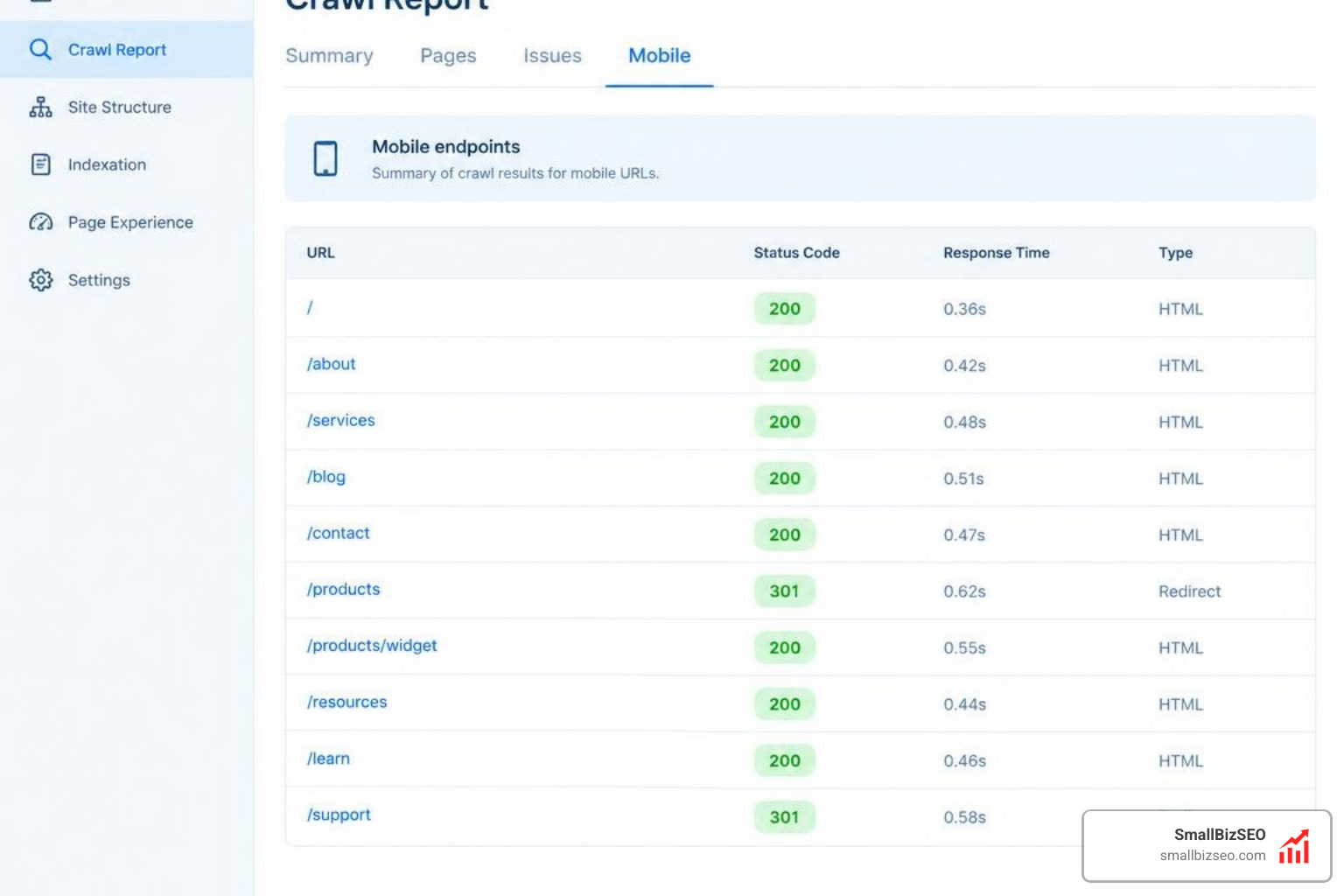
How Do You Verify Post-Launch Indexing and Crawl Health?
Verify cutover health by performing site-wide diagnostic crawls and analyzing real-time server log data.
Run an automated crawler through your full inventory of historical mobile endpoints to confirm that every address returns a clean HTTP 301 response pointing to its target page. Next, conduct comprehensive enterprise technical SEO auditing across your primary site to verify that internal pages no longer link to dead endpoints.
Regenerate your XML sitemaps to reflect only live canonical URLs, submit them in Google Search Console, and verify that crawl errors trend to zero using a structured SEO site migration checklist.
How Can You Protect Rankings During an AMP Decommission?
Protecting search rankings requires close monitoring of index transitions, mobile position parity, and user engagement metrics across all primary landing pages.
At SmallBizSEO, we use our proprietary Velocity framework to help businesses navigate complex infrastructure changes with automated ranking verification and data-driven crawl diagnostics. We monitor search visibility and organic click distributions to keep your mobile search performance steady while decommissioning redundant code. If you want experienced specialists to oversee your infrastructure transition, explore our comprehensive AMP migration services for a smooth cutover.
Your Path to a Leaner, Faster Mobile Website
Retiring Accelerated Mobile Pages simplifies your technical stack, restores complete ownership over user interactions, and unifies tracking across your site. By systematically cataloging legacy paths, implementing edge-level 301 rules, purging discovery annotations, and maintaining excellent Core Web Vitals, you can sunset secondary templates cleanly without dropping search visibility.