Dual-Engine SEO: A Practical Guide to Tracking Bing and Google Data

What Is Dual-Engine SEO, and How Do You Measure It?
To learn how to compare bing and google search performance for a small website, start with the same pages and dates in Google Search Console and Bing Webmaster Tools. Match country and device filters, then compare impressions, clicks, and click-through rates. Use your website analytics to see which engine brings visits that turn into inquiries or sales.
Dual-engine SEO means using those findings to improve your visibility in both search engines. A page that does well in Google may have a crawl issue or a different search audience in Bing, so check the data before changing the page.
I'm Clayton Johnson, founder of SmallBizSEO. My work connects SEO, content, and clear reporting to help small businesses understand how to compare bing and google search performance for a small website and focus on qualified leads.
What Is Dual-Engine Search Optimization?
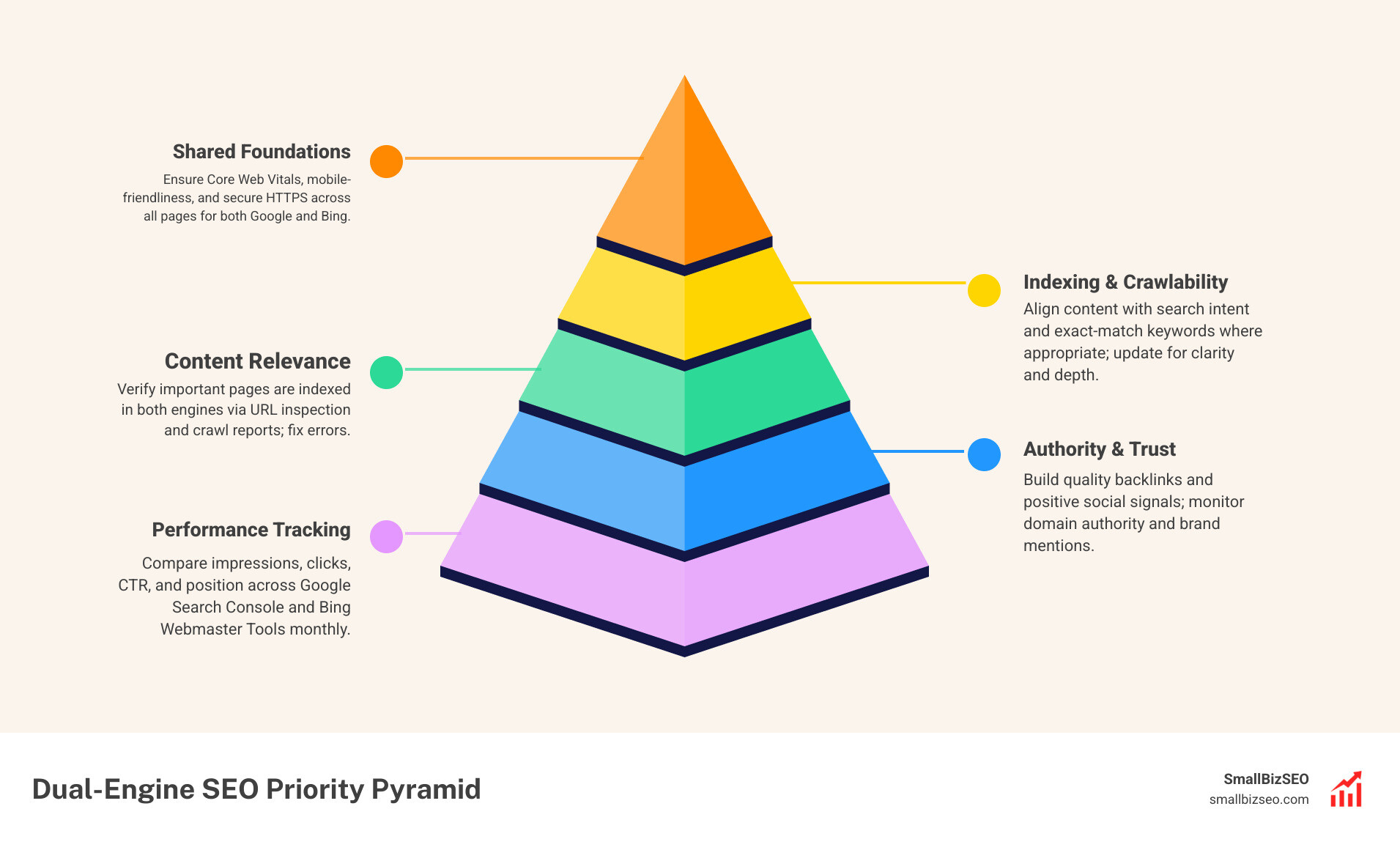
Dual-engine SEO means measuring and improving a website’s visibility in both Google and Bing. Start by comparing the same pages and queries in each engine’s reporting tools.
Google dominates the global market with roughly 90% of search volume, serving about 1 billion daily active users. In contrast, Bing commands approximately 5% of global market share with around 100 million daily users. While Google delivers raw traffic volume, Bing captures a distinct, high-intent audience that frequently features older demographics, higher household incomes, and desktop-first corporate devices running Windows.
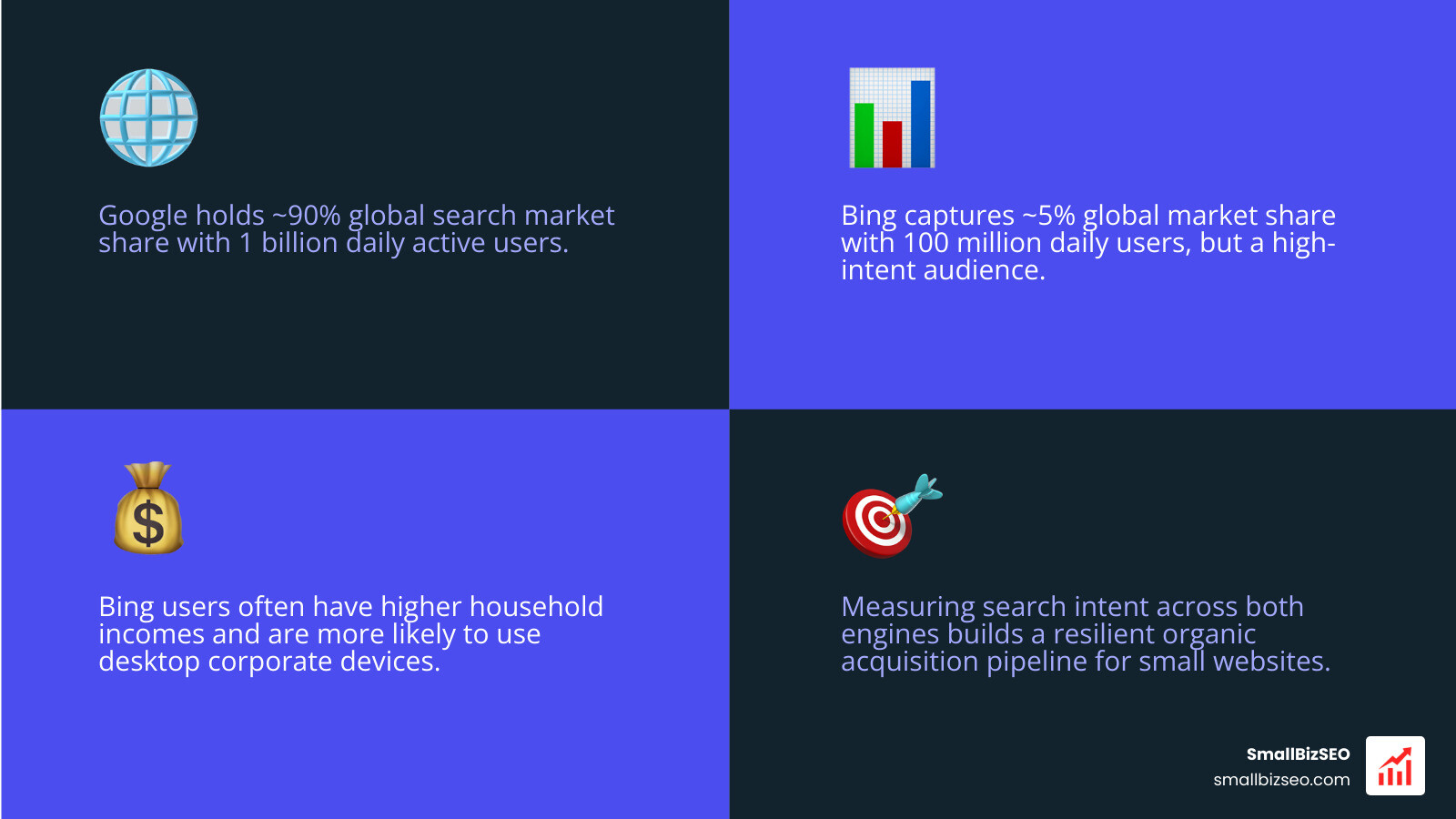
When you look at both platforms, you catch traffic that single-platform tracking misses. Measuring search intent across both engines helps smaller websites build a resilient organic acquisition pipeline without relying on a single algorithm.
How Do You Compare Bing and Google Search Performance for a Small Website?
Use comparable data from Google Search Console and Bing Webmaster Tools to identify where visibility, traffic, and search results differ. Match date ranges, countries, devices, pages, and queries as closely as possible.
Because each platform processes queries differently, comparing aggregate numbers without filtering can lead to false conclusions. Review performance by specific landing pages, isolate mobile vs. desktop impressions, and align reporting timeframes.
| Metric / Dimension | Google Search | Bing Search | Small Business Impact |
|---|---|---|---|
| Search Volume | Massive (~90% global share) | Moderate (~5% global share) | Google drives scale; Bing drives steady desktop niche traffic. |
| Primary Device | Mobile-first indexing | Heavy desktop presence | Bing pages need strong desktop layout; Google demands mobile speed. |
| Core Ranking Focus | Semantic context, E-E-A-T, Core Web Vitals | Exact-match terms, title tags, social signals | Bing rewards clear on-page keywords; Google emphasizes broad authority. |
| Keyword Reporting | Grouped terms for user privacy | Exact search queries provided | Bing offers precise search terms to inform overall content strategy. |
What Are the Core Ranking Factor Differences Between Google and Bing?
Both engines consider relevance, page quality, and links, but their systems and results can differ. Compare the queries and pages where performance diverges, then check factors such as content relevance, backlinks, page experience, and crawlability rather than assuming one ranking factor explains every difference.
Our analysis of search engine behavior shows that Google heavily prioritizes semantic relevance, Core Web Vitals, and mobile-first responsive rendering. Bing places stronger weight on exact-match keywords in title tags, URLs, and meta descriptions, alongside direct social engagement signals.
Independent research on search engine SERP overlap reveals that only 162 of the top 500 ranking domains overlap between Google and Bing. For commercial queries, first-page result similarity often drops below 30%.
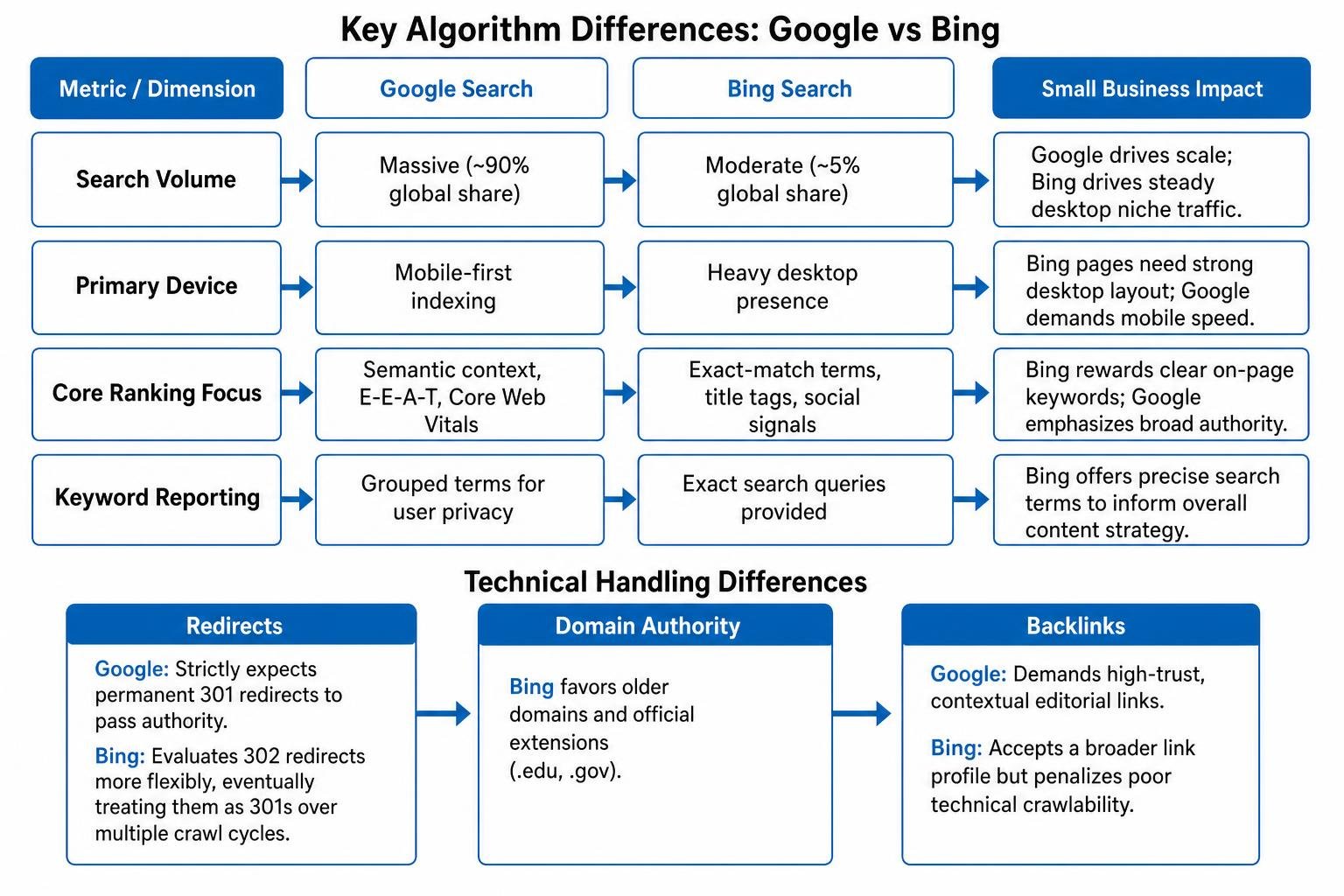
Technical handling also diverges:
- Redirects: Google strictly expects permanent 301 redirects to pass authority. Bing historically evaluates 302 redirects more flexibly, eventually treating them as 301s over multiple crawl cycles.
- Domain Authority: Bing favors older domains and official extensions (.edu, .gov).
- Backlinks: Google demands high-trust, contextual editorial links, while Bing accepts a broader link profile but penalizes poor technical crawlability.
How Do You Set Up Tools to Compare Bing and Google Search Performance for a Small Website?
Verify the site in Google Search Console and Bing Webmaster Tools, choose the same reporting period and filters, and compare query and page data. Use URL inspection and crawl reports to investigate indexing or technical differences.
To establish reliable multi-engine measurement:
- Verify site ownership in Google Search Console using DNS or an HTML tag.
- Sign in to Bing Webmaster Tools and use the direct Google Search Console import feature to synchronize your verified domain, sitemaps, and user permissions instantly.
- Open the GSC Performance Report and export your top 50 queries and pages.
- Navigate to the Search Performance module in Bing Webmaster Tools and export matching date ranges.
| Feature / Capability | Google Search Console (GSC) | Bing Webmaster Tools (BWT) |
|---|---|---|
| Keyword Granularity | Aggregated & grouped for privacy | Unfiltered, exact-match search queries |
| Data Retention | 16 months | Up to 18 months |
| Backlink Exporting | Sampled external link data | Full downloadable CSV with source anchor text |
| Built-in SEO Auditing | Core Web Vitals & Page Experience | Detailed On-Page SEO & technical crawler audit |
Reviewing both dashboards side by side exposes crawl anomalies, missing indexations, and exact search queries that would otherwise remain hidden.
How Do You Analyze Bing and Google Search Metrics?
Compare impressions, clicks, click-through rate, and average position for matching queries and pages over the same dates. Check conversions separately in your analytics setup, since search engine tools do not report business outcomes in the same way.
When reviewing data, track the relationship between impressions and clicks. A high impression count paired with low CTR on Bing often indicates that rich snippets or visual answer cards are answering the query directly in the search results.
A multi-engine analysis of multi-engine traffic distribution shows that conversion rates can vary widely by engine. In paid and organic channels, Google often yields slightly higher overall conversion volumes, but Bing visits frequently convert at higher average order values due to desktop commercial buyers. Tracking clear SEO metrics every small business owner needs to track monthly ensures you measure tangible revenue rather than surface-level impressions alone.
How Do AI Overviews, Visual Search, and Index Differences Affect Visibility?
AI answers and visual search can change how people discover or click through to pages, and the two engines may not index the same URLs. Track traditional search performance alongside available citation and visibility data, and check whether important pages are indexed in each engine.
Google features AI Overviews that synthesize page content directly above organic links, which can reduce traditional click-through rates for informational keywords. Bing uses Microsoft Copilot integrations alongside rich, visual tiles. Because Microsoft’s index powers third-party AI assistants and alternative search tools, ranking well in Bing expands your reach across conversational search engines.
Use an integrated rank tracker to monitor keyword positions across traditional SERPs, local map packs, and AI answer citations.
How Should Small Businesses Allocate SEO Resources Across Search Engines?
Prioritize SEO work using each engine’s visibility and traffic data, and focus effort on the pages and queries with the clearest growth opportunities.
For most small businesses, an 80/20 resource split serves as an effective operational baseline:
- 80% on Google Optimization: Focus on high-volume keywords, mobile Core Web Vitals, authoritative link acquisition, and comprehensive topic clusters.
- 20% on Bing Optimization: Focus on exact-match title tag alignment, desktop user experience, Bing Places local listings, and structured data indexing.
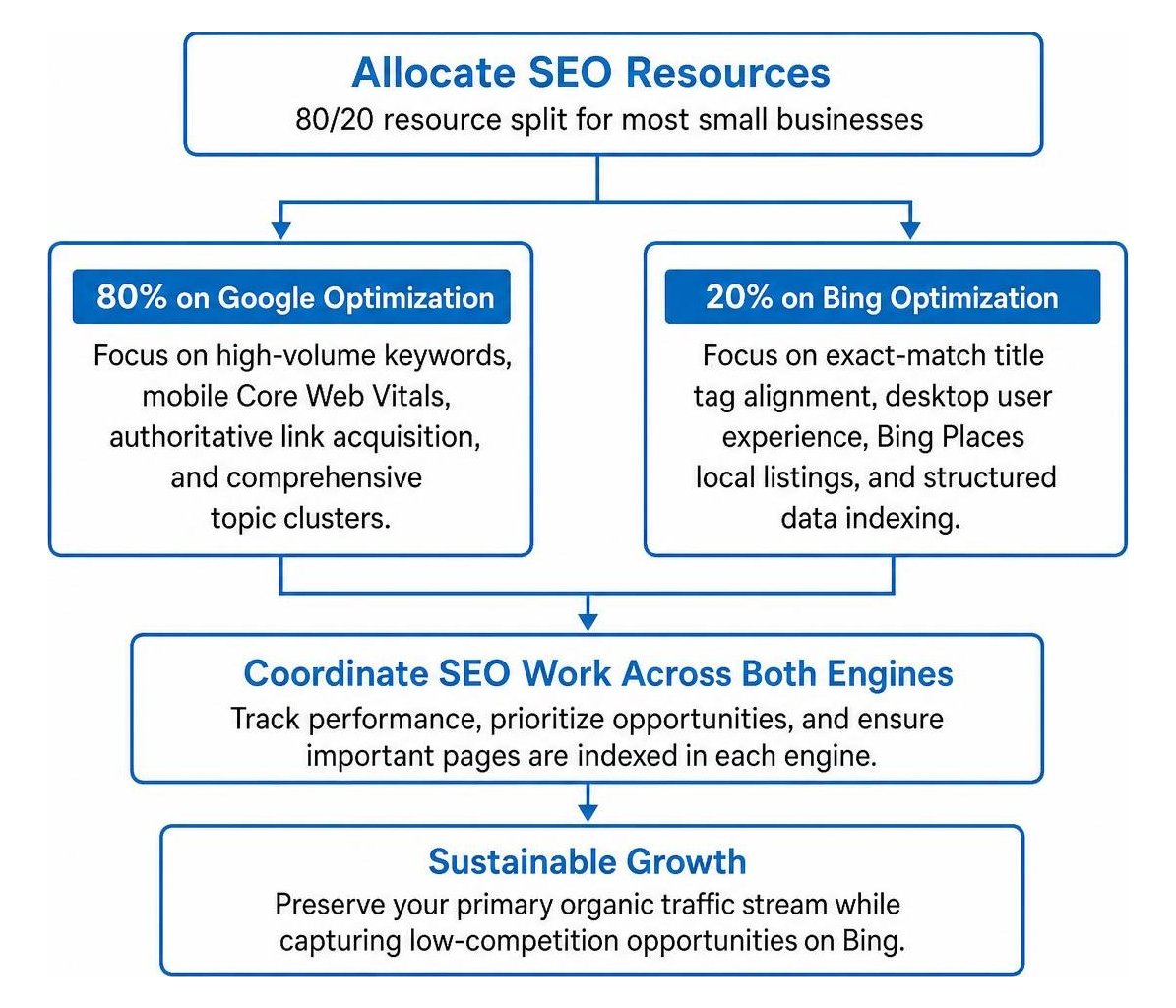
This balanced approach preserves your primary organic traffic stream while capturing low-competition opportunities on Bing.
How Can Small Businesses Coordinate SEO Work Across Google and Bing?
Use a shared priority list for both engines, then tailor fixes to the gaps each engine’s data reveals. Review the same pages and queries, compare desktop and mobile performance, and prioritize changes that can improve visibility or conversions.
To coordinate your optimization work efficiently:
- Audit Exact-Match Keywords: Ensure primary target terms appear naturally in your H1s, title tags, and clean URLs for Bing, while keeping content rich and conversational for Google.
- Standardize Schema Markup: Deploy complete Organization, LocalBusiness, and Article JSON-LD markup to help both crawlers interpret your entities.
- Inspect Indexation Coverage: Submit XML sitemaps to both platforms and fix any 404 crawl errors reported in webmaster tools.
- Optimize for Devices: Verify that your site loads quickly on mobile for Google’s mobile-first index, while maintaining clean navigation for Bing’s desktop audience.
- Engage Social Channels: Maintain active business profiles on LinkedIn and Facebook to send engagement signals that Bing actively indexes.
How Can Small Businesses Streamline Unified SEO Reporting?
Combine exports or dashboard data from both webmaster tools, but keep each engine’s metrics labeled separately. Align date ranges and filters, then review visibility, traffic, and conversions in a consistent monthly report.
Rather than logging into multiple platforms each week, connect Google Search Console and Bing Webmaster Tools APIs into a single Looker Studio dashboard. Group data by:
- Search Engine Source (Google vs. Bing)
- Core Metrics (Impressions, Clicks, Average Position, CTR)
- Downstream Outcomes (Lead Form Submissions, Inbound Calls, Ecommerce Sales)
At SmallBizSEO, our proprietary Velocity framework automates these cross-engine comparisons. By unifying multi-engine search data, technical audits, and E-E-A-T reporting into one view, small businesses can quickly spot ranking gaps and capitalize on untapped traffic across both major search engines.
Mastering Your Multi-Engine Search Strategy
Tracking both Google and Bing gives you a clear, complete picture of how customers find your business online. Comparing webmaster data side by side reveals low-hanging keyword opportunities, protects your site against algorithm shifts, and turns overlooked search traffic into measurable revenue.
Ready to see where your website stands on both engines? Explore our in-depth Bing Webmaster Tools audit guide or partner with our team to accelerate your multi-platform search visibility today.