How Long Does Google Take to Process Changes? Processing Time Explained

How Long Does Google Take to Process Changes?
How long does Google take to process changes? A page update may appear in search within days, but it can take weeks if Google has not recrawled the page. Larger changes, such as a domain move or broad site improvements, can take months to show their full effect. There is no fixed deadline.
The key is to separate processing from performance. Google must find the updated page and process it before you can judge whether the change helped your rankings. If an important update seems stuck, check its last crawl date in Google Search Console before editing it again.
I’m Clayton Johnson, founder of SmallBizSEO. My work in technical SEO and content strategy helps small businesses answer “How long does Google take to process changes?” and decide when to wait, investigate, or act.
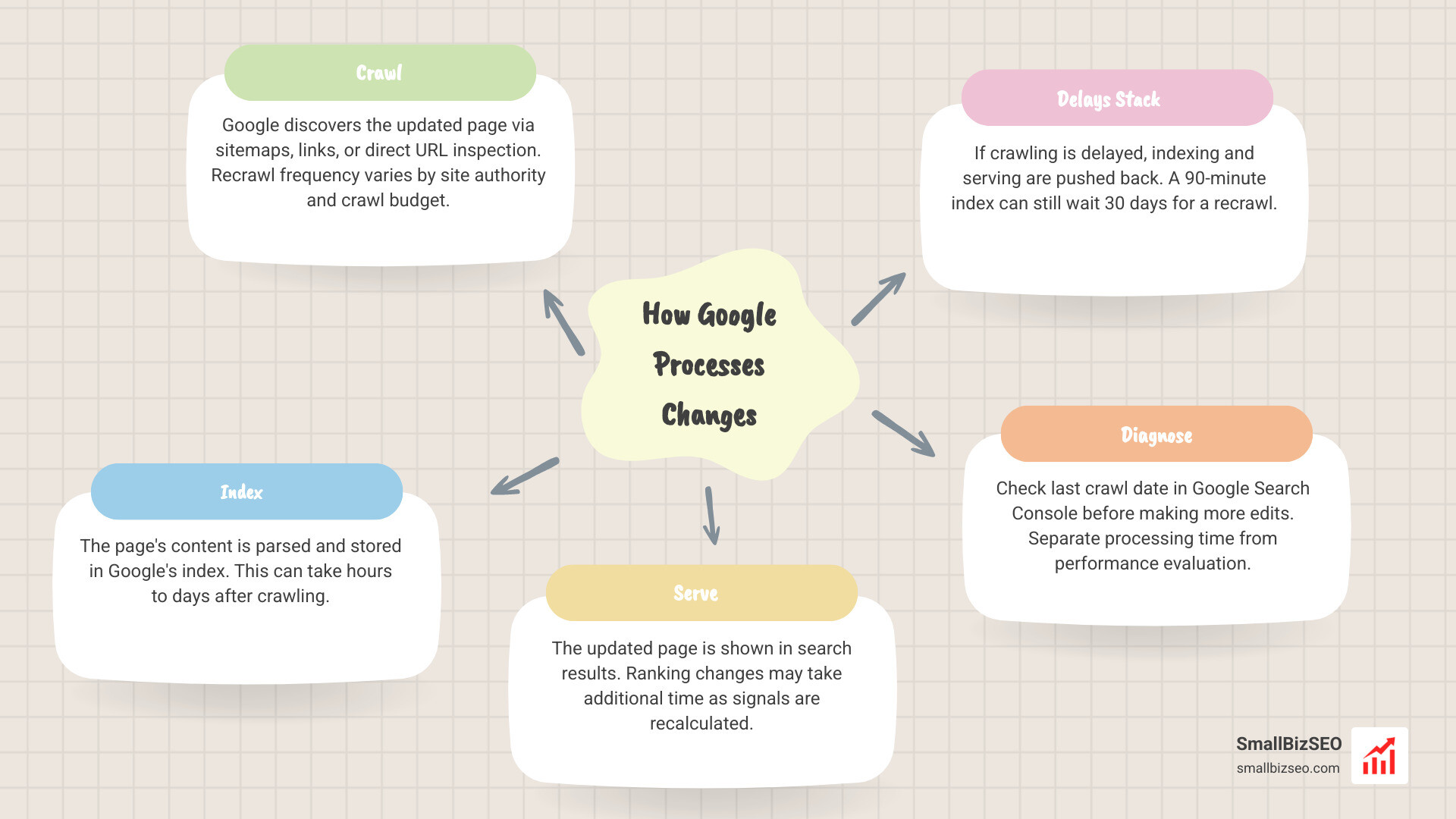
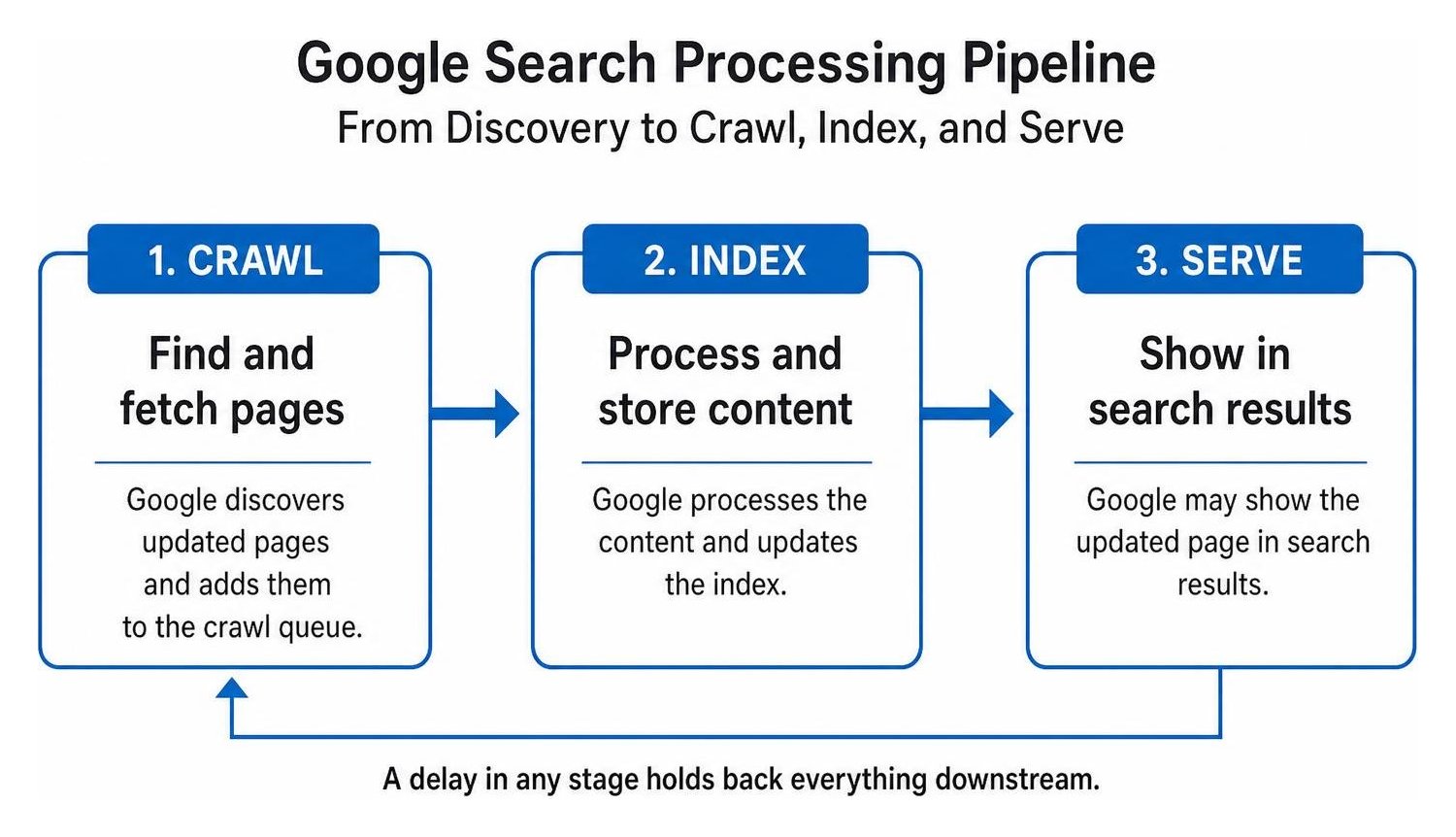
Google processes updates through three separate stages: crawling, indexing, and serving. A delay in any single stage holds back everything downstream.
When delays stack across this pipeline, an update that takes only 90 minutes to index might still wait 30 days simply to be recrawled. Understanding these distinct phases allows you to diagnose why a change has not appeared yet rather than making unnecessary edits.
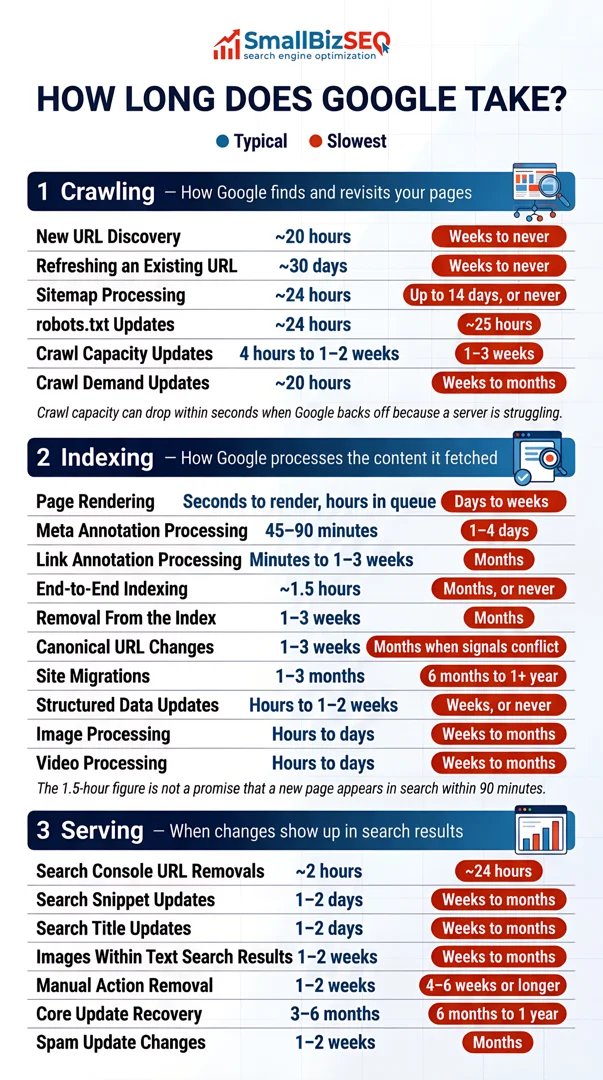
How Long Does Google Take to Process Changes Across Different Assets?
Google treats different website assets, technical directives, and external listings with distinct processing workflows. The table below outlines typical timelines alongside potential worst-case scenarios for common web changes based on search engine operational benchmarks.
| Asset / Change Type | Typical Processing Window | Potential Slowest Window | Key Dependency |
|---|---|---|---|
| New URL Discovery | ~20 hours | Weeks to never | Internal links, XML sitemaps, site authority |
| Recrawling Known URL | ~30 days | Weeks to never | Crawl demand, update frequency, quality |
| Title & Snippet Updates | 1 to 2 days | Several weeks to months | Page recrawl, cache refresh, relevance parsing |
| Canonical URL Changes | 1 to 3 weeks | Months | Conflicting canonical or internal linking signals |
| robots.txt Edits | ~24 hours | ~25 hours | File cache expiration, server availability |
| URL Removal (GSC Tool) | ~2 hours | ~24 hours | Temporary serving suppression cache |
| Domain Migration | 1 to 3 months | 6 months to 1+ year | 301 redirects, Change of Address tool, domain size |
| Core Algorithm Recovery | 3 to 6 months | 6 months to 1 year | Broad quality reassessment, subsequent core rollouts |
| Google Business Profile Edit | Up to 10 minutes | Up to 30 days | Field sensitivity, automated vs manual verification |
How Long Does Google Take to Process Changes to URLs and Content?
Google typically discovers a new URL within 20 hours and recrawls an existing URL within roughly 30 days. However, low-authority or deep pages can take weeks or longer if crawl priority is low.
When you publish a new article or edit an existing paragraph, Google does not immediately know the content has shifted. The search engine relies on its crawling infrastructure to revisit the page. While sitemaps are usually processed within 24 hours and robots.txt files update within roughly 25 hours, the actual recrawl of the page depends on your overall crawl capacity and crawl demand.
Understanding how search engines prioritize resources involves tracking shifts from batch crawling to live index updates. To keep Google visiting your high-priority pages regularly, active crawl budget optimization ensures server efficiency and avoids bot throttling.
Once Google fetches the page, end-to-end indexing takes around 1.5 hours on average, though processing queues can extend this. Official Google guidance on how long it takes to process content changes confirms that crawl speed varies dramatically by page importance. Following standard best practices for indexing new URLs efficiently ensures your content enters the queue without unnecessary friction.
How Long Do Search Snippets, Canonicals, and Technical SEO Adjustments Take?
Title tags and meta descriptions usually update in search results within 1 to 2 days after Google recrawls the page, whereas canonical tag adjustments typically require 1 to 3 weeks.
Search snippets update relatively fast once the page is fetched, but deeper architectural signals take longer. For instance:
- Canonical URL updates: Google evaluates conflicting signals across internal links, sitemaps, and redirects, meaning canonical switches take 1 to 3 weeks to stabilize.
- Link annotations: Passing link value and processing anchor text updates takes anywhere from a few minutes to several weeks.
- Removals: While using the temporary URL removal tool in Google Search Console hides a result in about 2 hours, permanently removing an index entry requires 1 to 3 weeks for full de-indexing.
When technical updates disrupt search features, diagnosing dropped rich results helps pinpoint whether schema or canonical discrepancies caused the delay, as detailed in industry findings from the Search Central Live recap.
How Long Do Domain Migrations, Redesigns, and Algorithm Recovery Take?
A full domain migration takes 1 to 3 months to process across Google Search, while recovering from a core algorithm update typically spans 3 to 6 months of quality reassessment.
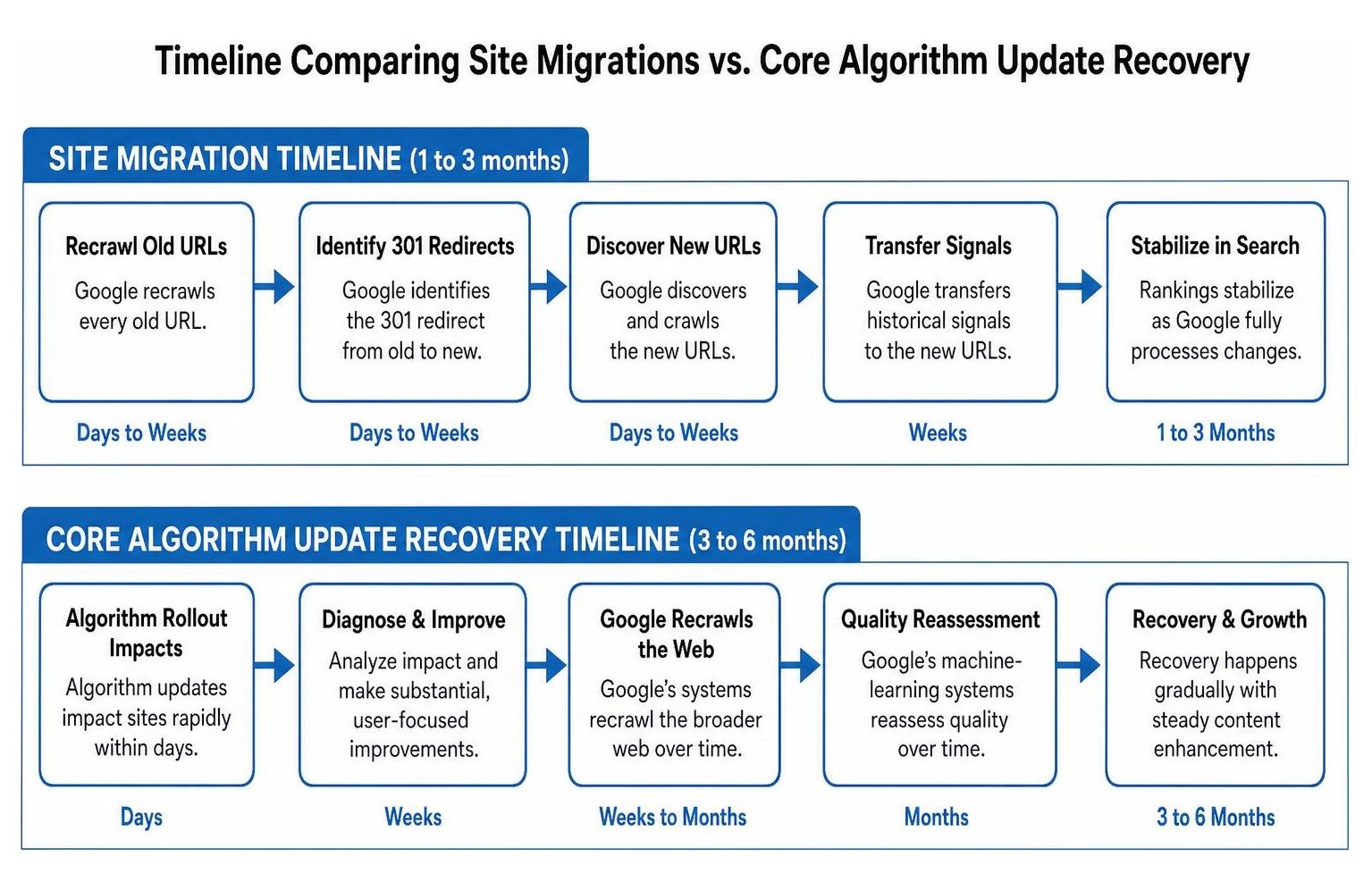
When moving domains or changing URL structures, Google must recrawl every old URL, identify the 301 redirect, discover the new URL, and transfer historical signals. Properly executing a site migration with a Search Console Change of Address request minimizes volatility, but the transition still requires weeks of patience. Following a structured website redesign checklist prevents critical technical errors that prolong migration delays.
Algorithmic updates operate on a completely different timeline than technical site changes. While algorithm rollouts impact sites rapidly within days, recovering after navigating core algorithm updates takes months. Google’s machine-learning systems must recrawl the broader web and verify substantial, user-focused improvements over time. The complete process of recovering from algorithmic drops requires steady content enhancement rather than hasty rollbacks.
How Long Does Google Take to Process Google Business Profile Changes?
Most Google Business Profile edits are approved within 10 minutes, but changes to sensitive fields like physical addresses or business categories can remain pending for up to 30 days.
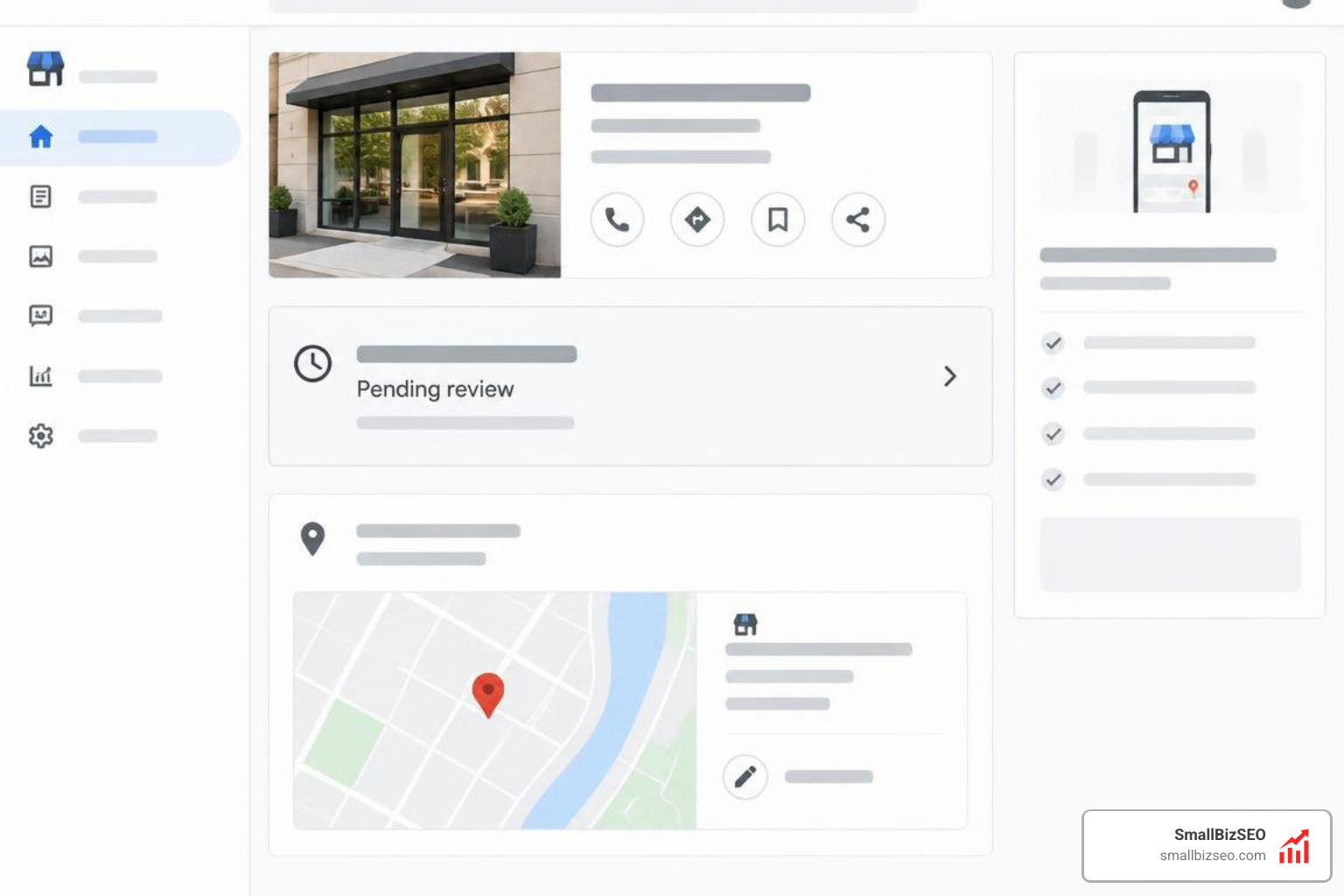
Google uses automated filters to review profile edits. Edits to phone numbers, opening hours, or website URLs often process almost instantly. However, high-scrutiny fields—such as your primary business name, address, or core category—frequently trigger manual review or additional verification steps.
When an edit gets stuck, reviewing common solutions for Google Business Profile pending edits helps prevent costly profile suspensions. The most common mistake business owners make is submitting repeated edits to a pending field. Re-editing a pending change resets the review timeline and signals suspicious activity. If an edit remains pending past 14 days, contact support through your dashboard with business documentation rather than creating duplicate listings.
How Can You Manage Delays and Accelerate Updates?
To manage processing delays effectively, document your deployment dates, verify crawl timestamps in Google Search Console, and let Google complete its indexing cycle before assessing ranking performance.

Maintaining a detailed change log ensures you never confuse index processing with true SEO performance.
Why Do Updates Get Stuck on Large Sites?
Large websites experience longer processing times because Google must allocate crawl resources across massive URL inventories and compute complex semantic embeddings across the site.
When changing URLs or taxonomies across thousands of pages, Google’s dual-encoder indexing systems must re-evaluate semantic relationships across the entire document corpus. When webmasters wonder why search rankings stay stuck, the delay often traces back to conflicting signals, duplicate parameters, or thin pages that lower the site's overall crawl priority.
As detailed in industry analysis on how changing URLs on larger sites takes time to process, sitewide overhauls can take six months or longer for Google to fully digest. Maintaining clean site architecture and avoiding unnecessary structural shifts protects your visibility.
How Can You Use Google Search Console to Encourage Reindexing?
You can prompt faster indexing by using the URL Inspection tool to request a recrawl, updating your XML sitemap timestamps, and strengthening your internal link structure.
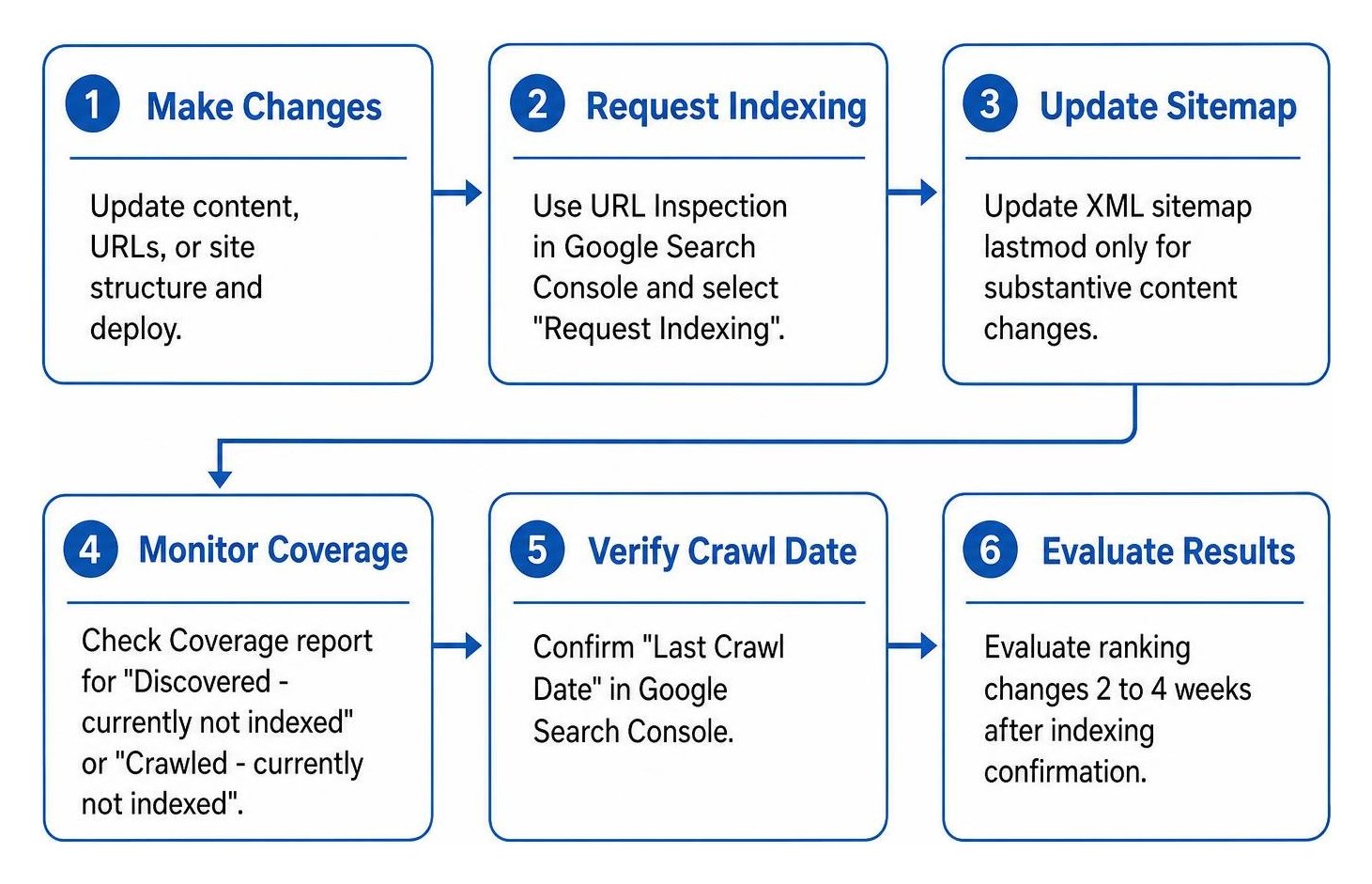
When an update is urgent, follow these steps to expedite discovery:
- Submit via URL Inspection: Test the live URL in Google Search Console and select "Request Indexing" to place the page in the priority queue.
- Update Sitemap
lastmod: Only alter the - Review Coverage Reports: Check the GSC page indexing report to confirm whether unindexed pages are marked as "Discovered - currently not indexed" or "Crawled - currently not indexed."
- Build Internal Links: Add contextual links from frequently crawled pages (such as your homepage or active blog hub) pointing to the updated URL.
At SmallBizSEO, we implement our data-driven Velocity framework to streamline site architecture, optimize crawl paths, and resolve technical blockers. Through our specialized Google Search Console auditing and consulting, we ensure your website communicates clearly with search engines, eliminating indexing bottlenecks and accelerating organic growth.
Making Search Engine Timelines Work for Your Business
Tracking how search engines crawl, index, and serve updates prevents reactive decisions that derail your long-term organic visibility. Rather than rewriting a page that has not yet been recrawled, verify its status in Search Console, validate technical health, and give Google's systems the necessary window to evaluate your improvements.
If your site updates remain stalled or you are planning a complex migration, our team at SmallBizSEO is here to help. We build structured technical foundations, eliminate crawl inefficiencies, and deliver E-E-A-T-compliant content strategies tailored to sustainable growth.