Search Console Clicks vs. GA4 Sessions: What Explains the Traffic Gap?
Why do Search Console clicks differ from GA4 sessions?
Search Console counts clicks on Google Search results. GA4 counts sessions measured on your site. That is why search console clicks differ from ga4 sessions: a click may never be recorded by GA4 if the page or analytics tag does not load, while a return visit can create another session without a new search click.
Before treating the gap as a tracking problem, compare the same dates and pages. In GA4, filter sessions to google / organic rather than all website traffic. Then look for a sudden change in the gap, not an exact match.
I'm Clayton Johnson, founder of SmallBizSEO. My work in SEO and digital growth strategy informs how I explain why search console clicks differ from ga4 sessions and what small businesses should check next.
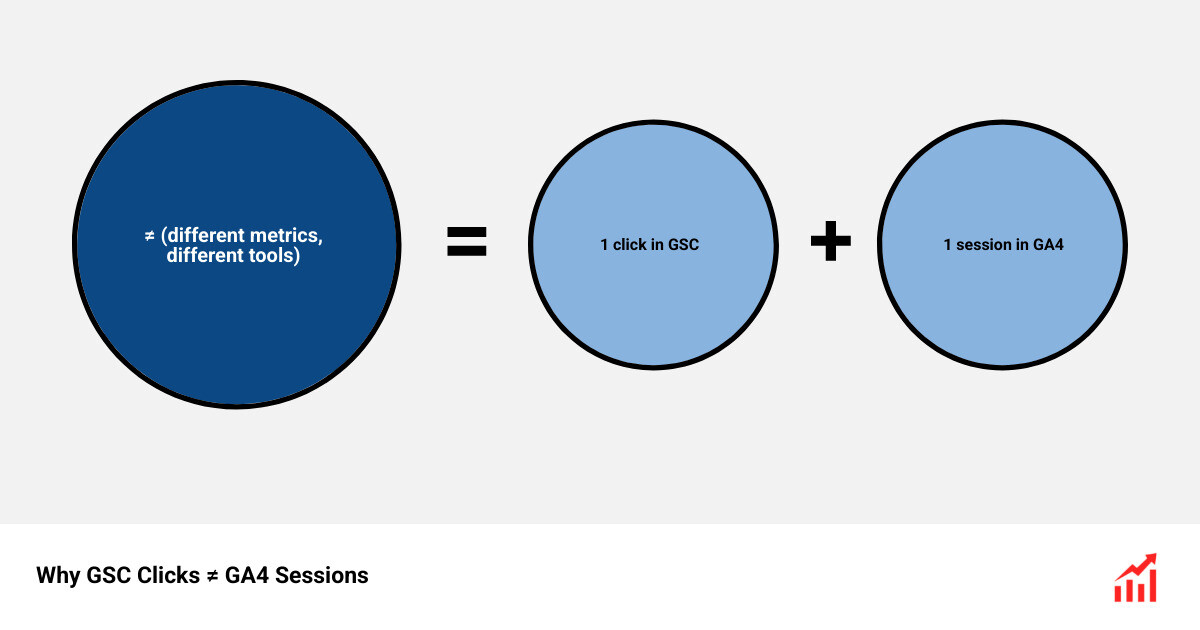
Why Do Search Console Clicks Differ from GA4 Sessions?
Google Search Console (GSC) and Google Analytics 4 (GA4) measure completely different stages of a user's journey. GSC records an interaction directly on Google search result pages before a visitor ever reaches your website. In contrast, GA4 only starts measuring after your website loads and its tracking scripts execute in the visitor's web browser.
Because these platforms use distinct tracking architectures, their totals almost never match. A user might click an organic result in Google Search but close their browser tab before your analytics code executes, creating a click with zero recorded sessions. Conversely, a single search click can spawn several repeat visits over time that GA4 credits back to search, causing session numbers to surpass total clicks.
| Measurement Dimension | Google Search Console Clicks | GA4 Organic Sessions |
|---|---|---|
| Tracking Location | Server-side logging on Google search result pages | Client-side JavaScript execution on your website |
| Trigger Point | User clicks an organic listing or snippet | session_start event fires after page and tag assets load |
| Attribution Scope | Strictly records direct clicks from Google Search | Applies last non-direct attribution across repeat direct visits |
| Consent Impact | Unaffected by website cookie consent choices | Drops tracking when users decline analytics cookies |
| URL Aggregation | Consolidates metrics under Google's canonical URL | Records the exact landing URL path loaded in the browser |
| Non-HTML Assets | Tracks clicks on indexed PDFs and document files | Misses non-HTML downloads without custom file tracking |
| Time Zone Base | Fixed strictly to Pacific Time (PT) | Configurable to your local property time zone |
As outlined in the Google Search Central documentation on Search Console and Analytics data, comparing these metrics is an evaluation of pre-click search visibility against post-click on-site engagement. Reviewing your top-level numbers in the GSC Performance Report requires understanding these collection differences before assuming your tracking code is broken.
What Does Each Tool Count, and When?
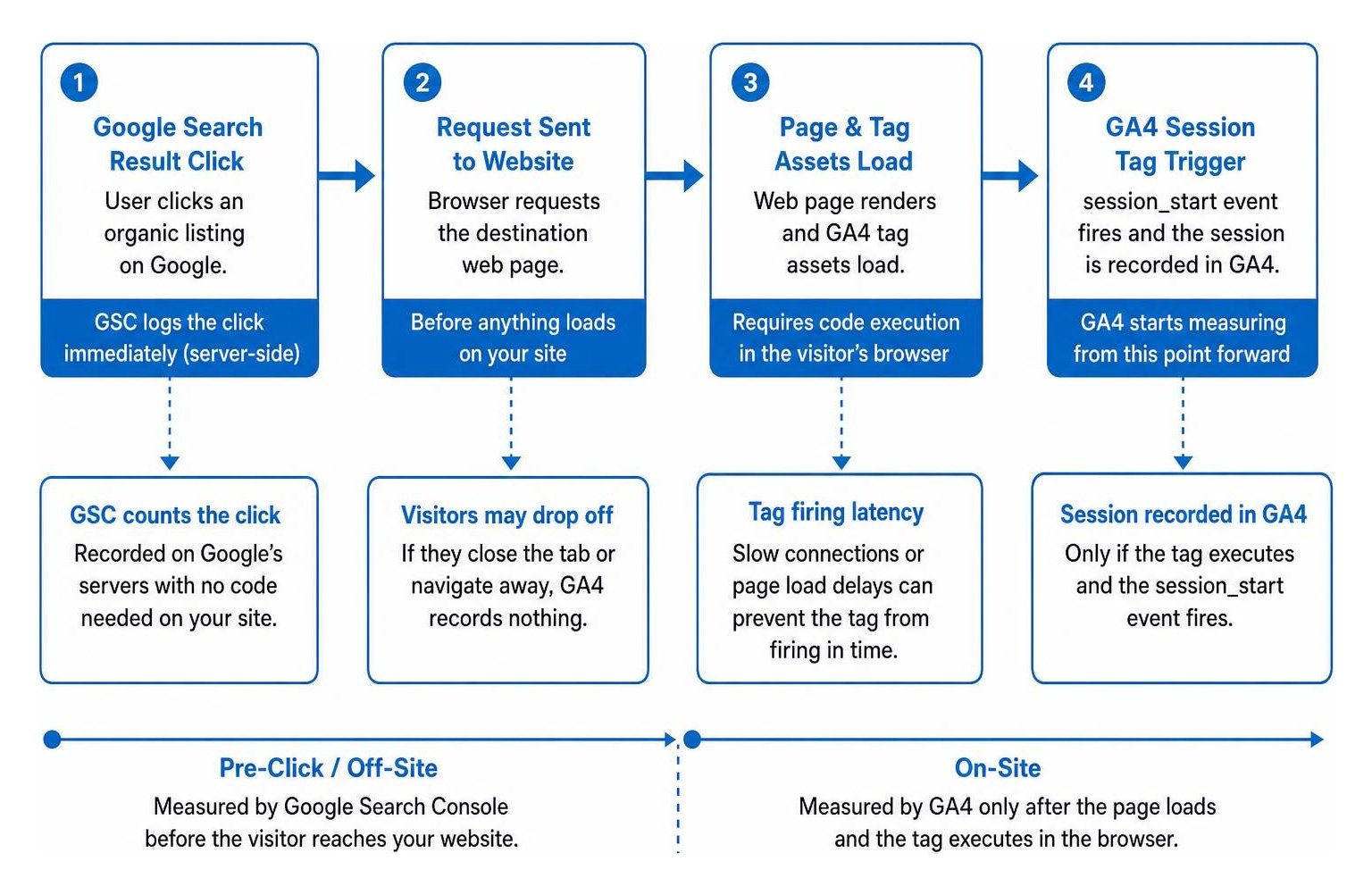
GSC logs a click the instant a user selects an organic search listing on Google. This happens entirely within Google's own server infrastructure, requiring no code execution on your website.
GA4 begins tracking only after the destination web page renders, the Google Tag loads, and a session_start event triggers. If a visitor experiences tag firing latency or navigates away quickly on a slow connection, GSC counts the click while ga4 records nothing.
Session definitions also create natural mathematical gaps:
- Inactivity Timeouts: GA4 groups user actions into a single session until thirty minutes of inactivity pass. A user who clicks an organic listing twice within twenty minutes generates two GSC clicks but only one GA4 session.
- Engaged Sessions vs. Total Sessions: An engaged session in GA4 requires a visitor to stay on page for more than ten seconds, view two or more pages, or trigger a conversion event. Comparing search clicks directly against engaged sessions artificially widens the reported variance.
- Multiple Sessions from One Interaction: If a user leaves your site open in a background tab and returns hours later, GA4 records a brand-new session for that ongoing visit without generating another search engine click.
How Can Attribution and Session Rules Change the Traffic Totals?
GA4 uses a last non-direct attribution model for standard traffic acquisition reports. If a customer first finds your business through Google Search and returns four times over the following week using browser bookmarks or typing your URL directly, GA4 assigns all five sessions to google / organic.
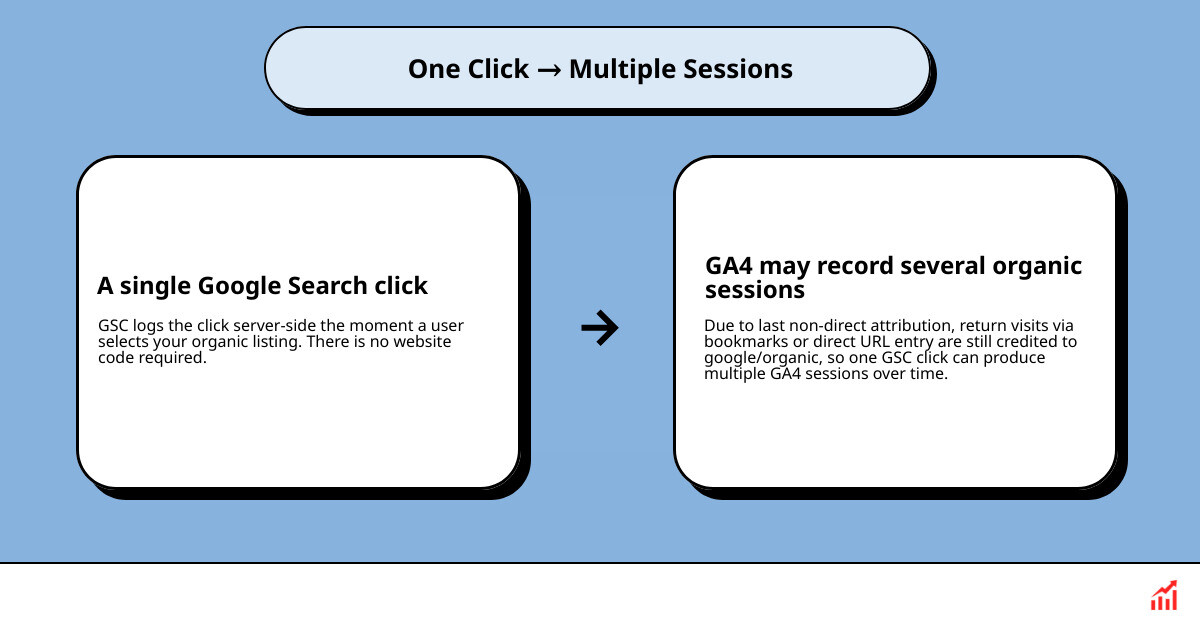
This attribution persistence frequently causes organic session totals to exceed GSC clicks over extended date ranges. While GSC records exactly one search interaction, GA4's reporting structure gives organic search credit for subsequent direct visits from these organic users.
When evaluating these patterns, you can see how an impression leads to a click, which GA4 then expands into multiple sessions across the buyer journey.
Could Consent, Filters, or URL Differences Explain the Gap?
Beyond attribution and timing, several structural and technical factors drive discrepancies between the two platforms:
- Consent Mode v2 and Privacy Controls: User consent banners directly alter client-side data collection. When visitors reject analytics cookies or browse with tracking prevention enabled, GA4 drops their session data. GSC logs search clicks regardless of user cookie preferences because search interactions happen on Google's domain.
- Canonical URLs vs. Tagged Landing Paths: GSC attributes search performance strictly to the canonical URL Google selected for indexation. GA4 logs the exact URL string that loaded in the browser, including tracking parameters, session IDs, and trailing slash variations.
- Non-HTML Assets and Downloadable Files: Google indexes non-HTML resources like PDF whitepapers and specification sheets. When users click these assets in search results, GSC logs an organic click. Standard GA4 pageview tags cannot execute on standalone PDF files, resulting in zero recorded sessions unless custom download events are configured.
- Automated Traffic and Bot Filtering: GA4 automatically excludes known web crawlers, spiders, and automated scrapers from session reports. GSC handles search engine traffic deduplication differently on result pages, as explained in the Google Search Console Help on troubleshooting data discrepancies.
How Can You Reconcile the Traffic Gap and Audit Tracking Issues?
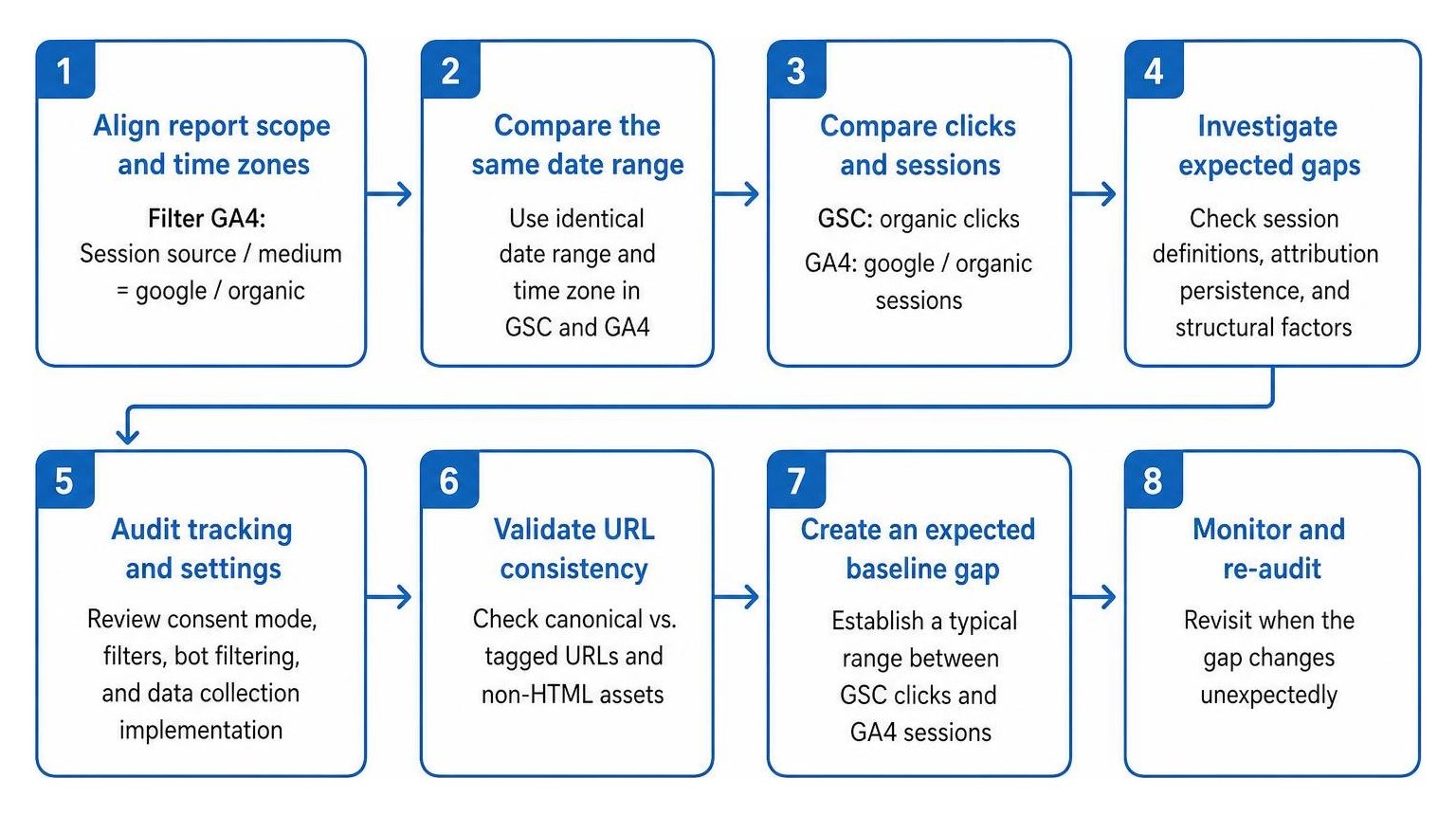
Reconciling your data begins by aligning reporting boundaries across both platforms. Rather than trying to force numbers into an exact match, the objective is establishing an expected baseline gap and auditing technical systems whenever that ratio changes unexpectedly.
How Do You Align Report Scope and Time Zones?
Misconfigured report filters create phantom data gaps. Before investigating website code, confirm that both tools are evaluating the same slice of traffic:
- Filter by Session Source and Medium: Never compare GSC clicks against total GA4 sessions or the broad Organic Search channel group (which includes Yahoo, Bing, and DuckDuckGo). Set your GA4 dimension filter strictly to
Session source / medium = google / organic. - Account for Time Zone Offsets: GSC aggregates daily reporting strictly in Pacific Time (PT). If your GA4 property is set to Eastern Time, UTC, or Australian Eastern Standard Time, daily traffic cutoffs will not align. Aggregate data over weekly or monthly intervals to smooth out these boundary offsets.
- Match Search Types: GSC Performance reports default to Web search results. If your site generates significant organic visibility from Google Images, Google Video, or Google Discover, segment these search types before comparing numbers against website analytics.
- Standardize Property Hostnames: Verify that your GSC Domain property covers the exact same protocols (HTTP vs. HTTPS) and subdomains monitored by your GA4 web data stream.
For a thorough step-by-step review of measurement filters and tracking tags, consult The Ultimate Guide To Google Analytics Audits.
What Steps Help Find a Real Tracking Problem?
A steady difference between search clicks and analytics sessions is normal. However, an abrupt change in this relationship often indicates a tracking defect or a technical site issue.
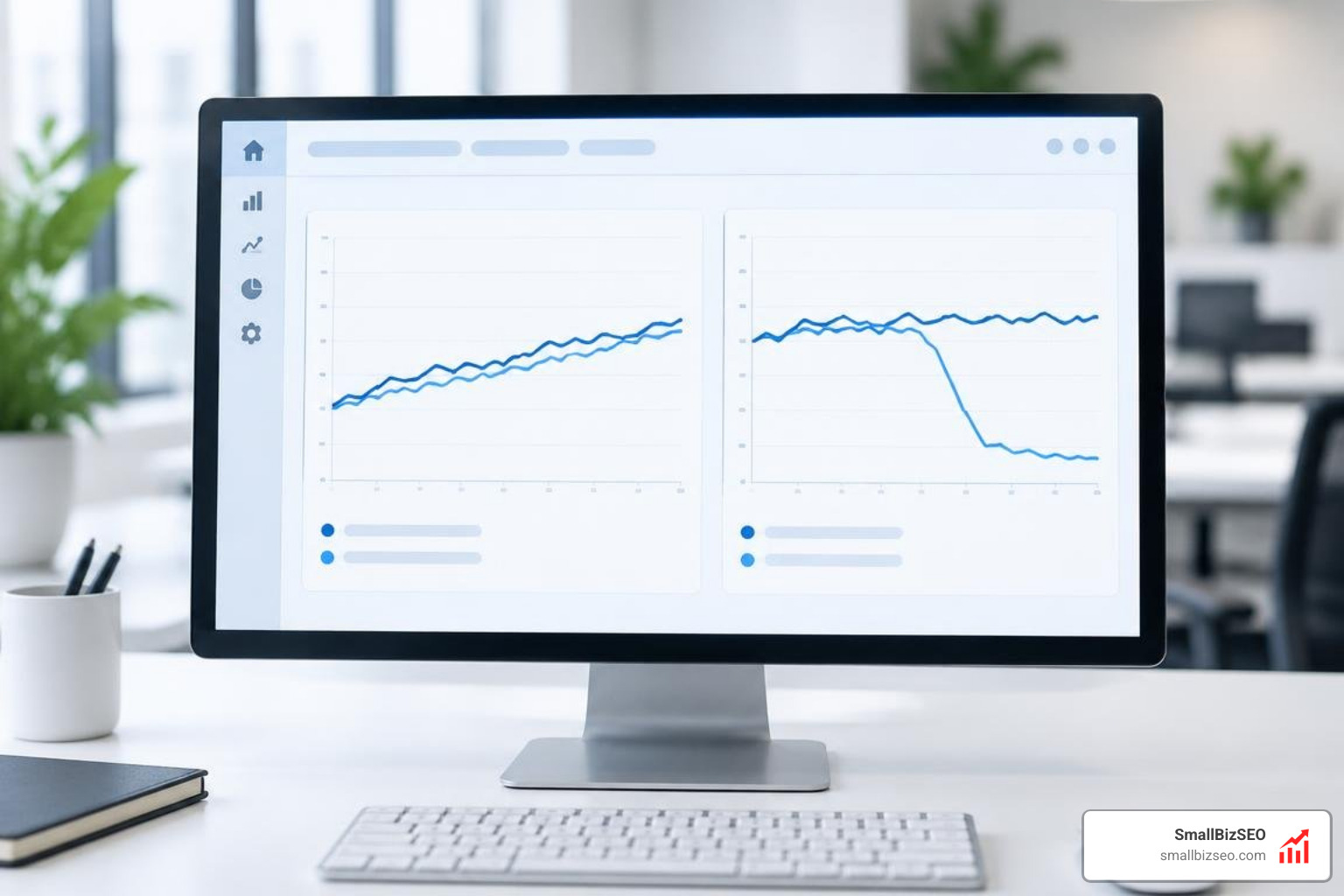
Follow these diagnostic steps to isolate technical tracking issues:
- Check Key Page Templates: Audit major content templates, blog layouts, and landing page designs. A missing container tag on a newly published page template will collect GSC clicks while dropping all analytics sessions.
- Inspect Content Security Policies (CSP): Review browser console network requests on landing pages. A misconfigured CSP header can block outbound pings to analytics collection endpoints, creating a silent drop in GA4 data.
- Evaluate Consent Banner Deployments: Verify whether a recent update to your consent management platform (CMP) began suppressing tracking scripts prematurely before user interaction.
- Monitor Redirect Chains: Check that incoming organic links do not pass through intermediate 301 redirect chains that strip referrer headers, converting organic search visits into direct traffic.
At SmallBizSEO, our data-driven "Velocity" framework combines technical audits and automated reporting to identify measurement gaps, preserve data integrity, and accelerate search growth. If your organic metrics show persistent measurement anomalies, scheduling an SEO visibility audit helps isolate collection issues from genuine search ranking changes.
Making Sense of Your Search Data Moving Forward
Google Search Console clicks and GA4 organic sessions are complementary metrics designed to measure different parts of your acquisition funnel. GSC reflects search visibility, organic demand, and click intent on Google SERPs, while GA4 evaluates how visitors navigate, interact with, and convert on your web pages.
Accepting a natural variance between these platforms keeps your reporting grounded. By standardizing report scopes, filtering for google / organic, and monitoring directional trends over weekly windows, you can separate standard baseline noise from actionable tracking defects and focus on driving measurable business growth.