Is Your Store Invisible? Run This Free Ecommerce SEO Checklist
Is Your Store Invisible? Run This Free Ecommerce SEO Checklist
How Can a Free Ecommerce SEO Checklist Help Your Store?
Start with the pages that could bring in sales. Use this free ecommerce SEO checklist to:
- Check Google Search Console for important product and category pages that are not indexed.
- Confirm your sitemap lists those pages and your site uses HTTPS.
- Improve the titles, descriptions, and product details on your highest-value pages.
- Test mobile speed, then check for duplicate filter or variant URLs.
These checks help you find what may be keeping shoppers from discovering your store. You do not need paid software to begin.
I'm Clayton Johnson, founder of SmallBizSEO. I use a free ecommerce SEO checklist to help small businesses turn search visibility work into a clear set of priorities, including site fixes, useful content, and answers buyers can trust.
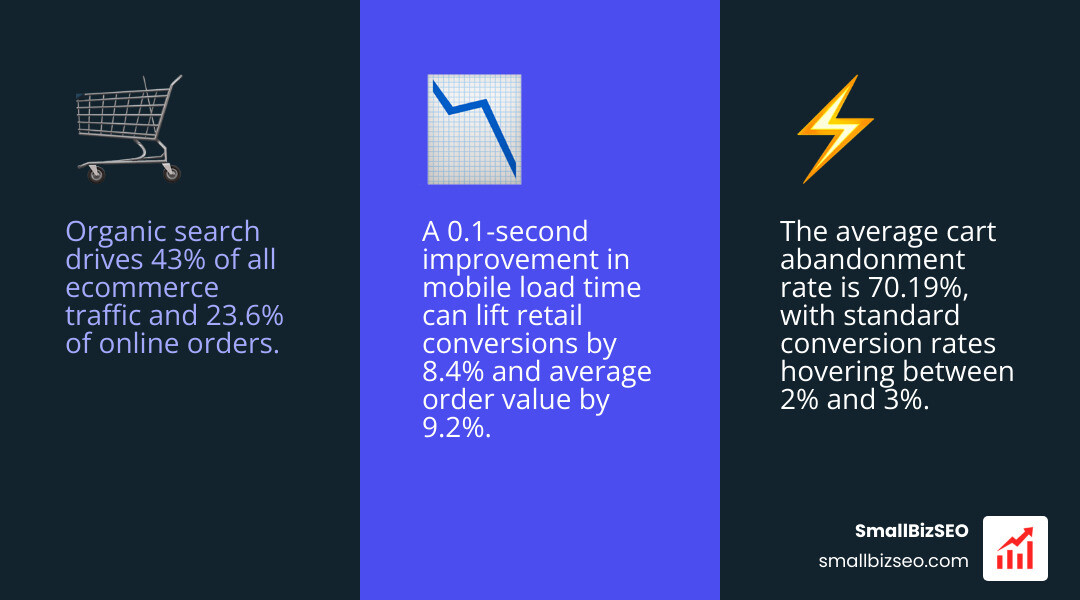
Organic search drives 43% of all ecommerce traffic and 23.6% of online orders. Yet, the average cart abandonment rate sits at 70.19%, and standard conversion rates hover between 2% and 3%. A simple 0.1-second improvement in mobile load time can lift retail conversions by 8.4% and average order value by 9.2%. When search engines cannot crawl your catalog, or when shoppers hit thin, duplicate pages, revenue slips right into your competitors' pockets.
What Should You Include in a Free Ecommerce SEO Checklist? The 6 Pillars for High-Impact Optimization
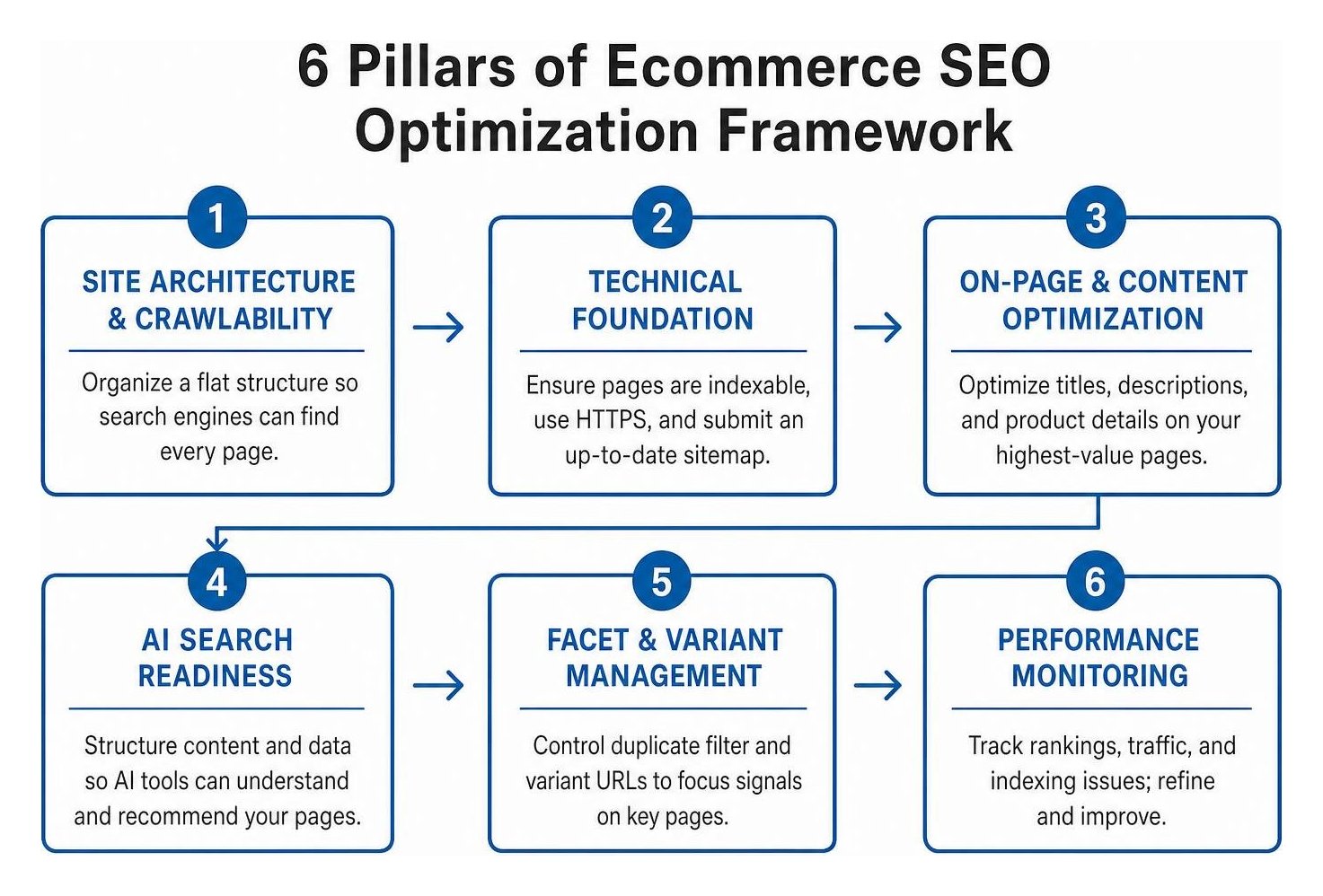
A complete ecommerce SEO checklist must cover site architecture, technical health, on-page optimization, AI search readiness, faceted filter management, and ongoing performance monitoring.
To build a store that ranks consistently, organize your catalog around a flat URL taxonomy. Every product should sit within three clicks of the homepage:
- Home > Category > Product
- Home > Category > Subcategory > Product
Map commercial search intent to your top-level categories and subcategories. Shoppers searching for broad terms want category hubs, while buyers searching for specific product names or SKUs need high-converting product detail pages.
How Do You Set Up Technical SEO and Site Architecture?
Direct answer: Search engines must crawl and render your pages without roadblocks. Verify your site security, submit clean XML sitemaps, guide crawlers via robots.txt, and hit Core Web Vitals targets.
Start with these fundamental technical tasks:
- Enforce HTTPS: Ensure all HTTP traffic automatically redirects to secure HTTPS across your entire domain.
- Set Up Google Search Console (GSC): Verify your domain property in GSC to monitor indexing, crawl errors, and search queries.
- Generate and Submit an XML Sitemap: Your sitemap should include only canonical, indexable product and collection URLs. Exclude internal search results, admin pages, and parameter URLs.
- Configure Robots.txt: Block non-essential directories such as cart, checkout, account pages, and internal search URLs (
/search?*). Resolving platform-specific Shopify technical SEO issues early keeps crawl bots focused on revenue-generating catalog pages. - Pass Core Web Vitals: Over 70% of ecommerce traffic comes from mobile devices. Aim for a Largest Contentful Paint (LCP) under 2.5 seconds, Interaction to Next Paint (INP) under 200 milliseconds, and Cumulative Layout Shift (CLS) under 0.1.
How Do You Optimize Product, Category, and Schema Pages?
Direct answer: Provide unique, comprehensive product details, craft clear metadata under standard character limits, and add JSON-LD structured data to trigger rich snippets in search results.
Incomplete or vague product copy hurts your bottom line—research by Nielsen Norman Group shows that 20% of failed purchases stem from unclear product information. Boost visibility using proven on-page optimization methods:
- Title Tags and Meta Descriptions: Keep title tags under 60 characters with your target keyword near the beginning. Write compelling meta descriptions under 155 characters that highlight benefits and shipping perks.
- Original Product Copy: Never paste manufacturer descriptions. Write original copy detailing dimensions, materials, use cases, and care instructions. Stores that rewrite thin descriptions across their catalog often see organic traffic climb by 50% to 100%.
- Rich Category Descriptions: Add 200 to 500 words of helpful copy to collection pages explaining differences between subcategories and buying criteria.
- Product Schema Markup: Implement
Productstructured data withname,image,description,sku,offers(price and availability), andaggregateRating. - Breadcrumb Navigation: Implement
BreadcrumbListschema to establish clear taxonomy and earn enhanced breadcrumb trails in search listings.
How Do You Optimize for AI Search Engines and Free Merchant Feeds?
Direct answer: Structure your catalog with answer-first product summaries for AI discovery engines, and submit your product feed to free merchant programs across search and social channels.
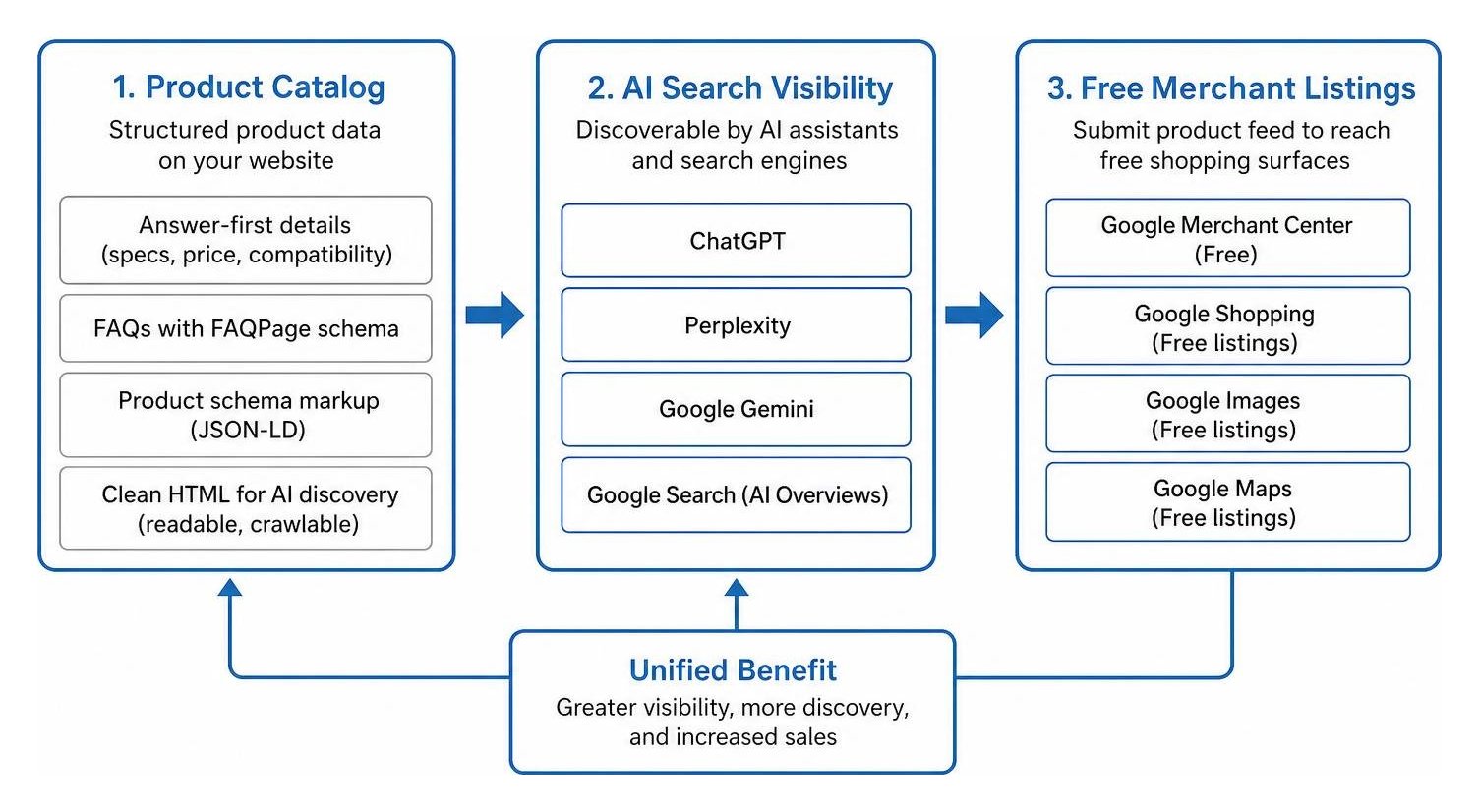
AI Overviews now appear on roughly 8% of all queries and over 35% of informational searches. Furthermore, 46% of ChatGPT browsing sessions use reading mode (pure HTML). To stay visible in AI assistants like ChatGPT, Perplexity, and Google Gemini:
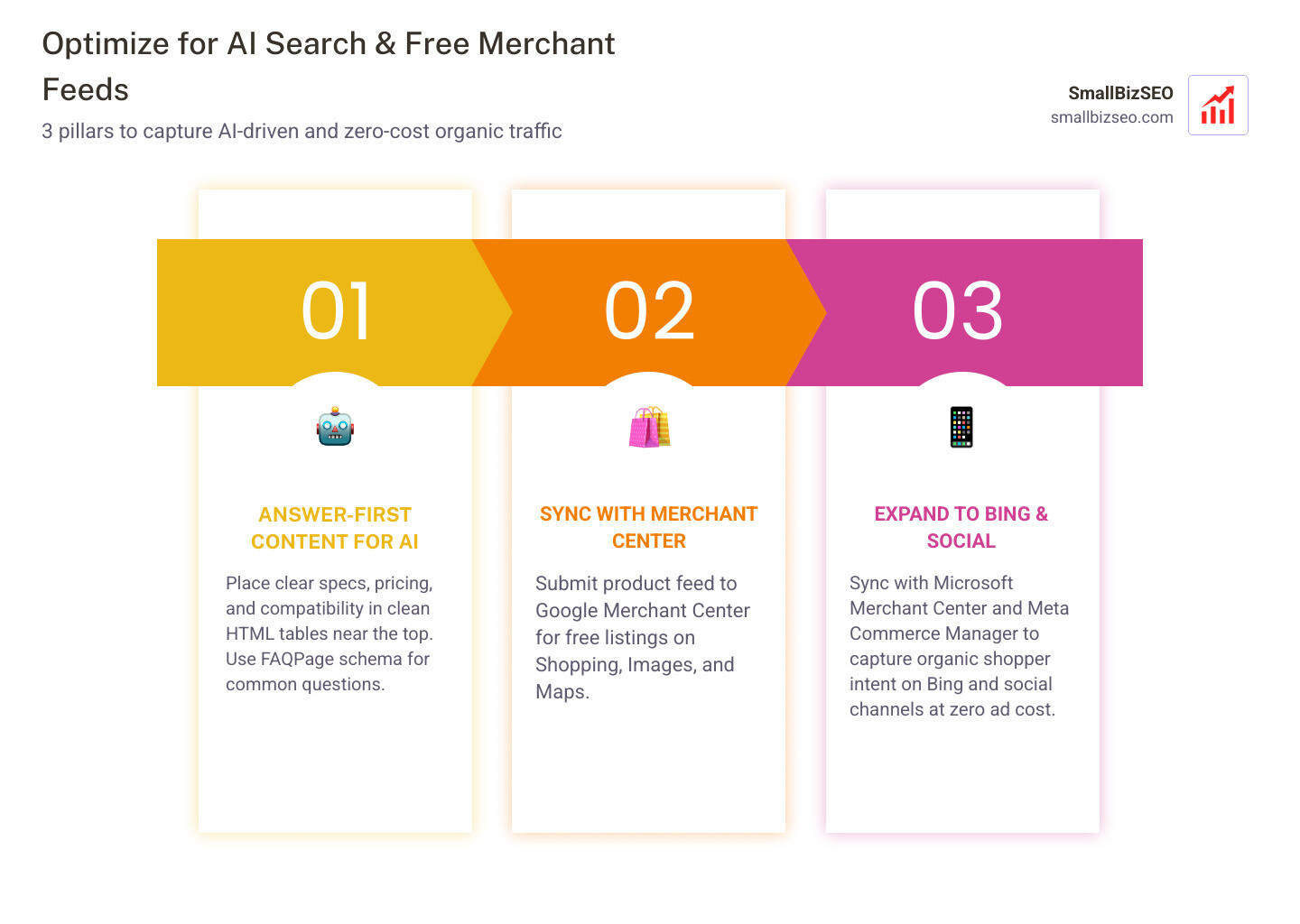
- Format with Answer-First Clarity: Place clear specifications, pricing, and compatibility details in clean HTML tables and bullet lists near the top of the page.
- Add Informational FAQs: Answer common customer questions directly on product pages using
FAQPageschema. - List on Google Merchant Center: Set up a free Google Merchant Center account and sync your catalog. This enables free product listings across Google Shopping, Google Images, and Google Maps.
- Expand to Microsoft and Meta: Sync your store feed with Microsoft Merchant Center and Meta Commerce Manager to capture organic shopper intent on Bing and social channels at zero ad cost.
How Do You Fix Faceted Navigation, Pagination, and Out-of-Stock Products?
Direct answer: Prevent duplicate content by standardizing filter URLs, keeping category pagination crawlable with self-referencing canonicals, and preserving URL equity when inventory runs out.
Faceted navigation is the single largest crawl-budget drain for online stores.
| Scenario | Recommended SEO Action | Technical Implementation |
|---|---|---|
| Faceted Filter URLs (e.g., color, size, price) | Prevent search engines from indexing millions of parameter variations. | Add noindex, follow tags to multi-filter URLs or canonicalize them back to the root category page. |
| Product Variants (e.g., small, medium, blue) | Avoid duplicate product pages for minor variant attributes. | Canonicalize all minor variants to the parent product URL, unless a variant has high standalone search volume. |
| Category Pagination | Allow search bots to discover all products across multiple category pages. | Use clean URLs (/category?page=2) with self-referencing canonical tags and crawlable standard links. |
| Temporary Out-of-Stock | Retain page authority and customer interest while restocking. | Keep page live, update schema availability to OutOfStock, provide a back-in-stock email alert, and display related products. |
| Permanently Discontinued | Transfer accumulated link authority to a relevant live page. | Implement a 301 redirect to the closest direct replacement product or parent subcategory. |
How Should You Prioritize Fixes and Audit Your Store for Maximum Revenue?
Direct answer: Prioritize fixes based on potential revenue impact rather than technical severity lists. Focus first on high-value category pages, best-selling products, and critical indexation blockers.
Technical debt can silently crush store performance. In our client audits at SmallBizSEO, resolving technical debt and restructuring content by revenue impact frequently yields rapid transformations.
How Do You Sequence Fixes to Maximize Organic Revenue and Prevent Cannibalization?
Direct answer: Execute your audit in four structured phases: indexation fixes, top-revenue page optimization, keyword cannibalization cleanup, and ongoing measurement.
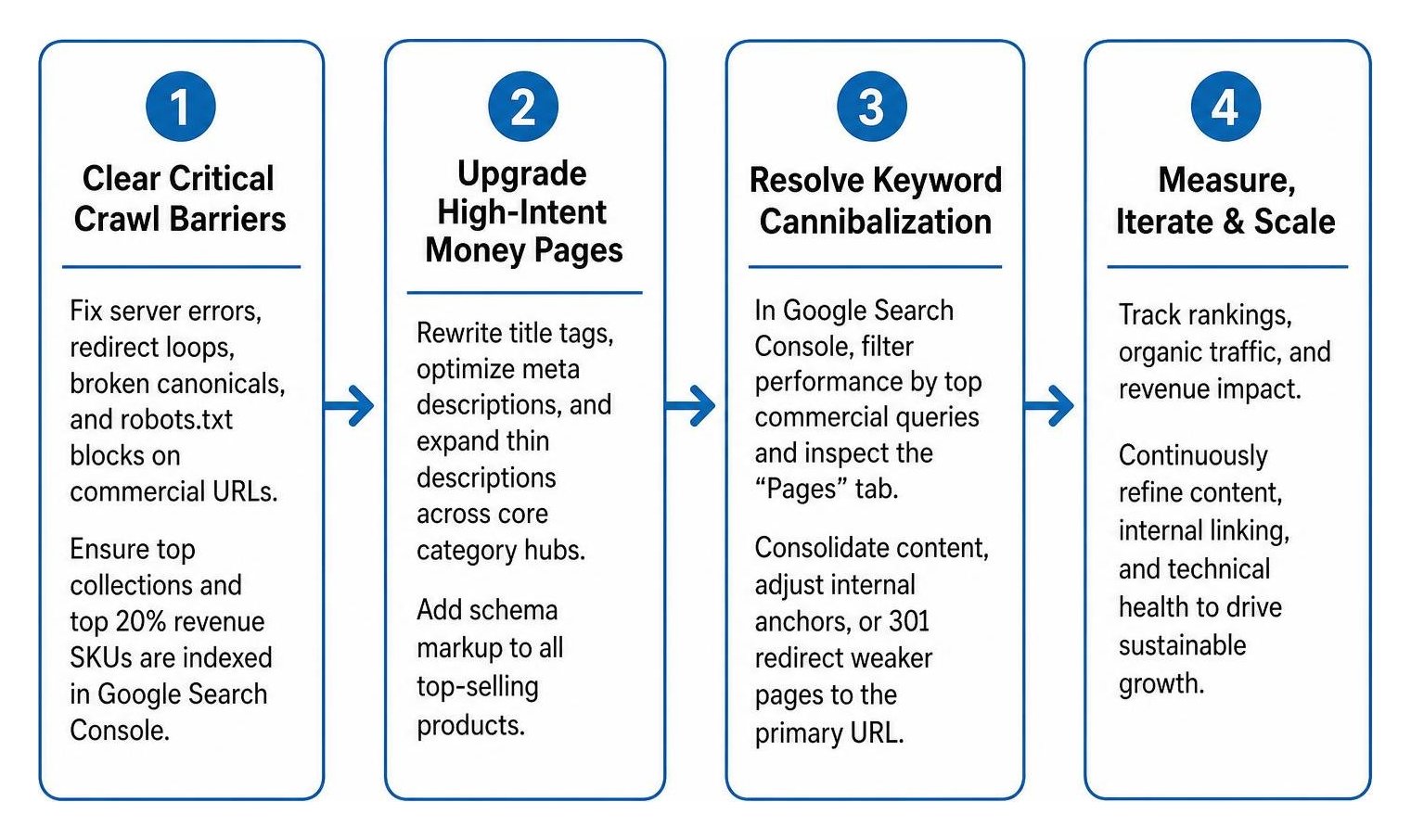
Follow this step-by-step roadmap to maximize your store's return on effort:
- Phase 1: Clear Critical Crawl Barriers (Days 1–15): Fix server errors, redirect loops, broken canonical tags, and robots.txt blocks on commercial URLs. Ensure your primary collections and top 20% revenue-driving SKUs are fully indexed in Google Search Console.
- Phase 2: Upgrade High-Intent Money Pages (Days 16–45): Rewrite title tags, optimize meta descriptions, and expand thin descriptions across your core category hubs. Add schema markup to all top-selling products.
- Phase 3: Resolve Keyword Cannibalization (Days 46–60): In Google Search Console, filter performance by your top commercial queries and inspect the "Pages" tab. If multiple URLs compete for impressions on the exact same keyword, consolidate their content, adjust internal anchor text, or 301 redirect the weaker page to the primary URL.
- Phase 4: Track Revenue in GA4 and Maintain Audits (Ongoing): Monitor organic transactions and revenue in GA4. Conduct a light SEO check every month and a deep audit every quarter.
If managing technical fixes across thousands of SKUs feels overwhelming, partnering with an expert ecommerce SEO company can accelerate your implementation through our proven Velocity framework.
Turn Your Store's Search Visibility Into Predictable Sales
Ranking an online store does not require guesswork or paid software subscriptions. By auditing your technical foundations, turning thin pages into helpful buying resources, managing filter parameters, and listing your catalog across free merchant channels, you build an organic sales engine that compounds over time.
Work through these checklist items methodically. Start with your top revenue-generating collections, monitor your indexation in Google Search Console, and keep your product data accurate and accessible for both shoppers and search engines. Every small technical and content improvement brings you one step closer to outranking competitors and capturing high-intent buyers.