Where Do Users Go When a Page Lives in Multiple Categories?

Where Should Breadcrumbs Lead When a Page Belongs to Multiple Categories?
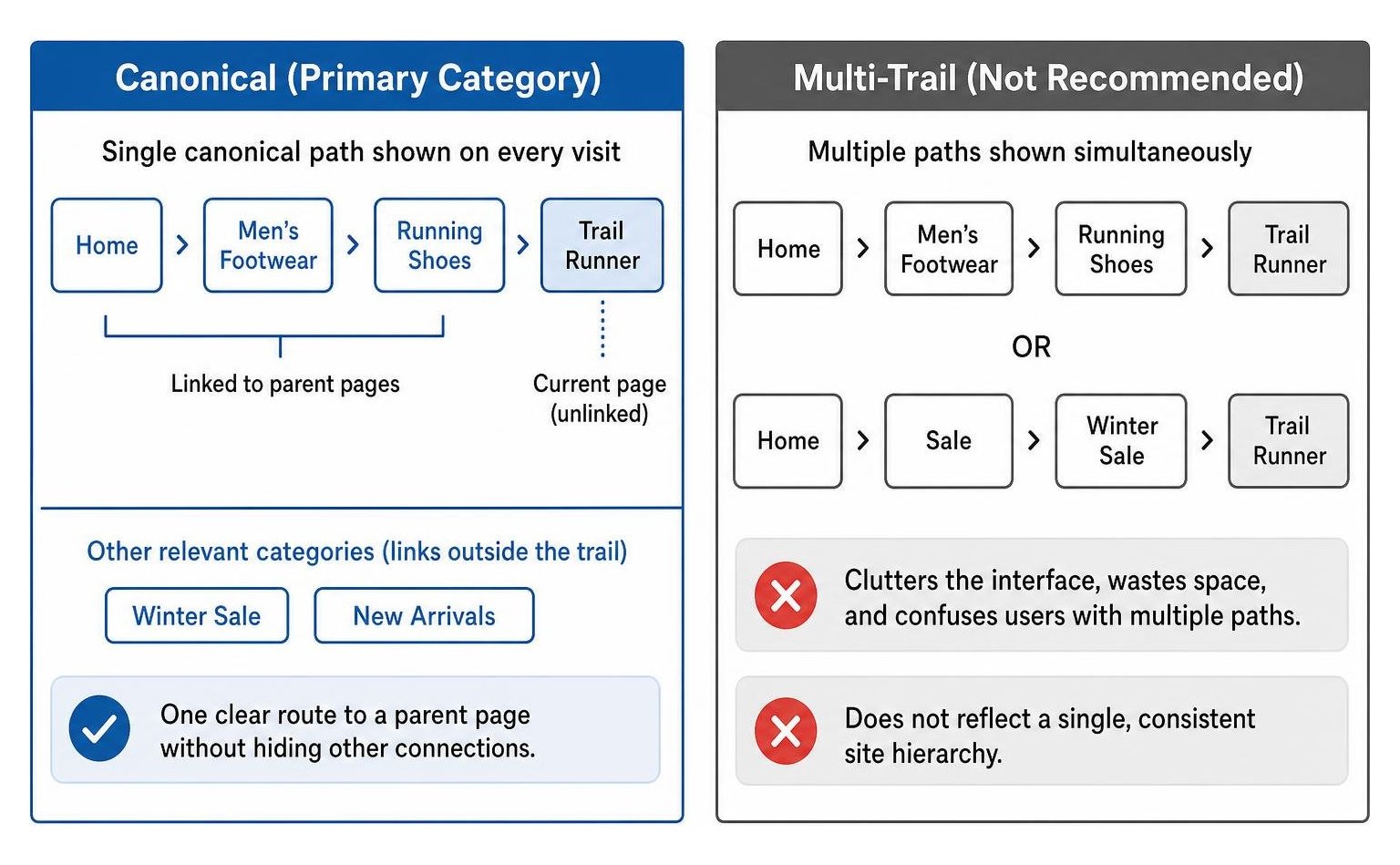
The simplest way to design breadcrumbs for pages in multiple categories is to choose one primary category and show the same path on every visit. Link to its parent pages, leave the current page unlinked, and put links to other relevant categories outside the trail. Keep the visible trail and breadcrumb structured data consistent.
For example, a shoe listed under both Running Shoes and Winter Sale can use Running Shoes as its breadcrumb parent. Shoppers can still reach Winter Sale through a separate link. That gives them one clear route to a parent page without hiding the product’s other connections.
I’m Clayton Johnson, founder of SmallBizSEO. My work in SEO, content strategy, and website structure informs this guide on how to design breadcrumbs for pages in multiple categories.
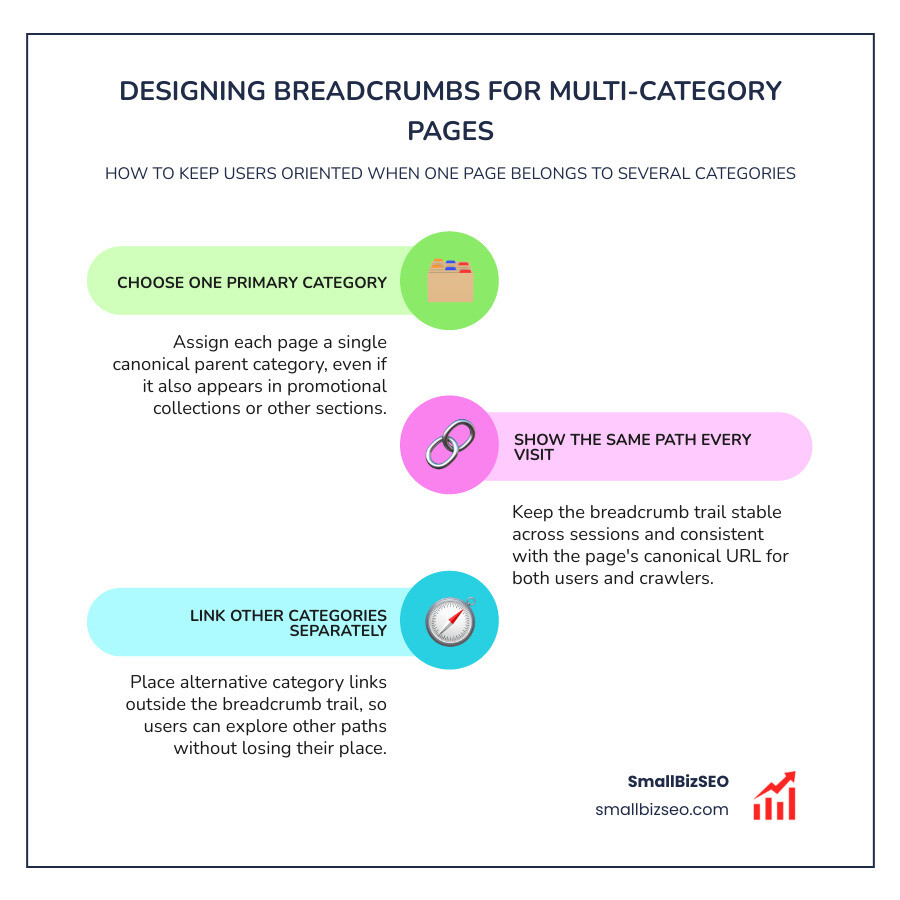
When an item naturally fits into multiple sections of an online store or resource library, it creates a polyhierarchy. This multi-category setup poses a challenge because breadcrumbs are inherently linear navigational aids. Their primary purpose is wayfinding: telling users where they are in a site's overall information architecture and showing them how to navigate upward with fewer clicks.
When implemented cleanly, breadcrumbs significantly improve user orientation, reduce click depth, and lower bounce rates by encouraging users who arrive via organic search to explore higher-level sections.
How Should You Design Breadcrumbs for Pages in Multiple Categories?
To design breadcrumbs for items across multiple sections, select a single primary parent path within your core taxonomy and maintain that deterministic route across every session, crawl, and structured data tag.
When users filter products or explore related collections, pairing a clean breadcrumb trail with dynamic faceted navigation prevents navigational confusion. In web usability studies, such as the Breadcrumbs: 11 Design Guidelines for Desktop and Mobile published by Nielsen Norman Group, usability experts emphasize that breadcrumbs must reflect static site hierarchy rather than an individual browsing path.
| Breadcrumb Model | Primary Pros | Primary Cons | Recommended Use Case |
|---|---|---|---|
| Canonical (Primary Category) | Deterministic; reinforces clear site architecture; concentrates search engine link equity. | Does not mirror the alternate browsing paths a visitor may have used to enter the page. | Recommended standard across multi-category e-commerce and large content sites. |
| Session-Based (History) | Mirrors the visitor's specific entry steps on that visit. | Duplicates browser back button functionality; breaks for direct entries; splits search crawler paths. | Rarely advised; only suitable for linear step-by-step checkout or configuration wizards. |
| Multi-Trail | Displays all parent categories simultaneously on the page. | Clutters the interface; wastes valuable screen real estate; confuses users with multiple paths. | Complex academic or documentation libraries where cross-disciplinary categorization is critical. |
Why Is a Canonical Primary Category the Standard for Multi-Category Breadcrumbs?
A canonical primary category sets a single structural home for a page, ensuring that search engines and users always encounter the same reliable parent-child hierarchy.
Products often belong to permanent taxonomies (such as Men's Footwear > Trail Running Shoes) and temporary collections (such as Summer Clearance or Holiday Gift Guide). Under the primary category rule, you anchor the breadcrumb to the deepest, most descriptive permanent subcategory.
This approach streamlines your internal linking by concentrating crawl equity into core structural hub pages, rather than scattering it across temporary or promotional listing pages.
How Do Canonical, Session-Based, and Multi-Trail Breadcrumbs Compare?
Understanding the technical trade-offs among the three models ensures your site architecture remains durable as your product catalog grows. As highlighted in research on managing breadcrumbs for multi-category eCommerce products, session-based breadcrumbs frequently malfunction for search bots. Because search crawlers do not maintain user sessions, session-dependent breadcrumbs display empty paths, random routes, or broken links, which dilutes category-level authority.
Similarly, displaying multiple breadcrumb trails at the top of a page creates severe visual clutter. On mobile screens, multiple trails push core product details below the fold.
A single canonical breadcrumb trail keeps the page focused, avoids duplicating the native browser back button, and provides clear orientation for every visitor.
How Can Interactive Breadcrumbs Help Users Explore Other Categories?
You can let users explore alternative parent paths by integrating disclosure menus or dropdowns directly inside individual breadcrumb nodes.
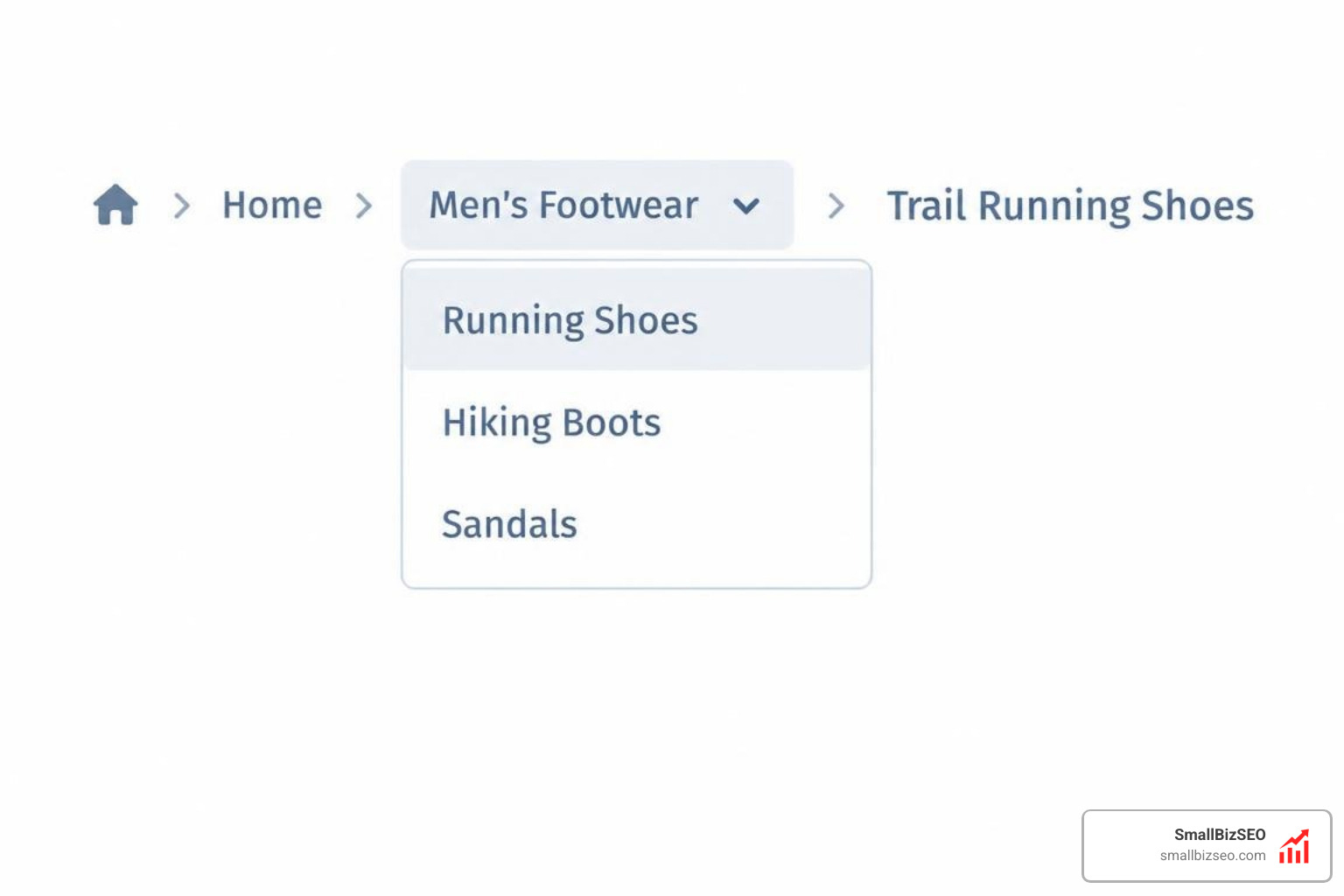
An interactive breadcrumb displays the canonical hierarchy by default, but clicking or tapping an arrow next to a category node opens a dropdown listing its sibling categories. This gives users immediate lateral navigation to related departments without changing the canonical structure or breaking standard navigation conventions.
When building interactive breadcrumbs, ensure:
- Dropdown menus activate smoothly via click or keyboard focus.
- Touch targets measure at least 24 by 24 pixels to meet modern accessibility standards.
- Non-primary category options do not overwrite the primary path displayed to search crawlers.
How Should You Handle Technical SEO, Mobile UX, and Structured Data?
Wrap your breadcrumbs in semantic HTML elements, make the trail responsive for small viewports, and match the on-page text directly to your structured data.
Using a semantic navigation wrapper with appropriate labels helps assistive technologies identify breadcrumbs immediately. Follow the recommendations in our technical SEO guide to ensure breadcrumbs are marked with standard HTML list markup, where each ancestor level contains a clickable link and the current page is clearly styled as static, unlinked text.
To eliminate cumulative layout shifts while dynamic page data loads, reserve fixed container heights and use skeleton placeholders until category labels render completely.
How Should BreadcrumbList Structured Data Match Canonical URLs?
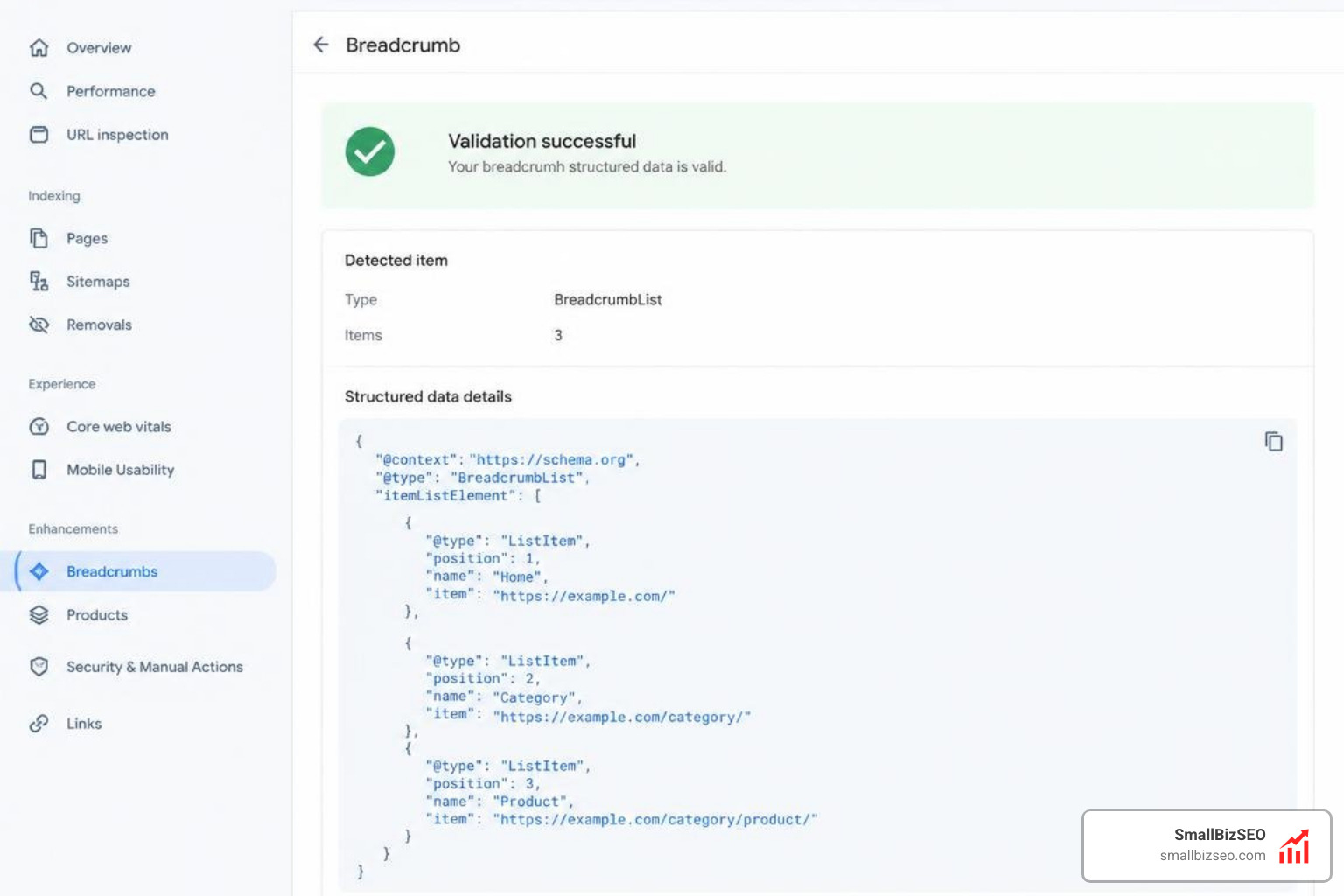
Your JSON-LD structured data must output a single BreadcrumbList schema entity that matches the visible breadcrumb trail and references the page's preferred canonical URL.
Google uses this structured data to generate rich snippet trails in search results. Emitting multiple breadcrumb lists for a single entity or providing schema paths that conflict with the visible on-page hierarchy can cause validation errors. Applying accurate schema markup ensures search engine crawlers understand your exact catalog taxonomy.
How Can You Make Mobile Breadcrumbs Work in a Narrow Viewport?
On mobile screens measuring 360 to 414 pixels wide, long breadcrumb trails can wrap into multiple lines and push your main content down the screen.
As explored in technical breakdowns of frontend breadcrumb system design, developers must manage space constraints carefully. A deep breadcrumb trail with long category titles can easily exceed 600 pixels in width.
To maintain a clean mobile layout:
- Truncate middle ancestors: Show the root home link, an ellipsis disclosure button representing intermediate levels, and the immediate parent.
- Use a parent-only back link: Replace the extended path on narrow viewports with a simple link pointing back to the immediate parent category.
- Prevent multi-line wrapping: Keep the trail on a single horizontally scrollable line or collapse secondary nodes to preserve vertical screen space.
When Should You Use Facets and Tag Chips Instead of Breadcrumbs?
Use breadcrumbs strictly for primary structural hierarchy, and rely on clickable tag chips or faceted filter parameters to represent multi-dimensional attributes like brand, color, material, or seasonal campaigns.
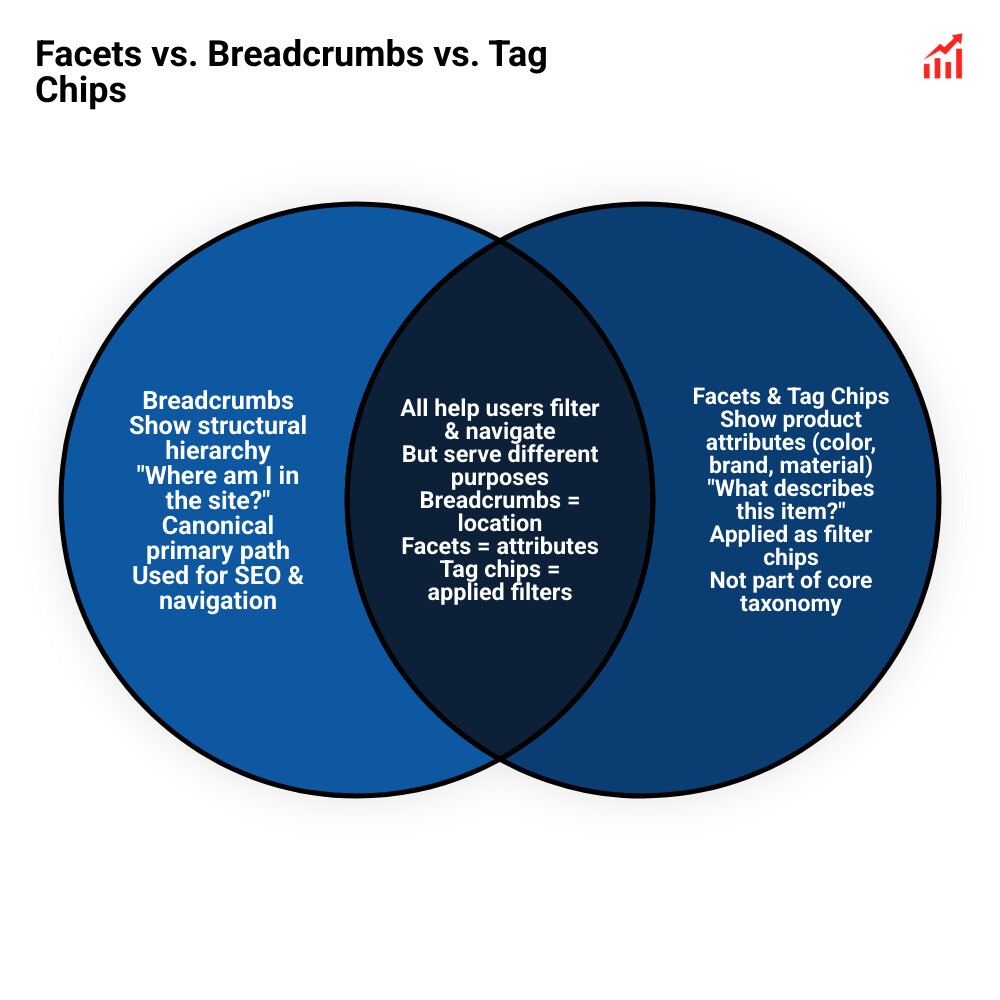
Attempting to pack every product feature, season, or secondary collection into a breadcrumb path confuses visitors. Breadcrumbs answer the question, "Where is this page located within the site structure?" Tag chips and filters answer, "What characteristics describe this item?"
Separating physical site hierarchy from product attributes protects your site's link equity. As detailed in our guide on why checking breadcrumbs post restructure saves your internal links, keeping your core taxonomy clean prevents link dilution across shifting collections.
Our team uses a data-driven Velocity framework to audit complex taxonomies, eliminate crawling bottlenecks, and build stable navigation systems for businesses. Explore our comprehensive services for breadcrumbs architecture and auditing to keep your catalog structured, accessible, and primed for sustained organic growth.
Strategic Next Steps for Multi-Category Navigation
Building an effective breadcrumb system for multi-category websites comes down to clarity and consistency. By choosing a single canonical category path, aligning your structured data, and using tag chips for multi-attribute filtering, you give both shoppers and search engines an intuitive way to explore your site. Audit your current taxonomy rules, remove conflicting multi-trail implementations, and ensure your mobile viewports stay clean and accessible.