Are Your CDN Settings Secretly Overriding Your Robots.txt for AI Crawlers?

Why Can CDN Settings Override Robots.txt?
To audit conflicting AI access rules in robots.txt and CDN settings, check both what your site permits and what it actually delivers. Read the live robots.txt rules for each crawler. Then test a real content page with that crawler's User-Agent and compare the response with a normal browser request. Check the status, headers, and page content. If robots.txt allows the crawler but the CDN returns a block, rate limit, or challenge page, review the matching CDN or WAF rule.
This matters most for crawlers you want to reach your public pages. An Allow rule cannot help OAI-SearchBot if a firewall stops its request before it reaches the page.
I'm Clayton Johnson, founder of SmallBizSEO. My work in technical SEO and AI search visibility shapes this approach to auditing conflicting AI access rules in robots.txt and CDN settings: check the written policy, then test the live result.
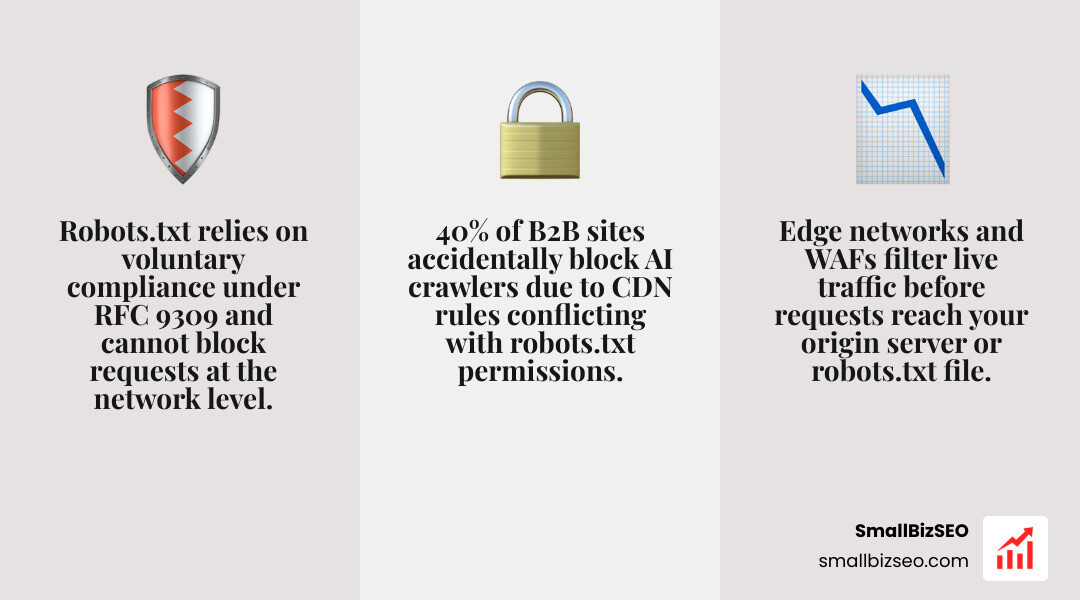
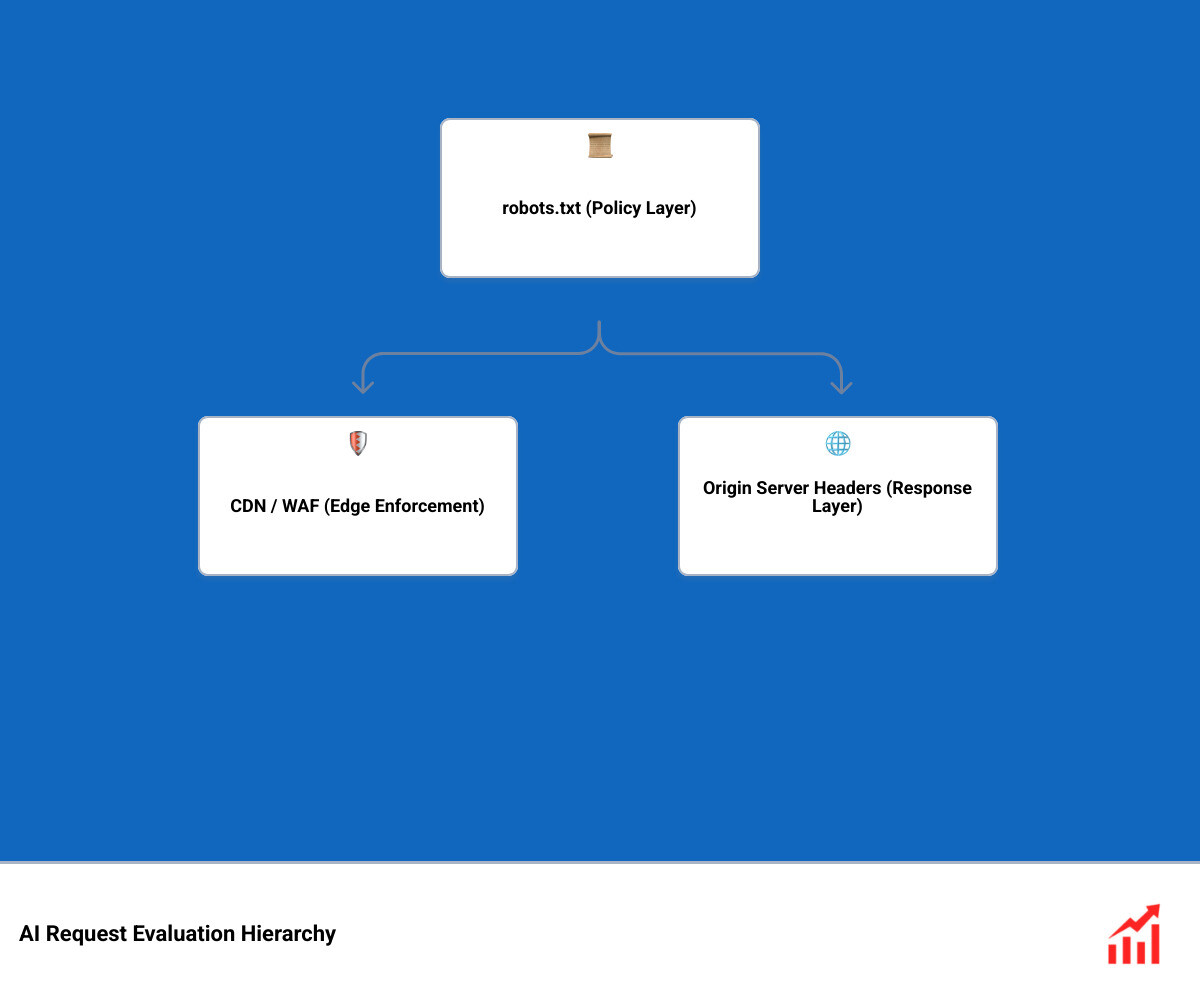
A CDN or Web Application Firewall (WAF) overrides your robots.txt file because robots.txt is merely an advisory policy layer, whereas edge networks act as an active physical enforcement gate. Under internet standards like RFC 9309, robots.txt relies entirely on voluntary compliance. It tells well-behaved bots what you prefer them to do, but it lacks the technical capability to authorize, filter, or terminate an incoming network request.
Your edge network inspects and filters live HTTP traffic at the network boundary before those requests ever reach your origin server or touch your robots.txt file. If an edge security rule, managed bot signature, or automated rate limiter decides to challenge or drop an incoming connection, the crawler is blocked immediately.
This disconnect creates severe blind spots. Over 40% of B2B websites unintentionally block at least one critical AI crawler due to misconfigured edge security rules. Furthermore, one-click bot management features on platforms like Cloudflare have caused major crawler traffic shifts—Bytespider traffic dropped by 71.45% almost immediately after automated scrapers were targeted at the edge.
When platforms update their crawler access defaults, automated training and agent crawlers on ad-monetized pages can be restricted by default. If your team relies solely on a permissive robots.txt while your CDN silently drops AI traffic, your content disappears from real-time AI retrieval pipelines. Reviewing our guide to AI SEO audits will help you understand how these underlying layers interact, especially as the evolution of web crawler access standards moves toward integrated edge governance.
How Can You Audit Conflicting AI Access Rules in Robots.txt and CDN Settings?
To audit conflicting AI access rules effectively, you must perform a systematic four-step diagnostic: categorize your target bots, inspect multi-carrier permissions, test live HTTP delivery via terminal requests, and verify edge logs. Conducting a complete audit for conflicting AI access rules in robots.txt and CDN settings ensures your advisory policies and edge firewalls are perfectly aligned.

How Should You Classify Bots Before Auditing Conflicting AI Access Rules?
You must classify AI bots by their operational function—separating search discovery crawlers, model training scrapers, and user-triggered fetchers—rather than treating all AI traffic as a single entity.
Treating every AI bot with a single blanket rule often leads to accidental visibility loss. Search discovery crawlers power direct citations and conversational discovery answers. If you block them, you lose presence in generative engine responses. In contrast, training scrapers extract bulk data to train foundational models, which you may want to restrict without harming search performance.
Sites that resolve accidental blocks on AI citation crawlers often see a 3x citation growth rate within a few months.
| AI Crawler Category | Primary User-Agents | Role & Purpose | Recommended robots.txt Directive | Recommended CDN / WAF Enforcement |
|---|---|---|---|---|
| Search Discovery | OAI-SearchBot, PerplexityBot | Real-time indexation and conversational citation | Allow: / | Bypass WAF challenges, allow verified IPs |
| Model Training | GPTBot, ClaudeBot, Google-Extended, Amazonbot | Bulk content ingestion for LLM foundation training | Disallow: / (if restricting training) | Managed Bot rule or custom edge block |
| User-Triggered Fetch | ChatGPT-User, Perplexity-User | Live retrieval initiated by end-user query | Allow: / | Exempt from aggressive rate limiting |
How Can You Audit Conflicting AI Access Rules Across 5 Protocols?
Audit all five AI access carriers—robots.txt, X-Robots-Tag HTTP headers, Cloudflare Content-Signal, AIPREF Content-Usage, and the RSL / llms.txt standards—to prevent contradictory directives from confusing crawlers.
Modern AI platforms evaluate multiple signals across your stack. When one carrier permits access and another denies it, crawlers can experience unpredictable failures. Our framework for tracking signals that matter to LLMs highlights five core contradiction patterns:
- C1: Unreachable Grant: Your CDN injects a header granting permission (such as Content-Signal: allow), but robots.txt contains a Disallow rule preventing the bot from fetching the URL.
- C2: Incomplete Block: You disallow a crawler in robots.txt, but your origin returns an explicit permissive header like X-Robots-Tag: all, leaving policy resolution ambiguous.
- C3: License Block: You host a machine-readable rights reservation (such as an RSL 1.0 license file), but edge security blocks bots from reading the license path.
- C4: Carrier Disagreement: Your AIPREF Content-Usage header indicates training is permitted while the X-Robots-Tag specifies noai or noindex.
- C5: Ineffective llms.txt: You publish a structured llms.txt file to guide AI models, but root-level edge rules block automated agents from reading it.
How Can You Verify Silent Edge Blocks Using Full User-Agent Requests and Log Analysis?
You can expose silent edge blocks by sending HTTP requests using official, full crawler User-Agent strings and comparing the results against a standard browser control group.

Many CDN firewalls evaluate incoming requests based on user-agent signatures, IP reputations, and JavaScript execution capabilities. Understanding modern crawling and rendering dynamics is essential because most AI crawlers cannot execute JavaScript or solve visual challenges.
To run this test accurately:
- Always target a real content page (e.g., an article or product page), never just the homepage or robots.txt file.
- Send a request using the exact, full User-Agent string of the AI bot.
- Send a control request from the same IP using a standard desktop browser User-Agent.
- Compare status codes and byte sizes.
If your browser request returns an HTTP 200 with full page weight, but the AI User-Agent receives an HTTP 403 Forbidden, an HTTP 429 Too Many Requests, or an HTTP 200 with a tiny payload (indicating an empty JavaScript challenge shell), your edge layer is actively intercepting that bot.
Cross-reference your server access logs with vendor-published IP ranges using reverse-DNS lookups to confirm that legitimate bots are reaching the origin. This aligns your infrastructure with the ongoing industry transition when shifting from batch crawling to live index updates.
How Can You Resolve AI Crawler Conflicts and Deploy Changes Safely?
Resolve AI access conflicts by categorizing errors through a business-impact filter, configuring granular edge bypass rules, and testing all updates through a staging validation pipeline.
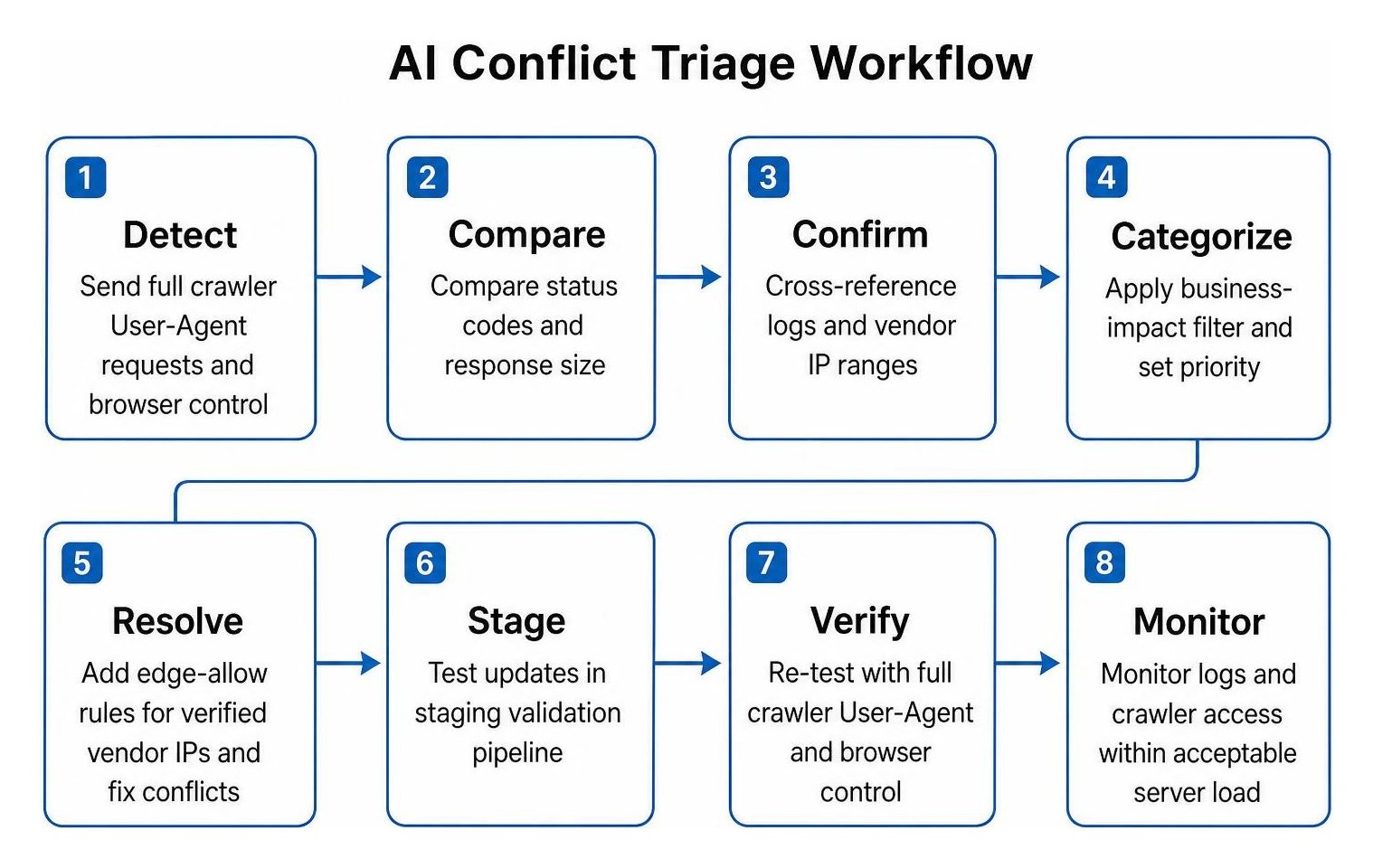
When addressing crawler conflicts, triage issues based on their immediate effect on brand discovery:
- Urgent Priority: Search and retrieval crawlers (like OAI-SearchBot) receiving 403 or 429 status codes at the CDN level. Resolve these first by adding explicit edge-allow rules for verified vendor IP ranges.
- High Priority: Staging environment disallow directives accidentally pushed to production, which instantly zero out AI search footprints.
- Medium Priority: Disagreements between robots.txt disallows and CDN-injected permissive headers.
- Monitor: Bulk training bots operating within acceptable server load limits.
Deploying comprehensive AI access controls ensures your business protects proprietary assets while staying completely accessible to high-intent conversational discovery.
How Do User-Triggered Fetchers and Propagation Delays Affect AI Access?
User-triggered fetchers operate on live human queries and bypass standard robots.txt restrictions, while crawler cache propagation delays can cause rule updates to lag for days or weeks.
Agents like ChatGPT-User, Perplexity-User, and meta-externalfetcher do not browse the web via scheduled discovery crawls. Instead, they fetch specific URLs in real time when an end-user prompts the conversational engine. Because these requests represent live human actions, vendors design them to bypass robots.txt disallow rules. Controlling them requires edge-level IP routing and header inspection rather than static text files.
Furthermore, changes to your robots.txt are not instantaneous. Meta crawlers cache robots.txt files for up to 24 hours. Amazonbot can fall back to a cached copy for up to 30 days if an intermediate network timeout occurs during a fetch. When deploying rule changes, account for these propagation windows before concluding whether an edge adjustment resolved a crawl failure.
How Can You Automate Cross-Carrier Audits in CI/CD and Release-Safe Workflows?
Automate your AI posture audits by integrating command-line testing tools into continuous integration (CI/CD) pipelines to fail software builds whenever policy contradictions occur.
To prevent accidental blocking during site releases:
- Run open-source validation tools like the ai-signals-audit CLI and GitHub Action on every pull request affecting routing, headers, or static text files.
- Establish automated gates that trigger a build failure if code introduces a C1 through C5 conflict.
- Maintain a documented configuration checklist before updating CDN firewall rules:
- Record existing edge bot settings and live status codes across key page templates.
- Define the exact policy intent (e.g., allow search discovery, restrict training).
- Update CDN WAF rules to exempt verified AI search bot IP ranges from rate limits and managed challenges.
- Ensure origin headers (X-Robots-Tag) do not contradict edge Content-Signal values.
- Deploy changes to a staging edge environment and test with full crawler User-Agent strings.
- Promote to production and verify live edge access logs.
Align Your Technical Signals for Uninterrupted AI Discovery
Auditing conflicting AI access rules across your robots.txt file and edge security settings is essential for maintaining modern search visibility. A polite robots.txt file cannot overcome a strict firewall rule, and an open CDN cannot fix missing crawl directives.
By classifying your AI crawlers by intent, continuously validating your live HTTP responses across all page templates, and integrating automated policy checks into your deployment workflow, you ensure your site remains visible to the AI engines your customers use every day. Verify your technical foundation regularly to keep your content accessible, protected, and fully discoverable.