Beginner’s Guide to SEO for Squarespace

Beginner's Guide to SEO for Squarespace
How Do You Improve SEO for a Squarespace Site?
Start with the pages you want people to find. Make sure they are public and linked from your site, then give each one a clear title, description, URL, and main heading. Create separate pages for services people search for on their own. Compress large images, submit your Squarespace sitemap to Google Search Console, and use its data to see which pages need work.
Squarespace handles basics like hosting and sitemaps, but it cannot decide what your customers need to read. This guide will help you make those choices without getting lost in technical settings.
I'm Clayton Johnson, a digital marketing and SEO strategist focused on search visibility, content, and building trust across the web. I approach SEO for Squarespace sites by connecting those goals to practical fixes a small business can maintain.
How Do Squarespace’s Site Structure and URLs Affect SEO?
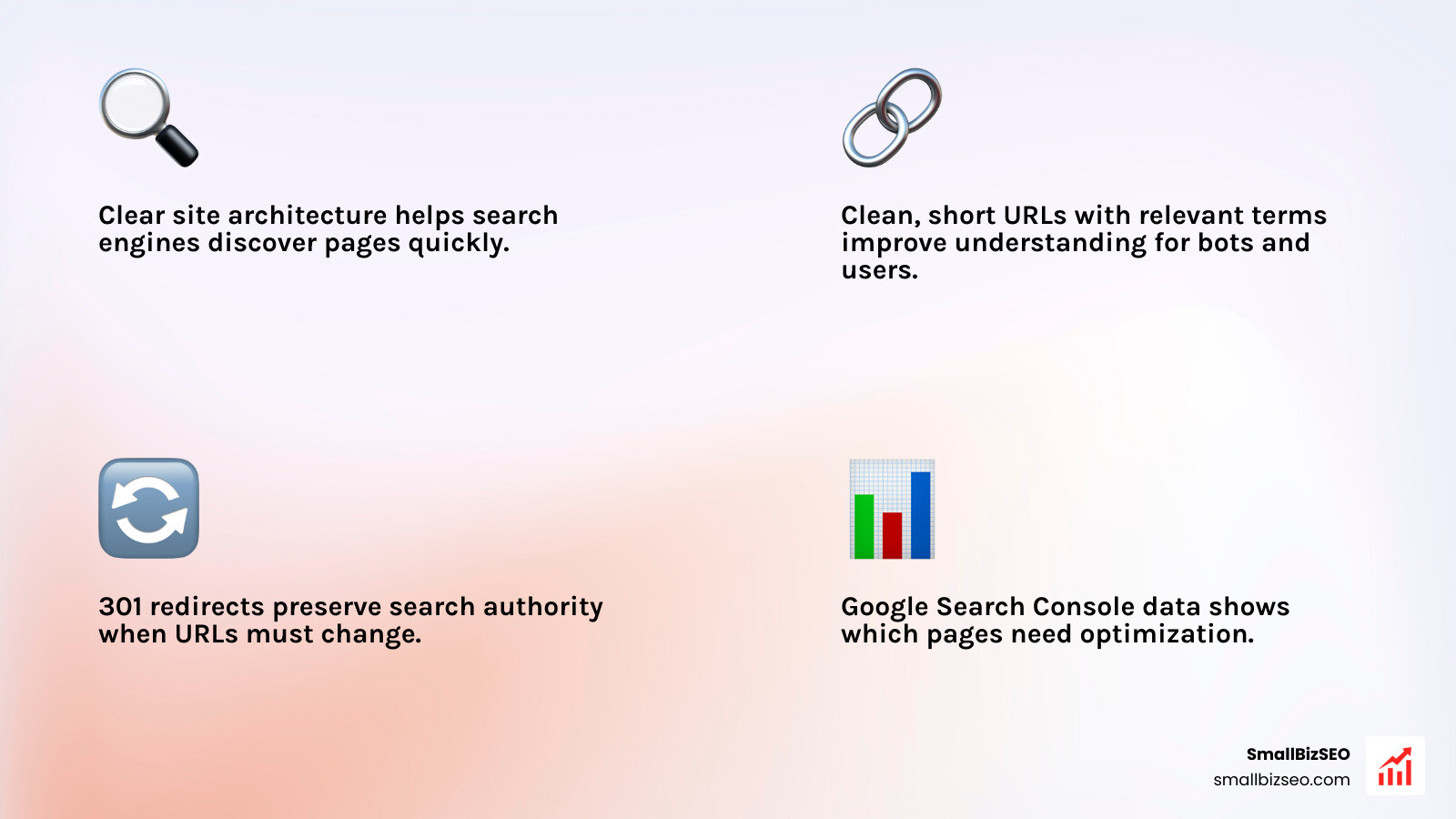
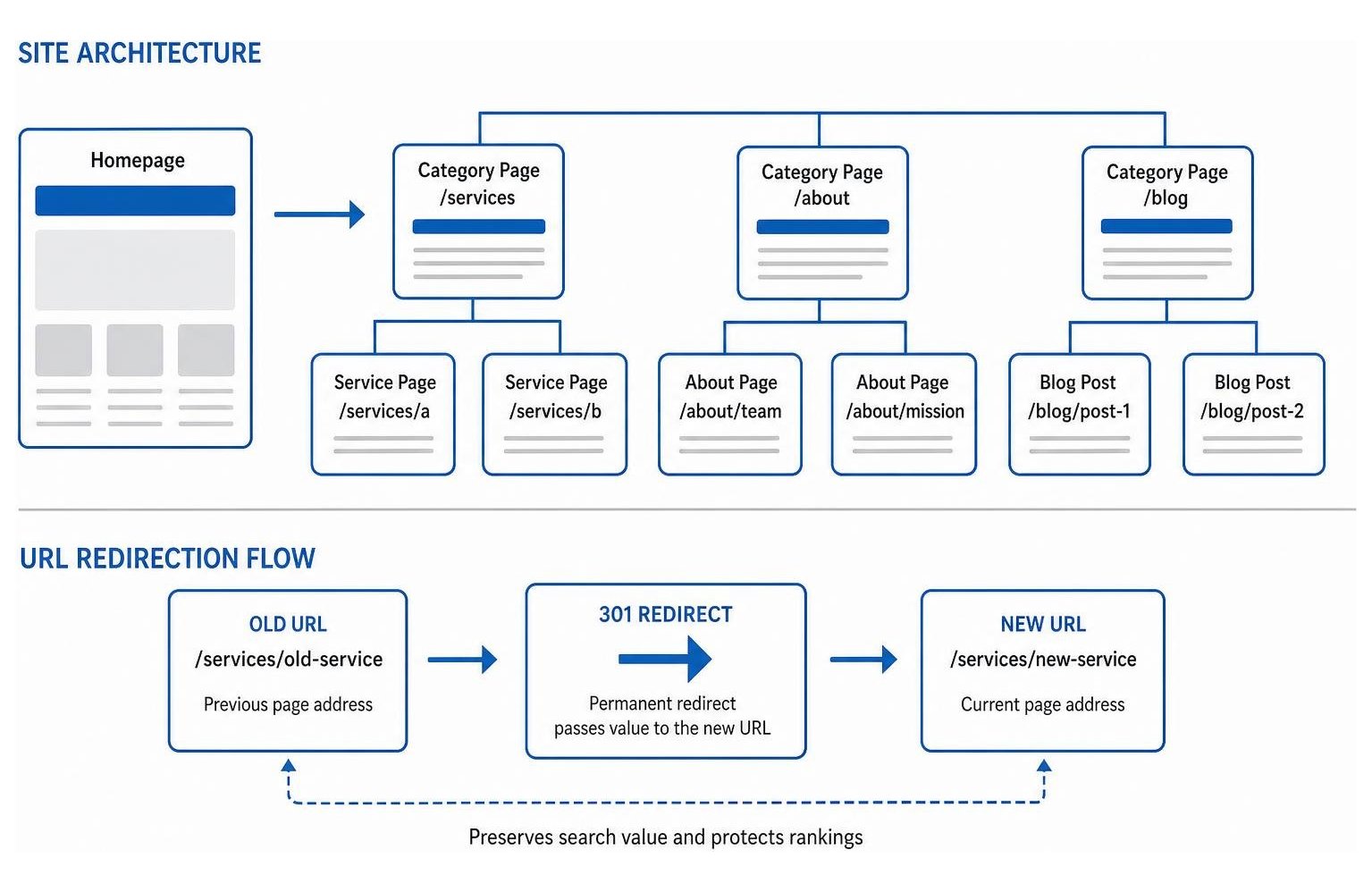
A clear site architecture helps search engines discover your pages quickly while showing visitors exactly where they are. Clean, short URLs that include relevant search terms make your content easy to understand for both search bots and prospective clients.
When updating your layout or renaming pages, keep your existing URLs intact whenever possible. If you must change a web address, always set up a 301 redirect from the old URL to the new one so you preserve accumulated search authority. Following a proven website redesign checklist SEO best practices guide will prevent broken paths and protect your organic traffic during any structural reorganization.
Do Index Pages Hurt SEO Compared With Dedicated Pages?
Index pages do not automatically harm SEO, but combining multiple distinct services onto a single scrolling page limits your ability to rank for specific commercial queries. Search engines evaluate one primary topic per URL, making it difficult for a multi-section index page to compete against competitors who maintain focused, dedicated pages.
Index pages function like a buffet: convenient when someone wants a quick taste of everything, but challenging when a customer is searching for a single specialized offering. If each service represents an independent revenue stream with its own search demand, build standalone pages using clean, SEO friendly links. Reserve index layouts for broad overview hubs or portfolio displays.
How Do You Manage Squarespace Sitemaps and Indexation?
Squarespace generates an XML sitemap automatically at your domain's /sitemap.xml path, updating dynamically whenever you publish, revise, or delete content. You do not need to manually create sitemap files, but you must ensure the platform only includes the pages you want search engines to crawl.
Understanding the native Squarespace sitemap structure helps prevent unwanted indexation. Password-protected pages, disabled pages, and sub-pages hidden via the SEO settings panel are automatically excluded from the sitemap. To inspect crawling rules, review your site's robots.txt file and verify that noindex toggles are active on private landing pages, thank-you confirmations, or internal staging drafts.
What Technical SEO Steps Matter Most for Squarespace Sites?
Technical SEO on Squarespace centers on mobile rendering speeds, clean code execution, and accurate structured data delivery. Because the platform operates as a closed system without direct server access, performance optimization relies on controlling page weight, media sizing, and script overhead.
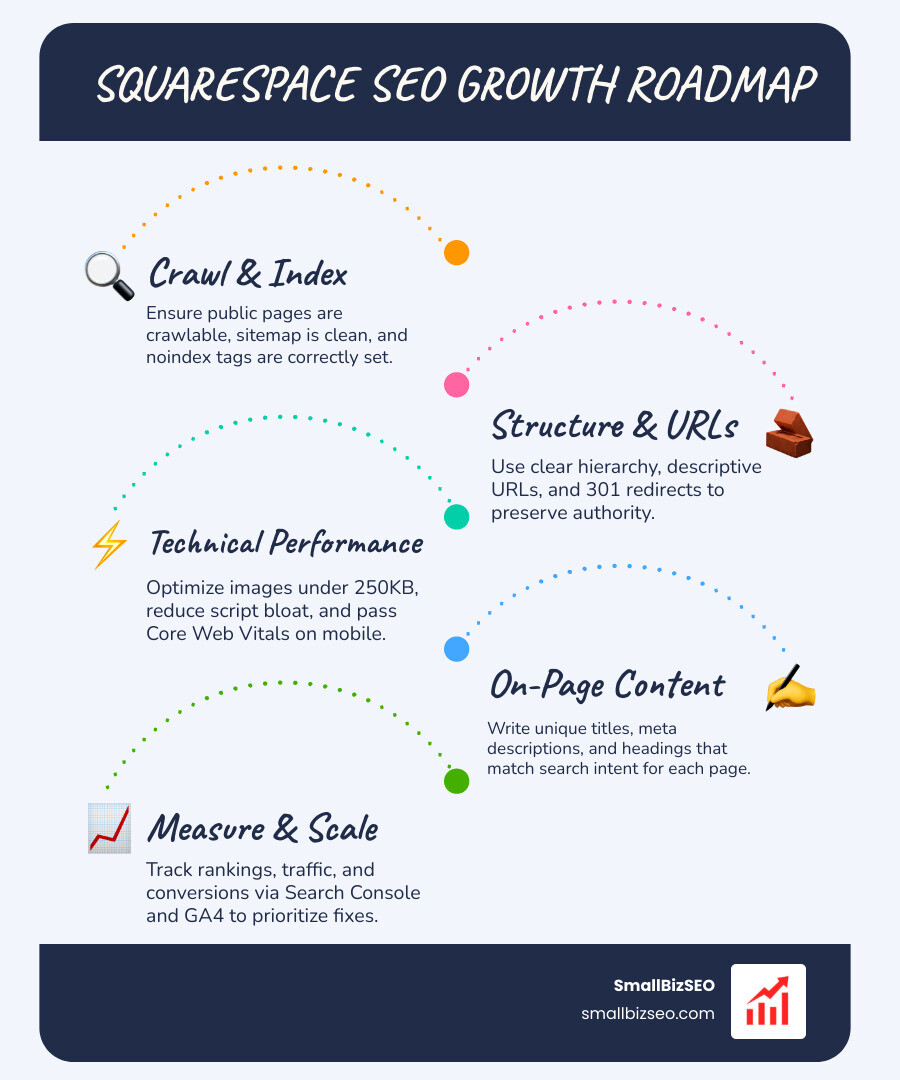
Squarespace provides strong performance baselines, including a 96% pass rate for Interaction to Next Paint (INP) across Core Web Vitals. However, mobile devices represent roughly 60% to 63.8% of user traffic, making mobile first indexing the standard for search evaluation. Keeping your technical foundation sound ensures every page renders swiftly across all screen sizes.
How Can You Optimize Images and Improve Core Web Vitals?
To optimize images and pass Core Web Vitals on Squarespace, compress every graphic below 250KB before uploading and limit total page weight to under 5MB. Uncompressed media remains the leading cause of slow mobile performance across template designs.
Desktop pages on the platform load in an average of 1.8 seconds, but mobile load times often stretch to 3.2 seconds due to uncompressed hero banners and custom script bloat. Take these steps to maximize your loading speed:
- Resize high-resolution photos to a maximum width of 2,000 pixels before adding them to your layout.
- Convert files to modern WebP or compressed JPG formats using dedicated compression software.
- Limit your design to two font families to reduce render-blocking stylesheet requests.
- Remove unused third-party code snippets, excessive parallax scrolling blocks, and autostart background videos.
How Do You Fix Duplicate Content, Canonical Tags, and Broken Links?
Fixing duplicate content and broken links requires auditing your live pages, standardizing URL structures, and applying permanent 301 redirects. Squarespace inserts self-referential canonical tags automatically, but collection pages and tagged categories can still create duplicate browsing paths that split search equity.
Roughly 32.2% of builder sites harbor broken hyperlinks that lead to 404 errors. Running a systematic SEO visibility audit allows you to discover dead internal links, redirect old promotion paths, and eliminate thin duplicate tags. Regular maintenance prevents search crawlers from wasting time on broken URLs instead of your high-value commercial pages.
How Do You Add Custom Schema Markup to Squarespace?
Add custom schema markup by writing JSON-LD structured data code and placing it into the Page Header Code Injection field located in your page's Advanced settings. While Squarespace provides basic native Organization and Product markup, custom structured code helps search engines understand more specific content types.
Injecting Article, LocalBusiness, or FAQ schema clarifies your business details, author expertise, and service offerings. After pasting your JSON-LD code into the header area, test the live URL using Google's Rich Results Test tool to confirm that syntax errors are absent and that your structured fields are recognized properly.
Which On-Page Elements Should You Optimize on Squarespace?
On-page SEO requires aligning your page titles, headers, image text, and body copy with the search queries your prospective buyers use. High-ranking pages match the searcher's intent clearly and answer their primary questions without fluff.
Configuring these elements directly in the page settings ensures search engines understand your topic relevance. Our dedicated on-page SEO framework emphasizes clear topic targeting rather than stuffing keywords. Review the official Squarespace SEO checklist alongside your editorial calendar to ensure every page satisfies basic search standards.
How Do You Optimize On-Page SEO for Squarespace?
To optimize on-page SEO, enter unique SEO titles and meta descriptions in the page settings, structure your text under a single H1 header, and write descriptive alt text for every visual asset.
Over 52% of builder pages miss meta descriptions entirely, and 47% feature multiple H1 tags that confuse search crawlers. Mastering these steps is easier once you begin demystifying SEO fundamentals from keywords to content optimization. Follow this checklist across every live page:
- Write a unique SEO title under 60 characters with your primary topic phrase placed near the start.
- Craft a meta description between 145 and 155 characters that summarizes the user benefit and includes a clear call to action.
- Use exactly one H1 block per page for the main topic, using H2 and H3 subheadings for supporting sections.
- Add clear alt text to every image so screen readers and search bots understand the visual context.
- Keep your URL slug short, lowercase, and hyphenated (such as
/chiro-servicesor/concrete-leveling).
How Do You Set Up Local SEO and Multiple Locations?
Optimize for local search by creating distinct landing pages for every geographic area you serve, maintaining identical Name, Address, and Phone (NAP) details, and integrating your Google Business Profile. Treating your homepage as a static poster rather than an active gateway will hold back your regional search reach.
Embed a Google Map on each location page, display your localized operating hours, and inject custom LocalBusiness schema markup into the page header. Working with a dedicated local SEO company helps multi-unit service brands scale location-specific landing pages without creating repetitive or thin content issues.
How Can You Grow Content, Measure Results, and Scale a Squarespace Site?
Building organic traffic requires creating helpful topic clusters, publishing consistently, and analyzing user interaction data. Expanding your content library establishes your business as a trusted authority within your market.
Developing an intentional SEO content marketing strategy shifts your site from an invisible portfolio to an active lead generation engine. Consistent publishing connects top-of-funnel informational readers directly to your core commercial offerings.
How Should You Plan Content and Prepare for AI Search?
Plan content around interconnected topic hubs, where a comprehensive core guide links out to detailed supporting articles that answer related customer questions. Structuring your content with clear, direct answers helps your pages earn citations in modern answer engines, Google AI Overviews, and conversational AI tools.
Modern search engines favor authoritative, experience-driven insights. Focus on optimizing content for E-E-A-T and real search trust by featuring verified author bios, original case examples, and transparent business details. Answer user questions directly in the first paragraph of every section to maximize visibility in AI-generated search snapshots.
How Can You Track Squarespace SEO Performance?
Track performance by pairing Squarespace Analytics with Google Analytics 4 and Google Search Console. While native analytics offer quick summaries of daily pageviews and sales totals, Google's tools provide the deep query, impression, and conversion attribution data needed to guide your strategy.
| Metric / Feature | Squarespace Analytics | Google Analytics 4 & Search Console |
|---|---|---|
| Search Queries | Basic top-level search terms | Full keyword impressions, clicks, and average rank |
| Technical Errors | Not tracked | Detailed 404 crawl errors and indexing warnings |
| Conversion Funnels | Basic store checkout flow | Custom multi-channel event and conversion tracking |
| Audience Insights | High-level geography and device | Granular user demographics, engagement, and paths |
Use Google Search Console to spot high-impression queries that suffer from low click-through rates. Rewriting meta titles and descriptions for those URLs often produces rapid gains in organic traffic without requiring an entire content overhaul.
When Should You Move From Squarespace to WordPress?
Consider moving to WordPress when your business outgrows Squarespace's technical parameters, such as requiring advanced custom post types, complex dynamic databases, or granular server-level caching controls.
For many small businesses, Squarespace offers more than enough power to build substantial search traffic. A platform migration should only be considered when performance data proves that native platform boundaries are actively holding back your revenue goals.
Frequently Asked Questions About Squarespace SEO
Is Squarespace Good for SEO Compared With WordPress?
Yes, Squarespace provides all the core technical capabilities required to rank on the first page of search results. WordPress offers deeper code customization and a massive plugin ecosystem, but Squarespace excels at providing secure hosting, automated sitemaps, and clean responsive design without technical maintenance overhead.
How Long Does It Take for Squarespace SEO to Show Results?
Initial indexing and ranking movements typically occur within 4 to 12 weeks following on-page optimization. Meaningful organic traffic growth and revenue impact generally compound over 6 to 12 months of steady publishing, image optimization, and quality link building.
Why Is My Squarespace Website Not Showing Up on Google?
Your site may be invisible because your site availability is still set to Private or Password Protected, your sitemap has not been submitted in Google Search Console, or your pages lack descriptive text content. Verify that your custom domain is connected properly and that search engine indexing is enabled across your page settings.
Ready to Turn Your Squarespace Site Into a Growth Engine?
Achieving sustainable organic search rankings on Squarespace does not require complicated coding or endless plugin management. By establishing clean URL paths, compressing heavy media files, organizing content into helpful topic clusters, and monitoring performance in Search Console, your site can reliably attract and convert qualified customers.
At SmallBizSEO, we help ambitious business owners scale their search visibility through our data-driven Velocity framework. Whether you need an exhaustive technical audit, high-impact content development, or continuous on-page optimization, our team delivers transparent reporting and real organic growth tailored to your business goals.