SEO Website Review: Turn Audit Warnings Into Actionable Fixes

What Can an SEO Website Review Tell You?
An SEO website review helps you decide whether a tool warning reflects a real problem, where it occurs, and what should happen next. Instead of treating every flag as a fix list, start with important public pages and representative templates. Confirm the issue on the rendered page, record the evidence, and turn only verified findings into scoped work.
A quick review of one page can expose a specific mistake, while a configured crawl can reveal repeated patterns. Neither approach proves that every URL has been tested or that a change will improve rankings. Private, authenticated, intentionally excluded, and noindex pages may be outside the review by design. The useful outcome is a clear ticket that gives the right owner enough context to investigate, change, test, and roll back the work if needed.
How Do You Validate an SEO Website Review?
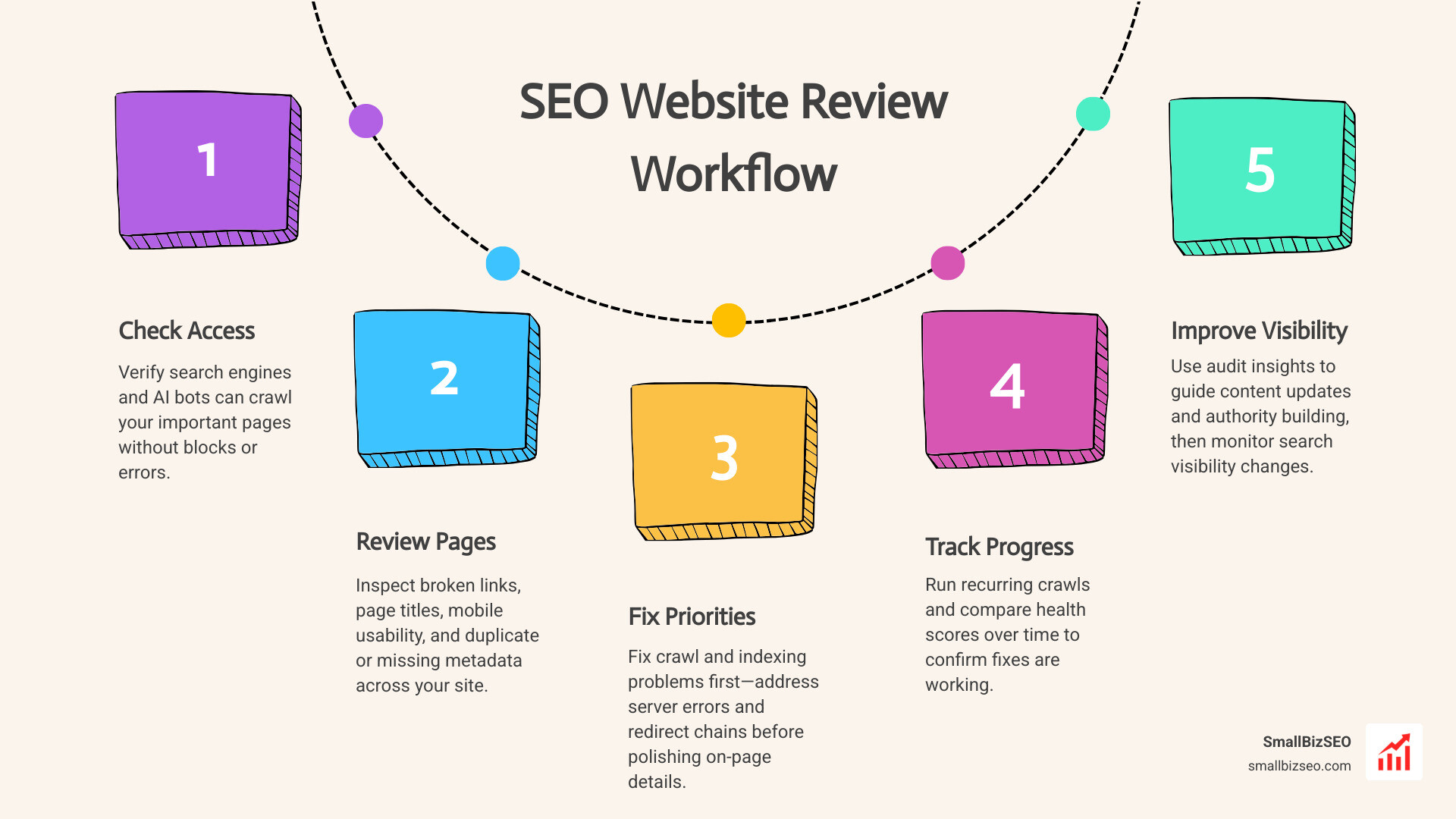
Start with a small, meaningful scope: important public pages, representative templates, and recent releases. A larger crawl can be useful when it is authorized and the available capacity and settings support it, but it is not automatically required. Keep intentional private and noindex exclusions in scope notes. Robots directives and noindex controls affect crawling or indexing behavior; they are not access security.
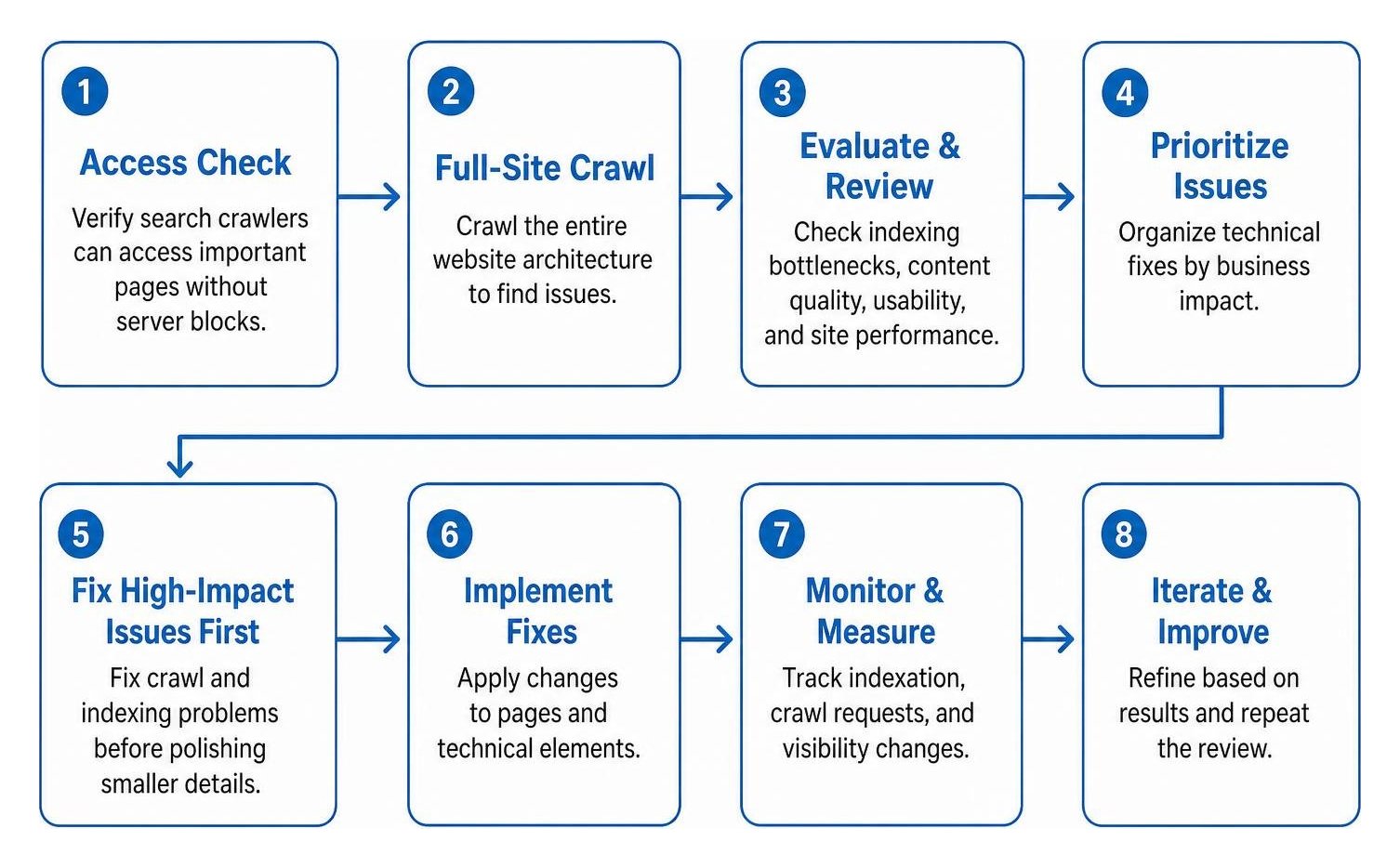
Use Google Search Console core tasks as one source of Google-reported evidence, then capture the report timestamp, affected URL or template, test settings, rendered page, and the behavior you expected to see. Then compare that evidence with the intended behavior. This step prevents false positives, duplicate tickets, and fixes that unintentionally change pages that were meant to remain excluded.
What Should a Validated Finding Include?
A validated finding should describe a specific condition rather than repeat a tool label. Note the affected URL, template, or page group; the observed evidence; the expected behavior; and any uncertainty that still needs investigation. For example, a warning about an indexable URL is not enough on its own: confirm whether the URL is intended to be public, whether the page renders correctly, and whether the reported status is current.
During a detailed SEO analysis, review headings and images with the same context. Headings should be clear and helpful for readers and accessibility, not forced to follow a single keyword formula. Image alt text should describe a purposeful image when that description helps, while decorative images can use empty alt text. Use structured data only when it supports the page's visible, truthful facts and the relevant schema type. It does not guarantee rankings or AI citations.
Which Review Methods Produce Useful Evidence?
Different methods answer different questions. Use more than one only when the evidence changes the decision; no tool guarantees complete coverage or a search outcome.
| Review method | Useful for | Important limits |
|---|---|---|
| Single-page scan | Checking a sample page and documenting a specific warning | Cannot establish sitewide coverage |
| Configured crawl | Finding patterns across linked public pages | May miss excluded, unlinked, or authenticated pages; rendering depends on the crawl settings |
| Google Search Console | Reviewing Google's reported indexing and search evidence | Data can be delayed and coverage is limited to what Google reports |
| Manual user-task review | Checking usability, content clarity, and key conversion journeys | Does not replace an exhaustive technical test |
Potential orphan pages need inventory reconciliation, not a sitemap alone. Compare known URLs from relevant inventories, analytics, content systems, and crawl results, then investigate meaningful mismatches. For smaller sites, treat crawl-budget concerns cautiously rather than assuming they are the cause of every discovery issue. For additional context on diagnosing a site problem, see our guide to resolving technical audit errors.
Which Confirmed Issues Should Be Prioritized First?
Prioritize confirmed blockers on important public pages by business impact, user impact, reversibility, and the confidence of the evidence. A developer-ready ticket should make it clear what is known, what is assumed, and how the change will be checked.
For a broken internal link, first determine the reason. Correct an accidental link to the intended live destination. If content moved, a relevant redirect may be appropriate. If a page was deliberately removed, it may correctly remain unavailable with a 404 or 410 response. Investigate a 5xx error at its root cause rather than redirecting it. Likewise, do not change an intentional noindex directive, force every URL to return 200, require one keyword in every H1, or add schema indiscriminately.
When a finding needs deeper review, use a detailed SEO analysis to define the evidence, scope, and acceptance check before implementation.
How Do You Turn Validated Findings Into Developer-Ready Tickets?
An audit score can help a team sort a report, but it is a vendor-specific prioritization aid. It is not a Google grade, a cross-tool comparison, or a universal definition of a good site. Use the underlying evidence to decide what should be fixed, tested, or left unchanged.
What Belongs in an Actionable Ticket?
Create one ticket for one confirmed issue or a tightly defined pattern. Include:
- Observed issue and evidence: What was seen, where it was seen, and when the evidence was captured.
- Affected URL, template, or scope: The pages or components included, plus any intentional exclusions.
- Expected behavior: What the page, link, response, or user task should do instead.
- Business and user impact: Why the issue matters and who may be affected.
- Hypothesis and uncertainty: What may be causing the issue and what still needs confirmation.
- Proposed change: The smallest practical change to test.
- Owner, approval, and dependencies: Who will implement and review it, and what must happen first.
- Acceptance check and rollback method: How the team will verify the result and safely reverse it if necessary.
- Follow-up: What to recheck later and what outcome data can inform the next decision.
What Does a Scoped Ticket Look Like?
A hypothetical example: a service-page menu link returns a 404 after a page move. First, verify the intended replacement page and confirm that the old link is accidental rather than a deliberate removal. Update the menu link, then test the destination and contact journey on desktop and mobile. Record the result, the reviewer, and any remaining uncertainty. This example is not client data; it illustrates the level of detail that makes a ticket implementable. For broader planning context, see our guide to organic traffic growth strategies.
How Should You Review Results Over Time?
Separate implementation verification from later search or business outcomes. First confirm that the approved change was deployed and that the acceptance check passed. Later, review relevant search data using consistent settings and a review interval that fits the site's change rate and risk. Note seasonality, promotions, releases, and other changes that may affect the results. Rankings and clicks can provide useful context, but they do not prove causality or return on investment by themselves.
Turning Audit Evidence Into Sensible Next Steps
A useful website review does not promise a ranking outcome. It helps a team validate what a report found, focus on important public-page issues, and create clear tickets with owners, acceptance checks, and rollback plans.
Start with one confirmed finding, document the evidence and intended behavior, and make the smallest reversible change that addresses it. For help defining the work, explore a detailed SEO analysis or book a conversation.