Master URI Fragments to Build Bulletproof Navigation

How do you create jump links that survive article edits?
If you're wondering how to create stable jump links for a long article, give each major heading a unique ID that stays the same even if its text changes. Then add a table of contents with links such as href="#setup" that match a heading's id="setup". Test each link after publishing and after major edits.
A jump link takes readers straight to the section they need. A stable one also keeps shared links and bookmarks useful when you revise the article.
I'm Clayton Johnson, founder of SmallBizSEO. My work in technical SEO and content strategy shapes this guide to how to create stable jump links for a long article, with a focus on clear navigation that lasts.
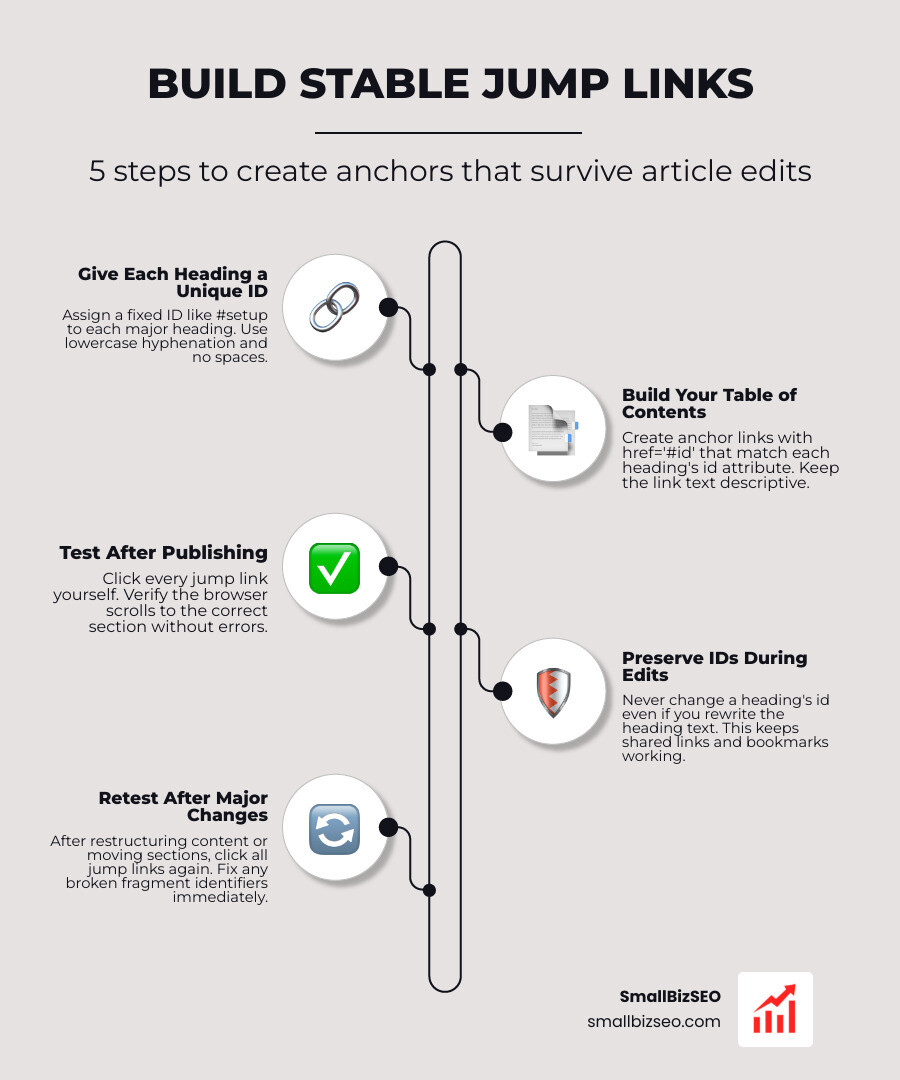
Step-by-Step Blueprint: How to Create Stable Jump Links for a Long Article
Building dependable jump links requires linking an anchor element directly to a target identifier within your document markup. When a visitor activates a jump link, the web browser identifies the fragment identifier following the hash symbol in the address bar and immediately scrolls the viewport to the element bearing that matching identifier.

To build these pathways reliably, review the fundamentals of fragment identifiers in HTML to ensure your markup remains fully crawlable. Web crawlers only evaluate links configured within standard anchor elements containing valid target references.
| Method | Setup Effort | Maintenance Stability | Best Use Case |
|---|---|---|---|
| Manual HTML Anchors | Moderate | High (IDs remain fully locked) | Custom code bases and markdown documents |
| CMS Block Settings | Low | High (when manually defined) | WordPress Gutenberg, Webflow, and HubSpot |
| Automated TOC Plugins | Very Low | Moderate to Low (auto-slugs may shift) | High-volume blogs with minimal post edits |
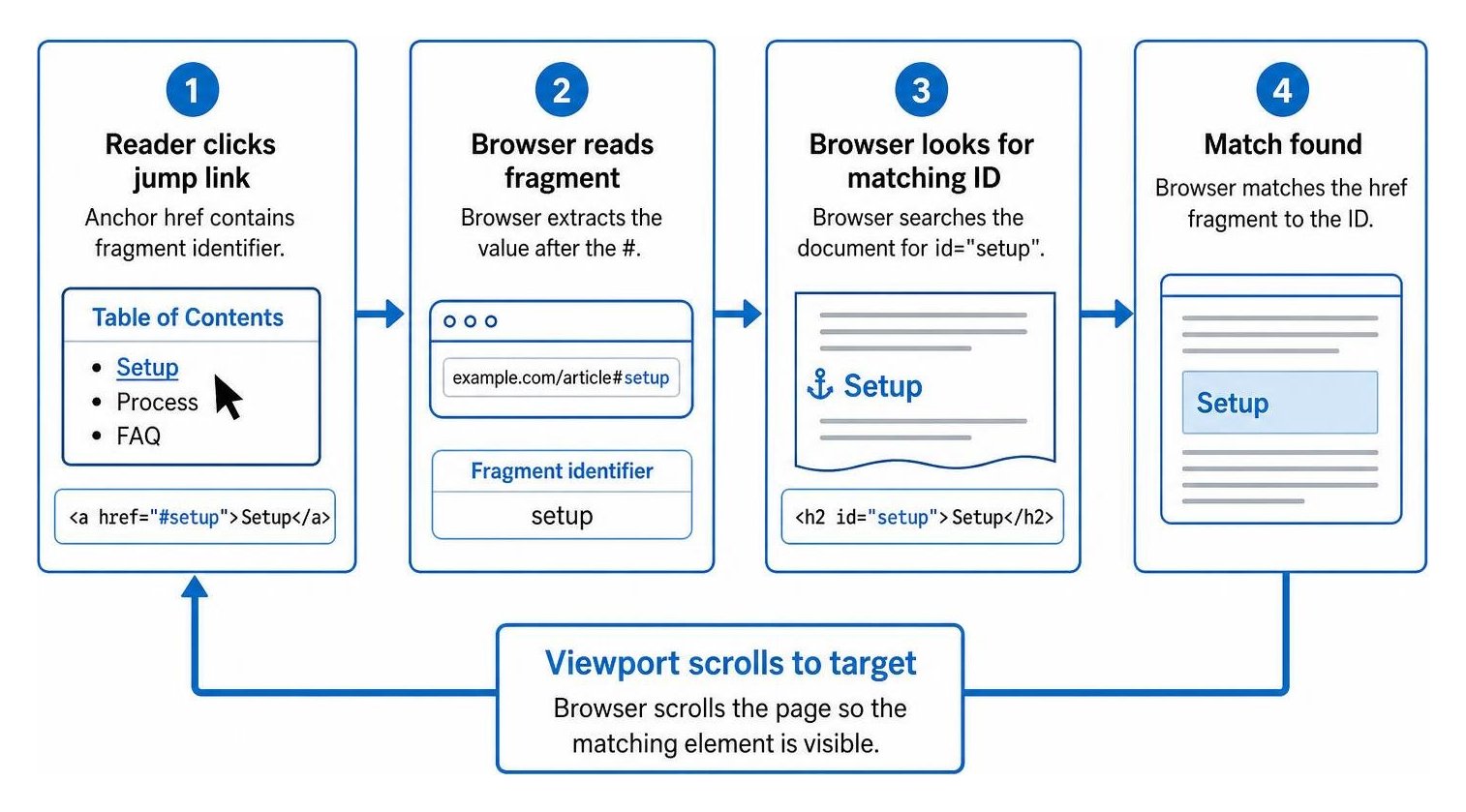
What Is the Core HTML Syntax for How to Create Stable Jump Links for a Long Article?
The core HTML syntax requires an anchor tag paired with a matching destination element attribute. The anchor uses an href attribute starting with a hash symbol, while the destination element uses a matching id attribute without the hash.
Always write IDs using lowercase letters and hyphens rather than spaces or special characters. Combining clean IDs with proper header tag structure reinforces document hierarchy and ensures assistive technologies process content logically.
- Use standard anchor tags rather than scripting wrappers:
Jump to Syntax - Place the destination identifier directly on your heading:
Core Syntax Details
- Maintain absolute uniqueness across every identifier on the page to prevent browser jump confusion.
- Never use whitespace or uppercase letters within ID strings.
How to Create Stable Jump Links for a Long Article That Never Break During Content Updates?
To ensure jump links survive future content revisions, treat your section IDs as permanent permalinks. Automated content management systems often generate fragment IDs from the visible heading text; if an editor later refines that heading, the generator creates a new ID, instantly severing incoming deep links, social shares, and citations.
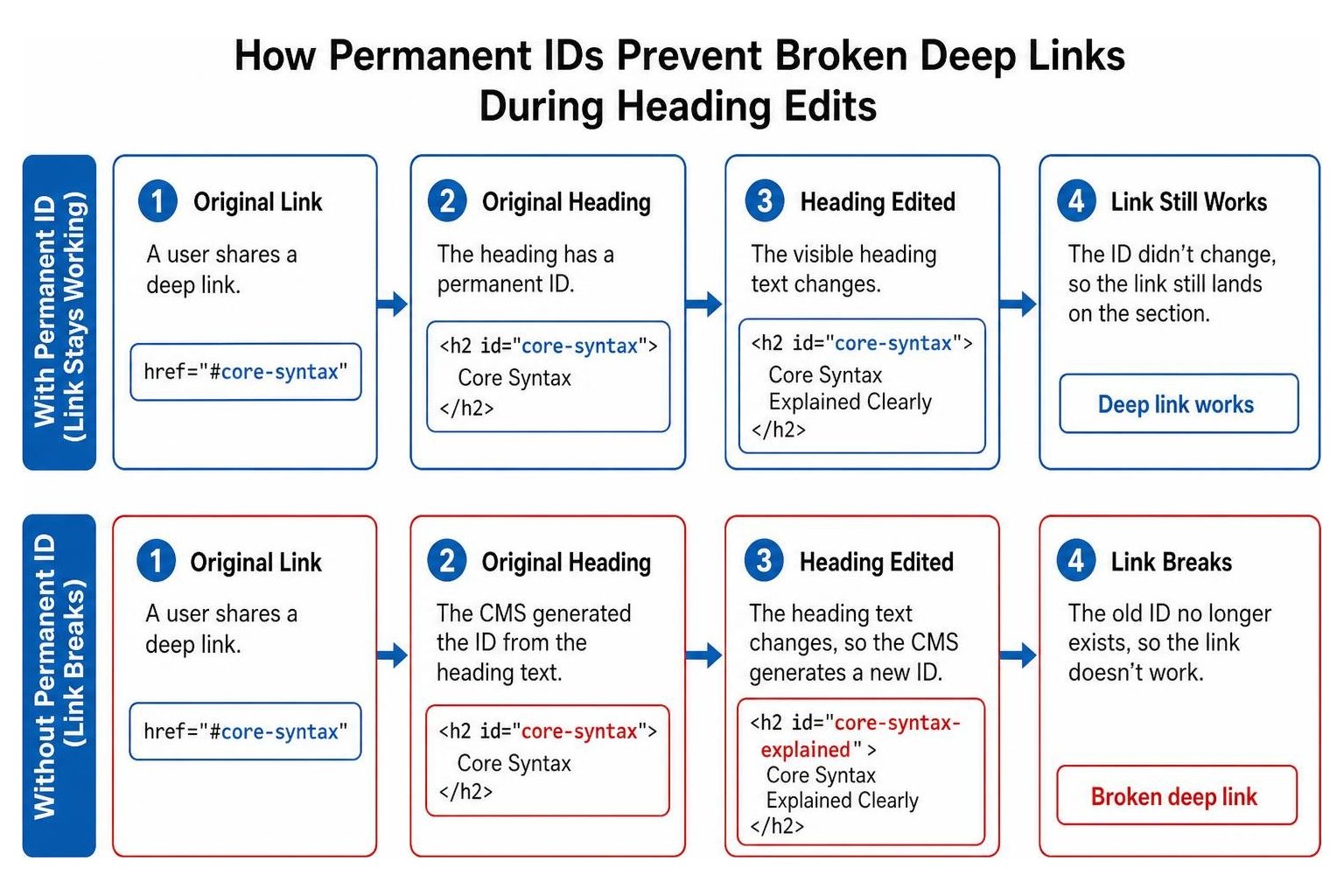
Preventing broken in-page navigation protects your site from common SEO audit errors that degrade user trust. Stable identifiers also preserve precise machine extractability for search engine passage indexing and AI retrieval systems that reference standalone answers within your text.
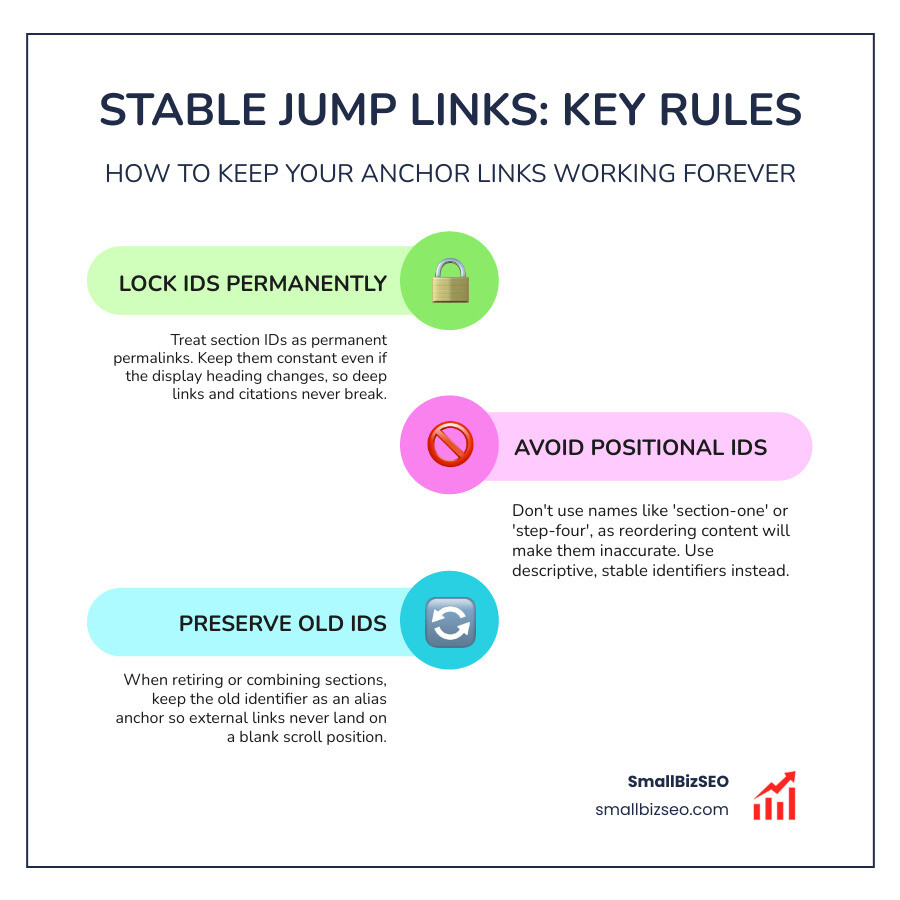
- Lock your identifier at initial publication and keep it constant even if the display heading changes.
- Avoid numbering IDs by position, such as section-one or step-four, because reordering steps will make those names inaccurate.
- When retiring or combining sections, retain the previous identifier as an alias anchor so external links never land on a blank scroll position.
How Do You Prevent Sticky Headers from Covering Jump Targets?
Sticky headers frequently obscure target headings because the browser aligns the destination element with the absolute top edge of the viewport. You can fix this overlap by applying the CSS property scroll-margin-top directly to your target headings, matching the pixel height of your fixed navigation bar.
Following technical guidelines such as the Jump links - NYC Digital Design System ensures that content remains readable and interactive upon arrival. Applying a scroll margin satisfies WCAG 2.2 Success Criterion 2.4.11, which mandates that focused interactive elements are not hidden behind fixed page elements.
- Add offset rules to your style sheet:
h2, h3 { scroll-margin-top: 5rem; } - Use media queries to adjust the offset dynamically when header heights change on mobile viewports.
- Maintain visible focus indicators around target sections for keyboard navigators.
Advanced Optimization: UX, Accessibility, and Search Visibility
Optimizing in-page navigation bridges the gap between technical accessibility and crawl efficiency. Reviewing your technical architecture against standard practices for passing Google SEO audits ensures that both human readers and search engine crawlers interpret your article layout effectively.
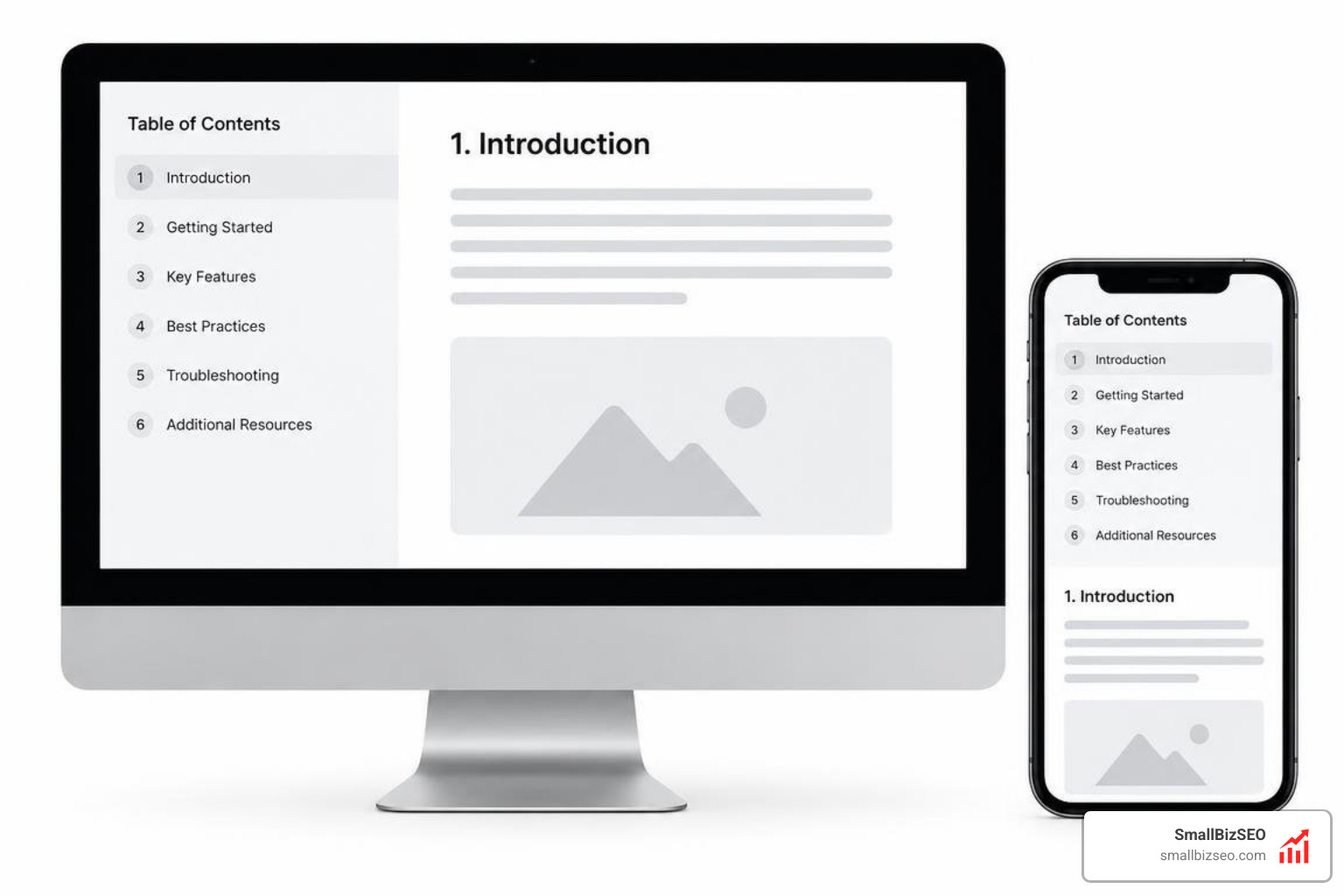
Implementing stable navigation patterns aligned with the in-page navigation rules allows search engines to understand thematic document divisions and present direct section jumps in search listings.
How Should You Structure an Accessible Table of Contents and In-Page Navigation?
Structure your table of contents within an HTML element equipped with a descriptive aria-label to give screen readers immediate context. Always provide accessible skip links at the top of your document body so keyboard users can bypass repetitive navigation menus.
- Wrap in-page menus inside semantic structures:
- Organize navigation links using ordered or unordered lists to preserve structural hierarchy.
- Enable smooth scrolling with
html { scroll-behavior: smooth; }while pairing it with@media (prefers-reduced-motion: reduce)to support visitors with vestibular sensitivities. - Ensure all interactive links provide visible focus styles when navigated via the Tab key.
How Do Anchor Links Influence Technical SEO and Search Engine Result Snippets?
Anchor links assist search crawlers by outlining clear content relationships across long documents. While in-page links do not serve as direct ranking factors, they reduce bounce rates, increase scroll depth, and allow Googlebot to extract direct answers for rich snippets and passage-based indexing.
Pairing clear anchor links with Schema markup establishes a comprehensive technical foundation for your content. At SmallBizSEO, we implement our data-driven Velocity framework to build fast, structured digital architectures that maximize search visibility. Discover how our specialized anchor link optimization strategies can refine your internal site structure and enhance your search performance.
Turn Your Long-Form Content into High-Performing Reference Guides
Creating durable in-page jump links transforms lengthy articles from dense walls of text into structured, user-friendly resources. By freezing unique identifiers, accounting for sticky navigation heights with CSS scroll margins, and structuring accessible navigation lists, you protect your content against broken links and improve the reading experience for every visitor.