Step-by-Step Guide to Choosing Redirect Destinations for Valuable Backlinks
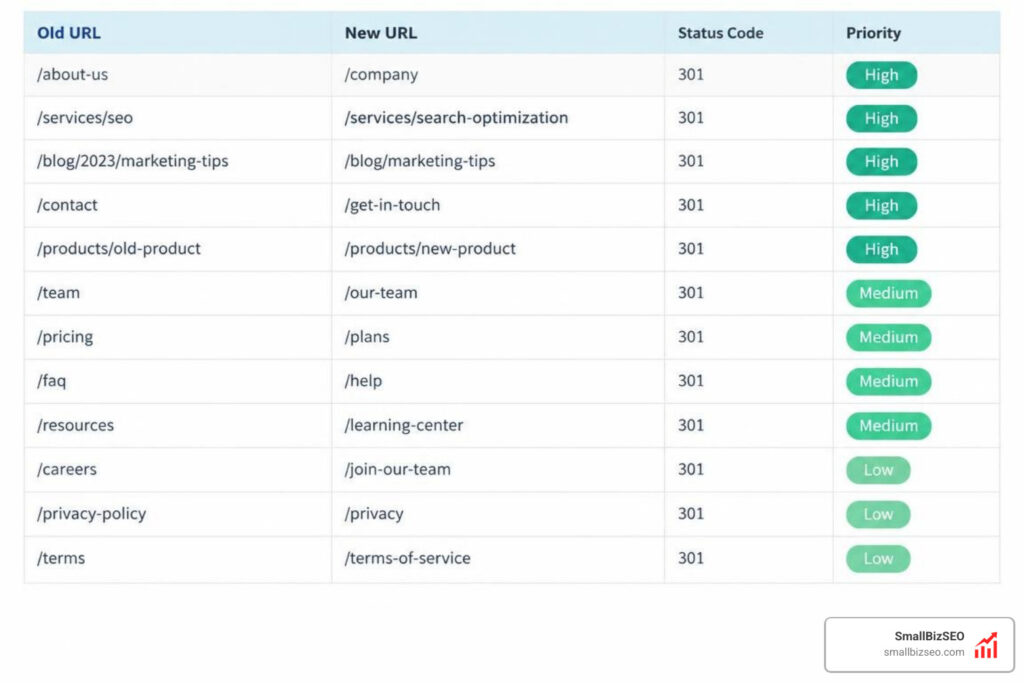
How to Choose Redirect Destinations for Valuable Old Backlinks Step-by-Step
To choose redirect destinations for valuable old backlinks, map each old URL to the live page that best matches its original topic and search intent. A clean, direct 301 redirect passes full PageRank from the old address to the new destination. Search engines transfer approximately 90% to 99% of ranking equity when the destination matches the original subject. If you redirect an old URL to an unrelated page, search engines treat it as a soft 404, stripping away the link equity and confusing your visitors.
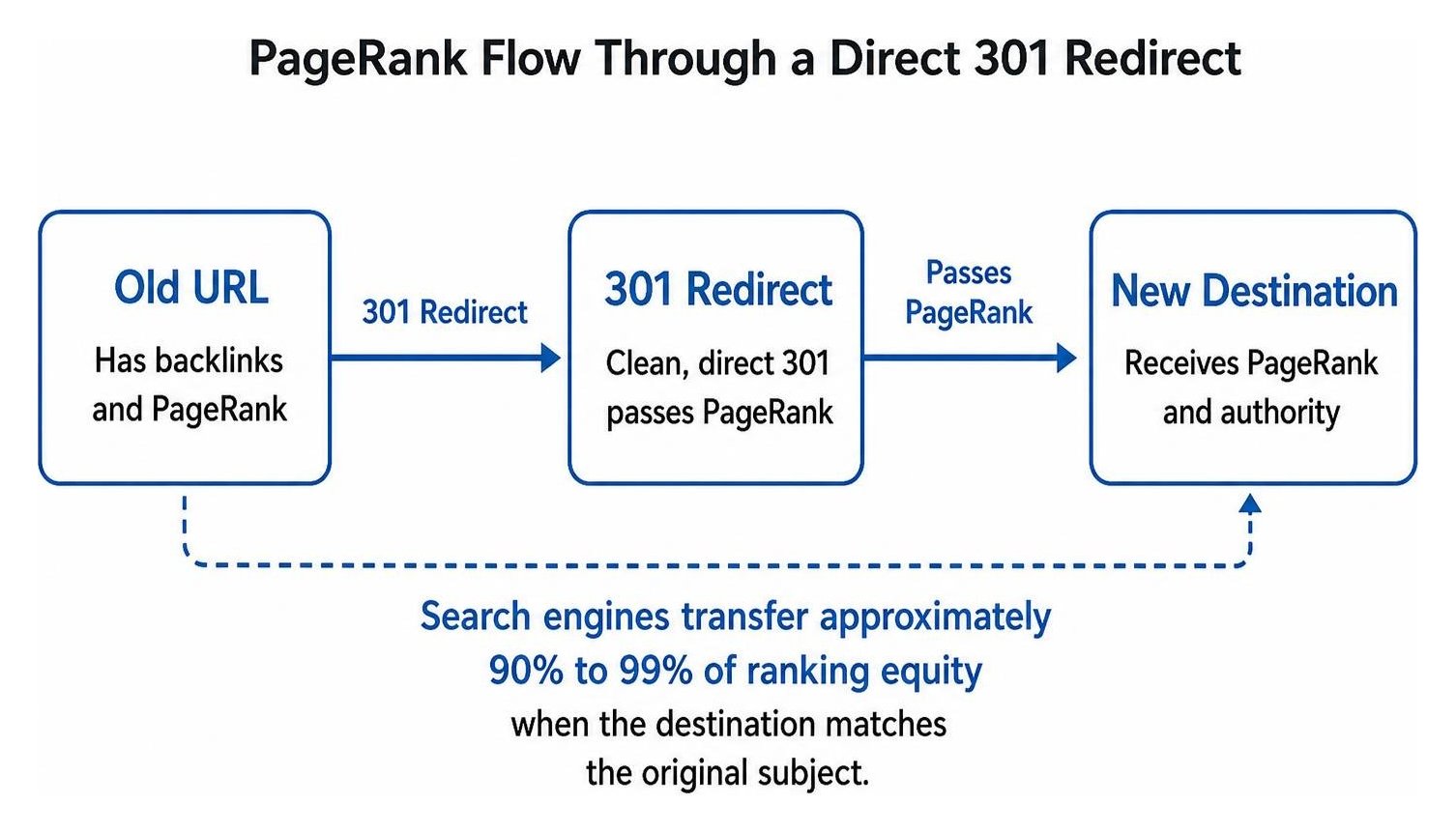
Link equity—often called PageRank—is the search engine authority passed from one website to another through hyperlinks. When a site links to your page, it vouches for your content. When that URL changes or disappears without a proper directive, the connection breaks, and that earned authority vanishes into a 404 error.
To preserve your hard-earned authority, you must audit your historical URLs, identify which pages hold external value, map each to an intent-matched live page, and test the implementation.
If you are wondering what steps to take when valuable incoming links are broken, following a structured mapping framework ensures no equity falls through the cracks. In ecommerce platforms, utilizing a structured Shopify redirect mapping guide can streamline the process across large catalogs.
For example, if an old URL was /services/commercial-roof-repair and accumulated twenty authoritative links, mapping it directly to the updated /commercial-roofing/repair preserves those equity signals seamlessly.
Step 1: Which Old URLs Have Valuable Backlinks?
Start by pulling backlink and traffic data from multiple sources to identify every legacy URL with active referring domains.
Relying on a single crawl misses deleted pages that no longer appear in your current navigation. We pull data from Google Search Console, Ahrefs, Semrush, and historical server access logs to uncover every URL that has received traffic or inbound links over time.
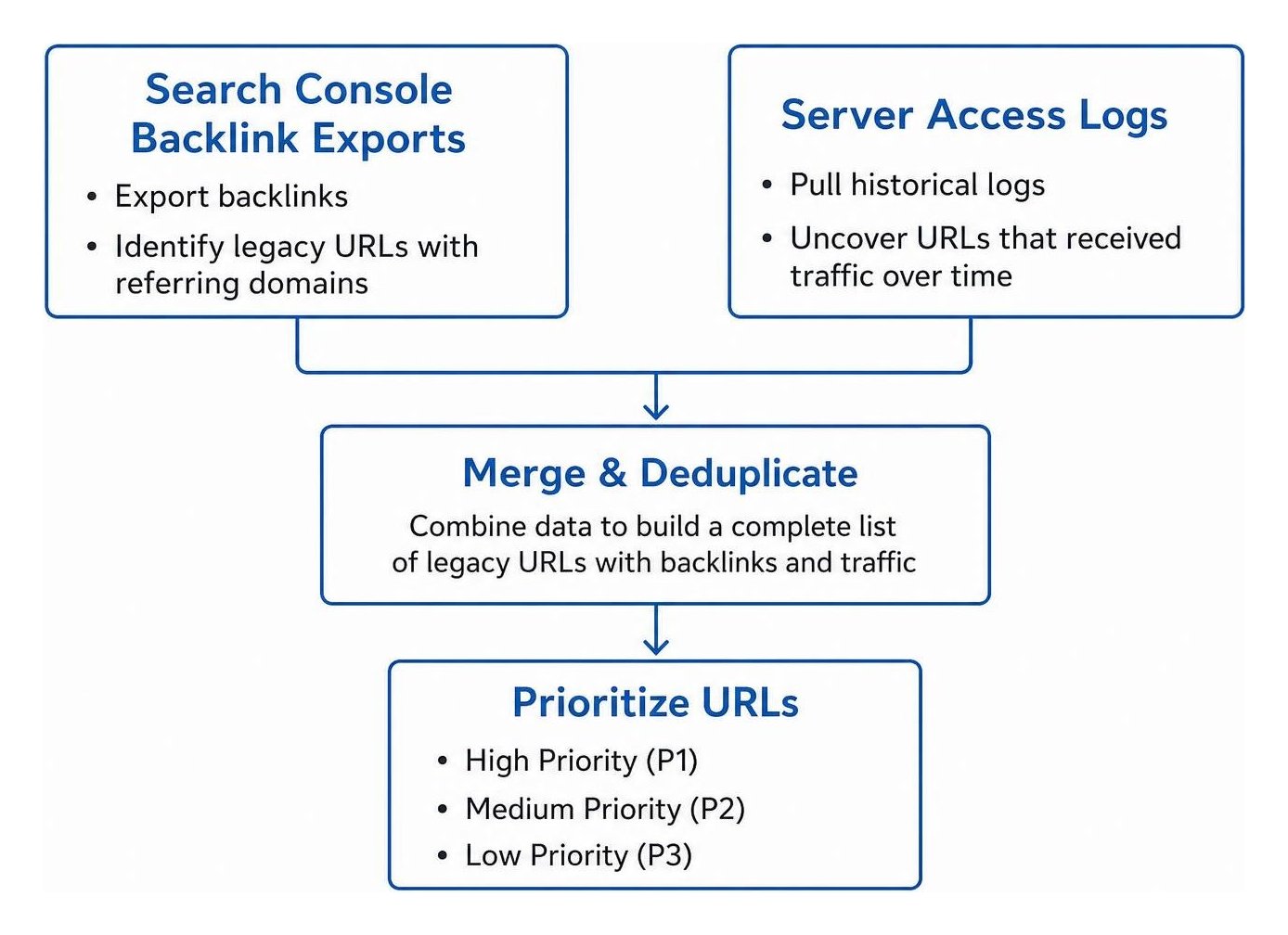
Prioritize your URLs based on equity and traffic potential:
- High Priority (P1): Pages with multiple high-authority referring domains, strong historical organic conversions, or critical brand mentions.
- Medium Priority (P2): Pages with moderate backlinks or helpful informational content that retains search demand.
- Low Priority (P3): Pages with low-quality links or legacy URLs with zero traffic and zero referring domains.
Gathering this data makes link reclamation straightforward. It ensures you know which legacy assets warrant manual review and protection to secure every valuable backlink.
Step 2: How Do You Match a Redirect Destination to Search Intent?
Match each old URL to the live page that satisfies the exact same user intent and topical focus.
A one-to-one mapping to an identical or directly updated page is always the gold standard. When search engines evaluate a redirected link, they compare the context of the source backlink with the content on the destination page. Understanding topical relevance principles ensures search engines pass full ranking signals without triggering soft 404 flags.
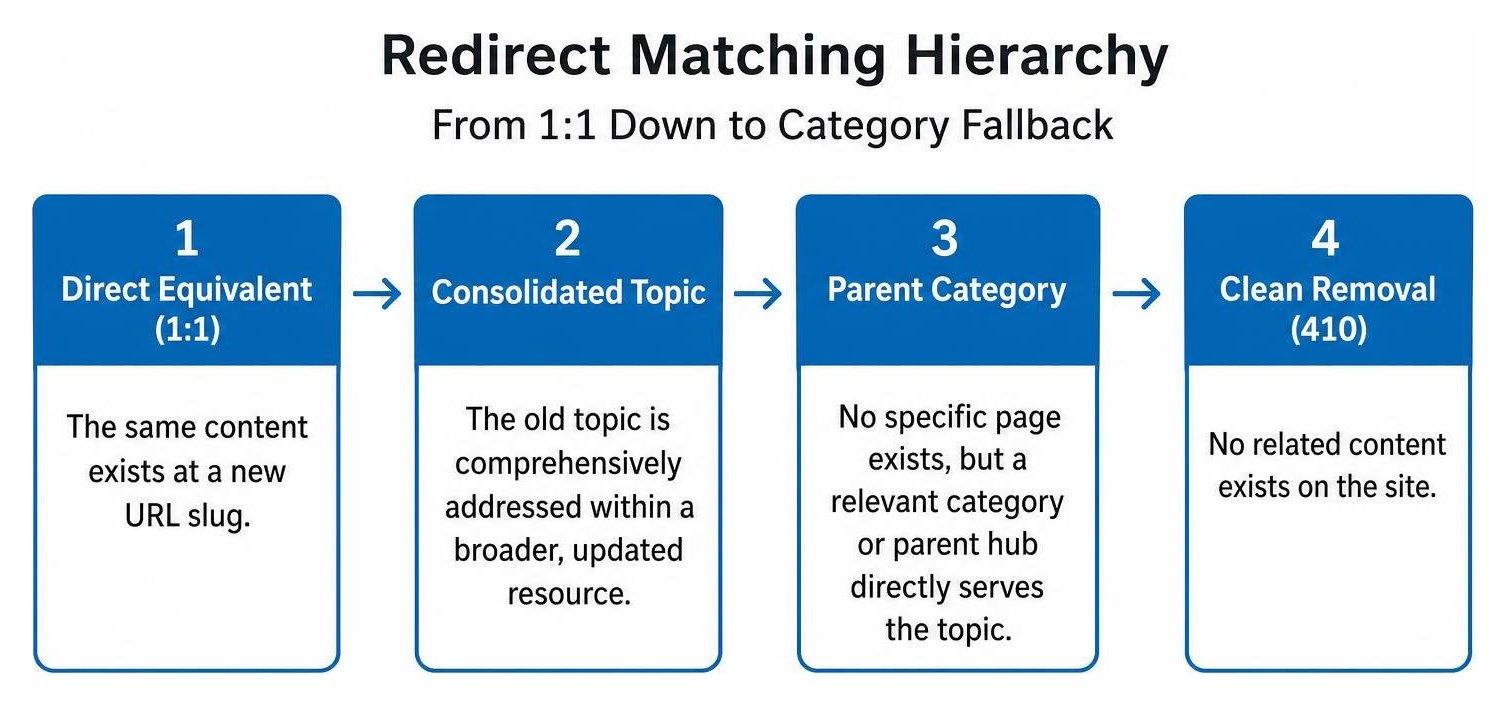
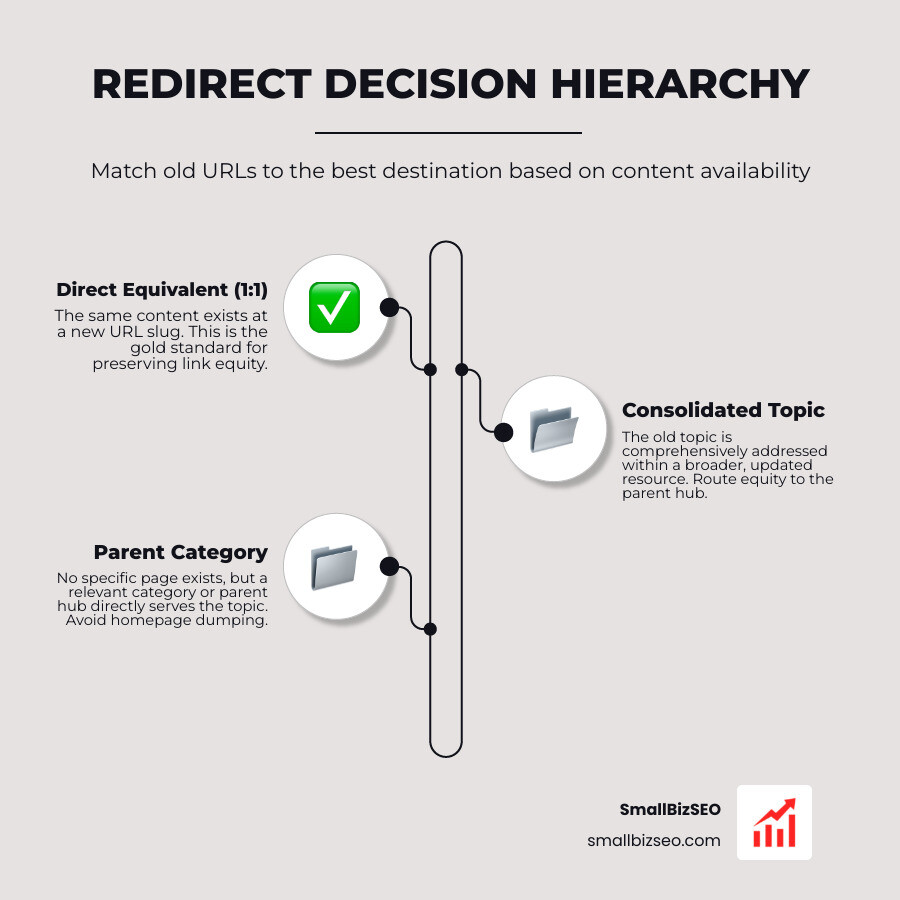
Follow this decision hierarchy when choosing a destination:
- Direct Equivalent (1:1): The same content exists at a new URL slug.
- Consolidated Topic: The old topic is comprehensively addressed within a broader, updated resource.
- Parent Category: No specific page exists, but a relevant category or parent hub directly serves the topic.
- Clean Removal (410): No related content exists on the site.
Dumping old URLs onto your homepage is a bad practice. It creates a jarring user experience, and search engines ignore the link equity because the homepage does not satisfy the original query.
Step 3: What Should You Do With Consolidated Services and Sunsetted Content?
Redirect discontinued or merged pages to a consolidated parent resource only if that page answers the visitor's core question.
When businesses streamline service offerings or update product lines, old URLs are often deleted without a plan. If you combine multiple niche services into a unified offering, consult our step-by-step redirect mapping guide for merging service pages to route equity into your primary hub.
When ecommerce items go out of stock or are permanently discontinued, you can stop losing link equity when sunsetted products disappear by redirecting them to the direct product replacement or the immediate subcategory.
If a legacy service or product is eliminated entirely and has no logical replacement anywhere on your site, serve an HTTP 410 (Gone) status code. A clean 410 tells crawlers to de-index the URL efficiently without diluting site-wide relevance signals.
Step 4: How Do You Choose Destinations During a Domain or Platform Move?
Map every high-value path on your old domain to its exact counterpart on the new domain before updating DNS records or platform settings.
A platform or domain migration introduces widespread structural changes. Following proven strategies for managing link rot and preserving backlink equity helps safeguard your site against organic traffic drops.
When executing a domain-level migration:
- Ensure protocol and host normalization rules are active (such as routing non-WWW and HTTP directly to secure HTTPS).
- Avoid changing URL slugs and domain names simultaneously whenever possible.
- Submit a Change of Address request in Google Search Console immediately after launch.
- Maintain ownership and active hosting/forwarding rules on the legacy domain indefinitely to preserve historical backlink flow.
Sites that execute clean, direct redirect maps typically begin recovering their impressions within two to four weeks, approaching full baseline performance within six to eight weeks.
How Do You Implement and Monitor Redirects?
Implement server-level permanent redirects, eliminate multi-hop chains, and audit your live URLs continuously.
Redirects should execute at the server level via Nginx, Apache configuration files (.htaccess), or CDN edge rules rather than relying on slow client-side JavaScript redirects.

| HTTP Status Code | Best Use Case | Passes PageRank? | Search Engine Action |
|---|---|---|---|
| 301 Moved Permanently | Permanent URL moves, site migrations, intent-matched consolidations | Yes (~90-99%) | Updates index to new URL |
| 302 Found (Temporary) | Short-term maintenance, seasonal promotions, temporary split tests | No (Short-term) | Keeps original URL indexed |
| 308 Permanent Redirect | Permanent moves preserving strict HTTP methods (forms, APIs) | Yes | Updates index to new URL |
| 410 Gone | Permanently deleted content with no topical replacement | No | Quickly removes URL from index |
When Should You Use a 301, 302, or 410?
Use a 301 or 308 redirect for permanent content moves, a 302 only for temporary testing, and a 410 when content is permanently retired without a replacement.
Under RFC 9110 HTTP standards, a 301 indicates that the resource has permanently moved to a new location. Search engines transfer historical signals to the target destination and update their indexes accordingly.
In contrast, setting up a 302 redirect tells crawlers that the move is temporary. Because search engines expect the original page to return, they maintain the old URL in the index and do not transfer backlink authority. Using 302s for permanent migrations is one of the most common causes of long-term traffic loss.
How Do You Find Redirect Chains and Check Your Work?
Crawl your site with diagnostic tools immediately after deployment to eliminate multi-hop chains and verify destination response codes.
A redirect chain occurs when an old URL forwards to a secondary address, which then forwards to a third URL before reaching the final page. Each intermediate hop increases page latency, drains crawl budget, and risks dropping ranking signals.
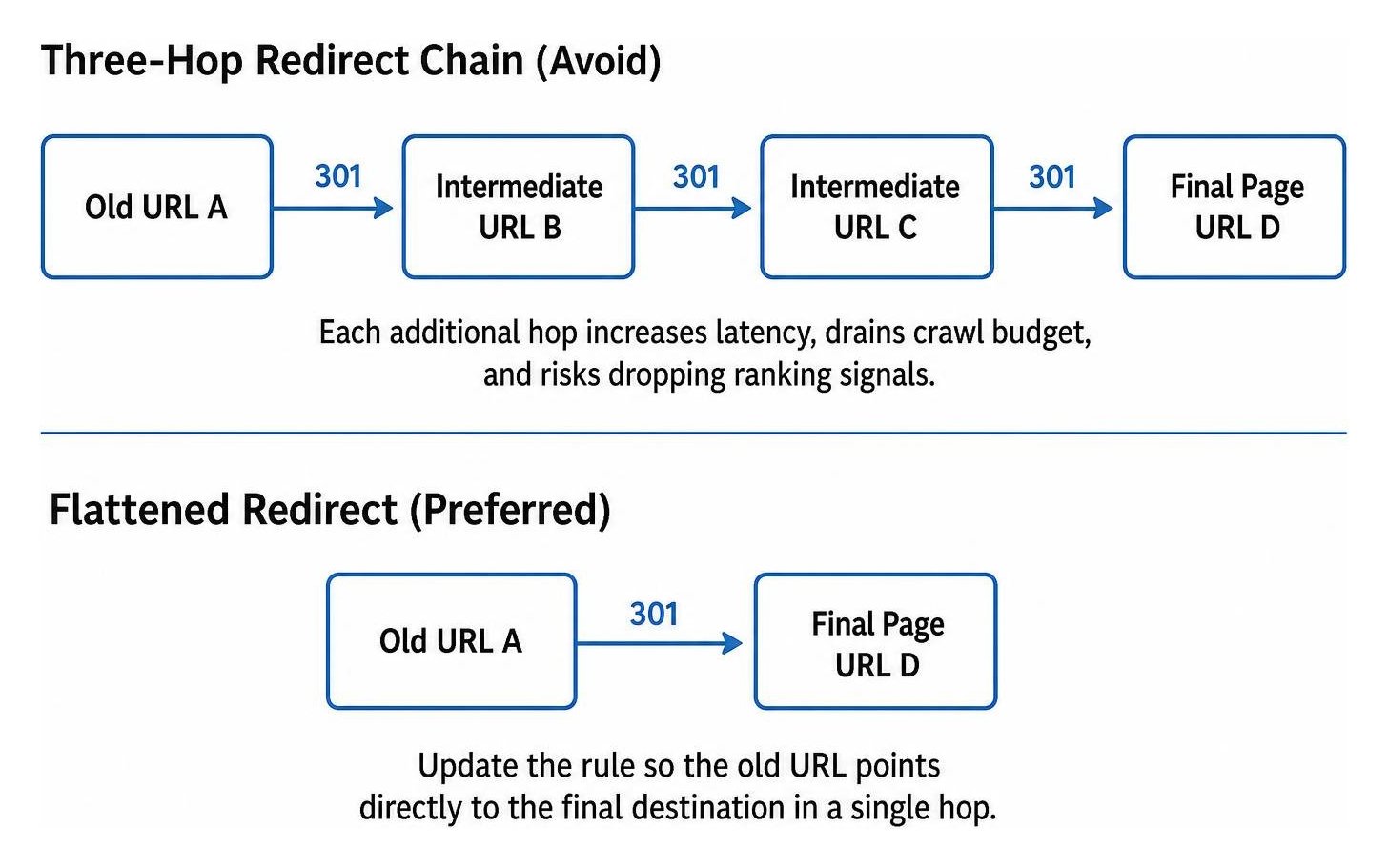
According to technical guides on how to find and fix redirect chains, every redirect should resolve in a single hop. If URL A points to URL B, and URL B moves to URL C, update the rule so URL A points directly to URL C.
Keep permanent redirects active for at least one full year, and preferably as long as the domain receives external referrals.
Protect Your Search Authority and Build Long-Term Growth
Choosing the right redirect destinations ensures your website retains every ounce of earned authority across updates, redesigns, and migrations. By auditing your backlink profile, prioritizing intent-matched destinations, and keeping your technical architecture clean, you maintain the strong foundation needed for sustained organic growth.
Our data-driven Velocity framework helps small businesses accelerate their search performance, resolve complex technical roadblocks, and focus on maximizing link equity across every campaign. Explore our comprehensive link-building services or schedule an in-depth SEO visibility audit with our team today.